
Use attachments to store all your supplemental documents or files (e.g., SOWs, W-9s, certificates of insurance, emails, etc.) for each contract. Keep everything organized underneath the main contract.
Note: Keep in mind that while you can download or view attachments at any time, they aren't directly searchable in ContractSafe. If you search for an attachment, your results will show the main contract it’s linked to, rather than the specific attachment file itself.
You will find this Attachments feature in the Related Documents area on the Contract Page for each contract. (Legacy Contract page)
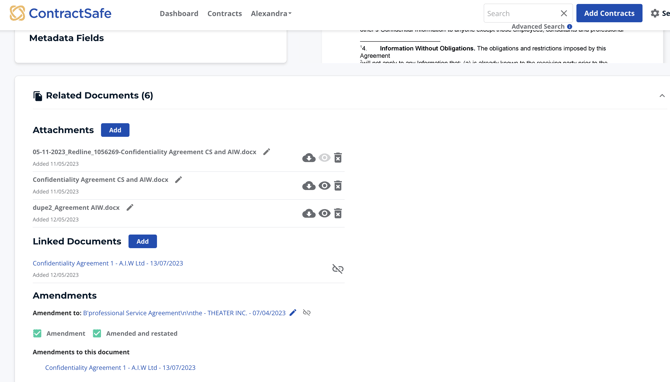
On the New Contract Page, you will find the attachments section in the Related Documents Workspace. Just hover your mouse to the leftmost side of the contract page, and the workspaces should appear.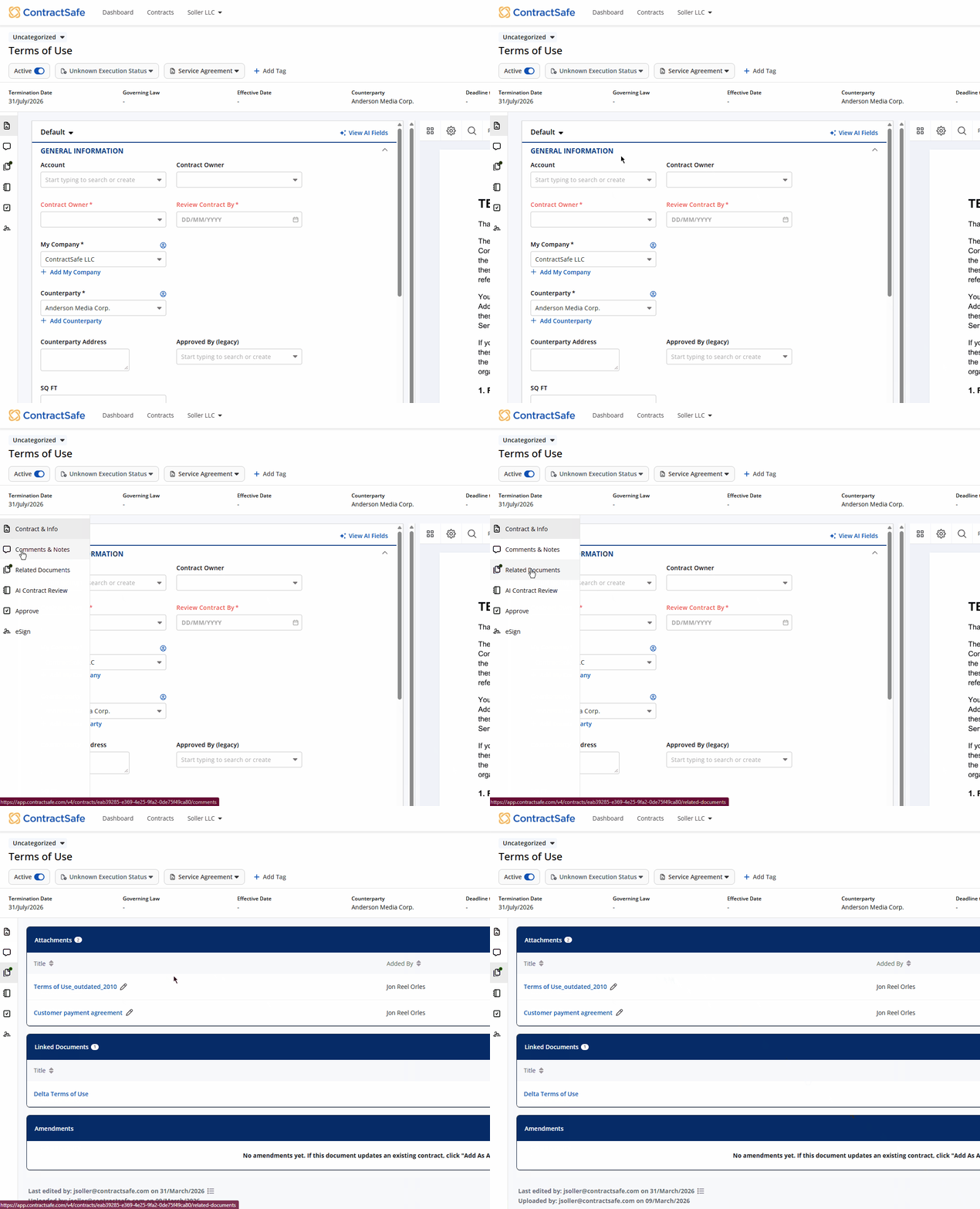
Just click on Add and you can drag and drop (or choose) files to attach. You can attach any of the following files with a maximum size of 75MB:
|
Documents |
.pdf .doc .docx .bdoc |
|
Images |
.gif .png .img .jpg .jpeg .svg. .tif .tiff |
|
Spreadsheets |
.xls .xlsx |
|
Emails |
.eml .msg |
You can also select contracts right on your contract list and convert them into attachments. For example, if a vendor emails in an updated Certificate of Insurance, or someone on the team uploads a Statement of Work, you can just choose the contracts from the contract list and add them to an existing contract. Check the checkboxes next to the documents you want to attach, and then under the Move menu select Attach to existing contract:
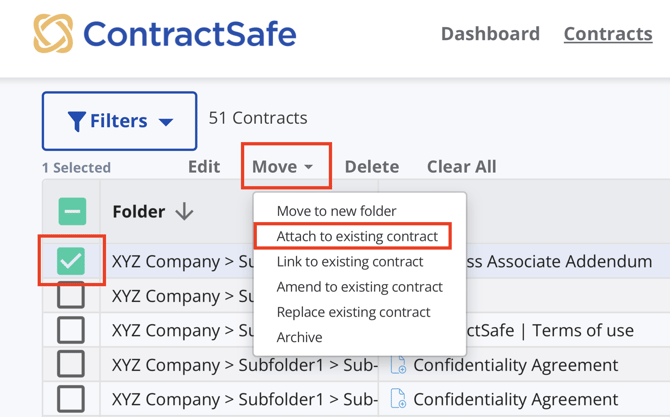
Then select the document you want to add the attachments to, and choose Update. (You have a full metadata search for finding the right document....it's super fast). The selected documents will be moved off the Contract List and added as Attachments.
These attachments do not count against your contract capacity for subscription/pricing purposes. For example, a Contract Page with five attachments counts as one contract, not six.
Caution: While turning existing contracts into attachments is a good way to save up on precious contract space, doing so will permanently delete data from fields, comments and notes, related documents, approvals, and e-sign.
FAQ: Are the contents/text on my attachments searchable? No, attachment contents are not searchable. You may download the document and upload to ContractSafe as a separate entry to make its contents searchable.
Please reach out to support@contractsafe.com if you need further assistance.