
Account Owners and Admins can find ContractSafe invoices and receipts under Settings > Company Settings > Account, then Activity > Invoices. There's no need to call in or reach out for a copy.
Note: Only the Account Owner and Admin users can access the Invoice/Receipt.
How to find your invoice
- First, log in to your ContractSafe account and navigate to Settings > Company Settings > Account.
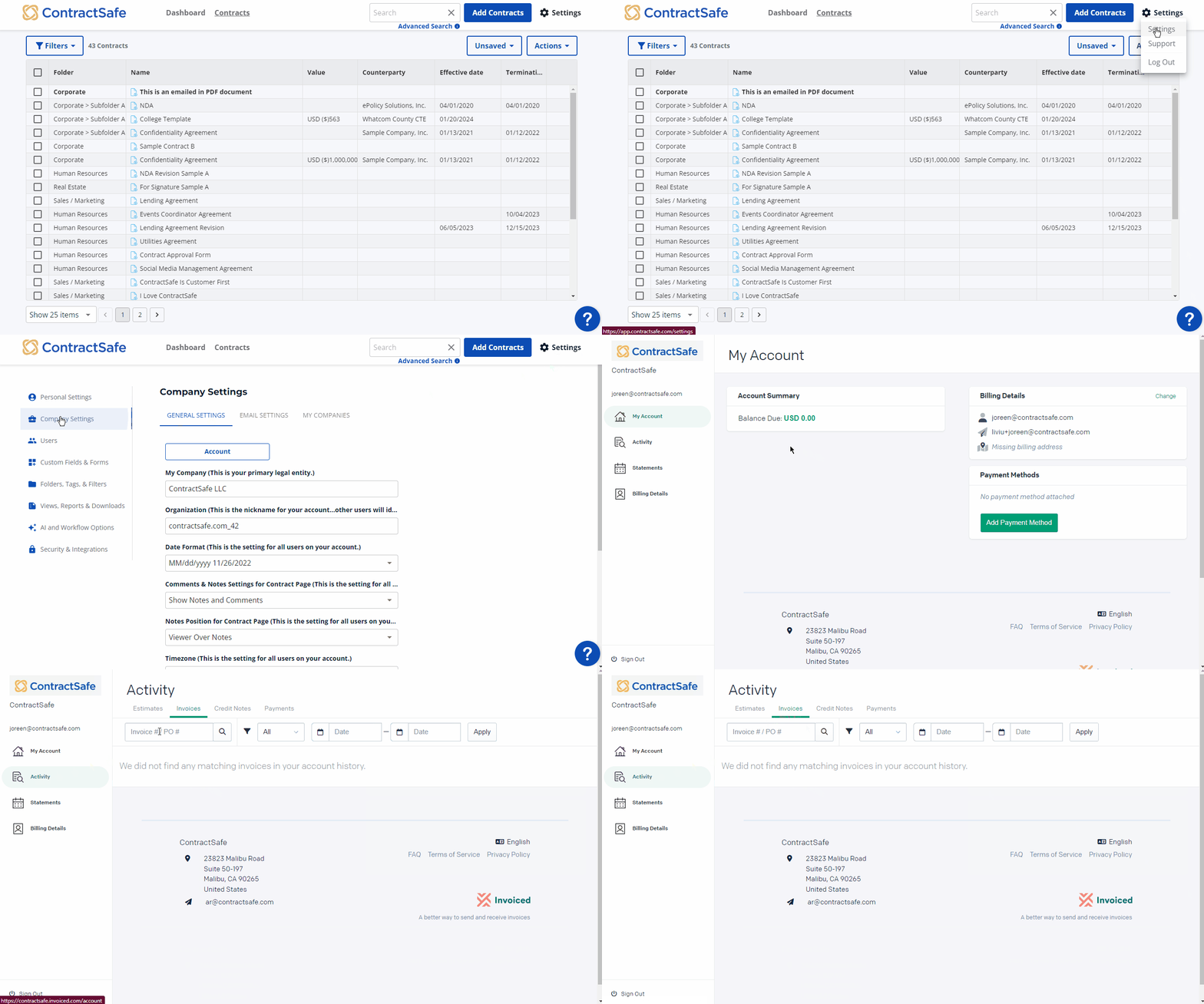
- A new window should appear. Navigate to Activity > Invoices.
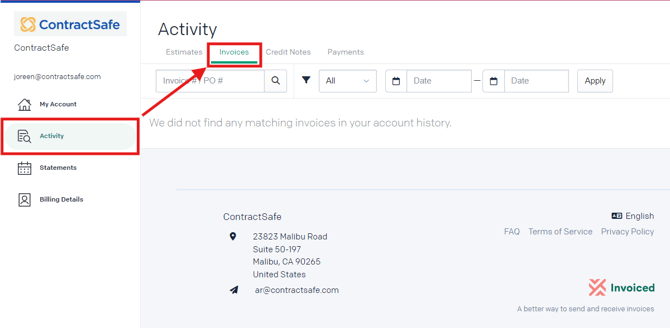
And that's it! You now have access to your whole invoice history. You even have the option to search for a specific invoice using the invoice number, and the ability to filter and sort invoices just as you can elsewhere in ContractSafe.
Looking for your plan details instead? See where to see your subscription and billing details. To change the card or billing info on file, see how to update your payment information.
If you need further assistance, please reach out to support@contractsafe.com.