
Most contract managers don’t need to see every single agreement they’ve ever signed—they need to see the three that expire next month or the ones still waiting on a specific VP’s approval. Advanced Filters let you skip the manual search and get straight to the contracts that matter right now
The basics: How to Use Filters
Think of filters as a way to clear the clutter. You can filter by standard details like:
- The people involved (Counterparty or Approved By)
- Key dates (Effective or Renewal dates.
- Internal organization (Folders, Tags, or any Custom Fields you’ve created)
Note: The above information are just examples. You can apply as many filters as you please, so long as it is a data point on ContractSafe. For example, a large majority of custom fields you create, will in turn, be filters. Make sure your fields are in use so the filtering will have results!
Getting Started
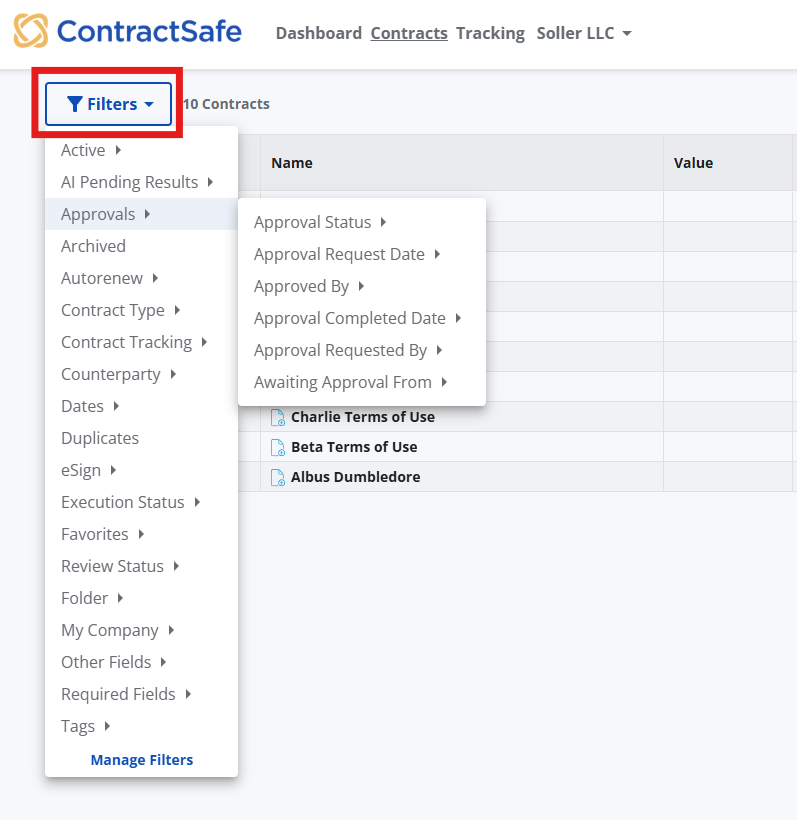
To begin, just select the Filters button at the top left of your Contract List.
As you apply filters, a "tile" will appear for each one so you always know exactly what you’re looking at. If you need to broaden your search again, you can click the "x" on an individual tile to remove it, or select Clear All to start fresh.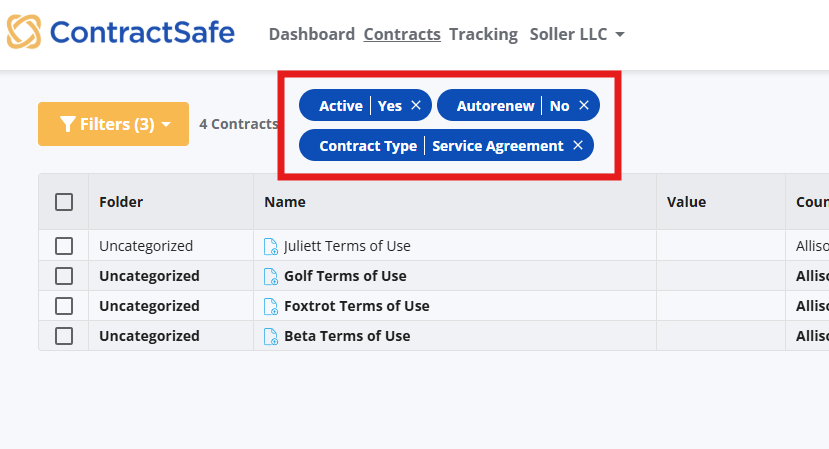
Another effective way to use Filters is by filtering to find contracts that are missing key information. Now we can also help you easily find contracts that are missing key details in your account.
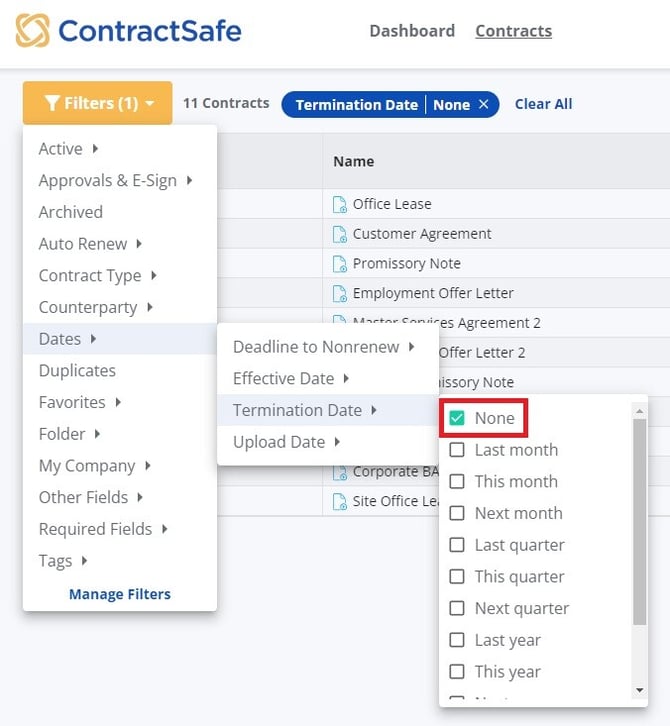
Let’s say you want to see all contracts that are missing an entry for Termination Date. Just go to filters, and you’ll see a new entry at the top of the list for “None”. Select this and all contracts missing this entry will be pulled up. This will work for any non-checkbox data field.
And keep in mind that you can use Filters and Search together to easily find exactly the right contracts, and then use our reporting tools to download the information for these contracts or the contract files.
Please reach out to support@contractsafe.com for any questions.