
1) The Dashboard: Where you can see at a glance a summary of all your contracts, your important dates (upcoming and past), the audit trail for all the activity in your account, and the Saved Views that you have created or which have been shared with you.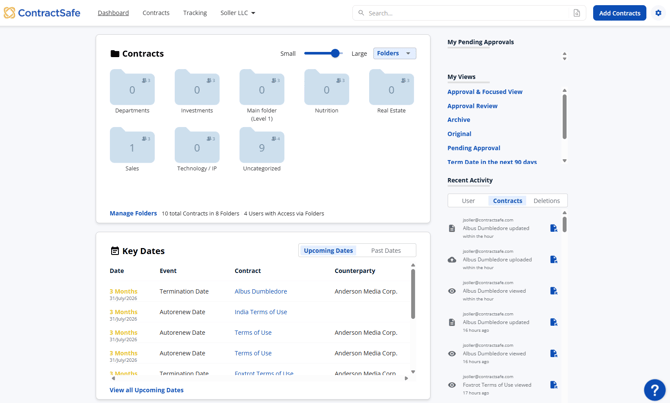
2) The Contracts List: This is where all your contracts live at a summary level. This is where newly-uploaded contracts are located, where you can see your search results, where you can filter your contracts, and where you can generate reports. You can toggle between multiple Saved Views to access different display templates for your Contracts List depending on what details you want to focus on. 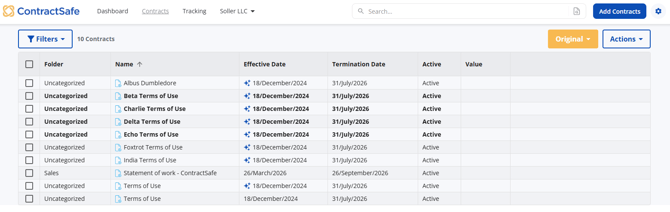
3) The Contract Detail Page: This is where you can enter and see all the key information for a specific contract. It's like having a term sheet ready anytime and for anyone on your team!
This is what the Legacy Contract Page looks like: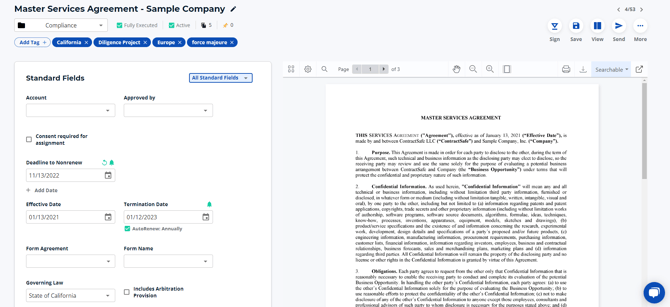
This is what the New Contract Page looks like: 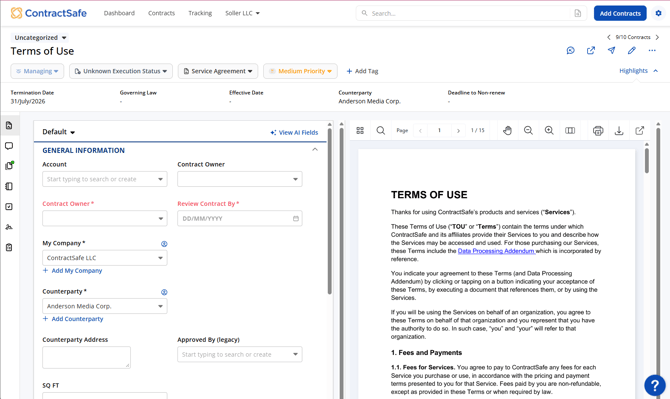
4) *NEW* for accounts on the Maximize subscription - The Tracking Section! (Contract Lifecycle Tracking feature): The Contract Lifecycle feature tracks the progress of a contract through seven distinct stages. This makes it easy to understand a contract's current status, from its creation to its final execution or termination. Read more about this new featureon this article.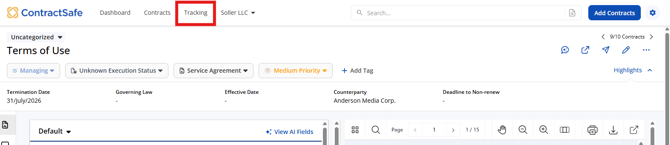
For further inquiries, please reach out to support@contractsafe.com