What contract lifecycle management software is
Contract lifecycle management (CLM) software carries an agreement from request through drafting, review, approval, signature, storage and every obligation that follows. It's different from a document storage tool because it handles the work before a contract exists and the commitments that come due after it's signed.
Thomson Reuters describes a contract management system as one that automates creation and approval, identifies and manages risk, and monitors obligations and compliance in one platform. Read that as a connection requirement, not a feature count. World Commerce & Contracting's Contract Management Standard gives you an independent map of the lifecycle to score against.
Three connected groups of CLM features
CLM features work in three connected groups. Pre-signature work covers intake, templates, editing and approvals. Execution covers signature and the handoff after it. Post-signature control covers storage, search, extraction, reports, alerts and renewals. A system covers the lifecycle only when data and ownership survive the handoffs between those groups.
Contract software usually fails politely. The intake form works, the template library works and the signature tool works. But the intake data never reaches the draft, the executed PDF lands in a folder with no renewal date attached, and finance finds out about an auto-renewal six weeks after the notice window closed.
Before signature: intake, templates, editing and approvals
Intake is where most contract chaos starts, and it's the cheapest place to fix it. A contract request form makes the requester supply the contract type, counterparty, owner and dates up front. That's a small tax on them and a large refund for everyone downstream.
Templates should turn that request data into a first draft, so nobody copies last quarter's NDA and swaps in a new party name. If the requester typed the counterparty into the form, it should appear in the draft without anyone retyping it, because retyping is where typos enter contracts and never leave.
Editing has to handle quick in-platform changes and real negotiation in Word, where the other side's counsel lives, with redline continuity and version history. Approvals need groups, notifications and a status view, because "someone in finance" is the actual rule.
Automation should route work and remind people, not make decisions for them. If a vendor implies AI will draft and negotiate your agreements without a lawyer touching them, ask exactly which output is generated and who's accountable for accepting it.
Signature and the handoff after it
Plenty of systems send a contract out for e-signature, then treat the returned PDF as a brand-new object with no history. From the executed record, you should still see the original request, the approval decisions and the version that got signed. If that takes a second tool, you're looking at two systems, not a lifecycle.
After signature: storage, search, alerts and obligations
Good contract repository software does three things at once: it centralizes agreements, controls who can see what, and keeps an activity record. Older agreements arrive as scans, and a scan is a picture of words, not words. Without OCR, that 2015 lease is a black box to search.
Extraction and search are separate jobs. Extraction pulls effective dates, expiration dates, renewal deadlines, party names and clauses into fields you can report on, and a reviewer should be able to trace each value to the page it came from. Search lets someone ask which contracts expire soon, in plain English.
Alerts carry the clearest dollar value. Renewal and notice-period reminders should go to named owners, not a shared inbox nobody reads, and fire early enough to act. Ninety days before expiration gives you room to renegotiate. Seven days gives you room to panic.
Obligations are the quietly hard part. Contracts require insurance certificates, quarterly reports, minimum volumes and SLA credits, and most of those get remembered only when the other side complains. Underneath it all, the audit trail, permission records, approval history and versions let you answer an auditor without a fire drill.
Which kind of CLM software are you buying?
A contract management system (CMS) pairs basic intake and e-signature with a secure, searchable home for every agreement and its dates, alerts and permissions. A CLM system does all of that and adds the pre-signature machinery: drafting from templates, routing for approval and negotiating redlines. Same contracts, different amount of software.
Choosing is a bit like buying a vehicle. Do you need a reliable, easy-to-drive sedan that gets your whole team where it needs to go, or an 18-wheeler with a dedicated logistics department to run it? The wrong size costs months of implementation and a system nobody opens. The CLM column below describes a traditional enterprise CLM, the 18-wheeler.
| What you're comparing | Contract management system | Traditional enterprise CLM |
|---|---|---|
| Main job | Find, track and never miss a date on signed contracts | Run the whole lifecycle, from first draft to renewal |
| Before signature | Basic intake and e-signature | Clause libraries, redlining, conditional multi-stage approvals |
| After signature | Repository, OCR search, alerts, reporting | Repository, OCR search, alerts, reporting |
| Time to go live | Days | Six to twelve months |
| Who runs it | Whoever owns the contracts, with no dedicated admin | Usually legal ops, often with IT support |
| Adoption risk | Low, because the tool is simple enough for sales, HR and finance | High; unused seats are where the money goes |
| Best fit | Teams whose real problem is that contracts are lost and dates are missed | High-volume, heavily negotiated agreements with complex approval rules |
Pick the buying path before you score anything
Decide which job the system has to do first. One tool can cover all of it, and even a full-lifecycle rollout goes live in phases, so every team has a first job. How well that first job works is what to test hardest. Write the buying path at the top of your scorecard in one blunt sentence.
| Buying path | Use it when | Proof to ask for |
|---|---|---|
| Repository first | Contracts are scattered across folders and inboxes | Search, OCR, fields, owners, permissions, alerts and reports |
| Legal workflow | Legal needs request intake, review paths, approvals or templates | A real request moving from intake to approved contract work |
| Full lifecycle | Multiple teams need intake-to-renewal process control | A phased rollout plan that doesn't bury the first value moment |
Check that the pain driving the purchase really starts where you think it does. Lost contracts and missed renewals start after signature. Slow requests and approval confusion start before it.
| If the pain is... | Start with... | Why |
|---|---|---|
| Lost signed contracts | Repository | Search and fields solve the weekly question |
| Missed renewals | Repository plus alerts | Dates and owners need control first |
| Slow legal requests | Intake workflow | The problem begins before drafting |
| Approval confusion | Workflow rules | Authority and handoffs need structure |
Five questions that decide which one you need
- What's your single biggest contract problem? A drafting and approval process that runs through six departments points to CLM workflow. "We can't find anything" and "we keep missing renewals" is a findability problem.
- How many contracts, and how complex? High volumes of custom agreements with several approvers need CLM workflow. A wide mix of signed NDAs, vendor agreements and leases needs search, tracking and alerts.
- What does your workflow look like? A rule like "over $50k goes to finance, then legal" needs automated approval routing. Ad-hoc email routing needs version control and an audit trail.
- What's your timeline and budget? A contract management system can be running in days. A traditional enterprise CLM can take six to twelve months and cost several times more.
- How critical is company-wide adoption? Simple tools get used. If sales, HR and operations need the system, simplicity is your most important feature.
Lighter or heavier full-lifecycle CLM
| Choose a lighter CLM when... | Choose a heavier CLM when... |
|---|---|
| Your first job is finding signed agreements, keeping their dates and fields right, and giving every team access at a price you can read. | The first rollout must build custom multi-department workflow logic before anyone uses the system. |
| The connectors you need, such as Docusign, SSO, Salesforce or Zapier, work out of the box. | Integrations are the center of deployment and need custom systems work before users see value. |
Overbuying costs more than the invoice. When a complex system goes unused, the team drifts back to spreadsheets and shared drives with a lighter wallet. A platform can cover the full lifecycle without that weight. ContractSafe does, and it runs like the sedan: the whole company uses it, with no enterprise setup.
Match coverage to the people who'll run it. Name who submits contracts, who reviews and edits, who approves, who searches and who owns renewals. A system that covers every stage but needs more configuration than your team can absorb is worse than one that fits your rollout capacity.
What to look for in CLM software
CLM software features are the individual capabilities a contract lifecycle management platform offers: a searchable repository, OCR, renewal alerts, permissions, intake forms, approval routing, e-signature, reporting and AI extraction. Read them as proof tests, not as a shopping list.
Ask three things about every feature. What job does it do for your team specifically? What proof can the vendor show on messy, real contracts? What does turning it on cost in budget, rollout effort and adoption? If a feature can't answer all three, it doesn't belong in your first rollout.
The five features that decide adoption
Start with the five that decide whether the software gets used: search that reads scanned PDFs, automatic renewal and expiration alerts, permissions granular enough to share one contract without exposing the rest, an audit trail, and AI extraction that fills in parties, dates and values. These separate a system from a shared drive.
| Lane | Features in this lane | The question that decides it |
|---|---|---|
| Must-have repository | Central storage, full-text and OCR search, status tracking, attachments, version control, backups | Can your team find the right signed agreement when the file is messy? |
| Optional workflow | Intake forms, templates, approval routing, redlining, e-signature, system integrations | Will the team actually run contracts through these in the first rollout? |
| Advanced / AI | AI data extraction, contract chat, playbook-based AI review, lifecycle dashboards | Does the AI output get reviewed and feed a real decision, or is it a demo trick? |
What a good contract repository looks like
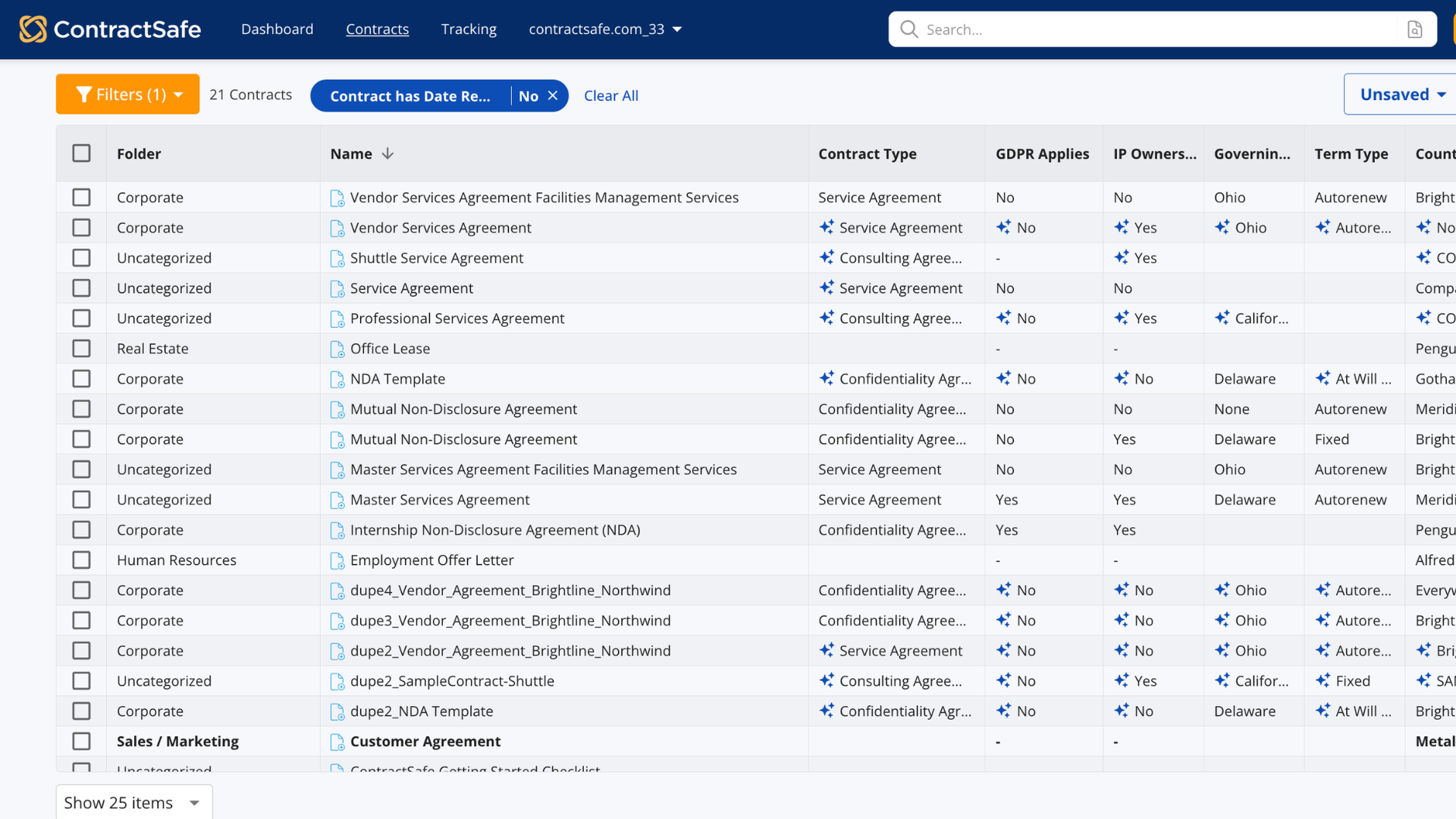
- Full-text search across PDFs and scans, so a clause buried in an image-only contract is still findable.
- OCR that turns scanned documents into searchable text, because inherited paper is the norm.
- Filters for party, type, owner, date and status.
- A clear link between amendments, attachments and the governing agreement.
- Version control with an audit trail of who uploaded or changed what.
- Your own downloadable backup, on demand.
Workflow features to buy now or defer
Buy a workflow feature only when someone can name the contract use case it solves this quarter. "Sales needs to self-serve NDAs through intake" is a use case. "It'd be nice to have approvals someday" isn't.
| Workflow feature | Buy it now when... | Defer it when... |
|---|---|---|
| Intake forms | Requests arrive half-baked and legal keeps chasing missing details | Contracts are already signed and you mostly need to organize them |
| Templates | Your team drafts the same agreements repeatedly and consistency is slipping | Most of your paper is third-party paper you don't author |
| Approval routing | Sign-offs stall in email and you can't see whose desk a contract is on | Your approval chain is one or two people who already coordinate fine |
| Redlining / Word editing | You negotiate heavily and need version history in one place | You rarely edit; you receive, sign and store |
| E-signature | Signature is a bottleneck and you want execution tracked with the record | You already have a signing tool the team is happy with |
| Integrations (CRM, SSO) | A specific system must connect on day one to avoid manual data entry | The connection would be convenient but nobody's blocked without it |
AI features that keep a human in the loop
AI in CLM software should make a reviewer faster, not replace the review. Judge it on three things: it shows its source text, it preserves human sign-off before reports or alerts rely on it, and it respects permissions, so a restricted user gets no answers about contracts they can't open.
- What does it extract, and can you trace each value to the language it came from?
- Who reviews and approves the output before reports or alerts rely on it?
- Does a restricted user get answers about contracts they can't open?
- Does turning AI on change the price or the plan tier?
- Is your data used to train anyone's model, and can you opt out?
Most people in contracting already use AI, just not inside their CLM. A World Commerce & Contracting AI in Contracting study found only one in four access AI through their CLM, while 47% use AI tools daily. What a CLM's AI adds is an answer tied to the source clause in your own contract record.
For the full AI evaluation, see AI contract management software and AI contract review.
How to choose contract lifecycle management software
A CLM software checklist is the list of checks you run on every vendor: search and OCR, metadata and reporting, renewal alerts, permissions and audit trail, security, integrations, signature workflow, AI, and cost and exit terms. For each one, write down the proof you'll ask for and whether a failure rules the vendor out.
Six steps to choose a CLM system
- Name the job. Decide whether you're buying a repository, a legal workflow or full lifecycle coverage.
- Agree on must-haves. Get legal, finance, procurement, sales and IT together, plus whoever owns AI governance. CLOC's 2026 State of the Industry Report found that 85% of legal departments now have dedicated AI oversight or resources.
- Split table stakes from differentiators. Score the basics pass/fail and let the differentiators decide the pick.
- Send a one-page RFP and shortlist three vendors. Analyst reports and roundups are fine for finding names, but don't let them do your scoring.
- Make finalists prove it. Each finalist runs the must-haves live on your messy contracts: scans, amendments and contracts nobody's been assigned to.
- Compare three-year cost and the rollout plan, then pick.
Search, OCR, date alerts, permissions and AI extraction are table stakes now, so score them pass/fail. What decides the pick is how fast non-legal users adopt the tool, how deep the integrations go, how pricing is structured, including whether AI is bundled or billed separately, and how heavy implementation is.
The CLM software checklist
Send the checklist to vendors before the demo, then keep it as the record of why you chose what you chose. Score every row Proven, Unproven, Failed or Not needed. Not needed is for a real feature outside the job you're buying for first. For a longer requirements list, download the CLM checklist.
| Checklist criterion | Proof required | Owner | Blocker test |
|---|---|---|---|
| Search and OCR | Find messy PDFs, scans, amendments and third-party paper live, including one combined search | Legal ops | Blocks if users still need filenames |
| Metadata and reporting | Correct a field, then run the report that depends on it | Legal and finance | Blocks if reports need spreadsheet cleanup |
| Alerts and ownership | Route a notice-window reminder to the right owner and backup | Legal and owner | Blocks if reminders lack owners |
| Permissions and audit trail | Show legal, finance, procurement and restricted roles | IT and legal | Blocks if records are exposed or unusable |
| Security and compliance | Current SOC 2 Type II report, ISO 27001, GDPR or HIPAA posture, encryption, data residency; report scope covers the AI features you'll use, and written notice of material AI or subprocessor changes | IT | Blocks if the vendor can't hand over a current report |
| Integrations | Live sync with your CRM, ERP or procurement system, SSO and e-signature | IT and ops | Blocks if a must-have connector is an unbudgeted add-on |
| Drafting and signing | Templates, approval routing and e-signature valid under ESIGN, UETA or eIDAS | Legal | Score Not needed if buying repository-first |
| Scale | Search speed and bulk upload at ten times your current volume | Legal ops | Blocks if performance drops at projected volume |
| Implementation and migration | Name first contract set, migration help, training path and first report | Project owner | Blocks if launch work is undefined |
| Pricing and access | Show platform, users, implementation, support, AI, integrations, renewal cap and overages | Finance and procurement | Blocks if three-year cost is unknowable |
| AI and source traceability | Extract terms, show source language, review status and correction history | Legal | Blocks if answers lack source proof |
| AI contract review | Flags on counterparty paper traced to your own playbook rule, with a suggested fix | Legal | Blocks if a flag can't be traced to your rule; Not needed if buying repository-first |
| Exit | Full export of files plus metadata with field names intact | IT and procurement | Blocks if data can't leave cleanly |
Turn the checklist into a vendor decision
| Score | Meaning | Next action |
|---|---|---|
| Proven | The vendor showed the work with your sample contracts | Keep it in the recommendation |
| Unproven | The vendor described it but didn't show it | Require a follow-up demo or mark the risk |
| Failed | The vendor couldn't support the task | Decide whether the failure blocks the purchase |
| Not needed | The feature is real but not part of the first buying job | Keep it out of the decision unless scope changes |
Use one finalist rule: a vendor with a Failed blocker drops out, whatever its price. For every vendor still standing, write three numbers beside its name: days to the first working report, three-year total with the renewal cap in writing, and the effort to export every file and field if you leave.
Then write one sentence per finalist: choose this vendor if we prioritize this kind of contract work and accept this kind of risk. Pick the vendor with the most Proven rows on your must-haves at a three-year cost and exit effort the team can live with.
CLM software demo proof tests
A demo proof test is a task you ask a vendor to perform live, in their product, on contracts close to your own. It replaces "yes, we support that" with something you watched happen. Scripted tours show features working alone on clean sample data, which is how a system with every feature can still stall after launch.
Start with the five-contract test
Bring five of your own contracts to any demo and ask the vendor to do this, right there:
- Find a specific term by searching, not by clicking through folders.
- Show the renewal date and the accountable owner together.
- Restrict a sensitive agreement to the right people and prove the block holds.
- Pull a renewal or expiration report you'd actually hand your boss.
- Put year-one and renewal pricing in writing before you leave.
If a vendor dodges any of these or asks to follow up offline, that's your answer. Bring your worst files: a scanned third-party agreement, a customer's own paper, an amendment that needs to connect to its original, and one file with a genuinely bad name.
The proof-test matrix
Run one contract through the whole route in one sitting, same person driving, and watch what carries forward and what gets retyped. Each row pairs the business failure with the feature to test and the question a vendor has to answer live.
| Lifecycle job | Failure it prevents | Feature to test | Proof question for the demo |
|---|---|---|---|
| Intake | Requests arriving by email with half the facts missing | Request forms with required fields and routing | Submit a request as a sales rep. Where does that data end up, and is it still attached after signature? |
| Creation | Business teams drafting from a stale desktop copy | Template-based first drafts | Generate a draft from the request I just submitted. Which fields populated automatically? |
| Editing and versions | Reviewers losing track of which redline is current | Editing, Word workflows, version comparison | Open two versions and show me exactly what changed and who changed it. |
| Approval | Contracts signed without the approver who mattered | Routing to people and groups, notifications, status | Route this to a group, then show me everything waiting on someone right now. |
| Signature and execution | Executed files detaching from their review history | E-signature and execution handoff | After signature, show me the request, the approvals and the signed version from one record. |
| Repository and access | The wrong team seeing sensitive terms | Secure storage, permissions, audit trails | Log in as a limited user and try to open a contract that user shouldn't see. |
| OCR | Scanned contracts being invisible to search | Text recognition on image-based PDFs | Upload a scanned agreement and search for a phrase buried on page nine. |
| Data extraction | Renewal dates never getting into the system | AI extraction of dates, parties, terms, clauses | Extract from this contract, then show me the source page for each field. |
| Search | Nobody being able to answer a simple question about terms | Full-text and plain-English search | Ask which agreements expire in the next ninety days, in plain language. |
| Reporting | Leadership asking for a list nobody can build | Saved reports, scheduling, exports | Save this report, schedule it monthly, and export it. |
| Alerts and renewals | Auto-renewals passing the notice window | Alerts, reminders, renewal tracking | Set a 90-day renewal alert before this expiration and route it to two people. |
| Obligations and compliance | Commitments nobody tracked after signature | Obligation tracking, audit trails, compliance reporting | Show me the full activity record for this agreement, start to finish. |
Two scoring rules make the matrix useful. Separate claimed from usable: a vendor can truthfully support approval routing and still need an admin to hand-build every workflow, so ask who configures it and how long it takes. And score the handoffs, not just the boxes.
| Handoff proof test | What to watch |
|---|---|
| Does intake data reach the draft? | The counterparty name, contract type and value entered at request time should populate the template. If someone retypes them, every later report inherits the typos. |
| Does the edit history survive? | After signature, you should still see which version was signed and who approved it, without opening a separate email thread. |
| Does the signed file land in the record automatically? | Watch for a manual upload step. That step is where post-signature tracking quietly dies. |
| Do extracted dates create real alerts? | Extraction that produces a display field but not a reminder is a reporting feature dressed up as a control. |
| Can a reviewer trace AI output to the contract? | Every extracted term or flagged clause should link to the paragraph it came from. |
Field, alert, permission and AI checks
For fields, start with an ugly record: a contract with an amendment, an unclear owner and a renewal date that depends on notice language. Extract the fields, correct one, then run a report that depends on the corrected value. If the report works only after the vendor cleans the record by hand, score it Failed.
For alerts, take a contract with a real notice window. Can the notice date be captured from the record? Can the alert reach legal, the business owner and a backup? Can ownership change without rebuilding the alert? A useful reminder names the contract, the owner, the date, the decision due and the next step.
For permissions, have the vendor show the same contract from each role, and score a promise to configure it later as Unproven.
| Role | What they should see | What should stay controlled |
|---|---|---|
| Legal | Source documents, amendments, permissions, audit history | Nothing relevant to legal control |
| Finance | Renewal dates, values, owners, exports | Sensitive notes and privileged records |
| Procurement | Vendor terms, notice periods, owner fields | HR records, privileged material, unrelated customer files |
For AI extraction, upload a messy contract, ask for the renewal term and notice deadline, open the source clause behind the answer, correct a field, and confirm the correction reaches reports and alerts. Then ask the same question as a restricted role. If the system can't show the source clause, treat its answer as a draft note.
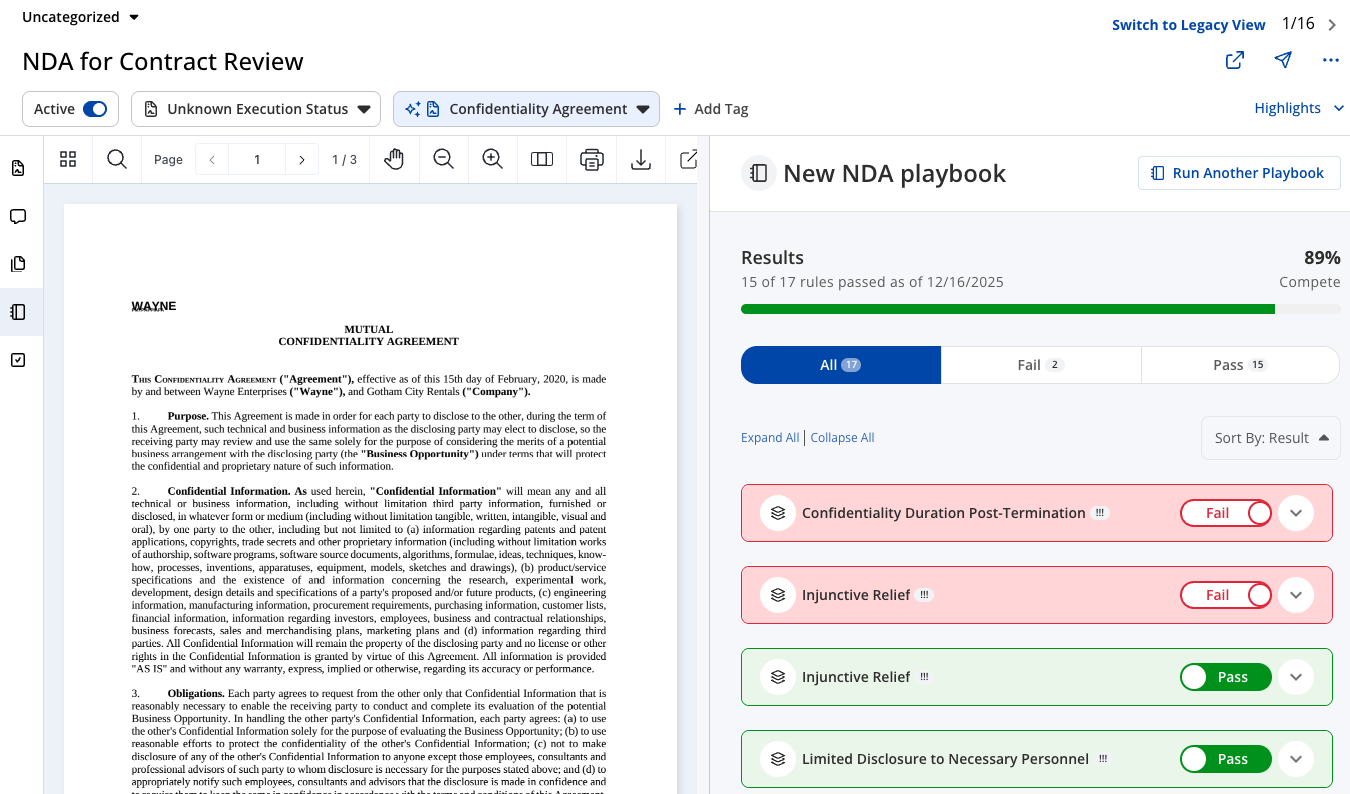
For AI contract review, upload counterparty paper exactly as it arrived and run it against a playbook built from your own fallback positions. Every flag should link to its clause and suggest a fix, and you accept or reject each one. Score it Failed if any flag can't be traced to one of your rules.
For workflow, draft an NDA from a template, route it for one approval, add one negotiation round with the counterparty's redline, send it for signature, and confirm the signed copy lands back with its dates pulled. If the handoff needs an export and re-upload, score it Failed.
For reporting, ask for one report built from your sample contracts. It should show upcoming renewals or notice windows, contracts missing owners, restricted records that need review, high-value agreements with incomplete fields, and the next action and owner for each row. Ask who can maintain it after the admin changes roles.
Proof to leave the room with
| Artifact | What it proves |
|---|---|
| One-session lifecycle walkthrough | One contract moving from intake through signature in a single session |
| Search results from your own files | Search works on your scanned and badly named files, live |
| A configured renewal reminder | One reminder set up start to finish with a named owner and a lead time |
| Roles set up on screen | Permissions work, including a restricted folder only legal can open |
| Saved report and export | A report you watched get built, exported to a file you can open, that still works after you correct a field |
| Traceable AI extraction | One AI-extracted field shown next to the contract language it came from |
| Security documentation in writing | Certifications, encryption and data residency, not a sales sentence |
| Implementation plan and quote | Your tier, user counts, migration help, fees, and who does the launch work and when |
Security and integrations to verify
IT signs off twice: once on written RFP answers before the shortlist forms, and again on live proof from each finalist. Both times it's checking security controls, live integrations with the systems a contract has to touch, and a clean way to get your data out if you ever leave.
Ask for the vendor's current SOC 2 Type II report itself, since a trust-page badge says nothing about scope or date. Confirm ISO 27001, HIPAA and GDPR posture, encryption at rest and in transit, hosting and data-residency options, penetration testing, and whether SSO is on your plan.
Then read the report's system description, as the Cloud Security Alliance advises, to see whether the AI features and AI subprocessors you'll use were in scope. Vendors keep adding AI features between reviews, as Ncontracts points out, so get the definition of a material change and the duty to notify you written into the contract.
List the systems a signed contract must touch: your CRM, ERP, identity provider and e-signature. Have the vendor run one path live, such as a deal closing in Salesforce, the signed agreement landing in the system and its renewal alert reaching the owner. Score native connectors Proven, paid add-ons as a cost line, and "we have an API" as Unproven.
If you sign with EU counterparties, ask in writing whether the e-signature flow will accept the wallet-based qualified e-signatures coming with eIDAS 2, which requires Member States to provide EU Digital Identity Wallets by the end of 2026.
Finish with scale and exit. Ask how search and bulk upload perform at ten times your current volume, then export every file plus its metadata and check that field names, owners and statuses survive. An export that drops owners or hides status fails.
Before any finalist moves on to the cost and workflow checks, make sure each of these is a yes:
- Every row scored Not needed traces back to the buying path you wrote down.
- IT holds a current SOC 2 Type II report whose scope covers the AI features you'll use.
- The material-change notice is in the contract draft.
- One integration path ran live from end to end.
- A test export kept field names, owners and statuses.
- Every failed table stake is logged as a blocker with a named owner.
Any no means you're still gathering proof, so hold the decision.
What CLM software costs
Price CLM software as a cost you'll carry for years. Collect every vendor's cost inputs before the shortlist forms: license, user access, implementation and services, migration, AI modules, integrations, training and renewal escalation. Then compare three-year totals for your finalists.
Year one misleads, because renewal is where prices move. A June 2026 Zylo post on SaaS pricing trends, citing its 2026 SaaS Management Index, reports that 79% of IT leaders ran into price increases at renewal in the past year. Vertice's SaaS Inflation Index put June 2026 at 16.4%, the highest monthly rate it has recorded.
Take a hypothetical quote with round numbers. A $30,000 first-year license with an uncapped 10% annual uplift costs $30,000, then $33,000, then $36,300, or $99,300 over three years. With a 4% cap written into the contract, the same license costs $93,648. That's $5,652 from one clause.
Use this price checklist with every finalist:
- What's included in the platform fee?
- Are users unlimited or seat-based?
- Is implementation included or separately scoped?
- Is migration support included?
- Is AI included, sold as a module, or metered with credits?
- What changes at renewal, and is the cap in writing?
Per-seat pricing can push teams to ration access, which is how contracts end up back in email and shared drives. Model the math against your own headcount, and treat anything a salesperson says but doesn't put in writing as an assumption.
ContractSafe pricing starts at $450/month (Organize plan, billed annually; $540 month-to-month), with unlimited users on every plan. Pricing is based on features and contract volume, and only contracts in your active repository count; drafts and attachments don't. There's no implementation fee on any plan.
Building the business case for CLM software
A CLM business case is the evidence-backed argument you bring to finance and legal to justify buying contract lifecycle management software. It wins by proving five things: a contract problem costing money now, a cost model for year one and renewal, named risks, capacity your team regains, and vendor questions answered with your documents.
| What to prove | What leadership wants to see |
|---|---|
| Current pain | Three to five concrete failures that cost time, money or control today |
| Cost model | Year-one and renewal numbers, each sourced or labeled as an assumption |
| Risk | Named contract risks tied to your own examples, not benchmarks |
| Capacity | Routine questions the tool takes off legal's and finance's plates |
| Proof packet | The evidence you'll hand over, auditable line by line |
Start with pain, because that's your opening exhibit. Write down what actually went wrong lately, and put a rough cost next to each one using your own rates:
- The third request this week for the signed XYZ agreement.
- A contract that auto-renewed because nobody watched the date.
- A contract nobody owns, so nobody's accountable when it lapses.
- A sensitive agreement in a shared folder the wrong people can open.
- A "how many contracts renew in Q4?" question that eats a day of digging.
Write the decision at the top in plain language: do we spend X this year to replace the shared drive and the renewal spreadsheet with CLM software, or keep the current setup another year? A "no" isn't neutral. It votes to keep paying in missed renewals and slow reviews.
Quantify risk from your own files, not borrowed ROI percentages. Price the missed auto-renewal, the expired discount and the recovery hours. Then show a range with the math visible, such as a missed renewal window that cost one to three months of an average contract's value, twice in the last eighteen months.
Count the hours spent each week hunting for documents, re-keying dates and answering "where's the current version?" Then pick the honest framing: headcount you avoid, or work the same people finally get to do. Define "in use" too: every active contract loaded and every renewal date set within the first sixty days.
| Workstream | Owner question | Done when |
|---|---|---|
| Inventory | Where do contracts live today? | Every source folder, inbox and system has an owner |
| Metadata | Which fields are required for action? | Dates, parties, owners, values, renewal terms and status are defined |
| Permissions | Who can see each record? | Sensitive documents are restricted before rollout |
| Alerts and reports | Which decisions should the system support? | Renewal, expiration and obligation reports are usable |
| Governance | Who keeps the system clean? | Monthly cleanup and quarterly access reviews are assigned |
Name owners, not departments. Every row needs a name and a date. Governance is the row teams skip, so put the monthly cleanup and the quarterly access review on a real calendar.
The leadership packet
- Current pain: a few concrete examples with your own rough costs attached.
- Cost model: launch-year and renewal figures, each sourced or marked as an assumption.
- Risk examples: the specific contracts and dates you can't afford to miss.
- Capacity impact: the recurring questions the tool answers so legal stops fielding them.
- Rollout owner: who cleans files, sets fields and maintains alerts, on a phased plan.
- Vendor proof: demo results in writing, including anything a vendor couldn't show.
- The next decision: exactly what you're asking leadership to approve, and by when.
Notice what's missing: invented savings percentages and vague talk about becoming strategic. Approvers discount anything they can't check.
What ContractSafe's CLM software includes
ContractSafe is a full-lifecycle CLM built so the whole company will use it. The median new customer has its first contract in the system within a week of buying, and most customers are fully onboarded in under 60 days. Pick the plan that carries the steps you need today and move up without changing systems.
| Plan | What it includes |
|---|---|
| Organize | Storage with OCR on every file, including scans; account-wide keyword and natural-language search; custom fields and status tracking; date alerts; dashboards and reports; roles and permissions; AI data extraction of up to 29 fields and AI contract chat; in-app editing with auto-versioning |
| Finalize | Everything in Organize, plus comments, approval sequences, redlining, Word editing that syncs back, unlimited native e-signatures, the Docusign integration, Zapier, and Okta or SAML 2.0 single sign-on |
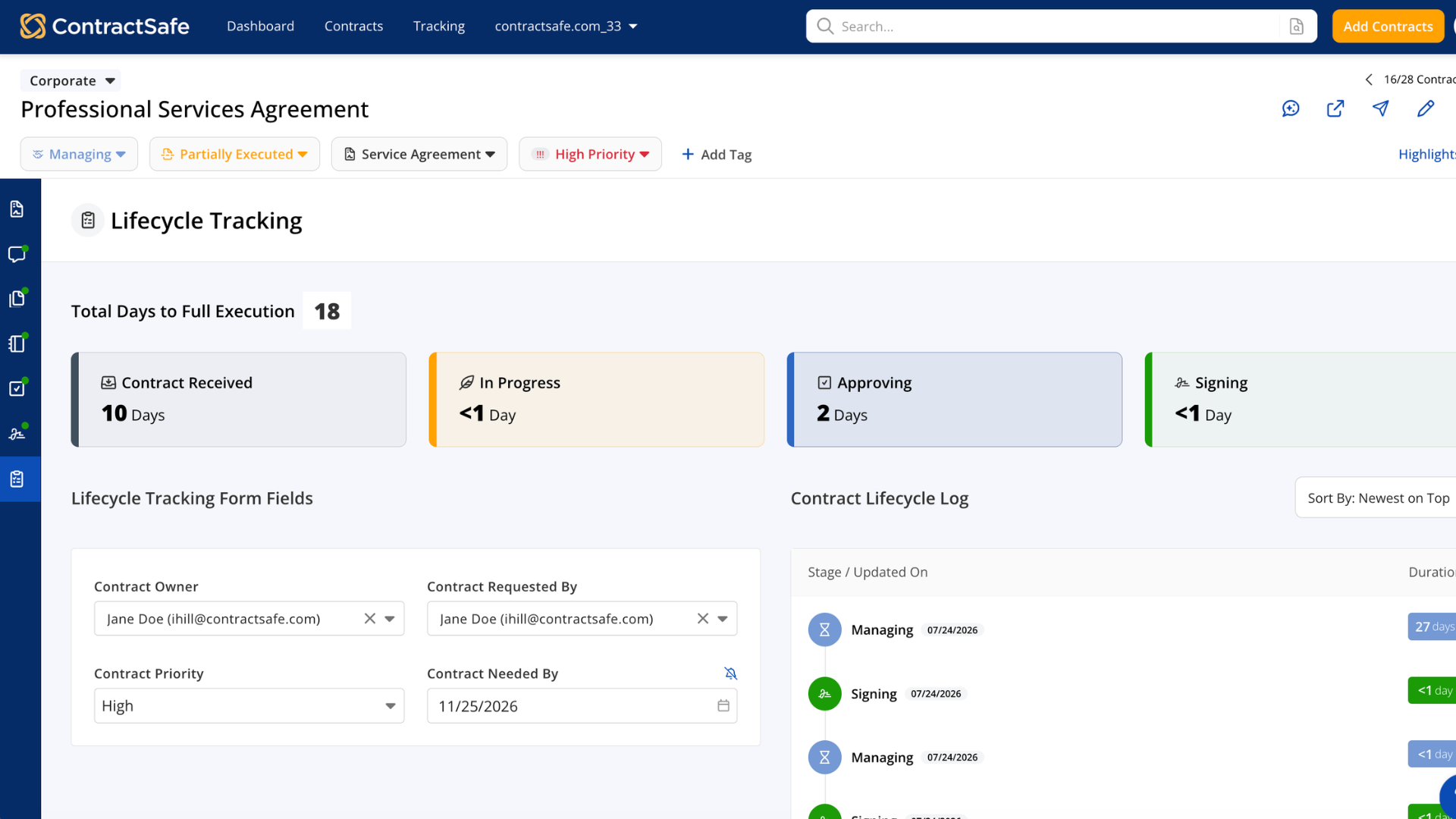
| Maximize | Everything in Finalize, plus contract-request intake forms, templates, lifecycle tracking with a pipeline dashboard and cycle-time reporting, AI Contract Review against your playbooks, Salesforce and API access |
Dates and alerts
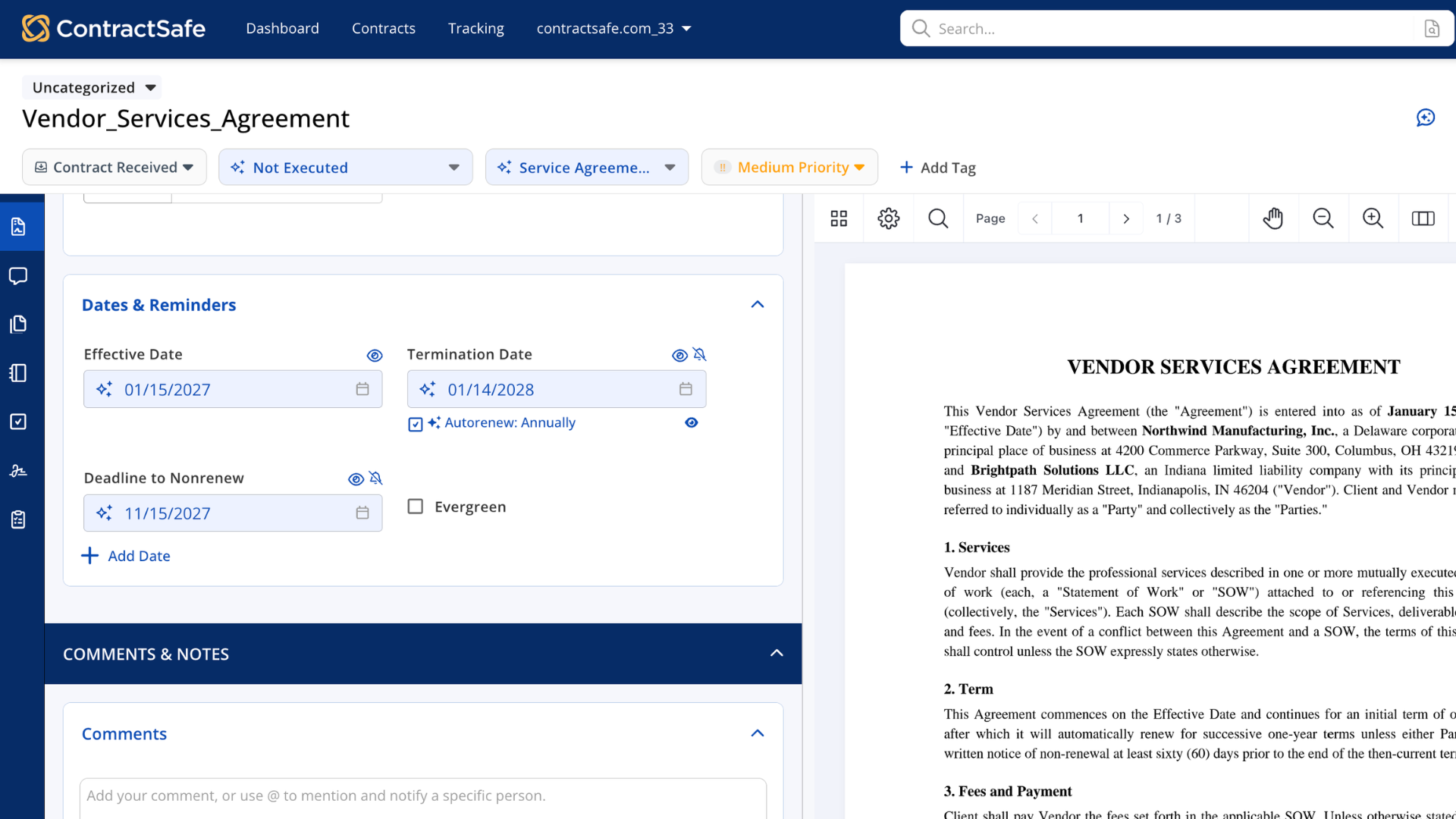
AI reads each contract on upload and pulls out the key dates, including renewals, terminations, notice periods and expirations, for a person to confirm. ContractSafe tracks the deadline to non-renew as its own date, not just the end date, and attaches the contract to each reminder email.
Reminders go out 30 days ahead, on a specific date or on a recurring schedule, to anyone inside or outside the company. A calendar of upcoming dates sorts by vendor, department or manager.
Permissions
Every plan includes unlimited users, custom roles, folder and tag permissions, and an activity audit trail. Access is controlled contract by contract, so privileged records, HR files and unrelated customer contracts stay away from finance and procurement. ContractSafe won't hide an individual field, such as a sensitive note, from someone who can open the contract.
Security
ContractSafe holds SOC 2 Type II and ISO 27001 certifications and is HIPAA and GDPR compliant. Data is protected with 256-bit AES encryption on Amazon Web Services, with offsite backups of all data. Each account sits in one region: the United States, Canada, the European Union or Australia.
In the ContractSafe Trust Center, you can sign an NDA and download the full SOC 2 Type II report.
AI with a human in the loop
AI data extraction and AI contract chat come with every plan. Users accept, correct or skip suggested values before they're saved, and AI search returns only contracts the user is allowed to see. On Maximize, AI Contract Review checks incoming contracts against your playbook, links each flag to its clause and suggests wording. It never edits the contract itself.
ContractSafe doesn't use your contract data to train large language models, you can opt out of AI features entirely, and there's no automated decision-making. See how it works on the AI contract management page.
Integrations
Finalize connects Docusign, Microsoft Word and Zapier, and adds single sign-on through Okta or any SAML 2.0 system. Maximize adds the Salesforce integration, which pushes contracts and key data from your CRM, plus API access for custom connections.
Implementation and support
There's no implementation fee on any plan. Migration, onboarding, training and a dedicated customer success manager are included. Live chat, email and phone support runs 24 hours a day, five days a week, and every support rep is a full-time ContractSafe employee. The 7-day free trial includes every feature except SSO.
What customers say
Carrie McClain, Procurement Specialist at Vitality Living, on running contract reports in ContractSafe: "Instead of rebuilding information from SharePoint, I can pull the contract report I need and keep the process moving."
When Metro MLS chose ContractSafe, Samantha, Director of Data Feed Licensing, put adoption first: "I knew that ease of use would be critical, and if the system wasn't simple to navigate, it wouldn't see regular use."