Stop Searching, Start Finding
Find what you're looking for in seconds - across every contract, every field and every scanned document.


_EasiestToDoBusinessWith_EaseOfDoingBusinessWith.png?width=868&height=1000&name=ContractLifecycleManagement(CLM)_EasiestToDoBusinessWith_EaseOfDoingBusinessWith.png)

Trusted by
.png?width=141&height=32&name=Vector%20(2).png)


.svg)




The core search experience
Find answers inside your contracts
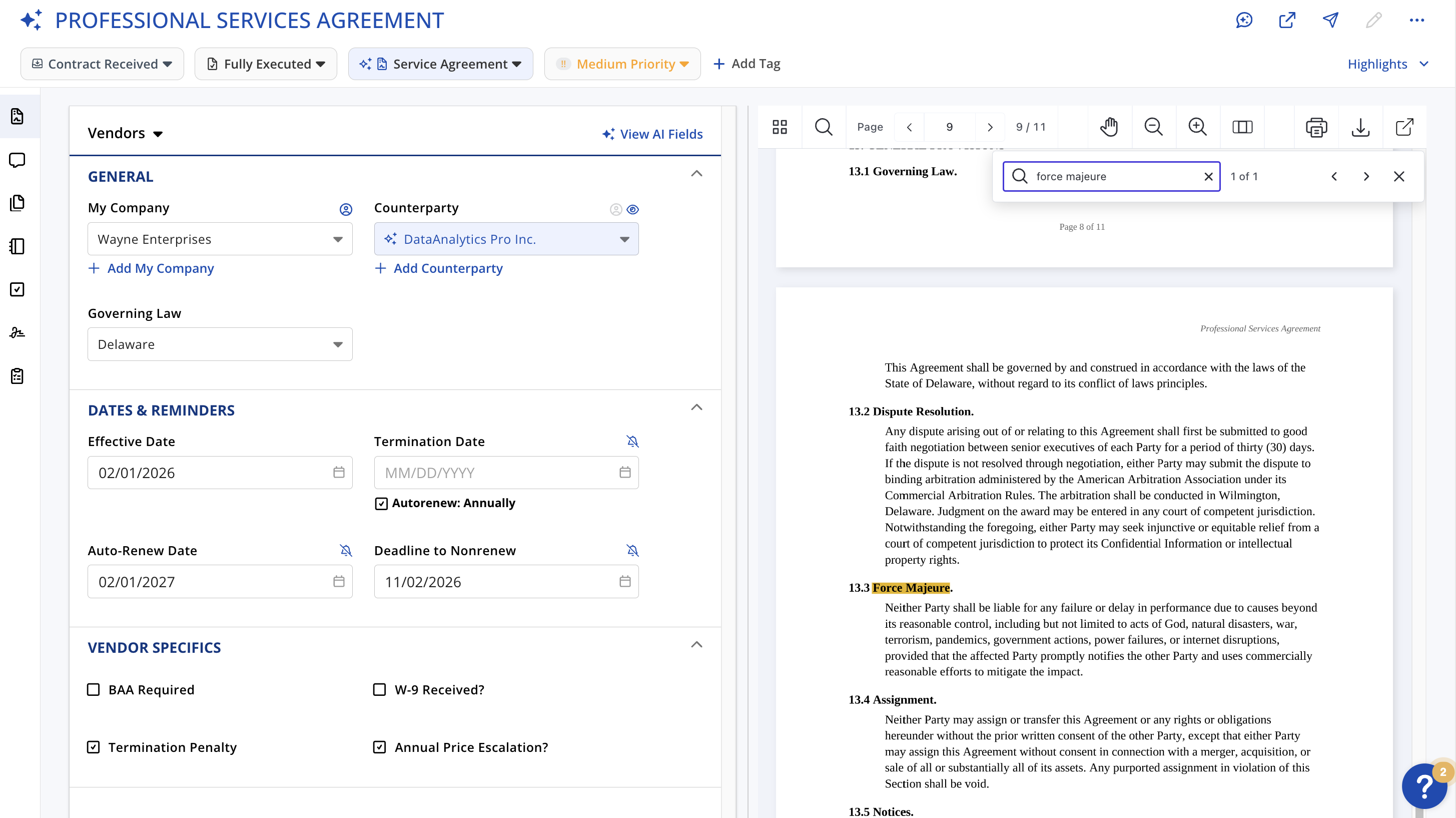
Type what you're looking for. That's the whole instruction. ContractSafe searches the full text of every contract and takes you straight to the answer. No folder paths to remember; no naming conventions to enforce
-
Search every word in every contract, including PDFs, Word files and scanned documents.
-
Jump straight to the match: click a search result and go to the exact page and paragraph with your search terms highlighted
- Old faxes and photocopies are searchable too - OCR reads the actual text layer of every document you upload, so nothing from your archive is left out.
AI-powered Natural Language Search
Describe what you need. AI search finds it

Not sure how to find for what you need? Just ask. Type a question in plain English and AI applies the right filters and build the list automatically.
-
Type something like "Show me contracts expiring next quarter with value of $50,000" and the right contracts surface instantly.
-
Download this information to Excel or email the report out with a single click
-
Works across your entire repository, with results automatically limited to what each person is allowed to see.
Advanced Filtering + Search
Find Precisely What You Need
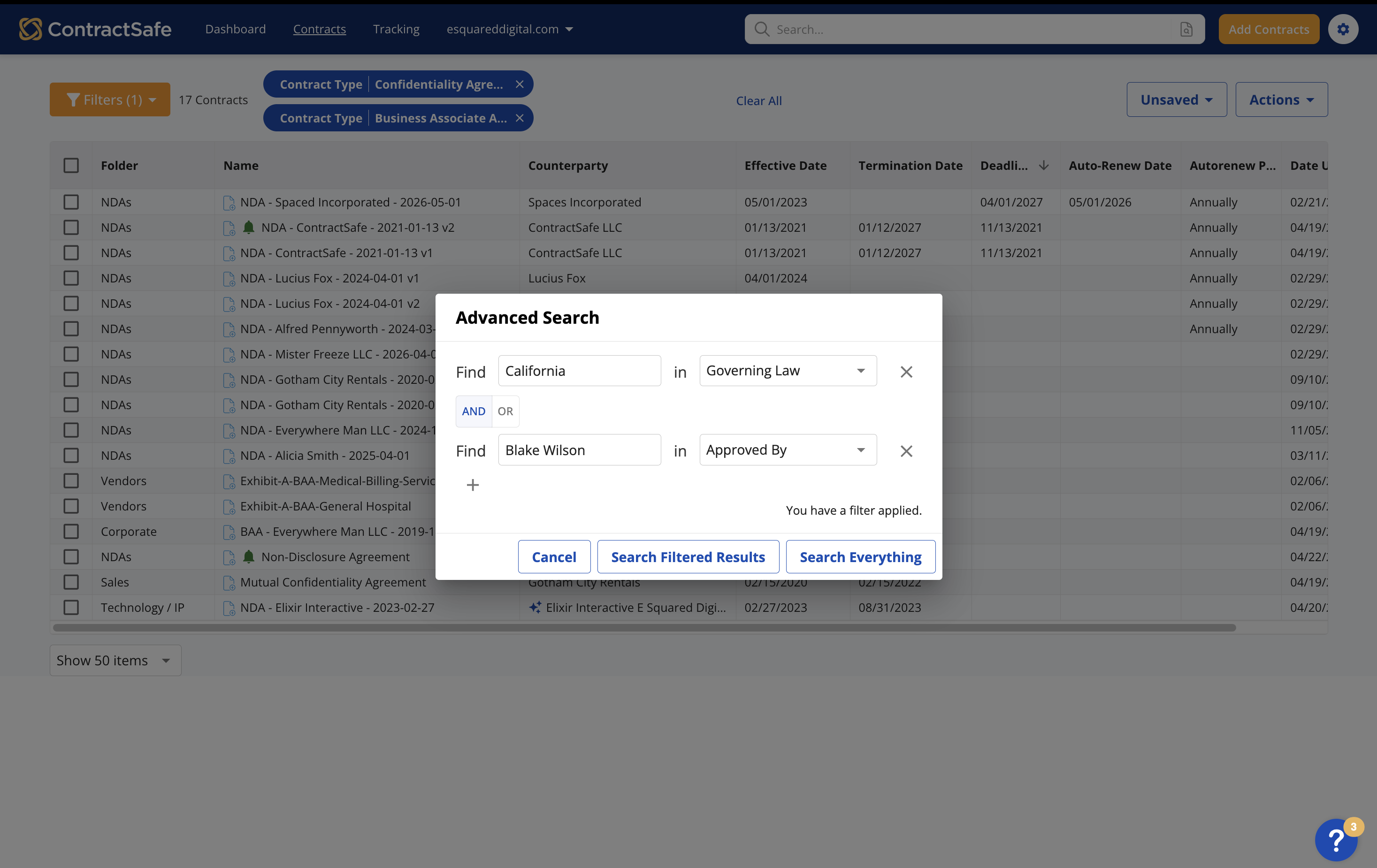
For you power users out there, we have you covered! Use filters and Advanced Search to build a precise query; by field, by condition, or by where in the contract to look
-
Filter on any field: standard or custom fields unique to your team
-
Save the filters you use often: saved views update automatically as contracts are added, so you're always looking at current data.
- Have results sent out on a schedule if you want
-
Search within targeted areas: Narrow your query to search exclusive within the contract text, specific fields, or your team notes sections
- Combine conditions with AND/OR logic to isolate exactly what you need, with no limit on the number of conditions.

The ability to find documents immediately, using basic searches or various filters, even for new team members with zero prior training set ContractSafe apart from other CLMs I've managed

_EasiestToDoBusinessWith_EaseOfDoingBusinessWith.png)


_FastestImplementation_Mid-Market_GoLiveTime.png)