Contract management that connects to your tools
Edit contracts in Microsoft Word, get them signed with built-in e-signature or Docusign, and bring signed deals in from Salesforce. Start workflows with Zapier, sign in with your identity provider, and build custom integrations with the ContractSafe API.


Trusted by




Microsoft Word
Edit contracts in Word, keep them in ContractSafe
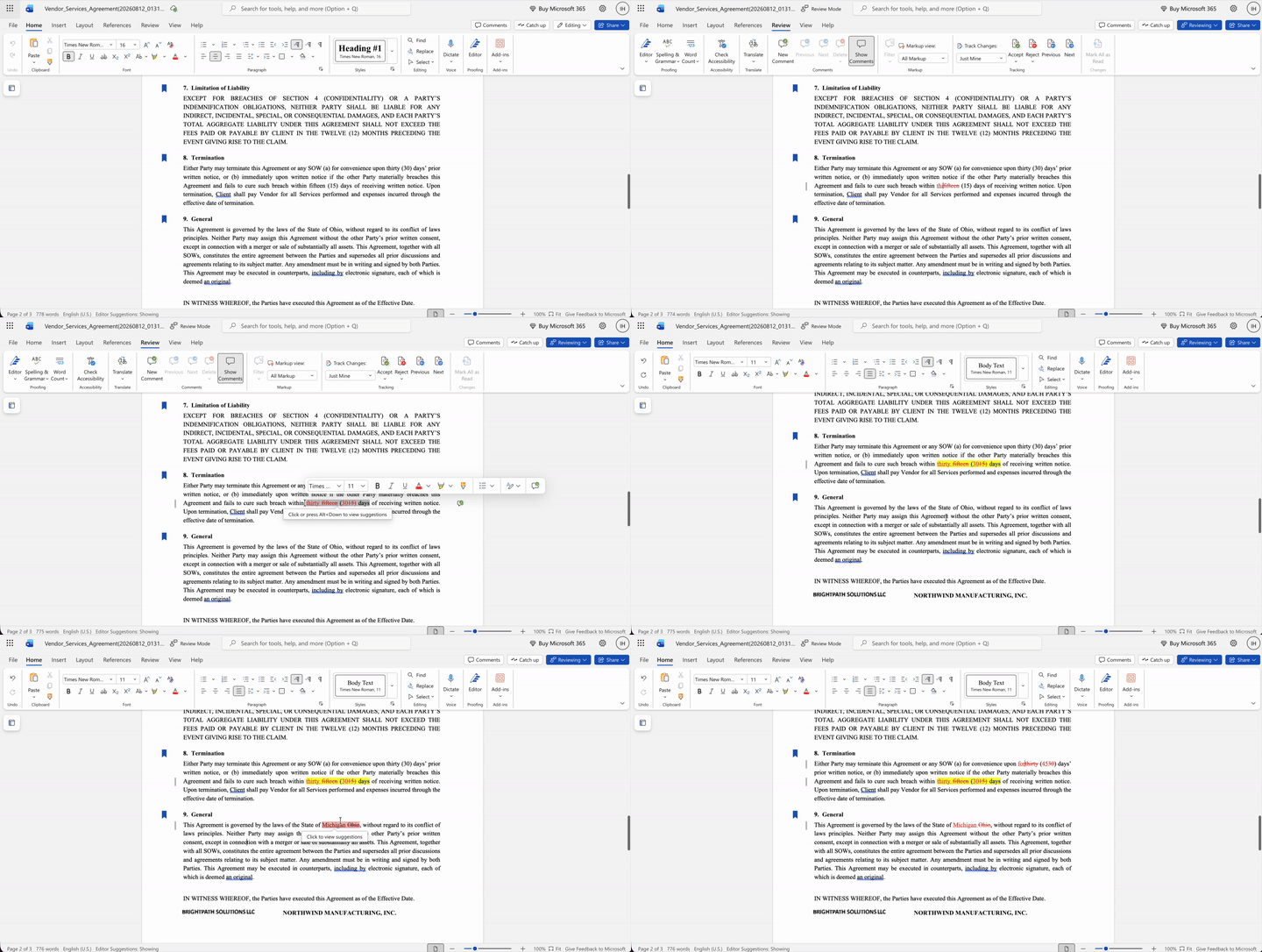
Use the Word you already know. Open a contract from ContractSafe in Word Online or desktop Word.
Redline the usual way. Edit with track changes and comments, then save the contract back to ContractSafe.
Keep every version with the contract. Each saved version stays with the contract, so nobody hunts through email for the latest draft.
Included on the Finalize and Maximize plans.
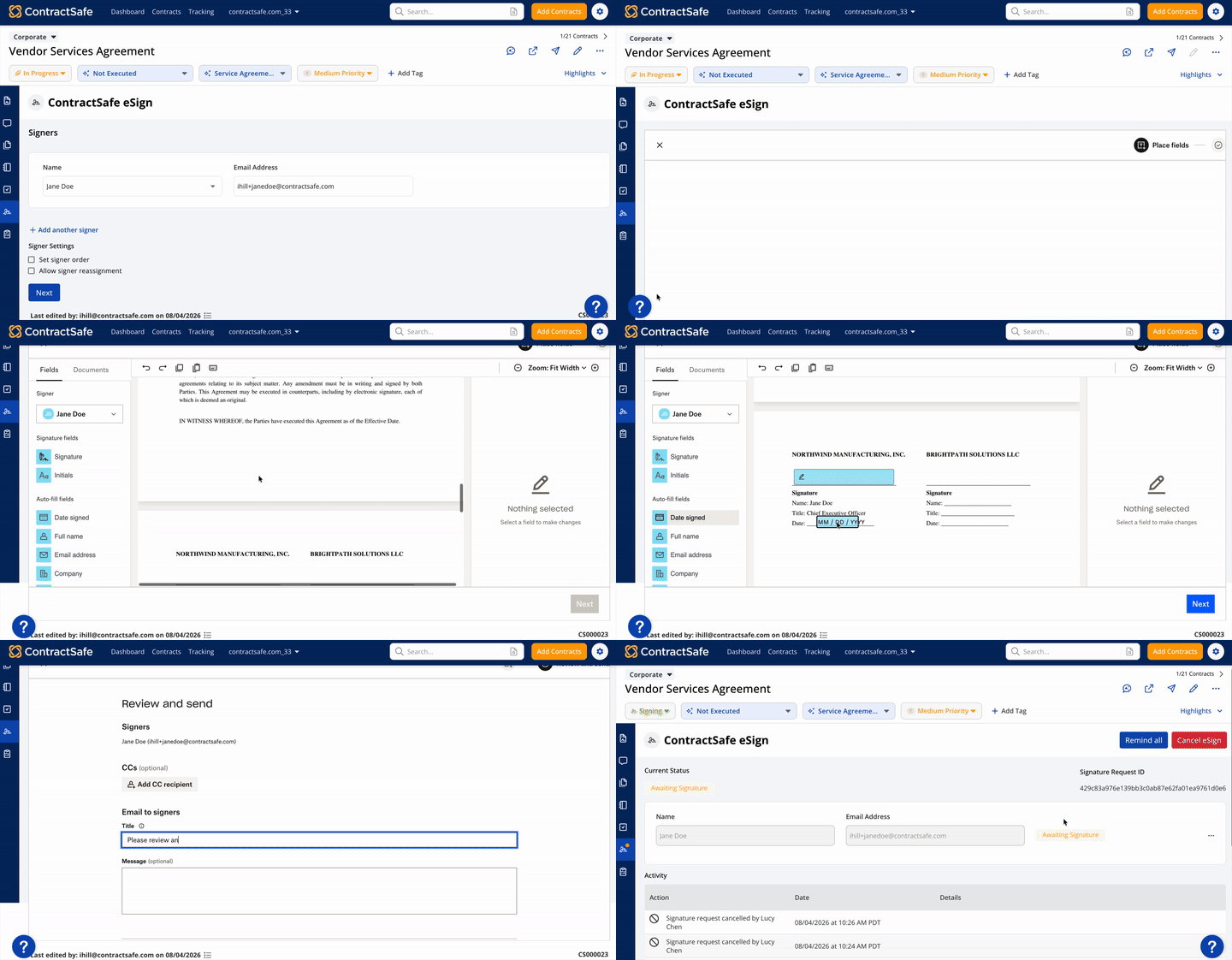
E-signature
Get contracts signed in ContractSafe or Docusign
Sign inside ContractSafe. Send contracts for signature with built-in e-signature, powered by Dropbox Sign.
Already using Docusign? Connect your own Docusign account and send contracts out from ContractSafe. Once they're fully executed, the signed copy comes back and the contract updates automatically.
Included on the Finalize and Maximize plans.
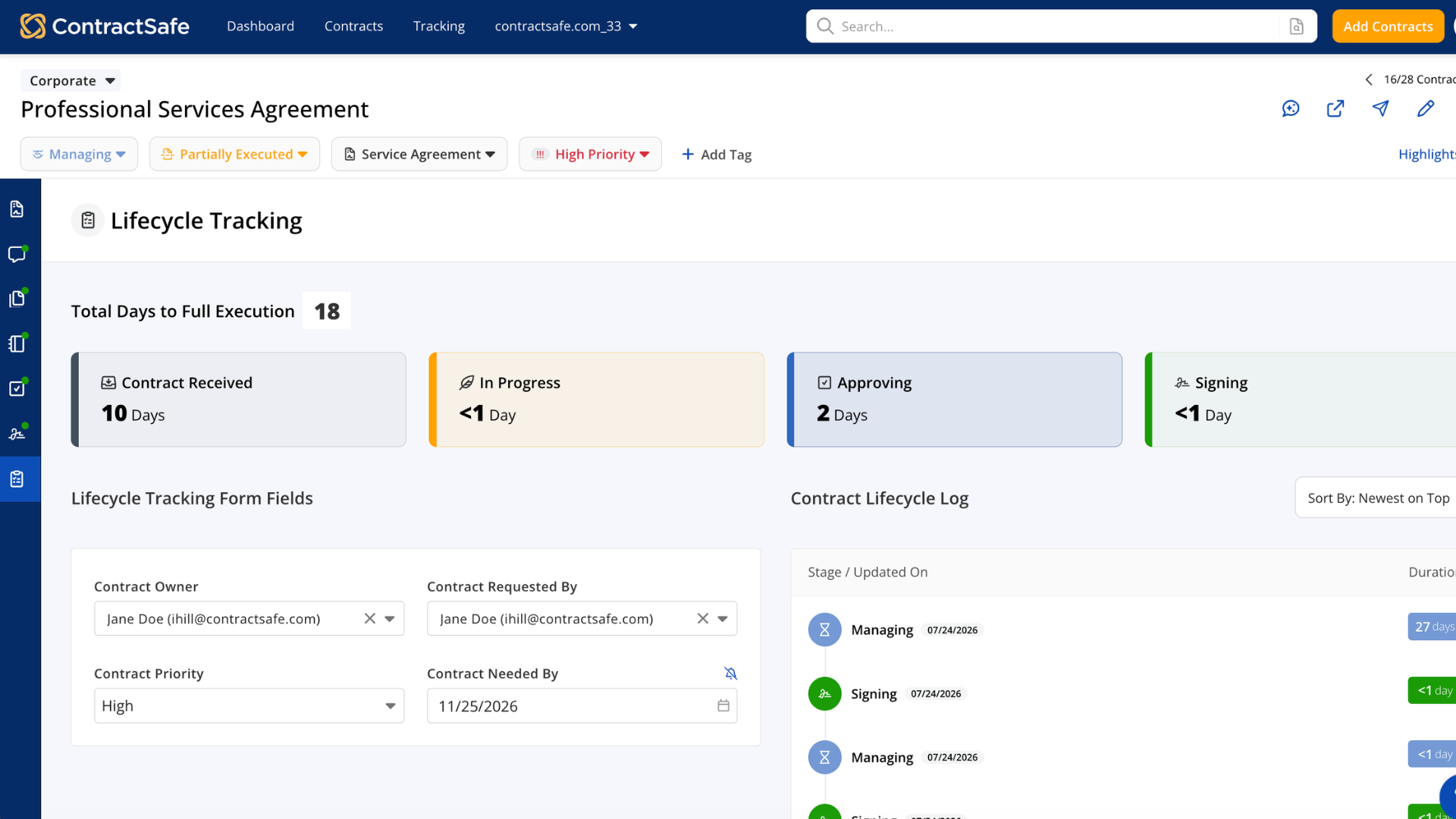
Salesforce, Zapier and API
Connect Salesforce, Zapier and your other systems
Salesforce. Move signed contracts from Salesforce to ContractSafe in a click, and push their key dates, parties and other details so each contract is set up automatically. Included on the Maximize plan.
Zapier. Start the next step in the apps your team already uses when contract details change. Included on the Finalize and Maximize plans; lifecycle triggers need Maximize.
ContractSafe API. Build custom integrations that share contract information, such as a contract's stage, owner and needed-by date, with your other systems. Included on the Maximize plan.
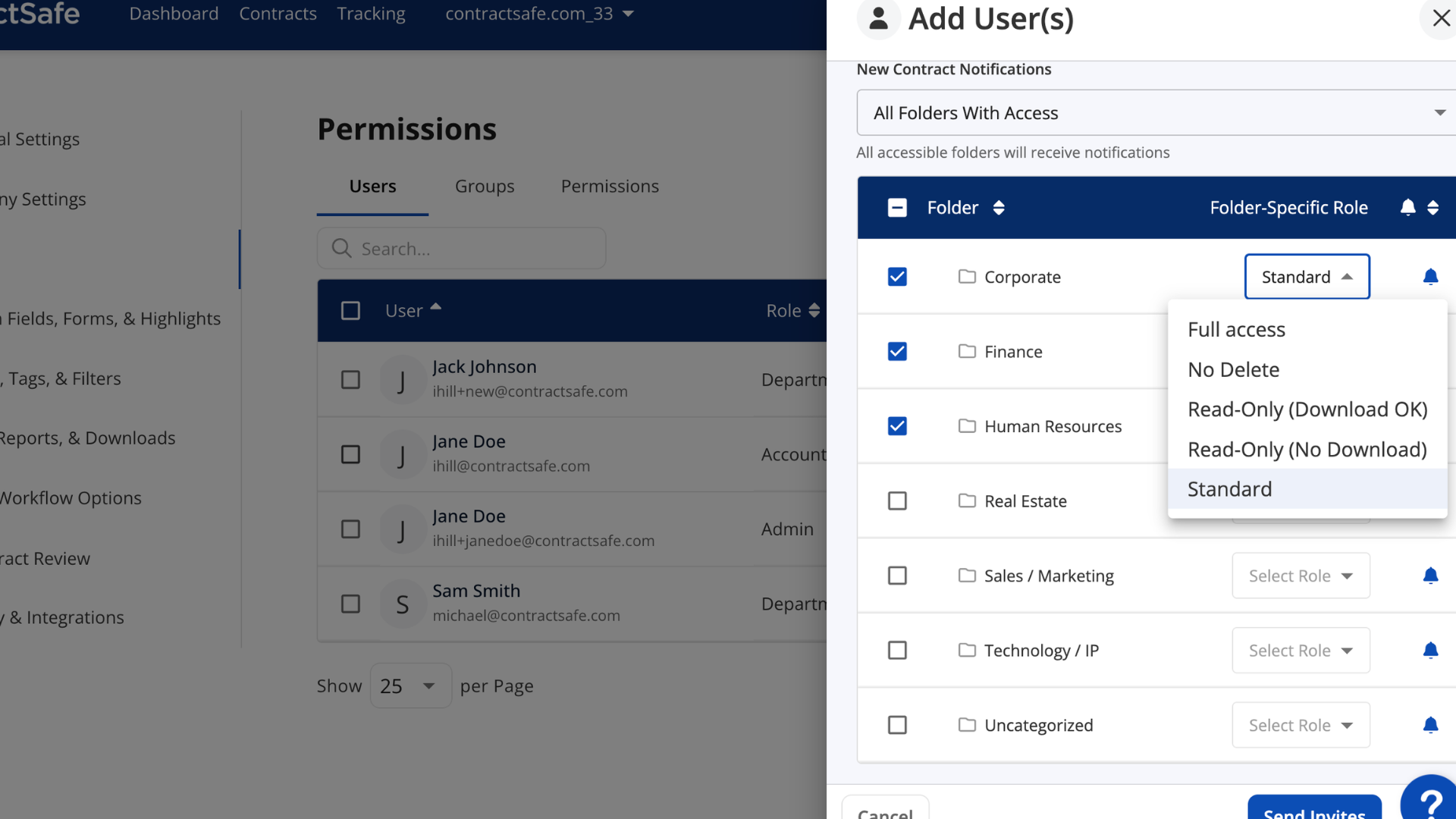
Single sign-on
One login with Okta, Active Directory or any SAML 2.0 provider
Sign in with your identity provider. Single sign-on keeps access fast and simple for your team, with less to manage for admins.
Turn off access in one place. When someone leaves your organization, you can turn off their access centrally.
Not using single sign-on? Admins can let your team sign in with their Google or Microsoft accounts instead.
Control who sees what. Roles, permission groups, and folder or tag access decide which contracts each person can open.
Single sign-on is included on the Finalize and Maximize plans. Roles and permissions come with every plan.

Consolidating our team's multiple e-signature accounts into one ContractSafe account saved us 40% off the top.