


Quick answer: In a contract management price comparison, the price is the subscription, implementation, migration, support and add-on cost of buying and operating a system. The biggest factor in what you pay is whether the vendor publishes its price or hides it behind a sales quote: published, flat pricing with unlimited users starts at about $5,400 a year, while quote-only enterprise tools run from about $50,000 to more than $500,000 a year once implementation lands.
Buying contract software is like shopping for a car where half the lot has window stickers and the other half makes you book an appointment to hear a number. The sticker-price vendors let you compare and budget in an afternoon. The quote-only vendors turn a simple purchase into weeks of sales calls, and the figure you finally get is rarely the figure you pay once implementation, seats, add-ons and the first renewal land.
Choose your next step:
If you're after the numbers, jump to the twelve-tool price table, then check ContractSafe pricing against it.
If you're building a budget, read what a 40-person company pays in year one and the contract management costs guide.
If you're already shortlisting, run the five questions on each vendor before you book a ContractSafe demo.
Key Takeaways
- The market splits in two: ContractSafe, Concord and PandaDoc publish prices you can compare today, while Ironclad, Agiloft, LinkSquares, Juro, Icertis, DocuSign CLM, CobbleStone, Gatekeeper and ContractWorks make you negotiate, and their first-year costs run far above the headline.
- Per-user pricing is the budget killer, because every new person who needs access raises the bill; ContractSafe includes unlimited users on every plan.
- ContractSafe starts at $450/month with every price published, while Ironclad's median buyer pays about $40,000 a year after a sales process and Icertis runs $150,000 to $500,000 a year.
- The real number is the total cost: quote-only tools add implementation of roughly $10,000 to $100,000, migration and AI add-ons in year one, then 3 to 8 percent annual escalators at every renewal.
- Every ContractSafe plan includes onboarding, migration support and a dedicated success manager, so there's no separate implementation project or fee.
What You Should Expect to Pay, by Company Size
Expect $0 to about $8,400 a year under 10 people, $5,400 to about $35,000 from 10 to 50, $25,000 to about $200,000 from 50 to 250 on quote-only tools, and $80,000 to $500,000 or more at enterprise scale. Treat the bands as planning scenarios and ask for a quote that matches your actual scope.
| Company | Annual range you should expect | What moves the number |
|---|---|---|
| Under 10 people, a few hundred contracts | $0 to about $8,400, per seat or on a small flat plan | Seats, e-signature volume and document caps. The bill rises with every added person on a per-seat plan, at the sixth user on Concord's entry plan, and at the document cap on a capped flat plan. |
| 10 to 50 people, up to a few thousand contracts | $5,400 to about $35,000, flat by contract volume or base plus seats | Whether the price follows headcount or contract volume, and whether implementation is billed as a separate fee. |
| 50 to 250 people | $25,000 to about $200,000 a year, quote-only and modular, plus implementation | Implementation, separately sold modules, integrations and annual escalators. A flat tool such as ContractSafe stays at its published price in this band, because it prices by contract volume rather than headcount. |
| Enterprise, 250 people and up | $80,000 to $500,000 or more, with six-figure first years | Implementation ($10,000 to $100,000 or more reported for Ironclad; six to twelve months for Icertis), multi-year terms and integration scope. |
Which tools fit which band: under 10 people, PandaDoc ($19 to $49 per seat), Concord's entry plan ($499 a month with 5 users), ContractSafe Organize (starting at $450/month, unlimited users) and ContractWorks Standard (about $700 a month). From 10 to 50 people, ContractSafe (from $5,400 a year, priced by contract volume rather than seats), Concord Business with added seats, Gatekeeper's entry plan (about $14,900), and LinkSquares and Juro at the low end of their ranges (from about $6,000 and $18,000). From 50 to 250 people, Ironclad (median buyer about $40,000), Juro (median $31,000), Agiloft (median $67,000), LinkSquares (median $31,000 plus $10,000 to $75,000 implementation) and DocuSign CLM (up to $200,000 in this band). At enterprise scale, Icertis ($150,000 to $500,000 or more), DocuSign CLM ($200,000 to $500,000) and Ironclad and Agiloft at the top of their ranges.
There are two things the table can't show you. The first is that headcount is the wrong unit for a flat-priced tool: a 200-person company with 600 contracts lands in the second band on ContractSafe's model, even though a tool that prices by seat, or sizes its quote to headcount, would put it in the third. The second is that the quote-only ranges drawn from buyer transactions show what buyers paid, not what they were first quoted, and the first quote is usually higher.
Contract Management Software Pricing at a Glance
The most affordable, predictable option for most teams is a flat-rate tool with unlimited users like ContractSafe, starting at $5,400 a year, while the most expensive is quote-only enterprise software like Icertis at $150,000 or more. Published prices were checked in July 2026; quote-only ranges come from buyer transactions reported by Vendr and from software directories, rechecked in September 2026, and Icertis figures are analyst estimates. Where a source reports implementation, migration, support, AI or integrations separately, they stay separate here too. The table runs from most transparent to most opaque, and each line has its own entry in the vendor-by-vendor breakdown below.
| Tool | Price published? | Typical annual cost |
|---|---|---|
| ContractSafe | Yes, full pricing online; flat by contract volume, unlimited users | From $5,400 (Organize, 100 or fewer contracts), rising with contract volume |
| Concord | Yes; $499 a month with 5 users, then $49 to $89 per extra user | About $6,000 to $15,600 before extra seats |
| PandaDoc | Yes; $19 to $49 per user a month | $5,880 for 10 Business seats |
| ContractWorks | No; flat with document caps, unlimited users, about $700 a month reported | About $8,400 and up; Premium tier quoted |
| Gatekeeper | No; flat by third-party quota, unlimited users, about $1,245 a month reported | About $14,900 to $63,500 or more |
| CobbleStone | No; about $59 per user a month reported | About $6,000 to $18,000, climbing with seats |
| DocuSign CLM | No for CLM (e-signature plans are published); custom quote | $20,000 to $500,000 |
| Juro | No; flat by volume, quoted | About $18,000 to $120,000 (median $31,000) |
| LinkSquares | No; modular, quoted | About $6,000 to $79,000 (median $31,000), plus implementation |
| Agiloft | No; three tiers, quoted | About $6,000 to $80,000 (median $67,000) |
| Ironclad | No; fully custom | About $40,000 median license; $50,000 to $140,000 in year one with implementation |
| Icertis | No; enterprise custom | $150,000 to $500,000 or more |
The Two Ways Contract Software Is Priced, and Why It Matters
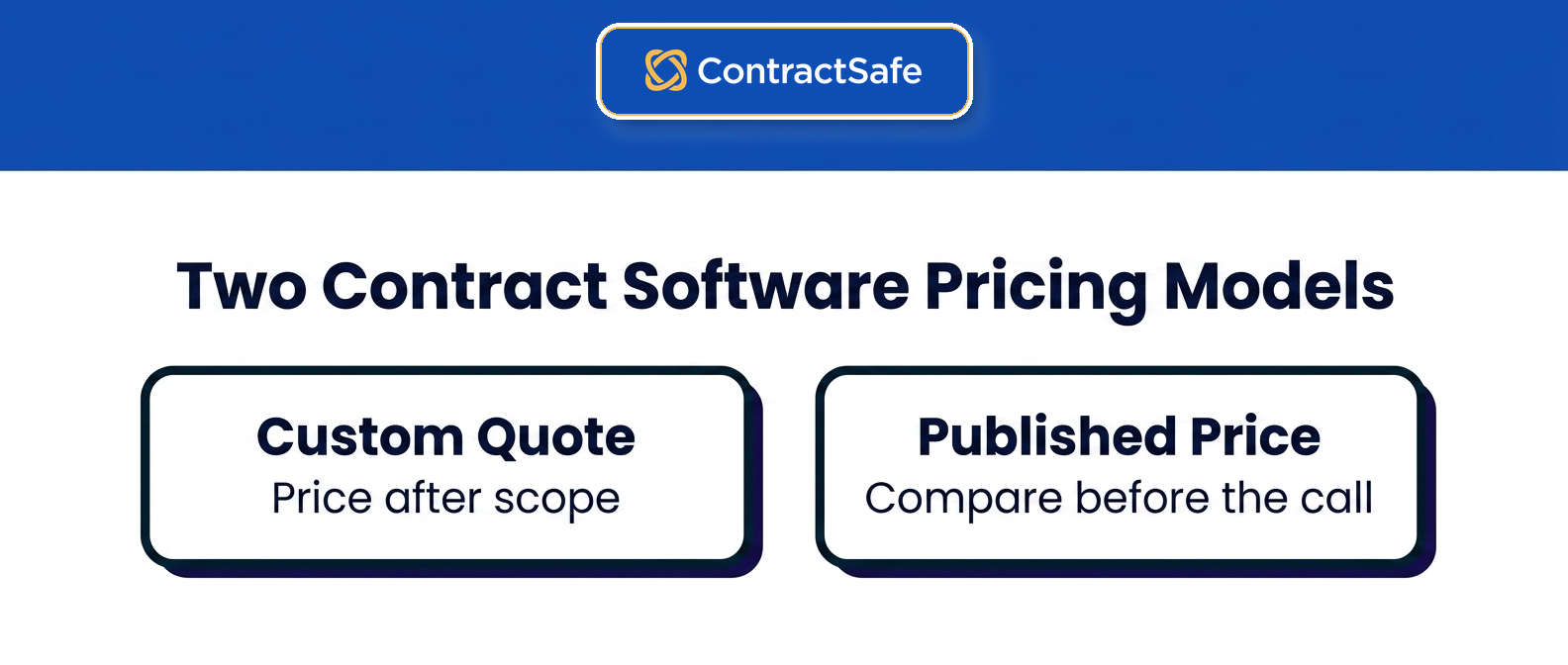
Contract software is priced two ways: transparent published pricing you can compare in an afternoon, and quote-only pricing that hides the real cost until a sales call. The camp a vendor sits in matters more than any single feature when you're trying to budget, because one lets you see the number and the other makes you earn it. ContractSafe sits in the first camp, Ironclad and Icertis define the second, and the gap between them is the whole story of this comparison.
Transparent, published pricing
ContractSafe, Concord and PandaDoc publish prices on their websites, so you can forecast the cost before you ever talk to sales. ContractSafe goes furthest: every plan and price is online, and every plan includes unlimited users, so the number you see is close to the number you pay. An affordable tool the whole team adopts beats a powerful one that sits unused behind a per-seat wall.
Quote-only pricing
Ironclad, Agiloft, LinkSquares, Juro, Icertis, DocuSign CLM, CobbleStone, Gatekeeper and ContractWorks keep pricing private until a sales conversation. That opacity isn't a convenience for you. It means you can't budget without a sales cycle, the quote is set to how much the vendor thinks you'll pay, and the first-year total arrives loaded with implementation, modules and escalators that were never in the headline.
Five Questions to Ask Before You Book a Demo
Ask every vendor on your shortlist these five questions before the demo, because the demo shows features and the answers show cost:
Can you find the price on the vendor's website without talking to sales? If the number lives behind a form, there's usually a reason, and it's rarely that the number is small.
Does the price stay flat as you add users, or climb with every seat? Per-seat pricing turns "let's give legal ops access too" into a budget conversation, so people stop asking and the tool quietly gets used by fewer people than it should.
Is implementation included, or a separate five- or six-figure fee? The line item that shows up after you've signed is the one that stings, because by then the deal is done.
Are AI, e-signature and migration in the plan, or sold as add-ons? A base price that looks reasonable can double once you bolt on the features you assumed were standard.
Does the contract include an automatic annual price increase? A renewal that goes up on its own schedule means you're negotiating against a clause you already agreed to.
None of these are gotchas. They're the questions a vendor with nothing to hide will answer the same way in month one and in month twelve.
What Each Contract Management Tool Actually Costs
Three of the twelve tools publish a price and nine quote one. Leaving aside PandaDoc's per-seat e-signature plans, the first-year bill runs from $5,400 for ContractSafe to more than $500,000 for Icertis.
1. ContractSafe
ContractSafe publishes every price. The Organize plan starts at $450/month (billed annually), Finalize starts at $660 a month, and Maximize starts at $815 a month, which works out to $5,400 to $9,780 a year for 100 or fewer active contracts. From there, pricing scales by how many contracts you store, not by how many people log in.
Every plan includes unlimited users, so cost doesn't climb as your team grows or as finance, sales and procurement start using it.
There's no implementation project, no IT involvement, and a dedicated success manager at no extra cost.
AI data extraction, OCR search, renewal alerts and migration support are included in the plans rather than sold as separate modules.
2. ContractWorks
ContractWorks markets a flat rate with unlimited users, reported around $700 a month for its Standard plan, though it no longer publishes pricing on its own site. The flat headline looks clean until the limits show up: document caps, e-signature limits and the features most teams want sit behind a Premium tier that reviewers put at about $2,000 a month, so a team that outgrows the document cap on the entry plan jumps to that tier overnight.
Watch for: document and e-signature caps that push you up a tier, and a narrower feature set than the price suggests.
Get in writing: the document and e-signature caps on the plan you're quoted, and the price of the next tier up.
3. Concord
Concord publishes tiers at $499, $899 and $1,299 a month, then charges $49 to $89 for every user beyond the base. That per-seat add-on is where the advertised price falls apart: a 10-person team on the Business plan pays about $1,244 a month, not the $899 on the pricing page, and the gap widens as more people touch contracts.
Watch for: per-user charges that turn a mid-tier plan into an enterprise bill as adoption grows, plus a low base that assumes a small team.
Get in writing: the per-user rate for your tier and whether view-only users count as seats.
4. Gatekeeper
Gatekeeper no longer publishes dollar pricing; buyer-reported figures put its tiers at roughly $1,245, $2,995 and $5,295 a month billed annually, or about $14,900 to $63,500 a year. It includes unlimited users, but it's built and priced for procurement and vendor-risk teams, so a legal or operations buyer pays for a risk-management scope they won't fully use.
Watch for: a price tuned to third-party risk workflows rather than straightforward contract storage and tracking.
Get in writing: the contract and supplier quota on your tier and the overage price.
5. CobbleStone
CobbleStone keeps its pricing quote-only, and reviewers report per-user rates around $59 a month, so the cost rises with headcount the same way Concord's does. It's also heavily configurable, and that configurability turns into an implementation burden: setup is frequently described as overwhelming for teams without dedicated admins.
Watch for: per-seat pricing plus a configuration project that delays the day you can use it and usually needs internal IT or a paid consultant.
Get in writing: the per-user rate, the implementation scope, and who configures the system.
6. PandaDoc
PandaDoc is a document and e-signature tool more than a contract repository, and it charges per seat: $19 per user a month for Starter and $49 for Business, billed annually. A 10-seat Business team pays about $5,880 a year before add-ons like API access, web forms and bulk send. For managing a real contract portfolio after signature, you outgrow it quickly.
Watch for: per-seat costs plus paid add-ons, on a tool that wasn't built to be a searchable contract system of record.
Get in writing: per-document overage rates and which add-ons your workflow needs.
7. DocuSign CLM
DocuSign e-signature plans look cheap at $11 to $45 per user a month, but that isn't its CLM. Real contract lifecycle management from DocuSign is a separate enterprise product that runs $20,000 to $500,000 a year on a custom quote, with 3 to 8 percent annual price escalators and a separately quoted Salesforce integration on top.
Watch for: an entry e-sign price that has little to do with the quoted CLM cost, plus yearly escalators and integration fees baked into the contract.
Get in writing: the CLM price separate from e-signature, the escalator, and the integration fee.
8. Juro
Juro keeps its pricing private. Buyer-reported purchasing data puts the median buyer at about $31,000 a year, with small-team deals from roughly $18,000 and larger deals up to about $120,000. On paper Juro doesn't charge per seat, but you still can't see a number without a sales process, so at the budgeting stage the flat model saves you nothing you can act on.
Watch for: a quote that depends on contract volume and tier, with no way to budget up front and no published floor to anchor against.
Get in writing: the contract-volume tier you're quoted and what happens to the price when you exceed it.
9. LinkSquares
LinkSquares is quote-only and sold in modules. As of September 2026, transaction data places subscriptions from $5,999 to $79,318, with a median near $31,000; implementation is separate and commonly reported from $10,000 to $75,000. The modular structure means the capabilities you assumed were included are often a separate line item.
Watch for: module-by-module pricing and an implementation fee that can double your first-year cost before you've stored a single contract.
Get in writing: every module in the quote, the implementation fee, and the escalator.
10. Agiloft
Agiloft is quote-only and highly configurable. As of September 2026, typical annual subscriptions are about $6,000 to $80,000, with a median near $67,000; implementation and configuration are quoted separately.
Watch for: a low entry quote that climbs fast once configuration, support and migration are added.
Get in writing: configuration and support as separate line items, and the renewal increase.
11. Ironclad
Ironclad doesn't list any pricing. The median buyer pays about $40,000 a year according to Vendr, with deals reported from $30,000 to $250,000. Buyers report implementation commonly running three to six months and $10,000 to $100,000 or more, so confirm the exact scope in writing. It's an enterprise workflow platform, and it bills, implements and complicates like one.
Watch for: a fully custom quote, a months-long implementation, and a first-year cost many times the headline of a transparent tool.
Get in writing: the implementation scope and timeline, the modules included, and the renewal cap.
12. Icertis
Icertis sits at the top of the market and the top of the price list. It's quote-only, runs $150,000 to $500,000 or more a year, and can carry first-year totals above $500,000 once implementation is included, with rollouts that take six to twelve months. It's built for large, regulated enterprises, which means almost every mid-market buyer is paying for scale they'll never use.
Watch for: six-figure annual pricing and a year-long implementation aimed at the largest enterprises.
Get in writing: the implementation timeline and cost, and the multi-year price schedule.
What a 40-Person Company Pays in Year One
A 40-person company with 800 contracts pays $8,640 to $13,440 in year one for ContractSafe, $16,584 for Concord before any setup fees, or roughly $50,000 to $140,000 for the quote-only scenario once implementation is included. The table assumes 800 contracts and, where a vendor charges for seats, 12 active users, drawing on the vendor figures above.
| Line item | Flat, unlimited users (ContractSafe) | Quote-only enterprise (Ironclad, at the median buyer) |
|---|---|---|
| License | $8,640 to $13,440 a year at 501 to 1,000 contracts, depending on plan (Organize, Finalize or Maximize), published | About $40,000 a year (median of recorded purchases); deals run $30,000 to $250,000 |
| Extra seats | $0; unlimited users on every plan | Included in the quote, though the quote itself is sized to your user count; reported effective per-user cost runs $1,500 to $4,000 a year |
| Implementation | $0; onboarding is included on every plan | $10,000 to $100,000 or more reported, three to six months |
| Migration of existing contracts | Included | Often a services line item; confirm in writing |
| AI extraction and search | Included | Frequently a separate module; confirm in writing |
| Year-two increase | Published price; confirm the renewal terms | Quote-only contracts commonly include 3 to 8 percent annual escalators, so get the cap in writing |
| Year-one total | $8,640 to $13,440 | About $50,000 to $140,000 including implementation |
| Three-year total | $25,920 to $40,320 at the published price | About $133,600 to $229,900, assuming a 3 to 8 percent escalator on the license |
The middle path, base plus seats, looks like Concord Business: $899 a month ($10,788 a year) includes 5 users, the other 7 cost $69 a month each ($5,796 a year), implementation and migration aren't published, and the year-one total comes to $16,584 before any setup fee, or $49,752 over three years at today's price before increases.
That gap between the two columns is the difference between a tool priced by contract volume and a platform priced for an enterprise workflow program. If your 800 contracts need heavy custom workflow, the enterprise column may be the right spend. If what they need is one system all 40 people use from approval through renewal, that's Finalize ($11,760 a year at this volume, with approval workflows and e-signature) or Maximize ($13,440, adding intake forms and templates), still inside the ContractSafe column.
Free and Under-$100 Options, and Where They Stop Working
Free or under-$100 setups include a shared drive with a spreadsheet, a free e-signature tool, and entry-level plans that a few people use. Any of them can handle simple needs. The strain shows up as more departments join in, because manual deadline tracking, fragmented ownership and per-seat charges all get harder to manage:
A shared drive plus a spreadsheet ($0). Executed PDFs live in folders, and a sheet tracks counterparty, end date and owner. It holds up until the first auto-renewal nobody catches, since the sheet only knows the dates someone typed in, or until an auditor asks for every agreement with a particular clause and the answer turns out to be a week of reading.
An e-signature tool's free or entry tier ($0 to $19 per seat). PandaDoc has a free plan and a $19-per-seat Starter tier, and DocuSign's Personal plan is $11 a month. They handle signing well and storage barely, because the signed copy lives in the signer's account, and when that person leaves the company the team can lose easy access to those contracts.
A per-seat entry plan ($19 to $49 per seat). It works fine at two or three seats. It breaks when procurement or finance also needs to look contracts up, because every one of those people is another seat on the bill.
The honest rule of thumb: free options stop working at the first missed renewal or the first audit request, whichever comes first. A published flat price starting at $450 a month, with unlimited users, is the next step up, and it costs less than one missed auto-renewal on a mid-sized vendor contract.
What to Negotiate on a Quote-Only Contract
If you're buying from the quote-only camp, the price is negotiable by definition; that's what a quote is. Six things to ask for, all of them in the signed order form rather than in an email:
A cap on the renewal increase, written as a percentage, so the 3 to 8 percent escalator has a ceiling you agreed to.
Implementation included, or a fixed price with a defined scope and a go-live date, so the $10,000 to $100,000 line has no room to grow.
Seats included, or a defined block of view-only users at no charge, so adoption doesn't reopen the contract.
AI and modules named, each one listed as included or excluded, so nothing you demoed turns out to be an add-on.
Migration of your existing contracts included, with a count and a deadline.
Exit terms: a full export of your documents and metadata at any time, in a usable format, at no charge.
A vendor that won't put these in writing is telling you where the first-year surprises will come from.
The First-Year Pricing Mistakes Buyers Make
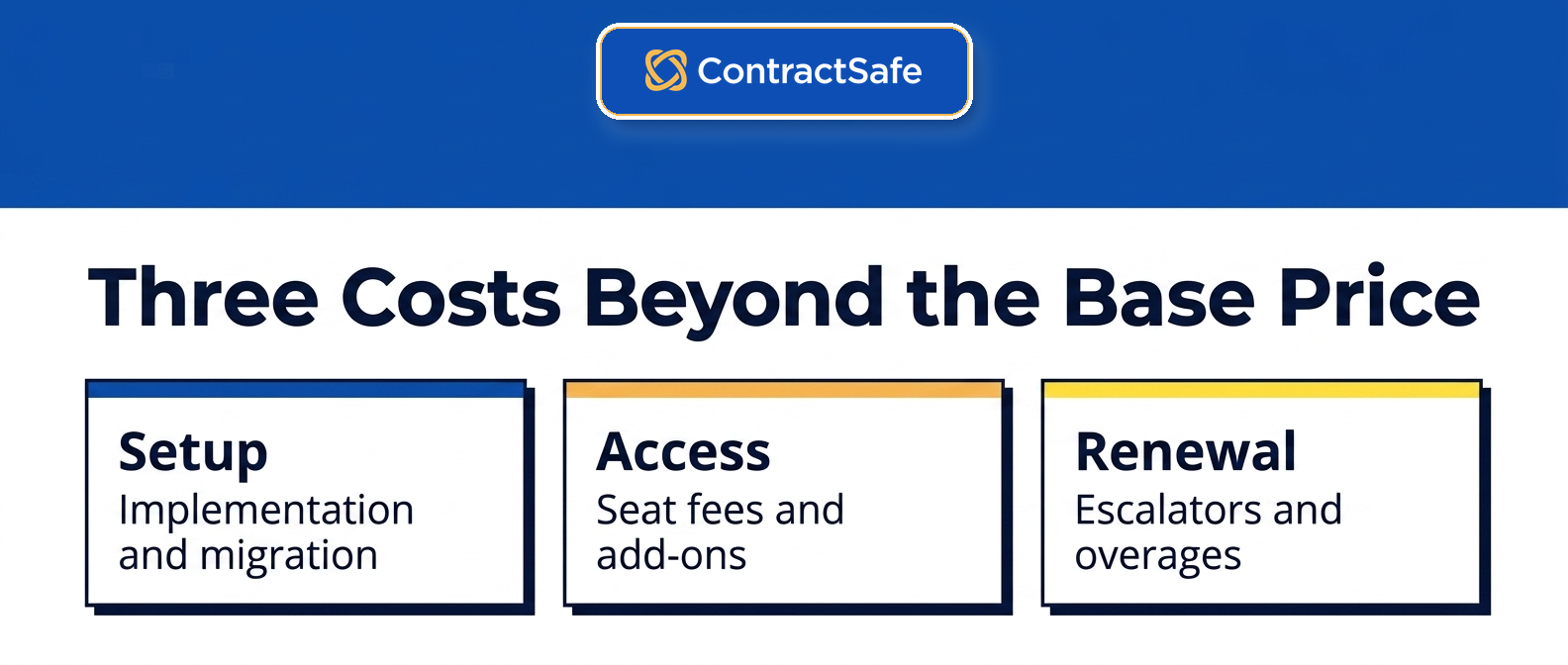
The biggest contract management pricing mistake is treating the vendor quote as the final cost, when the real number is total cost of ownership: the license plus implementation, seats and escalators. Quote-only tools load that number into line items that never appear in the headline, and these five catch buyers most often:
Ignoring implementation: enterprise tools charge roughly $10,000 to $100,000 to get you live, and at LinkSquares the implementation fee alone can match your first-year license.
Underestimating per-seat creep: tools that price by user get more expensive with every hire. Concord, CobbleStone and PandaDoc all charge per seat, and DocuSign's e-signature plans do too.
Missing AI and module add-ons: contract AI, analytics and integrations are frequently sold separately on quote-only platforms.
Forgetting migration: moving legacy contracts in can be a paid service, sometimes priced per gigabyte.
Overlooking annual escalators: quote-only contracts commonly raise your price 3 to 8 percent every year, automatically. A published price gives you a number you can plan around.
What Transparent Pricing Means for Your Budget
Transparent pricing on contract management software decides who controls next year's budget. With flat, published pricing, the number you write down today is on the vendor's website for anyone to check, and adding people doesn't change it, so you set it. With a quote-only tool, you've handed that pen to the vendor, and vendors tend to write bigger figures over time.
That difference shows up in the boring moments, which are the ones finance cares about. Say you want to add three people in March. With unlimited-user, flat pricing, you add them and get on with your day. With a per-seat, quote-only model, adding users mid-year can reopen the whole contract, and now a routine change is a negotiation. Or the renewal shows up with a built-in bump, the kind of automatic 3 to 8 percent increase DocuSign's CLM contracts carry, and the budget you defended last year is already wrong. When adding a user doesn't move the bill, you stop rationing access, and the business case you wrote to get the thing approved still holds up a year later.
Related Reading
16 Best Contract Management Software Platforms: the full buyer's guide beyond price.
Contract management software, explained: what the category does and who needs it.
The CLM software checklist: what to test in a demo before you sign.
How ContractSafe Helps You Avoid Pricing Surprises
ContractSafe is full-lifecycle contract management, from intake and approvals through signature, storage and renewal, and it was built to be the transparent option on this list. Every plan and price is on the website, and every plan includes unlimited users, so a 5-person team and a 50-person team pay the same for the same contract volume. There's no sales cycle to see a number, and no per-seat penalty for letting the whole company use it.
Organize starts at $450/month billed annually and covers a searchable contract repository with OCR, AI data extraction, automated renewal alerts, role-based permissions, reporting and migration support. Finalize, from $660 a month, adds approval workflows, e-signature and redlining, and Maximize, from $815 a month, adds intake forms, templates and AI Contract Review. Every plan also includes onboarding and a dedicated success manager rather than an implementation invoice.









.svg)







.svg)




