


SharePoint contract management is the practice of using Microsoft SharePoint’s document libraries, metadata columns, and permission controls to store and organize the contracts your Microsoft 365 tenant already holds.
Think of SharePoint like a well-labeled storage room: it can hold the right boxes and control who gets the key, but the labels don’t decide who must act before a renewal deadline. Microsoft 365 services can add OCR, eSignature, document processing, approvals, and automation; the team still has to configure and govern that operating model.
The important question is where SharePoint stops being enough for contract work. It's rarely all-or-nothing: contract software integrations with Microsoft 365 keep SharePoint in the loop while the contract record lives in a purpose-built system. The rest of this guide shows how to recognize that line and test the next system.
Decision answer: SharePoint is enough while the team can reliably find the signed contract, trust its metadata, assign the next action, and receive renewal notice without a separate manual system.
When those jobs depend on one person’s memory, a spreadsheet, or a chain of Power Automate workarounds, the contract process has outgrown the document library.
Key Takeaways
- What it is: Using SharePoint’s folders, metadata, and permissions to store and organize your contracts.
- What fills the gaps: ContractSafe is full-lifecycle contract management software for legal, finance, procurement, and operations teams, adding signature support, searchable records, alerts, reporting, access controls, and renewal work that SharePoint alone lacks.
- Where it shines: Central storage, version history, and access control for people who already live inside Microsoft 365.
- Where it stalls: Renewal alerts, e-signature, and reporting all lean on bolt-ons, add-ins, or somebody’s calendar and good intentions.
- When to move: The day a missed renewal, or a scanned PDF you can’t search inside, starts costing you real money.
Every team that starts keeping contracts in SharePoint does it for a reason that makes total sense at the time. You already pay for the license. Everyone has a login already.
SharePoint is the garage of your software stack. It’s already attached to the house, it’s already holding half of everything you own, and it’s free in the way a garage is free once you’ve bought the house.
So the contracts go in the garage.
Of course they do.
And for a good long while, the garage is wonderful. You can find the master services agreement if you remember roughly which shelf you set it on. You can wave a colleague toward the vendor folder and get on with your day.
Boxes get labeled, or most of them do anyway, and the labeling holds right up until the afternoon you’re standing in the doorway with your keys in your hand, needing the one thing you can’t find.
Because here’s the quiet truth about a garage: it’s storage, not a workshop. It holds things beautifully and reminds you of absolutely nothing.
A shelf doesn’t care that the auto-renewal on your biggest vendor clause fires in nine days, or that the indemnification language everyone argued about lives in version four, not version six. Storage just sits there.
Contract work is the opposite of sitting there, and that gap is where this whole article lives.
Choose your next step:
If you just need a quick definition, read the snapshot first.
If you’re choosing software, use the buyer checklist before you start comparing vendors.
If you’re cleaning up a process you already have, skip to records, owners, alerts, and reports.
SharePoint Contract Management Buyer Snapshot
A SharePoint contract buyer snapshot compares the work the system has to support, not the feature list on the box: clean records, trusted answers, clear ownership, and next actions the team can actually take.
| Reader question | Short answer | What to do next |
|---|---|---|
| What is it? | SharePoint tracking should create a searchable, governed contract record | Confirm the system stores documents plus metadata, owners, dates, and permissions |
| Who needs it? | Legal, finance, procurement, and operations teams that act on signed agreements | Map which contract records, folders, and tagged groups each role may access |
| What matters most? | Findability, metadata, alerts, reports, permissions, and audit history | Use those capabilities as the core buying checklist when you build a shortlist of contract tools |
| Where does AI fit? | AI helps when it extracts and validates contract data inside the governed record | Require source traceability and human review |
| What’s the first step? | Inventory contracts and define the minimum metadata model | Start with active and high-risk agreements before historical cleanup |
Decision Check
Can the team find a signed agreement by party, date, owner, and clause?
Can the system show you what needs action this month?
Can non-legal users answer basic contract questions without you having to open up a whole new access problem?
Evidence Checklist
| Planning claim | Evidence to request |
|---|---|
| Contracts are searchable | Find a scanned agreement by party, clause, date, and business owner |
| Metadata is usable | Show required fields, review status, reporting, and cleanup ownership |
| The rollout is realistic | Show launch-critical work separately from historical cleanup |
What Is SharePoint Contract Management?
SharePoint contract management is using SharePoint as your contract repository and light workflow layer instead of buying a system built for the job.
In practice, a team builds a document library, adds metadata columns for things like counterparty, effective date, renewal date, and owner, sets permissions so finance sees what finance should see, and then leans on SharePoint search to find documents later.
That gets you three genuinely useful things:
A single home. Contracts stop living in inboxes and on desktops and land in one shared workspace.
Basic contract fields. Metadata columns can track counterparties, dates, owners, and other details if someone keeps them current.
Access control. Permissions and Microsoft 365 groups decide who can read or edit a folder.
SharePoint on Its Own vs Dedicated Contract Software
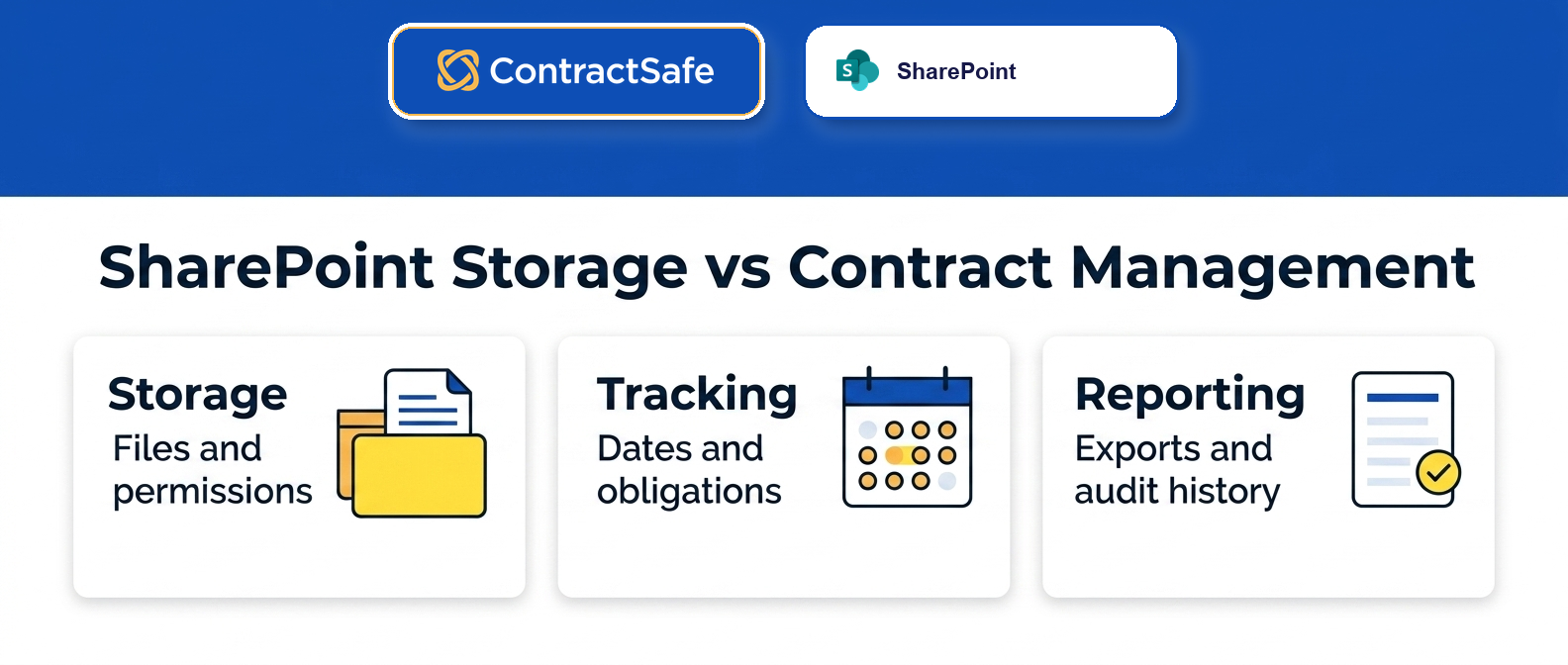
SharePoint covers storage, versions, and permissions on its own, while dedicated contract management software adds the alerts, e-signature, reporting, and OCR search that contract work eventually demands. The table shows where each side carries the load.
A workable decision rule is based on control, not a contract-count cutoff: SharePoint holds while the team can prove current records, ownership, deadlines, access, and reporting.
The moment you need alerts with owners, reports on demand, or searchable scanned agreements, the workarounds cost more attention than full-lifecycle contract software asks for. ContractSafe supports the dedicated CLM side of this table for lean teams, with signature, approvals, searchable records, alerts, reporting, access controls, and renewals in one system.
| Contract job | SharePoint on its own |
|---|---|
| Central storage and sharing | Strong |
| Version history and permissions | Strong |
| Deadline and renewal alerts | Manual or custom-built |
| E-signature | Available through the SharePoint eSignature service |
| Reporting dashboards | Limited without extra tools |
| Finding text inside scanned PDFs | Available when Microsoft 365 OCR is configured |
Current Microsoft 365 capabilities are broader than older comparisons suggest. Microsoft Learn documents SharePoint OCR as a pay-as-you-go service for scanned and hybrid PDFs. SharePoint eSignature is a current service that administrators configure. Microsoft’s contract-management solution guidance also describes document processing, contract classification and extraction, Teams approvals, and Power Automate workflows.
When the vendor themselves tells you the walls of the garage don’t include a workbench, it’s worth believing them.
Buyer Check
Run down this list. If you’re nodding along at three or more, the garage is full.
You’ve missed, or nearly missed, a renewal or auto-renewal deadline.
Finding a specific clause means opening files one at a time.
Some scanned contracts have not been processed through OCR, so search results remain incomplete.
Renewal reminders live in one person’s head or personal calendar.
You can’t pull a clean report of what expires next quarter.
Getting signatures means exporting, emailing, and then chasing.
Why SharePoint Contract Management Matters for Legal Teams
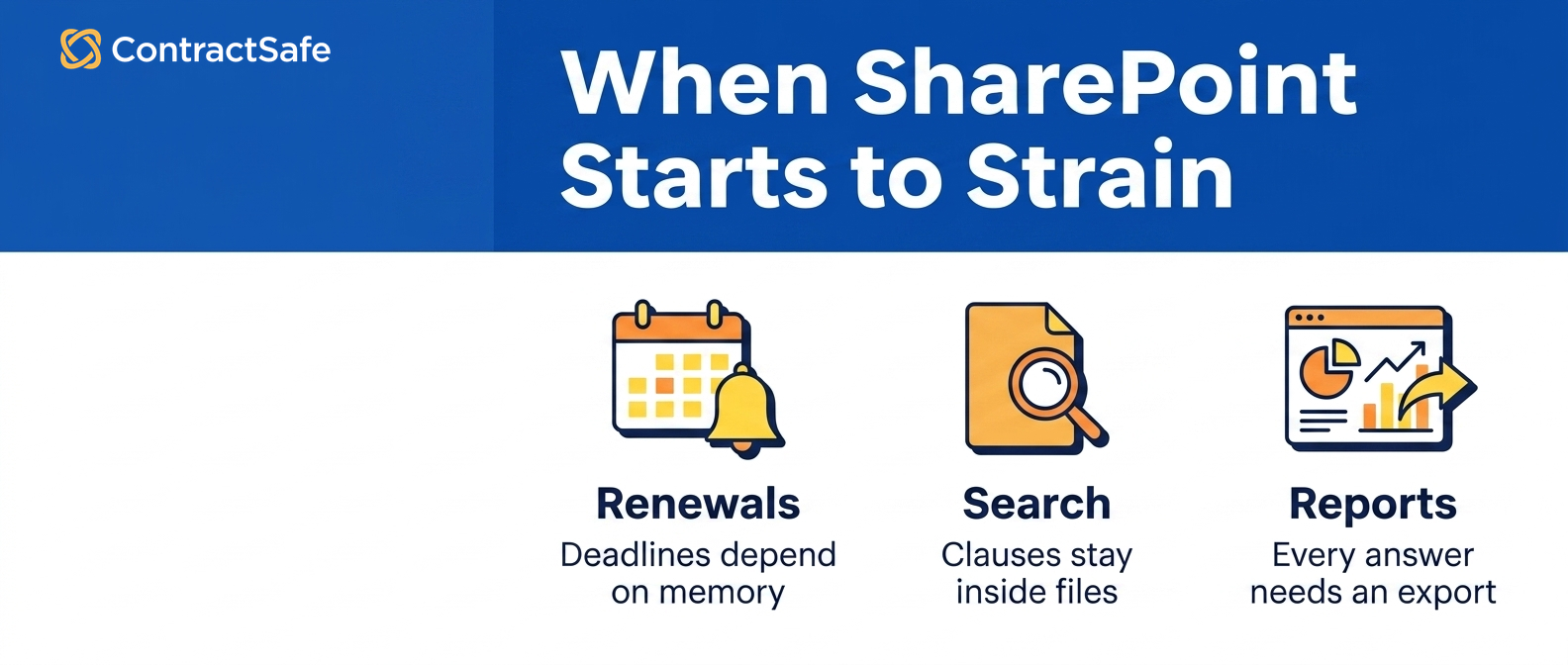
This is the part legal teams feel in their stomach. A contract you can’t act on at the right moment isn’t really under management. It’s just filed. And filing, it turns out, is where the money quietly leaks out.
The numbers back the stomach feeling: WorldCC contract management research finds the average business loses almost 9% of its value each year to poor contract management, through missed renewals, untracked obligations, and agreements with no owner.
That isn’t a fine or a lawsuit. That’s slow erosion from renewals missed and obligations nobody was tracking.
SharePoint matters because it’s often a team’s first honest attempt to stop that leak, and it deserves credit for that. Getting every agreement into one governed contract repository, out of inboxes and off of laptops, is real progress in contract document management.
A lot of the trouble here comes down to the ordinary contract management mistakes teams are quietly guilty of making: no owner, no naming convention, no reminder that fires without a human remembering to set it in the first place. Most of them trace back to skipping the basics of contract management.
The catch is that legal work runs on deadlines and language, and a repository is built for neither. A few concrete places it breaks:
The reminder depends on a person. Renewal alerts in SharePoint mean someone has to maintain a view or a flow. People leave. Flows break.
The clause hides in the file. Searching metadata isn’t searching text, so the indemnity wording you actually need lives inside a document you have to open by hand.
Audits get painful. Without clean reporting, gathering what expired, what auto-renewed, and who approved it turns into archaeology. Sound contract audit best practices assume you can answer those questions in minutes, not days.
If you want a structured way to pressure-test your own setup, a contract management requirements checklist beats a gut feeling every single time.
Common Use Cases and Workflows
So what does a legal team actually do inside SharePoint before the seams start to show? Four things, mostly, and each one works beautifully for a stretch. Think back to that first apartment you rented straight out of school.
It held everything you owned, and for two years that felt like abundance. Then you acquired a couch, a partner, a dog, and suddenly the closet you loved was a place you avoided opening in front of guests.
1. The Shared Repository
Every executed agreement lands in one document library, tagged with a counterparty column and an effective-date column, and anyone with the right permissions can find it.
Start here, and require the same tags on every upload. Two tags carry most of the weight:
The counterparty
The renewal date
Skip them and the risk shows up fast: agreements drift back into inboxes within a quarter. This is the honeymoon phase, and it’s genuinely good.
A searchable place beats a shared drive named “Contracts_FINAL_v3.” It’s not close.
2. Renewal and Deadline Tracking
Teams build a calculated column for the expiration date and then hope Outlook reminders do the rest.
For example, the renewal date lives in a column, the reminder lives in one person’s calendar, and the gap between those two is where auto-renewals slip through. Check the column against a real calendar monthly.
3. Access Control
Permissions get sliced by department so procurement sees vendor deals and HR sees offer letters. The risk to watch is permission sprawl: access grants outlive the projects that justified them. Review the groups quarterly and map who actually needs each folder.
For instance, a sales rep who changed teams last year can often still open every vendor agreement nobody thought to re-check.
4. Light Approval Routing
Someone wires up a Power Automate flow to ping a manager when a new file shows up. Before you buy anything heavier, ask whether the flow’s owner still works at the company.
That fourth one is where the apartment starts feeling small. Current Microsoft Learn guidance documents SharePoint eSignature, OCR, document processing, Teams approvals, and Power Automate workflows. The buyer still needs to confirm licensing, configuration, governance, and maintenance for the complete operating model.
You can bolt those things on, sure, but bolting things on is exactly how a studio turns into a maze of storage cubes.
Want to see the built-for-purpose version of these workflows? Hold the two side by side in a quick demo.
SharePoint Contract Management Best Practices
If you’re going to run contracts through SharePoint, run them well. The difference between a tidy library and a junk drawer is almost entirely discipline applied early, before the volume arrives. Here’s the order that tends to hold up.
1. Standardize Metadata Columns First
Choose the five or six fields that actually matter and require them at upload:
Counterparty and contract type
Effective and renewal dates
Owner Empty metadata is the moth hole nobody notices until the sweater is ruined.
2. Write the Naming Convention Down
A rule that lives in one person’s head isn’t a rule. It’s a liability with a vacation schedule.
For instance, the person who knows the filing scheme takes a long vacation, and suddenly nobody can tell which draft is current.
Write the rule down and check new uploads against it for the first month, so nothing gets missed while the habit forms.
3. Assign Alert Owners, Not Just Alerts
Assign each renewal alert to a named owner and review the list monthly, because an unowned reminder fails silently until the deadline is already gone.
For instance, an alert pointed at a departed employee’s inbox can fire into the void for months.
4. Audit Permissions on a Schedule
Access sprawl is the quiet way confidential terms end up in front of the wrong department. For example, a contractor’s access from an old migration quietly persists until an audit finally asks why.
There’s a deeper reason all of this feels like plumbing. As arXiv contract understanding research points out, many elements of contract lifecycle management resemble traditional enterprise search, which means your library is only ever as smart as the tags you feed it.
Prove It on Your Own Contracts Before You Decide
Before you commit to SharePoint contract management or leave it, run a few short tests on your real files. Each one takes about an afternoon, uses contracts you already have, and shows whether the system holds up under normal contract work or only looks like it does.
The point of these tests is to stop arguing about features and watch what actually happens when a normal person needs a normal answer. Do them with your own documents, not a demo set, and have someone outside the legal team try each one cold.
- The renewal test. Pull a handful of contracts with auto-renew language and ask the system to show every one with a notice date coming up soon, without opening each file. If you cannot get that list on demand, your reminders are living in someone’s calendar, not the record.
- The scanned document test. Take a signed agreement that came back as a scanned image and search for the counterparty name or a specific clause inside it. If nothing comes back, your search only reads file names and typed fields, not the words on the page.
- The cold handoff test. Ask a procurement person who has never opened the library to find the current signed version of one vendor agreement, plus its amendments, in a few minutes with no help. Time it.
- The ownership test. Pick one contract and ask who is responsible for renewing it. If the answer lives in an email thread or someone’s memory instead of the record, ownership is not really there.
- The reporting test. Ask for one clean list of every active contract with a single counterparty, sorted by end date. Watch how many steps and exports it takes to produce.
Score each test the same way: could a non-lawyer get a trusted answer, on their own, in the time they actually have? A pass means SharePoint is carrying the load and you can keep going with the discipline you already have. A slow, manual, or empty result is not a reason to feel bad about your setup. It is a sign that the work has outgrown a shared folder and a few columns.
Keep your notes from these runs. If you later look at dedicated contract software, the same tests become your buying checklist, and you will know exactly which ones SharePoint could not pass. That turns a gut feeling into something you can put in front of the people holding the budget, with your own contracts as the evidence.
Implementation Plan for Legal and Procurement Teams
As of 2026, rolling contracts into SharePoint still isn’t a quick project, and treating it like one is the very first failure mode.
The stakes are real here: the same research we cited above shows poor contract management bleeding value year after year, which is a lot of leaked money to pin on a missed renewal date and a mislabeled folder.
Work through it in five moves.
1. Inventory Everything
Track down every agreement before you touch anything, and check the usual hiding places:
Shared drives, desktops, and personal folders
Email attachments and e-signature accounts
If nobody claims a contract, flag it, because unowned agreements are where renewals get missed.
2. Design the Metadata Schema
Decide the required columns before you upload a single file, and require them at upload so blanks never enter the library:
Counterparty, type, and owner
Effective, renewal, and expiration dates
3. Migrate in Batches
Move one contract type at a time, not everything at once, so you can catch problems while they’re still small. Check each batch’s metadata before starting the next, because a bad batch caught late becomes an audit problem.
For instance, migrate NDAs first: they’re uniform, low-risk, and they prove the pattern.
4. Wire Up Alerts With Named Owners
Set a reminder for every renewal and notice date, and assign a person to each alert, because an alert without an owner is a risk with a snooze button.
For example, set nudges at ninety, sixty, and thirty days out, since one reminder is never enough.
5. Define Your Exit Criteria
Decide in advance what tells you SharePoint has quietly become the small apartment again, and review the criteria quarterly:
The contract volume that overwhelms manual tagging
The audit request you can’t answer inside a day
The failure modes are predictable, which makes them preventable. Teams create duplicate versions without a source of truth. Metadata becomes orphaned when columns exist but nobody fills them. Access groups sprawl beyond the records people actually need.
And renewals that belong to everyone, which in practice means they belong to no one at all. A short contract audit shrinks every one of these down to a checklist item instead of a fire drill.
Related Reading
If you suspect your current process has quiet gaps, the writeup on the six contract management mistakes covers the ones teams are most often guilty of making before they even notice.
When you want the full field guide to what a dedicated system should do, the contract management software buyer’s guide walks through the capabilities that separate a repository from a real system.
When you’re ready to compare the assembly-required approach against a purpose-built tool, ContractSafe pricing lays out flat, published plans with no per-seat math to reverse-engineer.
Forrester research: Use this as a broader process-design reference when the scorecard needs to connect to rollout planning.
How ContractSafe Helps With SharePoint Contract Management
ContractSafe is full-lifecycle contract management software that supports intake, approvals, e-signature, governed records, reporting, alerts, and renewals. Compare that managed product scope with the Microsoft 365 services your team would need to configure and maintain, then test the result in a ContractSafe demo.
A practical ContractSafe evaluation should ask whether finance, procurement, and business owners can safely answer routine contract questions without sending every request back to legal.
Here’s the honest version of the pitch, because you’ve read this far and you’ve earned it. SharePoint is a perfectly fine studio apartment.
It’s contract management software built for exactly the moment SharePoint’s workarounds start to outnumber its features.
SharePoint OCR exists as a configured, pay-as-you-go Microsoft 365 service. ContractSafe’s distinction is that OCR-backed search sits inside a managed contract record with alerts, reporting, access controls, and renewal work instead of requiring the team to assemble and maintain those services itself.
ContractSafe extracts the counterparty, the dates, and the key terms right off the page with AI and stores them as fields you can filter, so you aren’t hand-typing metadata columns and quietly hoping everyone else does the same.
That shift reduces orphaned metadata when AI-suggested fields are routed through human review before the team relies on them.
ContractSafe handles alerts, reporting, and permissions inside the same system that holds the contracts, with owners attached by design rather than by way of a Power Automate flow somebody built and then left the company.
Renewals stop being the deadline that belongs to no one.
Reporting and permissions come standard rather than assembled, and ContractSafe's AI contract review checks each clause against your own playbook rules, a layer SharePoint Online never shipped in the first place.
Two practical notes for the buyer weighing a migration. Every ContractSafe plan includes unlimited users, so you aren’t rationing seats to keep procurement, finance, and legal out of the same repository.
And implementation and migration support come included, which means the batch-by-batch move you just read about is one you don’t have to run on your own.
When the apartment finally feels too small, that support is the moving crew you actually want showing up.






.svg)







.svg)




