


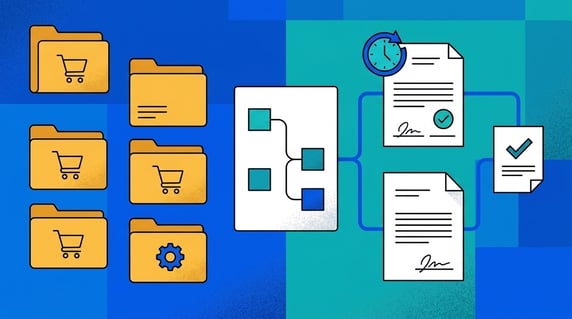
Contract document management means storing signed agreements in one place while actively tracking the contract-specific details inside them, their dates, owners, promises, and renewals, so nothing slips once the ink is dry. It is where two jobs meet: a document system stores and organizes your files, while contract management tracks the agreements those files hold.
Think of a document management system like a better junk drawer. It may be organized, labeled, and searchable, but it still holds everything without knowing which item can expire, who owns it, or what it promised.
That gap is exactly where most buyers get burned, because someone still has to catch the renewal before it auto-renews, name an owner who watches it, and prove what was agreed when finance or an auditor comes asking. This guide shows where each type of system helps and where you need both.
That difference matters when the file isn't just a file. A contract has deadlines, permissions, financial terms, business owners, and promises that survive after signature.
Key Takeaways
- Document management systems store and organize files.
- Contract management software manages contract-specific work after and before signature.
- Contracts need more than just storage. They need all the key details tracked, reminders for renewals, clear owners, specific permissions, a way to track promises, reports, and a full history of changes.
- A DMS can be useful for general files, but contracts usually need more structure.
- ContractSafe helps teams turn signed agreements into searchable, trackable contract records.
Choose Your Next Step
Contract document management decisions go faster when you start from the work the documents create, not from the software category. Jump to the part of this guide that matches your situation.
- Deciding between the two? Start with the at-a-glance comparison.
- Already in SharePoint? Read where SharePoint fits before building more on it.
- Not sure your contracts need more? Run the six deciding questions.
- Ready to fix it? Go to the migration path for moving contracts out of folders.
- Whichever it is, list your agreements with renewal dates first and assign each an owner. That renewal-dated list decides the whole storage question faster than any feature comparison will.
- Comparing systems already? Our contract management software guide covers the full evaluation, from requirements through rollout.
What Is a Document Management System?
A document management system is software that stores, organizes, searches, and controls access to digital files across a company.
A DMS can help with folders, version history, search, and permissions. That's useful for policies, invoices, HR documents, marketing files, and general business records.
But a DMS usually doesn't understand contract-specific work. It doesn't automatically know which file has a renewal date, notice period, business owner, payment term, or obligation.
Document management is typically about organizing, storing, and tracking documents. That's useful, but contract teams still need contract-specific follow-up.
Audit your own DMS with one question: ask the system which vendor agreements renew next quarter, and assign someone to time how long the answer takes. Minutes mean storage; days mean risk.
What Is Contract Management Software?
Contract management software stores, tracks, searches, and reports on agreements through their whole life: intake, signature, renewals, and the obligations in between.
A contract system should help users answer practical questions: Which agreements renew soon? Which contracts lack owners? Which obligations are open? Which records need cleanup?
That's the gap between storage and management.
Test the gap directly with one vendor agreement:
- Set a renewal alert with a notice window and an owner.
- Search a clause phrase from inside the scanned text.
- Run a report that includes the agreement’s value and dates.
Storage can’t do those three. Management is those three.
ContractSafe's system keeps your signed agreements safe and sound, with searchable text, all the important details, clear permissions, helpful alerts, and easy-to-read reports. ContractSafe's alerts help teams act before key dates pass.
Buyer checklist: run each agreement through these eight checks before you decide where it lives. A document management system wins when the file just needs a tidy home. A contract system wins the moment the file has a date, an owner, or a promise someone has to keep. Score each item as storage or management, then let the tally pick the tool instead of guessing from a feature list.
- Renewals: Does the agreement auto-renew or expire? If a missed notice window costs money, you need alerts tied to dates, not a folder that stays silent.
- Owners: Can you name the person responsible after signature and reassign it when they leave? Storage tracks a file owner; management tracks a business owner who watches the terms.
- Obligations: Does the document promise deliverables, payments, or reporting back? If someone must track open promises, that is management work, not filing.
- Permissions: Do different teams need different access by contract type? Role-based control beats a shared folder where everyone sees everything or nobody sees anything.
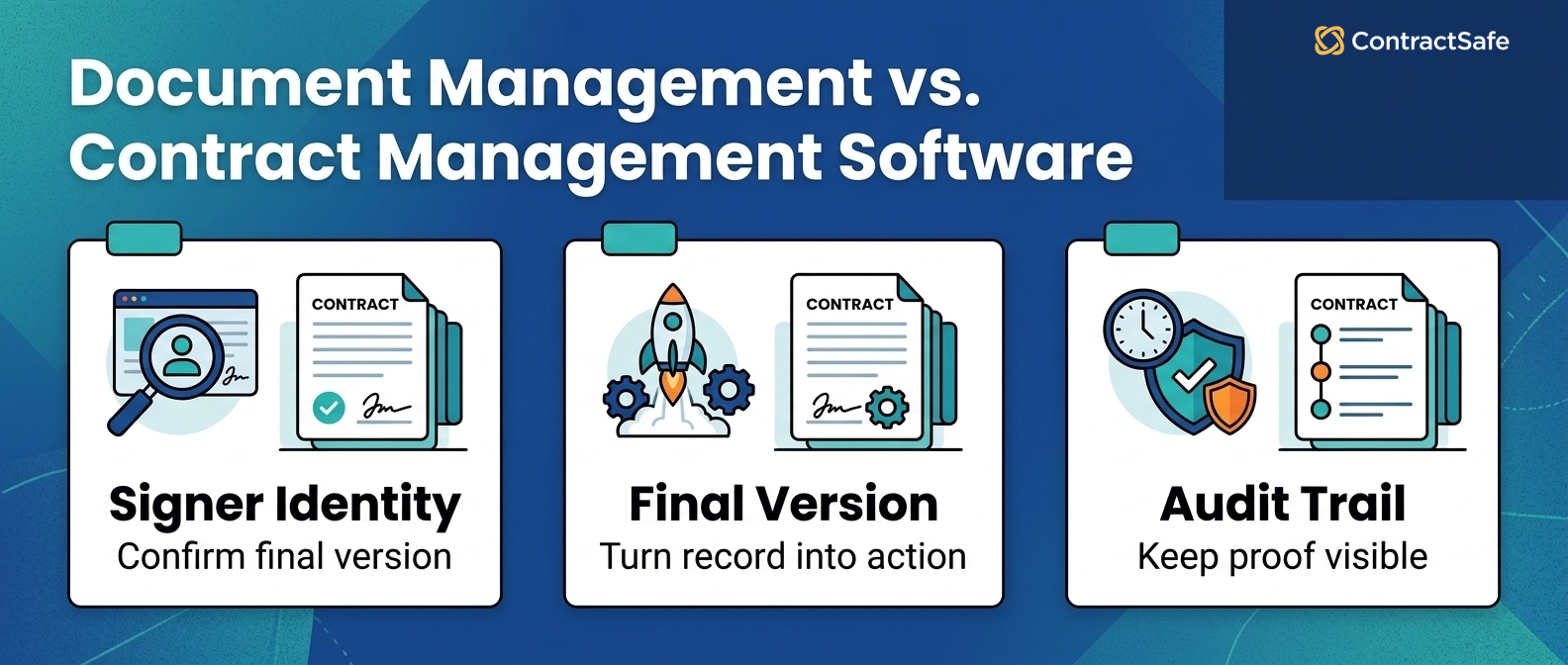
- Version control: Do you need to know which signed version governs, not just what changed? Management shows legal effect, while a DMS shows edit history.
- Search: Will people hunt for a clause buried inside scanned PDFs? You need text search across the actual words, not just filenames and folder labels.
- Reporting: Does finance or legal ask for contract values, dates, or counts? Management pulls those into one report, while storage makes you open files one by one.
- Who uses it after upload: Does anyone act on the document later, or does it just sit there? If people come back to it to decide something, treat it as a contract, not a file.
Use it like a sorting rule, not a debate. Take your real agreements, vendor deals, leases, NDAs, and customer contracts, and check the boxes for each one. Anything that trips renewals, owners, obligations, or clause search belongs in a contract system, even if it sits in a shared drive today. Files that trip nothing can stay in the DMS. Run the list once, write the result into your intake rule, and stop deciding case by case.
Contract Management vs Document Management at a Glance
The comparison comes down to the work each system can do with a contract after the upload. Storage alone isn't enough when the document creates promises.
| Question | Document management system | Contract management software |
|---|---|---|
| Main job | Store and organize files | Manage contract records and work |
| Best for | General business documents | Agreements with dates, owners, terms, and obligations |
| Search | File and content search | Contract search plus metadata and fields |
| Alerts | Usually limited or generic | Renewal, expiration, notice, and custom alerts |
| Reporting | General document reports | Contract-specific reports |
| Ownership | File owner or folder owner | Business owner, legal owner, and workflow owner |
If your team only needs a place to store documents, a DMS may be enough. If your team needs to act on contract data, use contract management software.
What Goes Wrong When Contracts Live in a DMS
Contracts stored as ordinary documents fail in predictable ways, and every failure traces back to data the DMS never captured.
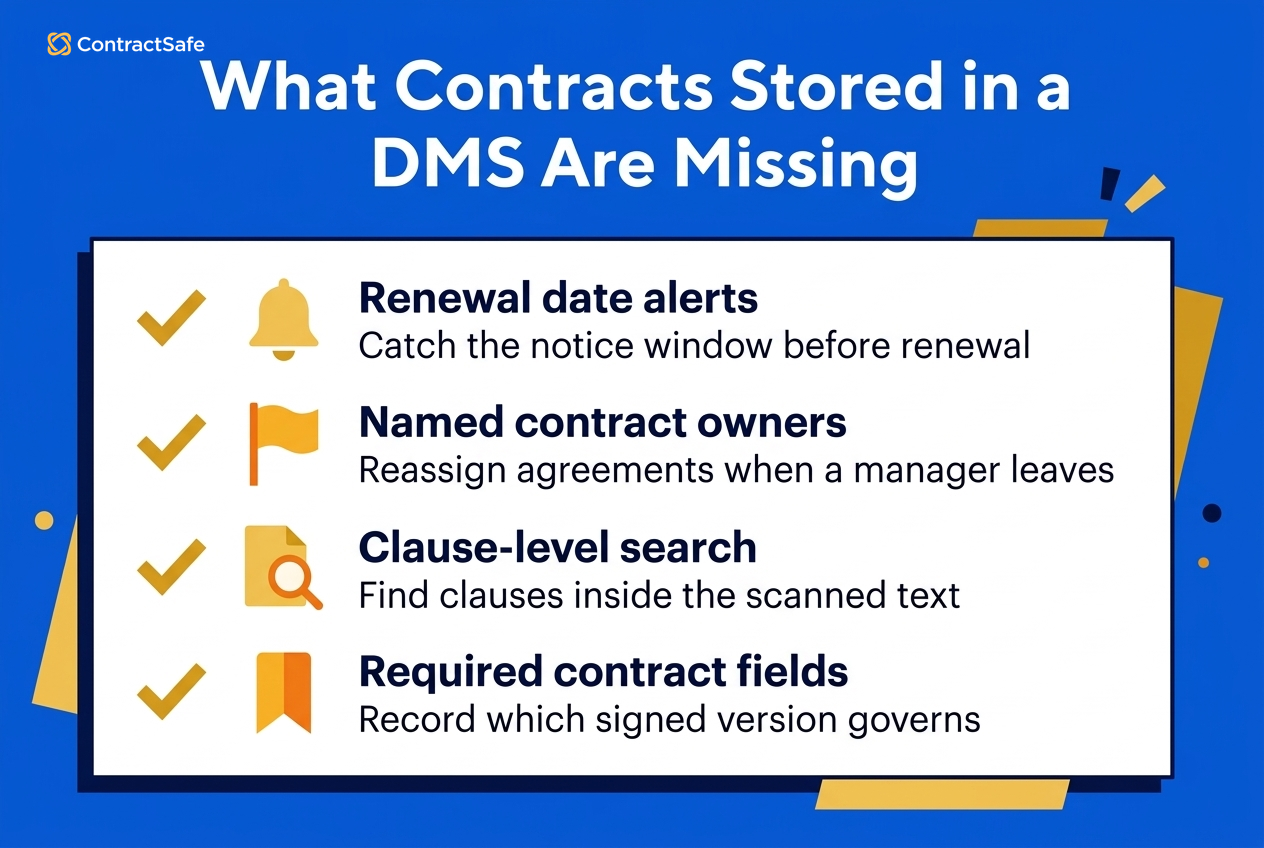
The quiet auto-renewal. For example, a vendor agreement renews for another term because its notice window lived inside a PDF in a tidy folder, and folders don't send reminders.
The orphaned agreements. A manager leaves, and her folder of vendor contracts keeps her name and loses its meaning. No owner field means no reassignment, just archaeology.
The audit scramble. Say an auditor asks for every active agreement with a data-processing clause. Filename search returns nothing, because the clause lives inside scanned text nobody indexed.
The version mystery. Two copies of the same MSA, one amended, one not, and no record of which one governs. Version history shows edits, not legal effect.
Prevention is built into the system, not into people trying harder: required fields, owners, alerts, and clause-level search. Teams don't get more careful; the system gets more specific.
Start the structural fix this week: pull the agreements with dates from the folders, assign each an owner, and set the first alerts before the next notice window opens.
Where SharePoint Fits
SharePoint software can be used as a document management system: storing files, supporting permissions, and organizing content across teams.
SharePoint isn't automatically a contract management system. The difference isn't whether it can hold a PDF. It's whether it can manage all those contract-specific details, alerts, and reports without you building it from scratch.
Many teams start in SharePoint because it's already available. That can work for early storage, but it often breaks down when contracts need renewal tracking, searchable clauses, owner coverage, or reporting.
SharePoint is designed for content, teamwork, and intranet collaboration. That's a different job from contract lifecycle tracking.
For contract-heavy teams, the question isn't "Can SharePoint store this?" It's "Can the business act on this contract later?"
The build-it-yourself math deserves honesty too. Custom lists, alert flows, and permission schemes for contracts in SharePoint are a real engineering project, and the person who builds them eventually changes jobs.
When a DMS Is Enough
A document management system may be enough when the documents aren't tied to recurring contract work. General policies, one-time PDFs, and simple reference files can fit there.
A DMS can also work as a temporary step for very small teams with low contract volume and low renewal risk.
But once your team needs reminders, reports, permissions by contract type, owner tracking, or post-signature obligations, the DMS starts to act like a filing cabinet.
That filing cabinet may be tidy. It still can't tell you what needs action next week.
A practical split works well: keep general business documents in the DMS, and move the agreements with dates, owners, and obligations into a contract system. The two coexist; they just do different jobs.
- Stays in the DMS: policies, invoices, marketing assets, reference files.
- Moves to contract management: vendor agreements, customer contracts, leases, NDAs, employment agreements.
The Six Questions That Decide It
Six questions about a document decide whether the document needs contract management or just storage. Run every contract type through them: vendor agreements, customer contracts, leases, NDAs, and employment records.
Score each type, write the result into your intake rule, and review the scores when a contract type starts creating new kinds of work.
The questions also double as a vendor filter: any contract system you evaluate should make all six easy, with alerts, owners, reports, permissions, obligations, and OCR search built in rather than configured from scratch.
Assign one person to run the scoring across all agreement types in a single sitting. Consistency beats committee here, and the whole exercise fits in an afternoon, including the intake-rule write-up.
1. Does the Document Have a Renewal, Expiration, or Notice Date?
Date-bearing documents are the clearest case, because a missed notice window is the most expensive kind of filing error.
For example, an auto-renewing vendor agreement with a sixty-day notice window needs an alert with escalation, not a calendar reminder in one person's inbox.
Set the alert ahead of the window, assign the renewal decision to an owner, and confirm the date survives amendments. Amended dates are where calendar reminders quietly go wrong, and where contract systems that track amendments with their parents earn their keep.
- Watch for: renewal dates recorded at upload and never re-checked after amendments.
- Watch for: date fields that exist but feed no alerts.
Count these documents first during any inventory. Date-bearing agreements are the migration’s priority order, soonest notice window at the top.
2. Does Someone Need to Own It After Signature?
Ownership separates contract records from files. A contract with no named owner has no one watching its dates, duties, or renewal decision.
Assign the business owner, not just the legal contact, and reassign the same week anyone changes roles. Owner coverage is a number worth reporting monthly.
Say a procurement lead departs in March. In a contract system, her forty vendor agreements surface in one reassignment report. In a DMS, they sit in a folder with her name until something expires.
Make reassignment part of offboarding, the same checklist that collects the laptop. Contract ownership is the item that costs the most when it’s skipped, because the missed renewal arrives months after the goodbye party.
- Watch for: ownership recorded in filenames or folder names instead of fields.
3. Does the Business Need Reports From It?
Reporting needs turn documents into data. Finance asking "what renews next quarter, by value?" can't be answered from folders, however tidy.
If leadership asks recurring questions about a document type, that type needs structured fields, and structured fields need a contract system to live in.
List last quarter’s leadership questions about contracts, then check which ones your current storage can answer without manual work. The unanswerable ones are your requirements list.
Typical entries: renewal exposure by quarter, agreements by owner, contracts missing key fields, and value under management by vendor. Each needs fields a folder doesn’t have, and each becomes a saved report once those fields exist.
- Watch for: reports that exist as a spreadsheet someone rebuilds every month by hand.
4. Does Access Need Role-Based Control?
Contracts carry sensitive terms: pricing, employment conditions, security commitments. Folder permissions are too blunt for records that finance, procurement, and HR each need different slices of.
Map the real roles before evaluating anything: who needs vendor terms, who needs values, who must never see the executive agreements. The map is reusable in every demo.
Test the real scenario: can procurement see vendor terms without seeing executive employment agreements? If the permission model can't express that, the storage is wrong for contracts.
Then test the audit case: grant a reviewer read access to one counterparty’s agreements for one month, and confirm the access actually expires when the month ends.
- Watch for: permissions managed by folder sprawl, where sensitive agreements hide by obscurity.
5. Does the Document Create Obligations?
Obligations are the promises inside the contract: deliverables, reports, insurance certificates, payment terms. They need tracking as work, with owners and due dates.
A DMS holds the promise; a contract system turns the promise into a task someone completes and proves. That difference is where breach risk actually lives.
For example, a customer agreement that promises quarterly reports needs a recurring task with an owner, a due date, and proof attached, not a clause nobody rereads.
Inventory the obligations on your ten highest-value agreements first. That list usually surprises people, and it converts the storage debate into specific overdue work with names attached.
- Watch for: obligations owed to you that nobody tracks either, like counterparty insurance certificates.
6. Will Users Need to Search Inside Scanned PDFs?
Scanned agreements are pictures of words until OCR makes them searchable text. Clause-level search across scans is routine contract work and rare DMS work.
Test with your worst file: a faxed amendment with a useless filename. If search can't find its clause text, neither will the team during a dispute.
Run the test on five real files: search a party name, a clause phrase, and a date from inside each scan. Score it honestly, and keep the failing files for the next vendor demo.
OCR coverage of the backlog matters as much as new uploads. Ask any system, including your current one, how much of the existing archive is actually searchable text today.
Quick gut check before you decide. Pull ten documents your team touched this week and run the six questions on each. Three or more yes answers on a document type means that type needs contract management, whatever system currently holds it.
The Hybrid Reality Most Teams Run
Most companies run document management and contract management side by side, and the split works when the boundary is explicit.
The DMS keeps policies, invoices, HR files, and marketing assets. The contract system keeps anything with a counterparty, a date, an owner, or an obligation.
Write the boundary down as an intake rule: signed agreements route to the contract repository on execution, automatically where possible. The boundary fails when routing depends on individual judgment, because every exception becomes a lost contract.
Name an owner for the boundary itself, usually whoever owns contract operations. Routing rules drift when nobody owns them, the same way folders drifted into junk drawers in the first place.
Review the boundary quarterly with one search: look for agreements in the DMS that mention renewal, termination, or notice. Anything the search finds is in the wrong system.
Moving Contracts Out of the Junk Drawer
A contracts-out-of-folders migration runs in four steps, and the first one is smaller than teams fear.
- Inventory the agreements: export the folder listing, dedupe, and flag everything with a date or an owner question.
- Move the active contracts first, highest value and soonest renewal leading. The expired archive can follow later.
- Let AI extraction make the first pass on dates, parties, and terms, then verify the high-risk agreements by hand.
- Turn on alerts, assign owners, and run the first renewal report. That report is the migration's proof of value.
Keep the DMS for what it does well. The migration is about the agreements that create work, not about emptying the drawer.
Measure the migration by questions answered, not files moved. When finance pulls its own renewal report and procurement finds its own vendor terms without asking legal, the move has paid for itself, whatever reference files remain behind in the old folders.
Budget the effort honestly: a few hundred active agreements usually take a few weeks of part-time owner attention, with extraction doing the data entry and humans doing the verification.
And set the intake rule the same day the migration starts, so new signed agreements stop landing in the folders you’re draining.
Demo Questions for the Storage-to-Management Move
A contract system demo should prove the management gap closes on your files, not the vendor’s samples. Bring these questions and your five worst documents.
- Search this scanned amendment by a phrase from its indemnification clause, live.
- Set a renewal alert with a notice window and escalation on this vendor MSA.
- Show what happens to this owner’s agreements when she leaves the company.
- Have my finance teammate run the renewals-by-quarter report without help.
- Grant an auditor read access to one counterparty’s agreements, and show the expiry.
Write the answers on the evaluation record. Vendors who handle all five live have closed the gap this article is about; vendors who schedule a follow-up have answered differently.
Where ContractSafe Fits
ContractSafe is contract management software for teams that need more than file storage.
ContractSafe gives teams everything they need in one contract record: searchable contracts (even scanned ones!), all the important details, alerts, permissions, reports, smart AI to pull out key info, and e-signature support.
That helps legal, finance, procurement, HR, sales, and operations find answers without sending every question back to legal.
Run the six questions against it like any candidate: load a scanned agreement, set a date alert with an owner, and have a business user pull the renewal report.
How to Choose
Choose the system based on the work, not the file type. A contract is a file, but it's also a set of future tasks: a renewal to catch, an owner to keep, obligations to track, and questions leadership will ask about it later.
Run the six questions above on each document type, and count the yes answers. If most answers are yes, you need contract management software for that type.
Decide per agreement type, not per company. NDAs, vendor MSAs, and customer order forms usually clear the bar; one-off reference PDFs usually don’t.
If you're looking at bigger systems, check out ContractSafe's guide to contract management software. And if cleaning up your contract storage is the main problem, our contract repository software guide can help.
Related Reading
- Choosing contract repository software, for the buying tests once you've decided contracts need their own system.
- Contract obligation management, for turning the promises inside agreements into tracked work.
- Contract management metrics, for the reports that justify the move out of folders.
How ContractSafe Helps Manage Your Contracts
ContractSafe turns stored agreements into working contract records: full-text search across scanned documents, required fields with owners, renewal and notice alerts with escalation, role-based permissions, and reports business users run themselves.
The junk-drawer problem gets solved in practice, not just on paper: the contract that used to hide in a folder now carries its dates, its owner, and its obligations on one record your team can actually act on before the notice window closes.
The fastest test is your own drawer. Bring a folder of real agreements, scans included, to a free demo and run the six questions live, on your files, with your team watching the answers.









.svg)







.svg)




