


Contract repository software is a searchable system of record for your signed agreements. It stores every contract, reads the text inside each one (yes, even the scanned ones), tracks the dates and terms that matter, and reminds the right people before a deadline slips past. When you're shopping for one, the question that actually decides things isn't 'can we upload files here.' It's 'can legal, finance, procurement, and the business owners use this next Tuesday without creating a fresh filing mess.'
Think of it less like buying shelves and more like choosing a working library. Shelves just hold paper. A library has a catalog, checkout rules, and a way to find the right page when someone remembers one phrase from a contract. That gap is the whole test, so don't stop at 'can we store contracts.' Ask whether the people who need answers can get them without calling legal every time.
This guide runs that decision the way a careful buyer would: pin down what the software has to do, pressure-test it against your own messy files, then score every finalist the same way before anyone signs. That kind of buying discipline echoes the commercial contracting practices tracked in WorldCC's market insights.
Key Takeaways
- Test the software on your own messy contracts, not the vendor's demo files.
- A tool that only stores PDFs won't fix missed renewals, audit scrambles, or version confusion.
- AI earns its keep when it pulls dates and terms from the source and lets a person confirm them.
- Pricing shapes adoption. If every new user costs money, the people who need access won't get it.
- ContractSafe gives teams searchable contracts, unlimited users, AI extraction, and alerts without a big setup project.
Choose Your Next Step
Choosing contract repository software goes faster when you start from the question that's sharpest for you right now. Pick the line below that matches where your evaluation stands and skip ahead.
Building a shortlist? Run the buying tests below with every vendor.
Migrating soon? Jump to the metadata field table.
Comparing quotes? Read the pricing section, then see ContractSafe pricing.
Almost decided? Use the buying checklist as your scorecard.
Want every question? See the contract repository requirements guide.
What Contract Repository Software Means in Practice
In practice, contract repository software means four working parts sitting on top of plain storage: full-text search that reads scanned documents, structured fields for dates and owners, alerts that fire before deadlines, and reports you can trust without hand-cleaning them first. Vendors define the category loosely, which is why that definition reads like a test.
If a product can't do all four on your files, it might still be fine software. It just isn't a contract repository, whatever the brochure says. Keep that four-part definition close, because every section below turns one piece of it into something you can check live in a demo.
Contract Repository Software vs. Shared Drives and Full CLM Suites
Contract repository software sits between two alternatives, and buyers regularly overpay for one or settle for the other. It does more than a shared drive and less than a full CLM suite, which is exactly the layer most teams need first.
A shared drive stores files and stops there. It can't read a scanned contract, it can't tell a renewal date from a filename, and it treats an amendment and its parent agreement like total strangers.
Plenty of teams try to stretch a folder system further than it wants to go. If your comparison is a Microsoft or shared-drive setup, see how far that path really takes you first: weigh SharePoint for contract management, the reality of a contract repository on a shared drive, and what a purpose-built repository actually covers in the ultimate contract repository guide.
A full contract lifecycle management suite goes the other direction. It piles drafting, clause libraries, negotiation workflows, and approval routing on top of storage. Those are real capabilities, but they're also a real implementation project, and a lot of teams buy them years before anyone is ready to use them.
So ask the honest sequencing question: what actually hurts this quarter? If the pain is 'we can't find contracts, we miss renewals, and audits are a scramble,' you need a repository. Buying a full suite to solve that is like remodeling the kitchen because you needed a fridge.
If the pain is 'drafting and negotiation take weeks,' you're shopping for workflow, and the repository is the foundation you'll need under it either way. Not sure? Start with the repository. Search, dates, owners, and alerts are the layer every later process leans on.
Starting with ContractSafe takes some risk out of the bigger decision too. Because it's a full-lifecycle CLM, your agreements become searchable and your renewal data gets checked now, while drafting, approvals, and signature are already there when you're ready, with no second workflow purchase to negotiate.
Repository vs. CLM: if you're torn between a repository and a full suite, compare the two side by side before you choose.
What Goes Wrong When You Buy on Storage Alone
The failure stories behind repository purchases repeat themselves, which is good news, because you can test for every one of them before you buy. They're familiar enough that the contract-management profession studies them; the National Contract Management Association's Journal of Contract Management is one place these practices get documented.
The auto-renewal surprise is the classic: a big vendor agreement renews for a full year because the notice window slipped by quietly. The contract sat in the system the whole time, but nobody set an alert because entering dates was manual and the backlog won.
The audit scramble is next. An auditor asks for every active agreement with a specific clause, the files are spread across two drives and an inbox, and three people lose a week to a question a search should answer in seconds.
Then the orphaned portfolio: a procurement manager leaves and forty vendor agreements suddenly have no one who knows them. If owner data lives in the repository and alerts reassign on departure, that's an afternoon of cleanup. If it lived in that manager's head, it's a year of surprises.
The subtlest is the trust collapse. The repository's dates are wrong often enough that people stop believing the reminders and quietly drift back to spreadsheets, and one wrong effective date at migration is how it starts. Every one of these traces back to a buying-stage decision: metadata requirements, alert defaults, owner fields, and whether high-risk agreements got verified. That's why this guide spends its time there.
1. Start With the Job the Repository Has to Do
The right repository is the one that answers the weekly contract questions your team actually has, so start by writing those questions down: which agreements renew soon, which include unusual terms, who owns the MSA, where the latest amendment lives, and which files back up the audit.
If the software can't answer those with your real agreements during the evaluation, keep looking. Turn that into five live tests you run yourself.
| Test | What to try | What failure looks like |
|---|---|---|
| Search | Find a scanned contract by clause text | The file's there but search can't find it |
| Metadata | Pull dates, parties, owners, renewal terms | Your team retypes it all by hand |
| Alerts | Set notice and renewal reminders | The reminder is hard to trust |
| Permissions | Give finance access without exposing all | Access is too broad or too narrow |
| Reporting | Pull expiring agreements by owner or type | The report needs manual cleanup first |
Here's the decision rule that makes those five useful: if a vendor can't run them on your files in the first demo, you already have your answer. A vendor who insists on their own sample data is showing you a rehearsed performance. Your messy scanned amendment from 2019 is the audition that matters.
2. Test Search With Bad Documents
Contract repository search should work on the files you actually have, not just on clean demo PDFs. If it only finds documents by filename or by fields someone already typed in, it will fail the day a colleague remembers one phrase from a scanned contract.
So build a small test kit before your first demo. Five files is plenty:
A signed scan, ideally one that got photographed or faxed at some point in its life.
An old amendment that references its parent agreement by name only.
A vendor MSA with an exhibit or two attached.
A customer order form with handwritten dates.
A document with a useless filename, like 'final_v3_REAL.pdf'.
Then run four searches against that kit. Say you upload an old facilities agreement. Search the landlord's name, a phrase from the indemnification clause, the renewal term, and the monthly rent figure. In other words, search for a party name, a clause phrase, a renewal term, and a number pulled from inside the PDF.
Score it honestly: four out of four is a pass, and anything less means the system is reading filenames instead of contracts. If your team has to know the exact filename to find a document, the repository has already failed.
The scanned file is the one to watch. A real repository runs OCR on the image, turns that picture of words into actual text, and indexes all of it. A shared drive with a search box doesn't, which is the practical line between a real contract repository and a folder full of files. Time-box the whole exercise to thirty minutes, too. A system that needs a consultant standing by to answer one clause search is telling you exactly what daily life will feel like.
3. Check the Metadata Model Before Migration
Contract repository software should let your team define the fields that matter before the migration starts. Get the contract details wrong and your repository just becomes a prettier shared drive: the documents are all uploaded, but the fields underneath them are unreliable, so nobody trusts what the system says.
Here's a working starting point. Decide which fields you'll require at upload and which can wait for cleanup later.
| Field | Why it matters | When to require it |
|---|---|---|
| Counterparty | Every search, report, and audit starts with who | At upload |
| Agreement type | MSAs, NDAs, and order forms carry different risk | At upload |
| Owner | Alerts with no owner go nowhere | At upload |
| Effective date | Renewal math starts here; a wrong date breaks every reminder | At upload |
| Expiration date | Drives expiration reports and renewal planning | At upload |
| Renewal terms | Auto-renew clauses hide surprise spend | At upload |
| Notice window | Miss the notice date and the renewal decides itself | At upload |
| Contract value | Lets finance rank what to review first | Cleanup later |
| Status | Active, expired, and in-negotiation files differ | Cleanup later |
| Related documents | Amendments split from parents break audits | Cleanup later |
AI can handle the first pass here. Good AI extraction pulls the important details out of your documents and shows you what it found and where. Treat that output as a review queue, not a finished record, and have your team verify the high-risk contracts before anyone relies on the data.
Review order matters more than it sounds: confirm the twenty agreements that carry most of your spend first, and let the two hundred routine NDAs wait. Before you move on, make sure you can name your ten highest-risk agreements and know which fields finance would ask for first.
If you can't, that's the homework, and it costs nothing. Then ask each vendor for the proof that counts: a live extraction on one of your real contracts, with the review queue on screen.
4. Make Permissions a Buying Criterion
A repository only works if the people who need contract answers can actually get in, so don't treat permissions as an IT afterthought. Walk through the real roles in your company and what each one needs to see:
Legal needs everything, including the sensitive agreements nobody else should open.
Finance needs payment terms, renewal dates, and contract values across every vendor.
Procurement needs vendor terms and expiration dates, but not the executive employment agreements.
Department owners need their own contracts and the alerts attached to them.
Auditors need read access to a defined slice, for a defined window of time.
Test whether the system can express all five of those in its permission model, and then test whether a non-technical admin can set them up without filing a support ticket.
Pricing can quietly work against this goal. If every extra user kicks off a budget conversation, teams start rationing access, and that just recreates the old email problem inside new software. ContractSafe includes unlimited users on every plan, which matters most when contract ownership sits outside legal, so your finance director, procurement lead, department owners, and auditors can each get the access they need without buying temporary seats.
5. Require Alerts and Reports You Can Trust
Contract repository software should turn stored contract data into follow-up work your team can actually trust. Start by writing down the alert types you truly need, then test each one during the evaluation:
Renewal alerts, far enough ahead that you can renegotiate instead of just renewing.
Termination notice alerts, tied to the notice window written in the agreement.
Expiration alerts for agreements that should never quietly lapse.
Custom date alerts for milestones, deliverables, and price escalations.
Escalation, so a missed alert rolls to a second person instead of dying in one inbox.
Then push on the harder operational questions. Who gets each alert when the owner leaves the company? How does the system handle a contract with no expiration date? Can contract alerts attach to any date field, or only the standard ones?
Run the same exercise on reports: pull expiring agreements by owner, pull every active agreement for one vendor, pull agreement counts by type. A report should make renewals and obligations easier to manage, not leave the real work sitting in a spreadsheet.
And for date-heavy agreements, double-check how the tool handles the effective date, because a renewal alert built on the wrong start date is worse than no alert at all. It hands your team false confidence.
Review repository requirements: use the repository requirements guide to turn each buying criterion here into a specific vendor-demo test.
6. Compare Pricing Models Before the Demo
Contract repository software pricing follows two main models: per-seat licenses and flat plans with unlimited users. The model shapes adoption more than any single feature does, so settle it before you fall for a product. The two pull in opposite directions.
Per-seat pricing looks cheap at the quote stage because the quote covers five legal users. But then finance wants in, procurement wants in, and a dozen department owners need their renewal alerts, so every new user turns into a negotiation. Flat pricing with unlimited users costs more on the first line and less everywhere after, because nobody rations access and the repository actually becomes the place people look.
Whichever model you're quoted, price the whole first year, not just the license:
Migration help. Who loads your existing contracts, and what does that cost?
Training. Is onboarding included, or billed by the session?
Support tier. Does a human answer, and how fast, on the plan you're actually buying?
Integrations. Do e-signature and SSO connections cost extra?
Growth. What happens to the price when your contract count doubles?
Ask each vendor those five questions in writing. The answers tell you as much about the company as the product does, and you can line them up against ContractSafe pricing to see how a published, feature-and-volume model compares with a quote that shifts per deal.
7. Run the Demo With Your Own Contracts
A demo on vendor sample data proves the vendor can demo. A demo on your contracts proves the product. So send your five-file test kit ahead of the meeting and ask the vendor to load it. A confident vendor says yes without blinking. A hesitant one is answering your real question early.
Then run the meeting like a test, not a tour:
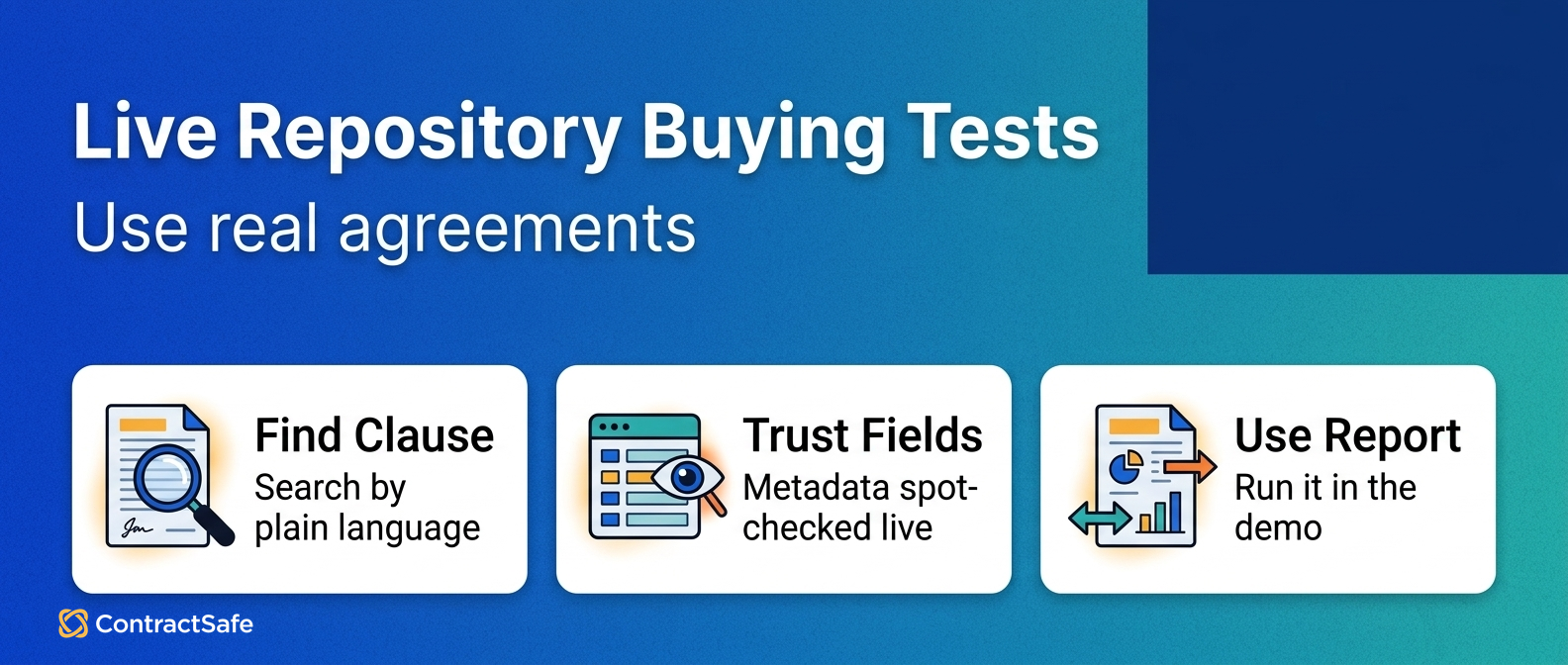
Run the five live buying tests from this guide, in order, on your files.
Ask the vendor to find a clause in your scanned document while you watch.
Have them set a renewal alert with a notice window on your vendor MSA.
Ask them to give a pretend finance user access to payment terms only.
Time how long each task takes, because daily tools have to be fast.
Bring the right people, too. A repository decision made by legal alone tends to get relitigated by finance and procurement later, so get one representative from each team, one hour, real files. Watch for any vendor that refuses messy sample files, because real repositories are full of bad scans, old templates, amendments, missing fields, and inconsistent names. And when you hear 'we'll configure that later,' write it down. Later is where evaluations quietly go to die.
8. Ask What Implementation Really Requires
Contract repository software shouldn't require a months-long rebuild before anyone can search a single contract. Ask each vendor what they need from you before upload, how migration works, whether they help with data cleanup, and when your first team can start using the system. The practical path is usually staged:
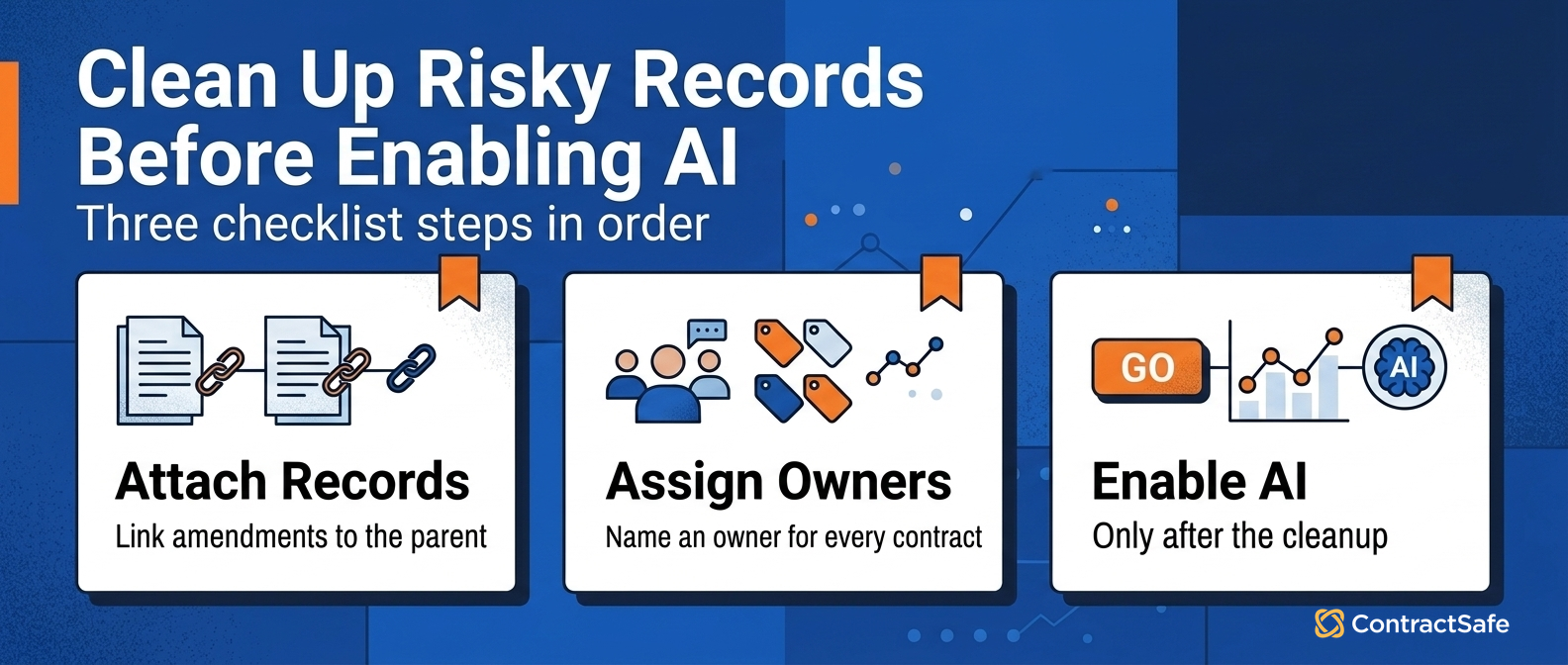
Upload the documents, all of them, messy names included.
Extract the key fields with AI and route the results to a review queue.
Verify the high-risk and high-value agreements first.
Turn on renewal and notice alerts for the verified contracts.
Clean up lower-risk metadata over time, on a schedule someone actually owns.
A strong first week looks like this: contracts uploaded, search working on scanned files, and alerts live on your top twenty agreements. If a vendor describes a first quarter instead, ask why. Keep the focus on contract outcomes rather than a software feature list.
Contract Repository Software Buying Checklist
Use this checklist as a scorecard, not a wish list. Give every finalist the same files and the same tasks, and grade each decision area pass or fail in front of you during the demo. When you want the full written question set to bring along, keep the contract repository requirements guide open next to it.
| Decision area | Buyer question | Red flags | Proof to request | Next step |
|---|---|---|---|---|
| Search and OCR | Can it find clause language, parties, dates, and scanned PDFs in messy files? | Search only works on clean files, filenames, or known fields | Upload a scan, an amendment, and a third-party PDF; search by clause, party, owner, and date | Make search the first demo test |
| Metadata model | Which fields must stay accurate before reports and alerts rely on them? | A giant field list, half blank, cut off from alerts and reports | Ask which fields are required, who owns each, and how a wrong one gets fixed | Treat metadata as maintained data, not a label |
| Permissions and access | Can legal give finance, sales, and auditors access without exposing restricted files? | Access is all-or-nothing, or leans on folder tricks | Run the same sensitive search as legal, finance, and a read-only user | Make access control a hands-on test |
| Alerts and reports | Can stored data turn into follow-up someone owns? | Teams export to spreadsheets before trusting a report | Build a renewal report and a missing-owner report from real fields | Tie every report and alert to a next action |
| AI source traceability | Can AI output trace back to the contract language and its review status? | AI summaries become unreviewed fields nobody checked | Ask AI for dates and clauses, then require source text and edit history | Use AI as a traceability test, not a headline |
| Pricing and user model | Does pricing still work once business users need access? | The quote fits a legal-only rollout and hides costs in services | Ask for this-year and next-year cost scenarios | Compare pricing after the repository job is clear |
| Implementation and migration | What must be cleaned up before the repository is useful? | A magic-upload story with no owner for cleanup | Ask for a plain-step launch path and who owns each task | Refuse vague migration promises |
| Demo with real contracts | Can the vendor prove it works on your mess, not their samples? | The demo never leaves polished sample data | Bring five imperfect contracts; make them search, tag, restrict, alert, report | Grade the demo on your files, pass or fail |
Related Reading
Contract repository requirements, for the full question list to put in front of vendors before you buy.
Ultimate contract repository guide, for how a purpose-built repository pulls scattered agreements into one system.
Digital contract repository, for how repository data supports audits and reporting after go-live.
Repository vs. CLM, for deciding whether you need a repository or a full lifecycle suite.
How ContractSafe Helps With Contract Repository Software
ContractSafe is built around the same tests in this guide, because they're the tests its customers run. Search works on bad documents, the metadata model is yours to define, AI extraction drafts the first pass, alerts run on verified fields, and every plan includes unlimited users.
Search works on bad documents because every upload gets OCR automatically, so a clause search finds the language inside a scanned amendment instead of stopping at the filename. The metadata model is yours to define: the ContractSafe repository supports custom fields for counterparty, dates, notice windows, and values, plus related-document handling, attachments, permissions, status tracking, backups, and version and audit history so you can trust the current record.
AI extraction handles the first pass on key terms and dates, then shows your team what it found so a person can verify the high-risk agreements before anyone relies on the data. Alerts and reports run on those verified fields: renewal reminders with notice windows, escalation when someone leaves, and expiring-agreement reports by owner or type.
Because every plan includes unlimited users, your finance director, procurement lead, and department owners get access without a seat-count negotiation. The fastest way to judge all of that is the way this guide recommends: bring your five worst files and schedule a demo to run your own tests.







.svg)







.svg)




