


Quick answer: The CLM vs repository decision turns on where today’s bottleneck sits. Choose a contract repository first when signed-agreement search, scans, dates, and owners are the problem. Choose full CLM first when intake, drafting, approvals, and negotiation are the problem. ContractSafe is a full-lifecycle CLM, with intake, approvals, e-signature, searchable storage, reminders, reporting, and AI-assisted extraction with human review.
Think about a kitchen remodel. You can buy the impressive range and pot filler, or you can notice that the daily problem is a missing colander, sticking drawers, and an expired pantry. Both are real kitchens. Only one fixes your Tuesday.
Legal teams buy contract software the same way. This isn’t an argument that one category is smarter. It’s a guide to finding which half of the contract lifecycle is making the work harder now. If you want the whole lifecycle laid out stage by stage first, start there.
Key Takeaways
- A contract repository organizes and surfaces signed agreements. Full CLM adds pre-signature intake, drafting, approvals, negotiation, signature, obligations, and renewal on top of that.
- If your loudest complaints are where is it, when does it renew, and who owns it, you have a repository problem and can solve that first.
- If your loudest complaints are about how contracts get requested, drafted, and approved before signature, that’s when legal needs full CLM.
- Repository-first isn’t a downgrade, and full CLM isn’t bloat. They fix different halves of the same lifecycle.
- Buy the workflow you can staff and use this year, not the workflow you can imagine using someday.
Choose your next step:
If you’re comparing the two categories, start with the short answer.
If the team is stuck in shared drives, read when a contract repository is the right choice.
If the problem is intake, approvals, and negotiation, read when full CLM is the right choice.
If you want to test your own team, use the decision scorecard.
The Short Answer: Repository-First or Full CLM?
Repository-first fits when the pain lives after signature: finding executed agreements, reading scans, tracking key dates, and naming owners. Full CLM fits when the pain lives before signature: intake, drafting, approvals, and negotiation. For a practical CLM vs repository decision, diagnose the bottleneck first, then buy the category that matches it.
That dividing line holds up better than headcount or contract volume. A company with a stable template set and a calm approval process can still have a serious filing problem. A smaller company with heavy custom redlines can have a serious workflow problem. Size doesn’t decide it. The location of the bottleneck does.
Notice what isn’t in that answer: a verdict about which category is better. Both categories are legitimate purchases. The mistake isn’t buying CLM. The mistake is buying pre-signature workflow to solve a post-signature filing problem, then wondering later why the shared drive is still the source of truth. A CLM vs repository comparison should help you avoid that mismatch.
Back to the kitchen. The pot filler is a real appliance that real cooks love. It’s just a strange first purchase when you can’t find the colander.
When a Contract Repository Is the Right Choice
A contract repository is the right next step when the recurring complaints are that nobody can find the executed version, a renewal slipped past, and no one is sure who owns a vendor relationship. Those are storage, search, and date problems. Request intake and approval routing don’t touch them. In the CLM vs repository decision, those signals point to repository-first.
Here is the tell that shows up over and over. Someone asks a simple question about a signed agreement, and answering it takes a scavenger hunt. Legal checks the shared drive. Then the folder someone made during the last reorg. Then an email thread from a paralegal who left in March.
Eventually someone asks the counterparty to resend it, which is the professional equivalent of asking your neighbor for a copy of your own house key. The contract exists. It got signed. It’s just scattered across systems that were never designed to be the system of record.
That’s the repository case in one sentence: the agreements are done, and the expensive work is everything that happens to them afterward. That post-signature distinction is why CLM vs repository isn’t simply a feature checklist. A few other patterns point the same direction.
Your contract volume is steady but your questions aren’t. Finance wants a list of everything auto-renewing next quarter. Procurement wants to know which vendors have a data processing addendum. The CFO wants to know what happens if you exit a relationship early. More intake workflow doesn’t shrink the pile. Making the pile searchable does.
A meaningful share of your contracts are scans. Old agreements, acquired-company paper, anything a counterparty printed and re-signed by hand. If your current setup can’t read text inside a scanned image, those documents stay out of reach no matter how careful your folder naming convention is. Optical character recognition is the boring feature that turns scanned agreements into something you can query.
Your dates live in someone’s head or someone’s calendar. Renewal windows, expiration dates, payment milestones, notice periods. That dependency takes vacations and eventually takes another job. Key-date reminders attached to the contract record, rather than to a person’s memory, keep the answer available even when that person is away.
Nobody agrees on who owns what. Ownership is really a routing question, but legal ends up absorbing it. When a contract has a named owner on the record, who do I ask about this stops being a group chat and starts being a lookup.
A repository is a narrower purchase than full contract lifecycle management, and that’s the point. Narrow means the scope is legible, the definition of done is obvious, and you can tell inside a quarter whether it worked.
Choosing repository-first also doesn’t mean you have decided against CLM. It means you decided the post-signature layer is where your current pain sits. You can’t route a renewal you can’t find.
When Full CLM Is the Right Choice
Full CLM is the right next step when the expensive part of contracting happens before signature. If legal is buried in unstructured intake, chasing approvals, negotiating from inconsistent templates, and losing days to redlines that bounce between inboxes, the pre-signature machinery is the bottleneck, and a repository alone won’t relieve it.
Look at where the hours actually go. Ask your team to account for a typical week. If most of the answer is waiting on people, that’s a workflow problem. Waiting on a business owner to explain what they need. Waiting on finance to approve a threshold. Waiting on the counterparty for the next round of markup. None of that improves because your signed agreements became searchable.
Concrete signals that the front end is where the problem lives:
Contract requests arrive as email, and every one is different. No standard form, no required fields, no way to tell a routine renewal from a major master agreement until someone reads the whole thread. Legal spends the first stretch of every matter figuring out what the matter is.
Approval rules exist only in people’s heads. Everyone sort of knows which deals need the VP, which ones need security review, and which ones need a second look. Sort of knows is how steps get skipped. Encoded routing rules solve that. A searchable archive doesn’t.
You genuinely negotiate. Not we send our paper and they sign it, but real back-and-forth on real terms at real volume. Template libraries, clause standards, and structured negotiation tracking earn their keep when redlines are a weekly reality rather than an occasional event.
Contracting is a shared sport. Sales, procurement, finance, and legal all touch the same agreements, and the handoffs between them are where things break. Multi-team workflow is exactly what CLM is built to run.
If those describe your organization, buy the workflow. Full CLM exists because pre-signature chaos is a real and costly problem, and a searchable archive won’t fix it. The trap is buying full CLM to solve a filing problem, then finding the workflow modules unused while the same person still can’t produce an executed NDA.
Match the tool to the bottleneck. If you aren’t certain which bottleneck you have, the tests below force the question into the open before a sales cycle answers it for you.
CLM vs. Repository Decision Scorecard
Run five tests against your own team before you shop: signed-contract access, key dates, owners, workflow complexity, and rollout effort. Fail the first three and start with a repository. Pass those and fail the last two, and you’re looking at the moment legal needs full CLM.
1. The signed-contract access test. Pick a real executed agreement from two years ago. Ask someone outside legal to produce it, along with the final signed version and any amendments.
Found quickly, correct version, no messages sent to hunt it down: your repository already works.
Found only after a folder tour: repository-first.
Never found, or the wrong version found: repository-first, urgently.
2. The key-dates test. Ask what renews or expires soon. Not where you would look, but the actual list.
If the answer is a spreadsheet maintained by one person, ask someone else to update it and produce the next-renewal list.
If the answer is that you find out when the invoice shows up, that’s a post-signature problem, and no amount of approval routing fixes it.
If the list comes back accurately and fast, move on to the next test.
3. The ownership test. Take five active agreements and ask who owns each one. Not who signed it. Who owns it now.
Different answers from different people means your problem is record-keeping, not routing.
Confident, matching answers means your post-signature house is in decent order.
4. The workflow complexity test. Ask how a new contract gets requested today, and count the real branches. A couple of templates and a couple of predictable approvers means workflow software is solving a problem you don’t have yet. Multiple contract types, conditional approvals by value or risk tier, and negotiation cycles involving outside counsel mean the complexity is real, and a repository alone won’t tame it.
5. The rollout effort test. Ask who has to change how they work, and whether that person reports to you. Repository-first mostly asks legal to change habits and asks everyone else to search instead of email. Full CLM asks sales, finance, procurement, and legal to adopt new steps at once. If nobody has bandwidth to own that rollout this year, the software is arriving before the project has an owner.
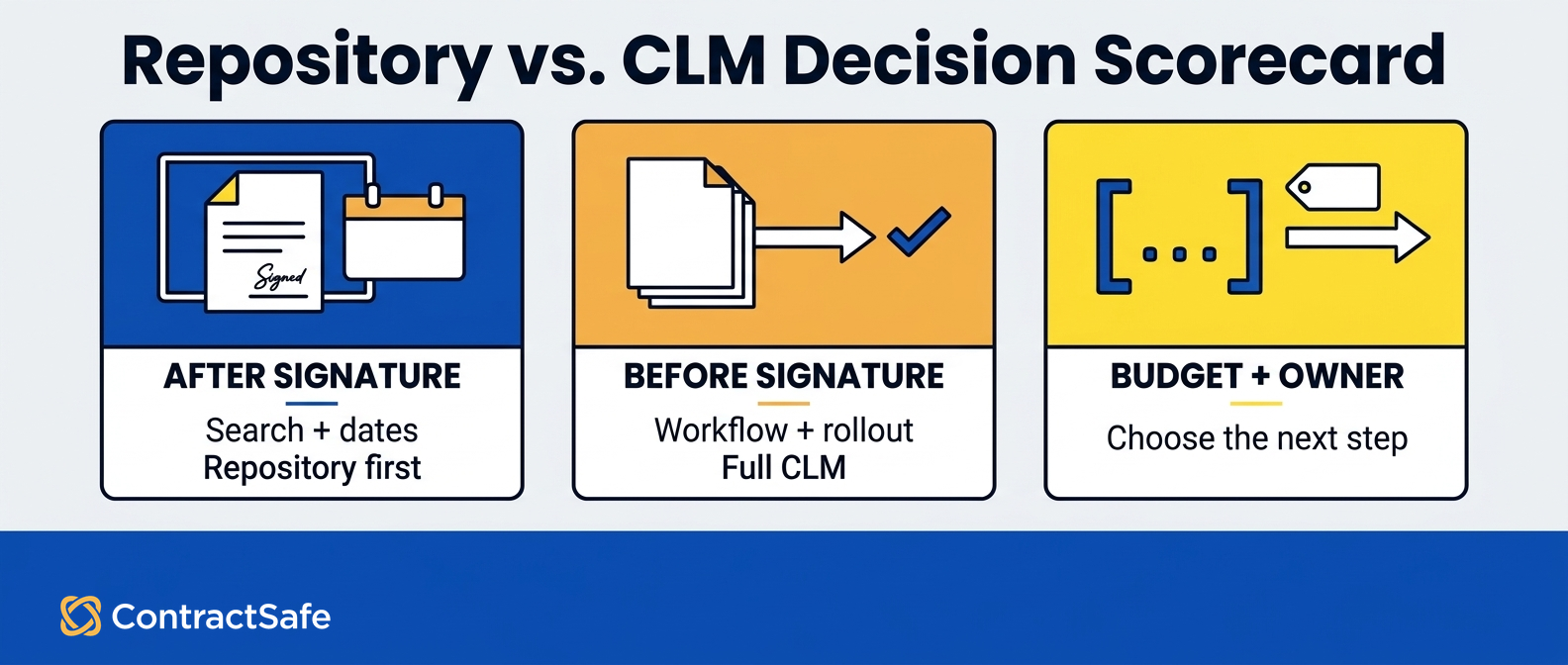
| Proof test | Repository-first fit | Full-CLM fit | Buyer question | Next step |
|---|---|---|---|---|
| Main pain | Signed agreements are scattered and hard to produce | Requests, drafting, and approvals stall before signature | Where does our pain start, before or after signature? | Write down last month’s loudest contract complaints and sort them by side of signature |
| Search | Nobody can find the executed version, and scans can’t be read | Search is fine, but the drafting cycle is the delay | Can someone outside legal produce a signed agreement and its amendments? | Run the access test on a real agreement from two years ago |
| Dates | Renewals and expirations are tracked by hand or not at all | Dates are handled, but new contracts take too long to create | What renews or expires in the next quarter? | Ask for the list out loud and watch how long the answer takes |
| Owners | Nobody agrees who owns which agreement | Owners are clear, handoffs aren’t | Who owns these five active agreements right now? | Compare answers from legal, finance, and the business owner |
| Workflow complexity | A couple of templates and predictable approvers | Multiple contract types, conditional approvals, heavy negotiation | How many real branches does one new request have? | Map one live request end to end and count the decision points |
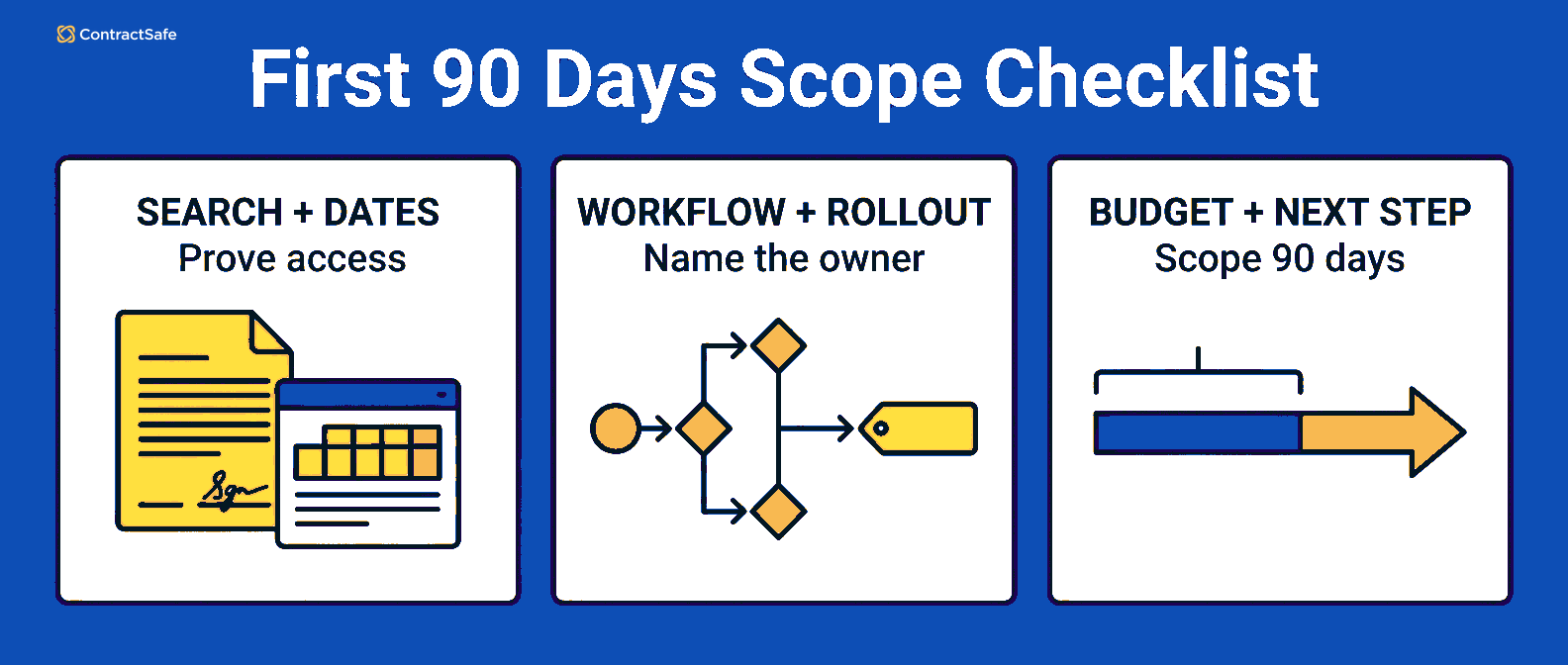
| Rollout effort | Mostly legal changes habits | Sales, finance, procurement, and legal change at the same time | Who owns rollout, and what budget can we defend this year? | Name the owner, then check published pricing against the scope you can actually staff |
If you want to sanity-check what done looks like before you shop, the contract repository requirements breakdown covers the baseline capabilities worth insisting on so you don’t end up paying for an expensive folder.
Proof to Ask For
When a vendor demos, don’t watch the polished path. Ask for three things instead.
Search a bad scan. Hand them a messy scanned PDF, not their sample contract, and ask them to find a specific clause inside it.
Show a date reminder end to end. Who gets notified, when, and what happens if that person leaves.
Show the ugliest contract you own. Odd formatting, handwritten notes in the margin, four amendments. Polished demos use polished documents. Your archive isn’t polished.
Questions to Ask Before Buying More Workflow Than Legal Can Use
Ask questions that expose whether your team will actually use the workflow you’re about to pay for. The failure mode in the clm vs repository decision is rarely picking the cheaper option. It’s buying configuration work that nobody has the time or the mandate to finish.
Who, by name, owns configuration? Workflow doesn’t configure itself. Approval matrices, template libraries, and clause standards all need someone to define them and keep them current as the org changes. If the answer is that you will figure it out later, you have found your risk.
How many of our contracts actually need approval routing? Count them for one month. If routine renewals and low-risk vendor agreements dominate the list, routing everything through a formal workflow can make the simple cases slower rather than faster.
What breaks tomorrow if we do nothing about pre-signature? Compare that list honestly against what breaks if you do nothing about post-signature. One of those lists is usually longer and scarier, and that’s your answer.
Can we tell whether it worked within one quarter? Repository-first has a clean test: can people find contracts, and do key dates surface before they matter. Full CLM results take longer to appear. That isn’t a knock on CLM, but it changes how you plan and how patient your budget holder needs to be.
Are we buying for today’s company or the company we describe to the board? Growth plans are real, and so is the gap between projected volume and current volume. Buy for the work in front of you.
What does this cost, plainly? Ask for the full pricing picture early, then compare it with the workflow scope and rollout owner you can support. ContractSafe publishes pricing options for businesses of different sizes, which lets you do the math before you spend a month in demos.
Related Reading
Keep going with the resource that matches the half of the lifecycle you just diagnosed, then bring your own contracts to the test.
CLM checklist: walk through pre-signature and post-signature requirements when you’re still deciding which bottleneck you have.
ContractSafe alerts: see how renewal, expiration, payment-date, and other key-date reminders work.
ContractSafe AI contract management: review smarter search and extracted-data tools with human review.
How ContractSafe Helps Across the Full Contract Lifecycle
ContractSafe is a full-lifecycle CLM, so it can support the layer your diagnosis says to prioritize first. Teams can use intake and approval workflows before signature and keep signed agreements, dates, owners, and reporting in the same system afterward.
ContractSafe keeps signed agreements in a central contract repository with document search, including OCR so scanned files are searchable rather than decorative.
ContractSafe supports renewal, expiration, payment-date, and other key-date follow-up with reminders, so the answer about what’s coming up doesn’t live only in someone’s tracking spreadsheet.
Human review still matters. ContractSafe uses AI to support smarter search and extracted data while keeping a person in the review step.
That does not mean every team needs to roll out every workflow at once. If intake, approval routing, and signature are the bottleneck, ContractSafe supports those lifecycle stages. If post-signature control is the immediate pain, teams can prioritize repository, search, dates, and ownership first without adopting a separate product or losing the path to broader lifecycle work.
The practical next step is to see how your own contracts and workflows behave inside ContractSafe. A ContractSafe demo is the place to test that with your real messy folder structure and your real scanned PDFs, rather than a tidy sample set chosen to look good.









.svg)







.svg)




