


Conga CLM pricing is quote-based and unpublished, which means the total depends on which modules you buy, how many users you license, and the Salesforce edition running underneath it all.
Those inputs shift from one buyer to the next, so before you set two quotes side by side, pull the CLM license apart from the platform, the implementation work, and the admin time someone on your team will quietly absorb.
Quick answer: Evaluate Conga CLM pricing as a full stack: the CLM quote, required Salesforce scope, included modules, implementation and migration work, ongoing administration, support, and renewal terms.
Think about a builder’s quote for a custom home.
The framing number sounds clean and knowable right up until you add the foundation the lot actually needs, the finishes each room takes, and the crew that’ll be on site for months. Nobody lied to you. The number just wasn’t the whole house.
Conga CLM pricing works the same way. The license is one line on the page, while the Salesforce scope, the modules you select, and the implementation work are what turn that line into a real total. ContractSafe is a full-lifecycle contract management platform with published pricing and unlimited users on every plan, covering work from intake and agreement creation through signature, search, obligations, and renewals.
But first, let’s read a Conga quote the way a builder reads a bid.
Key Takeaways
- Conga doesn’t publish CLM pricing, and its cost can depend on modules, user count, and Salesforce edition, so buyers should not assume two quotes cover the same scope.
- Conga CLM is Salesforce-connected, so document the edition and access assumptions behind the quote.
- Conga presents CLM alongside Salesforce-connected products such as Composer, Sign, Grid, CPQ, and CLM AI, so buyers should separate the modules included in each quote.
- Get support scope, renewal terms, and module assumptions in writing before you sign, not after the first invoice.
- A defensible comparison separates the CLM quote from Salesforce, implementation, administration, support, and renewal assumptions.
Choose your next step:
If you’re still building the shortlist, use the rubric below before watching another vendor demo.
If you already have vendors in mind, jump to the evidence checklist and score what each vendor actually shows.
If your team needs a lighter path, use the pricing comparison questions.
Conga CLM Pricing Shortlist Matrix
A Conga CLM pricing shortlist matrix should compare the work the system has to support, not the feature list on the slide: clean records, answers people trust, clear ownership, and a next action somebody can actually take on a Tuesday afternoon.
Run each factor below against a plain-priced option too, so your Conga CLM comparison has something to sit next to.
| Decision factor | What to compare | Why it matters |
|---|---|---|
| Buyer fit | Match the platform to team size, contract volume, and implementation bandwidth | The best product on paper can fail if the operating model is wrong |
| Source traceability | Require answers, fields, and AI summaries to point back to the contract record | Legal teams need evidence before acting on AI output |
| Workflow actionability | Check whether extracted data drives alerts, reports, owners, and follow-up tasks | Search alone doesn’t create operational control |
| Security and permissions | Test access controls for documents, metadata, and AI-generated answers | Useful access should not expose sensitive agreements |
| Launch effort | Ask what the team must clean up before the first useful report | Hidden implementation work is part of the buying decision |
Decision Check
Can the vendor prove the workflow with messy real contracts, not demo-perfect files?
Can a user trace an AI answer, extracted date, or report field back to the source agreement?
Can legal, finance, and business owners act from the same record without opening access too broadly?
Evidence Checklist
| Vendor claim | Evidence to request |
|---|---|
| AI can answer contract questions | Show the source clause, confidence, permissions behavior, and correction path |
| Setup is fast | Show the migration steps, required fields, owner model, and first useful report |
| Reporting is included | Build a renewal or obligation report from extracted fields during the demo |
What Conga CLM Pricing Should Tell You Before a Quote
Conga CLM pricing should tell you exactly what you’re buying: the CLM license itself, the Salesforce edition and access the quote assumes you already have, the modules bundled into it, and the work it’ll take to actually launch.
Since Conga doesn’t publish rates, the burden falls on the quote to spell out how all of that applies to your company specifically. Start with what Conga is, because the product family matters here. Conga calls itself an AppExchange leader across contract management, electronic signature, document generation, and enterprise CPQ.
On its Salesforce page, Conga lists Conga Composer, Conga Sign, Conga CLM, Conga CLM AI, Conga Grid, and Conga CPQ as Salesforce-connected products. That’s a wide family, which is exactly why you should ask which of those products your CLM quote includes. This isn’t a product with a price on the shelf. The quote itself has to show you how each moving part changes the proposed scope, or you’re just guessing politely.
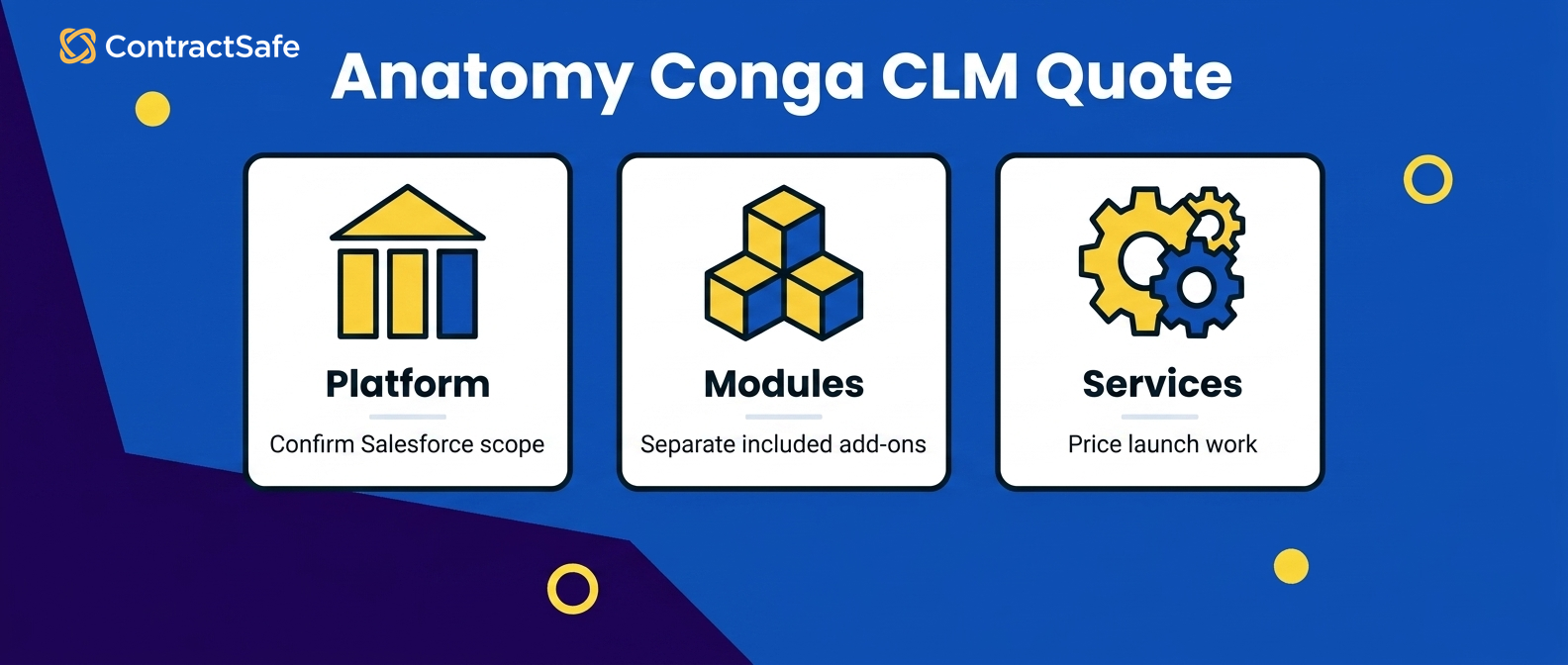
There’s a second reason the number resists pinning down. Conga CLM is Salesforce-connected, so you have to confirm the edition, access, configuration, and administration assumptions sitting underneath the quote. The license is one part of the spend. The modules, the implementation work, and the responsibilities that land on your team all need written scope before the total means anything next to another vendor’s number.
Use these layers to read the quote:
| Layer | What it covers | Question to ask |
|---|---|---|
| CLM license | Core contract lifecycle features | Is CLM priced on its own, apart from other modules? |
| Salesforce scope | The edition and access assumptions referenced by the quote | Which edition and access model does this quote assume we already have? |
| Modules | CPQ, Conga Sign, document automation, CLM AI | Which modules are in scope, and which are add-ons? |
| Implementation | Configuration, migration, integration | Fixed bid or time-and-materials? |
| Support | Scope and response commitments | What’s included, and what’s separately priced? |
Read the quote layer by layer and you stop comparing one price to another price, which was never a fair fight anyway. You start comparing a build to a build, and that’s the only honest way to run a contract management price comparison across platforms that package their pieces differently.
Our Conga CLM comparison sets those layers beside a flat-rate contract management software plan so you can see what each side is actually charging you for.
Proof to Ask For
Before you accept any Conga number, ask the sales team to put these in writing:
A line-item split showing CLM apart from CPQ, Conga Sign, and document automation.
The exact Salesforce edition the quote assumes, and the cost if you need to upgrade it.
The user count in scope and how the quote changes when that count changes.
Whether Conga CLM AI is included or a separate line.
Implementation scope with a fixed number, or a written estimate range if it’s time-and-materials.
If a rep can’t produce those five, you don’t have a quote yet. You have a starting point for a longer conversation, which is fine, as long as nobody on your side is already building a budget around it.
Conga CLM Support, Renewal, And Module Assumptions To Get In Writing
Conga CLM support, renewal, and module assumptions belong in the contract, not just in a friendly demo conversation.
Conga’s CLM page connects CLM to CPQ, document automation, Conga Sign, and price optimization, so the quote needs to name the selected modules, the support scope, and the renewal terms in writing. Nail down these three before you try to compare year one against the years that follow:
Support scope. Confirm response times, named contacts, and whether administration help is included or separately billed.
Renewal terms. Ask for the renewal terms in writing now. If an introductory discount or price changes after year one, include that change in the three-year contract management software cost.
Module creep. Conga positions CLM for legal, sales, and procurement teams handling enterprise-wide contracts, with AI, workflow, repository, reporting, and integration features. Confirm which of those you’re licensing versus which sit behind another module.
Administration belongs in the comparison even when it doesn’t appear as a vendor line item. Name the actual person who’ll own Salesforce configuration, permissions, and ongoing changes. If that work goes to an administrator you already employ, budget their time honestly. If it means a hire or a consultant, budget that cost.
Mapping ownership early is one of the CLM readiness considerations that keeps a rollout from stalling. A working repository is table stakes for any CLM, so confirm what Conga’s repository, reporting, and permissions include inside the quoted scope. Use a searchable contract repository as your practical benchmark for the search, metadata, permissions, reporting, and alert behavior your team expects to have on day one.
Then get support, renewal, and modules into one signed exhibit. If it lives only in an email thread, it isn’t a commitment.
Conga CLM Pricing Questions For Legal, Sales Ops, And Finance
Conga CLM pricing questions look completely different depending on who’s doing the asking. Legal cares about the repository and the workflow, sales ops cares about the Salesforce dependency, and finance cares about the three-year number at the bottom.
A good evaluation collects all three sets before anybody signs anything, because each team can spot a cost the other two would walk right past.
| Team | Ask Conga | Why it changes the price |
|---|---|---|
| Legal | Are repository, AI extraction, reporting, and permissions in the quoted CLM scope? | The answer shows whether additional scope is needed |
| Sales Ops | Which Salesforce edition and administration effort does this assume? | Different assumptions may add platform or operating cost |
| Finance | What’s the fully loaded three-year cost under the quoted renewal terms? | The multi-year total is the comparable commitment |
Run it as one sequence:
Legal drafts the feature and repository must-haves as a contract management software checklist.
Sales ops maps the Salesforce edition and admin effort each must-have implies.
Finance loads the three-year number, including the quoted renewal terms, into the comparison.
Everyone reviews the single sheet before a signature goes anywhere.
When legal, sales ops, and finance are all reading answers off one page, module assumptions and Salesforce costs stop slipping through the seams between departments. That’s really the heart of a solid contract management software evaluation, and it’s where a plain-language Conga CLM comparison earns its keep against vendors who only speak in quotes.
If you want a template for the legal side of that, a contract management requirements checklist keeps the repository, workflow, and reporting questions in one place so nothing quietly gets quoted around.
ContractSafe vs. Conga: When Pricing Clarity Matters More Than Salesforce Depth
ContractSafe and Conga are solving for different buyers, and that’s worth saying plainly. Conga fits enterprise Salesforce deployments that want CLM connected with CPQ, document automation, and the CRM their teams already use.
ContractSafe fits teams that want contract management to work without a Salesforce-centered buildout, with a price you can read before you ever book a sales call. That depth is genuinely right for some enterprise Salesforce deployments. For a legal or operations team that wants a standalone path from intake and agreement creation through signature, repository work, obligations, and renewals, the calculation looks different.
| What you’re comparing | Conga CLM | ContractSafe |
|---|---|---|
| Published pricing | Not published; depends on modules, users, and Salesforce edition | Published pricing by plan and contract volume |
| Users | Quote depends on the number of users; confirm how users are counted | Unlimited users on every plan |
| Salesforce | Built for Salesforce-centered deployments | Works without a Salesforce buildout |
| Implementation | Confirm scope, ownership, timing, and services cost | Implementation and migration support included |
| Support | Confirm scope and response commitments | Customer success included |
The top row matters more than it looks, because a published number is visible before a sales call and an unpublished one requires a quote plus a careful review of what’s inside it. Neither model is automatically disqualifying. They just ask for different evaluation timelines, and you should know which one you’re signing up for.
So who should pick which? If Salesforce is already the spine of your revenue operation and you’ve got the administration capacity to support a connected deployment, Conga’s depth may match how your company actually runs. If your team wants a standalone contract platform with published pricing, unlimited users, and implementation and migration support included, ContractSafe is the straighter commercial path.
Match the tool to how your contracts actually move, not to the biggest integration sitting on the table. ContractSafe is full-lifecycle contract management software for teams that need intake, agreement creation, signature coordination, a searchable repository, alerts, reporting, permissions, AI-assisted extraction, and renewal follow-up without a Salesforce build behind it.
Use the full Conga CLM comparison for a side-by-side on features and fit, then hold the published ContractSafe price up against the complete Conga scope in your quote.
How Conga CLM Pricing Changes With Salesforce Scope
Conga CLM pricing can depend on modules, user count, and Salesforce edition, which makes the Salesforce assumptions part of the commercial scope rather than background detail.
Inspect them before you set one Conga quote next to another vendor’s price, or you’ll be comparing a floor plan to a photograph. Think of a Salesforce-connected CLM evaluation like adding a second story to a house you already own. The quote for the new floor isn’t comparable to anything until the builder writes down what the existing foundation, electrical panel, and plumbing can already carry. Maybe they carry it fine.
Maybe the panel needs replacing and that’s its own weekend and its own invoice. The CLM quote and the Salesforce assumptions need that same written connection. Already paying for Salesforce doesn’t settle the assumptions behind a Conga quote, tempting as that shortcut is.
Public Conga and comparison pages show that Conga CLM is Salesforce-connected and that pricing can depend on the Salesforce edition, but they don’t name a universal edition, license type, API threshold, or access model that applies to every buyer. So ask Conga to identify the exact Salesforce edition, the user-access assumptions, the integrations, the automation, the testing environments, and the buyer-owned administration behind the proposed scope.
If any of that requires an edition change, added access, or implementation work, put the line right beside the CLM quote instead of inferring it from something you saw move smoothly in a demo. Public comparison information also identifies user count as a pricing variable, but it doesn’t define one universal seat model either.
Ask how Conga counts users for your quote specifically, and whether the people outside sales need additional Salesforce access to do their part. Treat every answer as quote-specific until it shows up in writing. The enterprise Salesforce positioning is a fit signal, and it’s a useful one. A team with a deeply connected Salesforce operating model and real administration capacity may genuinely value that depth.
A team whose actual problem is contract intake, agreement creation, signature coordination, search, dates, permissions, and renewals should weigh that dependency against a standalone contract platform before committing to it.
The Salesforce scope questions to get answered before the quote
Which Salesforce edition does the contract workflow you want actually require, and is it the edition you own today?
How many API calls does typical contract activity consume, and does that stay inside your current allotment during busy months?
Do reviewers, approvers, and legal staff without full Salesforce seats need platform licenses, and how many?
Are sandbox or testing environments part of the price, or a separate purchase?
If you upgrade Salesforce editions later for unrelated reasons, does anything about the Conga configuration break or cost more?
Run those questions before the feature tour, not after, while everyone’s still in a mood to be specific. Then test whether putting contract data beside the relevant Salesforce records would genuinely improve the work your sales, legal, and operations teams do every day. Each connection adds an assumption you’ll want documented, and if an integration, access requirement, or administration responsibility changes the scope or the price, it belongs in the order form.
Working through a set of CLM readiness considerations before you start comparing numbers keeps the platform assumptions sitting right next to the software quote where you can see them.
Conga CLM Implementation, Admin, And Migration Costs To Verify
Conga CLM implementation, admin work, and migration are costs you price alongside the license, not after it.
Configuration, data cleanup, and ongoing ownership can materially change the first-year total, so make every responsibility and fee show up in the implementation scope instead of assuming the software line quietly covers it.
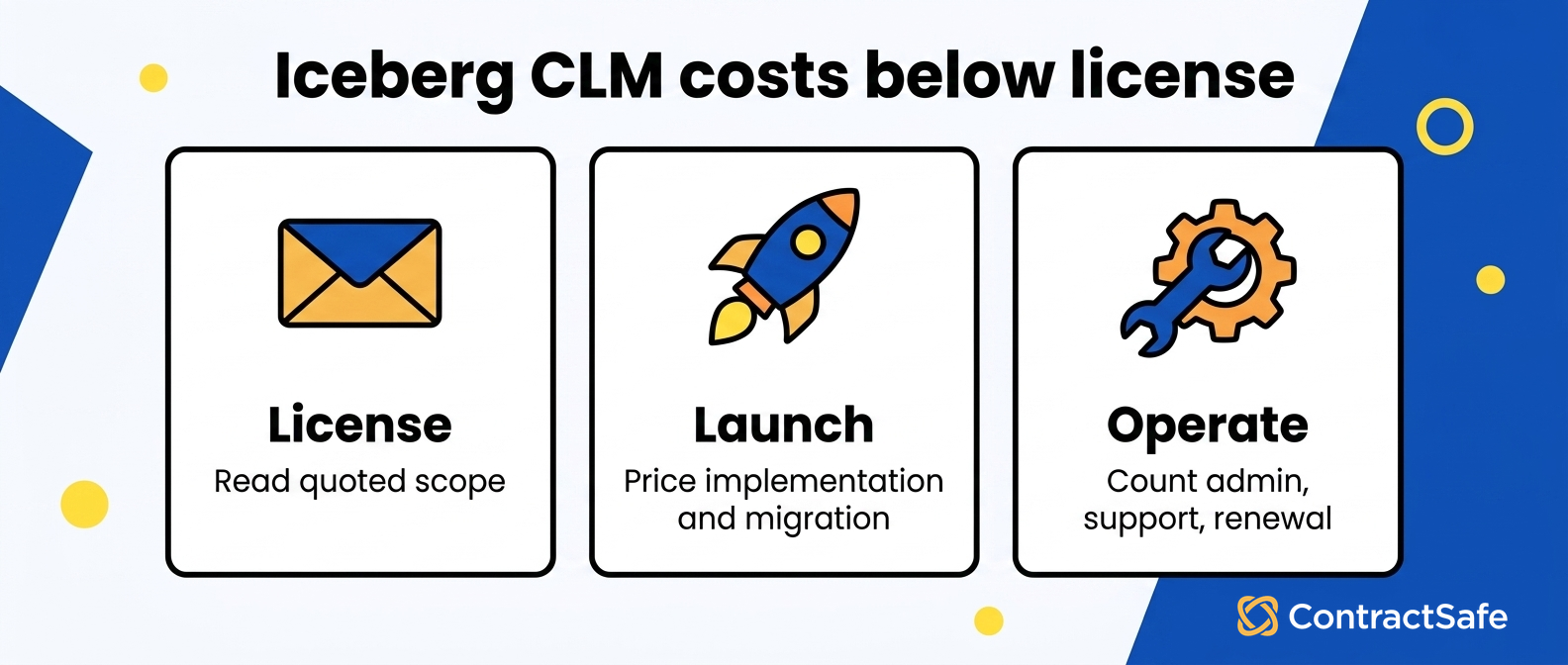
Picture buying a boat. The sticker price gets you the hull, and the hull is lovely, but the actual operating plan still needs a slip, fuel, maintenance, and one specific person who remembers it exists in November. CLM implementation works exactly the same way. The license is one line, and configuration, migration, administration, and support are separate questions whose answers add up to the number you’ll really live with.
Start with implementation itself. Ask who’s going to build the templates, load the clause library, configure approval routing, connect the required Salesforce records, and test whether the resulting workflow survives contact with a real contract.
Then ask whether Conga, an implementation partner, or your own team owns each of those tasks and how that work gets priced. That’s what turns a vague services line into a scope finance can actually compare. The trap is treating implementation as a footnote you’ll deal with after signing.
A careful contract management software cost breakdown puts services on the same page as licenses, because comparing license to license while ignoring configuration, migration, and support isn’t comparing the same scope at all. Migration deserves its own line too.
Moving existing contracts into a new system is rarely just copying files, especially when documents are scattered across shared drives, email threads, and a legacy tool, and the metadata is inconsistent or missing in places nobody’s looked at in years. Define which fields actually matter, who cleans them, and how they map into the new structure, so renewal dates and counterparties land where you expect them.
It’s a bit like moving houses when half your boxes aren’t labeled. You can pay movers to haul everything as-is and sort it out later in the new garage, or pay to sort it first and move less.
Either way you’re paying, so pick on purpose. Ask directly whether migration support is included, how many contracts the quote assumes, and what happens to the documents that don’t map cleanly. The answer changes the number. Now think about administration after go-live, which may not appear in the slide deck. If somebody on your team genuinely has the capacity, write that time into the operating model so it’s visible.
If the work needs a hire, a consultant, or a partner, record that as a recurring cost next to the subscription rather than filing it under launch and forgetting it. This is also where the access questions from the platform section come back around. Map each configured workflow to the people who need access and the owner who’ll maintain permissions when someone changes roles, then keep those answers inside the implementation scope where they belong.
Support assumptions round the whole thing out. Find out which support scope the quote includes, what response times are actually promised, and whether any higher level is priced separately. Put those commitments in writing beside the price so you’re comparing the same thing across every vendor on the list.
Implementation-risk checks to verify in writing
Is implementation a fixed scope or time-and-materials, and who owns overruns if it takes longer than planned?
How many contracts does the migration price cover, and what’s the cost per additional batch?
Who maintains the system after launch, and does the plan assume a Salesforce admin you may not have?
Which support scope is in the quote, and what are the actual response-time commitments?
What ongoing configuration counts as “included” versus billable change requests?
Put those next to your feature list and you’ve got the makings of a real contract management software evaluation instead of a demo reaction.
The same discipline behind a solid contract management software checklist applies here: write down what “done” means, price each piece on its own, and make the vendor confirm anything that didn’t appear in the initial quote.
If you already keep a contract management requirements checklist, map every line to a cost owner so each priced responsibility lands somewhere in the model. None of this is meant to talk you out of Conga. It’s meant to make the number you approve match the scope you’ll be living with once the boat’s actually in the water.
Related Reading
The clm-readiness-considerations guide walks through what to settle internally before you take a single vendor call.
How ContractSafe Helps With Conga CLM Pricing
ContractSafe is full-lifecycle contract management software with published pricing based on plan and active contract volume, which gives buyers a genuinely different commercial model from quote-based Conga CLM pricing. There’s no Salesforce edition and no per-user license feeding the ContractSafe total.
ContractSafe pricing starts at $450 per month billed annually, with unlimited users on every plan. That means the seat math that can quietly reshape a user-scoped quote just doesn’t exist here. Every ContractSafe plan includes unlimited users, so the paralegal, the approver, the finance analyst, procurement, and the business owner who checks one renewal date a quarter don’t each turn into another line on your bill.
The platform supports the full contract lifecycle too: intake, authoring, signature coordination, repository search, alerts, permissions, reporting, AI-assisted extraction, and renewal work. Mostly, ContractSafe pulls the below-the-waterline questions up into a scope you can read.
Implementation and migration support are included, and customer success support comes with the plan, which makes it a lot simpler to hold the published subscription up against the full set of services, access, and support assumptions in a Conga quote.
If you’re weighing a Salesforce-native build against a standalone tool, the ContractSafe vs. Conga comparison lays out where each one actually fits. Teams centered on Salesforce and equipped with administration capacity may want that connected depth. Teams who want a standalone path across intake, agreement creation, signature coordination, repository search, reporting, obligations, and renewals may prefer the other operating model.
You can see how contract management software handles the work from intake through renewal without a platform dependency underneath it, and if a live look would help you decide, a ContractSafe demo can walk through the workflow, repository, alerts, and reporting with your use case on screen.
The point was never that one model always wins. It’s that the totals should represent comparable scope, and published, volume-based pricing makes that comparison a whole lot easier to run.








.svg)







.svg)




