


Contract management software pricing is the subscription, implementation, migration, support, and add-on cost of buying and operating a system. This comparison shows what 12 vendors charge and how each pricing model changes the total cost as your team grows. It compares full-lifecycle needs such as signature, approvals, a searchable contract repository, alerts, reporting, and renewals, not only the price of storing signed files.
The single biggest factor in where you land is whether the vendor publishes its price or hides it behind a sales quote. Think of it like shopping for a car where half the lot has window stickers and the other half makes you book an appointment to hear a number. The sticker-price vendors let you compare and budget in an afternoon. The quote-only vendors turn a simple purchase into weeks of sales calls, and the figure you finally get is rarely the figure you pay once implementation, seats, and add-ons land.
This guide compares what twelve contract management tools actually cost in 2026, using published prices and verified third-party purchasing data. It shows which vendors are transparent, which are quote-only, where the first-year costs hide, and how ContractSafe compares on price, user model, and time to value. See the pricing source.
Key Takeaways
- The market splits in two: transparent vendors publish prices you can compare today (ContractSafe, Concord, PandaDoc); quote-only vendors (Ironclad, Agiloft, LinkSquares, Icertis, and now ContractWorks and Gatekeeper) make you negotiate, and their first-year costs run far higher than the headline.
- Per-user pricing is the budget killer: tools that charge per seat get more expensive every time someone new needs access. ContractSafe includes unlimited users on every plan, so the price doesn’t move as your team grows.
- Published price beats quoted price: ContractSafe starts at $450 a month, and every price is on its website. Ironclad’s median buyer pays about $40,000 a year after a sales process, and analyst estimates put Icertis at $150,000 to $500,000 a year. See the pricing source.
- The real number is the first-year number: quote-only tools like LinkSquares add implementation ($5,000 to $75,000), migration, AI add-ons, and 5 to 8 percent annual escalators. ContractSafe customers are usually live in under an hour with no implementation project. See the pricing source.
Choose Your Next Step
Use the comparison table if you want numbers now, the pricing-camps section if you’re building a budget, and the gut check if you’re already shortlisting. Whatever you do, start from a price you can verify rather than one a sales rep promises.
- Want the numbers fast? Jump to the price comparison table and the vendor-by-vendor breakdown.
- Building a budget? Read the two ways contract software is priced and the first-year mistakes buyers make.
- Already shortlisting? Use the five-question pricing test on each vendor before you book a single demo.
- If you only remember one thing: a published, flat price with unlimited users is the cheapest path for most teams, and that’s exactly how ContractSafe prices. The best contract management software guide below covers fit beyond price.
What You Should Expect to Pay, by Company Size
Small teams can often start with a free tool or a published flat-rate contract management plan. Bigger budgets usually reflect contract volume, workflow complexity, integrations, and implementation. Treat the company-size bands below as planning scenarios, then check the vendor-by-vendor pricing and ask for a quote that matches your actual scope.
| Company | Annual range you should expect | Pricing model that dominates here | Tools that fit | What moves the number |
|---|---|---|---|---|
| Under 10 people, a few hundred contracts | $0 to about $8,400 | Per seat, or a small flat plan | PandaDoc ($19 to $49 per seat), Concord's entry plan ($499 a month with 5 users), ContractSafe Organize ($450 a month, unlimited users), ContractWorks Standard (about $700 a month) | Seats, e-signature volume, and document caps. The first price jump comes when a sixth person needs access or you hit the document cap. Pricing details |
| 10 to 50 people, up to a few thousand contracts | $5,400 to about $25,000 | Flat by contract volume, or base-plus-seats | ContractSafe ($5,400 to $9,780 across its three plans), Concord Business with added seats, Gatekeeper's entry plan (about $14,900), LinkSquares at the low end of its range, Juro small-team deals ($18,000 to $35,000) | Whether the price follows headcount or contract volume, and whether implementation is billed as a separate fee. Pricing details |
| 50 to 250 people | $25,000 to about $80,000 a year, plus implementation | Quote-only, modular | Ironclad (median buyer about $40,000; mid-market $50,000 to $120,000), Juro mid-market ($40,000 to $75,000), Agiloft ($60,000 to $80,000), LinkSquares (median $31,000 plus $10,000 to $75,000 implementation), DocuSign CLM ($60,000 to $200,000) | Implementation, separately sold modules, integrations, and annual escalators. A flat tool such as ContractSafe stays at its published price in this band, because it prices by contract volume rather than headcount. Pricing details |
| Enterprise, 250 people and up | $80,000 to $500,000 or more, with six-figure first years | Enterprise custom quote | Icertis ($150,000 to $500,000+), Ironclad (up to $250,000+), DocuSign CLM ($200,000 to $500,000+), Agiloft | Implementation ($10,000 to $100,000+ reported for Ironclad; six to twelve months for Icertis), multi-year terms, integration scope. Pricing details |
There are two things this table can’t show you. The first is that headcount is the wrong unit for a flat-priced tool: a 200-person company with 600 contracts lands in the second band on ContractSafe’s model, even though it would land in the third on everyone else’s. The second is that the quote-only ranges drawn from buyer transactions show what buyers paid, not what they were first quoted, and the first quote is usually higher. See pricing details.
Pricing methodology: published and directory figures keep their July 2026 baseline. On September 14, 2026, we rechecked the Vendr buyer-transaction figures for DocuSign CLM, LinkSquares, Agiloft, Ironclad, and Juro; because the Vendr pages could not be opened directly, that check used their search-indexed versions. The displayed ranges and rounded medians did not change, and the next full check is due in January 2027.
Published list prices come from the vendor pages mapped in the table below. When a vendor doesn’t publish a price, the quote-only ranges rely on buyer-transaction or software-directory evidence instead. Icertis figures in particular are analyst estimates, and Vendr doesn’t provide an Icertis dollar benchmark. Where a source reports implementation, migration, support, AI, or integrations separately, we keep them separate too.
| Evidence class | Vendors mapped to that class | How to read the figure |
|---|---|---|
| Vendor pricing page, checked July 2026 | ContractSafe, Concord, PandaDoc | Published list price; calculate annual cost from the stated billing model. |
| Vendr buyer-transaction evidence; indexed pages checked September 14, 2026 | DocuSign CLM, LinkSquares, Agiloft, Ironclad, Juro | Observed transaction range or median, not a vendor list price or guaranteed quote. |
| Software-directory or analyst estimates, checked July 2026 | ContractWorks, Gatekeeper, CobbleStone, Icertis | Directional estimate that requires written confirmation from the vendor. |
Contract Management Software Pricing at a Glance
The most affordable, predictable option for most teams is a flat-rate tool with unlimited users like ContractSafe at $5,400 to $9,780 a year, while the most expensive is quote-only enterprise software like Icertis at $150,000 or more. The table below orders every tool from most transparent to most opaque. See the pricing source.
| Tool | Starting price | Pricing model | Users | Price published? | Typical annual cost |
|---|---|---|---|---|---|
| ContractSafe | $450/mo | Flat, by contract volume | Unlimited | Yes, full pricing online | $5,400 to $9,780 Source |
| ContractWorks | ~$700/mo | Flat, with caps | Unlimited | No, vendor site quote-only | ~$8.4K+; Premium quoted |
| Concord | $499/mo with 5 users | Base plus $49 to 89/user | Per-seat add-ons | Yes | ~$6K to 20K+ |
| Gatekeeper | ~$1,245/mo reported | Flat, by third-party quota | Unlimited | No | ~$14.9K to 63.5K+ |
| CobbleStone | ~$59/user/mo | Per user | Per-seat | No | Climbs with seats |
| PandaDoc | $19 to 49/user/mo | Per user | Per-seat | Yes | ~$5.9K (10 seats) |
| DocuSign CLM | $20K to 200K+/yr | CLM custom quote; eSign per-seat | Quoted/Per-seat | CLM no; eSign yes | $20K to 200K+ |
| Juro | Quote only | Flat, by volume | Unlimited (quoted) | No | ~$18K to 120K+ |
| LinkSquares | Quote only | Modular | Quoted | No | ~$10K to 75K+ (median $31K) Source |
| Agiloft | Quote only | Three tiers | Quoted | No | ~$6K to 68K (avg $68K) |
| Ironclad | Quote only | Fully custom | Quoted | No | $75K to 200K first year (median $40K) Source |
| Icertis | Quote only | Enterprise custom | Quoted | No | $150K to $500K+ |
The Two Ways Contract Software Is Priced, and Why It Matters
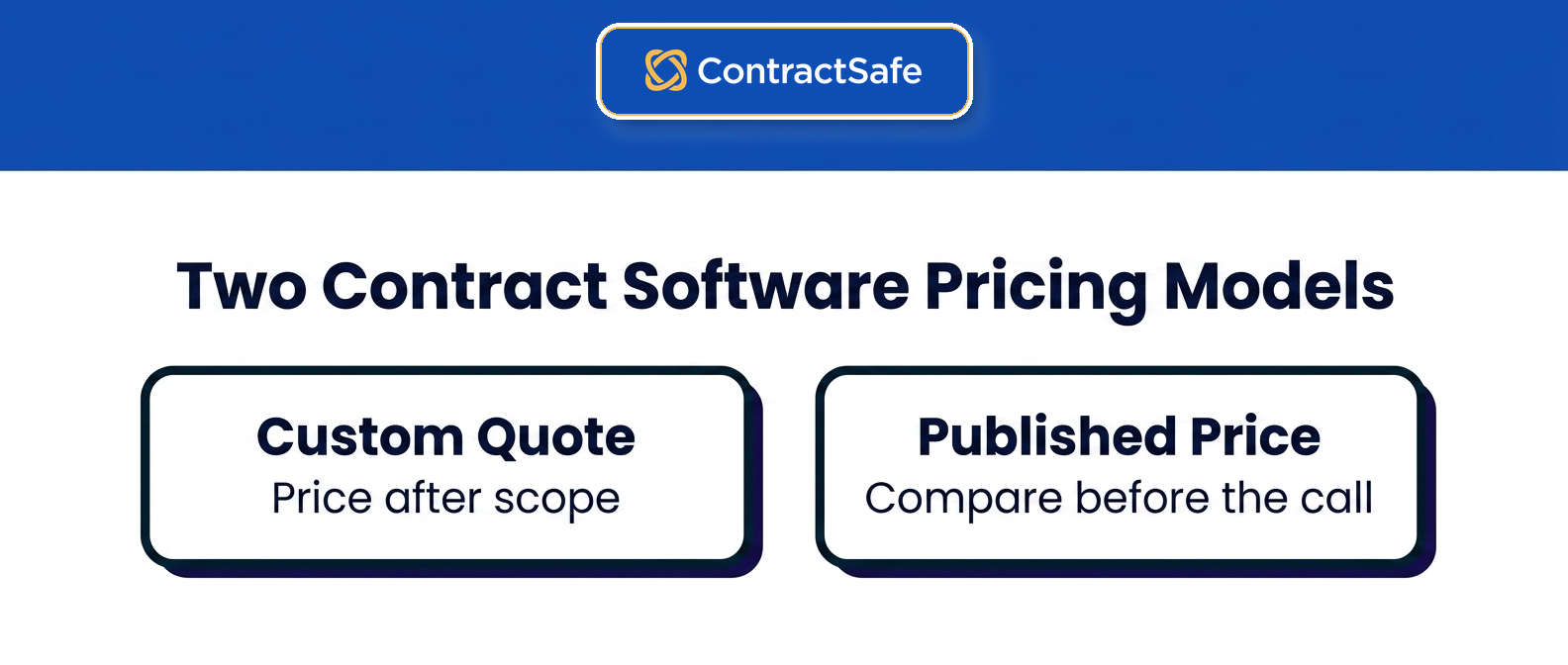
Contract software is priced two ways: transparent published pricing you can compare in an afternoon, and quote-only pricing that hides the real cost until a sales call. The camp a vendor sits in matters more than any single feature when you’re trying to budget, because one lets you see the number and the other makes you earn it.
ContractSafe sits firmly in the first camp, while Ironclad and Icertis define the second, and the gap between them is the whole story of this comparison.
Transparent, published pricing
ContractSafe and Concord publish prices on their websites. You can compare them in an afternoon and forecast the cost before you ever talk to sales. ContractSafe goes furthest: every plan and price is online, and every plan includes unlimited users, so the number you see is close to the number you pay. Research from World Commerce & Contracting puts the cost of poor contract management in the billions, which is why an affordable tool the whole team adopts beats a powerful one that sits unused behind a per-seat wall.
Quote-only pricing
Ironclad, Agiloft, LinkSquares, Juro, Icertis, and the CLM tier of DocuSign keep pricing private until a sales conversation. That opacity isn’t a convenience for you. It means you can’t budget without a sales cycle, the quote is set to how much the vendor thinks you’ll pay, and the first-year total arrives loaded with implementation, modules, and escalators that were never in the headline. ContractSafe shows the opposite: a published price you can compare without ever booking a call.
Decision Check Before You Book a Demo
Before you sit through a single demo, run every vendor on your shortlist through the same five questions. The demo is where the pretty features live; this checklist is where the real cost hides. A published-price platform like ContractSafe answers all five before you reach for the phone.
- Can you find the price on the vendor’s website without talking to sales? If the number lives behind a form, there’s usually a reason, and it’s rarely that the number is small.
- Does the price stay flat as you add users, or climb with every seat? Per-seat pricing turns "let’s give legal ops access too" into a budget conversation, so people stop asking and the tool quietly gets used by fewer people than it should.
- Is implementation included, or a separate four or five figure fee? The line item that shows up after you’ve already signed is the one that stings, because by then the deal is done and you can’t push back on it.
- Are AI, e-signature, and migration in the plan, or sold as add-ons? A base price that looks reasonable can double once you bolt on the features you assumed were standard.
- Does the contract include an automatic annual price increase? A renewal that goes up on its own schedule means you’re negotiating against a clause you already agreed to.
None of these are gotchas. They’re just the questions a vendor with nothing to hide will answer the same way in month one and in month twelve.
What Each Contract Management Tool Actually Costs
This is a vendor-by-vendor look at real 2026 pricing, the model each one uses, what quietly drives the bill up, and what to get in writing. ContractSafe’s own pricing is in the first entry and in the bands above; the other eleven entries are about those vendors.
1. ContractSafe
ContractSafe publishes every price. The Organize plan starts at $450 a month (prepaid annually), Finalize starts at $660 a month, and Maximize starts at $815 a month, which works out to $5,400 to $9,780 a year. Pricing scales by how many contracts you store, not by how many people log in. See the pricing source.
- Every plan includes unlimited users, so cost doesn’t climb as your team grows or as finance, sales, and procurement start using it.
- Most teams are operational in under an hour, with no implementation project, no IT involvement, and a dedicated success manager at no extra cost.
- AI data extraction, OCR search, renewal alerts, and migration support are included in the plans rather than sold as separate modules.
2. ContractWorks
ContractWorks markets a flat rate with unlimited users, reported around $700 a month for its Standard plan, though it no longer publishes pricing on its own site. The flat headline looks clean until the limits show up. Document caps, e-signature limits, and the features most teams actually want sit behind a Premier tier that runs about $2,000 a month, so the entry price rarely reflects what you end up paying. For example, a team that outgrows the document cap on the entry plan jumps to that $2,000 tier overnight.
- Watch for: document and e-signature caps that push you up a tier, and a narrower feature set than the price suggests.
- Get in writing: the document and e-signature caps on the plan you’re quoted, and the price of the next tier up.
3. Concord
Concord publishes tiers at $499, $899, and $1,299 a month, then charges $49 to $89 for every user beyond the base. That per-seat add-on is where the advertised price falls apart. Say you onboard finance and sales onto Concord: a 10-person team on the Business plan pays about $1,239 a month, not the $899 on the pricing page, and the gap only widens as more people touch contracts.
- Watch for: per-user charges that turn a mid-tier plan into an enterprise bill as adoption grows, plus a low base that assumes a small team.
- Get in writing: the per-user rate for your tier and whether view-only users count as seats.
4. Gatekeeper
Gatekeeper no longer publishes dollar pricing; buyer-reported figures put its tiers at roughly $1,245, $2,995, and $5,295 a month billed annually, or about $14,900 to $63,500 a year. It includes unlimited users, but it’s built and priced for procurement and vendor-risk teams, so a legal or operations buyer pays for a risk-management scope they won’t fully use. See the pricing source.
- Watch for: a price tuned to third-party risk workflows rather than straightforward contract storage and tracking.
- Get in writing: the contract and supplier quota on your tier and the overage price.
5. CobbleStone
CobbleStone keeps its pricing quote-only, and reviewers report per-user rates around $59 a month, so the cost rises with headcount the same way Concord’s does. It’s also heavily configurable, and that configurability turns into an implementation burden: setup is frequently described as overwhelming for teams without dedicated admins.
- Watch for: per-seat pricing plus a configuration project that slows time to value and usually needs internal IT or a paid consultant.
- Get in writing: the per-user rate, the implementation scope, and who configures the system.
6. PandaDoc
PandaDoc is a document and e-signature tool more than a contract repository, and it charges per seat: $19 per user a month for Starter and $49 for Business, billed annually. A 10-seat Business team pays about $5,880 a year before add-ons like API access, web forms, and bulk send. For managing a real contract portfolio after signature, you outgrow it quickly.
- Watch for: per-seat costs plus paid add-ons, on a tool that wasn’t built to be a searchable contract system of record.
- Contract management is an established discipline, and a per-seat signing tool covers only the signature step of it, not the years of obligations that follow.
- Get in writing: per-document overage rates and which add-ons your workflow needs.
7. DocuSign CLM
DocuSign e-signature plans look cheap at $11 to $45 per user a month, but that isn’t its CLM. Real contract lifecycle management from DocuSign is a separate enterprise product that runs $20,000 to $200,000 or more a year on a custom quote, with 5 to 8 percent annual price escalators and Salesforce integration costs of a separately quoted amount on top.
- Watch for: an entry e-sign price that has little to do with the quoted CLM cost, plus yearly escalators and integration fees baked into the contract.
- Get in writing: the CLM price separate from e-signature, the escalator, and the integration fee.
8. Juro
Juro keeps its pricing private. Buyer-reported purchasing data puts the median buyer at about $31,000 a year, with small-team deals from roughly $18,000 and mid-market deals commonly running $40,000 to $75,000. On paper Juro doesn’t charge per seat, but you still can’t see a number without a sales process, so at the budgeting stage the flat model saves you nothing a buyer can act on.
- Watch for: a quote that depends on contract volume and tier, with no way to budget up front and no published floor to anchor against.
- Get in writing: the contract-volume tier you’re quoted and what happens to the price when you exceed it.
9. LinkSquares
LinkSquares is quote-only and sold in modules. As of February 2026, transaction data places subscriptions from $5,999 to $79,318, with a median near $31,000; implementation is separate and commonly reported from $10K to $75K. The modular structure means the capabilities you assumed were included are often a separate line item. See the pricing source.
- Watch for: module-by-module pricing and an implementation fee that can double your first-year cost before you have stored a single contract.
- Get in writing: every module in the quote, the implementation fee, and the escalator.
10. Agiloft
Agiloft is quote-only and highly configurable. As of February 2026, typical annual subscriptions are about $60K to $80K, with a median near $67K; implementation and configuration are separate scope items. See the pricing source.
- Watch for: a low entry quote that climbs fast once configuration, support, and migration are added.
- Get in writing: configuration and support as separate line items, and the renewal increase.
11. Ironclad
Ironclad doesn’t list any pricing. The median buyer pays about $40,000 a year according to Vendr, while other data puts the average closer to $66,000. Buyers report implementation commonly running three to six months and $10,000 to $100,000+, so confirm the exact scope in writing. It’s an enterprise workflow platform, and it bills, implements, and complicates like one: a mid-market buyer can spend three to six months in implementation before storing a single contract. See the pricing source.
- Watch for: a fully custom quote, a months-long implementation, and a first-year cost many times the headline of a transparent tool.
- Get in writing: the implementation scope and timeline, the modules included, and the renewal cap.
12. Icertis
Icertis sits at the top of the market and the top of the price list. It’s quote-only, runs $150,000 to $500,000 or more a year, and carries first-year totals above $500,000 once implementation is included, with rollouts that take six to twelve months. It’s built for large, regulated enterprises, which means almost every mid-market buyer is paying for scale they’ll never use. See the pricing source.
- Watch for: six-figure annual pricing and a year-long implementation aimed at the largest enterprises.
- Get in writing: the implementation timeline and cost, and the multi-year price schedule.
What a 40-Person Company Pays in Year One
In this worked example, a 40-person company pays $5,400 to $9,780 in year one for ContractSafe, $16,584 for Concord before any setup fees, or roughly $50,000 to $140,000 for the quote-only scenario once implementation is included. The table assumes 800 contracts and, where a vendor charges for seats, 12 active users, drawing on the vendor figures explained above.
| Line item | Flat, unlimited users (ContractSafe) | Base plus seats: Concord Business | Quote-only enterprise (Ironclad, at the median buyer) |
|---|---|---|---|
| License | $5,400 to $9,780 a year depending on plan (Organize, Finalize, or Maximize), published | $899 a month, $10,788 a year, includes 5 users, published | About $40,000 a year (median of recorded purchases); mid-market deals $50,000 to $120,000. Pricing details |
| Extra seats | $0; unlimited users on every plan | 7 more users at $69 a month each: $5,796 a year | Included in the quote, though the quote itself is sized to your user count; reported effective per-user cost runs $1,500 to $4,000 a year. Pricing details |
| Implementation | $0; most teams are live in under an hour | Not published; confirm in writing | $10,000 to $100,000+ reported, three to six months. Pricing details |
| Migration of existing contracts | Included | Not published; confirm in writing | Often a services line item; confirm in writing |
| AI extraction and search | Included | Not published for this scenario; confirm which tier carries it | Frequently a separate module; confirm in writing |
| Year-two increase | Published price; confirm the renewal terms | Not published; confirm in writing | Quote-only contracts commonly include 3 to 8 percent annual escalators, so get the cap in writing. Pricing details |
| Year-one total | $5,400 to $9,780 | $16,584 before any implementation or migration fee | About $50,000 to $140,000 including implementation. Pricing details |
| Three-year total | $16,200 to $29,340 at the published price | $49,752 at today’s price, before increases | About $136,000 to $230,000, assuming a 5 to 8 percent escalator on the license. Pricing details |
That gap between the first and third columns isn’t a rounding error. It’s the difference between a tool priced for a department and a platform priced for an enterprise workflow program. If your 800 contracts need heavy custom workflow, the third column may be the right spend. If what they need is to be findable, tracked, and renewed on time by all 40 people, the first column is your number. See pricing details.
Free and Under-$100 Options, and Where They Stop Working
Free or under-$100 setups include a shared drive with a spreadsheet, a free e-signature tool, and entry-level plans that a few people use. Any of them can handle simple needs. The strain shows up as more departments join in, because manual deadline tracking, fragmented ownership, and per-seat charges all get harder to manage.
A shared drive plus a spreadsheet ($0). Executed PDFs live in folders, and a sheet tracks counterparty, end date, and owner. It holds up until the first auto-renewal nobody catches, since the sheet only knows the dates someone typed in, or until an auditor asks for every agreement with a particular clause and the answer turns out to be a week of reading. See pricing details.
An e-signature tool’s free or entry tier ($0 to $19 per seat). PandaDoc has a free plan and a $19-per-seat Starter tier, and DocuSign’s Personal plan is $11 a month. They handle signing well and storage barely, because the signed copy lives in the signer’s account. When that person leaves the company, the team can lose easy access to those contracts unless the account or files are handed over. See pricing details.
A per-seat entry plan ($19 to $49 per seat). It works fine at two or three seats. Adoption is where it breaks: once procurement or finance also needs to look contracts up, every added seat turns into a budget conversation, and the tool ends up in fewer hands than it should. See pricing details.
The honest rule of thumb: free options stop working at the first missed renewal or the first audit request, whichever comes first. A published flat price in the low hundreds a month, with unlimited users, is the next step up, and it costs less than one missed auto-renewal on a mid-sized vendor contract.
What to Negotiate on a Quote-Only Contract
If you’re buying from the quote-only camp, the price is negotiable by definition; that’s what a quote is. Six things to ask for, all of them in the signed order form rather than in an email:
A cap on the renewal increase, written as a percentage, so the 3 to 8 percent escalator has a ceiling you actually agreed to. See pricing details.
Implementation included, or a fixed price with a defined scope and a go-live date, so the $10,000 to $100,000 line has no room to grow. See pricing details.
Seats unlocked, or a defined block of view-only users at no charge, so adoption doesn’t reopen the contract.
AI and modules named, each one listed as included or excluded, so nothing you demoed turns out to be an add-on.
Migration of your existing contracts included, with a count and a deadline.
Exit terms: a full export of your documents and metadata at any time, in a usable format, at no charge.
A vendor that won’t put these in writing is telling you where the first-year surprises will come from. A vendor with a published price has usually answered all six already.
The First-Year Pricing Mistakes Buyers Make
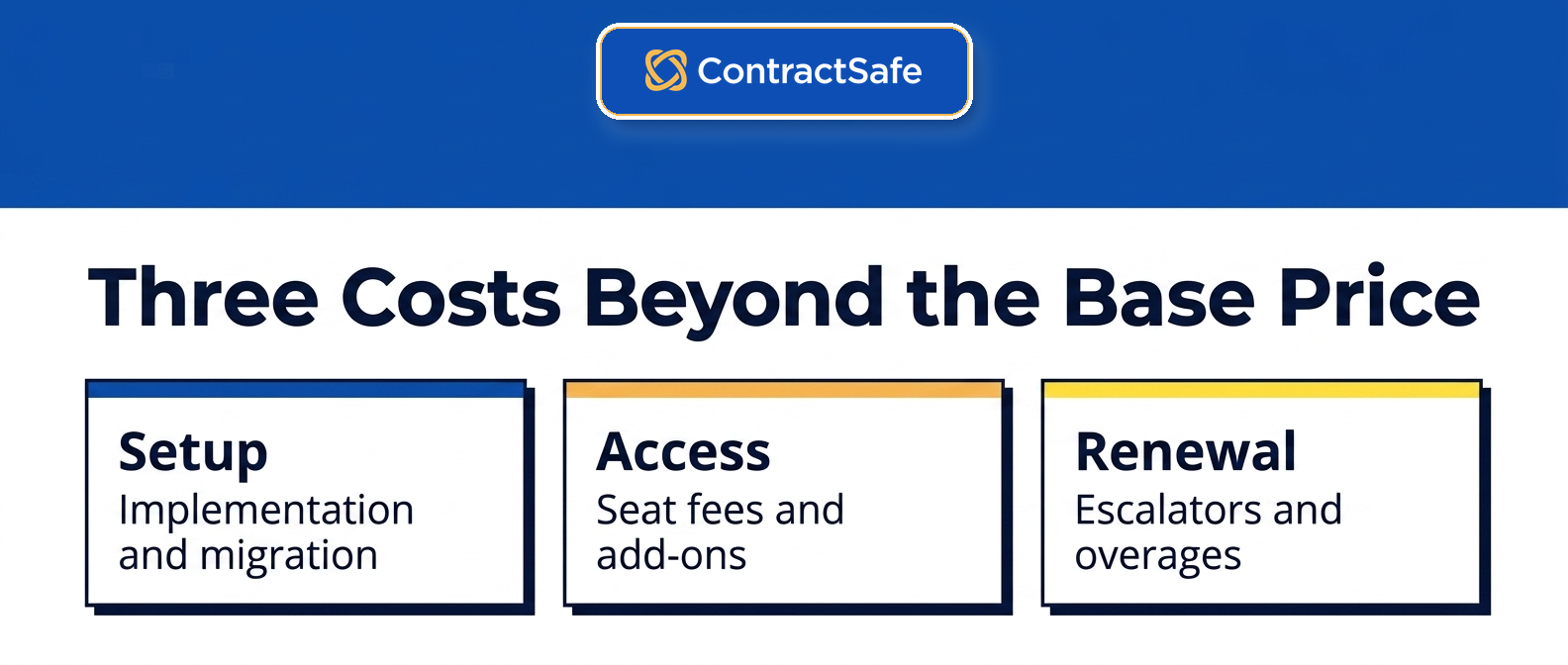
The biggest contract management pricing mistake is treating the vendor quote as the final cost, when the real number is total cost of ownership: the license plus implementation, seats, and escalators. Quote-only tools load that number into line items that never appear in the headline, and these five catch buyers most often.
- Ignoring implementation: enterprise tools charge $5,000 to $75,000 to get you live, and LinkSquares can bill implementation at up to 100 percent of your first-year license. ContractSafe has no implementation project. See the pricing source.
- Underestimating per-seat creep: tools that price by user get more expensive with every hire. Concord, CobbleStone, PandaDoc, and DocuSign all charge per seat. ContractSafe doesn’t.
- Missing AI and module add-ons: contract AI, analytics, and integrations are frequently sold separately on quote-only platforms. ContractSafe includes AI data extraction in its plans.
- Forgetting migration: moving legacy contracts in can be a paid service, sometimes priced per gigabyte. ContractSafe includes migration support.
- Overlooking annual escalators: quote-only contracts from vendors like DocuSign commonly raise your price 3 to 8 percent every year, automatically. A published price gives you a number you can plan around.
What Transparent Pricing Means for Your Budget
Transparent pricing on contract management software decides who controls next year’s budget. With ContractSafe’s flat, published pricing, the number you write down today still holds when the renewal lands, so you set it. With a quote-only tool, you have handed that pen to the vendor, and vendors tend to write bigger figures over time.
That difference shows up in the boring moments, which are the ones finance actually cares about. Say you want to add three people in March. With unlimited-user, flat pricing like ContractSafe’s, you add them and get on with your day. With a per-seat, quote-only model, adding users mid-year can reopen the whole contract, and now a routine change is a negotiation. Or the renewal shows up with a built-in bump, the kind of automatic 3 to 8 percent increase you see from vendors like Agiloft, and the budget you defended last year is already wrong. See the pricing source.
Predictable pricing isn’t just a tidier invoice. It’s what lets the software actually spread. When adding a user doesn’t move the bill, you stop rationing access, and the whole team can live in the same repository with the same alerts watching every renewal date. The business case you wrote to get the thing approved still holds up a year later, because nobody moved the number out from under it.
Related Reading
Keep going if you’re building a shortlist or a budget.
- Best contract management software: the full buyer’s guide beyond price.
- Contract management software, explained: what the category does and who needs it.
- The CLM software checklist: what to test in a demo before you sign.
How ContractSafe Helps You Avoid Pricing Surprises
ContractSafe supports intake, signature, approvals, searchable records, reporting, alerts, and renewals. Bring your actual scope to a ContractSafe demo to confirm the current plan and price.
ContractSafe was built to be the transparent option on this list. Every plan and price is on the website, and every plan includes unlimited users, so a 5-person team and a 50-person team pay the same for the same contract volume. There’s no sales cycle to see a number, and no per-seat penalty for letting the whole company use it. See the pricing source.
That price buys full-lifecycle CLM: signature and approval support, a searchable contract repository with OCR, AI data extraction, automated renewal alerts, role-based permissions, reporting, and migration support. Most teams are live in under an hour, with a dedicated success manager included rather than an implementation invoice.
If you’ve been comparing quotes from Ironclad, Agiloft, or LinkSquares and want to see a real, published price next to them, bring your contract volume to a quick demo and get an exact number the same day.







.svg)







.svg)




