


Quick answer: Legal workflow automation is software that routes, assigns, tracks, and records the repeatable legal work an in-house team handles every week: contract intake, approvals, renewals, obligation tracking, and the steady drip of self-service contract questions. Instead of chasing status over email, each request moves to the right owner and leaves an audit trail you can defend later.
Most of that work orbits contracts, which is why full-lifecycle contract management software like ContractSafe tends to sit at the center of it, holding the signed agreement and running intake, approvals, and reminders around it. Nobody's automating the part where a lawyer reads a strange indemnity clause and frowns.
What you automate first matters more than how much you automate, and for most in-house teams the first candidate is the place where requests come in.
Choose your next step:
Still fuzzy on what “workflow automation” actually covers? Start with what it is.
Already know you need this and want the business case? Jump to why it matters for legal teams.
Comparing tools? See when a repository plus alerts is enough versus a heavier platform.
Key Takeaways
- Legal workflow software handles the repeatable stuff (intake, routing, approvals, renewal reminders, obligation tracking) so your team spends its hours on the work that actually needs a lawyer’s brain.
- This guide is written for in-house legal, procurement, and operations teams, not for law firms running billing and matter management. The two look similar and behave very differently.
- ContractSafe is a full-lifecycle contract management platform that legal, finance, and procurement can all use, which is exactly where heavier tools tend to stall out.
- Automate one high-friction workflow first, prove it works in a live demo, then expand. Big-bang rollouts are how good tools get abandoned.
- Watch the failure modes early: unclear owners, silent exceptions, and reminders nobody trusts.
The busiest spot in a restaurant kitchen is the pass, that stainless steel counter where finished plates land and one person, the expediter, stands calling out tickets. Orders come in from the front.
The expediter reads each one, sends it to the right station, watches the timing, and doesn’t let a plate leave until it’s right. Nobody in the dining room sees this person. Everyone in the dining room depends on them.
That’s what a legal workflow layer does for an in-house team. Requests arrive from sales, from procurement, from a founder who needs an NDA in an hour.
Something has to read each one, decide where it goes, keep the timing honest, and make sure nothing leaves half-cooked. For a long time that something was a person, usually a contracts manager with a heroic memory and a color-coded inbox.
Heroes burn out. Spreadsheets rot. The pass needs a system.
The good news is that the system doesn’t need to be elaborate to help.
The bad news, and the reason this guide runs a little long, is that most teams automate the wrong thing first, or they buy a platform so heavy that the expediter quits rather than learn it.
The rest of this guide covers what legal workflow automation actually is, why it matters more in 2026 than it did five years ago, and where the tools genuinely earn their keep, starting with a quick buyer snapshot.
Legal Workflow Automation Buyer Snapshot
Compare the work the system has to support: clean records, trusted answers, clear ownership, and next actions the team can actually take.
| Reader question | Short answer | What to do next |
|---|---|---|
| What is it? | Software that routes, assigns, and tracks repeatable legal work and keeps a searchable, governed contract record | Confirm the system stores documents plus metadata, owners, dates, and permissions |
| Who needs it? | Legal, finance, procurement, and operations teams that act on signed agreements | Map which teams need access and which fields they can see |
| What matters most? | Findability, metadata, alerts, reports, permissions, and audit history | Use those capabilities as the core buying checklist |
| Where does AI fit? | AI helps when it extracts and validates contract data inside the governed record | Require source traceability and human review |
| What is the first step? | Inventory contracts and define the minimum metadata model | Start with active and high-risk agreements before historical cleanup |
decision check
Can the team find a signed agreement by party, date, owner, and clause?
Can the system show what needs action this month?
Can non-legal users answer basic contract questions without creating a new access problem?
Evidence Checklist
| Planning claim | Evidence to request |
|---|---|
| Contracts are searchable | Find a scanned agreement by party, clause, date, and business owner |
| Metadata is usable | Show required fields, review status, reporting, and cleanup ownership |
| The rollout is realistic | Show launch-critical work separately from historical cleanup |
What Is Legal Workflow Automation?
Legal workflow automation is software that standardizes and moves repeatable, multi-step processes. The Thomson Reuters UK in-house automation guide describes tools that route approvals, handle matter intake, assign tasks, and manage documents across legal, business, and compliance functions.
Brightflag frames it a little differently, defining legal workflow automation as technology that takes over tasks legal departments used to do by hand, from invoice review to document generation, while giving leadership a clear read on spend and matter status.
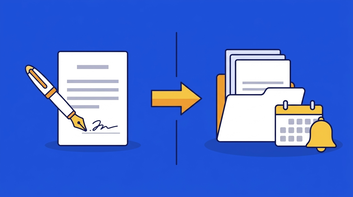
Both definitions circle the same idea. Take a contract request: it lands, gets a redline, clears approvals, picks up a signature, and gets filed with its renewal date set.
That sequence holds until a busy week scatters it across three inboxes, and you want it to keep its shape anyway. That’s the whole game. The expediter doesn’t cook the food.
The expediter just makes sure the food that gets cooked reaches the right table, on time, in the right order.
Here’s a boundary worth drawing in bold ink, because vendors love to blur it. This guide is about legal department workflow automation, not law-firm practice management.
A firm automates timekeeping, trust accounting, conflict checks, and client billing, because a firm sells hours.
An in-house team automates the flow of work through the business: a contract workflow that starts when someone in sales asks for a redline and ends when the signed agreement is filed and its renewal date is being watched.
If a tool keeps pitching you six-minute billing increments, it was built for a different animal.
Why does this matter so much for document-heavy teams? Because that’s where the hours go. The Thomson Reuters legal workflow guide puts it at 40% to 60% of the day spent drafting and reviewing documents.
When more than half your team’s day goes to moving paper through a pipeline, the pipeline itself becomes worth engineering. That’s the difference between plain document storage and true contract workflow automation: one holds the plates, the other keeps them moving.
decision check
Before you shop for anything, run down this list. If you check three or more, a workflow layer will pay for itself fast:
Do contract requests reach you through at least three different channels (email, Slack, a hallway ask)?
Has a renewal ever auto-renewed because nobody was watching the date?
Could you name, right now, who owns the third-party vendor agreement signed last spring?
Do approvals stall because nobody knows whose turn it is?
When finance asks “what did we agree to,” does answering take more than five minutes?
Is your source of truth a spreadsheet that exactly one person maintains?
If most of those stung a little, you don’t have a lawyer problem. You have a pass problem. The tickets are piling up because nothing’s standing at the counter calling them out.
Why Legal Workflow Automation Matters for Legal Teams
The sharper answer, the one that shows up in budget meetings, is that you’re being asked to do more without more people.
Brightflag’s legal workflow automation guide, citing the 2026 ACC Chief Legal Officers Survey, reports that 63% of chief legal officers expect headcount to stay flat. Flat headcount against rising contract volume isn’t a staffing plan.
It’s a math problem, and automation is one of the few honest ways to solve it.
The same survey, in that same Brightflag resource, found that budget and resource constraints are the top barrier to success for 35% of legal leaders.
Read those two numbers together and the picture’s pretty clear: no new hires coming, and not much new money either. So the work has to get lighter on its own.
The expediter can’t hire three more expediters, so the pass itself has to get smarter about routing.
This is also why the shape of the work matters when you pick your first target.
The Thomson Reuters legal workflow guide points out that workflow automation earns the most where processes are high-volume and multi-step and span more than one team or system.
That describes contract intake almost perfectly. A single agreement can touch sales, legal, security, and finance before anyone signs. Every handoff is a place where a plate can go cold.
Picture a Friday afternoon: a vendor renewal needs sign-off, but it’s stalled because nobody can say whether security ever cleared it.
With a workflow in place, you open the request, see that security approved it Tuesday, and route it to finance in under a minute. Without one, that same answer is an hour of Slack archaeology while the auto-renew clock keeps ticking.
Same facts, two very different afternoons, and the difference is whether the pass kept a record.
There’s a quieter benefit that rarely makes the sales deck, and it’s the one I’d sell hardest. Automation creates a record. Every routed request, every approval, every owner change gets timestamped without anyone remembering to write it down.
When the audit comes, or when a deal goes sideways and someone asks who approved what, you’ve got the ticket history instead of a shrug.
That defensibility is worth as much as the saved hours, and it’s closely tied to broader legal contract management trends and to how legal tech adoption actually sticks inside a department. Tools that keep a clean record get trusted.
Trusted tools get used.
Common Use Cases and Workflows
The trick is knowing which tickets to hand off first. You don’t automate everything on day one, the same way a new expediter doesn’t try to run garde manger and the grill at once.
You pick the workflow that hurts most and prove it before you touch the next one.
Contract intake is almost always the first station. When requests arrive by email, Slack, and hallway ambush, half of them evaporate before anyone logs them. A real intake step gives every request a front door, an owner, and a type.
If you want a deeper build, our contract intake playbook walks through the fields that matter and the forty that don’t. (Please don’t build the form with forty fields. Nobody fills it out, and then you’re right back to the hallway.)
Approvals come next, because that’s where good deals go to wait. The Thomson Reuters legal workflow guide notes that automation earns its keep on high-volume, multi-step processes that span teams or systems, which is approvals in one sentence.
A routed approval proves the right reviewer saw the right clause, in order, with a timestamp you can point to later.
Then renewals. An auto-renewal that fires while everyone’s on vacation is the kitchen equivalent of a ticket sliding off the rail and under the fridge. Nobody meant to lose it.
Contract alerts tied to a named owner, not a shared inbox, keep the deadline from becoming a surprise. Obligation tracking is the quieter cousin: the price cap you promised, the deliverable due in Q3, the certificate you swore you’d collect.
And self-service. Legal answers “where is the signed NDA” roughly ten times a week, and every answer is a small tax on someone smart. A searchable contract repository the business can actually query turns that tax into a link.
That’s the whole contract workflow in miniature.
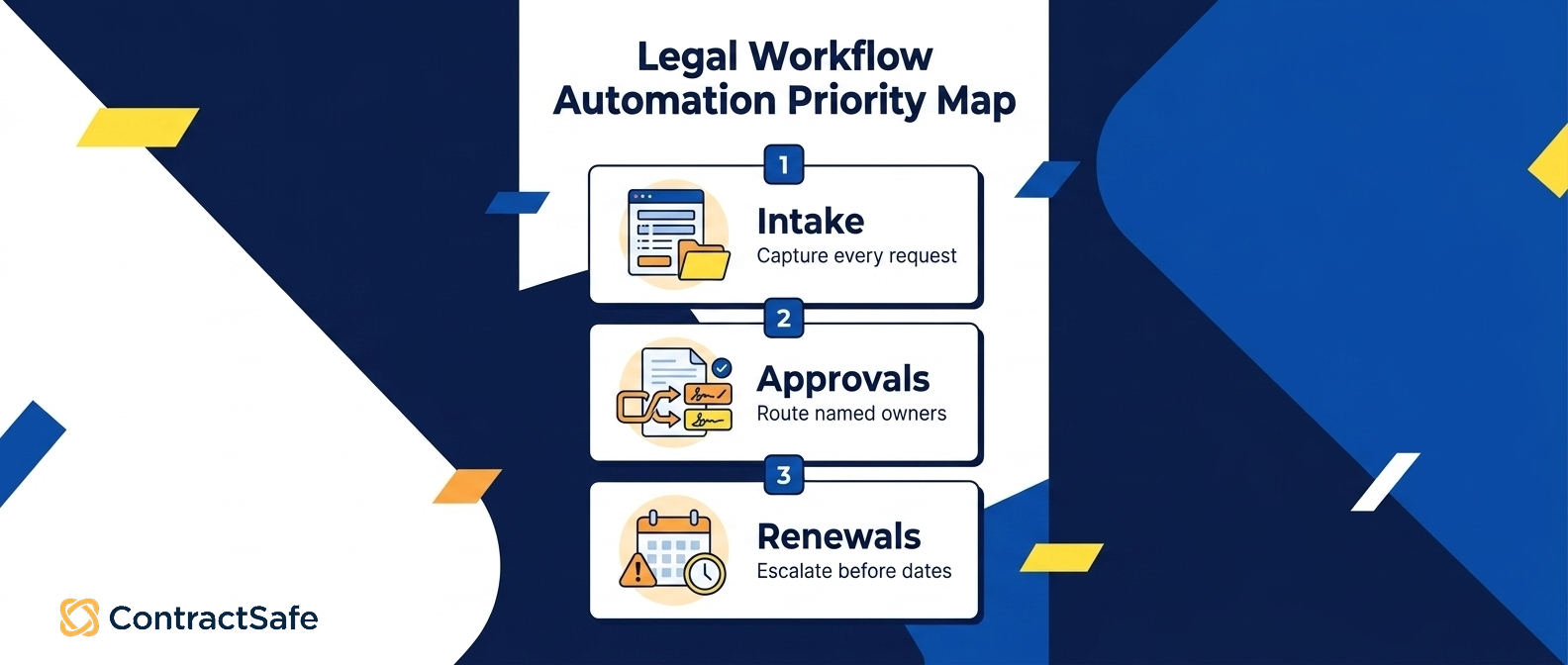
| Workflow to automate first | Buyer trigger | What the workflow must prove | What to avoid |
|---|---|---|---|
| Contract intake | Requests arrive by email and Slack with no front door | Every request captured with an owner, type, and priority | A thirty-field form nobody completes |
| Approvals and routing | Deals stall waiting on the right reviewer | Correct approver, in sequence, with a timestamp | One rigid path forced onto every contract type |
| Renewals and alerts | A contract auto-renewed or lapsed unnoticed | Reminders fire early, reach a named owner, and escalate | Alerts sent to an inbox nobody owns |
| Obligation tracking | A deliverable or price cap slipped after signature | Obligations logged and assigned to a person | A side spreadsheet no one updates |
| Self-service questions | Legal answers the same lookup ten times a week | Business users find answers without a ticket | Locking access so tightly nobody self-serves |
If you want the fuller version of this progression, contract workflow automation covers the sequencing in more detail, along with the newer legal AI tools that read a contract and pull the dates worth watching.
When a Repository Plus Alerts Is Enough
Not every team needs the full brigade. Sometimes a searchable home for signed agreements plus alerts that actually fire will solve almost all of your pain, and paying for a heavier platform just buys weight nobody adopts.
The honest way to decide is to line the two options up side by side against the work you actually do.
| What you’re weighing | A searchable repository with alerts | A full CLM or workflow platform |
|---|---|---|
| Best fit | Stable, modest volume; a handful of contract types | High volume, many contract types, real approval logic |
| Intake | A shared form or inbox feeding one library | Structured intake with routing by type and dollar value |
| Approvals | Manual hand-offs, tracked by a person | Sequenced, conditional routing with timestamps |
| After signature | Renewal and expiration alerts to a named owner | Obligation tracking, milestones, and escalation |
| Reporting | Filtered lists and quick exports | Cross-team dashboards by status and owner |
| Setup | Days to a couple of weeks, light configuration | Weeks to months; process mapping comes first |
| The real risk | Outgrowing it as volume climbs | Configuring rules nobody ends up using |
Here’s a concrete way to feel the difference. For example, imagine a mid-sized software company signing a steady stream of vendor agreements on standard paper.
Legal isn’t drowning in redlines; it’s losing track of renewal dates and answering the same “where’s the signed copy” question every week.
That team does not need conditional approval routing. It needs a searchable library and alerts that fire ninety days before each renewal, pointed at the person who owns the vendor.
Bolt a heavyweight workflow engine onto that reality and the contracts manager spends more time configuring rules than the old manual process ever cost.
Now flip it. For example, imagine a medical-device company pushing hundreds of contracts a year across sales, procurement, and regulatory affairs, where each contract type needs a different reviewer and most carry obligations that outlive the signature.
That’s exactly where sequenced routing, obligation tracking, and escalation earn their price, and where a bare repository quietly starts dropping plates.
The contract lifecycle management vs contract repository breakdown works through this trade-off in more depth, and it’s worth checking ContractSafe pricing against the tier you actually need before you commit to either shape.
Best Practices Worth Following
Every good line cook preaches mise en place: everything chopped, measured, and set before the first order lands. Automation rewards the same discipline. If your process is a mess on paper, software will simply make the mess move faster.
So map the steps by hand first, name a human owner for each, and standardize your contract types before you ask a tool to route anything.
The second rule is to demo against your own worst contract, not the vendor’s tidy sample. The polished demo always works. Yours is the sixty-page master services agreement with a hand-scanned amendment stapled to the back.
A useful contract management requirements checklist keeps the conversation honest, and both the Thomson Reuters legal workflow guide and the Thomson Reuters UK in-house automation guide are worth reading before you sit through a single pitch.
When you do get in the room, run the same script every time.
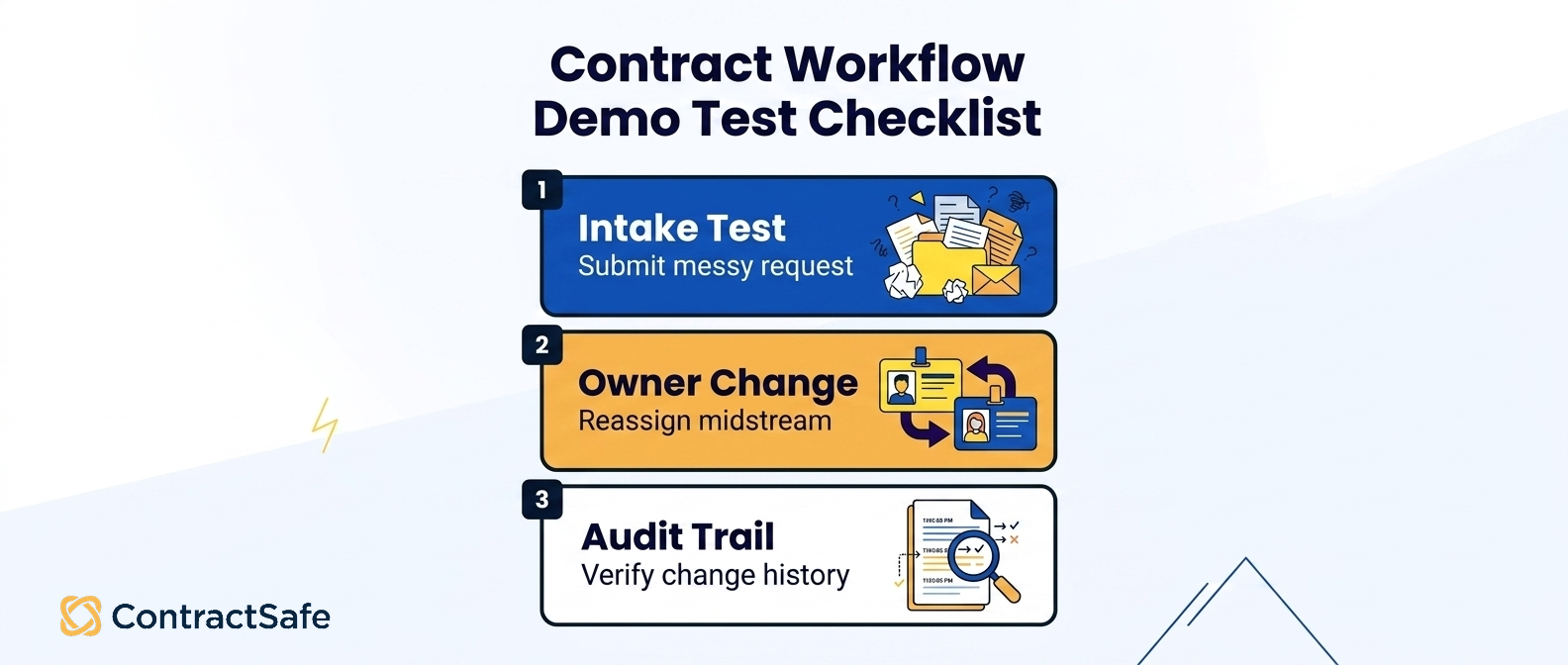
Intake: Submit a messy request the way a sales rep actually would. Does it land somewhere with an owner attached?
Approvals: Route a contract that needs two reviewers in order. Watch it stop at the right desk.
Owner changes: Reassign a contract mid-flight when someone goes on leave. Does the trail follow the handoff?
Exceptions: Push through a non-standard clause. A good system flags it; a bad one just swallows it.
Reminders: Set a renewal ninety days out and confirm the alert reaches a person, not a void.
Reporting: Ask for every agreement expiring next quarter without exporting to a spreadsheet.
Permissions: Confirm finance can see what finance should see, and nothing it shouldn’t.
Audit history: Change a field and check whether the system remembers who touched it and when.
Pass all eight against your ugliest paperwork and you’re looking at real workflow automation. Shine only on the sample contract and you’re looking at a screenshot.
Implementation Plan for Legal and Procurement Teams
Here’s the reassuring part. You don’t need to staff a ten-station brigade before you serve the first plate.
A phased rollout beats a grand launch every time, mostly because the grand launch collides with reality on its way out of the gate. You’re not going to out-muscle that collision. You’re going to out-sequence it.
Week one is one workflow, usually intake, and one contract type. Route the request and give it an owner. Resist the urge to add fields. You’re proving the front door works, nothing more.
The first thirty days is where you layer approvals and turn on renewal alerts for the contracts already sitting in your repository. This is also where adoption lives or dies, and adoption is mostly a people problem wearing a software costume.
If you want the honest version of what stalls here, our take on legal tech adoption names the usual suspects.
The first quarter is when you widen the scope: obligation tracking, self-service search for the business, and reporting that procurement and finance can pull without begging legal.
By now the expediter is running several stations at once, and nobody’s shouting across the kitchen. If your volume is modest and your processes are stable, that may be the whole build.
If it isn’t, the comparison above tells you when it’s time to reach for the heavier platform.
Related Reading
See the platform in context: contract management software and how the pieces connect from intake to renewal.
Build your shortlist: work through a contract management requirements checklist before you take a single demo.
Plan the repository layer: read the contract repository requirements before you move files or metadata.
How ContractSafe Helps With Legal Workflow Automation
Most teams reading this don’t need a second tool before signature and a third one after. They need one place where the whole contract workflow lives, from intake through renewal.
ContractSafe is contract management software for legal, finance, and procurement teams that want exactly that: a full-lifecycle platform, not a filing cabinet with a search box. The difference shows up on the workflows this article told you to automate first.
ContractSafe handles intake, approvals, and reminders in the same system as your signed agreements.
It keeps every executed document searchable, uses AI extraction to pull the effective dates and renewal deadlines so a human is reviewing instead of retyping, and fires contract alerts early to a named owner rather than an inbox nobody checks.
Approval workflows send the ugly sixty-page agreement to the right reviewer in order, and audit trails remember who changed what and when.
The reason any of this survives contact with your organization is adoption. A heavyweight suite that only legal can operate quietly recreates the hallway-ambush problem for everyone else.
ContractSafe includes unlimited users on every plan, so finance, procurement, and business owners all work inside the same contract repository instead of emailing legal for a copy.
ContractSafe pricing starts at $450/month billed annually, or $540 month-to-month, which keeps the math friendly for a phased rollout.
ContractSafe helps the whole business answer its own contract questions without turning every lookup into a ticket, and implementation and migration support come included, so setup tends to be measured in weeks rather than a separate professional-services project.
If your intake, renewals, and self-service questions are the stations you want the expediter to run first, that’s where a system like this pays for itself, and it’s the one worth testing against the contract you dread most.
When you’re ready, book a demo and bring it.







.svg)







.svg)




