Quick answer: Contract management trends are the shifts in how teams create, store, track and act on agreements across the contract lifecycle. In 2026 the two biggest are AI moving from pulling dates out of contracts to preparing work a person approves, and value still leaking after signature. Deloitte's 2026 global study ties AI-enabled workflows to a 13% ROI uplift, and WorldCC puts the loss after signature at an average of 11% of contract value. Your first move is the same for both: give every active record an owner, dates and alerts.
Five more shifts sit around those two. Repositories now have to answer business questions. Metrics count outcomes, not uploads. More departments need contract access. Buyers test implementation effort earlier. And permissions now count as part of usability.
Which of these need work from your team this quarter depends on where your contract records stand today. It helps to start with what it looks like when teams don't act on them.
Choose your next step:
For the numbers: Our contract management trends and stats for 2026 covers the figures behind these shifts.
If you're behind on basics: Start with our contract repository requirements guide, then score your team on the readiness checklist.
If you're buying this year: Take the vendor questions into your first demo.
Key Takeaways
- AI is moving from pulling data out of contracts to preparing work a person approves, and the return grows with each step.
- Legal can shift from reviewing every agreement to setting the guardrails other teams work within.
- Most of the work is operating basics, such as required fields, permissions and reports, rather than new technology.
What Happens When Teams Ignore These Shifts
Ignoring these trends doesn't cause one visible failure. Instead, small misses pile up quietly and show up at the worst possible time, usually during an audit, a renewal or a budget review.
A team that still treats the repository as a folder finds out during an audit that nobody can produce the current amendment for a key vendor agreement.
A team that skips post-signature tracking learns at renewal that the auto-renew window closed last month, and the old terms now run another year.
A team that reports vanity counts loses the budget conversation, because leadership can't see risk or value in "contracts uploaded."
The costs compound. You pay for a missed auto-renewal all year. A missed breach-notice clock can turn into damages exposure. A failed audit response can bring compliance penalties and a cleanup project nobody budgeted for.
How to Decide What Deserves Work This Quarter
A trend earns work this quarter when it points to a specific problem with an agreement, owner, date, field, report or access. If it doesn't, it can wait, however good it looks on stage.
The difference between a trend and a fad is whether it holds up against your weekly work queue. A fad changes the demo. A trend changes who owns a renewal, what fields a record requires or which report leadership reads.
Before a trend gets a line on your roadmap, ask:
- Does it change a decision your team makes this quarter?
- Can you name the owner who would act on it?
- Would it still matter if the vendor marketing stopped tomorrow?
Then match what you're seeing to a first move:
| Signal | What it means | First move |
|---|---|---|
| People keep asking legal for copies | The repository isn't trusted as the source of truth | Fix search, permissions and owner fields before adding new tools |
| Renewals surprise finance | Post-signature tracking isn't operational yet | Build a renewal report by value, owner and notice deadline |
Don't rank trends by how exciting they sound. Rank them by the work they make visible. A dull owner-field cleanup that prevents renewal misses beats a flashy feature nobody can tie to a weekly decision.
The Key Numbers at a Glance
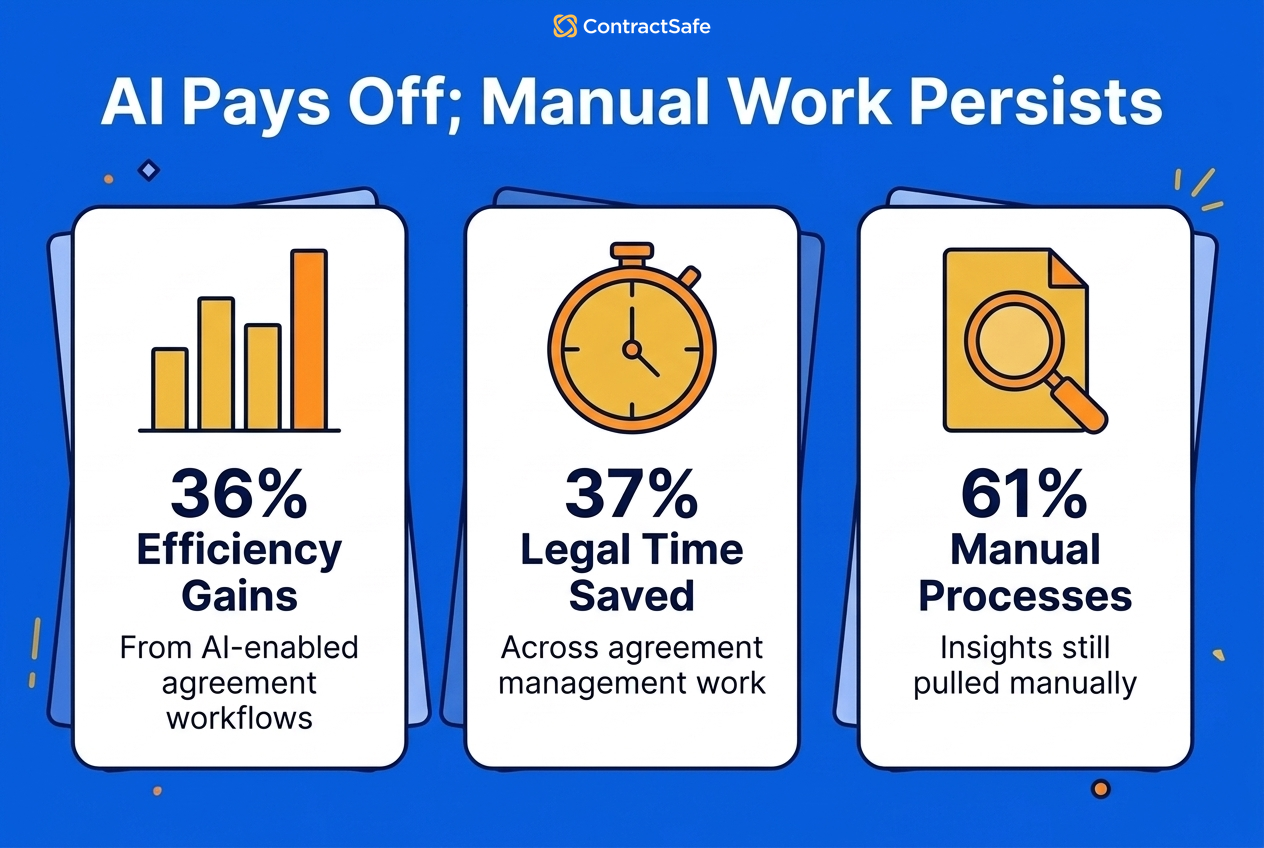
Deloitte's 2026 global study of more than 1,100 leaders shows real gains from AI-enabled agreement work, and how much contract insight is still pulled by hand. These are the figures worth bringing to your leadership team.
| Figure | What it measures | Source |
|---|---|---|
| 36% each | Size of the efficiency gain (time savings, shorter cycle times) and of the cost avoidance (mitigated risks) respondents measured | Deloitte's 2026 global study |
| 29% | Cost savings from less labor and outside counsel spend | Deloitte's 2026 global study |
| 72% | Respondents reporting a notable improvement in accuracy | Deloitte's 2026 global study |
| 37% | Average time savings legal respondents reported across agreement management activities | Deloitte's 2026 global study |
| 61% | Organizations that still rely on manual processes to surface critical insights from their stored contracts | Deloitte's 2026 global study |
| 95% | Organizations not yet using AI for agreement management that are considering or planning it | Deloitte's 2026 global study |
The Seven Trends That Matter
The seven trends follow a contract through its life: how it’s stored, how AI works on it, what happens after signature, how it’s reported, who can reach it, how buyers test the system that holds it, and who’s allowed to see it. For the basics behind each stage, see the fundamentals of contract management.
1. Repositories Are Becoming Operating Systems
Contract repositories now have to do more than store signed PDFs. Each contract record needs dates, owners, fields, permissions, alerts and reports attached to it.
That shift matters because a folder can't answer business questions. Finance wants to know which vendor agreements renew soon. Sales wants the current order form. Legal wants to know which contracts have nonstandard terms.
Most teams still answer those questions by hand, which is why the manual-insight figure in the table above is so high.
A useful contract repository ties each agreement to the dates, owners and fields the business asks about. When finance asks which vendor agreements renew next quarter, the answer should take minutes, not a week of folder archaeology.
What to do about it: audit your repository against the questions your teams actually ask, and require the fields that drive the reports they want.
- Watch for: records uploaded without owners or expiration dates.
- Watch for: amendments stored apart from their parent agreements.
- Watch for: renewal dates typed into a notes field, where no alert or report can read them.
2. AI Is Moving From Extraction to Agentic Workflows
AI in contract management started with extraction: find the renewal date, pull the counterparty, summarize the payment term. Now it's starting to prepare whole pieces of work, too. It flags nonstandard terms, drafts summaries and routes items to the right person for approval.
The payoff grows as AI takes on more of the workflow, and Deloitte's 2026 global study measured each step. A full contract system with basic AI help, such as suggested fields, adds 3% to ROI. Workflows rebuilt around AI raise that to 13%. Agentic features, where AI prepares work for approval, bring nearly 30% higher ROI. Treat those as ROI uplifts, not dollars saved.
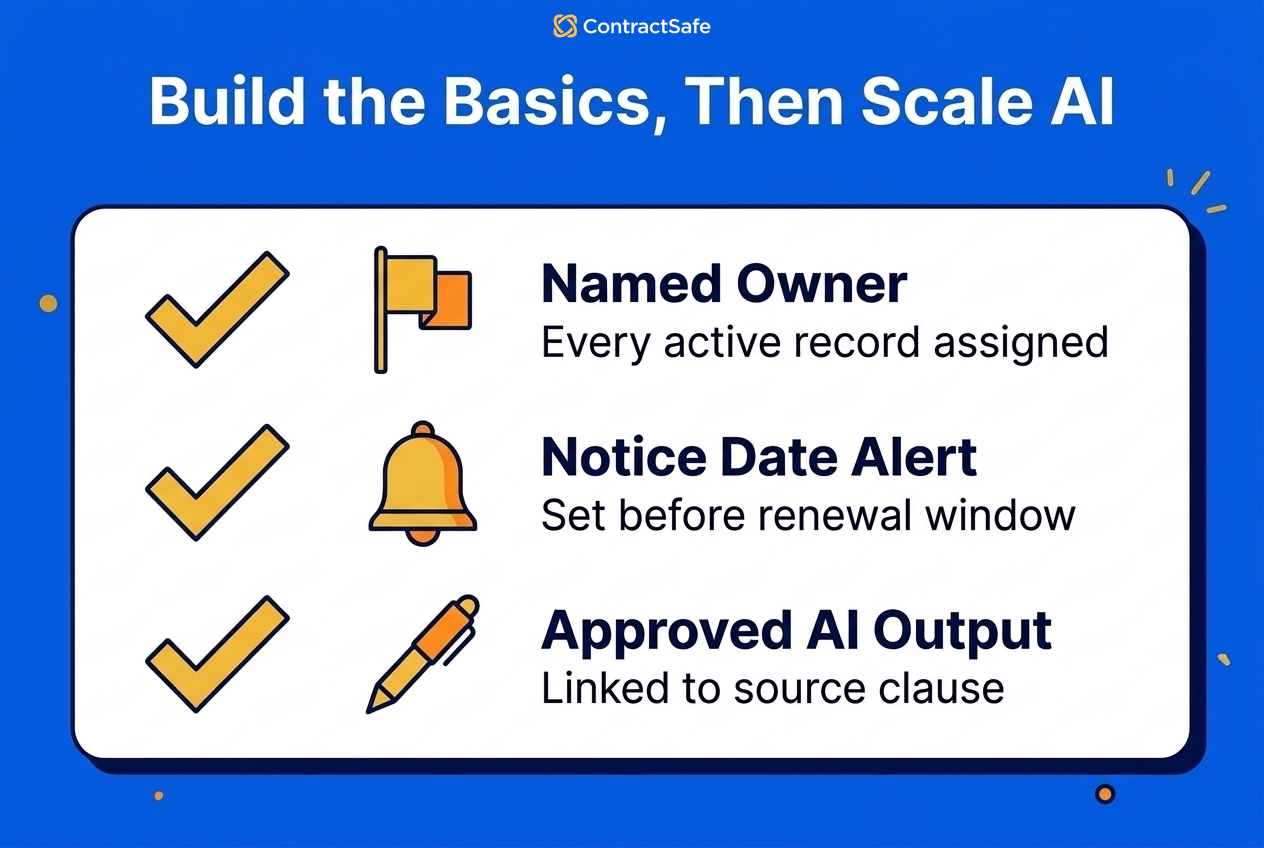
For a lean team, the rule is short: let AI prepare the work, keep a named person approving it, and only trust outputs that link back to the source clause. Start with extraction as a review queue. AI does the first pass on dates, parties and payment terms, and your team checks the top-spend vendor agreements and nonstandard customer contracts by hand.
Our guide to AI contract management software covers what to look for when you compare these tools.
3. Post-Signature Work Is Getting More Attention
Contract work doesn't end at signature. In many companies, signature is where the hardest tracking problem starts, and it's also where most of the value gets lost.
WorldCC's Closing the Procurement Value Gap research puts a number on it: organizations lose an average of 11% of contract value through missed savings, unmanaged clauses and unauthorized changes.
Each of those three causes maps to something you can check in your own records. Missed savings show up as volume discounts, rebates or price caps nobody claimed because the clause sat unread. Unmanaged clauses show up as service credits and audit rights that lapsed unused. Unauthorized changes show up as scope or pricing that drifted from the signed terms with no amendment on file. Find one example of each in last year's invoices, and you've made the case for owning post-signature work.
After signature, contracts create renewal windows, notice periods, payment duties, service commitments, insurance requirements and reporting obligations. Somebody has to own that work. Finance, procurement, operations and business owners may all need the signed agreement as a working record.
That's why contract obligation management belongs in the same conversation as drafting, approval and signature.
Say a customer agreement includes quarterly service reports. If nobody owns that duty, the first anyone hears of it is the customer's complaint on the renewal call.
What to do about it: pick your ten highest-value active agreements and list the obligations each one creates. Assign a business owner and a date to every item on that list this week.
- Watch for: signed agreements with no follow-up tasks anywhere.
- Watch for: obligations owned by people who left the company.
4. Metrics Are Moving Away From Vanity Counts
Contract reporting is getting more useful as teams drop vanity metrics. Total contracts uploaded gives you context, but it doesn't tell you how the work is going.
Better metrics answer questions like:
- Which contracts renew soon?
- Which records are missing owners?
- Which high-value contracts lack key dates?
- Which approval queues are slowing work?
- Which obligations need action this week?
Legal and finance teams are reporting outcomes instead, like the time, cost and accuracy figures in the table above. None of them counts uploads.
A common scenario: the monthly report says uploads and searches are up, while two renewals lapse the same month. Activity numbers hid the work numbers.
What to do about it: replace one vanity number on your current report with one decision number, then repeat next month. Our guide to contract management metrics is a good place to start.
5. More Departments Need Contract Access
Contracts touch more people than most software buying teams expect. Legal may own the process, but the answers are spread across the company.
Finance needs payment terms and renewal exposure. Procurement needs vendor terms. Sales needs customer agreements. HR may need employment records. Operations may need service commitments.
One way to meet that demand: instead of reviewing every agreement, legal sets the templates, rules and guardrails, and other departments serve themselves.
That model breaks if each added user creates cost or permission friction. The contract system turns into a legal archive that only legal opens. Role-based permissions and clear access rules get the right people inside without exposing sensitive records to everyone.
What to do about it: list the people who asked legal a contract question last month. Every name on that list is someone who probably needs direct, permissioned access.
Watch for side copies of agreements circulating by email because the system is closed.
6. Buyers Are Testing Implementation Effort Earlier
Ask what happens after the sales call in the first demo, not in month three of a rollout.
A good demo runs your actual workflow: upload a contract, search a scanned document, assign an owner, set an alert, build a report, and confirm who can see the record. If each step needs a lot of explanation, the rollout will need a lot of hand-holding.
The software has to carry a contract from request through renewal, so test the whole run, including everything that happens after signature. Our guide to evaluating contract management software covers what to check at each step.
What to do about it: bring your own messy files to every demo. Say you upload a scanned amendment with a useless filename. If the vendor can’t search it live, you’ve learned what year one will feel like. Ask, too, who enters the data for your existing contracts during setup, and who checks the extracted dates before your team relies on them.
- Watch for: demos that only run on the vendor’s sample data.
- Watch for: a setup plan that leaves your existing contracts for a later phase.
- Watch for: implementation timelines measured in quarters for a repository-sized problem.
7. Security and Permissions Are Part of Usability
Contract security is now part of the user experience. If permissions are too loose, the system is risky. If they're too rigid, people work around it.
The right structure, built on roles, folders and tags, lets finance see vendor agreements, sales see customer agreements, HR protect employee documents and legal keep sensitive agreements restricted.
This is where contract software differs from a shared drive. A drive can store files. A contract system should help decide who sees what, who owns what and what has to happen next.
For example, an auditor needs read access to one vendor's agreements for one month. If granting that takes a support ticket and a week, people will email the files instead, and convenience beats the permission model.
Test two edge cases as well: a record only HR should open, and a contract that moves from one department's folder to another's when its owner changes teams.
What to do about it: walk your real roles through the permission model before you buy. Then confirm a non-technical admin can set up a new role without a support ticket.
- Watch for: permission models that only an administrator understands.
- Watch for: sensitive employment or M&A records visible to everyone with a login.
A Contract Management Readiness Checklist
A contract management readiness check maps each trend to one action and one owner. Score each row honestly, then work the gaps in order.
| Trend | First action | Likely owner |
|---|---|---|
| Repository as operating system | Require owners and key dates on every active record | Legal ops |
| AI-enabled workflows | Let AI prepare work, with a named approver and source links | Legal + operations |
| Post-signature tracking | List obligations for the top ten agreements | Business owners |
| Decision metrics | Swap one vanity count for one decision number | Legal + finance |
| Broader access | Grant permissioned access to last month’s question-askers | Legal + IT |
| Implementation scrutiny | Demo with your own messy files | Buying team |
| Security as usability | Map real roles to permissions before purchase | Legal + security |
Give each row one of these scores before you plan any work:
- Ahead: the action is done, and someone checks it every month.
- On track: the action has a named owner and a due date.
- Behind: nobody owns it yet.
If the repository row comes back behind, fix it before anything else, because every other row depends on owners and dates being in place. AI and reporting projects can wait until it holds.
What Legal Teams Should Do Next
In practice, acting on contract management trends means a short weekly check of your own records, not a giant software project. Start with the operating basics your team can actually keep up.
This week, check:
- Which high-value agreements are missing required fields?
- Which departments need contract access but don't have it?
- Which reports does leadership actually use?
Add what you find to the readiness checklist, and review the list weekly.
One more discipline: when a gap closes, record what closed it on the contract record. Next year’s trend review then starts from evidence instead of memory.
What Each Team Should Own
Contract trends only become useful when each department knows its lane. Legal shouldn't become the help desk for every contract answer, and finance shouldn't find renewal exposure by chasing emails.
| Team | Owns | Weekly check |
|---|---|---|
| Legal | Templates, nonstandard terms, permission rules, and escalations | Which contracts need review before a deadline? |
| Finance | Renewal exposure, payment terms, vendor spend, and notice windows | Which upcoming renewals affect budget or cash flow? |
| Procurement and operations | Vendor owners, service commitments, certificates, and business follow-up | Which obligations need action before the next vendor meeting? |
| IT and security | Access controls, audit trails, system connections, and data exportability | Can the right people see the right contracts without workarounds? |
That ownership map keeps the trend conversation from becoming a legal-only project. It also gives leadership a cleaner budget discussion: here is the risk, here is the owner, and here is the work needed this quarter.
How to Run a One-Hour Trends Review With Leadership
A leadership trends review works best as one hour, one page, and three decisions. The page is the readiness checklist above, scored. The decisions are what to fund, what to fix in-house, and what to skip.
- Open with the misses: the renewals, owner gaps, and unanswered contract questions from last quarter. Concrete misses beat abstract trends.
- Walk the scored checklist row by row. Ahead, on track, or behind, with one sentence of evidence per row.
- Propose one fix per “behind” row, each with an owner, a date, and a cost of doing nothing.
- Ask for decisions, not endorsement. Which fixes get funded this quarter, and which risks does leadership explicitly accept?
Close by booking the same hour next quarter. A trends review that recurs becomes accountability; one that doesn’t becomes a slide deck.
Questions to Bring to Your Next Vendor Conversations
The best vendor questions make the seller show each trend working in its contract software, live in the first demo, rather than describing it on a slide. Bring these five to every vendor conversation and write the answers down.
- Set a renewal alert with a notice window on my vendor MSA, with escalation.
- Build the report my CFO would read: renewals next quarter, by value and owner.
- Give a finance user access to vendor agreements only, by role or folder. Time it.
- Show me a contract whose owner left the company. Who gets its renewal reminder now, and how did they find out?
- What happens to the price when every department needs a login?
A vendor who handles those five questions live has shown you the trends working. A vendor who schedules a follow-up demo has shown you something too.
Plan for Contract Data to Outlive Its Tools
One buying question sits beside trends 6 and 7: contract data portability, which means planning for your contract records to outlive whichever system holds them.
That changes buying questions. Ask how records, fields, owners, alert histories, and documents export. Ask what a migration out looks like, as well as a migration in.
It changes daily discipline, too. Records built on clean fields and named owners move between systems; records built on tribal knowledge and folder conventions don’t move at all.
Ask for a sample export during the trial, and check that dates, owners and amendments arrive linked to the right contract.
Related Reading
- Contract renewal best practices, for turning the post-signature trend into a working renewal process.
- Contract effective date rules, for the date hygiene every alert and report depends on.
- Choosing contract repository software, for the buying tests behind the implementation trend.
How ContractSafe Helps You Keep Up With These Trends
ContractSafe covers the contract lifecycle from request and approval through signature, renewal and reporting, and the complete feature set comes on the Maximize plan.
Its AI suggests key dates and fields from each upload, and a person accepts, corrects or skips each value before it's added. On the Maximize plan, AI Contract Review checks incoming contracts against your team's own rules and links to the relevant clauses, and any rule the AI creates needs a person to review and accept it. Date reminders belong to the contract, not one person's inbox, so they keep firing when someone changes roles.
ContractSafe pricing starts at $450/month (Organize plan, billed annually; $540 month-to-month), with unlimited users on every plan, as the pricing page shows.