Quick answer: GDPR-compliant contract management software is a system that keeps contract data where you choose (EU data residency), signs a data processing addendum (DPA) and publishes its sub-processors, encrypts data, restricts access by role, and logs activity. Compliance also depends on your own processes.
The question usually comes up indirectly. A customer's procurement team sends a security questionnaire, or your contract tool's renewal notice arrives, and somebody asks whether the system holding your employment and supplier contracts is GDPR compliant. The vendor's website shows a little badge, and you're left wondering what it's worth when an auditor asks you to show your work.
On its own, the badge isn't worth much, because the GDPR puts the duty on you, the company that chose the vendor. So the useful question is what the GDPR actually asks a contract management vendor to prove.
Choose your next step:
For the contract owner: Contract roles and sharing shows how folder permissions and activity logs work before you sit through a demo.
For buyers still shortlisting: The best contract management software compares the leading tools side by side.
Key Takeaways
- No software is certified as GDPR compliant, so check whether the vendor gives the guarantees the GDPR's processor rules require and whether your own processes hold up.
- Ask every vendor six demo questions on residency and transfers, the DPA and sub-processors, encryption, permissions, activity logs and sign-in, and keep the written answers.
- EU data residency settles where stored contracts live, but any sub-processor or data-entry team reaching that data from outside the EEA still needs a transfer mechanism.
- Re-run the checks at every renewal, and track sub-processor notices and vendor DPAs in your contract system.
- Shortlist ContractSafe if one person owns your contracts and needs EU data residency, folder-level access and unlimited users so everyone else can self-serve from day one.
What Makes Contract Management Software GDPR Compliant
GDPR-compliant contract management software is a contract system whose vendor gives you the sufficient guarantees Article 28(1) of the GDPR requires. The regulation certifies no software as compliant. Instead, the GDPR puts the choice on the controller, meaning your company, and asks you to use only processors whose guarantees hold up.
The controller must use only processors that provide sufficient guarantees to implement appropriate technical and organisational measures. In practice, sufficient guarantees turn into documents and settings you can inspect: a data processing addendum (DPA), a sub-processor list, transfer safeguards, security, access control and logging.
For example, take a company of about two hundred people with staff in Ireland and Germany. Its employment contracts hold names, home addresses and salaries, and its supplier agreements carry signers' names and signatures. Once those files go into a contract tool, the vendor processes personal data on the company's behalf, and checking the vendor's guarantees becomes your job.
Run these six tests in every demo and keep the vendor's answers in writing:
Where contract data is stored, and how any of it leaves the EU
Whether the DPA is signable and the sub-processor list is published
How stored contracts are encrypted, and who hosts them
Who can see each contract, and how permissions are set
Whether views, downloads and changes are logged
How people sign in, and how access ends when they leave
Why Your Vendor Checks Decide Whether You Can Prove Compliance
Vendor checks matter because the GDPR makes your company prove compliance, and buying contract software never does that job alone. The guarantees a contract vendor hands over, such as a signed DPA, a sub-processor list and activity logs, become your evidence. Your own retention rules and access reviews decide the outcome.
The accountability principle in Article 5(2) of the regulation says the controller "shall be responsible for, and be able to demonstrate compliance with" the core data protection principles. Whatever the vendor promises, you're the one answering the question.
Regulators also expect the checking to continue after you buy. In its Opinion 22/2024 on processors, the European Data Protection Board said controllers should keep the identity of all processors and sub-processors readily available at all times. The duty to verify a processor's guarantees applies whatever the risk, though the depth of checking can scale with it.
At a company without a big legal department, that work lands on one person: the general counsel, the finance lead or the compliance manager who gets the auditor's email. Name that person as the owner of the vendor file, so the DPA, the sub-processor list and the demo answers live in one place instead of somebody's inbox.
Renewal is the easiest moment to miss. Vendors add sub-processors and rewrite DPAs between purchase and renewal, so re-check yours while walking away is still an option. If your contracts already sit in ContractSafe, automated reminders for custom dates, available on every plan, can put the vendor review on the calendar ahead of the notice deadline.
Ask Where Your Contract Data Will Be Stored and How It Leaves the EU
The first contract vendor test is location: which region stores your contracts, and which sub-processors can reach the data from outside the EEA. The GDPR doesn't require contract data to stay in the EU, but any transfer out of the EU needs a legal basis.
Ask it in these words: Which region stores our contracts, and which sub-processors can reach the data from outside the EEA?
Under Chapter V of the GDPR, Articles 44 to 46, a transfer can rest on an adequacy decision or on appropriate safeguards with enforceable rights, such as standard contractual clauses. Ask the vendor to name the mechanism for each non-EU sub-processor, in writing.
EU residency means your stored contracts never raise the transfer question, but a support team or sub-processor reaching the data from outside the EEA still needs a transfer mechanism, so ask which one each relies on.
ContractSafe offers EU data residency on every plan, along with US, Canadian and Australian residency. Each account is assigned to one region, so pick the region before the first upload.
Migration is a second route your data can travel. ContractSafe's Jump Start data-entry service can use a United States-based or a Europe-based provider, and any customer can choose either. The help article lists base extraction at $2.50 per contract with the Europe-based provider and $10 per contract with the US-based service, and notes that pricing can change. Jump Start is separate from the free bulk upload of your existing contracts.
For instance, a Dublin company could choose the EU region and the Europe-based Jump Start provider, so both storage and contract data entry stay inside Europe and the transfer section of its vendor file stays short.
Ask for a Signable DPA and the Full Sub-Processor List Before the Demo
The second contract vendor test is paperwork: ask for a signable data processing addendum (DPA) and the full sub-processor list before the demo. A vendor that publishes both lets you read the terms on your own schedule, with no sales call in between.
Article 28(3) of the GDPR requires a binding contract that sets out the subject matter and duration of the processing, its nature and purpose, the type of personal data, the categories of data subjects, and the controller's obligations and rights. Article 28(2) bars sub-processors without your written authorisation. Under a general authorisation, it also requires the vendor to tell you about any addition or replacement so you can object.
Three questions settle most of it: Can we sign your DPA as is? Where is the sub-processor list published? How do you notify us of changes?
Terms to Tick Off in the DPA Before You Sign
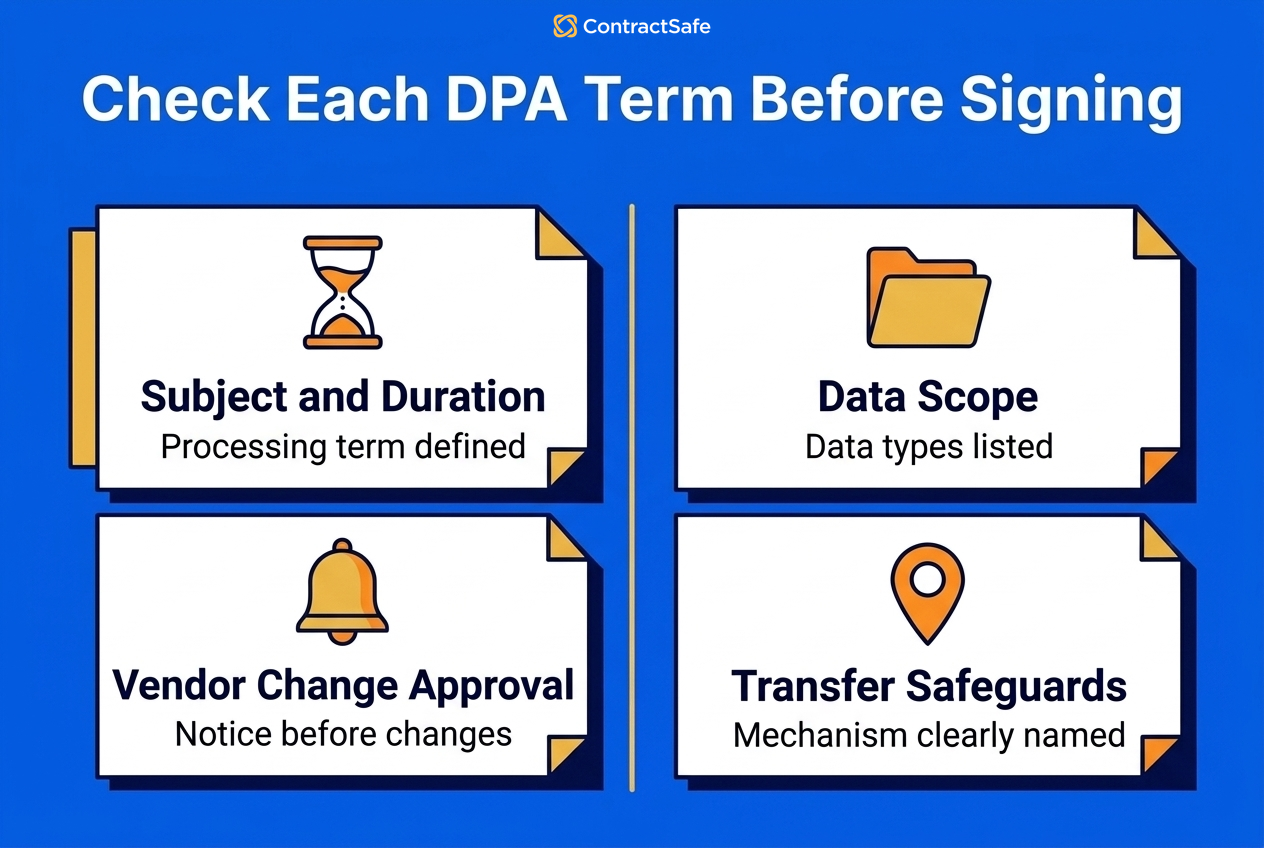
Open the vendor's DPA next to the Article 28(3) text and tick off each of these terms before anyone signs:
The subject matter and duration of the processing
The nature and purpose of the processing
The types of personal data and the categories of people the data describes
Your obligations and rights as controller
The sub-processor authorisation, with written notice of changes and a chance to object
The transfer mechanism for any processing outside the EEA
Say you find the sub-processor clause promises no notice at all. Raise the gap before signature or before the renewal notice deadline, because after that point your only real objection is leaving.
When a vendor's sub-processors move data outside the EEA, the EDPB's 2024 opinion on processors says the processor exporting the data should prepare the transfer documentation, including the transfer impact assessment, and the controller should assess it. Ask for that document too.
ContractSafe's answer to this test is published: a signable DPA, its GDPR sub-processor list and a Data Transfer Impact Assessment all sit on its privacy and GDPR page, so you can read them before the demo and file them with the vendor record.
Ask How Contract Data Is Encrypted at Rest and in Transit
The third contract vendor test is encryption: ask what standard protects stored contracts and who runs the infrastructure underneath. Encryption decides whether a lost laptop or a leaked file share exposes readable contracts full of names, salaries and signatures.
Article 32(1) of the GDPR asks controllers and processors to apply security appropriate to the risk. The regulation's text names "the pseudonymisation and encryption of personal data" as an example. Point (b) of the regulation adds "the ability to ensure the ongoing confidentiality, integrity, availability and resilience of processing systems and services."
Your demo question: What encryption standard protects stored contracts, and who hosts the infrastructure?
ContractSafe lists 256-bit AES encryption, hosting on Amazon Web Services and encrypted viewing sessions on every plan. For exact protocol details, ask for the security documentation.
For example, signed employment contracts sitting in a regional manager's downloads folder have only whatever protection the laptop has. In a hosted, encrypted system the same contracts stay behind a login, and access ends when the account does.
Record the vendor's answer in your record of processing activities, next to the vendor's name and the categories of data it holds, so the next reviewer or auditor starts from your notes.
Ask Who Can See Each Contract and How Permissions Are Set
The fourth contract vendor test is access control: ask how the vendor limits each contract to the people whose work needs the agreement. The GDPR expects anyone with access to process personal data only on your instructions, so permissions should match the jobs people actually do.
Article 32(4) requires the controller and processor to take steps so that anyone acting under their authority with access to personal data processes the data only on instructions.
Try this in the demo: Can we restrict an HR contract folder to two people while the sales team sees only customer agreements?
ContractSafe answers with custom roles and permissions, permission groups, team-level and user-level permissions, and access permissions to folders and tags, all on every plan. One limit to know up front: ContractSafe doesn't support hiding individual fields from someone who can access the contract. Access is controlled at the contract level through tags and folders. A user either sees a contract or doesn't, so design your folders with that in mind.
Seat pricing creates its own access risk. When seats cost money, occasional users borrow a colleague's login, and the activity log can't tell you who opened what. With unlimited users on every ContractSafe plan, the facilities manager who checks one lease a quarter gets an account of their own, limited to the facilities folder.
Ask Whether Every View, Download and Change Is Logged
The fifth contract vendor test is logging: ask whether the system records who viewed, downloaded or changed each contract. An activity log turns the question of who handled a contract holding personal data into a record you can hand over.
Under the GDPR's accountability principle in Article 5(2), you have to be able to demonstrate compliance, and a log is that demonstration.
Ask the vendor to show you, live: Show me who viewed and downloaded this employment agreement last month.
ContractSafe keeps a contract activity audit trail that records views, downloads and changes, and general audit trails are included on every plan. Signature audit trails, which record what happened during e-signature, come with native e-signature on Finalize and Maximize.
For example, HR might need to know whether a departing manager downloaded a batch of salary agreements before leaving. Pull the log for those contracts and export it, and you have names and dates instead of guesses.
Schedule a quarterly log review for sensitive folders such as HR, payroll and anything with health data. Make the contracts or compliance manager the owner, and file the result with the vendor record so the review itself becomes evidence.
Ask How Users Sign In and Lose Access When Their Role Ends
The sixth contract vendor test is identity: ask whether the system supports single sign-on (SSO) with your identity provider. With SSO, disabling one account also removes contract access. GDPR security covers who can log in as well as what each person sees.
Article 32 also covers the ongoing confidentiality of processing systems, and a password that keeps working after its owner leaves breaks that confidentiality.
Your question: Do you support SSO with our identity provider, so offboarding one account removes contract access?
ContractSafe supports single sign-on and OKTA/SAML 2.0 on the Finalize and Maximize plans, and every plan includes dual factor authentication. ContractSafe's 7-day free trial includes every feature except SSO, so plan to test single sign-on during onboarding.
Leavers are where access tends to slip. For instance, a regional manager resigns, IT disables her email, and three weeks later her old login still opens every lease in the region. With SSO, the exit happens once. Without SSO, add the contract system to the HR exit checklist and name an owner who confirms removal the same week.
ContractSafe date reminders belong to the contract and its recipients, so they keep firing after someone moves on, and a departing person's reminders can be reassigned in one click.
Six Steps to Run a GDPR Vendor Review Before You Buy or Renew
A GDPR vendor review of contract software takes six steps, run before the first upload or the renewal notice deadline, and each step leaves a document or a setting you can show an auditor later.
Map which contracts hold personal data: employment, contractor, supplier and customer agreements.
Request the DPA, the sub-processor list and the transfer assessment before the demo.
Ask the six demo questions and record the answers in writing.
Check the transfer mechanism for each non-EU sub-processor against Articles 44 to 46 of the GDPR.
Configure roles, folders, SSO and logging before the first upload.
Set a renewal reminder that repeats the checks every cycle.
Finish the review before the renewal notice window closes, because the notice date is the last point where objecting costs you nothing. For example, a finance lead who inherits the contract tool ninety days before renewal, with a sixty-day notice period, really has thirty days to gather the paperwork, ask the questions and decide.
ContractSafe publishes its DPA, sub-processor list and Data Transfer Impact Assessment on its privacy and GDPR page, so step two can happen without a sales call. For step six, if your contracts sit in ContractSafe, add the vendor's renewal date and notice deadline as date fields. Turn on Autorenew for an auto-renewing contract, and the renewal date and the deadline to renew roll forward each cycle while reminders reset on their own.
How to Compare GDPR-Compliant Contract Management Software Before You Choose
To compare GDPR-compliant contract management software, line up each vendor's answers to the six tests and favor answers that are published and verifiable. The table compares a strong contract vendor answer with a weak one.
| Test | Strong answer | Weak answer |
|---|---|---|
| Residency and transfers | A named region, with the transfer mechanism listed for each non-EU sub-processor | Stored in the cloud, with no region named |
| DPA and sub-processors | Signable DPA and sub-processor list linked publicly | DPA on request after the contract is signed |
| Encryption | A named AES standard and a named hosting provider | Bank-grade security, with no standard named |
| Permissions and sign-in | Folder, team and user permissions, plus SSO | One admin role and shared logins |
| Activity logging | Views, downloads and changes logged on every plan | Logs only on the top tier, or by support request |
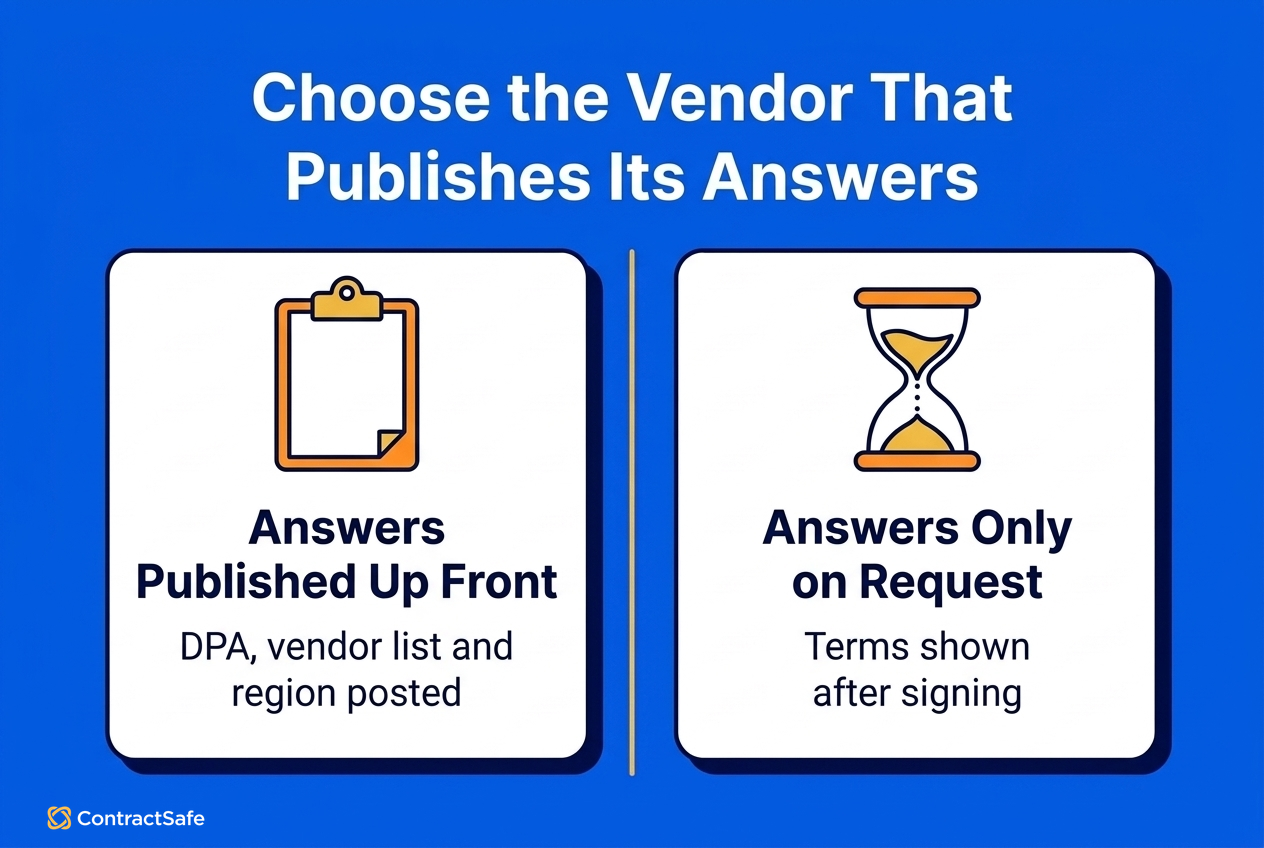
Choose the tool whose answers you could forward to an auditor today without editing. Look elsewhere if you need to hide individual pieces of a contract from people who can open it, or want one account spread across several data regions, because ContractSafe controls access at the contract level through folders, tags, users and groups, and each account sits in one region.
ContractSafe fits when one person owns the contracts (often a legal department of one, or a finance lead) and needs EU data residency, scoped access and self-service for everyone else without buying seats. Every plan lets the whole company find and track contracts, approval sequences and native e-signature come with Finalize and Maximize, and custom intake forms come with Maximize.
Common Mistakes Buyers Make When Checking GDPR Compliance
The common mistakes in a GDPR check of contract software come from trusting labels and stopping at purchase. Each mistake below comes with a fix you can apply in your next vendor review or renewal.
Trusting a GDPR compliant badge. The regulation certifies no software, so ask for the DPA and sub-processor list behind the badge, as Article 28 of the GDPR requires.
Checking residency and ignoring access. EU storage doesn't cover a sub-processor reaching the data from outside the EEA, so request the mechanism each one relies on under the GDPR's Chapter V transfer rules.
Signing the DPA unread. Compare the vendor's draft against the contents Article 28(3) lists before anyone signs.
Filing the sub-processor list and forgetting it. The EDPB's Opinion 22/2024 expects controllers to keep processor identities readily available, so re-read the list at every change notice and renewal.
Assuming the software makes you compliant. Article 5(2) keeps accountability with you, so write your own retention and access-review rules.
Forgetting the migration team. Data-entry and migration services process personal data too, even as a one-off project, so ask where that work happens and add the provider to the vendor file.
How Contract Software and AI Help You Track GDPR Obligations After You Buy
After the purchase, GDPR work on contract software turns into tracking: sub-processor change notices, DPA terms in your own vendor contracts, renewal dates and access reviews.
Set up the tracking in four moves:
Tag every vendor DPA with a GDPR tag and the vendor's data region.
Add date fields for the DPA review, the renewal and the notice deadline.
Assign an owner to each vendor and send the reminders to that person.
Attach sub-processor change notices to the vendor's contract record.
ContractSafe includes unlimited date fields and automated reminders for custom dates on every plan, and reminders can go to people who aren't users, such as outside counsel. For example, tag thirty supplier DPAs and add their renewal and notice dates, and each one sends an alert before its window closes, with the contract attached to the email.
AI helps with the data entry, and people stay in charge. ContractSafe's AI pulls key dates on upload, such as renewals and notice periods, and a person confirms or edits each one. AI Contract Review, on the Maximize plan, evaluates a contract and suggests wording, and a person decides whether and how to edit. ContractSafe's AI contract management page says ContractSafe doesn't use customer data to train AI models, and AI search returns only contracts the user is allowed to see.
Related Reading
Secure contract repository: setting up least-privilege folders and permissions.
Contract compliance software: tracking obligations in your vendor contracts.
Secure AI contract management: security questions for AI features.
How ContractSafe Helps With GDPR Checks on Contract Software
ContractSafe is made for organizations of roughly fifty to a thousand people where one person who isn't a full legal department, such as a general counsel, a finance lead, or a contracts, compliance or procurement manager, owns hundreds to a few thousand contracts. That person needs everyone else to request, approve, sign and track contracts without buying seats, running training or waiting on an implementation project, and ContractSafe replaces the shared drives and spreadsheets where renewals get missed.
For the six tests, ContractSafe offers EU data residency with one region per account, plus 256-bit AES encryption, folder and user permissions and a contract activity audit trail on every plan. Date reminders follow the contract, so they keep firing when someone changes roles. Single sign-on, approval sequences with automatic reminders and native e-signature come with Finalize and Maximize.
ContractSafe pricing starts at $450/month (Organize plan, billed annually; $540 month-to-month), with unlimited users on every plan. Onboarding, migration and a dedicated customer success manager come with no implementation fee, and Jump Start data entry can use a Europe-based provider.