



A secure contract repository is a controlled, searchable system for signed agreements, contract metadata, renewal dates, owners, permissions, reports, AI answers, and audit history.
Imagine a locked storage room with no catalog. The door is secure, but nobody can tell which box has the current vendor agreement, who owns the renewal, or whether finance is allowed to see the pricing page. That's how a shared drive can feel after a few years of contract storage.
A secure contract repository should work more like a library with badges, a catalog, due dates, restricted shelves, and a front desk that can point people to the right record.
The documents matter, but the rules around them matter just as much. That's the standard legal should set before letting the business rely on a repository for real contract decisions.
Key Takeaways
- A secure contract repository needs searchable contract records, not just locked folders.
- Legal should require user roles and permissions, audit history, OCR, metadata, renewal alerts, reporting, and secure AI behavior. See how ContractSafe handles role-based contract permissions and its broader security controls.
- Security should cover who can see contracts, downloads, reports, exports, AI answers, and admin activity.
- The best demo test is practical: can finance, procurement, and operations answer common contract questions without seeing records they shouldn't see?
- ContractSafe fits teams that need one secure system for signature, post-signature control, and reporting.
Choose your next step:
- Review the requirements if you're building a buying checklist.
- Use the demo tests if vendors are already showing you software.
- Start the rollout plan if contracts are still scattered across folders.
What Is a Secure Contract Repository?
A secure contract repository is the system of record for signed contracts and the business information needed to manage them after signature.
It stores the agreement, but it also tracks the details that make the agreement usable. Those details include counterparty, contract type, effective date, expiration date, renewal notice period, owner, value, status, permissions, and related documents.
The secure part is broader than login access. A useful contract repository controls who can see contracts, folder or tag access, downloads, edits, reports, AI answers, and audit history.
NIST defines least privilege as limiting access to only what users need to do their work. That idea matters in contracts because not every team should see every record, clause, value, or report.
For example, finance may need renewal dates and payment terms. HR contracts may need to stay restricted. Procurement may need vendor history without seeing every customer agreement.
A secure repository should let legal share the right contract information without giving every department the same keys.
Contract Repository vs. Shared Drive
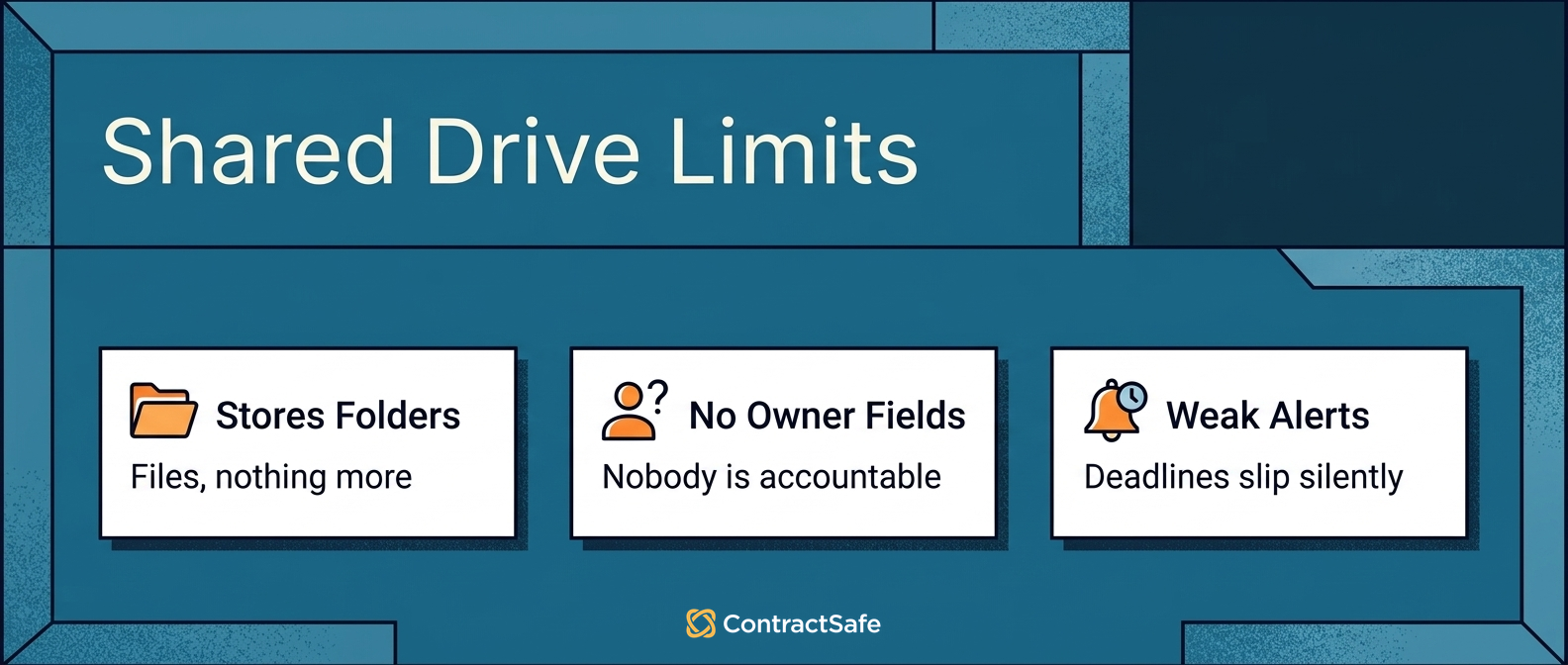
A contract repository and a shared drive both hold folders and files, but only one can answer questions about them. A shared drive stores documents. A contract repository stores the contract plus the data around it: owners, dates, terms, value, permissions, and activity history. The difference shows up when someone needs the final agreement, a key detail, or a deadline.
While shared drives do have access controls, they're pretty basic and they can get messy fast. Permissions get set folder by folder, or file by file, and sharing links pile up until nobody's quite sure who can open what. Varonis found 17% of all sensitive files were accessible to every employee, a sign of how easily shared drive access gets away from people.
A secure contract repository gives you access control: you can restrict sensitive agreements to the right people, and it logs every view and change so there's a clear record of who saw what.
| System | What it does well | Where it breaks for contracts |
|---|---|---|
| Shared drive | Stores folders and files | Search by folder and file name only; weaker access setting and audit trails |
| CRM | Tracks customers, opportunities, and deals | Doesn't govern the legal contract record after signature |
| ERP | Tracks finance and operations data | Usually references contracts without managing the agreement itself |
| E-signature folder | Stores signed documents | Doesn't manage post-signature owners, fields, renewals, and reports |
| Secure repository | Stores, searches, restricts, tracks, and reports on contracts | Needs clear field rules, owner upkeep, and permission discipline |
Search is the next gap. Most shared drives search on file names, so finding a contract means someone remembered to name it well. If the renewal terms are on page 12 of a scanned PDF, a filename search won't touch them.
A contract repository reads inside the document, so you can search the actual text and pull up every contract with a specific clause such as 'force majeure'.
The line is practical. A shared drive stores the file. A contract repository helps the team use the agreement after signature.
Secure repository checklist:
- Does every active material contract have an owner?
- Can restricted records stay restricted in search, reports, exports, and AI answers?
- Can legal see who changed a field, document, owner, or permission?
- Can the report show what needs action this week?
Secure Contract Repository Requirements at a Glance
The core requirements are permissions, audit history, search, metadata, alerts, reporting, and AI behavior that respects the same rules as the contracts.
Use this table as the first pass before attending a vendor's demo:
| Requirement | What to require | Why it matters |
|---|---|---|
| User roles | Set what each person can do, from full administrative control to view-only | People get the control their job needs and nothing more |
| Access control | Scope which contracts each person can see, oftentimes by folder or tag | Sensitive contracts stay out of view for anyone without that access |
| Audit history | Track document, field, owner, permission, and report changes | Legal can reconstruct what happened when a record is questioned |
| Search and OCR | Search contract text, scanned PDFs, fields, owners, dates, and clauses | Users can find the current agreement without legal acting as lookup desk |
| Metadata rules | Require owner, dates, status, value, type, and related documents | Reports and alerts can be trusted |
| Renewal alerts | Tie reminders to dates, owners, decision status, and escalation paths | The business has time to act before notice windows close |
| Reporting | Show renewals, missing fields, restricted records, owners, and cleanup work | Leadership sees decisions and risks, not just file counts |
| Secure AI behavior | Make AI answers follow document permissions and cite source records | AI helps users work faster without creating a shadow access path |
The table isn't the whole buying process. It's the minimum legal should ask for before the conversation moves to nice-to-have features.
Write those requirements down before demos start. Otherwise, every product tour starts to sound the same.
The question isn't whether a vendor can say the words "secure repository."
The question is whether the repository can protect real contract work: restricted HR agreements, vendor renewals, customer amendments, finance reports, outside auditor access, and AI answers based on sensitive documents.
That's why legal should own the requirements. IT can help evaluate security architecture. Finance can help define reporting. Procurement can help manage the buying process. But legal has to say what contract control actually means.
Proof to ask for in the demo:
- Show the same restricted contract as a legal admin, finance user, and general business user.
- Change one owner, one renewal field, and one permission, then show the audit trail.
- Run a renewal report and prove each row points back to a contract, owner, and next decision.
- Ask an AI question against a restricted record and show what a blocked user can and can't see.
Put this in the buying brief:
- Which contract types must be restricted?
- Which fields can be visible without opening the document?
- Which reports can finance, procurement, and executives run?
- Which AI answers should be blocked when a user lacks source access?
- Which audit trail events must be visible to admins?
1. User Roles
User roles decide what a person can do in the repository. A secure contract repository should offer a range of roles so people get the access their job needs and nothing extra.
In ContractSafe, that runs from Admins, who can see everything and manage settings and configurations and invite users to Standard users, who can add and edit contracts in the areas they're assigned to. For tighter control, read-only roles let someone view a contracts without editing it.
The test is simple: set a user to read-only, then log in as that user and confirm they can open a contract on screen but can't edit it or save a copy.
If everyone with a login can do everything, the ool isn't giving legal enough control.
2. Access Controls
Not everyone needs to see every contract, and a secure repository should let you keep it that way. You should be able to limit access so each person only sees the agreements that are their business: their department's vendor contracts, but not the CEO's employment agreement.
The way you do that is by grouping contracts and granting access by group or folder:
- Put confidential contracts in a restricted folder.
- Log in as someone who shouldn't see them and confirm those records don't show up at all.
- Check that a finance user can work with vendor agreements while restricted records stay completely out of view.
ContractSafe handles this with role-based permissions plus tag-based access and folder-based controls, so the restricted-folder pattern works without extra admin overhead.
3. Audit History
Audit history shows who changed a contract record, field, owner, document, permission, or report setting and when the change happened.
This is what turns a repository from a shared workspace into a defensible system of record.
Legal should be able to answer basic audit questions without reconstructing them from email:
- Who changed the renewal date?
- Who uploaded the amendment?
- Who removed the owner?
- Who downloaded a document?
- Who changed access for a department?
NIST's security and privacy controls make the same general point: access control and auditability should be designed into the system, not bolted on later.
For a contract repository, that means audit history should be part of the system from the start.
Don't accept a vague answer like "we keep logs." Ask what the log shows, who can see it, how long it's retained, and whether it captures field edits as well as document uploads.
For example, if someone shortens a renewal notice period, legal should be able to see that change later. The same is true for owner changes, access changes, and deleted files.
Audit history isn't only for emergencies. It also helps admins find bad repository habits before they become bigger problems.
4. Search and OCR
Search and OCR make the repository usable when contracts arrive as PDFs, scans, legacy files, or documents with unhelpful file names.
A secure repository should search across document text and structured fields. Users should be able to search by counterparty, contract type, owner, department, effective date, expiration date, renewal notice period, value, status, clause, and keyword.
OCR matters because scanned documents are otherwise just pictures of text. They may sit in the repository, but the team can't reliably find what is inside them.
For example, ask a non-legal user to find a vendor MSA, the latest amendment, a renewal date, and an agreement with a confidentiality clause. If that user can't find the right record, the repository hasn't solved the lookup problem.
Contract repository software should make that test boring. The right agreement should be findable without legal narrating the whole search.
Search also needs permission awareness. If a user can't access an agreement, the search experience shouldn't expose sensitive titles, clauses, snippets, or AI summaries from that agreement.
That's easy to overlook in a demo because the presenter usually logs in as an admin. Ask to see the same search as a restricted user.
5. Required Metadata
Required metadata is the contract information legal and finance need after signature, captured in fields instead of buried in file names.
Minimum fields should include counterparty, contract type, effective date, expiration date, renewal notice period, business owner, contract value, and execution status,
The important word is required. If fields are optional, reporting will look clean while the records underneath are incomplete.
For example, a renewal report without owner fields isn't a renewal report. It's a list of dates with nobody accountable for the next decision.
Decide which contract metadata fields matter before migration starts. If the team waits until after upload, cleanup becomes slower and reports become harder to trust.
A good metadata rule is simple: if a field drives a report, alert, permission, or business decision, it shouldn't be optional for active agreements.
That doesn't mean every record needs every possible field. It means the team needs a field model that matches how contracts are actually managed.
For example, vendor agreements may need renewal type and notice period. Customer agreements may need account owner and service commitment fields. HR agreements may need tighter permissions and fewer shared reporting fields.
6. Renewal Alerts and Ownership
Renewal alerts in a secure contract repository need an owner, notice window, reminder schedule, decision status, and escalation path. Without those pieces, alerts become calendar noise instead of contract control.
Storage alone doesn't prevent missed renewals. The repository needs expiration dates, notice deadlines, renewal types, business owners, alert recipients, and decision status.
Send more than one reminder. An early planning reminder gives the business time to decide. A notice-window reminder protects the deadline. An escalation reminder catches silence.
The owner field matters because an alert without an owner becomes background noise. The system may send a reminder, but nobody is accountable for the decision.
ContractSafe's contract alerts are built for that kind of work: the right person knows about the right deadline before the contract renews itself.
Test alert ownership with a real scenario. Pick one agreement with an upcoming notice window. Change the owner. Then confirm whether the alert path changes with the owner or stays attached to the wrong person.
That detail matters because people move roles. A repository that can't keep owners and reminders aligned will decay over time.
7. Reporting That Shows Work
Repository reporting should show which contracts need attention, not just how many files have been uploaded.
Useful reports include upcoming renewals, contracts missing owners, agreements with incomplete fields, expired contracts still marked active, high-value agreements coming up for review, and downloads or access changes that need admin attention.
Leadership may ask for a simple dashboard. That dashboard should answer real questions.
- What is renewing soon?
- Which records are incomplete?
- Which agreements need business decisions?
- Which cleanup work reduces risk this month?
If a report can't support a decision, it may be inventory, not management.
WorldCC's contracting research is a reminder that contract value depends on ownership, records, and follow-through after the document is signed.
The report shouldn't just say "200 contracts uploaded." It should say which contracts need a decision, which records are incomplete, which owners are missing, and which restricted records have unusual access activity.
That's the level of reporting legal can use in a weekly operating rhythm.
What Leadership Should See
Leadership doesn't need the full repository admin view. Leadership needs to know whether contract risk is easier to see and act on.
A simple executive view should show upcoming renewals, missing owners, restricted records, incomplete required fields, and high-value agreements that need a decision.
It should also show trend direction. Are missing owners going down? Are renewal decisions happening earlier? Are reports becoming cleaner? Are fewer people asking legal to find contracts for them?
This is where a secure repository becomes more than a legal tool. It gives finance, procurement, operations, and leadership a clearer view of signed agreements without making confidential documents too visible.
The best weekly report is short. It says what changed, what needs a decision, who owns the next step, and which records need cleanup before the next review.
8. Secure AI Answers
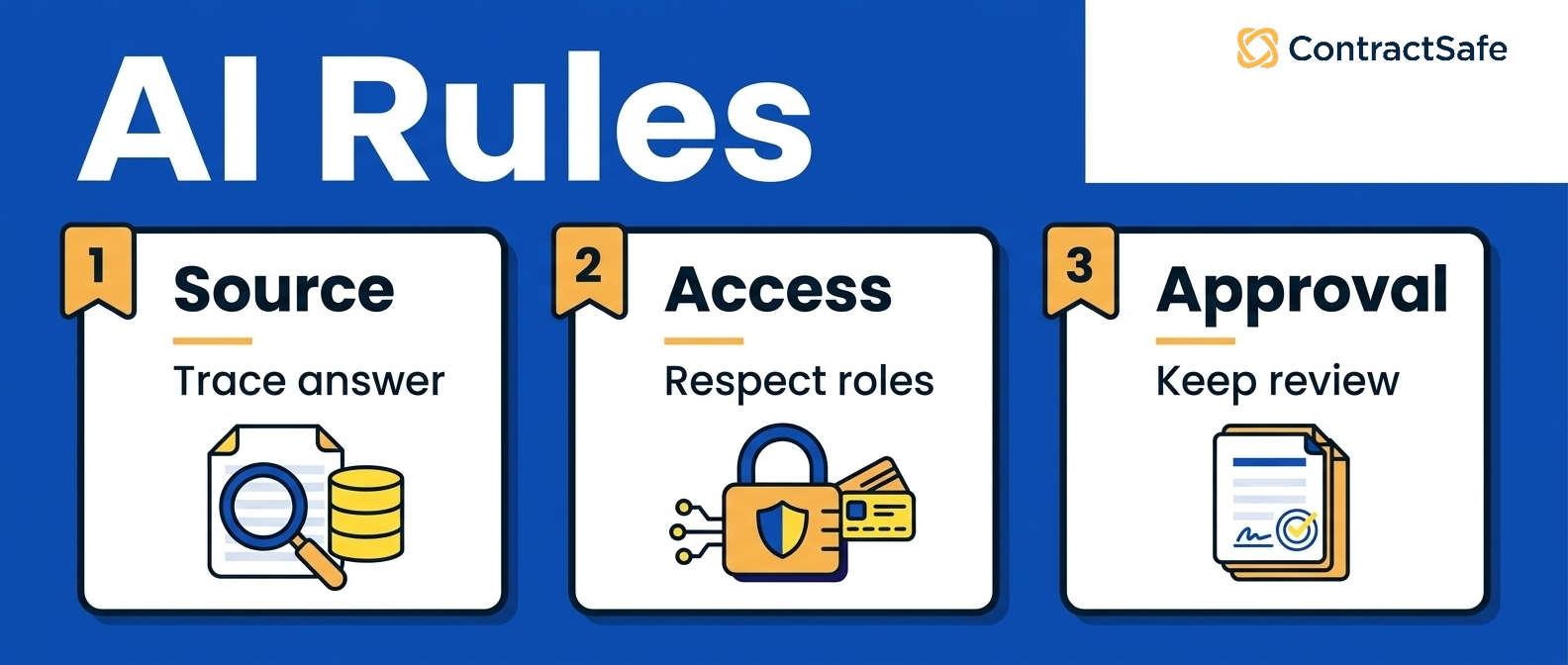
Secure AI answers should follow the same access rules as the contract records they summarize.
AI can help users find clauses, extract dates, suggest fields, identify contract types, and answer common questions. But it shouldn't become a separate path around repository permissions.
Ask if AI sources its answers. The answer should link to the source document. If a user can't verify the answer, legal shouldn't rely on it for real work.
ContractSafe's AI contract management features are useful because they sit inside the repository workflow. AI can help extract and find contract data while the team keeps control of source records and permissions.
Use a restricted-record test. Put a confidential agreement in a restricted folder. Ask AI a question that could only be answered from that agreement.
A user without access shouldn't get the answer, a snippet, or a hint that exposes the restricted record.
Then log in as an authorized user and confirm the answer points back to the source contract. That's the difference between useful AI and a risky shortcut.
Security and IT Questions to Answer Early
A secure repository security review should prove that identity, permissions, audit events, exports, backups, retention, deletion, and AI access are controlled before non-legal users get broad access.
Bring them in early with specific contract repository questions:
- How does single sign-on work?
- Can access be tied to groups or departments?
- What audit events are retained?
- How are downloads and exports controlled?
- How are backups, retention, and deletion handled?
- How does AI handle restricted records?
This keeps the security review grounded in contract work instead of a generic software questionnaire.
For example, the answer to "do you support access controls?" is not enough. Legal needs to know whether access controls apply to the contract, the metadata, the report, the export, and the AI answer.
That's also where legal and IT should divide ownership. IT can review identity, security, retention, and administrative controls. Legal should decide which contract types, fields, and workflows need those controls.
Demo Tests for a Secure Contract Repository
A vendor demo for a contract repository should use real work scenarios, not a generic tour of search bars and dashboards.
Bring sample questions to the demo:
- Find the current vendor MSA and its latest amendment.
- Show the renewal date, notice window, owner, and alert recipients.
- Restrict an HR agreement so finance can't open it.
- Find a clause inside a scanned PDF.
- Show who changed a record and when.
- Ask AI a question and show the source contract it used.
- Export a report and show who is allowed to download it.
If the vendor can't show those workflows clearly, slow down. The tool may have the feature names without the operating discipline legal needs.
Also ask who can configure the workflows after launch. A contract repository that requires professional services for every field, alert, or permission adjustment may be harder to maintain than it looked during the sales process.
The best demo leaves legal with fewer mysteries. You should know how records get in, how settings are configured, how users find contracts, how reports are built, and how the system keeps sensitive data from leaking through side doors.
Implementation Plan
A contract repository should become useful before every legacy agreement is perfectly organized.
Start with the active and high-risk agreements. Then expand.
Use this rollout sequence:
- Find where contracts live now.
- Define required fields and permission groups.
- Upload active agreements first.
- Connect amendments, order forms, and related records.
- Apply roles and permissions before broad access opens.
- Review extracted fields before using reports.
- Set up alerts for renewals and notice windows.
- Assign a repository owner for ongoing cleanup.
That sequence gives the team a working contract repository instead of a never-ending migration project.
The first phase should prove value quickly. If the team can answer renewal, owner, access, and search questions for active agreements, the repository is already doing useful work.
The second phase can clean older records, add lower-risk contract types, and improve reporting. That's a better path than waiting months for a perfect archive before anyone can use the system.
Assign ongoing ownership before launch. Someone needs to review missing fields, stale owners, duplicate records, and permission exceptions. Without that owner, even a good repository slowly turns back into a filing cabinet.
If you're comparing repository-first tools with broader contract management software evaluation criteria, keep the first question simple: which problem is hurting most right now?
What Not to Compromise On
Don't compromise on permissions, audit history, fast search, required metadata fields, or source-linked AI answers.
Those are not polish features. They are the controls that let legal share contract data without losing control of it.
Be careful with tools that look secure because they have login access but can't handle contract-specific work. A locked folder is still a folder. It won't manage owners, notice windows, amendments, or reporting discipline by itself.
Also be careful with tools that promise AI before they can prove permission behavior. AI is useful only when it respects the same boundaries as the underlying contracts.
The repository should make the right work easier and the wrong access harder. That's the buying test in one sentence.
If users can find what they need, reports show real work, and restricted records stay restricted, the repository is helping legal scale contract control. If users still ask legal to find every agreement, the system hasn't solved the problem.
Related Reading
- Contract repository: Start here for the core repository feature set.
- Contract metadata: Use this when reports are failing because fields are missing.
- Contract alerts: Use this when renewal windows and notice dates need owners.
- Contract management software evaluation: Use this before vendor demos.
- Contract obligation management: Use this when post-signature duties need tracking.
How ContractSafe Helps Legal Teams Build a Secure Repository
ContractSafe gives legal teams a secure repository with OCR, search, AI-extracted metadata, user roles and permissions, reporting, alerts, audit history, and unlimited users.
ContractSafe's repository keeps signed agreements and fields in one searchable place. Its alerts help teams act before renewal and notice dates pass.
ContractSafe's AI features help teams extract and search contract data inside that same system.
Because ContractSafe supports unlimited users, legal can bring finance, procurement, and business owners into the process without turning every contract question into a legal ticket.
If the pain is finding, securing, tracking, and reporting on signed contracts, the repository should come first.








.svg)







.svg)




