Quick answer: To reduce contract cycle time without adding headcount, find the stage where contracts sit waiting the longest and fix that one handoff first. Record seven dates for every contract, from the request to the final signature, calculate how many days each stage takes, change the slowest stage, and measure again four weeks later. Much of that time is waiting, not work, so the fix is often a clearer handoff rather than another person. In ContractSafe’s Maximize plan, intake forms, approved templates, approval sequences, native e-signature and cycle-time reporting each target a specific stage.
Here’s why that matters. When contracts are slow, the instinct is to say legal needs another hire. Sometimes that’s true. But if a vendor agreement spends nine days waiting for someone to click Approve, a new lawyer won’t make that person click any faster. You’d be paying a salary to stand in the same line.
Choose your next step:
Never measured cycle time before? Start with Step 1 below and the seven dates.
Already know approvals are the problem? Go to the contract approval workflow guide for routing and escalation design.
Mapping your whole process from intake to renewal? The contract workflow automation guide walks every stage.
Key Takeaways
- Contract cycle time runs from the request (or the first draft, if you don’t log requests) through the final signature.
- Record the same seven dates for every contract so you can see how long each stage takes, instead of a single total that hides the delay.
- The stage with the most elapsed days is your first target. Fix that one before touching anything else.
- Change one thing at a time, so you know which change moved the number.
- Remeasure four weeks later against your own baseline. There’s no published benchmark worth chasing.
- Each fix maps to a specific ContractSafe capability, and plan availability differs, so check which plan covers the stage you’re fixing.
What Is Contract Cycle Time?
Contract cycle time is the number of days between the moment someone asks for a contract (or starts the first draft) and the moment every party has signed it. It covers intake, drafting, internal review, the hand-off to the counterparty, negotiation, approval and signature.
The total is useful for reporting, but it won’t tell you what to fix. A long cycle could be a few days of real work and weeks of waiting, or the reverse. That’s why the method below splits the total into stages. If you’re building out a full KPI set, our contract management best practices guide covers where cycle time sits next to renewal and template metrics, and the contract management metrics article lists the other numbers worth tracking.
One more thing before you start. Measure each contract type on its own. A one-page sales order and a negotiated vendor agreement shouldn’t share an average, because they move through completely different paths and mixing them hides the delay you’re looking for.
Why Cycle Time Grows Without More Work
Cycle time usually grows because contracts wait between steps, not because the work gets harder. That’s why more people rarely fix it.
Think about a contract like a package moving through a sorting facility. The package spends a few minutes on conveyor belts and a few days on loading docks. If deliveries are late, adding more belt workers doesn’t help when the package is sitting on the dock waiting for a truck.
Contracts work the same way. The actual review of a standard vendor agreement might take an hour. The days pile up in the gaps: a request that arrives missing the counterparty’s legal name, a draft that sits until someone remembers to send it, an approver who doesn’t know it’s their turn, a signature packet waiting on a signer who’s traveling.
Those gaps are where you can get time back without adding staff, because nobody’s actually working during them. You can’t see them until you measure them, though.
Step 1. Record Seven Dates for Every Contract
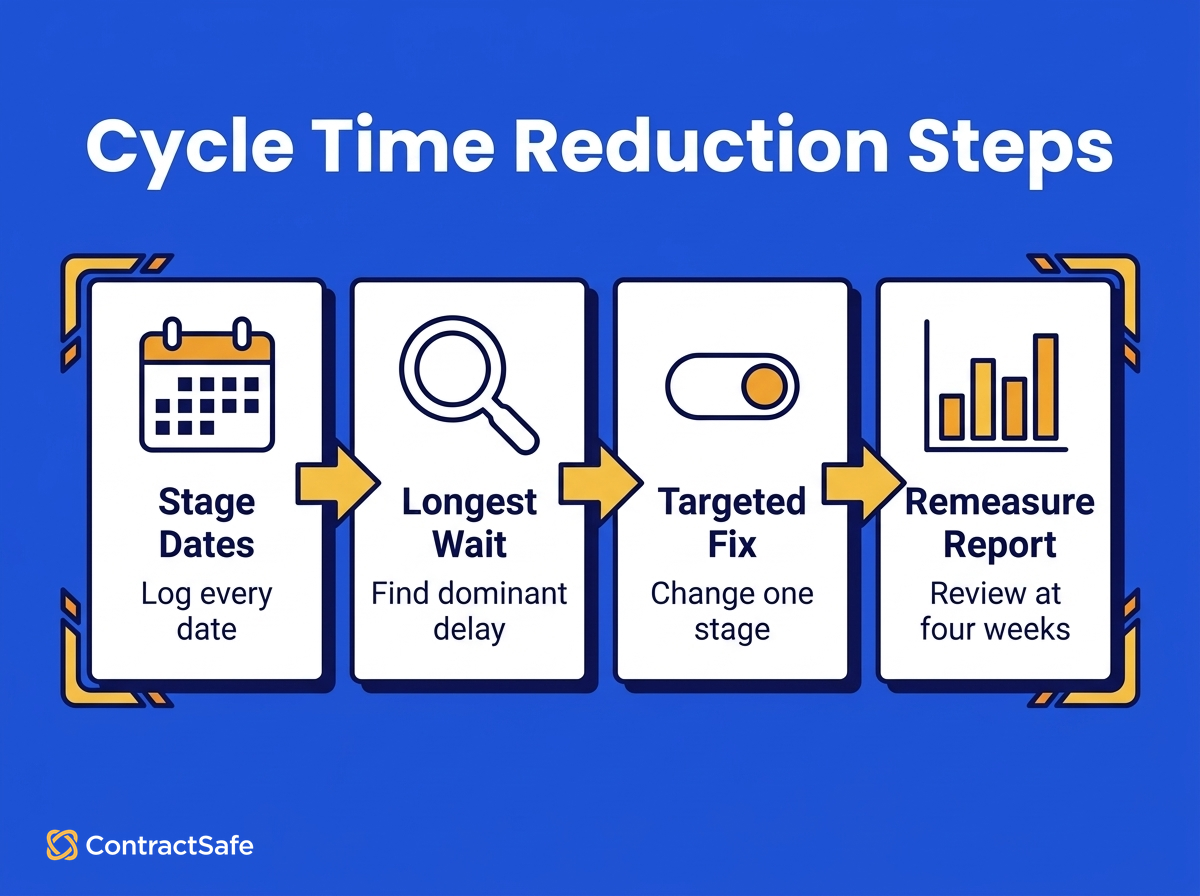
Record the same seven dates for every contract of one type, from the request through the final signature. Those dates turn one vague total into six stages you can compare and fix.
For each contract that finished in the last quarter (or each new one from today, if you don’t have history), record these seven dates:
Request received. The date someone asked for the contract. If you don’t log requests, use the first-draft date for every contract of that type.
First draft ready. The date a usable draft existed.
Internal review complete. The date legal (or whoever reviews) finished its first pass.
Sent to counterparty. The date the draft left your organization.
Final terms agreed. The date both sides stopped redlining.
Internal approvals complete. The date the last required approver signed off.
Fully signed. The date the final signature landed.
Your process may put approvals before the draft goes out, and that’s fine. Swap the order to match how your team works. What matters is recording the same dates, in the same order, for every contract of that type.
A spreadsheet works for this, with one row per contract and one column per date. Add a column for the contract type and one for notes, because the notes column is where you’ll write deal paused by the business or counterparty changed lawyers, and those notes explain the outliers later. If you want to see what this looks like when the stages live in a system instead, the contract lifecycle tracking guide walks through stage-by-stage tracking in practice.
How to Find the Dates If You Haven’t Been Tracking Them
If you haven’t tracked these dates, you can rebuild most of them from records you already have: request emails, draft file history, sent mail and e-signature records. Fill in what the records show and leave gaps blank instead of guessing.
Plenty of teams start here, and that’s fine. You don’t need a perfect history to find the slowest stage. Here’s where each date usually hides:
Request received: the first email, chat message or ticket asking for the contract. If requests come through a shared inbox, search it for the counterparty’s name.
First draft ready: the created or modified date on the first draft file, or the email where someone first attached it.
Internal review complete: the email where legal sent back comments, or the date the reviewed version was saved.
Sent to counterparty: your sent mail. Search for the counterparty’s email domain.
Final terms agreed: the last redline exchange, or the email that says some version of “looks good, let’s sign.”
Internal approvals complete: the approval email, the chat thumbs-up or the approval record in whatever tool you used.
Fully signed: the completion date on the e-signature record, or the scan date on a wet-ink copy.
Two rules keep the reconstructed data honest. First, don’t estimate a date you can’t find. A blank cell is better than a guess, because guesses tend to shrink the stages people feel guilty about. Second, cap the effort. Ten contracts of one type is enough to see a pattern, and if rebuilding ten takes most of a day, that tells you something about how findable your contract records are.
Step 2. Calculate Time Spent at Each Stage
Subtract each date from the one after it to get six stage lengths, then average each stage across the contracts of one type. The result shows where the days go.
| Stage | From | To | What the days usually mean |
|---|---|---|---|
| Intake and drafting | Request received | First draft ready | Missing information, drafting from scratch |
| Internal review | First draft ready | Internal review complete | Legal queue, review of standard language |
| Hand-off to counterparty | Internal review complete | Sent to counterparty | Nobody owns the “send it” step |
| Negotiation | Sent to counterparty | Final terms agreed | Redlines, back-and-forth, counterparty delay |
| Approval | Final terms agreed | Internal approvals complete | Unclear approvers, nobody knows it’s their turn |
| Signature | Internal approvals complete | Fully signed | Signer logistics, separate signing tools |
Leave out contracts the business paused (the third mistake below explains why). If a few others still run unusually long, use the median instead of the average, so one outlier doesn’t drown out the pattern. Calendar days are simpler than business days and fine for this, as long as you use the same choice every time you measure. And if a contract type only sees a handful of contracts a quarter, pool two quarters of history before you compare stages, so a single slow deal doesn’t pick your target for you.
Step 3. Find the Largest Delay
The largest delay is the stage with the biggest share of total days. Divide each stage’s days by the total, pick the biggest share, and make that stage your first target.
Resist the urge to fix the stage that annoys you most. Everyone has a favorite villain (usually the counterparty’s lawyers), and it’s often not the one holding the most days. The numbers settle that argument.
Before you pick a fix, ask one follow-up question about the slow stage: is the delay spread across every contract, or concentrated in a few? Spread-out delay points to a process problem. Concentrated delay usually points to one person, one contract type or one missing piece of information.
A Worked Example
Illustrative example only. These numbers are made up to show the math. They aren’t ContractSafe customer results or an industry benchmark.
Say an operations lead pulls the last ten vendor agreements their team signed and records the seven dates for each. The averages by stage come out like this:
| Stage | Average days | Share of total |
|---|---|---|
| Intake and drafting | 5 | 17% |
| Internal review | 4 | 14% |
| Hand-off to counterparty | 2 | 7% |
| Negotiation | 6 | 21% |
| Approval | 9 | 31% |
| Signature | 3 | 10% |
| Total | 29 | 100% |
Approval holds the biggest share, so that’s the first target, even though negotiation is where the team complains most. Looking at the approval records, the lead sees the wait shows up on most contracts, in the same place: the second approver, who didn’t know the first had finished. That’s a process problem, not a person problem.
That points to one change: set the approvers for vendor agreements and when each one reviews, with automatic reminders to anyone who hasn’t acted. Everything else stays the same for now.
Step 4. Make One Targeted Change
Match the change to your slowest stage, and change only that one thing. When you remeasure, you’ll know which change to credit.
| Slowest stage | Targeted change | ContractSafe capability | Plan |
|---|---|---|---|
| Intake and drafting | Collect every required detail up front with a structured request | Custom intake forms | Maximize |
| Intake and drafting or internal review | Start standard agreements from approved, locked language | Template generation from approved templates | Maximize |
| Approval | Name approvers in order and remind them automatically | Approval sequences and approval reminders | Finalize and Maximize |
| Signature | Send for signature from the same system, with no separate tool | Native e-signature | Finalize and Maximize |
| Hand-off or any stage you can’t see | Show every contract’s current stage and how long it’s been there | Lifecycle dashboard and cycle-time reporting | Maximize |
Here’s what each change does, and where it stops.
Slow intake: use structured intake forms. When a request arrives as an email that says need a contract with Acme, somebody has to go back and ask for the legal entity, the value, the term and the business owner. Each round trip can add days. ContractSafe’s custom intake forms let anyone create a contract request with the custom fields your team requires, so the information arrives with the request. Intake forms are on the Maximize plan.
Slow drafting or review of standard language: generate from approved templates. If legal rereads the same NDA language on every contract, the review stage is doing work it already did. With ContractSafe templates, standard agreements are populated from the form answers, template owners can lock wording and require fields, and selected contracts can be routed for approval. Legal’s review can then focus on what changed instead of what was already approved. Template generation is on the Maximize plan.
Slow approvals: set approval sequences. Approval delay is often a question of whose turn it is. ContractSafe approval sequences set who needs to review a contract and when, pending approvers get an email reminder every three days, and the requester can send a manual reminder too. Approval sequences are on the Finalize and Maximize plans. For deciding who should approve what, at which thresholds, and how to handle exceptions, see the contract approval workflow guide; this article won’t repeat that design work.
Slow signature: sign in the same system. When signing means exporting a PDF, uploading it to another tool and emailing the link, every step is a chance to stall. ContractSafe’s native e-signature includes unlimited e-signatures with the built-in tool, so the contract goes out for signature from where it already lives. Native e-signature is on the Finalize and Maximize plans.
Can’t see where contracts are: use lifecycle tracking. If your seven-date spreadsheet showed big gaps nobody can explain, the problem may be that nobody can see where contracts are. ContractSafe’s lifecycle dashboard gives you a pipeline view of contracts in each stage, and cycle-time reporting shows the time spent in each stage so you can spot delays. Stages also update automatically based on approval and e-signature activity, so those stages move without anyone updating them by hand. The lifecycle dashboard, cycle-time reporting and automated stage changes are on the Maximize plan.
Slow negotiation: start with your process, not software. If negotiation is your biggest stage, the fastest change is usually a short playbook of preapproved fallback positions, so the person closest to the deal can answer common pushback without waiting for legal. Approved templates help too, because a consistent starting draft gives the counterparty less to redline. But no tool makes the other side’s lawyer reply faster, and we won’t pretend otherwise.
Step 5. Measure Again Four Weeks Later
Four weeks after the change, record the same seven dates again and compare every stage, and the total, with your baseline. Then keep the change, chase the delay to its new stage or rethink the cause.
Count only contracts of that type that reached the changed stage after the change went in, so contracts already past it don’t blur the comparison. Then decide:
The target stage dropped and the others held steady. Keep the change and move to the next-slowest stage.
The target stage dropped but the total didn’t. The delay moved to another stage. Look at which stage grew; that’s your new target.
Nothing moved. Check whether the change was actually used on every contract. If it was, your follow-up question in Step 3 probably pointed at the wrong cause.
If only two or three contracts reached the changed stage in four weeks, keep collecting before you decide. A handful of contracts can swing on one unusual deal.
We can’t tell you how many days you’ll save, and you should be skeptical of anyone who can without seeing your data. What the method gives you is a number you trust because you built it from your own contracts.
Six Mistakes That Make Cycle-Time Numbers Misleading
Cycle-time numbers mislead when the measurement changes between rounds, when unlike contracts get mixed or when two fixes land at once. These six mistakes are the usual culprits, and each one is easy to avoid once you know it.
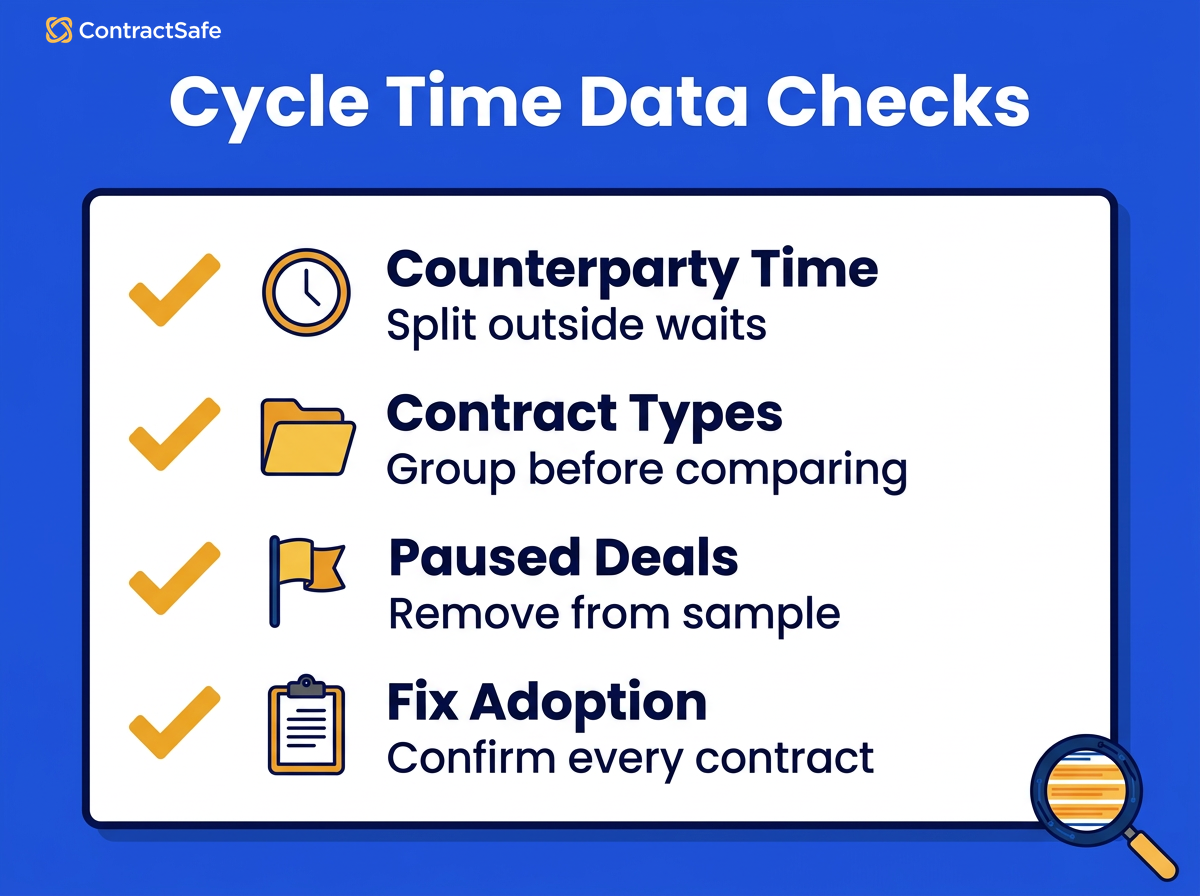
Mixing contract types. A quick order form and a heavily negotiated services agreement averaged together tell you about neither. Measure one type at a time.
Starting the clock in different places. If some contracts start at the request and others at the first draft, the intake stage looks shorter than it is. Pick one starting date per contract type and keep it.
Counting paused deals as delay. When the business pauses a deal, the contract isn’t stuck in your process. Mark it in the notes column and leave it out of the stage averages, or you’ll fix a problem that isn’t yours.
Changing two things at once. If you add an intake form and approval reminders in the same week, you won’t know which one helped. One change per round, even when a second fix looks obvious.
Watching only the total. A shorter approval stage can push the wait into signature, and the total barely moves. Always look at every stage, not the headline number alone.
Comparing a quiet stretch with a busy one. If your baseline came from a slow quarter and the remeasure lands in a crunch, the comparison is unfair. Note your contract volume for each window so the comparison makes sense.
Check Your Numbers Before You Decide What to Change
Answer these six questions before you add headcount to fix slow contracts. Most of them point at a stage you can fix with a clearer handoff instead of another person.
Can you name the stage that holds the most days for your most common contract type?
Do requests arrive with everything needed to start a draft?
Does legal review only what changed, rather than rereading standard language every time?
Does every approver know when it’s their turn, without someone asking in chat?
Does signing happen in the same system the contract lives in?
Could you pull the seven dates for recent contracts without digging through inboxes?
If you answered no to two or more, there’s likely time to recover before a new hire would help.
Other Contract Work That Takes Up Staff Time
Cycle time isn’t the only place contract work quietly eats staff hours. Finding contracts after they’re signed is another, and it rarely shows up in anyone’s metrics.
The City of Olympia is a good example. Before ContractSafe, tracking down a contract took city staff three to four hours, up to 60 times a year. After the rollout, staff spend 75% less time scanning documents, the city reports saving $10,000 a year in staff time, and search became self-service. As Sean Krier at the City of Olympia put it, “No one is asking us to look for contracts anymore.”
To be clear, that’s a staff-time and findability result, not a signature-speed one. The case study doesn’t report any change in contract cycle time. But it makes the same point this article does: the hours you need often come from removing wasted steps, not from adding people.
Related Reading
These guides go deeper on the stages this article only touches.
Contract workflow automation in seven stages, for mapping the whole process from intake to renewal
How to choose a contract approval workflow, for routing rules, thresholds and exceptions
Contract lifecycle tracking, for seeing every contract’s stage in one place
Contract management metrics, for the other numbers worth tracking next to cycle time
How ContractSafe Helps You Reduce Contract Cycle Time
ContractSafe covers most of the slow stages in this guide, plus the reporting to see which stage is slow in the first place. You don’t need another hire to find out where your contracts wait. You need to see the stages.
On the Maximize plan, the lifecycle dashboard shows every contract in its current stage, and cycle-time reporting shows the time spent in each stage, so you’re not rebuilding stage times from inboxes and file history. Maximize also includes custom intake forms and template generation from approved templates, for the intake and drafting stages.
On the Finalize and Maximize plans, approval sequences set who reviews each contract and when, with reminders to anyone who hasn’t acted, and native e-signature sends contracts for signature from the same system. Plan details are on the ContractSafe pricing page.
Want to see it on a contract type you recognize? Book a ContractSafe demo, and we’ll show you the lifecycle dashboard and how cycle-time reporting on the Maximize plan would show where your contracts wait, so you can see which fix fits.