


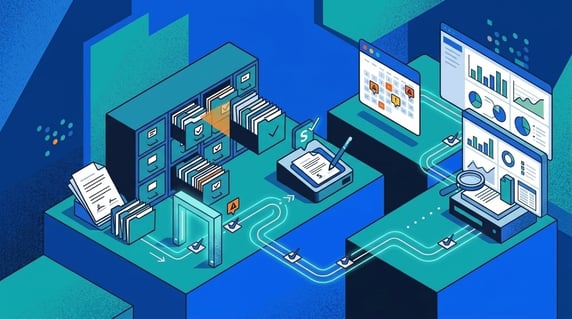
Contract workflow automation is the process of moving contract work from request through review, approval, signature, storage, alerts, and reporting.
ContractSafe’s contract management software is built for the version that actually holds up. It doesn’t just route tasks. It keeps the contract connected to the data, deadlines, and people who need to act on it after the ink dries.
Quick answer: Contract workflow automation keeps contract requests, reviews, approvals, signatures, repository handoff, alerts, and reporting in one managed process. It should show who owns the next step, what deadline matters, and where the signed contract lives.
Picture a single vendor agreement. It starts as a request from operations, moves to legal for redlines, waits on finance to confirm the payment terms, and finally lands on someone’s desk for signature. The day it’s signed, everyone feels good and moves on. Then it goes quiet.
Nine months later the contract auto-renews at a higher rate because the signed copy sat in one person’s inbox and the renewal date never made it into a system anyone checks. The agreement moved just fine, right up until the moment it needed to be managed. That gap after signature is the problem good automation has to solve.
Most teams buy contract workflow automation to send fewer emails. Approval routing that moves itself along, and intake requests that arrive complete, are what actually remove the emails. Fewer emails is a symptom of the fix, not the fix itself.
The real work is the handoffs. Legal reviews the draft. Sales waits on the approval. Finance needs the payment terms confirmed. Procurement wants the vendor record attached. Each of those steps is a place where the contract can sit for days because nobody knows it’s their turn.
Then, after signature, everyone assumes the contract is handled, even though the renewal date, the owner, the obligations, and the signed copy still need a home. That gap is where the expensive misses happen: the auto-renewal nobody caught, the notice window that closed, the vendor obligation nobody tracked.
Good contract workflow automation fixes the handoffs, not just the first email. The rest of this guide walks the seven stages where handoffs break and what to check at each one.
Key Takeaways
- Contract workflow automation works best when it covers the full contract lifecycle, not only pre-signature approvals.
- The workflow should start with structured intake, then move through routing, review, approval, signature, repository handoff, alerts, and reporting.
- A useful automated workflow names the owner, next action, due date, source record, and escalation path for each stage.
- The biggest failure point is usually the gap after signature, when the contract leaves the signing flow but never becomes a managed record.
- ContractSafe helps teams connect approvals, e-signature, repository storage, search, alerts, permissions, and reports in one contract workflow.
Choose your next step:
Mapping the workflow for the first time? Start at Stage 1: Contract Intake and walk the seven stages in order.
Approvals are your bottleneck? Jump to Stage 3: Review Routing and Stage 4: Approval and Escalation to fix stuck reviews.
Signed contracts vanish after signature? Go straight to Stage 6: Repository Handoff and set the alerts that catch renewals.
Leadership wants proof the process is improving? Build the scorecard in Stage 7: Reporting and Continuous Improvement.
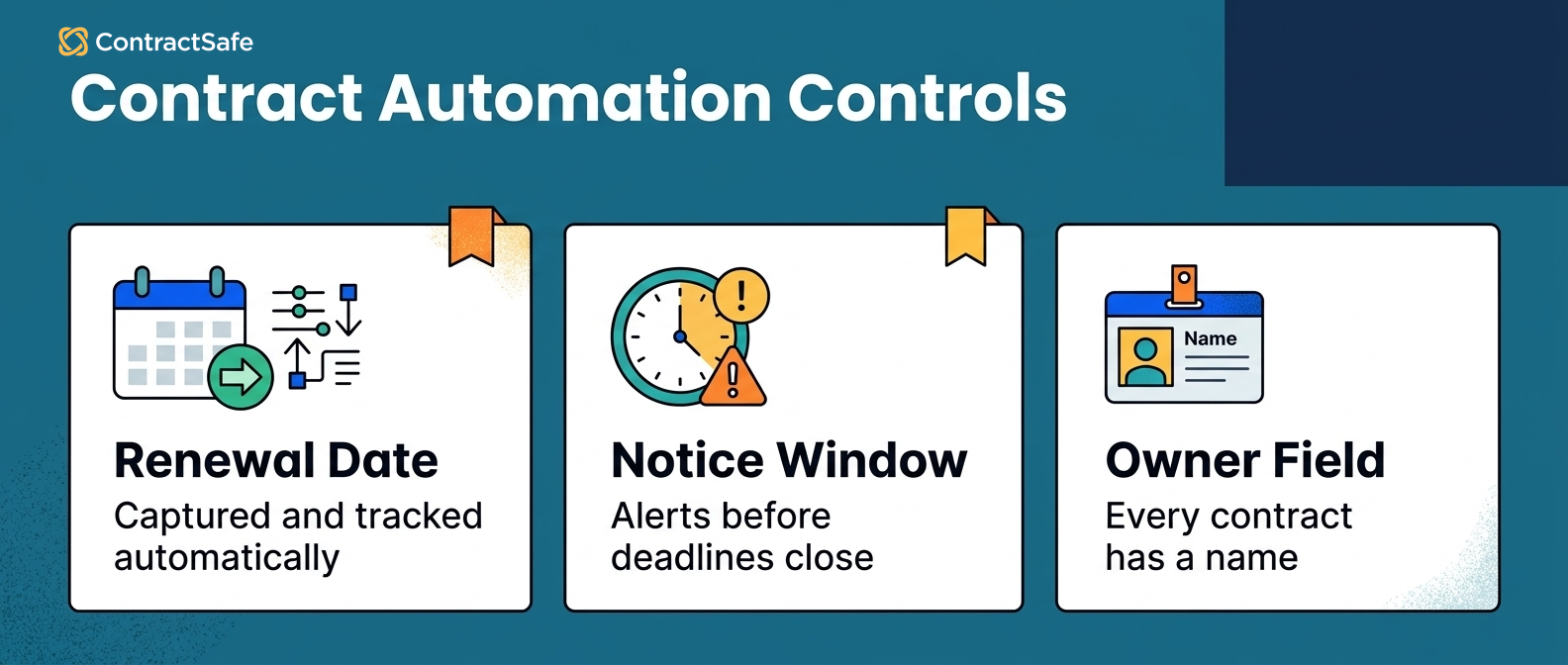
What Is Contract Workflow Automation?
Contract workflow automation is the use of software to move contract tasks through a defined process with owners, approvals, reminders, status updates, and records. In a contract management system, the workflow stays attached to the actual agreement and its metadata.
That attachment is the whole point. A generic workflow tool can route a task and say “send this to finance” or “ask legal to approve.” What it can’t do is tell finance that this is a three-year deal with a mid-term price increase, or warn legal that the counterparty struck the indemnity clause. It moves the task without understanding the contract behind it.
Contract workflow automation should understand the contract as a contract. It should know where the request started, who reviewed it, what changed, who signed it, where the signed copy lives, and which dates the team has to act on next. When a colleague asks “what’s the status on the Acme renewal,” the answer should come from the record, not from someone’s memory of a Slack thread.
That’s why contract workflow automation is closely tied to contract lifecycle management. The workflow isn’t a side project. It’s the operating system for how agreements move through the business.
The pressure to get this right is climbing. In the 2026 General Counsel Report from FTI Technology and Relativity, 60% of legal leaders said risk, demand, and operations got more complicated over the past year, and contract management ranked among the top drivers of that added workload. When more than 20 areas of work are all growing at once, moving contracts by hand stops scaling.
A Buyer's Snapshot of Contract Workflow Automation
When you evaluate tools, test one thing above all: does the workflow keep ownership, deadlines, contract data, and post-signature work attached to the same record? A demo that looks smooth on routing can still lose the contract the moment it’s signed. Use the questions below to separate a real answer from a hopeful one.
| Workflow question | Weak answer | Strong answer |
|---|---|---|
| Who has the next step? | “I think legal has it.” | The contract record shows the owner and due date. |
| Which version is current? | “Search the email thread.” | The system keeps the active file and status together. |
| What happens after signature? | “Someone uploads it later.” | The signed agreement moves into the repository with key fields and alerts. |
| How do we know work is stuck? | “Someone complains.” | Reports show aging approvals, missing owners, and upcoming deadlines. |
For a broader lifecycle view, our guide to contract lifecycle stages walks the connected process from creation through renewal. Contract workflow automation is how that connected process becomes daily work.
Decision Check
Before you automate anything, run your current process through these five questions. Each one maps to a stage below, so a “no” tells you exactly where to focus:
Can someone submit a contract request without emailing legal directly? (Stage 1)
Does every request arrive with the fields legal, finance, procurement, and sales need? (Stage 1)
Can you see who owns the next step without asking in Slack? (Stages 3 and 4)
Does the signed contract automatically land somewhere searchable? (Stages 5 and 6)
Are renewal, expiration, notice, and obligation dates tied to alerts? (Stage 6)
If several answers are no, the workflow is moving work around without managing the contract.
Stage 1. Contract Intake
Contract intake is where the workflow starts. It captures the business request, the contract type, the counterparty, the owner, the deadline, and the context reviewers need before anyone touches the language.
Intake is easy to underestimate because it looks trivial: someone needs a contract, so they send a message. At low volume that feels harmless. At scale, an unstructured request forces legal to chase the basics before any real work can start. They open a request with no value, no deadline, no template, no business owner, and no explanation of what the company is trying to buy, sell, renew, or change, and the first two days go to email tag instead of review.
A good intake workflow answers the first questions before the work lands on anyone’s desk:
What type of agreement is this?
Who is the counterparty?
What business team owns it?
Is this new, renewal, amendment, or replacement work?
What is the deadline?
What system or deal is it connected to?
Match the intake path to the risk. A sales NDA can move on a standard template with just the counterparty name, effective date, and signer. A high-value vendor agreement needs finance review, procurement ownership, a data security check, insurance terms, and renewal tracking from the start. Route both through the same generic form and you either slow the NDA down or let the vendor deal skip the checks that matter.
How ContractSafe supports Stage 1
ContractSafe keeps intake connected to the contract record instead of scattering requests across inboxes. Teams use folders, permissions, metadata fields, and approval workflows so requests start with the information people actually need to act.
Once a contract is added, ContractSafe can classify it, extract key fields with AI, and keep the document searchable through OCR. That gives the workflow a stable source record from the first step, not a loose attachment somebody has to reconstruct later.
Stage 2. Drafting and Template Selection
Drafting and template selection turn the request into a working agreement. The workflow should point the team to the right starting document and stop people from copying stale language out of an old contract.
This is where teams confuse speed with control. Fast drafting is good; uncontrolled drafting is expensive. When business users grab a random file from a shared drive, they can carry forward old pricing, a clause legal stopped approving two years ago, or a missing data-protection term nobody notices until renewal. The draft moves fast in the wrong direction.
A better drafting workflow does three things:
Points the requester to the right template or starting document.
Shows when legal review is required.
Keeps the draft connected to the eventual signed record.
Use this stage to define the drafting rules so business users know their lane and legal only sees the exceptions worth their time:
| Contract type | Drafting path | Review trigger |
|---|---|---|
| Routine NDA | Approved template | Nonstandard confidentiality language |
| Customer order form | Sales template | Discount, unusual renewal term, or custom service terms |
| Vendor agreement | Procurement or vendor paper | Data, payment, indemnity, auto-renewal, or insurance terms |
| Amendment | Link to parent agreement | Any change to term, value, scope, or obligations |
How ContractSafe supports Stage 2
ContractSafe is strongest once contracts need to be found, tracked, approved, signed, and managed. For drafting, that means the system keeps templates, contract types, and final records organized so the draft never gets disconnected from the post-signature process.
If your team is choosing between a drafting-first tool and contract management software, ask what happens after the draft is signed. ContractSafe keeps the agreement searchable and reportable so the draft becomes a managed contract instead of a file that disappears into a folder.
Stage 3. Review Routing
Review routing sends the contract to the right reviewers based on contract type, risk, value, department, and terms. It should cut the guesswork without hiding the judgment.
Email-based routing cracks here. Someone forwards the contract to legal. Legal asks finance about payment terms. Finance asks procurement about the vendor. Procurement asks IT about data access. Two days later nobody can say whether the ball is with legal, finance, procurement, IT, or the requester, and the deadline hasn’t moved.
Automation should make the routing rules visible so each reviewer knows why the contract reached them:
Legal reviews nonstandard terms and risk language.
Finance reviews value, payment terms, and billing commitments.
Procurement reviews vendor ownership and purchasing policy.
Security or IT reviews data access, privacy, and systems risk.
Business owners review scope, service levels, and operational promises.
The goal isn’t to route every contract to everyone, which just builds a new bottleneck. It’s to route the right contract to the right people based on the fields that matter. A low-value renewal with no changes may need only business-owner sign-off. A vendor agreement that processes personal data may need legal, procurement, security, and finance before it moves.
How ContractSafe supports Stage 3
ContractSafe approvals route contract work to the right people while keeping the approval history attached to the contract. Instead of digging through email for who said yes, teams see the review path in the system.
Permissions matter here too. ContractSafe lets teams control who can see which contracts and fields, so routing a vendor deal to finance doesn’t mean opening every sensitive agreement to the whole company.
Stage 4. Approval and Escalation
Approval is where the business decides the contract can move forward. Escalation is what happens when the answer isn’t simple, the deadline is tight, or the risk sits outside the normal path.
This stage needs more than a button. A useful approval record captures the decision itself, so nobody has to reconstruct it during an audit or a dispute:
Who approved it?
What did they approve?
Were there exceptions?
Was fallback language accepted?
Did the approver see the current version?
What happens if the approver doesn’t respond?
Without escalation rules, automated workflows stall politely. A task sits in one queue while the requester assumes legal has it and legal assumes finance has it. Build the escalation into the workflow so a silent approver can’t hold a deadline hostage:
| Condition | Escalation rule |
|---|---|
| Approval overdue by two business days | Notify the owner and backup approver |
| Contract value above threshold | Add finance or leadership approval |
| Nonstandard liability language | Escalate to legal owner |
| Auto-renewal with short notice period | Add business owner review |
| Missing key fields | Return to requester before approval |
The best approval workflow is boring in a good way. Everyone sees the next step, nobody guesses, and exceptions don’t vanish into private messages where they can’t be audited later.
How ContractSafe supports Stage 4
ContractSafe keeps approvals next to the contract, which makes the review history easy to trust. Teams use approval workflows, metadata, alerts, and reports to see what’s moving, what’s waiting, and what needs a nudge.
Lean legal teams don’t need more places to check. They need one contract record that shows status, owner, and next action at a glance.
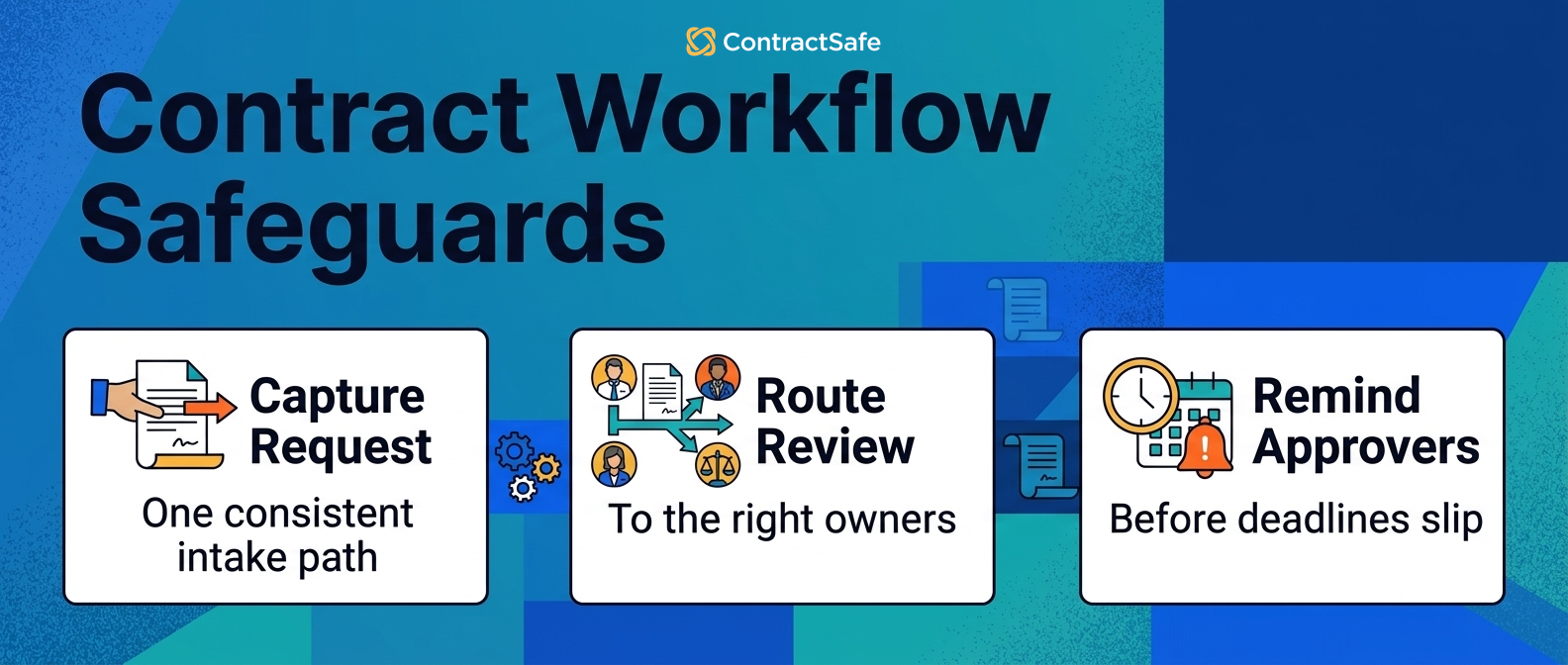
Stage 5. Signature and Execution
Signature and execution turn the approved agreement into a signed contract. The workflow should make signing easy while preserving the final record, the signer evidence, and the execution status.
A signature proves agreement. It doesn’t manage the renewal date, the notice period, the obligations, the owner, the value, or the reporting the contract now creates. Teams that treat signing as the finish line hand themselves a document and none of the follow-through. A useful signing workflow answers:
Who signs for each party?
Which version is being signed?
Is the agreement fully executed?
Where does the signed PDF go?
Which fields should be captured immediately?
What alerts should be created after signature?
If the signed agreement lands in an inbox, the workflow isn’t done. The contract is legally complete but operationally at risk. A customer agreement should have its effective date, renewal term, notice deadline, contract value, and account owner captured the moment it’s signed. A vendor agreement should also pin down insurance obligations, data-processing terms, and service commitments, because those are the terms someone will need to enforce a year from now.
How ContractSafe supports Stage 5
ContractSafe e-signature keeps execution connected to the contract management workflow. Once an agreement is signed, ContractSafe drops the final document, key metadata, permissions, and alerts into a searchable repository together.
That connection closes the common handoff gap where the signing tool reports “complete” but the business still can’t find or manage the agreement later.
Stage 6. Repository Handoff and Post-Signature Tracking
Repository handoff is where the signed agreement becomes a managed contract. Many workflows fail right here because the team treats signature as the end of the job, and the contract quietly stops being anyone’s responsibility. A strong handoff is what keeps that from happening.
Post-signature is where the contract starts costing or saving the business real money. A signed agreement can carry renewal dates, notice windows, price increases, service levels, termination rights, confidentiality duties, audit rights, insurance requirements, data obligations, and reporting commitments. If nobody tracks those terms, the workflow only automated the easy half and left the obligations to chance.
A strong repository handoff captures:
Final signed document.
Contract type.
Counterparty.
Business owner.
Effective date.
Expiration date.
Renewal and notice terms.
Contract value.
Key obligations.
Related agreements and amendments.
Permissions.
Alerts.
Contract obligation management and workflow automation meet at this handoff. The workflow shouldn’t just log “contract signed.” It should force the question, “what does the team need to do with this contract now, and who owns it?”
How ContractSafe supports Stage 6
ContractSafe’s contract repository gives signed agreements a central, searchable home. OCR makes scanned PDFs searchable. Metadata fields organize contracts by party, type, value, owner, date, and status, so finding the auto-renewing vendor deals is a filter, not a fire drill.
ContractSafe alerts warn teams before renewal, expiration, and notice deadlines pass. That’s the line between storing contracts and actually managing them.
Stage 7. Reporting and Continuous Improvement
Contract workflow reporting shows whether the workflow is actually working. It should measure bottlenecks, owner coverage, missing data, approval aging, renewal risk, and post-signature follow-through, so leadership can see the process instead of trusting it.
A workflow can look clean in a diagram and still leave contracts stuck for ten days. Reporting is what turns the process into something the team can improve on purpose. Start with metrics that change behavior, and pair each one with the action it should trigger:
| Workflow metric | What it tells you | What to do next |
|---|---|---|
| Requests missing required fields | Intake quality | Fix the intake form or requester guidance |
| Average approval aging | Bottleneck location | Add backup approvers or clarify routing rules |
| Contracts awaiting signature | Execution delay | Check signer ownership and reminders |
| Signed contracts missing owners | Post-signature risk | Assign business owners before deadlines matter |
| Agreements with upcoming notice dates | Renewal exposure | Trigger review before the window closes |
| Records missing key metadata | Reporting reliability | Clean the fields that drive alerts and dashboards |
WorldCC’s market insights keep pointing back to the same operational truth: contract performance depends on whether teams can see obligations, risk, and value clearly enough to act on them. Reporting is how workflow automation turns into visible business control.
The stakes compound quietly. WorldCC’s contract management research pegs the value lost to poor contract management at almost 9% a year. Reports that surface stalled approvals, unowned contracts, and missed renewal dates are how a team closes that leak.
How ContractSafe supports Stage 7
ContractSafe reports surface what’s coming due, what’s missing, and what needs attention. ContractSafe search lets users find contracts and clauses without waiting on legal to dig through files.
For a weekly workflow review, use ContractSafe to answer:
Which contracts are waiting on approval?
Which signed agreements have no owner?
Which renewals need review this month?
Which records are missing effective dates, expiration dates, or values?
Which obligations need follow-up?
The team doesn’t just know a workflow exists. It can see, week over week, whether the workflow is helping.
Contract Workflow Automation Compared With General Workflow Automation
Contract workflow automation and general workflow automation look similar on the surface. Both route work, send reminders, and move tasks from one person to another. The difference is context, and context is what decides whether the tool can catch an auto-renewal or connect an amendment to its parent.
| Capability | General workflow automation | Contract workflow automation |
|---|---|---|
| Routes tasks | Yes | Yes |
| Tracks approvals | Sometimes | Yes, tied to the contract record |
| Understands contract dates | Usually no | Yes |
| Stores signed agreements | Usually no | Yes |
| Searches contract text | Usually no | Yes |
| Tracks renewals and notice windows | Usually no | Yes |
| Connects amendments to parent agreements | Usually no | Should |
| Supports contract reporting | Limited | Yes |
Use a general workflow tool when the task is generic, like an expense approval or a facilities request. Reach for contract workflow automation when the work depends on contract records, deadlines, terms, owners, permissions, and audit history. Contracts aren’t just tasks; they’re obligations with consequences that outlast the person who signed them.
Common Contract Workflow Automation Mistakes
Most workflow problems aren’t technical. They’re design problems that software makes visible. Watch for these:
Automating email chaos instead of fixing the underlying process.
Routing too many contracts to too many reviewers until nothing moves.
Treating signature as the finish line.
Forgetting to assign post-signature owners.
Creating alerts without confirming the dates behind them are accurate.
Measuring cycle time but ignoring renewal risk.
Buying a tool only one department can actually use.
The pattern behind most of these is the same: a legal ops lead signs off on automation to move faster, but the team still approves contracts over email, saves signed PDFs to personal drives, and checks renewal dates by asking whoever handled the deal. That’s not automation. It’s a faster way to lose context.
The safer move is to automate one contract type first. Map its stages, name the owners, define the required fields, and decide what happens after signature. Prove the pattern works on NDAs or renewals, then expand it to the harder agreements once the mechanics hold.
Related Reading
How ContractSafe Helps With Contract Workflow Automation
With ContractSafe, teams manage contract approvals, use e-signature, store signed agreements in a searchable repository, extract key fields with AI, control permissions, set renewal and notice alerts, and build reports around the work that needs attention. Each stage in this guide has a home in the same system, so the contract never falls between tools.
That makes the workflow usable for legal, sales, finance, procurement, operations, and leadership without legal answering every status question by hand. Business users find the contracts they’re allowed to see. Finance reports on contract value and renewal exposure. Procurement tracks vendor agreements. Operations sees which obligations need follow-up.
ContractSafe also includes unlimited users on every plan, which matters more for workflow automation than it first sounds. A workflow breaks the moment participation is rationed: if business owners, approvers, and teams can’t get into the system, they drift back to email and the process comes apart at the handoffs you worked to fix.
The goal isn’t to automate contracts into a black box. It’s to make every handoff visible, every deadline easy to track, and every signed agreement easy to use after the deal is done. That’s the difference between a vendor agreement that renews on your terms and one that renews on its own while nobody’s looking.






.svg)







.svg)




