Managing customer agreements with a lean legal team means building a clear system for what gets signed without your lawyer’s direct review and what doesn’t: standardized templates for routine deals, defined thresholds for when a contract actually needs Legal’s eyes, and a way to track everything so nothing slips through in between.
A sales rep is trying to close a deal by Friday and the customer wants a standard service agreement, nothing unusual, no special terms. The company’s legal team is two people, and both of them are buried in an unrelated deal that’s been eating their week.
The rep has two bad options: stall the customer and risk losing the deal, or send over a contract nobody at the company has actually looked at recently and hope it’s fine. Neither is a real answer, and neither has anything to do with whether the company has “enough” lawyers. The problem is that every contract, big or small, is threaded through a single bottleneck.
Many contracts are repeatable. You fill in details like names and dates, but the terms of a contractor agreement stay largely the same but are still taking up your small legal team’s time. With the right tools and processes, like contract management platforms for small teams, those deals should move through on pre-approved terms without waiting on a lawyer, while ones that actually carry risk should be the only ones that land on Legal’s desk.
Key Takeaways
- The goal of simple contract management software is to give your legal team, however small, a clear lane: templates and rules handle the routine deals, and Legal’s time goes to the ones that actually need it.
- Standardized templates for master service agreements (MSAs) and statements of work (SOWs) let sales and ops teams close routine deals without a lawyer reviewing every single one.
- Clear escalation thresholds, like deal size or a redline on liability, tell your team exactly when a contract needs to go to Legal instead of guessing.
- AI-powered contract review is what makes that escalation rule actually work day to day: it checks a contract against your playbook, and only the ones that fail get sent to Legal.
- Centralized storage and contract management software like ContractSafe remove the busywork, so a small team doesn’t spend its time hunting for files or tracking renewal dates by hand.
Search for Where Your Contract Workflow Isn’t Working
Before you start to change your contract process, it’s important to map out where everything stands. Identify what is taking up the most of Legal’s time and then see what makes sense to automate or standardize. Ask:
What contracts are departments requesting every day? Every week?
What is the average deal size? How does it compare to the most frequent (mean) amount?
What agreements or departments are taking most of Legal’s time in a week or month?
If your contracts are passengers in an airport, Legal acts as Transportation Security Administration (TSA) agents. They are watching to make sure agreements don’t have unfair terms or liability gaps that can come back and cause harm.
Some airports like LAX or Atlanta have dozens of TSA agents working at any given time, just like some companies have an army of lawyers. If an X-ray breaks down, there are plenty of backups to keep the line moving. At a smaller airport, there may only be one or two agents and scanners and when something doesn’t go right, everything grinds to a halt.
Auditing your current contract process is like giving some agreements or approval pathways TSA PreCheck. They’re cleared to move forward with only minimal review before signing.
Establish Standardized Terms and Plug-and-Play Templates
Once you’ve found what agreements are showing up most often, have Legal create a playbook of standardized terms or ideal-state contracts. Instead of counsel reading or writing a new MSA or SOW line-by-line, Sales or Procurement can fill in templates that are populated with already-approved language.
For example, a good service agreement template already covers the basics like payment terms, confidentiality, and contract termination. Instead of pestering Legal for a new document with this company, that price, and these dates, Procurement can fill those details into a pre-approved contract and start the negotiation and approval process without delay. Legal will still check in before the agreement is executed, but they’re no longer a bottleneck to everyday business.
Set Clear Internal Rules for When Counsel Is Necessary
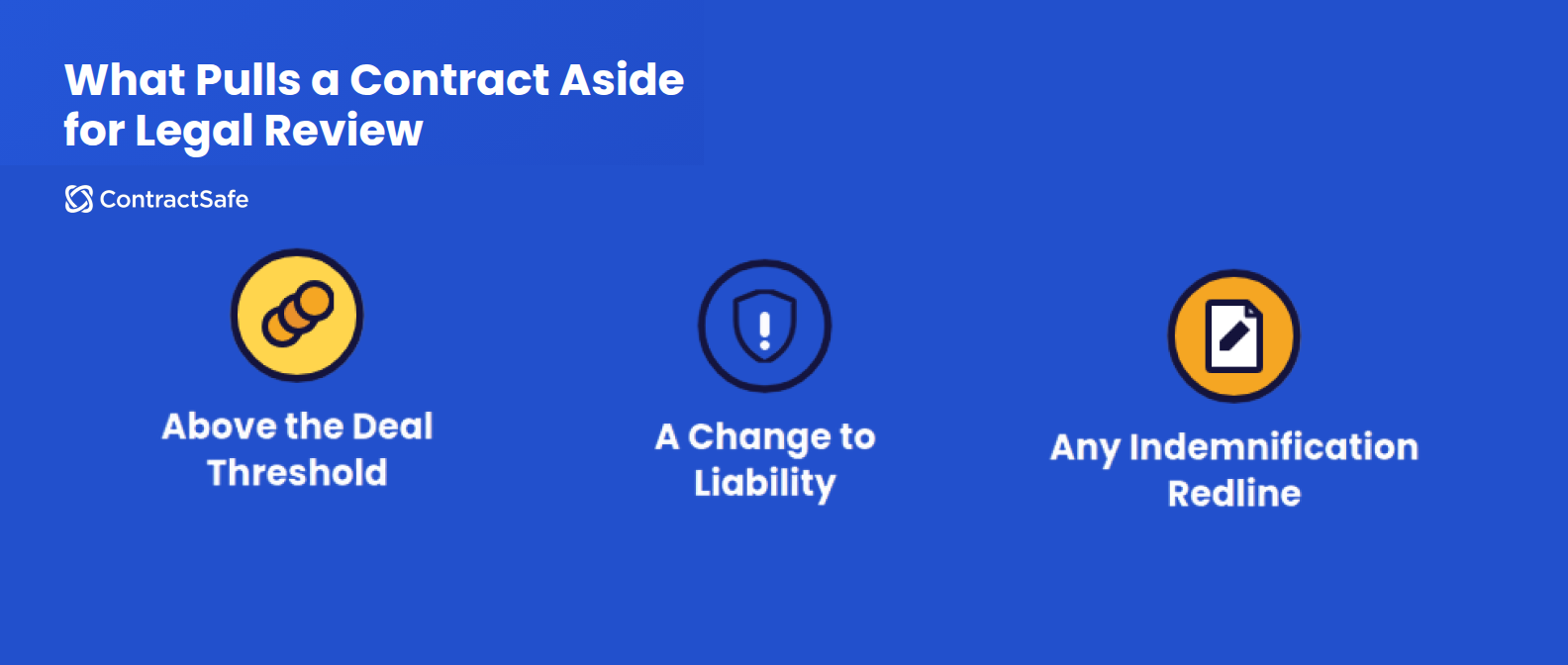
Templates work well for contracts that are produced day-in and day-out but they’re not always appropriate. You should create explicit guidelines for when a contract can be fast-tracked or if it needs to be handled by Legal from the start. Those triggers could be a deal above a certain dollar value, a customer asking to change the liability cap, or any redline touching indemnification. Write those thresholds down, share them with sales and ops, and make them specific enough that nobody has to guess.
Contract automation software can both document those rules and help flag when an agreement breaks them. Departments populate agreements from standard templates, then the software starts routing agreements to the right approvers. If a contract is hitting your limits, the software can flag that as a reminder that Legal needs to take a look.
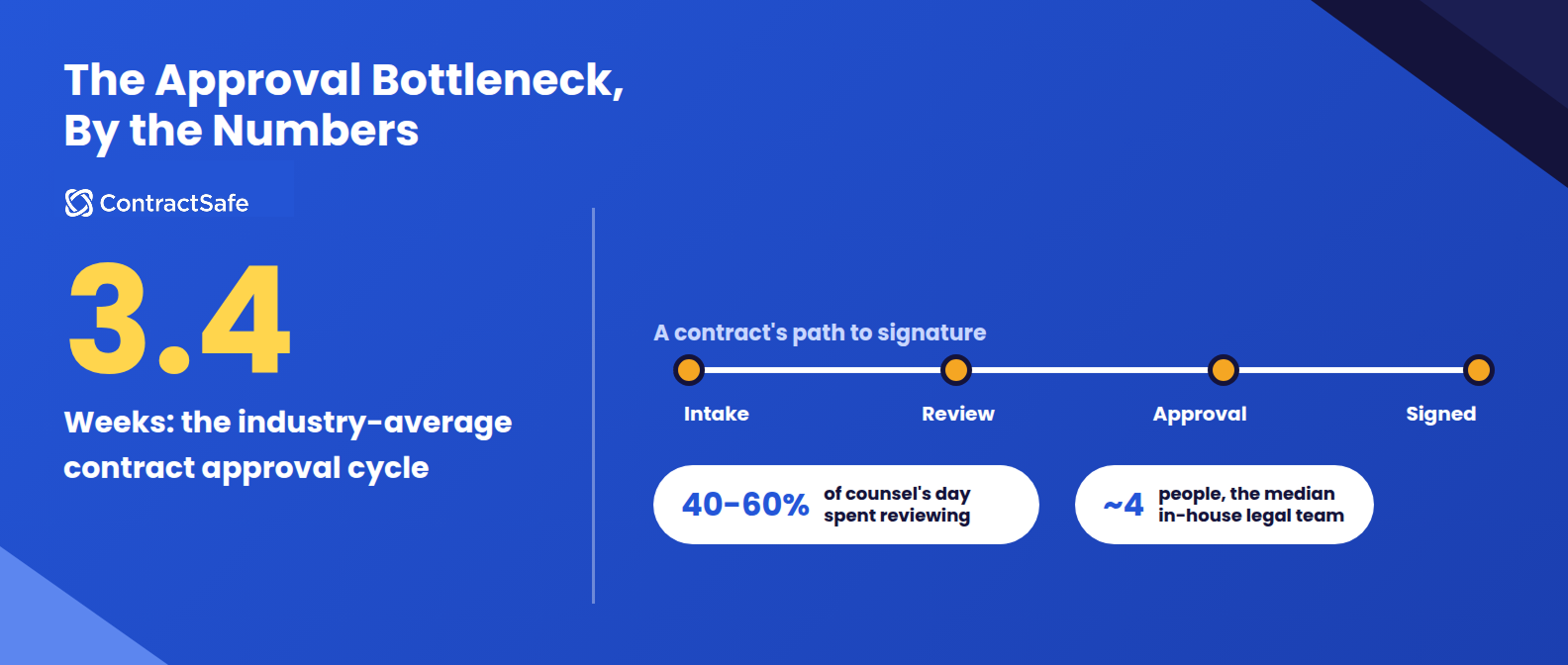
A small legal team isn’t a sign that your org is understaffed, either. Companies with under $1 billion in revenue run a median legal team of around four people, according to the Association of Corporate Counsel’s 2024 benchmarking report. At that size, personally reviewing every customer contract was never realistic. The job is deciding, ahead of time, which contracts genuinely need that team’s attention, and letting everything else move without them.
Still, no software can replace a legal expert. Contract software with human-in-the-loop AI will put the machine where it’s strong, reading fast and spotting patterns, and keep the person where they’re irreplaceable, using judgment and saying no. The National Institute of Standards and Technology makes the same point about generative AI generally, warning that it needs additional human review and oversight. AI narrows a long contract to the clauses worth arguing about. You decide what to do with them.
Automate Approval Workflows
A contract approval workflow is the route a contract travels from the moment it enters your world to the moment it’s signed, stored, and set to remind you before it renews. Those stages are intake, review, approval, signature handoff, storage, and reminders. Each step has an owner, and in a perfect world, just mapping the process would mean no one needed Slack pings or email reminders. In reality, this is where most deals slow down, with an industry average 3.4-week approval cycle time.
When you’re trying to improve the contract process with a small legal team, the approval process can make or break your improvements. You need to know who signs off on what, even when there are multiple variables at play. Look at all the factors that can influence an approval workflow including:
Contract type
Department
Dollar amount
Standard or nonstandard terms
A contract lifecycle management platform can take these variables and send agreements on the right path, including if they need to go to Legal because they exceed pre-defined limits. The software shows each approver the agreements they’re responsible for and not the ones they aren’t.
Let AI Contract Review Handle What Legal Doesn’t Need to See
If the goal is to take pressure off of Legal, AI can serve as the background check needed for TSA PreCheck. AI contract review checks each incoming contract against the rules your team already set: the deal value threshold, the liability language, the specific clauses that matter, and sorts them accordingly. A contract that matches your playbook moves straight through the business side of the approval chain. If an agreement doesn’t pass, it gets routed to Legal automatically, instead of sitting in an inbox until someone happens to notice something’s off.
Counsel spends 40% to 60% of the day drafting and reviewing documents, according to Thomson Reuters. When your legal department is only one or two people, that leaves little time for anything else. With AI contract review, the business-side handles what passes. Legal only sees what fails. That’s the expedited airport security line and the standard line from earlier, built into the actual contract workflow instead of left to memory.
Centralize Storage to Avoid Missed Deadlines and Lost Files
Templates, thresholds, and automated review only hold up if every signed contract ends up somewhere your team can actually find it later. When an agreement is sent through email, saved in a shared drive, or abandoned on a laptop that left the company last year, it might as well not exist after it’s executed.
A single, centralized repository keeps every agreement, its key terms, and the executed copy itself visible and searchable in one place. And because contracts still have obligations and important follow up long after signing, automated alerts and reminders keep contracts from being out of sight and mind.
These date-based alerts help you track everything from renewals and expirations to compliance or payment dates. You can schedule automated email reminders to be sent to anyone on your team and even people outside your organization.
That’s critical for the growing businesses managing contracts without a dedicated legal department day-to-day, since there’s rarely a second person to catch a missed renewal or a misplaced file. One current, accurate record removes that risk instead of relying on whoever happened to save the last version.
Use Contract Management Software
None of this requires legal training to run. Modern contract management tools are built for the people actually using them day to day: sales, ops, finance (not just lawyers). And they handle the mechanical parts automatically, including search that actually finds things instead of a folder structure nobody remembers. A lean team moving fast benefits the most from this, since the alternative is usually a shared spreadsheet nobody fully trusts.
The software doesn’t replace the rules your team already set. It just makes sure those rules actually get followed every time, instead of only when someone remembers to check.
Take Control of Your Customer Agreements With ContractSafe
Templates, escalation rules, automated review, and centralized storage all work best when they live in one system instead of four separate habits your team has to remember. Additionally, you get:
Self-Serve Standard Templates: A clean way to generate standard agreements, such as NDAs or MSAs, via a simple intake form, instead of a code-heavy clause library only one person on the team knows how to use.
Intake Automation: Customizable intake forms to gather key details up front and give your legal team consistent information from the start.
Flexible, Simple Approvals: Conditional routing that gets a contract to the right decision-maker based on value or risk, without extra unnecessary steps in between.
Familiar Editing: Native integration with tools teams are already familiar with, like Microsoft Word, instead of a proprietary portal nobody outside the legal team has ever opened.
A Useable Post-Signature Repository: A searchable repository where anyone on the team can find documents or set an expiration date or renewal alert in seconds.
Automated Deadline Alerts: Customizable deadline alerts help you track everything from renewals and expirations to compliance or payment dates. You can schedule automated email reminders to be sent to anyone on your team at a lead time that makes sense for you.
Request a demo to see how ContractSafe helps lean teams excel or you can start a free trial.