


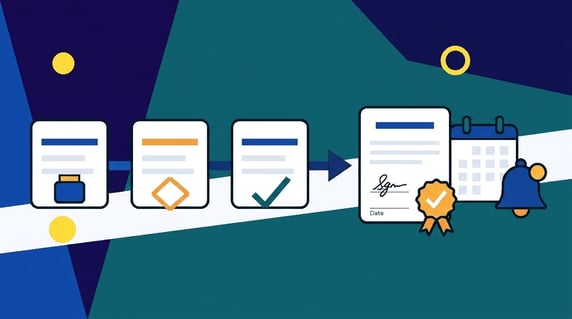
Contract automation software is a tool that hands the repetitive parts of contract work to a computer. It drafts from approved templates, routes documents for approval, collects signatures, files signed copies where people can find them, and sends renewal reminders before deadlines slip past you.
Picture a Thursday that's already running long. You signed a vendor deal last spring, filed it 'somewhere,' and now finance wants to know if you can still exit before it renews. Without automation, you're digging through folders named 'Contracts_FINAL' and 'Contracts_FINAL_v2' and scrolling old inboxes. With it, you search the renewal clause and notice date, and the answer shows up before your coffee cools.
That gap, between frantic digging and a two-second answer, is why contract automation software exists. This guide walks through what it actually does, what it can't do no matter how slick the demo, where AI and the newer AI agents fit, the problems it solves, and how to roll it out without turning your week upside down.
Key Takeaways
- Contract automation software handles repetitive contract tasks like drafting from templates, routing approvals, e-signing, storing, and sending renewal reminders, so people spend their time on the parts that need a brain.
- The dependable core is rules-based. AI adds a smarter layer for extraction, review, and search, and AI agents are the newest, still-maturing step.
- It speeds work up and cuts errors, but it doesn't replace legal judgment or negotiation. The best setups keep a human in the loop.
- Automate the boring, repeatable stuff (intake, approvals, handoffs, alerts, records, reporting) and resist the urge to build a workflow for every rare edge case.
- Post-signature work like renewals, obligations, and reporting is where automation quietly saves the most money.
- Adoption beats feature count. A tool people actually open every week wins over a loaded system only legal ever touches.
Choose Your Next Step
Not sure where to jump in? Pick the question that matches where you're right now and skip straight to that part.
| If you want to... | Go here |
|---|---|
| See what automation can and can't do | What contract automation software can and can't do |
| Figure out where AI fits | Where AI and AI agents fit in |
| Know which headaches it actually cures | The problems contract automation software solves |
| Start small without overbuilding | What to automate first |
| Compare options without overpaying | How to compare contract automation tools without overbuying |
| Roll it out this quarter | How to roll it out without turning your week upside down |
What Contract Automation Software Really Means
Most contract work isn't hard. It's just repetitive. You draft roughly the same agreement, send it through roughly the same approvals, chase roughly the same signature, then set a reminder you'll probably forget to check. Do that across a few hundred contracts a year and the busywork quietly eats whole days you'll never get back.
Contract automation software steps right into that gap. It doesn't try to be clever about the deal itself. It's clever about the process around the deal. You set up approved templates once, decide who approves what, choose which dates matter, and the software repeats those choices perfectly every single time. No template drift, no 'wait, which version is final,' no renewal that sneaks past because the one person tracking it took a week off.
Here's the part people miss, though. Consistency doesn't mean every contract comes out identical. An MSA, an NDA, and an employment agreement are different animals with different clauses, terms, and approval paths. What automation gives you is consistency within each type. Every NDA matches your NDA standard. Every MSA follows your MSA playbook. And all of them move through the same reliable process and land in the same searchable place. You spend less time fixing outdated clauses and hunting for the latest draft, and more time on the actual decision in front of you.
If you want the fuller map of where automation sits, the six stages of contract management walk through the whole lifecycle from first draft to renewal. Automation touches nearly every one of those stages, but it earns its keep in the boring middle.
What Contract Automation Software Can and Can't Do
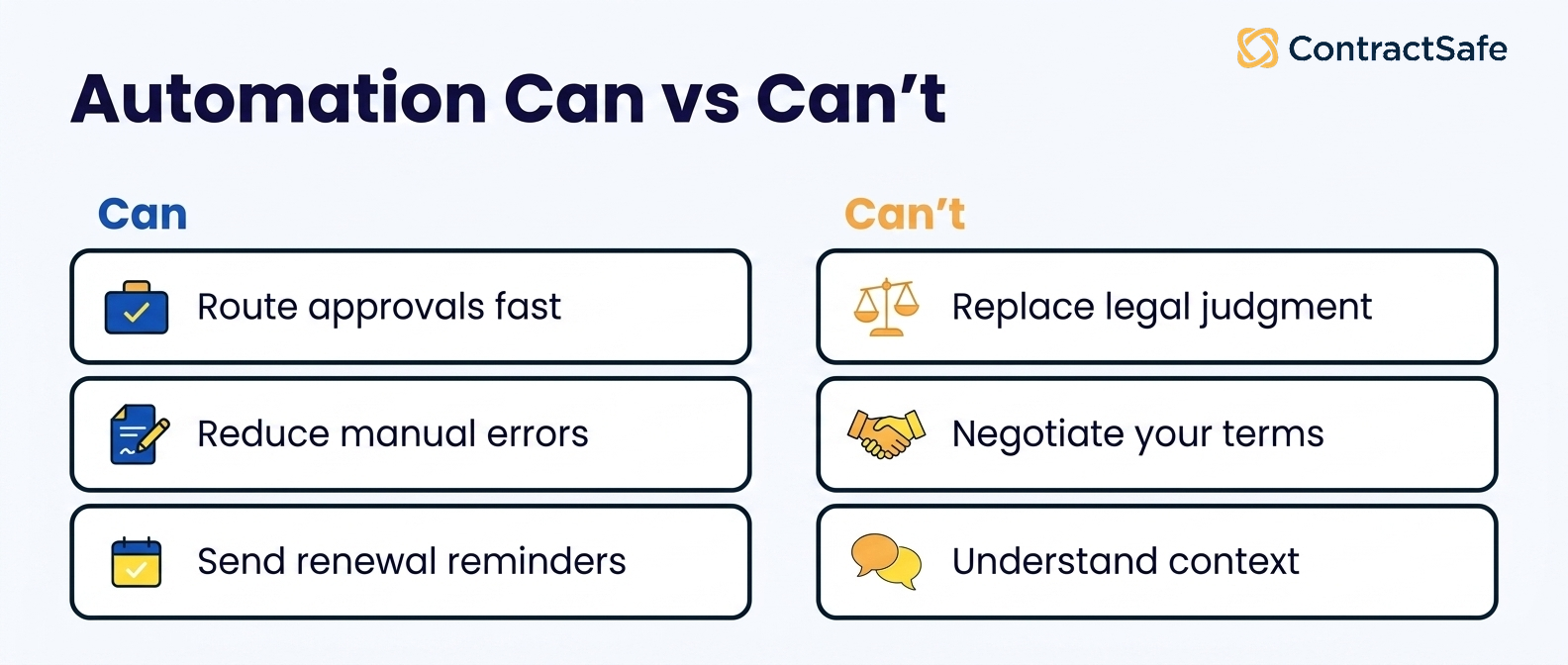
Here's the honest split. Contract automation software nails the repeatable work: drafting from templates, routing approvals, filing signed copies, and flagging clauses that stray from your standards. What it can't do is negotiate terms, read the business intent behind a deal, or decide whether the deal is smart. That judgment stays yours.
| Contract automation software is great at | It still can't do this |
|---|---|
| Repeating the busywork (drafting from templates, routing, filing) the same way every time | Replace legal judgment on a genuinely tricky clause |
| Catching red flags early by reading a contract against your standards | Negotiate terms for you, since that art stays human |
| Cutting human error like typos, wrong dates, and misfiles | Understand the full context or business intent behind a deal |
| Sending reminders so renewals and deadlines don't slip | Predict future business needs or shifts in the law |
| Keeping one version everyone works from | Erase every risk, though it shrinks them a lot |
| Handing you clean data and reports you can act on | Decide whether the deal is actually a good idea |
The pattern in that right-hand column is worth sitting with for a second. Everything the software can't do is a judgment call. It can tell you a clause differs from your standard, but not whether that difference is worth walking away over. It can present terms clearly, but the back-and-forth of negotiation is still a human sport. So treat automation as the tireless assistant that clears your desk of grunt work, not the lawyer who decides what the grunt work means.
Where AI and AI Agents Fit In
For years, contract automation meant rules-based workflows. You set up templates, approval steps, and reminders, and the system followed them exactly. That hasn't gone anywhere. It's still the dependable core, and honestly it's where most of the value lives.
What changed is the layer on top. AI now handles work that used to need a person reading every line. Here's how the three layers stack up.
| Layer | What it does | Who's in control |
|---|---|---|
| Rules-based automation | Templates, approval routing, e-signature, alerts | You set the rules, the software follows them |
| AI-assisted automation | Reads contracts against your standards, pulls key terms and dates, powers plain-English search | AI does the heavy lifting, you review the work |
| AI agents | Strings several steps together and acts with less input | Emerging, still needs a careful human check |
Most contract software, ContractSafe included, lives in that middle layer today. AI extraction pulls names, dates, and key terms out of a document the moment you upload it. AI review reads an incoming agreement against your standards and flags risky or missing clauses, so your first pass takes minutes instead of an afternoon. And natural-language search lets you ask for what you need in plain English instead of guessing at file names. If you want the mechanics, our take on AI contract management goes deeper.
AI agents go a step further than fixed rules. Hand one a signed NDA and it reads the terms, flags an auto-renewal clause, sets a reminder before the notice window, scores the liability risk, and routes the file to legal, all in a single pass without you scripting each step. IBM explains AI agents as software that reasons and acts toward a goal. Promising, and still early.
Because agents interpret contract language and make calls on their own, a wrong read can carry real consequences, which is exactly why the NIST AI Risk Management Framework treats human review as a core control rather than an optional extra.
The useful question isn't 'does it have agents?' It's 'can I trust what the AI did, and can I see how it got there?' That's the line that matters to us. Good automation takes the busywork off your plate and keeps you in control. It doesn't hand you flashy autonomy you have to double-check at every turn.
The Problems Contract Automation Software Solves
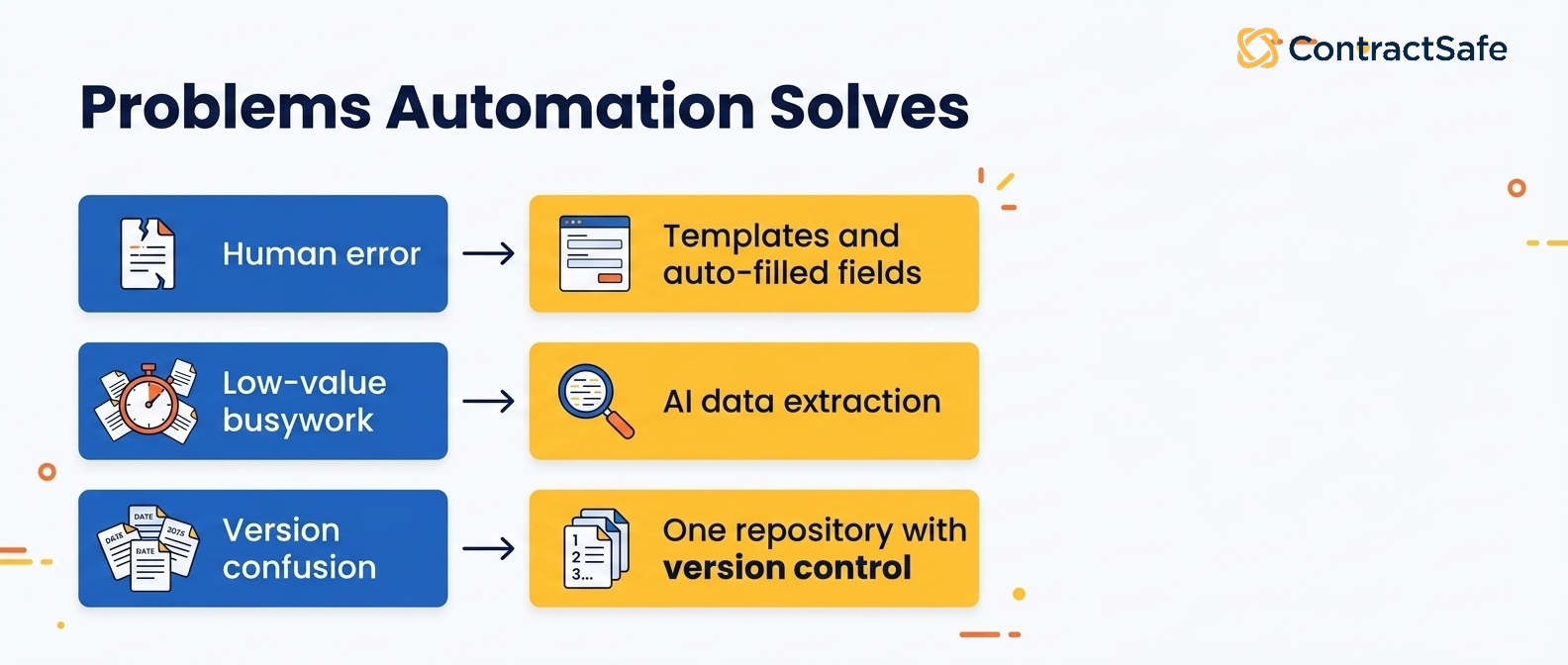
Contract mismanagement gets expensive in quiet ways: a missed renewal here, a wrong version signed there, a vendor who trusts you a little less each time you're slow. Here are the five problems contract automation actually fixes, what each one looks like day to day, and what good software should do about it.
1. Human error
Manual contract work is a slow drip of small mistakes. For example, imagine someone copies last quarter's agreement, forgets to swap one clause, and mistypes the renewal date while they're at it. Any single slip is minor. Stack them across a year of contracts and they turn into disputes and uncomfortable calls with counsel about language nobody meant to agree to.
What it looks like: a mistyped renewal date, a clause nobody remembered to swap, a signed draft saved where no one thinks to look.
Why it matters: one wrong date can blow a deadline or trigger an auto-renewal you meant to cancel, and the mistake usually hides until the invoice shows up.
What to do: use legal-approved templates so every agreement starts from vetted language, and set auto-filled fields to pull dates, names, and dollar amounts from data you already have.
2. Repetitive busywork
Data entry, filing, chasing signatures, drafting the same three paragraphs for the hundredth time: you know the drill. None of it's hard, and all of it's necessary, but it quietly eats the hours you'd rather spend on the deal. Say a single contract means copying the same details between four different files and hoping you caught everything each time.
What it looks like: the same boilerplate drafted over and over, terms copied field by field across four separate files.
Why it matters: Retyping the same contract data over and over pushes this work to the busy end of the day, where it gets rushed and a deadline can quietly slip past your team.
What to do: use ContractSafe's AI contract management to extract the relevant terms in seconds instead of retyping them, and route the boilerplate into auto-populated templates.
3. Duplicates and mystery versions
Drafts multiply fast when there's no system holding them. For example, you're digging through 'Contract_final,' 'Contract_final_v2,' and 'Contract_final_ACTUALLY,' trying to work out which one actually got signed while an old version quietly sneaks back into the thread. Two people end up negotiating off two different documents and nobody notices until it's a problem.
What it looks like: two people working from two different files, attachments flying around over email, an outdated draft creeping back into the mix.
Why it matters: a signed contract is the one document you can't get wrong, and version confusion is exactly how the wrong terms slip past with no audit trail to catch it.
What to do: store every draft in a central contract repository that tracks version history and keeps the current document front and center, so everyone works from the same file.
4. Strained counterparty relationships
Small friction adds up in the eyes of the people you deal with. Imagine a partner who hears 'sorry, can you resend that' three times in one negotiation and watches two deadlines drift. On its own each one is forgivable. Add them up and the other side starts building in extra caution, more back-and-forth, and less benefit of the doubt.
What it looks like: missed deadlines, duplicate requests, and slow replies that make a partner wonder how organized you really are.
Why it matters: each delay pushes the other side to negotiate harder and expect less, and a blown deadline shapes both the terms you get and whether they come back.
What to do: track every obligation and key date in one place, and give the counterparty quick, clean access to what they signed so your replies land fast.
5. Data you can't quite trust
Good decisions need good data, and manual contract handling has a habit of quietly poisoning the well. Say one person formats renewal dates as MM/DD, another spells them out, a vendor name gets abbreviated, and a value gets keyed in wrong. Now every report built on that spend carries a little asterisk in your head, and you hedge in meetings instead of stating numbers plainly.
What it looks like: mismatched date formats, abbreviated vendor names, and a stray typo that leaves you second-guessing every figure in the report.
Why it matters: leadership acts on these numbers for budget calls, renewal decisions, and risk reviews, so shaky data quietly erodes the clarity and control those decisions depend on.
What to do: require uniform templates and reliable extraction so the same field means the same thing everywhere, then set renewal and deadline alerts on the dates that actually move money.
What to Automate First
Here's something you won't hear from a rep working a commission: don't automate everything. The teams who get burned are usually the ones who tried to map every possible edge case into a workflow before they'd filed their first contract. They spent eight weeks configuring, nobody could remember how it worked, and the tool turned into expensive shelfware.
Start with the repeatable, boring stuff. That's where automation pays off fastest and annoys people least.
| Automate this first | Why it pays off |
|---|---|
| Intake | A simple request form gathers the right details up front, so nothing starts as a blank page |
| Approvals | Routing rules send each contract to the right people in the right order without you chasing anyone |
| Handoffs | The document moves from sales to legal to finance on its own, with everyone notified |
| Alerts | Renewal, notice, and deadline reminders fire early, straight to the right inbox |
| Records | Every signed contract, amendment, and attachment lands in one searchable place |
| Reporting | Status, value, and renewal reports build themselves instead of living in a fragile spreadsheet |
Notice what's not on that list: the judgment-heavy, once-in-a-blue-moon work. The strange acquisition agreement with three custom indemnity carve-outs doesn't need a workflow. It needs a lawyer.
Automate the 80 percent you handle over and over, and let people take the 20 percent that's genuinely different. If you're mapping approvals, our guide to the contract intake, approval, and execution playbook covers keeping them fast without losing control, and contract workflow automation goes deeper on the routing side.
How to Compare Contract Automation Tools Without Overbuying
Compare contract automation tools by listing the five tasks that hurt most, then scoring each option against that list instead of the demo. Ask what the platform stores, extracts, searches, and alerts on from one place. Buy for the work you do weekly, not the features that dazzle once.
Start with the work you do most. If most of your pain is finding signed contracts and tracking renewals, you don't need a heavy authoring engine with clause libraries you'll never open. Write down your top five tasks, rank them by how often they hurt, and let that ranking drive your shortlist. A short list of five tasks beats a wish list of fifty.
Then look at platform architecture, because it decides what the tool can grow into. A system built as one connected platform stores your contracts, extracts their terms, runs search, and sends alerts from the same place. A system stitched together from separate modules often makes you export, re-import, and reconcile the same data twice. That friction rarely shows up in a demo, so ask directly: does this run on one platform, or several bolted together?
Price matters, but total cost matters more. A cheap tool that needs three admins to keep it fed costs more than a pricier one your team runs alone. Watch for per-user fees that punish you for adding the whole company, storage caps that force cleanup projects, and paid tiers that gate the one feature you came for.
Here's a scoring grid you can copy into a spreadsheet and fill in as you demo each tool:
| What to check | Good sign | Warning sign |
|---|---|---|
| Task fit | Handles your top five tasks out of the box | Needs custom work for basic jobs |
| Platform architecture | One connected system for storage, search, and alerts | Separate modules you reconcile by hand |
| Pricing model | Unlimited users, clear tiers | Per-seat fees and hidden add-ons |
| Onboarding | Live in weeks, light admin load | Months of setup and a dedicated owner |
| Search and extraction | Finds terms and dates fast | Manual tagging before anything works |
| Support | Real humans, quick answers | A ticket queue and a knowledge base |
Use the grid to cut, not just to score. Any tool that throws two warning signs in your top-ranked rows comes off the shortlist, even if it dazzles somewhere else. You're buying for your daily reality, not the edge case in the pitch.
One more guardrail: match the tool to your team's size and skill, not the vendor's biggest customer. Enterprise suites built for a legal department of forty will bury a three-person team in configuration. Lighter tools that assume a full CLM staff may run out of room as you grow. The right fit sits where your work is today with a clear path to where it's headed.
Before you sign, run a real contract through a trial. Upload a messy agreement you already know well, then check whether search finds the renewal clause, whether extraction pulls the right dates, and whether alerts land where you'd expect. A tool that handles your ugliest real document earns the deal. One that only shines on the vendor's clean sample doesn't.
Decision Check
Not sure whether you actually need contract automation software yet, or whether you're ready for it? Run through these. If you're nodding at three or more, it's time.
You've lost real time hunting for the final version of a contract in the last month.
At least one renewal or notice date has slipped past you, or you're honestly not sure none has.
Contracts live in a mix of shared drives, inboxes, and someone's desktop.
Approvals stall because nobody's quite sure whose turn it's.
You couldn't pull a clean list of what's renewing next quarter without a lot of manual digging.
New hires can't find or file a contract without asking someone for help.
And a gut check for the other direction, in case you're tempted to overbuild:
Designing a workflow for a contract type you handle twice a year? Skip it.
Adding an approval step 'just in case,' with no real policy behind it? Cut it.
Would a brand-new user understand this setup without a training session? If not, simplify it.
Post-Signature Is Where the Money Hides
Post-signature automation matters because the money leaks after the ink dries. Renewals, price bumps in year two, delivery obligations, and expiring insurance certificates all live past signing, and all are easy to forget. Alerts that fire before a notice window closes let you renew or exit on your own terms.
This is where automation quietly saves the most. Alerts that fire before a notice window closes mean you renew on your terms or exit cleanly, instead of getting rolled into another year by default. Obligation tracking means the thing you promised to deliver actually gets delivered.
And a searchable record means that when a regulator, an auditor, or your own CFO asks a question, you answer it in seconds. For a framework covering the whole after-signing stretch, the stages of contract management lay it out, and our contract repository requirements piece covers what a repository needs to handle it well.
How to Roll It Out Without Turning Your Week Upside Down
Switching to automated contract management sounds like a big lift, and it can be if you let it balloon. Keep it grounded and it stays a lot less scary. Here's a sane order of operations.
1. Build a few solid templates
Pick your two or three most common agreements and turn them into locked templates. Send each one through legal for a single approval pass, then save that approved version as the only starting point your team uses. No more copying last quarter's deal and hoping the clauses still hold up.
Freeze the payment, liability, and renewal clauses so nobody quietly edits them mid-deal.
Tag each template with an owner who signs off before any structural change ships.
Check: open your last five signed contracts and confirm they trace back to an approved template, not a rogue copy.
2. Set permissions so the right people see the right things
Map each team to the fields they actually touch, then lock everything else. Finance needs payment terms and renewal dates without opening legal language. An outside auditor needs read-only access to one folder and nothing beyond it. Roles and permissions hand each person exactly that, so a sensitive amendment never lands in the wrong inbox.
Give sales edit rights on drafts but not on signed, executed contracts.
Set auditor and external reviewer accounts to expire on a date instead of lingering.
Check: pull the access list for one high-risk folder and remove anyone who can't name why they need it.
3. Map your review and approval workflow
Write down who approves what, at which dollar thresholds, then build that routing into the system. The point is to stop sales from skipping a legal or finance check without turning every approval into a two-week bottleneck. Good routing shows exactly where each contract sits, so a stuck approval is obvious instead of buried.
Route anything above your risk threshold to a named approver, not a shared queue.
Turn on automated reminders that nudge the person you're waiting on before the deadline slips.
Check: find the oldest contract in review right now and confirm someone owns the next step.
4. Connect the tools you already use
Use ContractSafe integrations to connect contract records to the systems your team already runs, so client details move once instead of being retyped across tools. Work through this quick checklist:
Map each contract field to its source record in your CRM, so company name, contact emails, and deal value are pulled from that record instead of rekeyed.
Link your e-signature tool so a signed copy returns to the record without anyone downloading, renaming, or re-uploading a PDF.
Confirm each connection is supported natively, not bolted on through a brittle add-on you will babysit.
Test one full round trip, from CRM record to signed document, before you trust it with real deals.
Check: our integrations overview lists what connects directly, so match it against your current stack first.
5. Turn on alerts that reach people where they work
Dashboard popups get ignored, so send alerts straight to the right person's email, early enough to act, with a link to the document attached so they can review it on the spot. Set the lead time yourself instead of accepting fixed windows you can't change.
Build reminders for renewals, notice deadlines, insurance expirations, and price-increase triggers, whatever carries real cost if it slips.
Give a hard renewal deadline more lead time than a routine one, so the owner can actually renegotiate.
Check: our alerts feature lets you set custom lead times, so pick the date each owner needs, not a default.
6. Give yourself reporting you'll actually read
Build one dashboard around the questions you actually ask, not a generic template someone else designed. If your week revolves around expiration dates, contract value, and compliance status, put those three front and center so the report answers real questions at a glance.
Add a filter for contracts past their renewal window so nothing silently auto-renews on you.
Save a separate view for audit season that pulls signed agreements and their approval trail in one place.
Check: open your dashboard and see whether it answers 'what expires this quarter and who owns it' without extra digging.
Related Reading
The 6 stages of contract management for the full lifecycle picture.
Contract workflow automation for a closer look at routing and handoffs.
Contract intake, approval, and execution playbook for keeping approvals fast without losing control.
Contract repository requirements for what a searchable record really needs to do.
How ContractSafe Helps You Automate Contract Work
ContractSafe was built around a simple idea: a contract tool only helps if people actually open it. So the automation is the useful kind, not the fussy kind that needs a specialist to run.
Here's what that looks like day to day.
A searchable repository that finds text even inside scanned PDFs and images with OCR, so 'where's that clause' stops being a scavenger hunt.
Alerts and reminders that email the right people ahead of renewals and deadlines, with a link to the document attached so they can act without hunting.
AI extraction and review that pull key terms and dates the moment you upload, and read incoming contracts against your playbooks to flag anything off-standard.
Roles and permissions so each person sees exactly what they should, with every view and change logged for a clean audit trail.
Reporting and dashboards you can shape around your business, whether you track by status, department, vendor, or renewal date.
Integrations with the CRM and e-signature tools you already use, so data flows instead of getting retyped.
And because every plan comes with unlimited users, you're never rationing seats to keep costs down, which is usually what quietly kills full-team adoption before it starts. Most teams are up and filing contracts fast, without a months-long setup slog.
Want to see it work on your own contracts? Book a demo and we'll walk you through it.








.svg)







.svg)




