


A contract effective date is the date when contract rights, obligations, timelines, fees, and deadlines begin.
Think of it like the starting line. The signature may happen nearby, but the contract clock starts where the agreement says.
If that date is wrong, renewal alerts, billing, notice windows, and performance deadlines can all be wrong. Contract date tracking software only pays off when the date it tracks is right.
Key Takeaways
- The effective date is when a contract’s obligations become enforceable. It’s often different from the date the contract was signed or the date work begins.
- Three dates that people routinely confuse: the execution date (when you sign), the effective date (when obligations start), and the commencement date (when work begins).
- For accounting pros, ASC 606 ties revenue recognition to delivering on your contract promises, not just signing. An ambiguous effective date creates ambiguous financial statements.
- And if you're dealing with federal contracts, like those under the NASA FAR Supplement, there's a rule: the effective date can't be *before* the contracting officer signs.
- ContractSafe’s AI extracts effective dates automatically and lets you set automated alerts tied to any date in the contract.
Choose Your Next Step
Contract effective date problems get solved faster when you start from the question in front of you. Jump to the part of this guide that answers it.
- Untangling the vocabulary? Start with the three dates that are not the same thing.
- Auditing your tracker? Check the seven obligations the effective date controls.
- Cleaning up after a wrong date? Read what happens when the date is wrong.
- Drafting or filing right now? Use how to get effective dates right.
- Whichever path you take, check the effective date clause against the date in your tracking system for your top contracts. The mismatch is the whole problem.
- Fixing the wider data layer? Our guide to contract metadata mistakes covers the pattern this date error belongs to.
Three Dates That Are Not the Same Thing
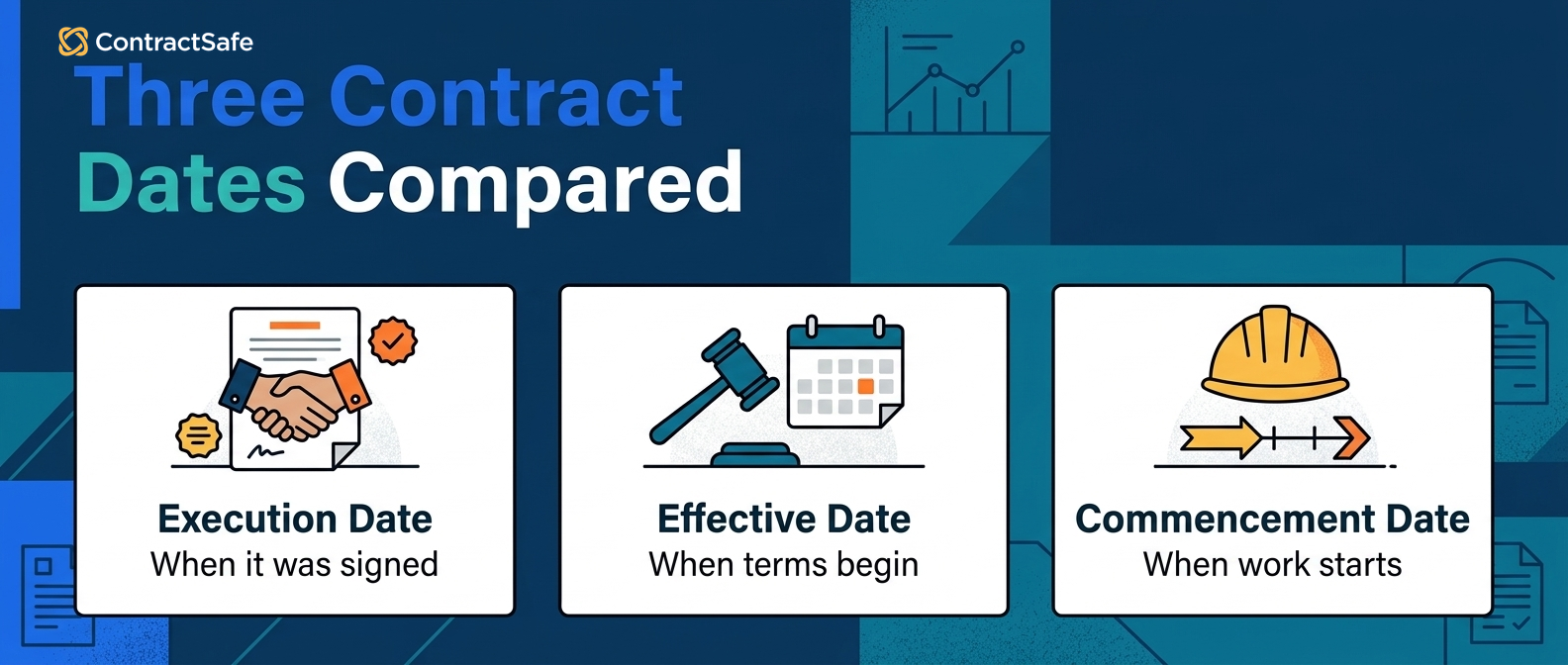
The execution date, the effective date, and the commencement date answer three different questions about a contract: when it was agreed, when it became enforceable, and when the work begins.
A software company signs a licensing agreement on the first of June. The contract says services become effective in the middle of June. The IT team begins implementation at the start of July.
Three dates. Three distinct meanings. And if anyone involved confuses them, things go sideways fast.
The execution date is the first of June. That’s when both parties signed. It proves mutual agreement to the terms. But signing doesn’t necessarily mean anything is active yet.
The effective date is the mid-June date the agreement names. That’s when the contract’s terms become legally enforceable. Payment obligations, SLA requirements, and the contract term all start running from this date.
The commencement date is the start of July. That’s when the IT team actually starts using the software. The contract was already enforceable for two weeks before performance began.
Now what if the vendor starts billing from the signing date instead of the effective date? That’s two extra weeks of charges for a service nobody was using yet.
The vendor might argue the contract was “active” at signing. The buyer will argue obligations don’t start until the effective date.
Confusion between these three dates is where a significant number of contract disputes begin.
Even legal experts, like those at the Cornell Legal Information Institute, point out that the effective date is when a contract “takes effect or becomes operative and enforceable,” and that's not always the same as the signing date.
Most contracts don’t spell this out clearly enough. When they don’t, courts generally default to the execution date as the effective date.
But “generally” is doing a lot of heavy lifting in that sentence, and it won’t save you from weeks of disputed billing.
Execution, Effective, and Commencement Dates Compared
The difference between the three contract dates is easiest to hold onto side by side.
| Date | What it marks | What runs from it |
|---|---|---|
| Execution date | Both parties signed | Proof of agreement; the default anchor when the contract is silent |
| Effective date | Obligations become enforceable | Payments, SLAs, the term, renewals, notice windows |
| Commencement date | Work actually begins | Delivery schedules, milestones, performance measurement |
Compared this way, the rule of thumb is simple: the execution date proves the deal, the effective date runs the contract, and the commencement date runs the work. File all three on the record, and compute deadlines only from the second.
Check the three dates on your most recent signed agreement right now. If your tracking system has one field for all three, this guide's later sections are your to-do list.
Why the Effective Date Controls Everything Downstream
Almost every operational clause in a contract calculates backward or forward from the effective date. When that anchor is wrong, every dependent calculation inherits the error.
The GPS metaphor applies directly: one wrong coordinate at the start, and every subsequent instruction drifts further from where you need to be.
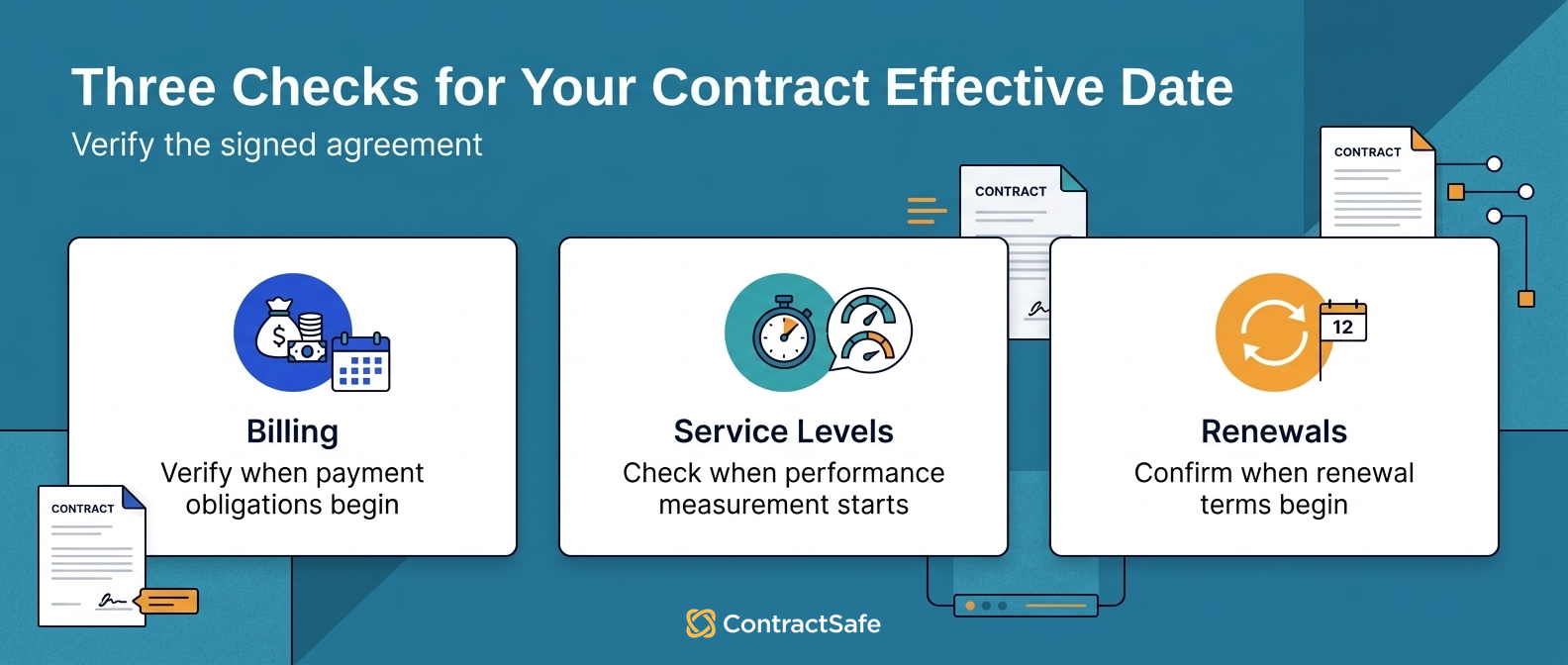
Here are the seven obligation categories anchored to that one date.
Check each contract category against your own agreements as you read, because every category below is also a line in the audit checklist at the end of this guide, with owners and alert dates to set.
The first five are operational: billing, service levels, renewals, exits, and coverage. The last two are the ones that bring auditors: revenue recognition and federal compliance.
1. Payment Schedules and Billing Cycles
Payment clauses in a contract usually run from the effective date: “payment due from the effective date” means something very different if that date is the signing day versus two weeks later.
The invoice, the proration, and the late-fee clock all inherit whichever date the vendor's billing system holds.
A two-week drift compounds across a year of invoices. For example, a monthly subscription billed from the signing date overcharges the same half-month every cycle, and the total quietly crosses a full month of fees by year end.
Check the first invoice against the effective date clause, not the signature page, and dispute the difference while the relationship is new.
- Watch for: vendors billing from the execution date by default.
- Watch for: proration language that assumes a different start than the effective date.
2. SLA Measurement Windows
SLA windows in a contract measure from the effective date: if uptime is guaranteed monthly from that date and both parties think it’s a different day, every SLA report, credit calculation, and escalation threshold will disagree on schedule.
For example, an outage on the last day of one party's "month" is the first day of the other's, and the credit calculation changes with it.
Confirm the measurement anchor in writing before the first review cycle, and check the dashboard's configured start date against the contract clause, not the kickoff email.
- Watch for: SLA dashboards configured from the go-live date instead of the contract's anchor.
- Watch for: service credits computed on calendar months when the contract measures from its own anniversary.
3. Renewal and Auto-Renewal Calculations
Renewal math in a contract starts at the effective date: a one-year term effective mid-June renews mid-June next year, and the notice window counts backward from there.
For example, a sixty-day notice window on that agreement opens in mid-April; filed under the signing date, the tracker says you have until May.
But if someone filed it as effective on the signing date, the renewal alert will fire two weeks late.
By then, the cancellation window may have closed. Recompute the renewal dates from the effective date clause for every auto-renewing agreement you hold, soonest renewals first.
- Watch for: auto-renewal windows calculated from the wrong anchor closing earlier than the calendar says.
- Watch for: renewal terms that restate the anchor differently than the preamble, a drafting conflict to resolve before signing.
4. Termination Notice Deadlines
Termination notice in a contract calculates from the term's end, which itself calculates from the effective date. One wrong anchor, two wrong deadlines.
“Ninety days' written notice before the end of the term” depends on the termination date, and the termination date depends on where the term started.
For example, a contract effective mid-June with a one-year term and ninety days' notice has a real deadline in mid-March. Filed under the signing date, every one of those numbers shifts.
Check both computed dates whenever the effective date gets corrected, because the error propagates in pairs.
- Watch for: notice deadlines tracked as entered dates instead of computed ones.
5. Insurance and Liability Coverage
Coverage under an agreement runs between its effective date and its end: a policy signed at the start of the month with a mid-month effective date leaves a two-week gap.
If something happens inside that gap, the policyholder thinks they’re covered. They’re not.
Compare the coverage dates against the operational start for every agreement that requires insurance, and close the gaps before work begins.
For example, a contractor mobilizing equipment in the two-week gap between signature and coverage is an uninsured incident waiting for a forklift.
- Watch for: certificates of insurance whose effective dates trail the contract's.
- Watch for: renewal certificates requested from the contract's anniversary while the policy renews on its own cycle.
6. Revenue Recognition Under GAAP
Revenue recognition ties to contract performance: under ASC 606, you recognize revenue as you meet your contract obligations, which are anchored to the effective date.
If that date is fuzzy, your financial reporting and audits get messy.
Give finance the effective date field, not the signature page, and reconcile the two whenever they disagree.
For example, a contract signed in one quarter but effective the next can move revenue across reporting periods, and the auditors check which date the schedule used.
- Watch for: revenue schedules built from invoice dates instead of the contract's anchor.
- Watch for: multi-element agreements where each deliverable carries its own start, all chained to the master effective date.
7. Government Contract Compliance
Federal contract rules regulate the effective date directly: the NASA FAR Supplement specifically says the effective date is when the work starts, and the date can't be *before* the contracting officer signs.
Retroactive effective dates, tolerated in commercial agreements, are explicitly prohibited there.
Check the signing authority's date against the stated effective date on every federal agreement before filing it.
- Watch for: backdated effective dates that survive review because nobody compared the two clauses.
- Watch for: modifications carrying their own effective dates that don't match the modification's signature.
Quick gut check before you trust any report. Pick one auto-renewing contract and recompute its renewal notice deadline from the effective date clause by hand. If the system's answer differs, every similar record needs the same check.
Where Effective Dates Hide in a Contract
The effective date can live in four different places in a contract, and the drafting decides how easy the date is to find and file correctly.
The preamble is the usual home: "this Agreement, effective as of [date], is entered into by..." When the preamble names the date, intake is easy.
The definitions section is the second home: "Effective Date means the date on which the conditions in Section 2 are satisfied." Conditional dates like that can't be filed at signing; somebody has to record when the condition was met.
The signature block is the trap: a "Date" line next to each signature captures execution, not effectiveness, and the two get conflated at intake constantly.
For example, an agreement whose preamble says "effective as of the Closing Date" with a definitions cross-reference needs two entries in the tracker: a placeholder at signing and the real date when closing happens.
Check all four locations at intake, and when the date is conditional, set a reminder to capture the actual date when the condition resolves.
What Happens When a Contract Effective Date Is Wrong
A wrong effective date compounds quietly: the consequences arrive as overbilling, missed windows, and locked-in terms months after the entry error.
Go back to the software licensing agreement. Signed the first of June, effective mid-June, implementation in July.
The contract administrator enters it into the company’s tracking system. The “start date” field gets the first of June because that’s the date on the signature page. Nobody notices the effective date clause on page four.
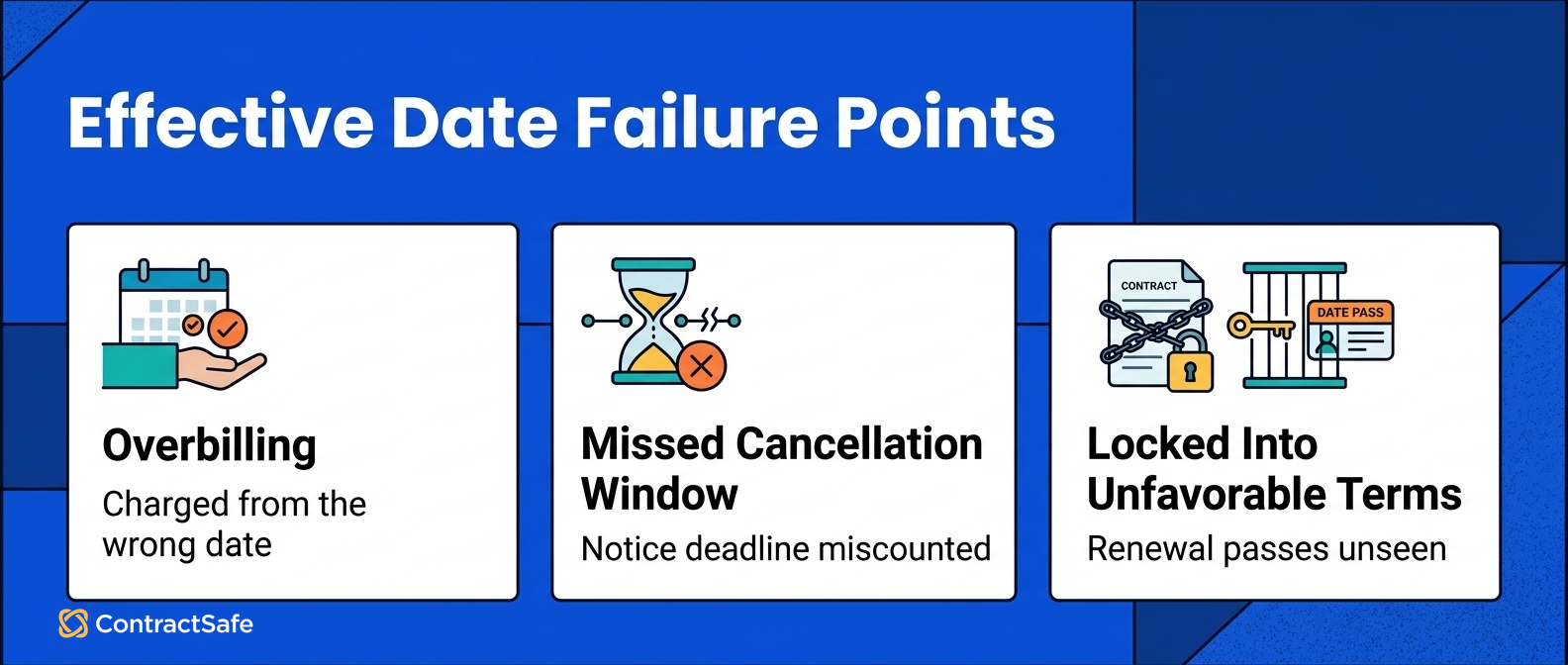
Later, three problems have compounded:
Overbilling. The vendor has been billing from the signing date. That’s two extra weeks of charges on every monthly invoice, a full month of overpayment by year end.
Missed cancellation window. The auto-renewal clause triggers from the entered start date, closing the cancellation window two weeks earlier than expected. They miss it.
Locked into unfavorable terms. The annual contract audit flags the billing discrepancy, but the contract has already auto-renewed at a higher rate.
One wrong date, entered once, compounding across three systems for six months.
The remedies after the fact are weak: disputing invoices the contract technically supports, asking the vendor to waive a renewal that already triggered, or paying penalties to exit. Damages are hard to claim for your own data-entry error.
Prevention is a field and a habit. ContractSafe’s article on contract metadata mistakes describes exactly this pattern: when the contract says one date and the tracking system says another, every report and alert built on that metadata is wrong.
How to Get Effective Dates Right
Getting effective dates right takes four habits: state the date explicitly, name which signature controls, treat retroactive dates with care, and track the contract's date instead of the signature's.
It's straightforward in principle and easy to neglect in practice.
State the effective date explicitly. Every contract should include a sentence like: “This Agreement shall become effective on [date].” If the effective date depends on a condition (regulatory approval, board authorization, delivery of a deposit), the contract should say that too.
When parties sign on different dates, specify which date controls. If a vendor signs at the start of the week and the buyer countersigns two days later, the execution date is the countersignature.
Be cautious with retroactive effective dates. Contracts can be made effective as of a past date, which can be legitimate (like formalizing a handshake arrangement). But retroactive dates create compliance risk and can be challenged. In federal contracting, they’re explicitly prohibited.
Track the actual effective date in your system, not the signing date. If your tracking system has one date field labeled “start date” and the person entering data puts the signing date there, every downstream alert inherits the error.
ContractSafe separates these fields by default. The system includes distinct fields for effective date and termination date.
When the starting coordinates are right, everything downstream calculates correctly. Alerts fire on time. Renewal windows open when expected. Billing cycles match the contract.
A One-Hour Effective Date Audit
An effective date audit fits in an hour for most portfolios and pays for itself with the first corrected renewal window.
- Pull your ten highest-value active contracts and open each one's effective date clause.
- Compare the clause against the date in your tracking system, and log every mismatch.
- For each mismatch, recompute the renewal and notice deadlines from the correct date.
- Fix the records, then check the next alert on each corrected contract fires before its real window closes.
- Assign one owner to apply the same check at every new contract's intake.
The mismatches you find are not embarrassments; they're refunds and saved renewals that were otherwise invisible.
Mistakes That Make Date Errors Permanent
Effective date mistakes survive because the habits around them hide the evidence.
- One "start date" field for three different dates. The tracker forces the conflation the contract avoided.
- Filing from the signature page without reading the preamble. The clause on page four loses to the date next to the autograph.
- Trusting extraction without verification. AI reads the dates fast; a human confirms which one is which.
- Correcting a date without recomputing the deadlines built on it. The fixed field still feeds stale alerts.
- Leaving conditional effective dates as blanks. A blank never fires an alert, and the condition's satisfaction goes unrecorded.
Check your intake checklist against the five. Each is one sentence of process; the absence of each is a quarter of cleanup.
Related Reading
- Auto-renewal clauses, for the renewal windows that the effective date anchors.
- Contract renewal best practices, for the process those corrected dates feed.
- Contract obligation management, for tracking the duties that start running on the effective date.
How ContractSafe Helps With Contract Effective Dates
ContractSafe helps teams track every date that matters with search, alerts, owners, related files, and reporting in one contract system.
Most teams can start quickly. The AI extracts dates automatically from uploaded contracts and identifies execution status, and you can set alerts and reminders tied to any date, including renewal windows calculated from the actual effective date.
You get enterprise-grade security (SOC 2, HIPAA, full audit trails) with everything searchable in one place, and support from real humans on every plan.
Link your contract dates to your main contract storage and your contract obligation management process, so the one-hour audit above becomes a standing habit instead of an annual rescue.
For more context on the discipline, WorldCC and the National Contract Management Association publish contract management resources beyond the software.
The fastest proof is your own paperwork. Bring one signed agreement to a free demo and watch the effective date, termination date, and renewal alerts get set from it live.







.svg)







.svg)




