


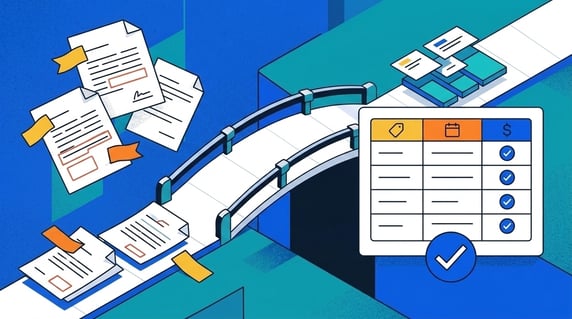
Contract metadata mistakes are errors in the labels, dates, owners, or links your system records about each agreement, and they make contract records a headache to trust.
Think of them like bad shelf labels in a storage room. The document may exist, but nobody trusts where it is.
Audits slow down when teams cannot trust the fields attached to the contract.
Key Takeaways
- Most audit problems don’t come from missing contracts. They come from contract metadata: the information your system tracks about your contracts. When metadata doesn’t match what the documents actually say, you’re in for some serious audit headaches.
- The biggest culprits: amendments that aren’t linked to their parent agreements, expiration dates nobody updated, evergreen contracts hiding real deadlines, and contracts still assigned to people who left the company.
- You don’t need perfect metadata everywhere. You just need accurate data for your active contracts, which makes this a much smaller project than it sounds.
- Smart tools help: AI can pull out key details for you, and clear intake steps catch most mistakes before they snowball.
- ContractSafe helps make the contract record, owner, dates, related files, and next action searchable and trackable after signature.
Choose Your Next Step
Contract metadata problems get solved faster when you start from the symptom in front of you. Jump to the part of this guide that matches it.
- Fuzzy on the vocabulary? Start with data versus metadata.
- Bracing for an audit? Check the eight mistakes auditors find and the cleanup order.
- Just cleaned up? Go to the guardrails that stop the drift.
- Whichever path you take, pull your ten highest-value contracts and compare each record's dates and owner against the signed document. The mismatches you find are the whole problem, measured.
- Fixing the dates specifically? Our contract effective date guide covers the field that anchors the renewals, notice windows, and alerts downstream.
Wait, What’s the Difference Between Data and Metadata?
Contract data is what's written inside the document; contract metadata is what your system records about the document. Audits go sideways in the gap between the two.
These two words get used interchangeably all the time, and the difference is pretty important. So let’s pause here and get a definition of contract data and metadata.
The data is what’s in the contract itself. Page 3 says the effective date is March 1. Section 7.2 says the contract auto-renews annually. The signature block shows it was signed by your VP of Operations.
That information lives inside the document. In the library metaphor, data is the book.
The metadata is what your contract management system records about that contract. The “Effective Date” field in your contract management platform. The “Renewal Type” dropdown. The “Contract Owner” assignment.
That information lives in your contract management system. It’s the library catalog card about the book.
| Contract data (the book) | Contract metadata (the catalog card) | |
|---|---|---|
| Where it lives | Inside the signed document | In your contract system's fields |
| Example | Section 7.2: auto-renews annually | Renewal Type dropdown: “Auto-renew” |
| Who reads it | Lawyers, during disputes | Everyone, every day, via search and reports |
| How it breaks | It doesn't; the document is the truth | Quiet drift: unlinked amendments, stale owners, wrong dates |
| Audit role | The evidence | The index the auditor actually queries |
When data and metadata match, everything works. You can search, sort, report, and set deadline alerts. But when the two drift apart (and they will, quietly, over months and years) that’s where audits go sideways.
Because an auditor isn’t going to open every PDF and read every clause. They’re going to pull a report from your system and ask, “Does this data accurately reflect your obligations?”
If it doesn’t, you’re in for a long week and a lot of uncomfortable follow-up questions.
The Eight Contract Metadata Mistakes Auditors Find
Poor contract metadata comes from a handful of predictable mistakes, and auditors find the same eight over and over.
Let’s walk through each one, because if you’ve managed contracts for more than a year or two, at least a couple of these will feel uncomfortably familiar.
Check your own system against each mistake as you go, and keep a running list of the records to fix. The cleanup order at the end of this guide works through that list by risk.
1. Contracts That Don’t Know They’re Related
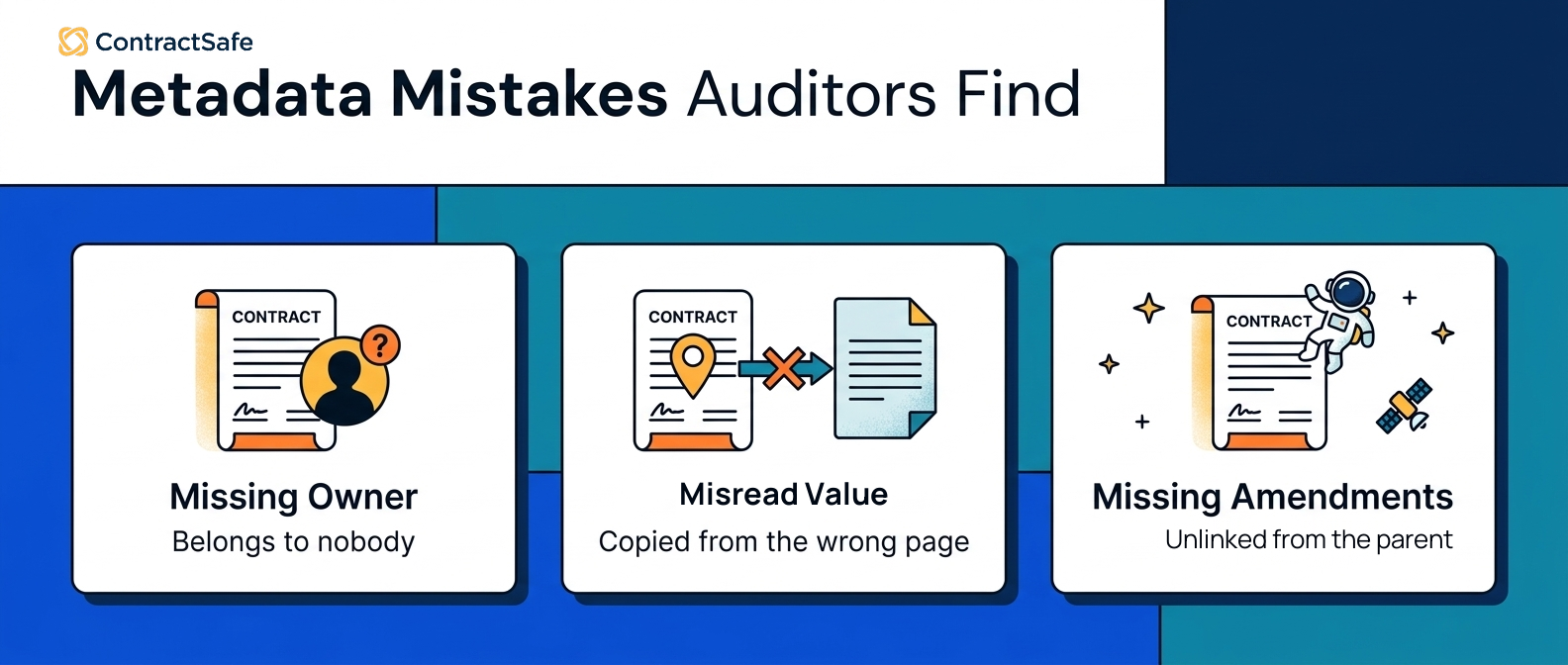
Unlinked contract relationships mean the system can't show how agreements connect: a Master Service Agreement with a vendor, and underneath it, three Statements of Work, an addendum from last year, and an amendment that changed the payment terms in Q2.
In the library version of this, it’s like cataloging the first book in a trilogy but listing the sequels as completely unrelated works. Someone searching the catalog would never know they’re connected.
Here’s where it gets dangerous. Teams often track dates and terms on the MSA but never link it to the SOWs or amendments that contain the actual delivery dates and price points.
So when an auditor asks to see the full picture of an agreement, you can’t show it. Not because the documents don’t exist, but because your repository doesn’t reflect how they relate to each other.
This isn’t just housekeeping, either. Auditors evaluating your controls work from standards like PCAOB AS 6110, and unlinked records read as a control gap.
- Watch for: relationships stored in folder names or file prefixes instead of real links.
- Watch for: SOWs uploaded by a different team than the MSA, in a different corner of the system.
2. Amendments Floating in Space
A floating amendment is in the system but connected to nothing: the document uploaded, the expiration field never updated, the parent agreement never linked.
Picture this: your team uploads a contract amendment that extends a contract by two years. Great, the document’s in the system. But nobody updates the expiration date field. Nobody links the amendment to the parent agreement.
Now your catalog card still says the original expiration date, and every search and report built on it is wrong.
You know the answer. There’s an amendment that extended it. But “somewhere in the system” isn’t an answer that satisfies an auditor.
You need to produce the amendment, show how it connects to the original, and prove that your system reflects the current terms. If you can’t do that quickly, you’ve turned a five-minute question into a half-day scavenger hunt.
And the questions auditors ask in these situations are painfully specific:
- Which agreement governs pricing today?
- Why does this renewal date differ from the amendment?
- Which terms are currently in effect?
- Who owns this obligation right now?
- How do you know this is the latest version?
Every one of those questions is really asking the same thing: does your catalog card match what’s actually on the shelf?
3. Evergreen Contracts Hiding Real Deadlines
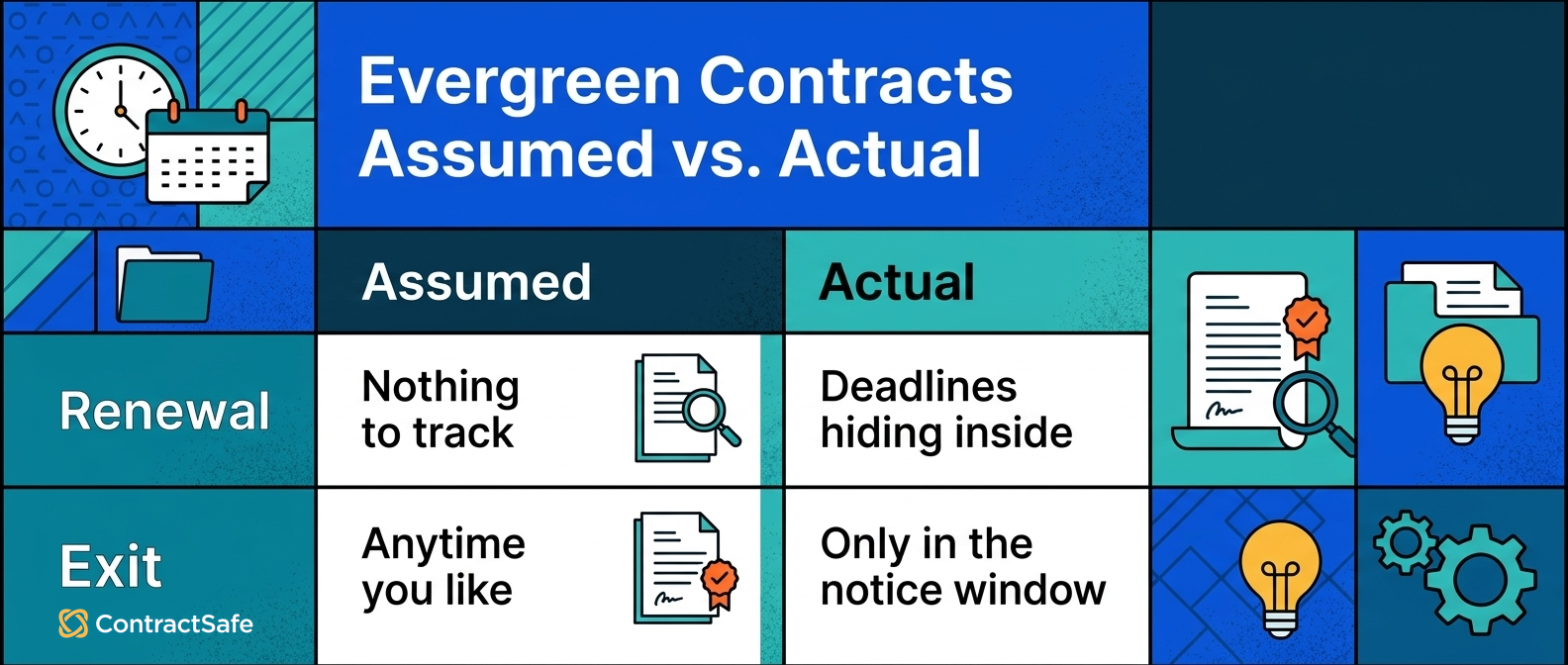
Evergreen contract metadata hides deadlines because the parent agreement renews automatically while the obligations underneath carry hard end dates nobody tracks.
Evergreen contracts feel safe. They renew automatically, so there’s nothing to track, right? Not exactly.
Think of it like a magazine subscription that auto-renews. The catalog says you’ve got an ongoing subscription, so no action needed. But buried in the fine print, three special issues are scheduled to stop publishing in October.
Your catalog doesn’t track those individual issues. Why would it? The subscription is “evergreen.”
Here’s a concrete example. An auditor asks for a report on every contract expiring in the next twelve months.
Your system returns zero results because everything’s labeled evergreen.
But buried in the details, you’ve got two million dollars of project work ending in October.
That’s not a minor discrepancy. That’s a reporting failure that could lead to some serious financial headaches.
Evergreen doesn’t mean “nothing to see here.” It means the catalog card needs to be more detailed, not less. Track every SOW and project amendment under an evergreen master with its own end date.
- Watch for: expiring-contracts reports that return suspiciously few results.
- Watch for: project work booked under evergreen masters with no end dates in the system.
4. The Contract That Belongs to Nobody
Ownership drift means contract records still point to people who changed roles or left, so nobody is actually watching the obligations.
Let’s talk about Rachel. Rachel was your contracts administrator. She set up the original system, uploaded everything, tagged every document, and made sure dates were accurate and owners were assigned. She was meticulous. Everyone loved working with her.
Rachel left the company eighteen months ago.
Her name is still listed as the owner on a hundred and forty active contracts. Nobody reassigned them.
Nobody even noticed, because the contracts kept auto-renewing and payments kept going out on schedule. Everything looked fine from the outside.
Then an auditor asks: “Who owns the security audit clause in this vendor agreement?” Your system points to someone who left two years ago.
This is ownership drift, and it’s one of the first things to break as a company grows. People change roles, leave, get reorganized.
But their name stays in the “Contract Owner” field like a library book checked out to a student who graduated three years ago.
Auditors don’t just find this annoying. They read it as evidence that nobody is actively managing these contracts. If no one owns it, no one is monitoring it. And if no one is monitoring it, obligations are probably falling through the cracks.
In ContractSafe, ownership reassignment is a filtered report and a bulk update, so the Rachel problem gets fixed in an afternoon instead of surviving three reorganizations.
- Watch for: owners who are inactive users, departed employees, or departmental aliases nobody monitors.
- Watch for: ownership reports nobody has run since the last reorganization.
5. Fifty People Cataloging Fifty Different Ways
Inconsistent manual entry means the same contract facts get recorded differently by every person who touches the system.
Remember our library? Now imagine it has fifty volunteers, all cataloging books with their own personal system. One writes “Tolkien, J.R.R.” Another writes “JRR Tolkien.” A third just writes “Tolkien.” Search for any one format and you miss the other two.
This is what happens with manual metadata entry across a team. Different people tag contracts different ways, abbreviate party names inconsistently, interpret date fields differently, or skip optional fields entirely. Everyone’s doing their best. Nobody’s doing it the same way.
A one-percent mistake rate sounds trivial. Across two thousand contracts, that’s twenty agreements with bad data nobody’s caught yet. Most teams don’t realize how much cleanup is hiding in their system until an audit forces a close look.
This is where AI-assisted metadata extraction earns its keep: it reads the contract closely enough to pull the fields people forget to enter, the same way every time.
- Watch for: the same counterparty appearing under three different names in reports.
- Watch for: optional fields that are blank on half the records.
6. Dates Copied from the Wrong Page
Wrong-source dates happen when the person filing the contract takes the date from the signature block instead of the effective date clause.
The two dates routinely differ, and every renewal, notice window, and alert computed from the wrong one inherits the error.
For example, a contract signed the first of June but effective mid-June, filed under the signing date, fires its renewal alert two weeks late, possibly after the cancellation window closed.
Our guide to contract effective dates covers this field in depth; it anchors most of the others.
Fix it at intake: separate fields for execution, effective, and termination dates, filled from the contract's clauses rather than the signature page.
- Watch for: one "start date" field doing the work of three different dates.
- Watch for: renewal alerts that consistently fire a little late.
7. Fields Frozen at Signature
Frozen fields are metadata that was right on day one and never touched again, while renegotiations, notices, and price changes moved the real terms.
A contract record is not a time capsule. Renewal pricing changes at each cycle, counterparties merge and rename, and notice addresses move with office leases.
For example, a termination notice mailed to the address on the original record, three years and one acquisition later, may never legally arrive.
Set a review trigger: any renewal, amendment, or counterparty change reopens the record's fields for verification.
For example, a record still showing the pre-merger vendor name fails the auditor's first cross-check against the invoice ledger.
- Watch for: counterparty names that no longer match the entity paying the invoices.
- Watch for: notice addresses never reverified after vendor M&A.
8. Two Systems, Two Answers
Duplicate records mean the contract lives in two systems, and each gives a different answer about dates, terms, or owners.
Legal keeps the repository; finance keeps a spreadsheet; procurement keeps the vendor portal. Each was accurate once. They drifted independently.
For example, an auditor who gets one renewal date from your report and a different one from finance's spreadsheet now questions every other field too.
Pick the system of record, put the signed contract, renewal date, and owner in that one central system, and make every other copy read-only or retired.
- Watch for: teams exporting the repository into spreadsheets that then live their own lives.
- Watch for: two teams confidently giving different answers to the same contract question.
Quick gut check before any audit window opens. Pick one high-value vendor agreement and answer the five auditor questions above from your system alone, without opening the PDF. Time it. That number is your metadata health, measured.
How to Fix Your Contract Metadata
Fixing contract metadata starts with accurate fields on active contracts, not perfect fields on everything.
Here’s the good news. You don’t need perfect metadata for every contract in your system. You need accurate metadata for your active ones. That’s a much smaller project than it sounds.
Start with the fields auditors care about most. Effective dates, expiration dates, parties, and ownership. If those four fields are accurate on your active contracts, you’ve knocked out the majority of audit risk.
Audit your own document relationships. Pull up your high-value vendor agreements and check whether amendments and SOWs are actually linked to their parent MSAs. If they’re floating in space, connect them. This is the single highest-impact cleanup task you can do.
Reassign orphaned contracts. Run a report of active contracts and look for owners who are inactive users, departed employees, or vague departmental aliases that nobody monitors. Reassign every one of them to a real, current human being.
Prioritize by risk, not alphabetically. Your biggest vendor contracts and most heavily regulated agreements come first. Work outward from there.
Pick the best tool for the cleanup before you start. Shortlist contract systems that extract fields with AI, link related documents on the record, and report on ownership gaps.
The top tools turn the cleanup from a data-entry project into a review queue. Evaluate the shortlist with your own messiest vendor file.
For the wider process around this cleanup, our guide on how to audit your contract management process covers the full review.
Preventing Metadata Problems Going Forward
Metadata stays clean when intake has required fields, amendments link at upload, and someone checks the records on a schedule.
Once you’ve cleaned things up, you need guardrails so it doesn’t drift again.
- Standardize your intake process. What five fields must be completed before a contract record is considered done? Make that a checklist, not a suggestion.
- Link amendments at upload. Make it policy that an amendment can’t be uploaded without connecting it to its parent record. No exceptions.
- Reassign ownership at every departure. Add the contract-owner report to the offboarding checklist, so no record points at an empty desk.
- Schedule quarterly check-ups. Run a quick scan for missing dates, ownership gaps, or inconsistent tagging. Fifteen minutes every quarter saves you days during an audit.
- Keep everything in one place. Put the signed contract, renewal date, and owner in the same system, so two teams do not keep two different answers.
The system still needs rules, but the rules are short. When the contract data lives with the contract, audits stop feeling like a scavenger hunt. The answers are already in the system.
An audit is really someone asking, “Can you prove this is how the contract stands today?” Your metadata is where that proof lives.
Make Contract Data Audit-Ready Before Auditors Ask
You are ready for an audit when the data matches the contract sitting in front of you.
When you fix document relationships, track renewal dates, assign clear owners, and keep your metadata consistent, your team can confidently face audits instead of scrambling at the last minute.
When you can hand an auditor a clean, accurate report of your obligations in seconds, the entire tone of the audit becomes faster and less stressful for everyone involved.
Don't wait for an audit request to find out your metadata is failing you. Run the gut-check timing test above this quarter, and fix the records it exposes while the deadline is yours instead of the auditor's.
Related Reading
- Contract effective date rules, for the one field that anchors most of the others.
- How to audit your contract management process, for the full review this cleanup feeds.
- Contract obligation management, for tracking the duties your corrected fields point to.
How ContractSafe Helps With Contract Metadata
ContractSafe fixes the tedious parts of this problem so your team doesn't have to be more careful, just better equipped.
ContractSafe’s AI automatically extracts key terms, dates, and parties when you upload a contract, so metadata starts accurate instead of starting as a guess. The same fields get pulled the same way every time, which ends the fifty-volunteers problem.
Related agreements connect on the record, ownership stays current with reassignment tools, and the metadata stays accurate after cleanup. No complicated implementation. No six-month onboarding.
Start with the contract repository, connect the obligations that still need attention, and keep renewal hygiene on every record.
For a second set of eyes on your field list, WorldCC's contract resources and NCMA’s contract management guidance cover the discipline beyond the software.
Ready to stop second-guessing your contract data? Bring one messy vendor agreement and its amendments to a free demo and watch the fields, links, and owners get set live.








.svg)







.svg)




