


Contract collaboration software creates a digital workspace where you, your team, your boss, and any other key players can work together to draft and negotiate. But while it’s wonderful to keep everyone in contact and avoid different versions of Contract_v2_edits.pdf, a system where everyone can always edit a document is a major risk.
An auditor needs to access three specific files for a week, so someone grants him folder access and forgets to remove it. A new finance hire needs visibility into vendor terms, so IT copies whatever permissions the previous employee had, mistakes included. Legal, now worried about risk, locks contracts down so tightly the sales team has to file a request every time they need a customer’s renewal date.
A well-run office building doesn’t hand every employee a master key. It hands them a badge that opens doors their job requires, and that’s it. Contract collaboration software needs the same logic, where security can let the right person view, edit, or read the right contract.
Key Takeaways
- Unmanaged shared drives open the door to legal liability during employee offboarding. A lawsuit against FinWise Bank asked for $5 million as a result of a former employee accessing shared files after leaving.
- Contract software uses folder- and tag-based sharing to grant access to specific groups of documents without duplicating files or exposing entire parent directories.
- Advanced contract management platform access controls prevent accidental file deletion, security slips, and overwrite errors through user roles like read-only or no-delete.
Why Easy Document Sharing Becomes a Governance Problem as Teams Grow
Email attachments and shared drives may work fine when you’re only sending a few contracts through three people, but they stop working once contract volume grows and more departments need visibility. In a single shared folder you either have access or you don’t. There isn’t an easy way to let Jane see contract dates without also seeing payment terms and liability language, or for Bob to read over the NDAs related to agreement A but not agreement B.
As more people get added “just in case,” sensitive clauses end up visible to people who have no reason or clearance to see them.
Access is easy to grant and easy to forget. Removing someone from payroll and emails is a checklist item; removing them from every folder, drive and shared link they picked up over four years is not. A former FinWise Bank employee retained access to shared files after the employment ended, exposing data on roughly 689,000 people and triggering a $5 million class action lawsuit.
The solution can’t be to lock everyone out, though. If only legal has access to any files, they’ll either spend half their days answering questions like “what were the delivery timeline obligations for this IT vendor?” or the rest of the company will operate in the dark. The shared drive was never built to be a contract repository. It stores files, and doesn’t know the difference between a signature page and a pricing schedule so you can’t share one without access to the other.
The Core of Secure Collaboration: Centralized Access Meets Role-Based Control
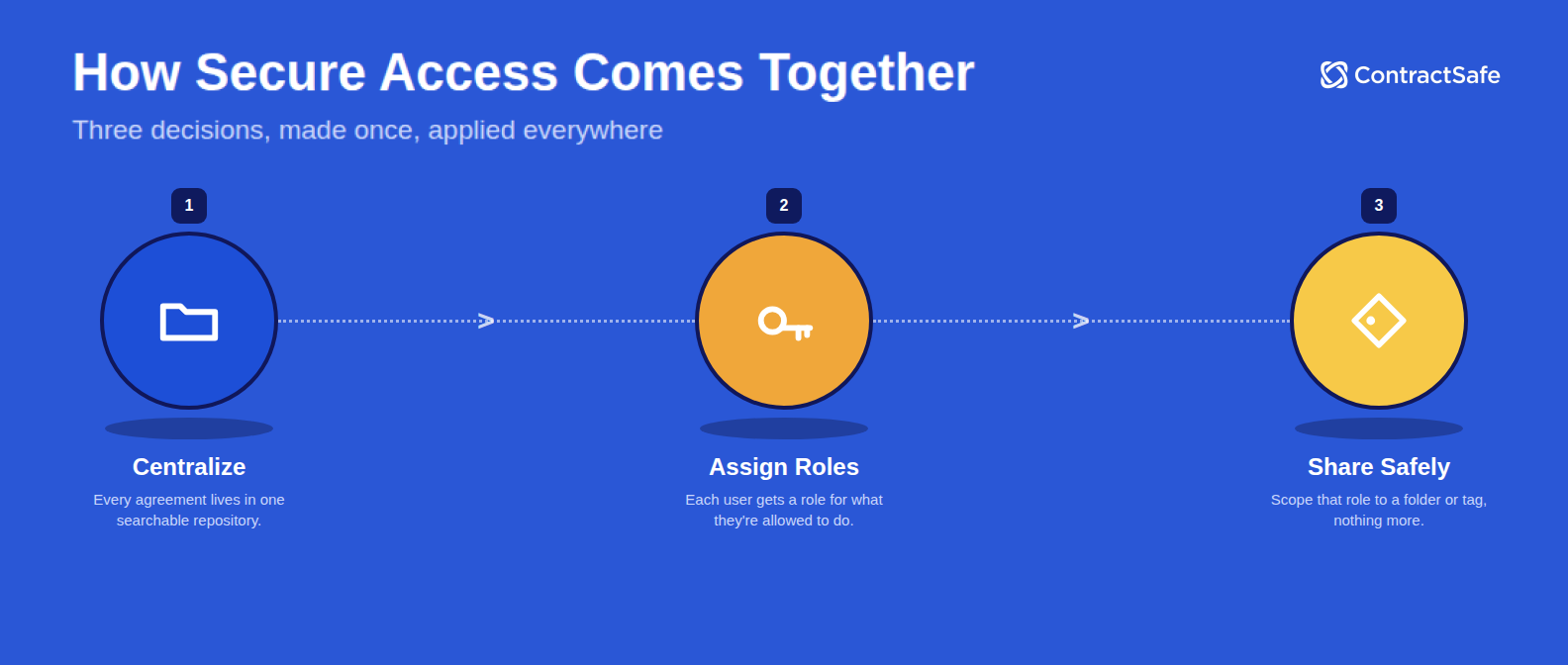
Centralizing your contracts answers "where is it." It doesn't answer "who should see it." For that you need role-based access control: instead of setting permissions document by document, you give each person a role that defines what they're allowed to do, then grant that role access at the folder or tag level.
Roles vs. Permissions: Understanding the Difference
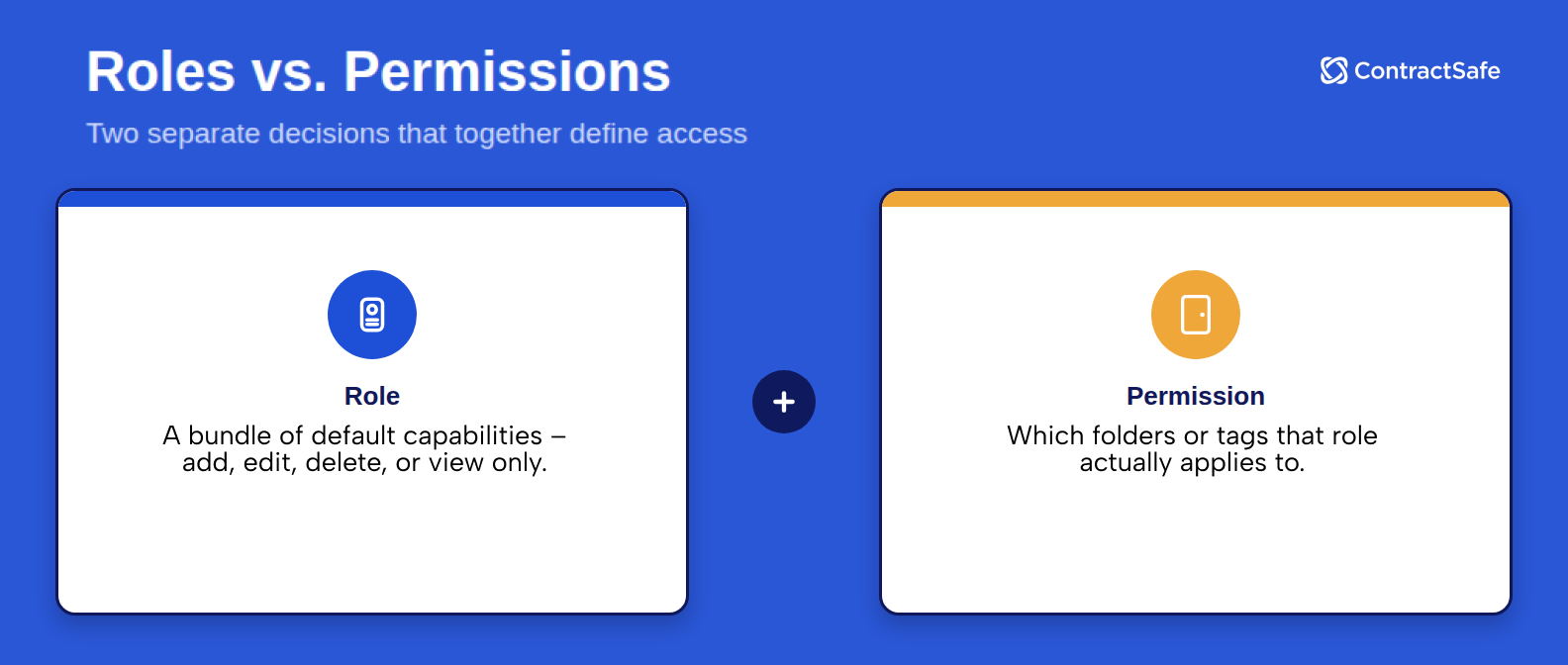
A role is a bundle of default capabilities (the ability to add, edit, delete, or only view). A permission determines which folders, tags, that role actually applies to. The role acts as the badge type, and the permissions are which doors it opens. The two decisions are separate, and both have to be made on purpose.
For example, an admin role might carry full editing rights. A read-only role carries none. But, neither role means anything without permissions. An admin over the entire repository is a very different level of access than an admin of a department.
Folder-Level and Tag-Level Sharing
Folder-based sharing works the way you’d expect: grant access to a folder, and the person can see what’s inside. Tag-level sharing adds a layer folders can’t provide on their own. A tag is a label you attach to a contract like "2026 audit" or "Northeast region." A contract can carry multiple tags, and unlike a folder, a tag doesn't care where the file is stored. Tag-based sharing uses those labels to grant access. It’s the difference between a badge that opens one floor and a badge that opens specific rooms on every floor.
An external auditor doesn’t need your entire legal folder. They need every contract tagged for this year’s audit, regardless of which folder each one lives in. Tag-based access compiles all of that information without duplicating files or opening a separate data room just for the review.
Complex Permissions for Multi-Team Access
It’s rare for an organization to have a clear-cut system where one job description only needs one specific folder. A regional operations manager might need full edit access to their own market’s contracts and read-only visibility into a neighboring region’s. A contract management software with role-based access control allows you to tailor these permissions in a single login, granting standard access to one folder, read-only in another, and no access to a third. This way no one needs two accounts, and no one gets more access than their role actually requires.
How Secure Platforms Prevent Common Contract Sharing Risks
Legal, IT, finance, sales, and procurement all touch the same contract repository, but they each require a different slice of it. Legal needs to see every clause, including the risk language. Finance needs payment terms and invoicing schedules. Sales needs customer-facing terms so they can answer a renewal question quickly. IT usually administers the contract management system itself but doesn’t need to read the contracts it’s hosting.
A secure contract management platform will limit the number of people who can see any given file to the needs-to-know and help avoid common risks of open-ended file storage.
Avoiding Duplicate Files and Ad Hoc Data Rooms
Without tag-based sharing, a one-off audit or deal review often means exporting a duplicate set of files into a separate folder, drive, or data room built for just that purpose. Now there are two copies of the contracts, and only one set gets updates when something changes. Tag-based sharing lets users who typically wouldn’t be in the new business folder, for example, review one specific contract tagged “IT Deal” without creating a copy or letting them see every contract in the folder.
Read-Only, No-Delete, and Other Safeguards
Most people who need to see a contract don’t need to be able to change it. A visitor badge gets someone into the building but it doesn’t let them rearrange the furniture. Restrictive roles, like read-only with or without download, or no-delete rights, work similarly: they let non-legal stakeholders access a contract with zero risk of an accidental edit or deletion.
Contract Audit Trails and Accountability
Every badge swipe leaves a record of who went where and when. A contract repository needs the same log. When an auditor or regulator asks for the complete history of who viewed, edited, or downloaded a contract, and when, a full audit trail is the difference between an answer in seconds and a fishing exercise through emails.
What CLM Features Are the Best for Easy Document Sharing
| Feature | Why It Matters for Secure Collaboration |
|---|---|
| Centralized Document Access | Brings all agreements into one place, replacing fragmented shared drives and email attachments. |
| Role-Based Permissions | Controls what each user can view, edit, download, or delete based on their job function, not an all-or-nothing setting. |
| Folder- and Tag-Level Sharing | Lets teams share a defined slice of the repository, like an audit or a department’s contracts, without exposing everything else. |
| Complex Permissions | Allows one person to hold different access levels in different folders so a single login works across departments. |
| Single Sign-On (SSO) | Centralizes login control through the company’s identity provider, reducing orphaned accounts and shared passwords. |
| Read-Only and No-Delete Roles | Gives outside or non-legal stakeholders visibility without any risk of a document being altered or removed. |
| Audit Trail | Logs every view, edit, and permission change so IT and legal can answer “who saw what” questions after the fact. |
A basic admin/user split isn’t enough, instead, effective contract collaboration requires controlling access by role, folder, tag, or a combination of the three at the same time, which is what lets a single system serve legal, IT, finance, and outside parties without compromising security.
How ContractSafe's Secure Collaboration Tools Work
ContractSafe’s sharing and roles features were designed to keep contract collaboration secure. Users can get eight different types of file access:
Account Owner: Complete access to all contracts, global settings, and configuration tools.
Admin: Full system operators who manage day-to-day user and data structures. The only thing they cannot do is change the account owner.
Department Admin: Can create users and manage access for assigned folders, tags, and properties but cannot change settings for other unassigned departments.
Standard: A user who has access to assigned folders and tags. Can add, edit, and delete contracts, can input metadata and create reports, and can add or remove tags in permitted contracts. Cannot invite users, share views, or access the system audit trail.
No-Delete: Identical permissions to Standard but strictly blocked from deleting contracts.
Read-Only, Download OK: Can view full contract text and details, download files, leave comments, and tag users. Cannot add, edit, or delete contracts.
Read-Only No Download: Can view contracts, leave comments, and tag colleagues but is strictly forbidden from downloading files.
Intake Only: Restricted strictly to uploading files or submitting data and only available on plans using intake forms.
Sharing works by folders or tags, with tags overriding folders when the two overlap. This means if a contract is tagged as “Smith Account,” your read-only user can still see that specific document even if they don’t have access to the parent folder. These complex permissions let a single user carry standard access in their own department and read-only access elsewhere, without needing separate logins.
Give Your Team Broad Access To Contracts They Need Safely
Sharing contracts widely and keeping control over them aren’t competing goals. They just require a platform built to handle both at once. Give everyone a badge meant for the doors they actually need, log every swipe, and you can open the building without worrying about what happens once people are inside.
Centralized access, role-based permissions, folder- and tag-level sharing, and a complete audit trail let every department get exactly the access their job requires, no more and no less. Pair that with a clear onboarding process and your repository stops being something legal has to gatekeep and starts being a tool the whole business can use.
Request a demo to see how ContractSafe’s permission controls work for your team, or start a free trial today.








.svg)







.svg)




