



To choose contract management software employees will actually use, judge each platform on how easily people can upload contracts, find what they need and get data in without tagging it by hand. Since a major part of a CLM’s usefulness comes from having all your contract data in it, employees avoiding your system can make the entire platform useless. Choosing contract management software without usability in mind is a fast track to expensive shelfware.
After noticing where your old contract management software was falling short, you’ve gone through demos, made a pitch to leadership, and are excited to roll out a new platform for the team. But after getting everyone a login, only a handful of your employees figure out all the features during formal implementation, and the rest give up altogether after a few months. A year later, the contracts are still in the shared drive, the search function is useless without any data to pull from, and you’re paying $20,000 for an empty piece of software.
So when you’re comparing contract management platforms, the people who’ll use the system every day belong in your evaluation criteria, and they’re the factor most buying processes leave out.
Key Takeaways
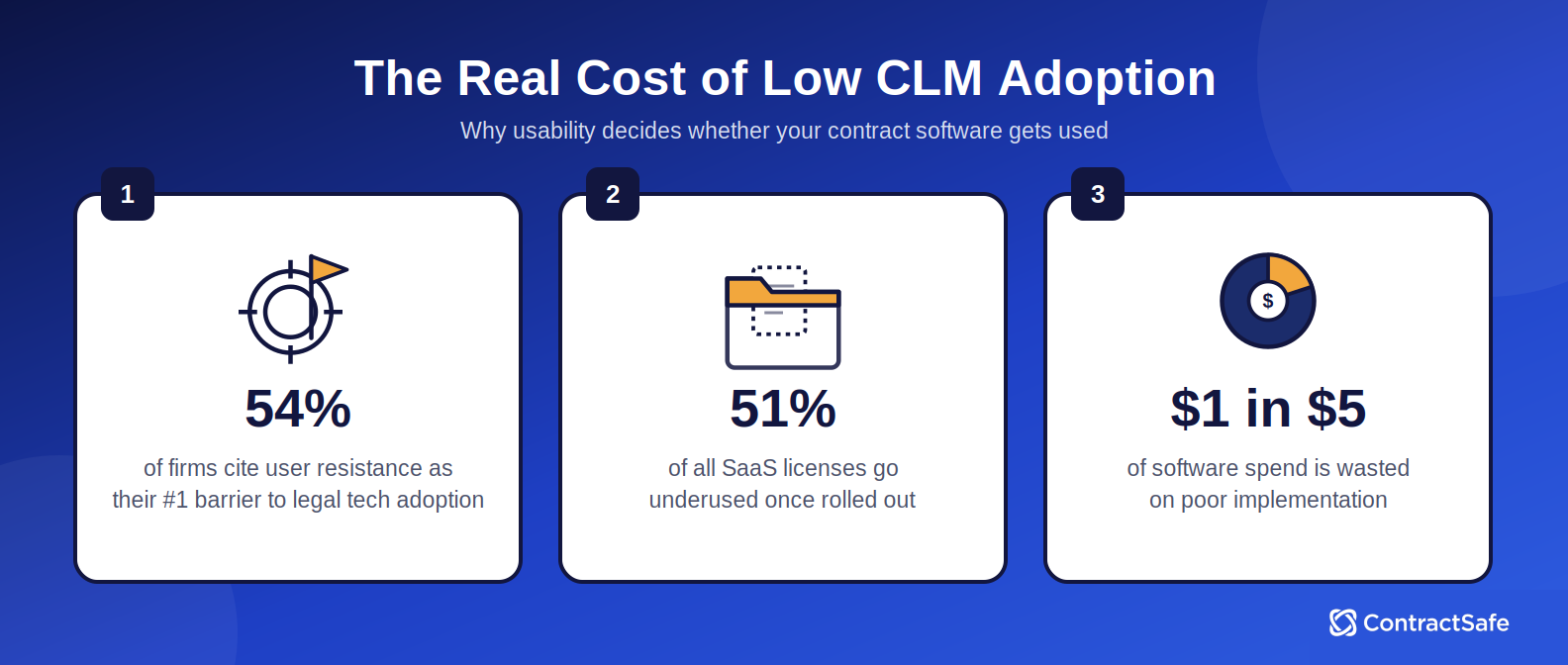
- According to a 2024 survey, 54% of firms cite user resistance as the single biggest obstacle to adopting new legal technology.
- Vertice data shows that 15% of all SaaS licenses go completely untouched while 51% are underused.
- Roughly $1 of every $5 spent on software is wasted due to poor implementation, according to Freshworks.
- When employees don’t use a CLM, the system loses its value. The search function becomes ineffective and version control and edit history are easily lost across local drives and emails.
- ContractSafe was built with user adoption at the heart of its design, with intuitive navigation, features and setup that can be measured in days instead of months.
Why Software Adoption Is the Decision Factor Most Buyers Get Wrong
The typical software purchase follows a tried and tested script: compare feature lists, watch demos of edge-case workflows, and negotiate on price. A prepared buyer may bring a feature list for contract lifecycle management software, but the questions still center on “how” and “how much,” and almost nobody asks whether the people who'll load and search the contracts every day will actually use the system.
According to the ILTA 2024 Technology Survey, 54% of firms cite user resistance as the biggest hurdle to adopting new legal technology. And Vertice reports that 15% of all SaaS licenses are entirely untouched, and 51% are underused in 2026. Your most sophisticated users from legal or IT may have no problem understanding what to toggle on or off to make AI risk scoring more accurate, but your admin doesn’t bother and your IT manager, who attends all the demos, isn’t asking:
Are contracts easy to upload?
Can people navigate the platform with a few clicks or will they struggle to remember where everything lives?
Will everyone need to remember to manually populate metadata or will the system extract it?
Failing to think like the everyday user means that while you have no problem using your new CLM, the rest of your team avoids the software.
4 Common Contract Management Mistakes to Avoid When Evaluating Software
A large part of a CLM’s usefulness lies in its ability to simply help you find contracts when you need them. But search, along with reporting or the benefit of deadline alerts, rely on a complete database of contracts. A 2025 Freshworks survey of more than 700 business leaders found companies waste roughly one dollar of every five spent on software, mostly due to failed implementations and features no one uses. By avoiding the following mistakes, you’ll be able to maximize legal tech adoption from the very beginning of the sales process.
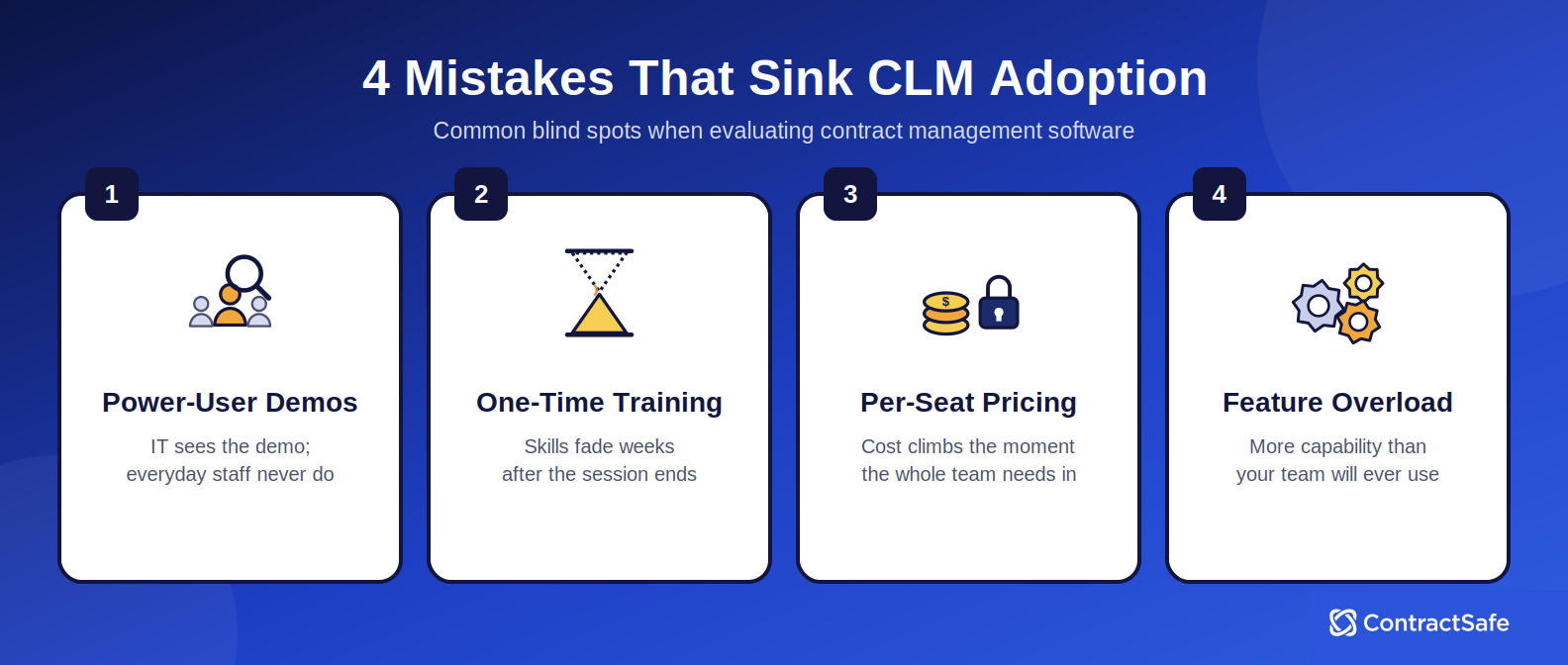
1. Evaluating for Power Users Instead of Average Users
Your head of IT and your finance director are likely to be in the demos or making the final purchase decision, but it’s unlikely they’re the ones using your brand new CLM day in and day out.
The fix: Bring a mix of people to sales calls, like a finance analyst, a sales ops coordinator, and an HR manager, and listen to the questions they ask or the concerns they raise after the call.
2. Treating Training as a Guarantee of Adoption
A one-time training session does not create habits or daily routines. If employees need to remember something they learned in a 90-minute onboarding call six weeks ago, or need a key detail from a two-week training course in order to complete their daily work, they’re not going to upload their contracts or adopt the system.
The fix: Look for software so intuitive that the training requirement is minimal, not software that comes with an elaborate training program to compensate for a steep learning curve. And keep in mind, software that’s simple to learn from your vendor means it’s simple for Janet to teach the new hire, too.
3. Ignoring Per-User Pricing Until After the Contract Is Signed
Per-seat pricing may sound reasonable when the evaluation committee is three people. It becomes a problem when implementation starts, and you realize procurement, sales, and finance all need access too. What may have seemed to be the most affordable contract management software at the outset then ends up gated behind seat limits that discourage broad adoption by design.
The fix: Look for unlimited user pricing that does not punish the organization for giving everyone access.
4. Choosing the Most Feature-Rich Option Instead of the Best-Fit Option
A platform with dozens of features looks impressive in a demo. And knowing what will truly help your day-to-day can help narrow down your software options. The problem is that many enterprise platforms package those features into an all-in-one platform that’s loaded with over-engineered functionality that creates more issues than it solves.
The fix: The best contract management software for adoption is the one that does the things your team actually needs, and does them clearly, without burying them under capabilities they will never use.
Checklist for Evaluating Contract Management Tools for Real-World Adoption
Going into a sales call without a plan makes it easy to get swept up in fancy features or a confident customer story. Use this checklist to make sure you’re tracking what matters to adoption, not just functionality.
| Evaluation Criterion | What to Look For | Red Flag |
|---|---|---|
| Time to first value | Can a new user find an existing contract without help in under five minutes on day one? | Simple tasks like uploading a contract or searching require multiple steps or specific guidelines to remember. |
| Everyday usability | Would a finance analyst, sales coordinator, or Janet use this comfortably without legal ops or IT walking them through it? | Demo is led entirely by a power user; the average user is never shown the interface. |
| Implementation timeline | How long until the team is fully operational? Days or a few weeks are acceptable timelines. Months are not. | Implementation requires IT involvement, professional services, or a multi-month project. |
| User pricing model | Does pricing include unlimited users, or does it scale by seat? | Per-seat pricing that would increase cost significantly if the full team needed access. |
| Repository navigation | Can any user find a specific contract or clause in seconds using plain language? | Search requires knowing exact file names, folder paths, or metadata tags to return results; or only works with Boolean terms. |
| Alert configuration | Can a non-technical user set up a renewal alert without IT or admin help? | Alerts require administrator configuration or are not available on base plans. |
| Training requirement | Is the platform intuitive enough that most users need fewer than 30 minutes of orientation? | Vendor leads with an elaborate training program as a selling point rather than a necessity. |
| Support included | Is a dedicated customer success manager included, or is support a paid add-on? | Support is tiered by plan level or charged separately for implementation. |
Unlike an evaluation that may have your absolute dealbreakers, like you can’t use a CLM without strict compliance tracking or specific security protocols, this list is about finding the right platform for your organization. If a tool that checks all your requirement boxes still has some red flags above, it isn’t necessarily immediately disqualified. But it should make you pause and think realistically about what adoption will look like.
What Simple Contract Management Software Actually Looks Like in Practice
Much like AI features or contract review, adoption and usability are features, not just an afterthought. Your new CLM should be easily usable by your IT department and lawyers, but by Janet and your 20-year-old intern. This looks like:
Self-Serve Standard Templates: A clean way to generate standard agreements, such as NDAs or MSAs, through a simple intake form, instead of a code-heavy clause library only one person on the team knows how to use.
Flexible, Simple Approvals: Conditional routing that gets a contract to the right decision-maker based on value or risk, without extra unnecessary administrative steps in between.
Familiar Editing: Native integration with tools teams are already familiar with, like Microsoft Word, instead of a proprietary legal portal nobody outside the legal team has ever opened.
A Useable Post-Signature Repository: A searchable repository where anyone on the team can find documents or set an expiration date or renewal alert in seconds.
Automated Deadline Alerts: Customizable deadline alerts help you track everything from renewals and expirations to compliance or payment dates. You can schedule automated email reminders to be sent to anyone on your team at a lead time that makes sense for you.
ContractSafe was built around this idea with unlimited, easy-to-use templates, simple approval routing, and contract management AI that helps you review, search, and extract key data. Our implementation is measured in days, not months, and ongoing support that won’t cost extra or leave you completely stranded.
How ContractSafe Is Built for Adoption, Not Just Legal Teams
ContractSafe was created when founders Randy Bishop and Ken Button couldn’t find a contract management tool that was just right for their mid-sized business. All the other solutions were clunky and complicated or overengineered and excessive. They set out to create a platform that gives you the features you want with the security you need and an ease-of-use that gets your entire team on board. With no complex setup or technical background required, teams can move from scattered files to an organized contract repository in days, not quarters.
Our platform combines AI-powered search and data extraction that helps teams surface key terms and information instantly, without manual digging. Whether you’re tracking renewals, reviewing obligations, or onboarding new tools across multiple teams, ContractSafe keeps everything organized, visible, and secure.
ContractSafe earned five G2 Summer 2026 badges in the Contract Lifecycle Management category, proving our customers believe the software is an important part of their day. The awards are:
High Performer, Americas
Easiest To Do Business With
Easiest To Do Business With, Mid-Market
Fastest Implementation, Mid-Market
Best Estimated ROI, Mid-Market
“We wanted something that was easy-to-use, that was the most important thing that we were looking for,” said Margaret Howell Benson, General Counsel at Generate Life Sciences. “Whenever you roll out any new program, you expect some constructive criticism, but all we’ve gotten are kudos.”
Choose CLM Software That Works for Your Whole Team, Not Just Legal
If CLM software is only usable to one department or a handful of people, it isn’t going to solve the problems it was purchased for. The most important question is whether the platform is easy enough to use that your employees will actually open it and upload contracts. If it’s not then you’re paying thousands of dollars for software that will remain empty and useless. The contracts will stay in the shared drives, the alerts never fire, and your contract data will remain completely unsearchable.
ContractSafe gives teams a secure contract repository, flexible contract alerts, and practical AI contract features, with an ease of use and implementation that gets your whole team on board. If you’re ready to see how, book a ContractSafe demo.







.svg)







.svg)




