


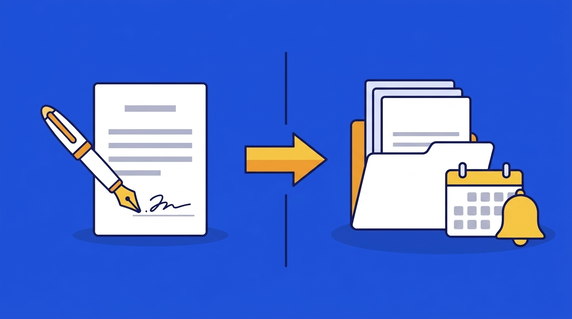
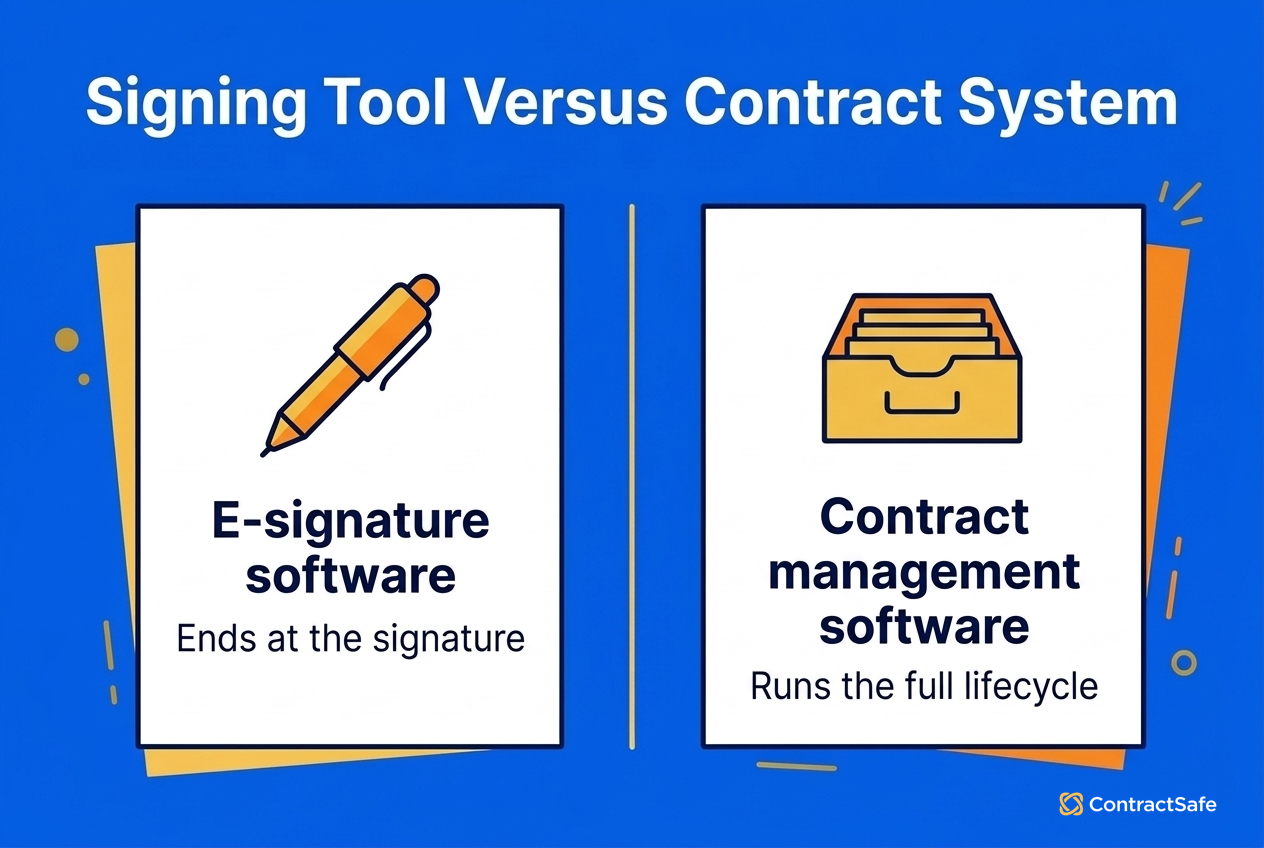
Quick answer: The choice of e-signature vs contract management software is a choice between a tool that collects signatures and a system that runs a contract's whole life. E-signature software sends a finished document, gathers legally valid signatures and returns a signed file. Contract management software stores that file, tracks its renewal and notice dates, controls who can open it and reports on everything you've signed.
Your HVAC vendor's maintenance agreement renewed itself last week, and the signed copy turned up in a DocuSign account belonging to an ops manager who left in the spring. Everyone remembers signing it. Nobody remembers the cancellation notice window, or who was supposed to watch for it. Signing it took two minutes. Keeping track of it was nobody's job.
Choose your next step:
If you're evaluating a contract system with signing built in, see ContractSafe's built-in e-signature on the Finalize and Maximize plans.
If you'd like to see how electronic signatures work in everyday contracts first, read these eSignature examples.
Key Takeaways
- E-signature software gets a contract signed and stops at the signature, while contract management software runs the contract's whole life before and after signing.
- A signature collected by a CLM's built-in e-signature is as legally valid under the US ESIGN Act as one collected by a standalone signing vendor.
- Most contract risk sits after signature, in storage, access, renewal notice dates and obligations, which a signing tool doesn't track.
- A signing tool alone is enough for low volume, unedited templates, few renewals and a single owner, and stops being enough once renewals and owners multiply.
- Keep DocuSign alongside a CLM when you have a company-wide DocuSign standard, sales signing from a CRM, advanced EU signature needs or many existing templates, and connect the two so executed copies land in the CLM.
What E-Signature Software Does and Where It Stops
E-signature software is a tool that sends a finished contract, collects legally valid signatures and returns a signed file. The software's job ends the moment the last signer clicks. Storage, renewal dates, obligations and access all belong to whatever comes next, which in a lot of companies is a shared drive.
Plenty of teams assume the brand name on the signing tool is what makes a signature hold up. Under the federal ESIGN Act, a signature or contract "may not be denied legal effect, validity, or enforceability solely because it is in electronic form." So a signature collected by a CLM's built-in e-signature carries the same legal weight as one from a standalone vendor, as long as the signing process meets the law.
Signing tools are genuinely good at a short list of jobs:
Sending a document to the right people by email.
Routing signers in a set order, so the CFO signs last.
Reminding people who haven't signed yet.
Recording an audit trail of who signed and when.
Then they hand you a PDF. Everything else becomes someone else's job: where the signed copy gets filed, who can open it, when it renews and what you promised to deliver.
On the Finalize and Maximize plans, ContractSafe's built-in e-signature is powered by Dropbox Sign, outside signers sign from the emailed request without a ContractSafe account, download or plug-in, and the signature audit trail is attached to the final document.
Why the Work After Signature Matters Most
Contract management matters because a signature takes a few minutes, while the contract runs for years afterward. The money, the risk and the deadlines show up after signing, so the benefits of contract management come from owning that long stretch: the filing, the dates, the obligations and the access.
After signature, somebody has to own each of these jobs:
Storing the signed copy where people can find it.
Searching across contracts when the CFO asks which ones carry a given clause.
Tracking renewal, termination and notice dates.
Watching obligations like payment milestones and insurance certificates.
Reporting on what you've signed and what's coming up.
Deciding who can see which agreements.
With only a signing tool, the owner of most of those jobs is a shared drive and somebody's memory.
The law has opinions about storage too. Where a law requires a contract to be retained, section 7001(d) of the ESIGN Act accepts an electronic record only if it "accurately reflects the information set forth in the contract" and "remains accessible to all persons who are entitled to access." Signing produces the record. Keeping it accurate and reachable is a storage and access job.
The money follows the same pattern. World Commerce & Contracting's research on the procurement value gap puts the average erosion at 11% of contract value, and that loss happens after signature, while contracts are carried out and managed.
For example, say your company signs a facilities maintenance contract with an auto-renewal clause. New York's General Obligations Law § 5-903 makes that clause unenforceable against the customer unless the provider sends written notice at least fifteen and no more than thirty days before the cancellation-notice deadline, and the statute's definition of "person" includes corporations. Miss that window as the provider and you can't enforce the renewal. Miss the cancellation deadline as a properly notified customer and you're in for another term. Neither date lives in a signing tool.
On Finalize and Maximize, once everyone signs, ContractSafe replaces the draft with the signed copy, keeps the unsigned draft as a related attachment, marks the contract Fully Executed and attaches the audit trail. From there, ContractSafe's automated reminders for renewals and deadline-to-nonrenew dates, included on every plan, pick up the dates.
Comparing E-Signature vs Contract Management Software Side by Side
The comparison of e-signature vs contract management software comes down to scope. Signing software covers one moment in a contract's life, and contract management software covers the whole stretch before and after, including where the signed copy lives and who gets reminded about its dates.
| E-signature software | Contract management software | |
|---|---|---|
| Purpose | Collect valid signatures on a finished document | Run the contract from request through renewal |
| Lifecycle stages covered | Sending, signing, audit trail | Drafting, approval, signature, storage, dates, reporting |
| Where the signed copy lives | The signing account, or wherever someone saved the PDF | On the contract record with its dates and related documents |
| Renewal and notice dates | Not tracked | Tracked, with alerts to named owners |
| Search and reporting | Envelope status and history | Search across contract text and terms, plus reports |
| Typical buyer | Sales and HR teams moving paperwork out the door | Legal, procurement and finance teams answering for the contract later |
What to Look for in a CLM's Built-In Signing
If you're weighing a contract system with signing built in, here are the checks to run during the demo:
An audit trail of who signed and when, attached to the final signed document.
A signing order you set yourself, plus the option for a signer to reassign to a colleague.
Reminders you can send to anyone who hasn't signed yet.
External signers who can sign from an email without creating an account.
A status report next to the contract record showing awaiting signature, partially signed, signed, requested date, completed date and who you're still waiting on.
A handoff where the signed copy replaces the draft, followed by search, date alerts and folder permissions.
ContractSafe covers the signing side of that list on its Finalize and Maximize plans, with signing sequences, custom e-sign setup and signature audit trails. On the same plans, ContractSafe lets you filter and report on eSign status, including awaiting signature, partially signed, signed, requested date, completed date and awaiting signature from, so signing data sits next to the contract record instead of in a separate signing account.
Common Mistakes Teams Make When a Signing Tool Is All They Have
The common mistakes teams make when a signing tool is all they have all happen after signature: contracts filed in the wrong place, renewal dates caught too late, obligations nobody can list and access nobody can explain.
Here are the warning signs, one by one:
Signed PDFs scattered across inboxes, the signing account and a few different drives.
Renewals noticed after the notice window has already closed.
Nobody can say which contracts carry a given obligation, like an insurance requirement.
There's no single list of who can see which agreements.
One person acts as the search engine for every contract question.
The renewal mistake costs the most. Under the New York rule above, a missed notice date can cost a provider its auto-renewal or cost a customer its exit, and missed dates are one way the after-signature erosion that World Commerce & Contracting reports reaches real budgets.
Shayne Hussain, Sr. Operations Manager at Covalent, put the turning point plainly: "OneDrive gave us a place to store agreements, but it was not a contract management system. As our volume grew, we needed a better way to track dates, tag agreements, route signatures, and find documents quickly."
To be fair to signing tools, plenty of teams don't need anything else. If you sign a modest number of contracts, use standard templates nobody edits, have few renewals and one owner who knows every agreement by heart, a signing tool plus a well-named folder will do the job.
Once renewals or owners multiply, move to contract management. For instance, a ContractSafe setup puts the signed copy, its dates and its reminders on one record, with unlimited users on every plan, so the sales lead and the controller can check their own contracts without asking legal.
Four Steps to Decide Whether You Still Need DocuSign With a CLM
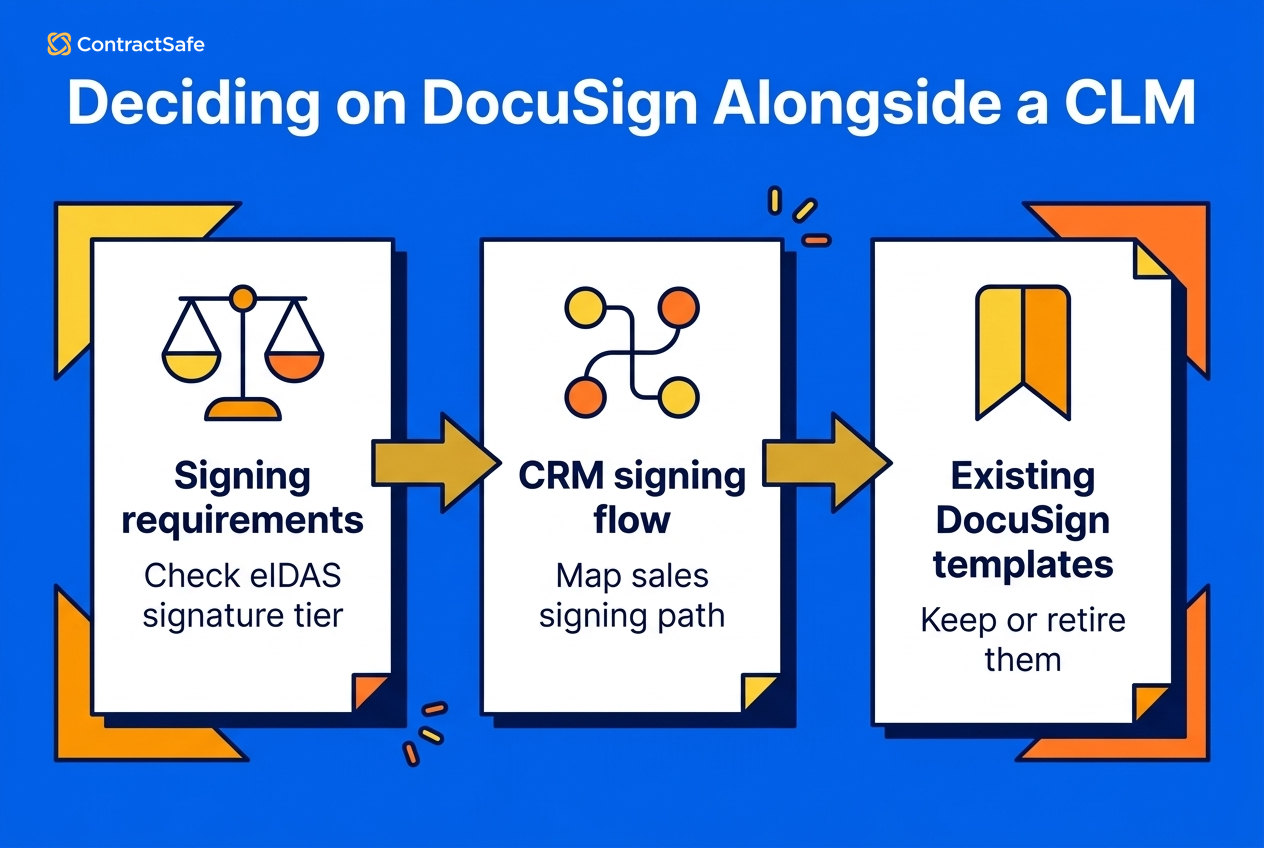
Whether you still need DocuSign with a CLM depends on your signing requirements, where your sales team signs, how many DocuSign templates you already have and what each option costs. Work through the four steps below in order for your own contracts.
Step One: Check Your Signing Requirements
Most US contracts only need what the ESIGN Act already covers. EU deals can differ, because the eIDAS Regulation sets tiers of electronic signature. Under Article 26, an advanced electronic signature has to pass four tests:
It's uniquely linked to the signatory.
It's capable of identifying the signatory.
It's created using signature-creation data the signer can use, with a high level of confidence, under their sole control.
It's linked to the signed data so any later change is detectable.
Article 25 of eIDAS gives a qualified electronic signature "the equivalent legal effect of a handwritten signature," and only that tier gets the equivalence. If some of your EU deals need advanced or qualified signatures, keep a specialist provider for those deals.
Step Two: Map Where Sales Signs
Say you've got reps sending order forms from the CRM through DocuSign all day. Leave that path alone, because ripping it out would annoy the people who bring in revenue. Legal can still use the CLM's built-in signing for NDAs, vendor agreements and amendments.
Step Three: Count Your DocuSign Standards and Templates
If DocuSign is the company-wide standard, with IT owning the account and a long shelf of templates built around it, keeping both tools is reasonable. ContractSafe's DocuSign integration on Finalize and Maximize works in two directions. The one-way connection brings fully executed DocuSign agreements into ContractSafe automatically, and the two-way connection sends a contract from ContractSafe to DocuSign and returns the executed copy over the draft. Other signing providers can connect to ContractSafe through Zapier on the same plans, so confirm the triggers and actions you need. For the head-to-head, see the ContractSafe vs DocuSign comparison.
Step Four: Compare the Costs
Built-in signing changes the math. ContractSafe's native e-signature on Finalize and Maximize includes unlimited signatures with no per-user charge or envelope limit for that built-in feature. ContractSafe pricing starts at $450/month (Organize plan, billed annually; $540 month-to-month), with unlimited users on every plan. Built-in eSign starts on Finalize, so check the pricing page for that plan and compare it with what you pay for separate signing seats.
If the earlier checks come back clear, retire your separate DocuSign subscription. If any check flags a real need, keep DocuSign for that slice and run everything else through the CLM.
Related Reading
Contract editing for teams that redline in Word before signature.
Contract templates for generating standard agreements before they go out for signing.
AI contract review for checking incoming paper against your playbook.
How ContractSafe Helps With E-Signature and Contract Management
On the Maximize plan, ContractSafe supports the full contract lifecycle, from creation and approval through signature, storage, date management and reporting. On the Finalize and Maximize plans, ContractSafe's built-in e-signature lets outside signers sign from the emailed request without an account, and the signed copy replaces the draft with the audit trail attached. ContractSafe's approval sequences, also on Finalize and Maximize, set who needs to review a contract and when.
After signature, every ContractSafe plan includes renewal and custom date reminders, Google-like search with OCR, and folder, team and user-level permissions backed by an activity audit trail of views, downloads and changes. ContractSafe's AI features are optional on every plan, and ContractSafe states that it does not use customer data to train AI models.








.svg)







.svg)




