



Implementing a contract management system doesn’t need to be a months-long process of data uploads and training. With the right software and an organized approach, your team can get up and running fast, see value immediately, and bring the whole organization along without heavy training or IT overhead.
You just invested tens of thousands on a contract lifecycle management (CLM) platform and are excited to roll it out to the entire company. Your expensive implementation consultant is ready to take you on a 12-week guided process of data migration and IT dependency. By week 4, your team doesn’t want to deal with new software anymore. People drift back to email and spreadsheets, and by the time your software is declared “ready,” nobody opens it.
ContractSafe doesn’t make you wait months. The technical setup itself takes minutes, not weeks. Creating an account and uploading a first batch of contracts can happen in as little as a few hours. What actually takes 30 days is getting departments onboarded, templates standardized, and habits changed across the organization so the new system sticks instead of quietly losing ground to old spreadsheets.
Think of it like renovating a house you still live in. You don’t gut every room on day one and camp out in the yard for a month. You start with the kitchen, get the plumbing and layout right while everyone can still cook dinner in it. Once that room works, you move to the next one. This roadmap walks through that same logic applied to contract management software: starting with a single pilot, expanding room by room, and reinforcing the new habits so no one drifts back to the old floor plan out of convenience.
Key Takeaways
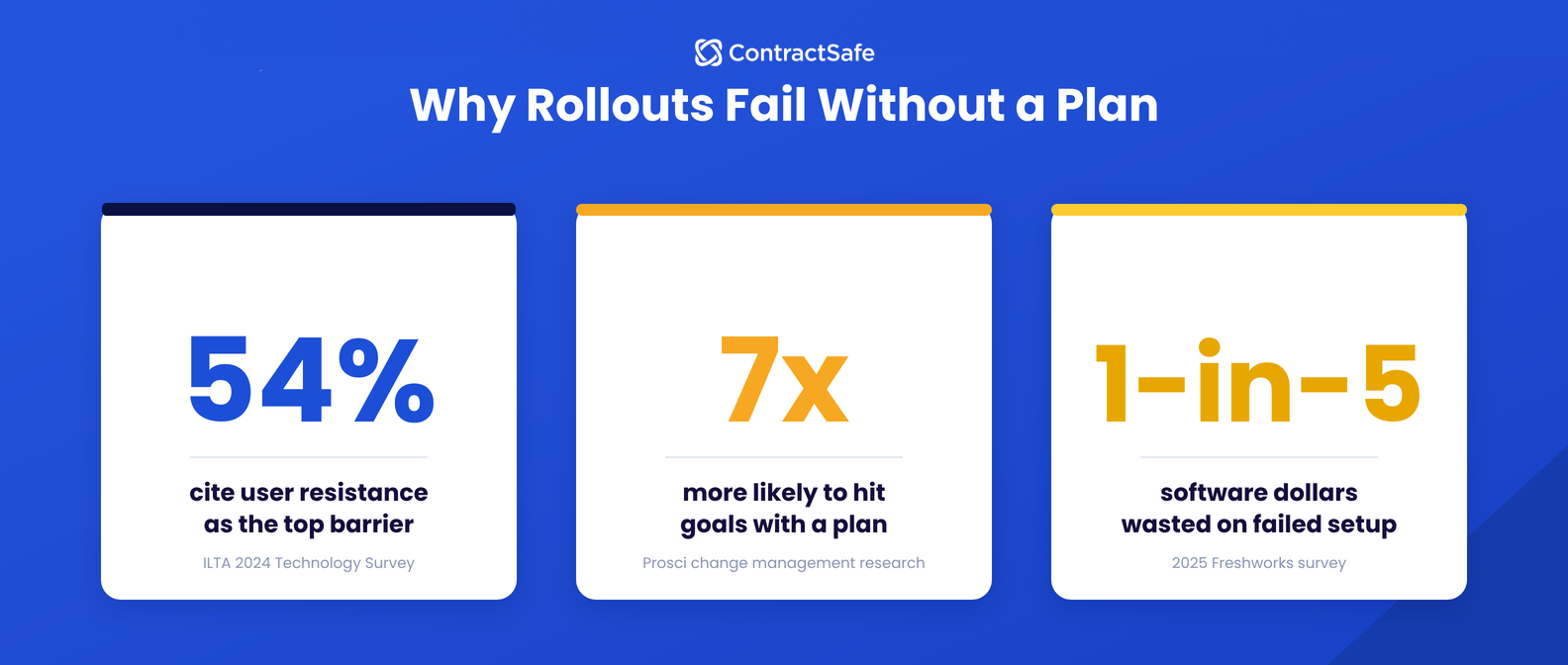
- User resistance is the main obstacle to tech adoption, with 54% of firms in the ILTA 2024 Technology Survey citing user resistance as their biggest barrier.
- Starting with a narrow pilot when implementing new software lets one busy department build a proven workflow before expanding access across the rest of the company.
- Long-term software adoption requires ongoing habit checks, with Prosci research showing structured change management makes projects seven times more likely to hit their goals.
- ContractSafe gets your account active and initial files uploaded in as little as a few hours, letting your team bypass weeks of IT delays and start seeing value immediately.
Why Implementation Is Really About Adoption, Not Setup
With a modern, accessible contract management platform, account setup and uploading a first batch of contracts can happen the same day. What determines whether a rollout goes smoothly is how a team introduces the system to the rest of the organization. According to the ILTA 2024 Technology Survey, 54% of firms cite user resistance as the biggest hurdle to adopting new legal technology.
A large part of a CLM’s usefulness comes from search. AI can help extract metadata, so as long as people find it easy to upload, they’ll be more inclined to add documents with the proper metadata, making it much easier to find your documents when you need them. It’s a positive feedback loop that makes your software more useful with every document added.
On the other hand, if people find it hard to upload, tag, and search documents, your repository won’t have the info people need, and employees will stop bothering to use it at all.
So when it’s time to implement your CLM, start narrow and expand on purpose; don’t flip the switch for every department at once.
Your instinct may be to onboard everyone on day one, but in practice, that’s what creates confusion, not the software itself. A sales team, a finance team, and HR all have different questions, different documents, and different habits to unlearn, and trying to answer all of it simultaneously means no one gets a clear answer to anything. A single room done well beats five rooms half-finished.
Week 1: Quick Setup and a Single-Department Pilot
| Implementation Phase | Operational Focus | Critical Action Steps | Key Milestone Achieved |
|---|---|---|---|
| Week 1 | Pilot Launch | Set up the account and onboard one department’s active contracts. | Proof of value in a single department. |
| Week 2 | Template and Alert Standardization | Build core templates and renewal alerts based on pilot usage. | Repeatable structure ready to scale. |
| Week 3 | Departmental Expansion | Onboard one or two additional departments using existing templates. | Multi-department adoption underway. |
| Week 4 | Org-Wide Rollout | Extend permissions company-wide and reinforce new habits. | Full platform adoption across the organization. |
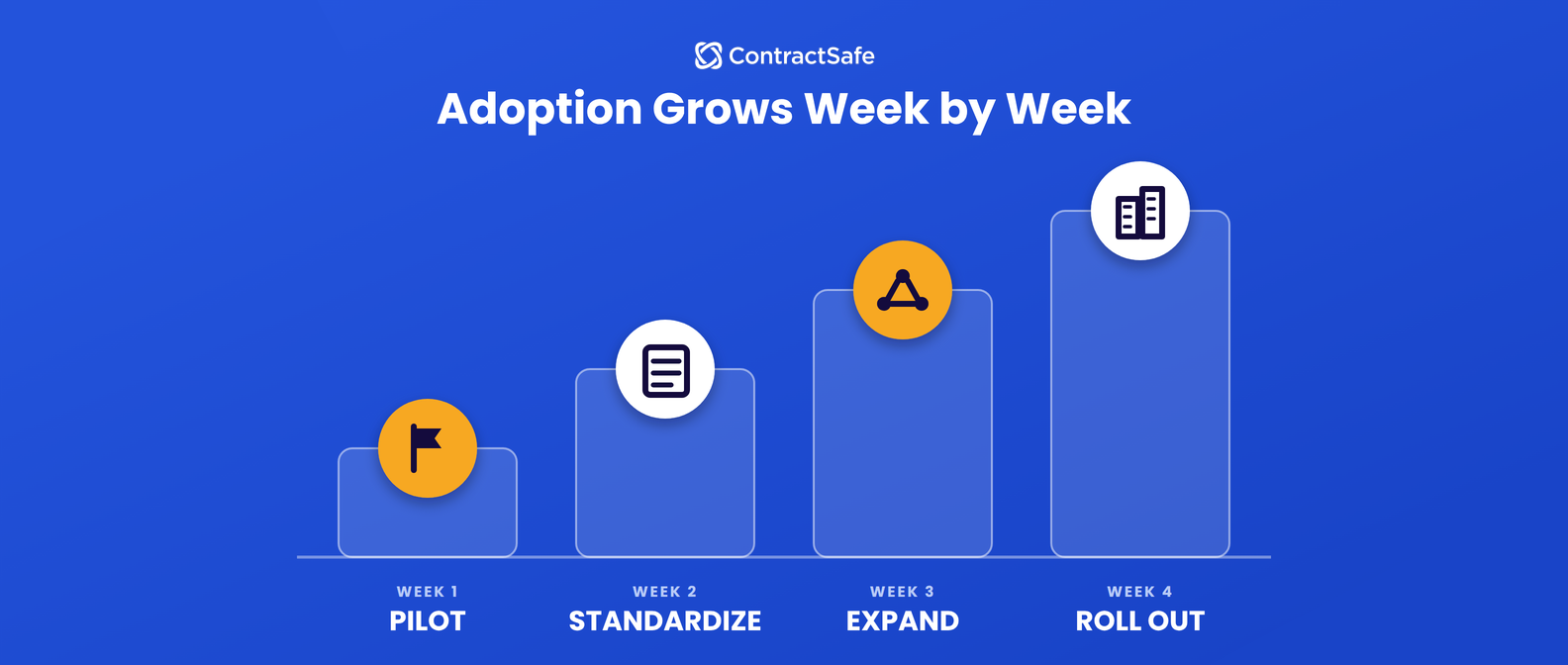
The first seven days of your implementation timeline are narrow by design. Before starting, review what makes a team ready for a CLM rollout in the first place, since the pilot department you choose should be the one with both the pain and the willingness to test something new.
Then, get the account live, and choose one department to test it out (legal or finance are good options, since they tend to work with contracts most often and have the clearest existing pain around missed dates and scattered files). Upload that department’s active contracts and stop there for the week.
In those first seven days, your goal is to quickly prove value with a manageable set of active contracts before expanding further. A pilot with 40 contracts that people actually use is worth more in week one than a company-wide upload of 4,000 that no one’s opened yet.
Week 2: Standardizing Templates and Alerts From Real Use
Once the pilot department has been using the system for a week, build one or two templates based on what your test-drivers are actually using: an NDA, a vendor agreement, whatever shows up most often in their real day-to-day. Have your pilot department use the templates, even if someone outside your test group asks for a new NDA.
Your tester department should also start combing through their contracts and setting up deadline alerts so they can receive timely notifications for key dates like renewals, audits, and payments. Don’t worry about every deadline yet; choose the most relevant dates and make sure the right person or department will be reminded when action is needed.
If the pilot department is uploading older contracts with inconsistent language, this is also a good week to run them through the AI contract review playbook so non-standard terms get flagged instead of quietly carried forward into the templates.
This week, you’ll be refining the CLM based on real usage, not a design exercise done in a conference room before anyone’s touched the software. That distinction is what keeps a rollout from over-engineering itself before it’s proven anything. Our CLM software checklist covers the configuration decisions worth making at this stage.
Week 3: Expanding to Additional Departments
With templates and alerts built and tested, week three brings in a second and third department. This could be Procurement, HR, or Sales depending on where contracts are causing slowdowns or risks at your organization. These teams reuse the structure already built in week two rather than starting from a blank slate, which is what makes this phase fast instead of a second full setup.
A gradual, department-by-department rollout keeps adoption high in a way that an all-at-once, company-wide launch rarely does. It’s the same principle behind moving from the kitchen to the bathroom before opening up the whole house: each new room reuses lessons and materials from the last one, instead of starting from scratch.
Week 4: Org-Wide Access and Reinforcing New Habits
Week four extends permissions to every remaining department and runs brief, informal walkthroughs rather than a heavy formal training program. The bigger job this week is catching the teams who default back to email threads or save contracts locally out of habit, and correcting course while that habit is still new rather than letting it become the norm.
A 2025 Freshworks survey of more than 700 business leaders found companies waste roughly one dollar of every five spent on software, mostly due to failed implementations and features no one uses. Our CMS adoption tips cover the specific signs that a department has quietly reverted to its old process even after being onboarded.
Beyond Week 4: Keeping Adoption From Slipping
The home renovation doesn’t end when the last room is finished. You need to decorate and make sure people are using the new dining room table. A monthly or quarterly check-in to review adoption metrics and gather feedback from non-legal stakeholders keeps the system from drifting the way any house does without occasional upkeep. Templates and alert rules need refinement as business needs change, whether that’s a new contract type showing up regularly or a department finding a shortcut that should be built into the workflow instead of a workaround.
Prosci’s research on change management backs this up directly. Projects with excellent change management are up to 7x more likely to meet or exceed their objectives than projects that treat rollout as a one-time event. Small, ongoing adjustments, not a single training session in week four, are what keep teams from drifting back to email threads or local files six months later.
Get Complete Control Over Your Contract’s Lifecycle
Rolling out a full contract management platform doesn’t require months of IT projects or a disruptive company-wide shift on day one. Following a structured four-week approach lets any organization move from disorganized, hard-to-find agreements to a system with pre-signature workflows and post-signature tracking, one department at a time, without the house falling apart mid-renovation.
Request a custom demo to see how ContractSafe combines repository tools with pre-signature workflows for a rollout that fits how your teams actually work.








.svg)







.svg)




