


The best contract management software is the system that stores every signed contract in one searchable repository, extracts the key dates, and alerts you before renewal and expiration deadlines. If you're a small business, here's the short version. Below roughly $200 a month, a per-seat repository tool covers storage and dates for a handful of people. At $450 a month, ContractSafe gives the whole company unlimited access, AI search across scanned PDFs, and renewal alerts. Above that, the drafting-and-signing platforms start charging per seat again. And below about 100 contracts with three people who touch them, a shared drive and a calendar reminder still work — the math flips the moment a missed auto-renewal would cost you more than a year of software.
Instead of ranking the 16 platforms below by feature count, we walk through where each one genuinely helps and where it'll frustrate you, the acquisition history worth knowing about, and the pricing surprises that tend to show up later. Read it like advice from someone who's already sat through the demos, so you can skip straight to the platforms that fit how your team actually works.
That Friday-afternoon test cuts both ways, though. It tells you how a tool performs, but it also tells you how your team performs today, and that's the part most buyers skip. If the answer to the renewal question is "it depends who filed it," you need a different tool than a team that already has a repository and just wants better alerts. Run the assessment below before you read a single review. It scores how you store, find, and track contracts now, and the gaps it flags are the exact features to shortlist on.
Key Takeaways
- The market split into three camps: heavy enterprise suites, AI-first intelligence tools, and lighter platforms built around adoption.
- AI is table stakes now. Extraction, search, and review ship with almost everyone, so the real question is whether people trust the output enough to act on it.
- Ease of use beats feature count. A tool people actually log into wins over a do-everything system that sits unused outside legal.
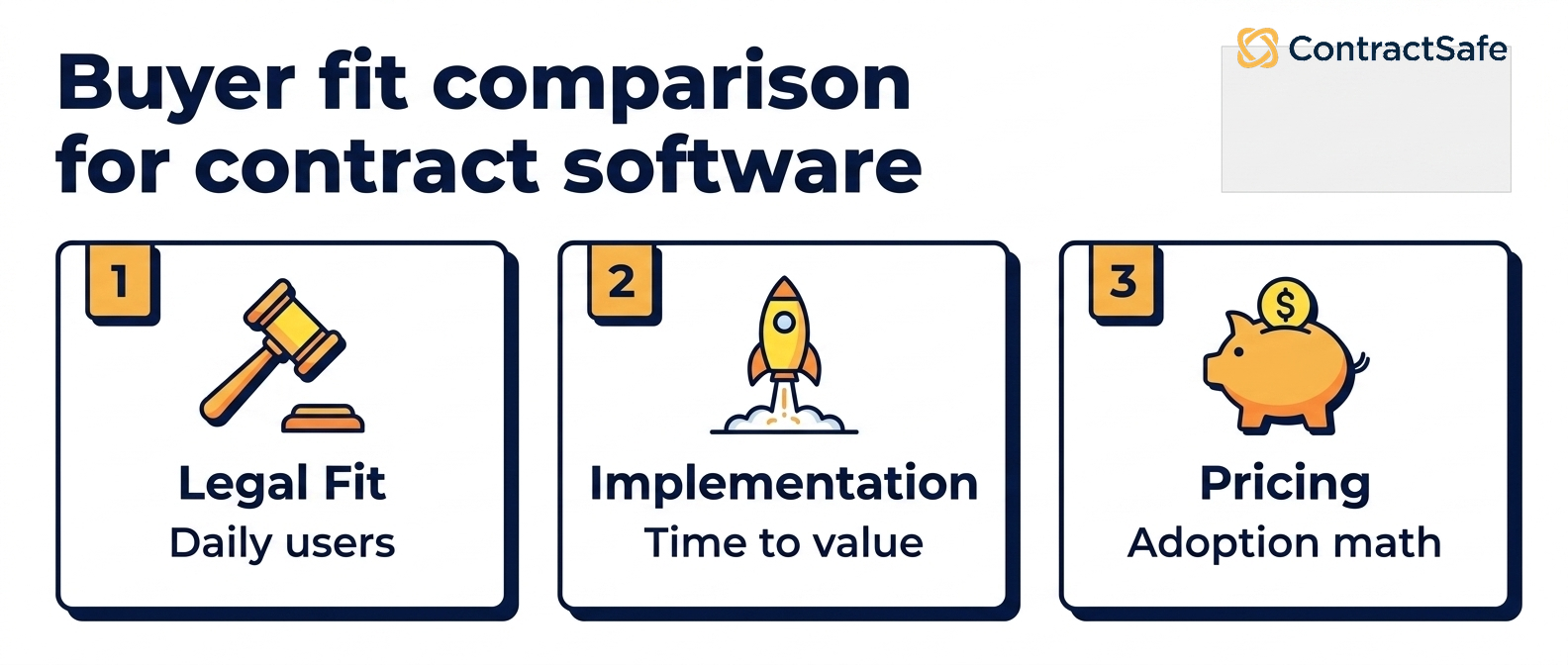
- Judge every vendor on three numbers: time to first value, full-team adoption after six months, and total three-year cost.
- Match the tool to your contract mix. If most of what you sign is NDAs, MSAs, and vendor agreements, an enterprise suite is overkill.
Choose your next step: Not sure where to jump in? Pick the question that matches where you are right now and go straight to that section.
| If you want to... | Go here |
|---|---|
| See all 16 platforms side by side | Compare the platforms |
| Figure out what actually fits your team | How to choose |
| Understand what you'll pay | Pricing |
Best Contract Management Software for Small Business
Match the tool to your size, not your wish list. The four picks below are the ones that fit teams under about 50 people, and each one has a point where it stops being the right answer.
- Under 5 people, under 200 contracts: storage is the whole job. A light per-seat repository like ContractZen, from $9.50 per user per month, is enough. Rule it out the moment more than a handful of people need access, because the per-seat math turns on you.
- 10–50 people, a few hundred to a few thousand contracts, and more than legal needs in: ContractSafe at $450 a month flat, unlimited users, with OCR search across every scanned PDF and date alerts you set once per contract. The reason is the pricing shape — the seventh person who needs a renewal date doesn't cost you anything.
- A small team that drafts and signs as much as it files: look at the per-seat drafting platforms below. Concord starts at $499/month for five users and is easy to start, but price it at your real headcount, not five seats. ContractWorks is quote-based with an unlimited-user model if you want simple CLM without workflow sprawl.
- Ceiling under $100 a month and more than a couple of people need access: none of the flat plans work for you yet, ours included. Stay on a spreadsheet with owner columns and revisit when a renewal slips.
The dividing line isn't features, it's who pays when adoption spreads. Per-seat plans cap adoption: the moment a sales rep or office manager needs to look up a renewal date, the cost per seat starts climbing. Unlimited-user plans don't have that problem, but they cost more on day one. For a deeper look at the small-business use case, see small business contract management software.
What Contract Management Software Buyers Need to Know First
Contract management software is a digital platform that helps organizations create, store, track, and manage contracts in one secure, centralized location. It automates reminders, enables full-text and AI-powered search, controls user access, and reduces the risk of missed deadlines or compliance failures across the contract lifecycle.
At a minimum, modern contract management software handles five core jobs:
- Centralized storage: A secure repository that replaces scattered folders, email attachments, and shared drives with one source of truth.
- Search and find: Full-text search and, increasingly, AI-powered natural-language search that lets users ask plain-English questions of their contract library.
- Automated reminders: Date tracking for renewals, terminations, notice periods, and deliverables, eliminating the most common source of missed-deadline risk.
- Access control: Role-based permissions and audit trails so every view, edit, and approval is logged for compliance.
- Workflow automation: Configurable approvals, intake forms, templates, and routing rules that move contracts through the lifecycle without manual chasing.
More full-featured tools, called contract lifecycle management (CLM), go further. They handle the work before a contract is signed, like drafting, redlining, negotiation, and e-signature, and the work after, like tracking obligations, and reporting on what's in your agreements. The line between "contract management software" and "CLM" has mostly faded. Most tools today do at least some of this, and people use the two terms to mean the same thing.
When to Consider Contract Management Software
When you shouldn't buy yet: under about 100 contracts, one person doing all the filing, no auto-renew clauses you're afraid of, and no audit on the calendar. A dated folder structure and a shared tracker genuinely hold at that size, and the software won't pay for itself. The moment a second person starts signing agreements, that stops being true — and it usually stops being true before anyone notices.
Score yourself on these six. Each one you hit is a cost you're already paying.
- You're past a few hundred contracts. Search by memory fails, duplicates appear, and finding a signed copy takes hours instead of seconds.
- You've missed an auto-renewal. You paid for a year of something nobody wanted, and nobody could say whose job it was to catch it.
- An audit or insurance request landed. You needed every executed copy with dates and owners in hours, and it took days.
- Contracts live in three places. Email threads, personal folders, and a shared drive with three naming conventions.
- More than one team signs things. Sales, procurement, HR and finance each own agreements nobody else can see.
- Renewal tracking lives in a spreadsheet. Your tracker is only as current as the last person who remembered to update it.
Here's the arithmetic that usually settles it: one unwanted auto-renewal on a $2,000-a-month vendor costs $24,000 — more than four years of a $450/month plan. One trigger and you should be pricing options. Two or more and you're already losing more than the software costs.
When you're ready to write it up, how to build a CLM business case covers the format, and the CLM software checklist keeps the evaluation honest.
Contract Management Software Feature Comparison (2026)
Here's the fast orientation before you dig into the full reviews. The table below lines up all 16 platforms so you can spot which ones fit your team's size, contract volume, and appetite for setup at a glance, then jump straight to the ones worth your time.
How to read this table: the starting price is the lowest published entry point (or “quote only” where the vendor does not publish pricing), “best for” is the team the platform is built around, and the differentiators and limitations come from the full reviews further down.
Skim it for the two or three that match your situation, then read those reviews closely instead of plowing through all sixteen.
| Vendor | Starting price | Best for | Key differentiators | Limitations |
|---|---|---|---|---|
| ContractSafe | From $450/mo, unlimited users | Teams that want full-featured CLM with high adoption | Unlimited users on every plan, AI search and review, fast onboarding, dedicated CSM | Not built for the most complex enterprise workflow orchestration |
| Agiloft | Quote only | Highly specialized teams with unusual workflows | Deep configurability, powerful automation engine | Steep learning curve, requires technical admin |
| Contractbook | Quote only | Startups and SMBs needing browser-based workflows | Clean UI, templated flows, easy collaboration | Not ideal for complex legal review or enterprise workflows |
| ContractWorks | Quote only | SMB to mid-market teams wanting simple CLM | Fast setup, unlimited users, Smart Tagging, GPT drafting | Limited advanced automation; roadmap influenced by Onit |
| CobbleStone | Quote only | Enterprise environments needing heavy customization | Deep configurability, procurement + contracting workflows | Legacy UI, steep learning curve, admin-heavy |
| Concord | From $499/mo (5 users) | Small teams needing AI-native simplicity | AI Copilot, natural-language search, refreshed UX | Lighter on complex enterprise workflow needs |
| ContractZen | From $9.50/user/mo | Small teams needing simple storage and governance | Easy adoption, meeting management, virtual data room | Not a full CLM, limited workflow capabilities |
| SpotDraft | Quote only | Legal teams prioritizing drafting and approval workflows | Strong editor, approvals, AI clause extraction | Setup complexity; can become heavier at scale |
| DocuSign CLM | Quote only | Enterprises with sophisticated approval needs | Advanced workflow automation, Salesforce integration | Long implementations, high cost, heavy admin |
| Gatekeeper | Quote only | Procurement and vendor management teams | Vendor lifecycle workflows, supplier management | More procurement-first than legal-first |
| Ironclad | Quote only | Enterprise legal ops with advanced workflow needs | Workflow builder, integrations, redlining, AI assistant | Expensive, long implementations, admin overhead |
| Juro | Quote only | Legal teams wanting collaborative browser-based drafting | Beautiful editor, template automation, approvals | Performance issues on long contracts; lighter automation |
| LinkSquares | Quote only | Mid-market legal teams needing analytics | Fast AI search, analytics dashboards, lifecycle tools | Clunky editor, no folder structure, manual tagging |
| Outlaw (Filevine) | Quote only | Filevine users needing contract workflows | Clean editor, templating, collaboration | Fully absorbed into Filevine; limited standalone future |
| Nomio | From $8,200/yr | Teams needing a "done-for-you" accurate repository | Human-verified extraction, clean UI, excellent search | Pure repository focus; no drafting or negotiation |
| Workday (Evisort) | Quote only | Enterprise teams needing deep AI ingestion | OCR, bulk upload, clause and obligation extraction | Complex workflows; enterprise pricing |
Software for Tracking Contract Expiration Dates and Renewals
Software for tracking contract expiration dates should do three things: extract the renewal and notice dates when a contract is uploaded, let you set reminders for any date to any group of people, and show every upcoming expiration on one dashboard. Among the 16 reviewed, ContractSafe does all three with unlimited custom date alerts, Nomio captures renewals and notice periods through human-validated extraction, and the enterprise suites (Ironclad, DocuSign CLM, Agiloft) handle the same dates inside broader workflow modules. Lightweight storage tools such as ContractZen keep the dates but leave the reminder logic to you. See contract tracking software and contract date reminders for how the alerting works.
Top-Rated Platforms for Automated Contract Management
Automated contract management in 2026 means three concrete things buyers actually get today: OCR-driven data extraction so key terms populate without typing, automated renewal and deadline alerts, and approval routing that moves a contract to the right person without email. Every enterprise suite in this list automates all three; ContractSafe automates extraction and alerts for any team size and adds approval routing through its workflow features; Concord and Contractbook automate drafting and signature flows for small teams. Treat “agentic AI” claims as roadmap until a vendor shows them running on your own contracts in a demo.
The Matchups Buyers Actually Run
Most shortlists come down to two names, not sixteen. Here's how the pairs we hear most often actually differ.
Ironclad vs. DocuSign CLM. Both are enterprise workflow engines. Ironclad wins on redlining and the workflow builder. DocuSign CLM wins if your approvals already live in Salesforce and you're on DocuSign eSignature.
Agiloft vs. CobbleStone. Both are configurable, and both need an admin who owns the system. Choose Agiloft for unusual legal workflows, CobbleStone when procurement and sourcing need to sit in the same system.
Juro vs. Concord. Both are browser-first and aimed at small teams. Juro for the editor, Concord for post-signature search.
ContractSafe vs. any of them. Pick us when the job is finding contracts and never missing a renewal across the whole company — not orchestrating a fifteen-step approval.
How to Choose Contract Management Software
The right platform depends less on feature counts and more on which problems your team is actually trying to solve. The real work is finding the right contract, staying ahead of renewals, and controlling who sees what. Check these first.
1. Start with the everyday features your team will actually use
Everybody shopping for a platform wants the long feature list, the one that reads like a diner menu you could get lost in. But the features that earn their keep aren’t the exotic ones. They’re the boring stuff your team touches on a random Tuesday. Picture a paralegal minutes before a client call, trying to find one renewal clause buried deep in a long MSA. Whether that moment feels instant or maddening is what decides if the tool becomes muscle memory or quietly turns into shelfware. So start here, and be honest about which problem is yours.
- Repository-first: If your top problem is “we can’t find anything,” prioritize search quality, OCR, and tagging and filtering. Pro tip: hand each vendor one of your own scanned, slightly-crooked PDFs during the demo and ask them to find a specific clause in it. A tool that only searches clean, text-native files will fold the moment you feed it the real world.
- Date tracking and alerts: If missed renewals and deadlines are your biggest risk, prioritize alerts you fully control. Ask whether you can set a reminder for any date in a contract (renewal, notice deadline, insurance expiration, price-increase trigger) or only the standard ones. Also ask whether you set the lead time or it’s locked to fixed windows you can’t change. The scenario you’re guarding against is the auto-renewal that fires because the notice window closed while everyone assumed someone else was watching it.
- AI metadata extraction and organization: If you’re loading a large backlog or need the extracted data to hold up in an audit, look for AI extraction you can review and correct. The system should show you what it pulled, link back to where in the document it found it, and let a person accept or fix each field before anyone relies on it. Extraction you can’t verify isn’t a shortcut, it’s a liability wearing a shortcut costume.
- Amendments and attachments: If your agreements collect amendments, addenda, SOWs, and supporting documents over time, prioritize a platform that keeps them linked to the original contract, so the full history sits in one place instead of scattered across files you have to reassemble by memory. Use case: a vendor MSA that’s been amended four times over three years should open as one connected story, not a scavenger hunt.
- User roles and permissions: If different teams or outside parties need different levels of access, prioritize granular control over who can view, edit, and approve, with every action logged for audit. For example, your finance team might need to see payment terms without touching legal language, and an outside auditor might need read-only access to one folder and nothing else.
2. Weigh adoption risk over feature breadth
Most contract management projects that fail don’t fail because a feature was missing. They fail because people stopped logging in. A platform with most of the features and near-universal adoption beats a fully loaded system that only legal ever touches, every single time. That’s why ease of use tends to be the quiet deciding factor for buyers: you should be able to find a contract fast, learn the tool without booking a training session, and change a workflow without opening a support ticket.
Imagine two companies that bought on the same day. One picked the tool with the deepest feature set and spent eight weeks configuring it; six months later only three lawyers use it and the rest of the company still emails PDFs around. The other picked something simpler, had sales, finance, and ops in the system within a week, and now every contract lives in one place. The second company “won,” and it wasn’t close.
So treat adoption as the risk you’re actually managing, not an afterthought. Ask each vendor how quickly new customers reach first value, and check how many of their accounts run full-team rollouts versus legal-only ones. Compare that against the configuration hours a heavier suite demands, and choose the option your non-legal users will still open unprompted. Pro tip: put two people from sales or finance in the trial and watch whether they get stuck. If they need hand-holding to file one contract, that’s the adoption cliff showing up early, while you can still walk away.
3. Pricing transparency is itself a signal
Vendors that publish list prices (ContractSafe, Concord, ContractZen) tend to scale predictably, because the number on the page is the number you plan around. Vendors that are quote-only, which is most of the enterprise tier, tend to negotiate per-deal, which means budgeting is guesswork up front and your negotiating room is smallest exactly when you need it most, at renewal, once your contracts already live inside their walls.
Pro tip: treat the pricing page like a personality test. A vendor that shows you tiers, per-user costs, and what’s included before you’ve talked to a salesperson is telling you how the renewal conversation will feel too. For example, ask any quote-only vendor to put their year-two and year-three pricing in writing during the first call. How they react to that simple request often predicts the whole relationship more accurately than any feature demo will.
4. Plan for integrations early
The integrations most contract management software buyers underestimate are the plumbing kind: SSO and identity (Okta, Azure AD), eSignature from DocuSign or Adobe Sign, and CRM (Salesforce, HubSpot). They feel like afterthoughts right up until the day they aren’t. Confirm each one is supported natively and not bolted on through a paid add-on or a brittle third-party connector you’ll be babysitting forever.
Use case: a sales-heavy team that lives inside its CRM wants a signed agreement to sync back automatically the moment it’s executed, so nobody re-keys data or wonders which copy is current. For example, if your reps close in the CRM but your contracts sit in a separate silo with no live connection, you’ve just invented a second full-time job called “copying things between two systems.” Map your real workflow first, then ask each vendor to walk that exact path in the demo instead of showing you a logo wall of integrations that technically exist.
5. Budget for implementation, not just license
Enterprise CLMs (Ironclad, DocuSign CLM, Workday) often cost as much in implementation services as the first year of license fees, and that bill tends to arrive as a surprise rather than a line item. Mid-market platforms (ContractSafe, ContractWorks, Concord) typically include onboarding in the subscription, so the price you agree to is close to the price you actually pay. Ask each vendor for a written implementation scope before signing, not a friendly verbal “don’t worry, we’ll take care of you.”
For example, imagine two quotes that look identical on the surface. One is all license, with onboarding folded in. The other is license plus a separate services engagement that lands months later, once you’re too committed to walk away. Same sticker, wildly different scenario. The benefit of pinning implementation down in writing early is simple: you find out the real total cost while you still have the room to negotiate it, instead of after the ink is dry.
6. Ask what happens to obligations after signature
A renewal alert is the easy half. The harder question is whether a reporting duty, an insurance requirement, or a price-increase trigger becomes a task with an owner and a due date, linked back to the clause it came from.
The enterprise platforms model obligations natively. The lighter tools, ContractSafe included, handle it as dated alerts routed to the right person — enough for most teams, and clearly not enough for a regulated one. Decide which you are before the demo, then ask each vendor to show you one obligation from clause to closed task.
Quick gut check before you shortlist vendors
Before you book a single demo, run your situation through these five questions. They'll keep you from falling for feature lists you'll never use and steer you toward a tool your team will actually adopt.
- What does most of your contract volume look like? If it's mainly NDAs, MSAs, and vendor agreements, you probably don't need an enterprise suite.
- Who has to use this besides legal? The more non-legal users, the more usability should outweigh configurability.
- How fast do you need to be live? Be honest about whether you can staff a multi-month rollout.
- What has to connect? List your must-have integrations, like e-signature, CRM, and ERP, before you shortlist anyone.
- How will you measure success? Decide now what adoption rate and time to first value would make this a good buy.
Why the Right Pick Pays Off (and the Wrong One Quietly Costs You)
Picture a Friday afternoon that’s already halfway out the door. Someone asks whether the vendor contract that auto-renews next week can still be canceled. With the right repository, you ask for the vendor renewal clause and notice date, and the answer points back to the contract before the coffee cools. With the wrong one, you’re digging through a shared drive and a tangle of inboxes while the clock runs out on you.
Here’s the thing worth saying out loud before you dive into the reviews below. The benefit of getting this choice right isn’t really about software at all.
It’s about the renewal that doesn’t sneak up on you, the contract you find in seconds instead of pinging four people on Slack, and the audit where you hand over a clean, linked history instead of a shoebox of PDFs. That’s the return: fewer fire drills, less risk sitting in the dark, and a legal team that spends its hours on judgment instead of digging.
And the flip side is just as real. The wrong pick doesn’t announce itself with a crash. It fades. Adoption drips away, people drift back to email and spreadsheets, and a year later you’re paying for a system nobody opens while the old problems quietly move back in. So as you read the vendor breakdowns below, keep asking the only question that matters: which of these will my whole team still be using next spring, not just which one demos best on a Tuesday.
How We Evaluated These 16 Platforms
We screened the contract management platforms that appear most often in buyer shortlists and analyst coverage, then kept the 16 that publish enough about their product to be evaluated on the same criteria: repository search quality (including OCR on scanned files), renewal and deadline alerting, pricing transparency, typical implementation length, integration coverage, and adoption risk for non-legal users. Pricing comes from each vendor’s public pricing page or, where none exists, from quote structures customers have reported; features come from product documentation and demos. Tools that only handle e-signature or only drafting were excluded. ContractSafe is our product and is held to the same criteria; every vendor review links to a head-to-head comparison so you can check our claims against a direct match-up. Details were last re-verified in September 2026.
Full Vendor Reviews
Each review below follows the same structure: a quick definitional summary, current pricing posture, the platform's distinctive capabilities, what real customers report, and a balanced pros/cons breakdown.
1. ContractSafe
At a glance: ContractSafe is a full-featured CLM purpose-built for ease of use and widespread adoption. It centralizes contracts, automates reminders, and layers AI on top, including search, chat, data extraction, and contract review, without the implementation overhead of enterprise platforms. Unlimited users on every plan removes the per-seat math that limits rollout.
Price range: From $450/month with unlimited users; transparent published pricing.
What you'll get with ContractSafe:
- Unlimited users: Every plan includes the whole team, legal, procurement, sales, ops, so adoption isn't gated by license cost.
- Unlimited, customizable date alerts: Set a reminder for any date in any contract (renewal, notice deadline, insurance expiration, price-increase trigger), and choose your own lead time so alerts match how your team actually works.
- AI extraction you can review: [AI]ssistant pulls key terms and dates, shows what it found and where it found it, and lets you accept or correct each field before you rely on it.
- AI-powered search and chat: Ask plain-English questions of your contract and get answers with citations back to the source document in seconds.
- Amendments/attachments linked to the original: Keep amendments, addenda, and supporting documents connected to the parent contract, so the full history sits in one place.
- Roles and permissions: Control who can view, edit, and approve at the level your policies require, with every action logged for audit.
- Fast onboarding: Most customers are operational in weeks, not months, with a dedicated customer success manager on every account.
- Data residency: US, Canada, EU, and Australia options for compliance-sensitive teams.
What customers say: the praise centers on how fast onboarding goes and how readily non-legal teams start using it on their own. The trade-off is fit: ContractSafe is built for fast adoption and everyday repository work, not deeply customized enterprise workflow orchestration.
"I couldn't believe we were already up and running in just 30 minutes.", Teresa J., Billing and Contracts
Pros
- Unlimited users on all plans
- Transparent pricing from $450/mo
- AI search, chat, extraction, and review
- Automated date alerts
- Intake, templates, version control, approvals
- Multi-region data residency
- Dedicated CSM
- Fast time to value
Cons
- No dedicated clause library
- Built for adoption, not for the most complex enterprise customization
2. Agiloft
At a glance: Agiloft is one of the most customizable CLM platforms available, chosen by organizations with unusual or highly specific workflows. It can handle full contract processes alongside related procurement and vendor management. The flexibility comes with a steep learning curve and typically requires a dedicated admin to maintain.
Price range: Quote-based; historically mid-to-high enterprise range.
What you'll get with Agiloft:
- Deep workflow customization: Tailor every lifecycle stage to match exact policies and processes.
- Extensive integrations: Connect contract data to finance, CRM, and procurement systems.
- Strong automation engine: Trigger notifications, tasks, and approvals based on contract data or status.
- Template and clause tools: Standardize contract creation and reduce drafting time.
- Reporting and dashboards: A view into contract volumes, cycle times, and compliance metrics.
- Procurement options: Vendor and PO modules broaden use cases beyond pure legal contracting.
What customers are saying: Customers praise flexibility but consistently mention complexity, training needs, and ongoing admin involvement.
"Unless you have a proficient dedicated IT in-house support who can set up the system, you will have to invest in some time at the start along with Agiloft to customize to your liking. I think most companies do not use even 50% of Agiloft's capabilities.", Damian C., Consultant
Pros
- Vendor and compliance management
- Custom analytics
- Microsoft contract assistant
- Employee portal
- Robust workflow automations
Cons
- Dated user interface
- Non-technical users may struggle
- Lengthy implementation
- Lacks common integrations (HubSpot, Zapier, Slack)
- No published pricing.
- No dedicated CSM
3. Contractbook
At a glance: Contractbook focuses on contract generation in the browser, with a clean modern UI and integrations across the startup tooling stack. It struggles with limited reporting, opaque pricing, and complications around third-party contracts.
Price range: Three tiers (entry, centralize, and accelerate tiers) with a range of add-ons; pricing is quote-based and varies with both user count and contracts signed.
What you’ll get with Contractbook:
- Modern browser-based drafting: Contracts feel like any cloud document your team already uses.
- Customizable templates: Standardize NDAs, MSAs, sales agreements, and other recurring contracts.
- Workflow automation: Approvals, send-for-signature, and stage transitions handled automatically.
- Integrated eSignature: No separate signing tool required.
- Collaboration features: Comments, changes, and status updates all in one place.
- Startup-stack integrations: Connects naturally to the rest of a modern SaaS workflow.
What customers are saying: Users like the clean UI and modern drafting. Limitations come up around redlining and scaling into more complex workflows.
"Bugs and stuff that requires manual or extra work, having to refresh contracts before sending them, pop-ups about using the same email twice (even when not doing that), overall lagginess of the page, customers having trouble signing.", Kasper H.
Here’s where a buyer should slow down. Contractbook shines when you’re generating your own agreements from templates, so if most of your contracts land in your inbox from the other side’s lawyers, ask directly how third-party paper gets imported, tagged, and searched, because that’s where users report friction.
Check what reporting you actually get before you sign, and since pricing shifts with both seats and signed volume, ask for a quote modeled on next year’s numbers, not today’s. Picture your busiest quarter: if a spike in signed contracts bumps you into a higher tier, you want that priced in ahead of time, not discovered on the renewal invoice.
Pros
- Approval workflows
- Unlimited digital signatures
- Template library
- 14-day free trial
Cons
- Limited reporting and analytics
- Restrictive pricing for small businesses
- No published pricing
- Implementation services capped by tier
4. ContractWorks
At a glance: ContractWorks offers simple contract storage, eSignature, and basic workflows for teams that want a straightforward CLM. It has added AI-driven Smart Tagging and GPT drafting recently. Now part of Onit via the SecureDocs acquisition, it remains approachable but increasingly sits inside a broader enterprise portfolio.
Price range: Tiered, flat-fee pricing; exact rates via quote.
What you’ll get with ContractWorks:
- Quick implementation: Centralize contracts and start tracking dates without a long IT project.
- Integrated eSignature: Signing and storage in one place.
- AI Smart Tagging: Reduces manual data entry on key dates and clauses.
- GPT-assisted drafting: Language suggestions for template standardization.
- Folder and metadata organization: Find contracts by customer, vendor, or project.
- Free onboarding support: Helpful for smaller teams without internal admin expertise.
What customers are saying: Buyers like the simplicity and predictable pricing. Some express concern about the future roadmap now that it’s part of Onit, and others note workflow depth limitations.
"It created a centralized database for our contracts. However, some users wanted the next-level functions or automated processes.", Craig S., IT Project Manager
The buyer’s move here is to manage the acquisition risk head-on. ContractWorks is easy to adopt, which is the whole point, but now that it lives inside Onit’s enterprise portfolio, ask the sales team where it sits on the roadmap, whether pricing and support stay steady, and how upgrades work if you ever outgrow the flat-fee tier. Check the eSignature license limits against your real signer count, since that’s a common surprise.
And if you’re the team in that quote, moving from paper to a shared database, be honest about whether you’ll want deeper automation in a year. If you will, compare ContractWorks against a platform that can grow with you before you commit, rather than migrating twice.
Pros
- Contract drafting
- Easy reporting
- Unlimited users
Cons
- Difficult attachment management
- Restricted eSignature licenses
- Reliant on folders for tagging
- Pricing may not suit smaller budgets
5. CobbleStone
At a glance: CobbleStone offers a highly customizable CLM that includes procurement, vendor management, and compliance modules. Organizations needing detailed structured workflows and tight contracting-procurement alignment gravitate toward it.
Price range: Broad range depending on modules; quote-based; mid-market to enterprise, especially procurement-heavy organizations.
What you'll get with CobbleStone:
- Extensive workflow customization: Mirror complex approval paths and multi-step processes.
- Procurement plus contract lifecycle: Keep vendor contracts, sourcing, and obligations connected.
- Vendor and supplier management: Track relationships, performance, and documents in one place.
- Robust reporting and audit features: View for procurement, legal, and compliance teams.
- Clause library and template management: Standardized drafting for high-volume agreements.
What customers are saying: Customers cite power and configurability as strengths, but mention dated UI, steep learning curve, and heavier admin lift than modern CLMs.
"The interface can initially be difficult to use. The learning curve for new users can be steep, and the software can be slow with larger contract databases.", Brizl P., Marketing
Pros
- Template creation in base tier
- Vendor management
- OCR for data extraction
Cons
- Dedicated support is an additional fee
- Navigation challenges
- Reporting limitations
- Native eSignature only at Enterprise tier
- No bulk imports in base tier
- No transparent pricing
6. Concord
At a glance: Concord recently launched Concord Horizon, a fully AI-native redesign. The new experience layers conversational AI ("Copilot"), natural language search, and integrations with ChatGPT and Claude on top of existing CLM features. The UI now offers light and dark mode and improved navigation. Concord still leans toward small and mid-sized teams with simpler workflows.
Price range: Published pricing starting at $499/month for 5 users entry plan, with tiered upgrades; additional users $49-89/month.
What you'll get with Concord:
- AI-native Copilot: Summaries, comparisons, and insights on renewal exposure and standard-term deviations.
- Natural-language search: Ask questions in plain English and jump straight to clause-level citations.
- Concord MCP: Secure ChatGPT and Claude querying of contract data.
- Refreshed UX: Light/dark mode, new layouts, smoother navigation.
- Templating and workflows: Smoother creation and approval for SMB teams.
- Real-time collaboration: Comment, negotiate, and iterate in one shared environment.
What customers are saying: Early feedback praises Horizon's modern feel and fast AI search. Some note that advanced workflows still aren't as deep as enterprise CLMs.
"I've found it to be a bit confusing at times, and it's slowed down my work. We have a lot of options when it comes to customizing our platform. However, setting it up can take some time.", Brizl P., IT Marketing
Pros
- Intuitive pre-signature capabilities
- Templates for contract creation
- Strong contract editing
Cons
- Weaker post-signature search
- Formatting inconsistencies on upload
- Time-consuming user setup
- Per-user pricing can be costly for large teams
7. ContractZen
At a glance: ContractZen blends contract storage with governance tools, board meeting management and virtual data rooms. It targets organizations that want a simple, secure hub for important documents rather than a full lifecycle CLM.
Price range: $9.50/user/month basic; $27/user/month advanced; custom for 50+ users.
What you’ll get with ContractZen:
- Secure contract repository: Centralized, accessible storage.
- Meeting management tools: Board and leadership governance support.
- Virtual data room: Secure external document sharing.
- Metadata tagging: Categorize and filter documents.
- Simple search: Effective for smaller repositories.
- Affordable pricing: Attractive for small organizations and nonprofits.
What customers are saying: Customers value simplicity and governance features. Most note it’s not built for full lifecycle automation.
"All our documents are in a single location, and it’s easy to find information. Sometimes the UI could be more cleaner, there are a lot of features always visible.", Mikko L.
So decide up front what job you’re hiring this tool for. ContractZen makes the most sense when governance is the real need: a board that shares sensitive papers, a nonprofit prepping for a data-room review, a small team that wants everything locked in one secure place. If that’s you, the pricing is genuinely friendly. But ask honestly whether you’ll need lifecycle automation like renewal alerts and approval routing at scale, because that’s not the core here.
Check how the search holds up once your repository grows past its first few crowded folders, and given the everything-visible UI, run a quick trial with a non-technical colleague to see whether the busy screen slows them down before you roll it out to the whole team.
Pros
- Cloud storage and encryption
- Collaboration tools
- Very affordable for small businesses
Cons
- Buggy eSignature integration
- Limited field customization
- Limited search
- Overwhelming UI
- Limited storage
8. SpotDraft
At a glance: SpotDraft is strongest when legal teams draft, redline, approve, and sign template-heavy agreements in one contract workspace. Its AI helps inside the editor and review flow. The trade-off is setup: the more approval paths and templates you add, the more admin work the system asks for.
Price range: Flexible quote-based pricing tied to users or contract volume; no public list prices.
What you'll get with SpotDraft:
- Modern drafting experience: Clean and built for frequent legal-team use.
- Strong approval workflows: Routes contracts through the right reviewers and signers.
- AI clause extraction: Surfaces key terms for faster review.
- Template standardization: Legal keeps language consistent while business self-serves.
- Versioning and comparisons: Track changes over time and see what's different.
- Salesforce integration: Ties contracts into sales processes.
What customers are saying: Users like the editor and AI tools. Some cite setup complexity and effort to scale workflows.
"The user interface is very simple, however, because the product overall requires data and information to be input, sometimes it can be frustrating to have to go through multiple screens to make sure everything needed has been captured.", Priscilla C., Contracts Supervisor
Pros
- Good for large contract volumes
- Natural language processing
- Lots of integrations
Cons
- Laggy UI
- Document storage not intuitive
- Rigid templating and process mapping
- No transparent pricing
- CSM available only year one
- No free trial
9. DocuSign CLM
At a glance: DocuSign CLM builds on the company's market-leading eSignature brand, offering strong workflow automation and deep Salesforce integration. It's designed for large organizations with structured, multi-step approvals and heavy cross-functional contract volume. Powerful, but works best for enterprises with the technical resources to handle complex configurations.
Price range: Quote-based; eSignature plans publish list prices but CLM is sold separately. Typically high-end enterprise.
What you'll get with DocuSign CLM:
- Advanced workflow designer: Multi-step approvals, routing rules, and conditional logic.
- Deep Salesforce alignment: Routes approvals through existing Salesforce processes.
- Metadata management and search: Query key fields across large contract volumes.
- Robust reporting: Track status, cycle times, bottlenecks, and renewal pipelines.
- Native eSignature compatibility: Integration requires configuration.
- Role-based access: Needed for large enterprises managing edit and approval permissions.
What customers are saying: Praised for powerful workflows and Salesforce alignment, but customers report long implementations, weak repository search, heavy reliance on Salesforce admins, and the friction of CLM and eSignature being separate products.
"The dashboard UI can be improved and needs more customization options to add widgets. The reports take a lot of time to generate.", G2.com
Pros
- Wide software integrations
- Adequate basic features for small businesses
- Trusted name in eSignature
Cons
- Pricing escalates quickly
- Less robust than other CLMs in places
- Limited features for legal teams
- Poor contract editing
- Lacks search functionality
- Lengthy implementation
10. Gatekeeper
At a glance: Gatekeeper blends CLM with vendor lifecycle management, onboarding, and GRC workflows. Built primarily for procurement and supplier management. Its strength is unifying vendor and contract data in one system.
Price range: Tiered, contract-volume-based pricing (Pro, Enterprise, Enterprise Plus); quote-based.
What you'll get with Gatekeeper:
- Vendor and supplier lifecycle management: Onboarding, performance, and compliance in one place.
- Structured onboarding workflows: Questionnaires, approvals, and risk reviews.
- Vendor-linked contract repository: Every agreement stays attached to the correct supplier.
- Compliance and risk tracking: Certificates, policies, audits, and due diligence.
- Automated renewal reminders: Prevent missed dates and surprise renewals.
- Procurement dashboards: Spend, vendor status, renewal timelines, upcoming actions.
What customers are saying: Customers appreciate vendor lifecycle and onboarding workflows, but note the platform feels more procurement-first than legal-first, making it less intuitive for heavy drafting or negotiation work.
"There is an abundance of data in Gatekeeper, but at times it can be difficult to extract or visualise data sets to compare. Overall, the reporting capabilities and real-time use of the product far outweigh this.", Daniel B., Supplier Contracts Lead
Pros
- CRM and ERP integrations
- Automation capabilities
- Built for procurement teams
Cons
- Clunky workflows
- Some features require costly upgrades
- Rigid pre-made reports
- Expensive
11. Ironclad
At a glance: Ironclad is an enterprise-focused CLM for legal teams that need deep workflow automation, structured redlining, and robust integrations. It handles complex cross-functional contracting at scale and is especially popular with tech-forward and larger organizations. The trade-off is complexity: long implementations, intricate configuration, and training burden for non-legal users.
Price range: Quote-based; typically high-end enterprise.
What you'll get with Ironclad:
- Powerful workflow builder: Multi-step processes with approvals, conditions, and exception routing.
- Structured redlining: Negotiations stay organized across internal and external people involved.
- Strong integrations: Salesforce, Slack, and other enterprise systems.
- Centralized clause library: Supports playbooks, standard positions, and consistent drafting.
- AI-assisted review (Jurist): Summaries, clause generation, playbook assembly, prompt-based revision suggestions.
- Lifecycle analytics: A view into bottlenecks, cycle times, and where deals slow down.
What customers are saying: Praised for workflow capabilities, integrations, and negotiation tools. Common complaints: long implementations, high cost, ongoing admin overhead, and limitations in search, reporting, and obligation management.
"Downsides tend to be primarily the price, Ironclad is one of the leading platforms in contract management, and as it delivers many premium features no one else offers, their pricing model tends to be on the premium end, which might not be ideal for smaller businesses.", G2.com
Pros
- Powerful redlining and negotiation features
- AI contract analysis
- Strong integrations
- Unlimited users
Cons
- High price point and extra implementation fees
- Setup complexity
- Difficult for non-legal users
- Complex workflow and trigger configuration
- Limited user permissions
12. Juro
At a glance: Juro is known for its sleek browser-based editor and collaborative design. Contracts feel like live, interactive documents rather than static files. Trade-offs: performance with very long contracts and lighter advanced automation than heavyweight CLMs.
Price range: Quote-based; typically scales with contract volume and integrations rather than per-user seats.
What you'll get with Juro:
- Beautiful collaborative editor: Familiar to anyone used to modern web docs.
- Template-driven drafting: Legal locks in language while business self-serves common contracts.
- Approval workflows: Keep deals flowing without email-thread chaos.
- Real-time comments and versioning: Changes, discussions, and history in one place.
- Salesforce integration: Helps sales generate and manage contracts efficiently.
- Browser-based negotiation: Counterparties stay engaged without heavy downloads.
What customers are saying: Praised for the modern collaborative editor. Reviewers note performance issues with long or complex contracts and limits on advanced automation as needs scale.
"Personally, the pricing was a challenge for us, especially as a growing company with evolving priorities. While the features are solid, it became difficult to justify the cost.", Juro reviewer
Pros
- Intuitive modern editor
- Strong template automation
- Simple approvals and collaboration
Cons
- Limited customization for complex workflows
- Performance issues on large contracts
- Difficult for non-legal users
- Basic reporting and analytics
- Restrictive redlining and formatting
- Pricing hard to justify at scale
13. LinkSquares
At a glance: LinkSquares combines AI-powered repository search with analytics, lifecycle tools, and drafting via its Finalize module. Geared toward legal teams that want deeper a view into contract data and strong reporting.
Price range: Quote-based; mid-market to enterprise.
What you'll get with LinkSquares:
- AI-powered data extraction: Pulls 100+ fields from every contract, with each value linked back to its source document.
- AI search and in-document chat: Ask plain-English questions and get answers with citations to the source.
- Real-time dashboards: High-level views of status, risk, and exposure.
- Date reminders: Set reminders on standard key fields (effective, termination, renewal, auto-renewal opt-out). Reminders are configured by admins at the date-type level.
- AI-built reporting: Use prompts to report on any slice of the portfolio ("everything renewing soon"), and schedule reports to run and email out on a cadence.
- User permissions: Folders with access controlled by user group.
What customers are saying: Users praise the depth of the AI extraction. The common adjustment is comfort with the prompt-driven interface. Teams expecting a traditional point-and-click tool face a learning curve.
"One area for improvement is the contract upload process.", Karina M.
Pros
- AI tagging and insights
- Metadata extraction at scale
- AI search and per-document chat
- Folders with group-based access control
Cons
- Heavily prompt-driven: getting full value depends on users being comfortable writing and refining prompts and building a prompt library
- Date reminders center on standard date types and are admin-configured
- Per-document pricing can be hard to predict as volume grows
- Lengthy implementation
- Pricing not transparent
14. Outlaw (Filevine)
At a glance: Outlaw now sits inside Filevine, so buyers should treat it as Filevine-connected contract workflow rather than a standalone CLM bet. It is strongest for template-driven agreements that move from draft to signature with comments, redlines, and status tracking in one place. The standalone roadmap is more limited than it used to be.
Price range: Quote-based.
What you'll get with Outlaw:
- Clean drafting experience: Template-based agreements are easy to create and send.
- Template automation: Generate contracts from standardized language.
- Collaboration tools: Comments, redlines, and context in one place.
- Filevine-native integrations: Connect contracts to case or matter workflows.
- Negotiation workflows: Move deals from draft to signature without manual tracking.
What customers are saying: Customers appreciate the editor but note limited standalone growth since the Filevine acquisition.
Pros
- Clean editor UI.
- “Deal Room” feature.
- High-volume templated contracts.
Cons
- External sharing is difficult.
- Rigid editing process.
- Limited customization.
- No published pricing
15. Nomio
At a glance: Nomio is a contract repository service, not a full CLM. You upload contracts and Nomio's team plus AI build and maintain a highly accurate searchable database. Aimed at legal and procurement teams that want better access and data quality without owning manual tagging.
Price range: Starts at about $8,200/year, converted from the vendor’s GBP pricing, for up to 200 contracts; scales with volume and data field requirements.
What you'll get with Nomio:
- Fully searchable repository: Rich filters and metadata.
- Human-validated extraction: Nomio's team reviews every data point.
- Captured key dates and obligations: Renewals, notice periods, payments, with citations back to source.
- Automated reminders and dashboards: Self-serve answers to date and obligation questions.
- Integrations: Sits alongside existing Salesforce/HubSpot-style workflows.
What customers are saying: Users appreciate simplicity and value. Some note it's newer and still building out deeper functionality compared to long-standing CLMs.
Pros
- Accurate human-validated extraction
- Fast clean search
- Automated date and obligation reminders
- Easy onboarding, minimal admin
Cons
- Not a full CLM (no drafting, workflows, negotiation)
- Limited functionality vs. established CLMs
- Still maturing
- Integrations may need additional tools
16. Workday (formerly Evisort)
At a glance: Workday delivers some of the strongest AI contract-intelligence capabilities on the market, OCR, metadata extraction, clause identification, bulk ingestion. The technology that made Evisort a leader now sits inside Workday's broader enterprise suite. A strong fit for enterprise environments needing deep analytics and cross-department integrations, though implementations are typically complex and resource-heavy.
Price range: Enterprise pricing, fully quote-based.
What you'll get with Workday:
- AI ingestion at scale: Turns PDFs, scans, and legacy documents into structured searchable data with high accuracy.
- Automatic clause and obligation identification: Supports obligations management, risk analysis, and reporting.
- Bulk legacy ingestion: Load and classify thousands or millions of historical documents with AI assistance.
- Enterprise-grade analytics: Cross-functional questions on risk, financial commitments, renewals, vendor obligations.
- Workday-suite integrations: Connects contract data into broader financial and operational workflows.
- Repository intelligence: Multi-department search and compliance tracking for large organizations.
What customers are saying: Praised for unmatched AI extraction quality, especially on legacy ingestion. Since the acquisition, buyers should budget for heavier rollout work: admins, integrations, migration planning, and workflow setup before legal can rely on the contract data every day.
"Evisort is great for finding contracts and automating review. It is super helpful at finding key aspects like effective date and term provisions. It can seem complicated if you aren't familiar with the platform, especially when building workflows.", Rachel S.
Pros
- Powerful contract data extraction
- AI-powered tagging
- Enterprise drafting
- Wide integrations
Cons
- No bulk document uploading
- Weak search functionality
- AI sometimes inaccurate
- No price transparency
- Designed for enterprise, not everyday contract management
Contract Management Software Pricing
Pricing for contract management software ranges from under $10 per user per month at the smallest end from ContractZen to six-figure annual contracts at the enterprise tier (Ironclad, DocuSign CLM, Workday). Three pricing models dominate the market.
Budget-Friendly Contract Management Software: What It Actually Costs
Budget-friendly contract management software exists at every tier, but “affordable” means different things depending on how many people need access. The cheapest entry point in this list is a per-seat plan; the most affordable option for a whole company is usually a flat, unlimited-user plan. Here is what the published starting prices look like side by side:
| Platform | Pricing model | Published starting price | Best for |
|---|---|---|---|
| ContractZen | Per user | $9.50 per user per month | A few users who need simple storage and governance |
| ContractSafe | Flat, unlimited users | $450 per month | Whole-company access without seat math |
| Concord | Per user (bundled seats) | $499 per month for 5 users | Small teams that draft and sign in one tool |
| Nomio | Contract volume | About $8,200 per year for up to 200 contracts | Teams that want a done-for-you repository |
| ContractWorks | Flat, unlimited users | Quote only | SMB to mid-market teams wanting simple CLM |
Low-cost is not the same as cheap over three years. A per-seat plan for five people can cost less in month one and more by year two once a sixth and seventh person need access. For a full breakdown of what affordable looks like at each company size, see affordable contract management software and contract management software cost.
Per-user (per-seat) pricing
The most common model historically. Costs scale linearly with the number of people who need access. Concord and ContractZen use this approach. The risk: per-seat pricing creates a hard ceiling on adoption, teams limit who gets a license, and the platform never reaches the cross-functional usage that drives ROI.
Unlimited-user (flat) pricing
Used by ContractSafe and ContractWorks. The whole organization can use the platform under one subscription. Removes the per-seat math that limits rollout, which is why this model tends to correlate with higher reported adoption rates.
Contract-volume or tiered pricing
Used by Nomio and Gatekeeper. Pricing scales with the number of contracts under management, the number of vendors, or the data fields extracted. Predictable for stable contract volumes; can escalate quickly during M&A or rapid growth.
Quote-only enterprise pricing
The default at the enterprise tier (Ironclad, DocuSign CLM, Workday, Agiloft, CobbleStone, SpotDraft). Negotiated per-customer, often with multi-year commitments, and typically includes substantial implementation services as a separate line item.
Quote-only doesn't mean unknowable. Here's what buyers actually pay: the median Ironclad buyer pays about $39,700 a year through a sales process, and Icertis runs $150,000 to $500,000 a year. ContractSafe publishes its number — $450 a month, flat, unlimited users — because the sales cycle is the cost we're removing. When a vendor won't name a range, budget for the quote process itself: expect two to six weeks of demos and procurement before you see a figure.
Hidden costs to budget for
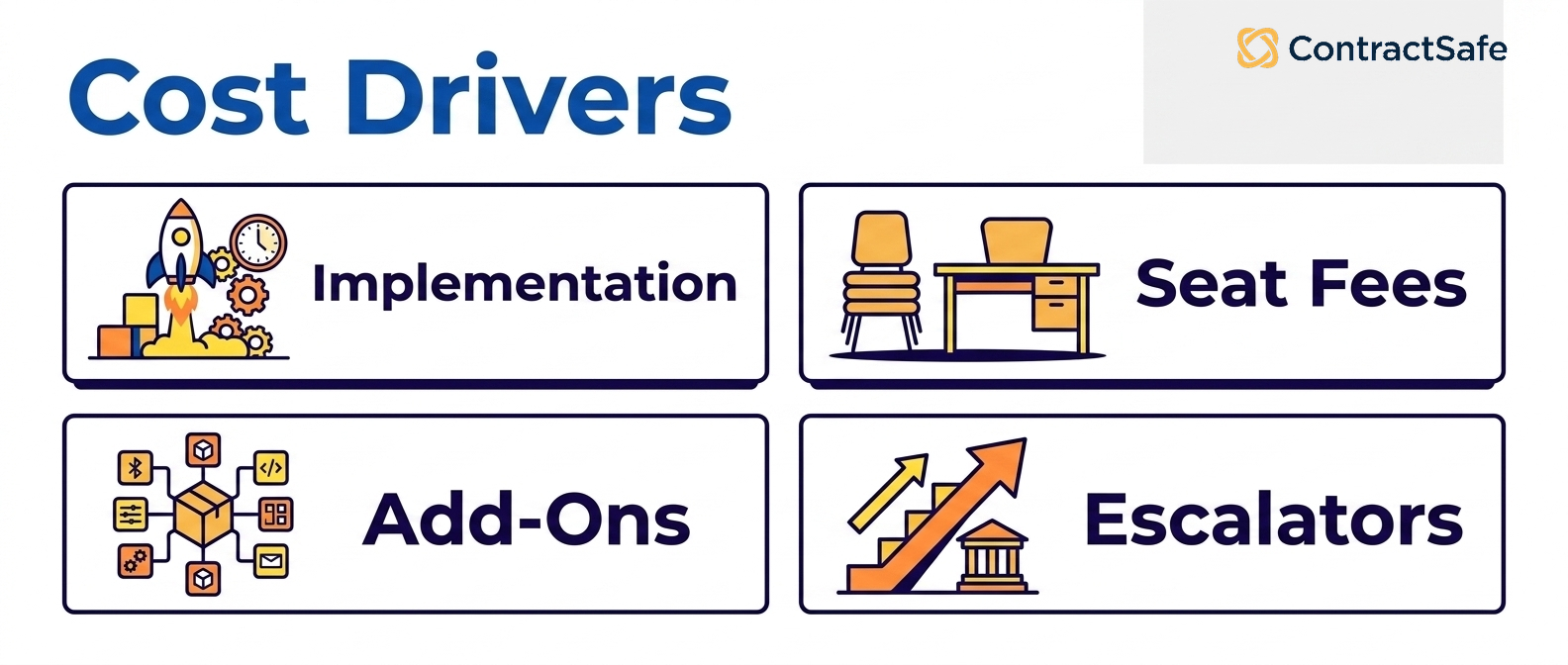
- Implementation services: Enterprise rollouts often add 50-100% of year-one license cost in services.
- Premium integrations: Salesforce, ERP, or SSO connectors are sometimes priced separately.
- Additional admin or technical support: Required for platforms with deep configurability (Agiloft, CobbleStone, Ironclad).
- AI features as upsells: Some vendors gate AI behind higher tiers.
- Renewal escalation: Quote-only vendors typically escalate 5-15% annually unless capped in the original contract.
Implementation and Rollout
Implementation timelines vary from a few weeks for modern cloud platforms to twelve months or more for enterprise CLMs. The drivers are predictable.
What determines implementation length
- Platform complexity: Highly configurable CLMs (Agiloft, CobbleStone, Ironclad) require workflow design, role mapping, and clause-library setup before go-live.
- Workflow complexity: Multi-step approvals across legal, procurement, and finance take longer to model than single-team flows.
- Integration scope: Salesforce, ERP, SSO, and document storage integrations each add weeks. Native connectors are faster than custom API work.
- Data migration volume: Importing 50,000 legacy contracts with metadata extraction and quality review is a project in itself.
- Training and change management: Larger teams need structured rollout with role-based training; this is typically the most underestimated cost.
Typical timelines by tier
- Lightweight repository tools (ContractZen, Nomio): 1-2 weeks to live use.
- SMB/mid-market CLMs (ContractSafe, ContractWorks, Concord): 2-6 weeks.
- Enterprise CLMs (Ironclad, DocuSign CLM, Workday, Agiloft): 3-12 months, sometimes longer.
Common Misconceptions About CLM
The biggest myth is that more features mean better contract management. In practice, the platforms with the deepest capabilities often see the lowest adoption outside legal, because all that configurability adds clutter that everyday users quietly work around.
The second myth is that AI is the differentiator. Nearly every serious vendor offers AI search, extraction, and review now. What actually separates them is whether the output is accurate and well cited enough that people trust it enough to act, not the length of the feature list.
When a demo looks polished, bring a messy contract, a real renewal question, and a non-legal user into the test before you trust the pitch. A few myths worth checking directly:
- “More features means better.” Ask to see the interface a non-legal user touches daily, and check whether the extras add clutter they’ll route around.
- “AI is the differentiator.” Upload your own messy contracts in the trial and check whether the AI’s answers are accurate and cited well enough to act on.
- “Implementation is a one-time cost.” Ask what reconfiguration costs later, since a rigid setup becomes a recurring risk every time your process changes.
Run those checks and you’ll spend on the tool your team trusts, not the one that just wins the demo.
"AI features are the main differentiator in 2026"
Every serious vendor now offers AI search, extraction, and review. The differentiator is no longer "do you have AI" but "do users actually trust the AI's output enough to act on it", which depends on accuracy, citation quality, and workflow integration, not feature checklists.
"Enterprise platforms are always the safer choice"
Enterprise CLMs have the deepest features but the lowest adoption rates outside legal. If 90% of your contract volume is standard NDAs, MSAs, and vendor agreements, an enterprise platform is overkill, and the unused features create UI complexity that suppresses adoption.
"You need a separate eSignature tool"
Most modern contract management solutions (ContractSafe, Concord, Contractbook, ContractWorks, SpotDraft) include integrated eSignature. Standalone DocuSign or Adobe Sign is only necessary for very specific compliance or counterparty requirements.
"Spreadsheets work fine until we scale"
Spreadsheets fail before scale, they fail at compliance, audit, security, and version control. The cost of a missed renewal or an unauthorized contract change typically exceeds the first year of CLM subscription.
Choosing the Right CLM Comes Down to Adoption, Usability, and Time-to-Value
The best contract management solution is simply the one your team keeps using. Adoption, a clean interface, and fast time to value matter more than feature breadth, because a tool nobody opens returns nothing no matter how powerful it looks on paper.
Buyers who prioritize adoption, flat pricing, and quick onboarding tend to land on lighter platforms. Buyers who need deep workflow configuration lean toward heavier suites and accept longer rollouts and higher cost. Either way, anchor the decision in three numbers: time to first value, full-team adoption after six months, and total three-year cost including license, implementation, integrations, and training.
Before you sign anything, run each shortlisted vendor through a quick checklist so you’re comparing the same things:
- Time to first value: Ask how fast a typical customer files and finds their first contract, in days rather than months.
- Real adoption: Check what share of accounts run full-team rollouts versus legal-only, and put a non-legal colleague in the trial to confirm.
- Third-party paper: Test how contracts you didn’t draft get imported, tagged, and searched, since that’s where many tools stumble.
- Total three-year cost: Add license, implementation, integrations, and training, and ask how pricing moves as seats or signed volume grow.
- Exit and roadmap risk: Confirm you can export your data cleanly, and ask where the product is headed if it sits inside a larger portfolio.
Score every option against those five, and the tool your whole team will still be using next year usually rises to the top on its own.
Related Reading
- Contract management software basics
- How to choose the right CLM software: the ultimate checklist
- How to build a rock-solid business case for CLM software
- Contract management best practices for 2026
- AI in contract management: what's real and what's hype
- ContractSafe vs Ironclad comparison
- ContractSafe vs ContractWorks comparison
- ContractSafe vs Contractbook comparison
Sources include vendor websites, public pricing pages, NCUA E-Sign Act guide, and AICPA SOC 2 resources.
How ContractSafe Helps
If your priority is adoption, transparent pricing, and getting live fast, ContractSafe gives the entire team unlimited access from $450 a month and gets most customers up and running in under an hour, with a dedicated customer success manager from day one.







.svg)







.svg)




