


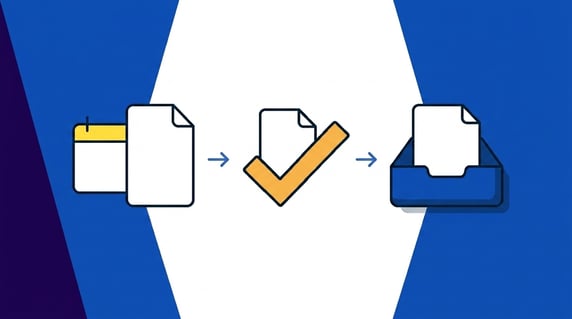
Quick answer: A legal contract management system is software that stores, tracks, and manages an organization's agreements across their whole life, from intake and signature through renewals and expiration. For an in-house legal team, it replaces scattered folders and buried email threads with a searchable repository, automatic deadline alerts, and reporting that keeps every agreement findable and on time.
Your contracts are the plumbing behind the walls of the business. Nobody admires the pipes; you only think about them on the Friday afternoon when something backs up and water starts coming through the ceiling. And the leaks cost real money: WorldCC contract management research puts the revenue leak at almost 9% a year.
ContractSafe is a contract management platform built for the legal, finance, and procurement folks who all share that plumbing. Whether you end up with us or with another vendor from our roundup of the best contract management software, it helps to know where the leaks usually start before you sit through a single demo.
Choose your next step:
Still fuzzy on the vocabulary? Start with what a legal contract management system is.
Ready to compare products? Jump to the requirements table.
Need vendor scoring? Use the evaluation rubric.
Comparing us specifically? Skip to how ContractSafe helps.
Key Takeaways
- A legal contract management system pulls your agreements into one searchable place, then layers on alerts, reporting, and permissions so nothing depends on the one person who happens to remember where things live.
- Before you buy, weigh your requirements in a fixed order: searchable repository, AI extraction accuracy, deadline alerts, permissions and security, reporting, integrations, and org-wide adoption.
- Match the tool to the job. A plain repository, a legal document management system, and a full CLM each solve different problems, and buying the heaviest one is a common, expensive mistake.
- Judge vendors on daily reliability and adoption, not demo polish, because the most expensive system is the one nobody actually opens.
- ContractSafe covers the full lifecycle with unlimited users and published pricing, so the cost doesn’t climb every time another colleague needs access.
What Is a Legal Contract Management System?
Strip away the acronyms and the job of contract management software is simple: keep track of every promise your company has made in writing.
It holds the signed PDFs, sure, but the storage is the least interesting part.
What matters is that it knows what’s inside each file: the parties, the effective date, the renewal clause, the number that tells finance exactly when a price is about to jump.
Contract management in law is the practice of steering an agreement through its whole life, drafting the language, negotiating the risk, capturing the signature, then babysitting the obligations until the thing expires or renews. Software doesn’t replace that judgment.
It just replaces the sticky notes and the calendar reminders you set for yourself and then dismiss at 4:59.
This is also where people mix up two neighbors. A legal document management system organizes files, versions, and knowledge for a whole practice: matters, memos, discovery.
A legal contract repository does something narrower and deeper, treating each contract as structured data you can actually query. If you’ve ever wondered why your document tool can’t answer “which vendor agreements auto-renew in Q3,” that’s the gap. It stores documents.
It doesn’t understand contracts.
That distinction matters more than it sounds, because contract data has a way of splintering across systems, sometimes two dozen of them. That isn’t one leaky pipe. That’s a house with the plumbing run through three of the neighbors’ yards.
So before you shop, get fluent in the basics: both the elements of a contract that create a real obligation and the honest difference between CLM and contract management software. Vendors blur those lines on purpose.
Knowing the vocabulary is how you stop paying enterprise money for a filing cabinet with a nicer login screen.
Where Legal Contract Work Breaks Down Without One
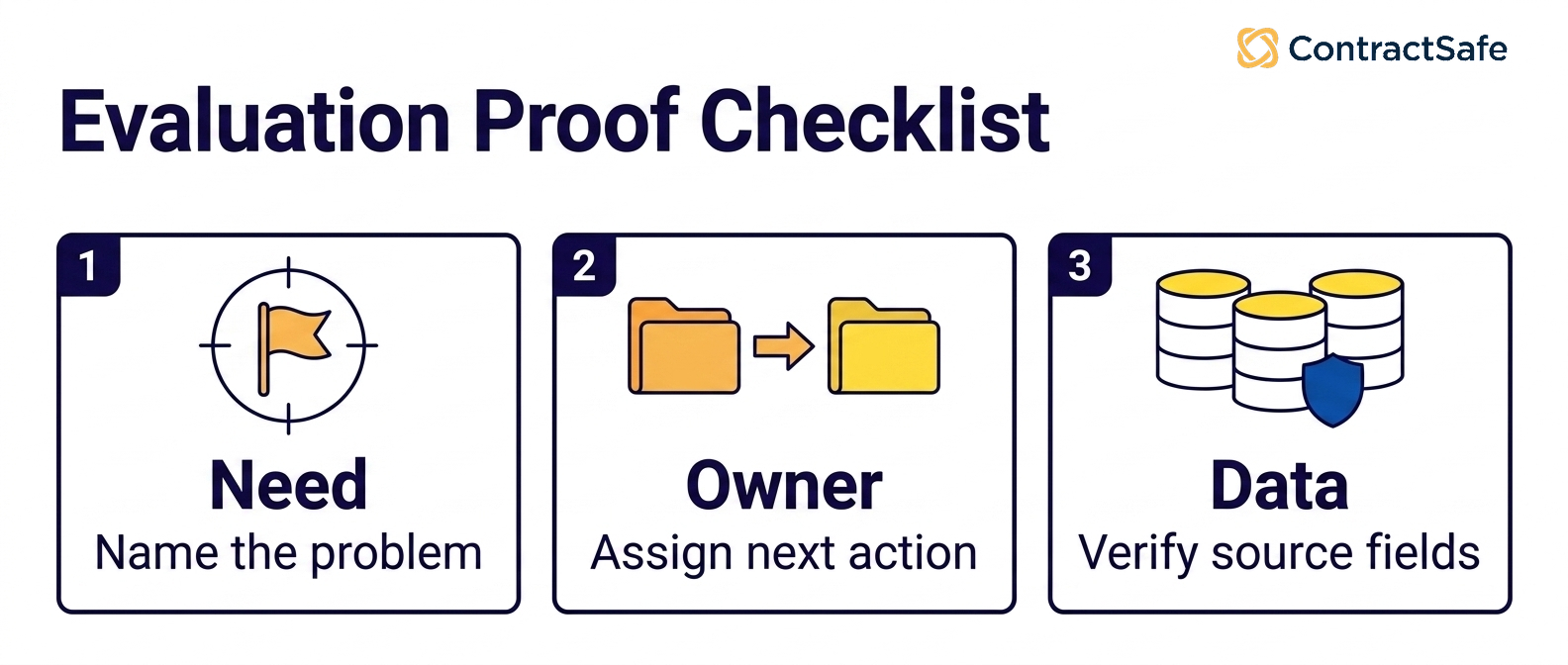
Think of your contracts as the wiring behind the walls of a house you inherited.
Everything works until it doesn’t, and when it doesn’t, you’re standing on a kitchen chair with a flashlight, tracing a wire into the plaster, wondering who ran it and in what year. Nobody signed up to be the electrician.
You just wanted the lights to come on when you flipped the switch.
That’s how contract work tends to fall apart on an in-house team. Not with a dramatic failure but with a slow accrual of small unknowns. A renewal that fired because no one was watching the date.
A fully signed agreement that lives in the inbox of someone who left in March. An indemnity clause you’d swear got negotiated out, except the only clean redline sits on a laptop IT already wiped and reissued.
Let me tell you a version of this I’ve watched play out more than once. Picture a mid-market software company, call it Northwind. Their biggest cloud vendor had a tight non-renewal window, and nobody was watching the calendar.
The date lived in one person’s head, and that person went on parental leave. The contract auto-renewed for another year at a rate they’d been actively trying to renegotiate.
The payoff, if you can even call it that, was a budget meeting where finance asked legal a question legal couldn’t answer, because the answer was sitting inside a wall nobody had opened in eleven months.
The scattering underneath all this is worse than most teams admit out loud.
Contract data ends up spread across systems nobody ever mapped, and that isn’t a filing problem, it’s an archaeology problem, and every dig costs somebody an afternoon they can’t bill and won’t get back.
Ownership is the second crack running up the wall.
Once the ink dries, plenty of organizations can’t say who actually owns a contract, and when nobody’s clearly on the hook, renewals slip, obligations go unwatched, and the agreement quietly drifts until something forces the question.
When a dispute surfaces, the first hour goes to figuring out whose contract it even is, which is a strange way to run a function that touches every dollar moving in and out of the building.
Reading up on your commercial contracts pays for itself.
Picking up a few contract management best practices does too, because clarity of ownership is a habit before it’s ever a feature.
Legal Contract Management System Requirements to Check Before You Buy
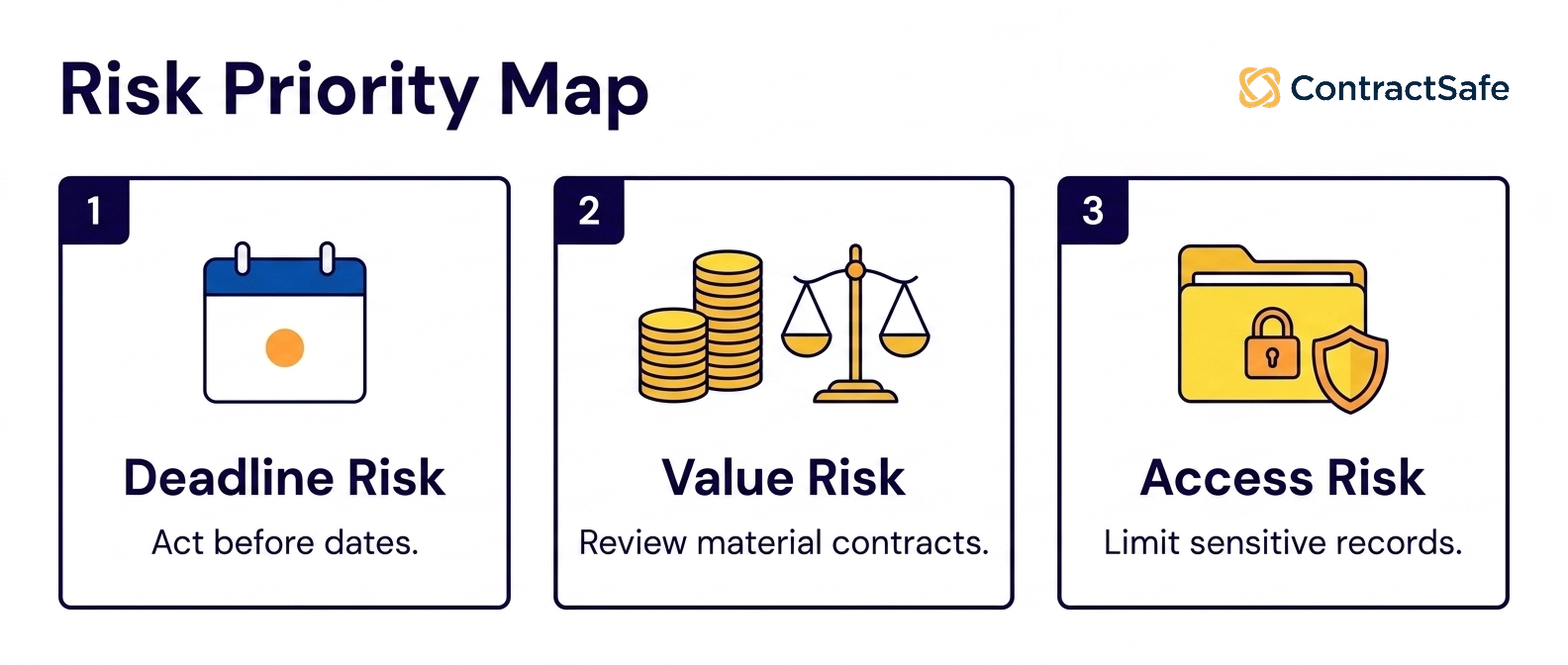
Before you buy, a legal contract management system should cover full-text search across scanned files, accurate AI clause extraction, automatic renewal alerts, security and permissions, easy reporting, e-signature and integrations, and unlimited users.
Here’s where buyers slip. They walk into demos dazzled by features and walk out unable to say which ones they’ll actually touch on a Tuesday.
So before the calls start, write down what the system has to do, in priority order, and refuse to be talked out of it.
Think of it as the inspection you run before buying the house, not the staging photos. You check the pipes, the panel, the foundation. You don’t fall in love with the throw pillows.
| Requirement | What to verify | Why it matters |
|---|---|---|
| Searchable repository | Full-text and OCR search across scanned files | You find any contract in seconds, not by asking around |
| AI extraction accuracy | Dates, parties, and clauses pulled for human review | Weak extraction moves the manual work; it doesn’t remove it |
| Deadline alerts | Automatic renewal and cancellation reminders | Missed windows are how auto-renewals quietly cost money |
| Permissions and security | Security review, privacy requirements, roles, audit trails | Sensitive terms stay with the right people |
| Reporting and dashboards | Contract data without spreadsheet gymnastics | Leadership questions get answered the same day |
| Integrations and e-signature | Signature, storage, and your existing tools | The system fits your stack instead of fighting it |
| Org-wide adoption | Unlimited users, simple enough for non-lawyers | A tool only legal opens won’t fix a company problem |
That last row is the one buyers underrate.
A searchable contract repository only earns its keep when procurement and finance can open it without a training session.
If you want an outside gut check, this Thomson Reuters contract management criteria article lists 10 contract management system features, covering similar ground.
decision check
Run through these before you book a single demo. Answer no to three or more and you’re shopping for a system, not a nice-to-have:
Can anyone on the team find a signed contract in under a minute without asking you?
Do renewal and cancellation dates trigger alerts before the window closes, not after?
Does search read the text inside scanned PDFs, or only the file names?
Can finance and procurement self-serve without waiting on legal?
Do you know, today, which agreements are about to auto-renew?
Contract Repository, Legal Document Management, or CLM: Which System Do You Need?
Here’s the honest answer nobody selling you software wants to lead with: you might not need the biggest thing on the shelf. Buying heavyweight CLM to fix search is like renovating your house over one sparking outlet.
Sometimes you need the outlet fixed. Sometimes you need to rewire the floor. Knowing the difference before you sign is the entire game.
Three categories get blurred in demos, so let’s pull them apart plainly.
| System type | What it’s built for | Where it tends to stop |
|---|---|---|
| Contract repository | Central, searchable storage for signed agreements, with metadata and deadline alerts | Doesn’t route drafting, negotiation, or approvals before signature |
| Legal document management | Organizing all legal matter documents, notes, and collaboration, not just contracts | Rarely tracks obligations, renewals, or contract-specific dates well |
| CLM | The whole life of an agreement, intake through renewal, with workflow | Can be heavy and underused if the org only needed searchable storage |
So what’s a legal document management system? It’s software that stores, organizes, and secures a legal team’s working documents, letting you locate materials, add notes, redact, and collaborate in one trusted place.
It’s useful, it’s just aimed at documents broadly, not at the obligations buried inside contracts specifically.
And what’s contract management in law? It’s the practice of creating, tracking, and enforcing legally binding agreements across their whole life, so obligations get met, dates get honored, and risk stays inside the lines you drew on purpose.
Rigidity compounds the problem: too many contracts are written so tightly they can’t flex when the business changes, and reworking them eats time you don’t have.
A contract repository is the right buy when your real problem is that signed agreements are scattered and nobody can find them fast. A legal document management system fits when your team’s whole document practice, matters, notes, collaboration, needs a home.
Full CLM earns its keep when you genuinely need to route drafting, negotiation, and approvals before signature, not just store what’s already signed. Buy for the job in front of you, not the brochure.
Legal Contract Management System Evaluation Rubric
Evaluate legal contract management vendors by scoring the work they’ll do after launch, not the demo. Test traceability, permissions, data quality on your messy files, workflow fit, and real implementation effort.
Narrow to a shortlist of legal contract management tools, then make each one prove those things on your contracts, in your stack.
Requirements tell you what to buy. Evaluation tells you who to trust to actually deliver it. Those are different skills, and the second one is where polished demos do their quiet damage.
The uncomfortable part is that contracts sit at the center of everything and almost nobody owns them. So when you evaluate, score the things that survive contact with a real Tuesday, and do it in order.
Start by cutting the field to a handful of tools that actually match the job, a repository, a document system, or full CLM, instead of demoing everything with a logo. Then put each finalist through the same gauntlet:
1. Define the Job Before the Demo
Ask: What must this do after launch: find agreements, honor dates, control access, run weekly reports? Repository, document system, or full CLM?
Watch for: A demo that sells its feature list instead of your real work.
2. Bring Your Worst Files
Ask: Can we load messy, scanned, legacy agreements into the demo instead of the vendor’s clean sample?
Watch for: Ugly inputs that don’t turn into searchable, reviewable records.
That’s the data-quality claim failing.
3. Test AI and Extraction for Traceability
Ask: Ask the AI a contract question. Can it show the source clause, its confidence, permissions, and the correction path?
Watch for: Answers you can’t trace back to contract language.
That’s not trustworthy data.
4. Verify Security and Governance
Ask: Are security review, privacy requirements, role-based permissions, and audit trails confirmed, not just implied?
Watch for: A restricted user reaching sensitive info outside their role when you test it.
5. Check Integrations
Ask: Do e-signature and storage plug into what you already run, or force a parallel stack?
Watch for: Integration risk: avoid tools that force you to run a second, separate stack alongside your existing one.
6. Pin Down Implementation and Time-to-Value
Ask: What needs cleaning before launch, and is migration included or a separate services project with its own invoice?
Watch for: No realistic rollout path or a clear date for your first useful report.
7. Pressure-Test Adoption
Ask: Will non-lawyers actually use it? Build the weekly report and check the output drives alerts, owners, and next actions.
Watch for: A clumsy tool nobody adopts.
It only deepens the rigidity leaders already complain about.
8. Compare Pricing Models
Ask: Is pricing flat and published, or per-seat pricing that climbs every time someone new needs access?
Watch for: Per-seat costs that quietly climb as more people need access over time.
Score traceability and workflow fit above presentation polish, and write down whether each capability was shown, partially shown, or only claimed. A quick scorecard keeps everyone honest:
| Criterion | What to test | Pass condition |
|---|---|---|
| Traceability | Ask where an answer or field came from | The system links back to the source contract language |
| Permissions | Ask a restricted user a sensitive question | The user can’t access information outside their role |
| Data quality | Upload messy legacy agreements | Core fields become searchable, reviewable records |
| Workflow fit | Build the report the team needs weekly | The output drives alerts, owners, and next actions |
| Implementation effort | Ask what must be cleaned before launch | The vendor gives a realistic rollout path |
Legal document management software can automate time-consuming work like contract drafting, legal workflows, and matter management, and help teams locate materials, add notes, collaborate, redact, and present findings. That’s the promise.
Make a vendor prove it on your contracts, in your stack, with your worst files loaded.
The demo that dazzles on curated data is exactly the pipe that bursts once you connect it to the rest of the house.
decision check:
Can the vendor prove the workflow with messy real contracts, not demo-perfect files?
Can a user trace an AI answer, extracted date, or report field back to the source agreement?
Can legal, finance, and business owners act from the same record without opening access too broadly?
Implementation Plan for Legal, Procurement, and Finance
Roll out contract management in three phases: inventory, roles, and adoption. Start with your active and high-value agreements, not a full migration. Map who owns intake, approvals, and renewal alerts across legal, procurement, and finance. Then make sure people actually use it.
Rolling out a legal contract management system is renovation, not decoration. You don’t start by hanging pictures, you figure out which walls are load-bearing, which wires are live, and who’s going to be annoyed when the power goes off for an afternoon.
Plenty of people will be affected, because contracts aren’t a legal-only project. A big chunk of the workforce touches contract management, so lots of your colleagues have a stake in whether this goes well.
Phase one: inventory. Here’s the contrarian take: don’t migrate everything. The instinct to import every dusty PDF on day one is how rollouts quietly die in month two.
Pull your active agreements and your high-value commercial contracts first, get those clean and searchable, and let the historical backfill happen in the background.
A system people can trust for the contract they need today beats a complete archive they’ve already stopped opening.
Phase two: roles. This is where legal, procurement, and finance actually have to talk. Decide who owns intake, who approves, who gets renewal alerts, and who has permission to see which fields.
If nobody owns a step, the wire runs back into the plaster and you’re right back on the chair with the flashlight. Write it down, hallway assumptions don’t survive a busy quarter.
Phase three: adoption. This is the phase everyone underestimates. The best-configured system in the world fails quietly if procurement keeps a side folder because the tool felt like a tax.
Pick a tool simple enough that the finance analyst and the sales ops lead use it without a training session, or you’ve rewired the house and left half the rooms dark.
Related Reading
CLM platform vs. contract management software, walk the deeper trade-offs between a full lifecycle platform and lighter contract management before you shortlist a single vendor.
Legal contract management trends, see where org-wide contract usage is heading through 2026 so your rollout doesn’t age out in a year.
Contract management requirements checklist, turn hallway assumptions into something you can hold both a vendor and a coworker accountable to before a demo.
How ContractSafe Helps With Legal Contract Management
A practical ContractSafe evaluation should ask whether finance, procurement, and business owners can safely answer routine contract questions without sending every request back to legal.
Everything above circles one problem: contracts scattered across too many walls, owned by no one, surfacing only when something’s already leaked.
That’s the problem ContractSafe was built to close, not as a filing cabinet but as full-lifecycle contract management, where the whole organization keeps its agreements and metadata in one place.
So the contract you need turns up on the first try instead of the fifth.
A searchable contract repository is one capability here, not the whole product. OCR means even scanned, decades-old PDFs turn up in a plain-English search.
From there, ContractSafe runs the rest of the lifecycle in the same system, intake, approvals, e-signature, storage, renewal alerts, and reporting, so there’s no second tool to buy before or after signature.
AI extraction pulls effective dates, expiration dates, renewal deadlines, party names, and key clauses into structured fields for a human to confirm, so the wire behind the plaster gets labeled instead of guessed at.
A missed auto-renewal stops happening when the date lives in the system instead of in one person’s memory.
Because contracts touch nearly a third of the workforce, adoption is the feature that actually matters, and it’s exactly where heavier platforms quietly fail.
Every plan includes unlimited users, so legal, procurement, finance, and business owners all work from one record without per-seat math discouraging the very behavior you need.
ContractSafe pricing is published and flat, starting at $450/month billed annually, or $540 month-to-month, with implementation, migration, and a named customer success contact included rather than sold as a separate project.
If your gut check turned up three or more nos, the honest next move is to see it against your real agreements. Book a ContractSafe demo and bring the messy ones, the scanned amendments and the auto-renewals you aren’t sure about.
Those are the pipes worth pressure-testing before you sign anything.







.svg)







.svg)




