


A legal contract repository is a searchable, permission-controlled place where signed agreements, key dates, owners, obligations, and source documents all live together.
Think of it like a city map for every signed promise the company has made.
The map doesn’t drive the car for you. It does tell legal which road the contract is on, who owns the next turn, and where the dead ends are hiding.
The real test isn't whether legal can upload contracts. It's whether counsel can answer a real business question without opening five folders, three email threads, and one suspiciously named “final_FINAL_v7.pdf.”
If the sales VP asks whether a customer contract allows assignment, legal needs the current agreement, the amendment, the clause, and the owner.
If finance asks what renews next quarter, legal needs dates it can trust.
If procurement asks who approved a vendor term, legal needs a record that doesn’t depend on someone remembering where the email went.
That’s the job of a legal contract repository.
Key Takeaways
- A legal contract repository needs to answer legal questions, not just store PDFs.
- The core requirements are searchable files, reviewed metadata, owner fields, permissions, renewal alerts, audit history, and reports tied to decisions.
- AI helps when extracted dates and clauses stay connected to the source agreement and get reviewed before the team relies on them.
- Business users should get the access they need without turning legal’s records into a free-for-all.
- ContractSafe helps lean legal teams keep contracts searchable, permissioned, reported, and tracked, with signature and approvals in the same system, and no heavy CLM rollout required.
Choose your next step:
- If you’re replacing a shared drive, start with search, metadata, and access control.
- If renewals are the problem, jump to owners and alerts.
- If leadership wants reporting, focus on the reporting section.
- If you’re buying software, use the checklist before you sit through another demo.
What a Contract Repository Gives Legal
A contract repository gives legal one place to find signed agreements, verify terms, protect sensitive files, and answer routine business questions.
The boring version is “document storage.” The useful version is closer to a control room.
Not a dramatic control room with blinking red lights and someone shouting into a headset. More like the room where the labels are right, the monitors are connected, and nobody has to ask whether the thing on screen is current.
Legal needs that kind of room because contracts keep moving after signature.
A vendor adds a new statement of work. A customer agreement gets amended. A renewal notice date arrives before the business is ready. Someone in finance needs to know whether the payment terms are net 30 or net 60.
The repository is where all of that needs to resolve.
For legal, the practical question is simple:
Can I find the right contract, trust the record around it, and answer the next question without creating more risk?
Why Legal Needs More Than Storage
A legal contract repository needs more than storage because counsel has to trust the contract record after people start depending on it.
A shared drive can hold a signed PDF. So can Dropbox. So can OneDrive. So can the dusty folder on someone’s desktop that everyone swears they will clean up next quarter.
That’s not the same thing as a legal repository.
Legal doesn’t just need “a place where contracts go.” Legal needs a place where contract answers come from.
The difference shows up the first time someone asks a question that has consequences.
“Do we have the current vendor agreement?”
“Who owns this contract?”
“When does notice need to go out?”
“Is this agreement restricted?”
“Can the business see the pricing terms?”
“Did the amendment change the renewal language?”
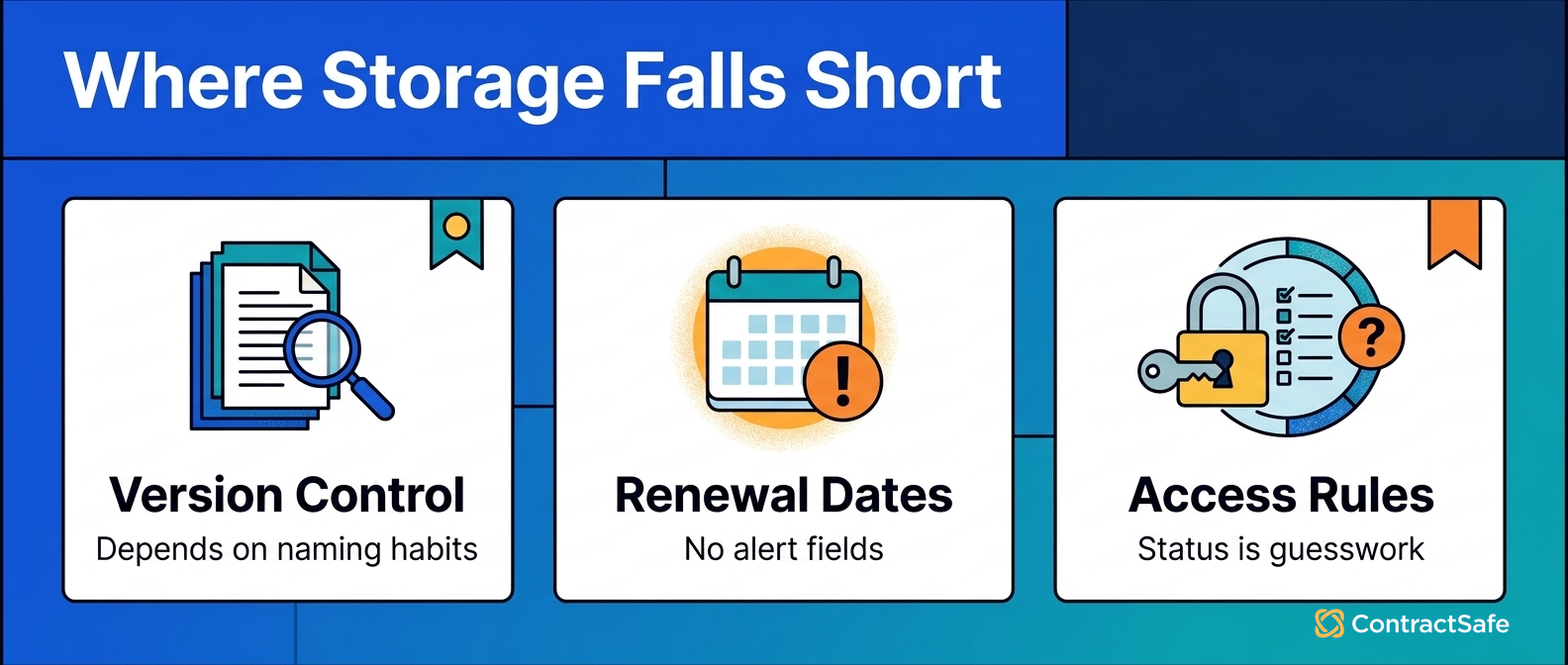
Shared storage answers one of those questions, maybe. A legal repository should answer all of them, or at least show who needs to finish the record before anyone treats it as reliable.
1. Search That Finds the Right Agreement
Legal needs search that finds the current agreement, not every document that happens to mention the vendor name.
This is where a lot of repositories quietly fail.
They can search file names, but the file names are a mess. They can search folders, but the folder structure reflects whoever uploaded the contracts first. They can search text, but scanned PDFs don’t behave like clean Word documents.
In-house counsel needs search that can handle the real archive and narrow the answer before anyone starts opening files.
That means OCR for scanned agreements, full-text search inside PDFs, filters for contract type and department, and fields that narrow the results before legal has to open every file.
For example, imagine legal is looking for the current agreement with a logistics vendor.
A weak repository returns seventeen results: the master agreement, three amendments, two old drafts, six emails saved as PDFs, four insurance certificates, and one mysterious document called “signed copy.”
A useful repository lets counsel filter by active status, vendor, agreement type, and effective date.
That’s the difference between search and scavenger hunt.
The practical requirement: legal should be able to find the current signed agreement, related amendments, and key fields in minutes, not after a forensic expedition through the company’s document history.
Ask for proof during a demo.
- Search a scanned agreement by a clause inside the PDF.
- Filter results by owner, status, and contract type.
- Open the current agreement and its amendment from the same record.
Buyer checklist: before you sign off on a legal contract repository, run each vendor through the seven questions below. Don't accept a slide. Make them show it inside a live record, using a messy contract you bring, not the clean demo file they picked.
- Current version: open any record and confirm which signed agreement is active, with amendments stacked on the same file. If you cannot tell the live version from an old draft at a glance, counsel will guess, and guessing is how the wrong terms end up in an answer.
- Matter context: check that a record links to its counterparty, agreement type, related documents, and the reason it exists. Legal rarely needs one contract alone. It needs the master, the amendment, and the note that explains why a term changed.
- Permissions: test whether one user can see vendor agreements but not employment or settlement files, and whether legal can restrict a single sensitive document inside a broader group. Ask them to break the view on purpose so you see where the wall holds.
- Renewal owner: confirm every record names a business owner and a backup, plus who gets the alert and how early it fires. A date with no owner is a missed deadline waiting for a calendar.
- Audit readiness: ask to see who viewed, edited, or downloaded a record, and when. If the history cannot show that later, it will not hold up when finance, an auditor, or opposing counsel asks how you know.
- Search: hand them a scanned agreement and search a clause buried inside the PDF, then filter by status, owner, and type. If it only reads file names, you are buying a shared drive with a nicer login.
- Reporting: build a list of what renews next quarter, what sits with each owner, and what changed since last month, without exporting to a spreadsheet first. Leadership wants the answer, not your weekend.
Use this as a live test, not a feature list. Bring your own messy contracts, make the vendor drive, and mark each question pass or fail in the real product. If a repository stumbles on current version, owners, or audit history during a calm demo, it will fail faster on a live deadline.
2. Metadata Counsel Can Trust
Metadata is the set of contract fields legal uses to answer questions without rereading the whole agreement.
This is where the repository starts to become operational. The PDF is the source and the metadata is the dashboard, but that only helps if the dashboard tells the truth.
For legal teams, the most important fields usually include:
- Counterparty name
- Contract type
- Department
- Business owner
- Backup owner
- Effective date
- Expiration date
- Renewal date
- Notice period
- Contract value
- Auto-renewal status
- Access level
- Contract status
That list looks ordinary until the first bad field causes a bad decision.
If the notice period is wrong, the company may miss the window to terminate.
If the owner field is blank, legal gets stuck chasing the business team that should have been responsible.
If the contract status is wrong, finance may treat an expired agreement as active.
This is why contract metadata needs a review routine, not just an import routine.
AI can help fill fields faster. People still need to decide which fields matter and which extracted values are safe to rely on.
3. Access Controls That Let Legal Share Safely
A legal contract repository needs permissions that let the business help with contracts without seeing records it shouldn’t see.
This is the part of repository work that sounds small until it becomes the whole problem.
Legal doesn’t want to be the company’s search desk, and it also can’t treat every agreement like a company picnic bulletin.
At the same time, legal can’t open every contract to everyone just because shared access sounds efficient in a meeting.
Employment agreements, acquisition documents, settlement agreements, executive compensation, customer pricing, and sensitive vendor terms all need more care.
A legal repository should support access by role, department, contract type, and specific record.
That lets finance see the vendor agreements it needs. Procurement can manage suppliers. Sales can find customer terms. HR can keep employment documents restricted.
Legal still controls the source record, the business gets the view it needs, and that's the balance.
For example, finance may need renewal dates and payment terms for vendor agreements, while HR contracts stay locked to HR and legal.
Without it, the company usually swings between two bad choices: lock everything inside legal, or open too much because nobody wants to maintain permissions.
A good legal repository gives you a third option.
Ask for proof here, too.
- Can one user see vendor records but not employment agreements?
- Can legal restrict one sensitive document inside a broader vendor group?
- Can the audit trail show who viewed or changed a restricted record?
4. Owners and Alerts That Do Not Depend on Memory
Legal needs owner fields and alerts because contract work fails when everyone assumes someone else is watching the date.
Renewals are the obvious example.
A contract can be perfectly searchable and still hurt the company if nobody owns the renewal decision.
Say a software vendor renews automatically unless the company gives notice before the decision window closes.
Legal has the contract. Finance knows the spend. The business owner knows whether the tool is still useful. Procurement knows the vendor relationship. Nobody is wrong, exactly.
But if the repository doesn’t name the owner and send the alert early enough, the decision can still happen too late.
That’s how a contract repository turns into a very organized archive of missed chances.
For legal teams, renewal workflows should answer four questions:
- Who owns the decision?
- Who is the backup owner?
- When does legal need to act?
- What should happen if the owner doesn’t respond?
Contract tracking isn't just calendar math. It's accountability math.
The repository should make it obvious who needs to do the next thing.
5. AI Extraction With Legal Review
AI helps legal teams move faster when extracted fields stay tied to the source contract and get reviewed before they drive decisions.
This is the part where the shiny demo can get ahead of the real work.
AI can pull parties, dates, governing law, renewal language, assignment clauses, termination rights, and summaries from contracts. That helps.
It’s especially useful when the archive is large and legal doesn’t have weeks to hand-key every field.
But an AI-extracted date isn’t magic. It’s a proposed field.
Legal still needs the source language, the amendment history, and a reviewed field before the team uses that answer for alerts or reports.
The best repository setup treats AI like a very fast first pass, not the final sign-off.
That means legal should be able to:
- See the source text behind an extracted field
- Mark extracted fields as reviewed
- Correct a field without losing the source record
- Separate reviewed fields from unreviewed suggestions
- Search across AI summaries without losing the underlying agreement
That last point matters.
If AI makes contracts easier to skim but harder to verify, legal hasn't gained control. It's just gained a faster way to be uncertain.
6. Business Access Without Making Legal the Search Bar
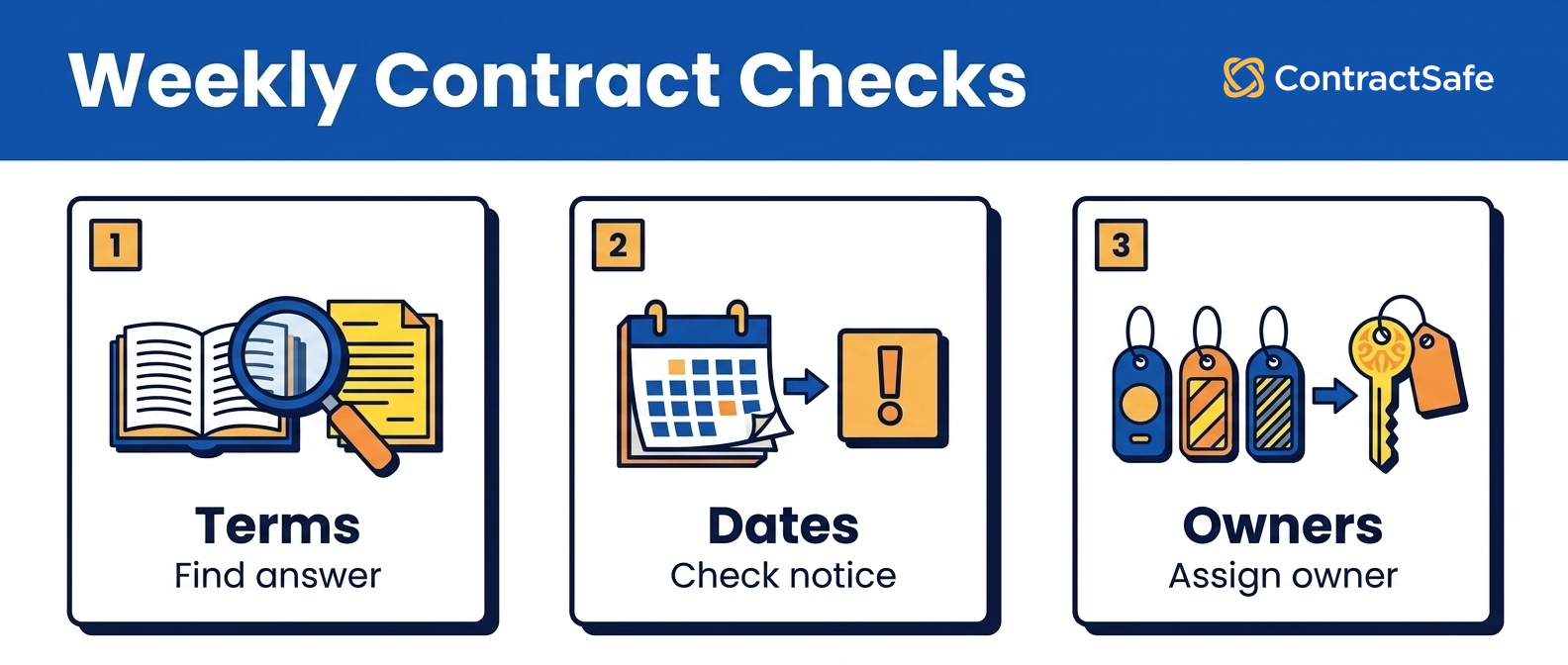
Business teams should be able to answer routine contract questions without pulling legal into every request.
This is where repository design becomes a capacity issue.
Legal teams are rarely overstaffed. They are often supporting sales, finance, procurement, HR, operations, and leadership with the same small group of people.
If every contract question routes through legal, the repository hasn't reduced work. It's just made legal the person standing in front of the shelf.
The answer isn’t to push legal out of the process.
The answer is to let the business answer the safe questions while legal keeps control of the record.
For example:
- Finance can see vendor renewal dates and payment terms.
- Procurement can see supplier contracts and notice periods.
- Sales can find executed customer agreements.
- Business owners can receive alerts for the contracts they own.
- Leadership can review reports without needing access to every sensitive file.
Thomson Reuters frames strong contract management around the same tension: legal control and business execution both have to work.
That’s exactly the repository tension.
Legal shouldn’t become a bottleneck. Legal also can’t let the source record become casual.
7. Reports That Tell Leadership What Changed
Legal repository reports should show decisions, risk, and progress, not just how many files have been uploaded.
File counts are comforting. They're also a little dangerous.
A report that says “900 contracts uploaded” might sound impressive, but it doesn’t tell leadership whether the company is safer, faster, or better prepared for the next renewal cycle.
A stronger legal repository report shows things like:
- Contracts renewing in near-term decision windows
- High-value agreements with missing owners
- Active contracts missing notice periods
- Restricted records reviewed this month
- Expired contracts still marked active
- Contracts with unreviewed AI-extracted fields
- Departments with the most owner gaps
- Average time to answer a contract request
That’s a very different conversation.
Now legal can tell leadership where the repository is reducing risk and where the next cleanup sprint should go.
When leadership asks whether contract value is being protected, WorldCC’s contract management research points legal back to the work after signature: obligations, owners, risk, and value that can disappear if nobody manages the record.
A legal repository should make that work easier to see.
8. Audit History That Holds Up Later
Legal needs audit history because contract questions often become important after everyone has forgotten the original context.
That’s not pessimism. That’s contract life.
Six months from now, someone may need to know who changed the renewal owner.
A year from now, finance may ask why a vendor stayed active.
During an audit, the company may need to show who had access to a restricted agreement.
If the repository can’t answer those questions, legal is back to reconstructing history from email, memory, and calendar invites.
That's a bad place to be.
At minimum, legal teams should want to see:
- Who uploaded the contract
- Who changed key fields
- When owners were updated
- Who viewed restricted documents
- When alerts were created or changed
- Which records were archived or superseded
This doesn't need to be dramatic. It just needs to be findable when the question shows up.
A Legal Contract Repository Checklist
A legal contract repository checklist keeps the buying conversation tied to the work counsel actually has to do.
Use it before you buy, migrate, or declare the repository “done.”
| Requirement | What legal should confirm |
|---|---|
| Search | Can counsel find current agreements, amendments, scanned PDFs, and key clauses without relying on file names? |
| Metadata | Are dates, owners, notice periods, contract types, values, and statuses reviewed before reports depend on them? |
| Permissions | Can legal share routine access while keeping sensitive agreements restricted? |
| Alerts | Do renewal and notice alerts name the owner, backup owner, and escalation path? |
| AI review | Can legal see the source language behind extracted fields and mark fields as reviewed? |
| Reporting | Do reports show risk, decisions, and owner gaps, or only file counts? |
| Audit history | Can legal tell who changed fields, viewed restricted records, and archived documents? |
If a system can't answer those questions in a demo, slow down.
The problem may not show up during upload. It will show up three months later, when everyone is using the repository and legal is still answering questions by hand.
How to Roll Out a Repository Without Overwhelming Legal
A lean legal team should roll out a contract repository in phases, starting with the agreements that create the most risk or the most questions.
You don’t need to boil the ocean.
Actually, please don’t boil the ocean. Legal has enough to do.
Start with the contracts people ask about most often: high-value vendor agreements, active customer agreements, leases, insurance documents, and any contract with a renewal or notice period that can cost money if missed.
Then define the first set of fields.
Don’t create dozens of fields because someone might want them someday.
Create the fields the team will actually use this quarter: owner, renewal date, notice period, contract type, department, value, status, and access level.
After that, set permissions.
Then turn on alerts.
Then build the first report.
The order matters because each step depends on the one before it.
If the owner field is empty, alerts don’t create accountability.
If the dates are unreviewed, reports create false confidence.
If permissions are messy, business access becomes risky.
The cleanest rollout is usually boring in the best way.
Upload the right contracts. Review the fields. Assign the owners. Turn on alerts. Report the gaps. Repeat.
Common Mistakes Legal Teams Should Avoid
Most contract repository problems aren't caused by bad intentions. They're caused by treating launch as the finish line.
Watch for these mistakes during migration, cleanup, and the first few months after launch:
- Uploading everything without triage. Legal ends up with a big archive and no clear sense of which records matter first.
- Trusting imported metadata too quickly. Bad dates and blank owner fields travel into reports, alerts, and leadership conversations.
- Giving business users access before permissions are designed. The repository becomes either too locked down or too open.
- Skipping amendment relationships. Counsel finds the master agreement but misses the document that changed the answer.
- Reporting file counts instead of risk. Leadership hears that the repository is full, not whether it's useful.
- Letting legal own every follow-up forever. Business owners should own business decisions around the contracts they use.
None of those mistakes means the repository failed.
They mean the team needs a better operating routine.
What to Report to Leadership
Leadership doesn’t need a tour of the repository. Leadership needs to know what changed, what is risky, and what legal needs next.
A useful weekly or monthly report might include:
- Contracts added this period
- Contracts missing owners
- Renewals coming due next quarter
- High-value agreements with incomplete metadata
- Restricted agreements reviewed
- Contracts where AI-extracted fields still need legal review
- Departments with recurring contract requests
- Average time to find and answer a contract question
That report gives legal a better story than “we uploaded more files.”
It shows where the repository is helping the business move, and where legal needs cooperation from finance, procurement, sales, or operations.
The repository becomes more than a filing cabinet.
It becomes a way to manage the work that signed contracts keep creating.
Related Reading
- Contract repository guide, for the broader repository planning framework.
- Contract repository requirements, for a buyer-ready checklist before demos.
- Centralized contract repository, for migration and cleanup planning.
- Digital contract repository, for reporting, exports, and audit use cases.
- Contract obligation management, for turning signed terms into follow-up work.
How ContractSafe Helps With a Legal Contract Repository
ContractSafe helps legal teams keep contracts searchable, permissioned, tracked, and reportable without making the repository harder than the contracts themselves.
The ContractSafe repository gives teams one searchable place for signed agreements, with OCR, custom fields, permissions, alerts, reports, and audit history.
That matters because a legal repository isn't only a legal archive.
Finance needs renewal and value reports. Procurement needs vendor terms. Business owners need alerts. Leadership needs a clear answer when contract risk shows up on the agenda.
ContractSafe also supports contract alerts, AI extraction, reporting, role-based access, and guided implementation support.
Unlimited users matter here.
Legal doesn’t have to ration repository access just to control seat costs. The people who own contracts can help manage their contracts, while legal keeps the record organized and controlled.
If your team is still answering contract questions from folders and email, the next step isn't another naming convention. It's a repository legal can trust when the question matters.
Frequently Asked Questions usually come down to ownership, permissions, dates, AI review, and which contract fields legal needs to trust first.







.svg)







.svg)




