


Quick answer: A centralized contract repository is one searchable place for signed contracts, their key dates, owners, permissions, reminders, reports and history. To centralize contract storage, find every place agreements live, load the active contracts first and name a business owner for each, capture a few key fields, set permissions, move the archive over in batches, keeping only the signed controlling version of each contract, and give one person the upkeep job.
A finance manager trying to confirm whether a vendor agreement renews this month shouldn't have to hunt through one folder, one email thread and one spreadsheet nobody trusts. That's the mess a centralized repository is supposed to fix, and it sounds simple until you start building it, because most teams already have several places where contracts live: sales has customer agreements in the CRM, finance has vendor agreements attached to payment records, legal has folders, procurement has spreadsheets, and someone has old PDFs in email. Putting all of that into one new folder doesn't fix the problem. It creates a bigger folder.
A real centralized contract repository works more like a library than a storage room. The document is there, but so is the catalog, the owner, the due date, the access rule, the shelf label and the checkout history. That's what keeps a repository from becoming a polished version of the filing mess it was supposed to replace.
Choose your next step:
If you're writing requirements, use the contract repository requirements guide before you compare vendors.
If you're planning migration, use the contract repository implementation guide.
If you're past the upload and need upkeep, use the contract repository management guide.
Key Takeaways
- A centralized contract repository isn't a bigger shared drive; it holds contract records rather than a pile of uploaded PDFs.
- Start with active contracts, required fields, owners, permissions, alerts and reports, and let the archive follow in batches.
- Role-based permissions set before launch are what let every department use the repository without exposing sensitive terms.
- AI helps only when the record under it is searchable, permissioned and reviewed.
- ContractSafe is a full-lifecycle CLM whose repository, alerts, approvals and e-signature sit in one system, with unlimited users on every plan.
What Is a Centralized Contract Repository?
A centralized contract repository is the one place that holds signed agreements and the details people need to use them: the agreement, its searchable text, the controlling version, the owner, the dates, the status, the access rules, the alerts, the reports and the history of changes.
That definition matters because centralization by itself isn't enough: one folder can be centralized and still be useless. A good repository lets someone find the right contract, understand the record, verify the source and decide what happens next. If procurement asks whether a vendor can auto-renew, the answer shouldn't require legal to open five files and rebuild the story from scratch; the repository should show the active agreement, related amendments, notice deadline, owner and source language in one place.
How a Contract Repository Differs From Basic File Storage
A centralized contract repository is different from file storage because it manages contract records rather than folders and documents. A shared drive can hold every contract in the company and still leave legal doing the same manual work: someone still opens the PDF, reads the date, checks the amendment, looks up the owner, emails finance and updates a spreadsheet. A repository should remove that work.
| System | What it does well | Where contract work breaks down |
|---|---|---|
| Shared drive | Stores folders and files. | Weak fields, reminders, reports, permissions, and audit history. |
| CRM | Tracks prospects, accounts, and customer activity. | Sales may attach agreements, but legal can't manage the contract portfolio there. |
| ERP | Runs finance, purchasing, and operations data. | Vendor records may reference contracts, but the signed agreement and legal record live elsewhere. |
| Full CLM | Manages intake, drafting, review, approval, signature, and storage. | Fails when it's so heavy that only legal uses it, so signed contracts still land in inboxes and drives outside it. |
| Centralized repository | Stores, searches, tracks, alerts, reports, and protects signed contracts. | Breaks down when nobody owns fields, permissions, and upkeep. |
The dividing line isn't repository versus CLM. A full-lifecycle system that also runs intake, approvals and signature saves you a second tool later, as long as it's simple enough that sales, finance and procurement will put their contracts in it. The buying mistake is choosing a suite so heavy that only legal logs in; then the repository inside it is as incomplete as the shared drive it replaced.
Step 1. Define What the Repository Has to Do
Your repository has to answer the questions people already bring to legal every week, so check your plan against these before you design a single field:
Can a business user find the current contract without knowing the file name?
Can legal tell which amendment controls?
Can finance open the vendor agreements it reports on without seeing settlement or HR files?
Can procurement identify the owner before a renewal deadline?
Can leadership trust the report without asking someone to recheck the spreadsheet?
If any answer is no, the project needs record design before it needs more uploads.
Step 2. Find Every Place Your Agreements Live
Before you upload anything, list every place a signed agreement could be hiding. Any location you skip stays outside the one place you're building, and so does every deadline in it. Check each of these and write down who can export from it:
Sales' CRM attachments and opportunity records.
Finance's payment records, POs and vendor files in the ERP.
Legal's folders and shared drives, including old team drives.
Procurement's spreadsheets and supplier portals.
E-signature accounts, which often hold the only signed copy.
Former employees' inboxes and whatever's still in a filing cabinet.
A vendor agreement signed through an e-signature tool and saved only in the requester's inbox never reaches a shared folder. If that inbox isn't on your list, that contract and its renewal date never reach the repository. The finished list becomes your migration checklist for Step 7.
Step 3. Start With Active Contracts
Every agreement ends up in the repository, including the old ones and the scanned paper; what you're deciding is the order. Load the contracts people ask about now first, then bring the archive in behind them in batches. Historical cleanup feels responsible, but it can swallow the project, and a repository becomes useful when people can answer current contract questions, not when every old file has been renamed. Start with contracts that still affect the business:
Active customer agreements.
Active vendor agreements.
High-value contracts.
Upcoming renewals.
Restricted records.
Agreements leadership asks about often.
Contracts tied to audits, insurance, compliance or finance reporting.
That starting set gives the team a working repository while the older archive gets cleaned up behind it, and it forces the practical decisions early; Steps 4 through 8 settle them. The first milestone isn't "all contracts moved." It's "people can find and act on the contracts that matter now."
Step 4. Build Contract Records Before Reports
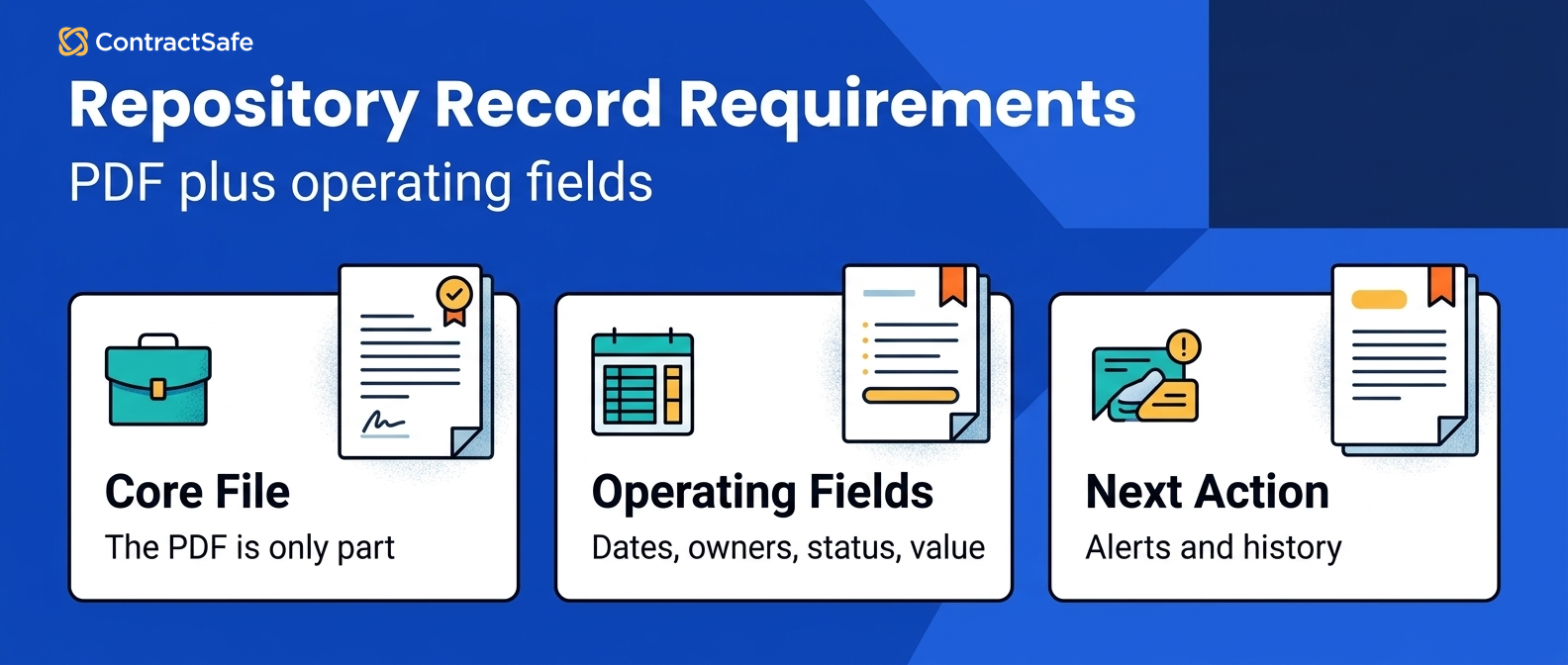
The repository works only when each important agreement has enough record data for people to trust the report. The PDF is the source document; the record is the working layer around it, and it should tell the team what the contract is, who owns it, what dates matter, who can see it, and whether the data has been reviewed. Start small enough that the team can keep the fields clean:
| Field | Why it belongs, and what to check |
|---|---|
| Counterparty | Supports search, reports, and duplicate cleanup. Check: use one naming rule so vendor records don't split across name variants. |
| Agreement type | Separates vendor, customer, lease, employment, and policy records. Check: keep the taxonomy simple enough for non-legal users. |
| Business owner | Gives every alert and question a recipient. Check: add a backup owner for contracts that outlive one employee. |
| Effective date | Anchors the contract timeline. Check: look for amendments that change the original dates. |
| Expiration date | Supports renewal reporting. Check: mark reviewed dates apart from guessed ones. |
| Notice deadline | Protects the window to cancel or renegotiate. Check: confirm the date against source language before alerts depend on it. |
| Contract value | Supports spend and renewal reporting. Check: record the annual figure, not the lifetime total. |
| Status | Separates active, expired, superseded, and draft records. Check: prevent old versions from looking current. |
| Access level | Keeps sensitive records controlled. Check: test whether reports and exports respect the rule. |
Don't let a long metadata wish list stop the project. Pick the fields that support search, ownership, deadlines, permissions and reports, and add deeper clause fields later when the first layer is working. Keep those fields in the same system as the alerts, reports and permissions that run on them, not split across a folder, a spreadsheet and a reminder calendar.
Step 5. Set Ownership Rules Before Broad Access
The repository needs clear ownership rules before broader access becomes useful. Every active contract should have a business owner, and that person may not be legal: for a sales agreement it may be account management, for a vendor agreement procurement or finance, and for a lease, operations. Legal still needs admin control, but legal shouldn't become the help desk for every basic contract question. Ownership rules should answer three practical questions:
Who gets the renewal alert?
Who confirms whether the relationship is still active?
Who decides whether the contract should be amended, renewed, canceled or archived?
When ownership is missing, the repository looks organized but work still stalls. An alert goes nowhere, a report shows a deadline but no accountable person, and a business user asks legal to find the answer because the system doesn't say who owns it. That's a repository design problem, not a technology problem.
Step 6. Use Permissions for Self-Service
Permissions should let the business find allowed contract answers without exposing sensitive agreements too broadly. The goal isn't "everyone can see everything"; it's "the right person can see enough to act." Finance needs the vendor and customer agreements it reports on, procurement needs its supplier contracts, sales needs its customer contracts, while HR agreements, settlements and restricted amendments sit in folders only legal and the business owner can open. Set role-based permissions and turn on the audit trail before anyone else logs in.
Test the rules before launch. Sign in as a legal admin, a finance user, a procurement user and a general business user, then search for the same contract, run the same report and export the same list. If a restricted contract shows up in another user's search, report or export, the repository isn't ready for broad use. Good permissions make adoption easier, because people can use the repository without legal checking every click.
Step 7. Plan Migration Around Decisions
Clean and load contracts in the order that reduces the most risk. Folder-by-folder migration feels orderly, but a vendor contract renewing next month matters more than an old agreement with a perfect file name, and a restricted agreement with unclear access rules matters more than a harmless archived NDA. Build the migration around business use.
When you consolidate, clean as you load. If the same agreement shows up in email, a shared drive and the CRM, keep the signed, controlling version and drop the rest. Attach every amendment, SOW and renewal to its parent contract record, so anyone who opens the agreement sees what governs today. This is where a migration plan beats an upload plan: an upload plan asks where the files are, and a migration plan asks what the business needs to know from those files.
Step 8. Launch With Reports People Will Use
The repository proves its value when it produces reports that change what people do that week. A beautiful dashboard isn't enough; each report should tell someone what needs attention, why it matters, and where to verify the contract text. Start with reports that connect directly to work:
Upcoming renewals.
Contracts missing owners.
Contracts missing expiration dates.
Contracts with unreviewed AI fields.
Restricted records that need access review.
Duplicate or superseded record candidates.
High-value contracts with missing notice deadlines.
Each report should have an owner, or the repository becomes a nicer dashboard for the same old problem. Ask one question for every report: what happens next? If the answer is "someone exports it and figures it out later," the report isn't finished. A renewal report shouldn't only list dates; it should show who owns the contract, whether the notice deadline was reviewed, and what agreement language supports the date.
Step 9. Use AI Without Creating a New Filing Mess
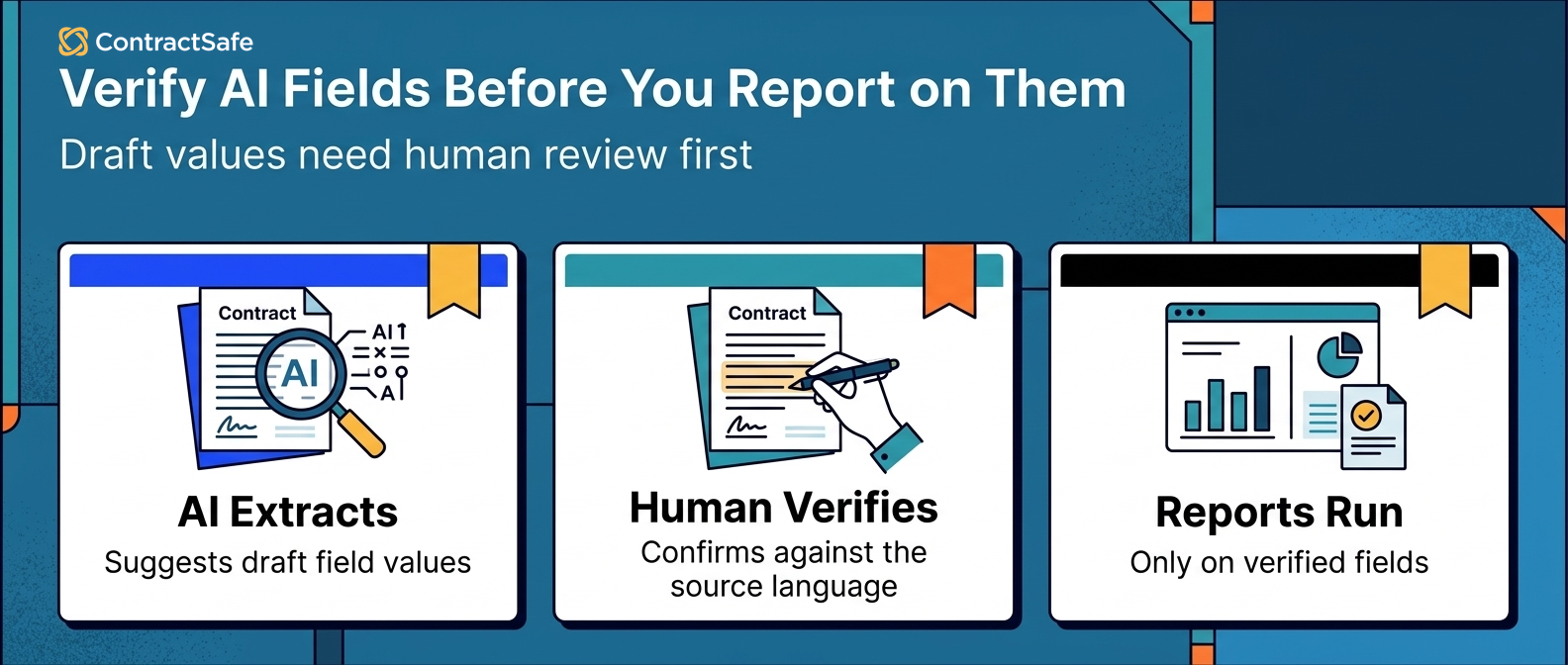
AI can help a centralized contract repository when extracted fields stay tied to source text, permissions and human review. It's useful for search, OCR, field suggestions, summaries, renewal language and contract Q&A, and it's risky when the system treats every extracted answer as final. Important fields, including expiration dates, notice deadlines, values, owners, restricted flags, assignment language and termination rights, should carry a review status before they drive reports or alerts. The right question isn't "does the repository have AI?" but "can people trust how AI output becomes contract work?" Step 10 runs that test on your own contracts, and the AI contract management software evaluation guide covers the AI-specific checks in more detail.
Step 10. Test the Repository Before You Trust It
Test a centralized contract repository on a packet of your ordinary contract messes twice: in every vendor demo before you buy, and again on your own setup before the team treats it as the source of truth. Don't test only clean sample files; bring the contracts that made the old process painful, or build samples that mirror them:
A scanned agreement with weak OCR.
An amendment that changes the original renewal language.
A vendor with two similar names.
A contract with a missing business owner.
A restricted agreement that only legal should see.
A record with a wrong expiration date that needs correction.
Then make the repository prove the basics:
Can search find the right contract without the exact file name?
Can OCR read the scanned agreement well enough for review?
Can the system connect the amendment to the original agreement, and can a user tell which version is current?
Can the record show who owns the next step?
Can reports separate reviewed fields from guessed fields?
Can the AI show the source clause for an answer, and does a corrected field flow into the report?
Can you export the audit trail of every upload, edit, permission change and view, with names and timestamps, for an auditor?
Are stored files encrypted, and will the vendor hand over its security documentation?
Ask the vendor to search, correct, restrict, report and export from that packet, then watch how much of the work happens inside the repository and how much moves back into spreadsheets or email. If the vendor finds the renewal date but can't show the source clause, the answer isn't ready for a reminder; if it can set a reminder but can't assign an owner, the reminder has no responsible person; if it can restrict a contract but that contract still appears in another user's report, access control isn't finished. A repository that needs months of services before the first useful report may still be the right tool, but you should know that before buying. Don't let the demo end with "we can configure that later"; ask what works now, what needs setup, who does the setup, and what the first useful report will look like.
Keep the Repository Useful After Launch
A centralized contract repository stays useful only when someone owns cleanup, access, reports and field quality after launch. Launch day is the day the repository starts collecting real behavior: people upload new contracts, owners change roles, vendors merge, amendments arrive, access needs shift, and reports reveal gaps. Set a simple monthly routine:
Review missing required fields.
Check upcoming renewals and notice windows against your contract renewal best practices.
Reassign contracts with departed owners.
Review restricted access groups.
Merge duplicate records.
Confirm reports are still being used.
Check whether AI-suggested fields need review.
The repository doesn't have to be perfect to launch; a record can go live with a reviewed renewal date and owner while deeper clause tagging waits for a later pass. It does have to be honest about what's reviewed, what's missing, and who owns the cleanup. That's the same point Thomson Reuters makes about strong contract management systems: ongoing control, not a one-time selection. The real measure of a centralized repository is whether the team keeps using it after the launch meeting ends.
Related Reading
How ContractSafe Helps Teams Build a Centralized Contract Repository
ContractSafe is a full-lifecycle CLM, and its repository gives you one searchable home for contracts, with OCR search for scanned agreements, the record fields from Step 4, owners, role-based permissions that keep sensitive contracts restricted, an audit history, reminders on every key date, and reports. Migration support is included, so you don't have to move every file yourself.
Every plan includes unlimited users, so finance, HR and procurement can look things up without anyone rationing seats. ContractSafe pricing starts at $450/month on the Organize plan, billed annually ($540 month-to-month). When drafting and signing come into scope, you move up a plan rather than buy a second tool: approval workflows and e-signature come with Finalize, and intake forms and templates come with Maximize.
ContractSafe's AI contract management features work inside those same records: AI pulls key dates and terms in as suggestions someone accepts or corrects before they're saved, and AI search only returns contracts the user is allowed to see.









.svg)







.svg)




