


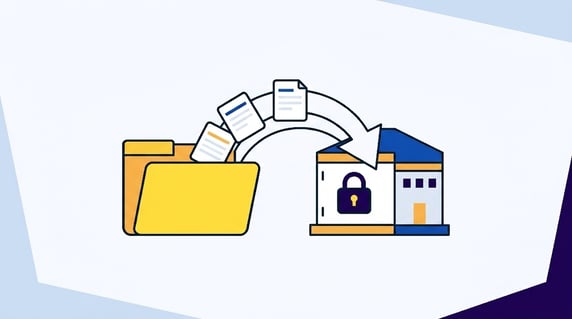
A contract repository implementation is the work of turning scattered signed agreements into a searchable system with reliable records, owners, permissions, alerts, reports, and upkeep rules.
Picture the Friday upload party. The team drags every vendor agreement, order form, NDA, and renewal notice into the new system. On Monday, finance still asks legal which contracts renew this quarter.
That's the problem. Think of it like moving offices. Uploading contracts is moving day. Implementation is unpacking the boxes, labeling the shelves, assigning keys, and making sure people know where to go next.
If the boxes are still sealed and nobody has a key, the office isn't ready. Same goes for a repository.
ContractSafe is a full-lifecycle CLM for teams that need signature, post-signature control, and reporting without turning repository cleanup into a giant IT project.
If you skip the operating work, you don't get a repository. You get the same shared-drive mess in a nicer room.
Key Takeaways
- A contract repository implementation works only when people can find, trust, and act on contract information after launch.
- The launch scope should start with active and high-risk contracts, not every historical file your company has ever signed.
- Metadata, owners, permissions, alerts, and reports need to be designed before migration starts.
- AI extraction is useful when it creates a review queue with source traceability. It shouldn't become automatic truth.
- The repository needs an owner after launch, or quality starts decaying the moment new contracts arrive.
Quick Gut Check Before Migration
Before migration starts, test whether the repository plan can answer three ordinary questions without legal doing detective work.
- Can a business owner find the current signed agreement and every active amendment?
- Can finance see which agreements need a renewal decision soon?
- Can legal tell which records are incomplete, restricted, or waiting for review?
If the answer is no, pause the upload plan and fix the operating rules first. The files can wait. The structure can't.
Choose Your Next Step
Use the links below to jump to the part of the implementation that matches your current problem.
- If you're still planning the project, start with the implementation roadmap.
- If your archive is already messy, jump to cleanup in risk order.
- If your team is comparing tools, use the demo proof section.
- If you already launched and the repository is drifting, go to post-launch governance.
What Is a Contract Repository Implementation?
A contract repository implementation is the setup process that makes signed agreements searchable, permissioned, owned, reportable, and ready for renewal or obligation tracking.
It includes the file move, but it's bigger than the file move. The work includes source cleanup, OCR, metadata, owner assignment, related-document linking, permissions, alerts, reports, training, and post-launch upkeep.
Think of it as the difference between dropping boxes in a new office and making the office usable. The move matters. The labels, shelves, keys, and routines matter more.
What a Contract Repository Implementation Has to Prove
A good implementation creates a working contract record. That record has the signed agreement, the latest amendment, searchable text, useful fields, the business owner, the right access rules, and the next action if a date is coming up.
That sounds obvious. It's also where many repository projects fail.
A team uploads a pile of PDFs. Everyone celebrates the migration. Then finance asks for all vendor agreements renewing this quarter.
Legal still has to search by hand because half the files have no owner, the renewal fields are blank, and order forms are sitting apart from the parent agreements.
That's not implementation. That's just storage.
The launch standard should be written in plain English before anyone starts moving files. For example:
Active vendor and customer agreements are uploaded, searchable, assigned to owners, permissioned correctly, tied to renewal alerts, and included in saved reports for upcoming renewals, missing owners, and incomplete records.
That's a better finish line than “all documents imported” because it defines what the business can actually do when the repository opens.
It also gives the project team permission to leave some historical cleanup for later. You don't need a perfect archive to launch. You need a useful operating system for the contracts people rely on now.
The Difference Between Contract Repository Migration and Implementation
Migration moves files. Implementation makes the files useful, controlled, searchable, and tied to business action.
| Workstream | What it does | Why it can fail |
|---|---|---|
| Migration | Moves contract files from old locations into the new repository. | Files arrive without owners, fields, relationships, permissions, or cleanup status. |
| Implementation | Turns those files into contract records people can search, trust, report on, and act from. | The team treats upload as the finish line and never builds the operating rules. |
A migration can be successful in a narrow technical sense and still leave the business frustrated. The files moved. The work didn't.
Implementation is what closes that gap. It asks whether the repository helps someone answer the next question: Which agreement is current? Who owns the decision? What date matters? What document changed the term? Who can see this? What still needs cleanup?
Keep that distinction visible. When the project plan says “upload historical contracts,” ask which implementation rule makes those records usable.
If there's no owner, no required fields, no related-document model, and no report, the task isn't finished. It's only moved.
This also changes the tool shortlist. A repository tool should prove search, OCR, owner fields, permissions, alerts, reporting, and related-document handling before it tries to impress you with features your team may not use yet.
Contract Repository Implementation Roadmap
The safest implementation path is phased. Each phase should produce a visible output, not just a meeting or a status update.
| Phase | Output | Proof it worked |
|---|---|---|
| 1. Scope | Contract types, departments, owners, and launch criteria | Everyone agrees which contracts matter first |
| 2. Inventory | Source map of shared drives, inboxes, e-signature folders, and team folders | No major contract source is missing from the migration plan |
| 3. Model | Required metadata, owner rules, permissions, and reports | A sample contract record answers real business questions |
| 4. Migrate | Priority contracts imported, OCRed, tagged, and connected to related documents | Users can find signed contracts, dates, owners, and amendments |
| 5. Launch | Alerts, saved views, reports, access rules, and training | Legal gets fewer “can you find this?” requests |
| 6. Maintain | Monthly quality review and intake rules for new contracts | Missing fields and ownerless records trend down |
What to Have in Hand Before Kickoff
The kickoff should produce the scope, source map, field model, permission plan, cleanup rules, and launch reports the team will use during migration.
Have these ready before migration starts:
- A launch scope that names the contract types and departments included in phase one.
- A source map showing where those contracts live today.
- A required-field list for the first business job.
- A permission model for ordinary, sensitive, and restricted agreements.
- A cleanup decision tree for duplicates, amendments, order forms, expired agreements, and unsigned drafts.
- A launch report list with the exact questions each report should answer.
This keeps the project from turning into a scavenger hunt. When someone finds a messy folder, the team already knows whether it belongs in phase one.
When a duplicate appears, the team already knows which version wins. When a contract is missing an owner, there's a rule for how to assign or escalate it.
The payoff is speed. Not because the team cuts corners, but because the most common decisions have already been made.
The repository only helps when it changes the work people do after the contract is signed.
Thomson Reuters describes strong contract systems in terms of control, process, and usable information. That's the bar for a repository implementation too.
1. Define the Business Job Before You Touch the Archive
Define the repository's job by naming the first contract problem the business needs solved after launch.
Different teams need different first wins. Legal may want to stop searching through folders. Finance may need renewal exposure by quarter.
Procurement may need access to vendor agreement data. The CFO may care about auto-renewals and spend commitments. Sales may need customer agreements without waiting for legal to forward a PDF.
Those needs produce different implementation choices.
If finance needs renewal exposure, expiration dates, renewal notice periods, contract value, department, and owner fields matter early.
If legal is drowning in “where is the agreement?” requests, search quality, OCR, counterparty names, contract type, and related-document linking matter first. If the issue is sensitive access, permissions and roles move to the front.
Write the first job in one sentence:
By launch, business owners can find active vendor agreements, see renewal timing, confirm the current version, and know who owns the next decision.
Then turn that sentence into proof criteria. For that example, the repository needs a saved vendor-agreement view, renewal fields, owner fields, related-document links, and an alert report that legal and finance can both understand.
The proof criteria should be concrete enough to test with five real contracts.
Pick one clean contract, one agreement with an amendment, one near renewal, one sensitive agreement, and one ugly scanned PDF. If the repository can handle those examples, the first job is real.
If it can't, the launch standard is still too vague.
That sentence does more than describe the project. It decides what gets cleaned, what waits, and what the demo has to prove.
2. Inventory Every Place Contracts Actually Live
Repository implementation gets messy because the “official” contract folder is rarely the whole archive.
Contracts often live in shared drives, finance folders, procurement systems, e-signature platforms, email inboxes, desktops, legacy CLM tools, customer folders, vendor folders, legal matter folders, and project-specific workspaces nobody has opened in months.
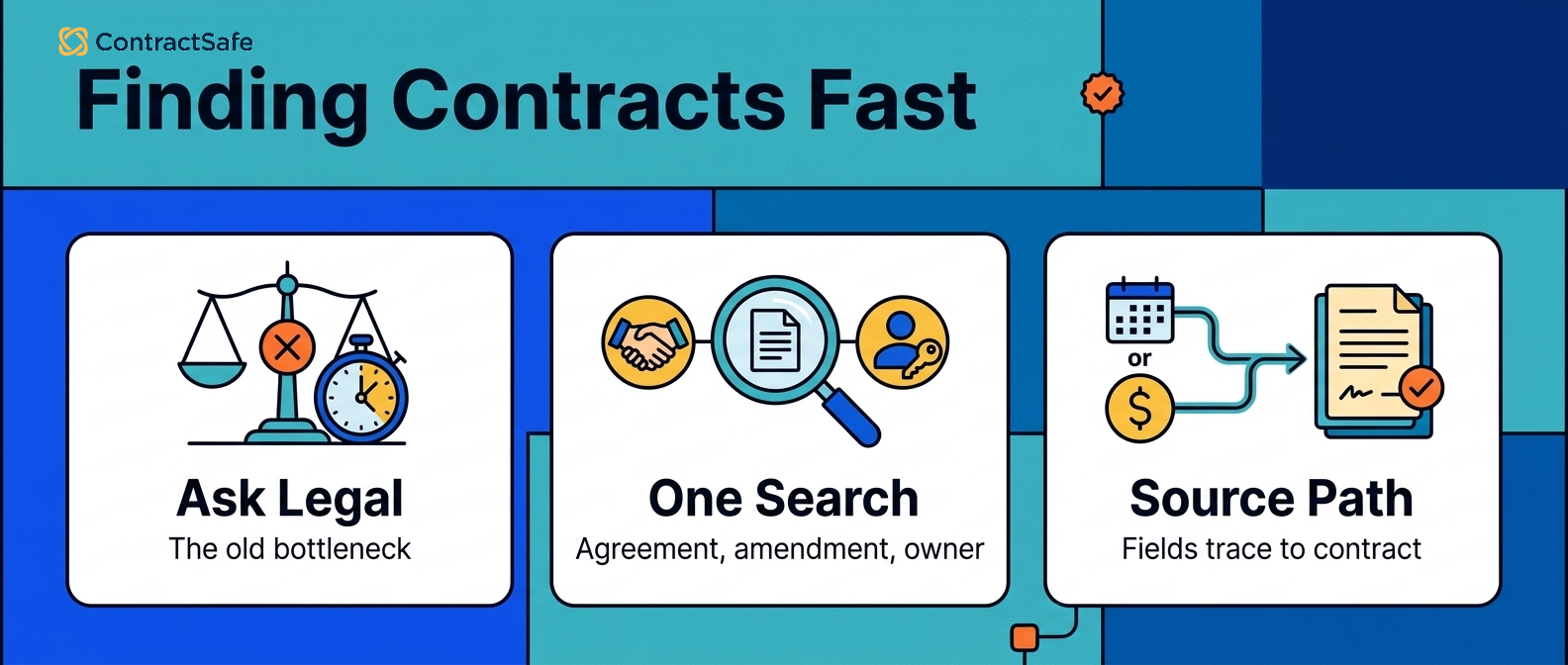
Don't ask only, “Where should contracts live?” Ask, “Where do people go when they need one?”
The answer will tell you which sources matter for migration. Build a source map with five fields:
- Source location.
- Department or owner.
- Contract types stored there.
- Approximate volume.
- Risk or cleanup notes.
The source map prevents two common failures. First, it keeps the new repository from becoming a partial archive. Second, it helps you avoid importing the same contract five times because different teams kept different copies.
ContractSafe supports this step by giving teams a central repository with OCR-backed search, metadata fields, and saved views. That matters during implementation because cleanup work can be organized around what users need to find, not just where files used to live.
When duplicates appear, choose a rule before cleanup starts. The signed version wins over drafts. The newest amendment gets linked to the parent agreement.
Order forms stay connected to the master agreement. If two versions conflict, the record gets flagged for legal review instead of guessed into shape.
3. Clean Up in Risk Order
A contract repository implementation should not clean the archive alphabetically. It should clean it in the order that reduces the most risk.
Start with contracts that can create near-term problems if the record is wrong:
- Agreements with near-term renewal or notice deadlines.
- High-value vendor and customer agreements.
- Sensitive contracts with restricted access needs.
- Contracts tied to current obligations, insurance, compliance, or security commitments.
- Amendments, order forms, statements of work, and renewal documents that change the current terms.
Historical contracts still matter. They just shouldn't delay the point at which the repository starts helping the business.
A useful launch can cover the highest-risk slice of contracts first, then keep improving the backfile. That's a better outcome than spending months trying to perfect an archive nobody can use yet.
The cleanup order should also be visible to leadership. If someone asks why old terminated agreements are not fully tagged yet, the answer should be simple: because the team is first protecting renewals, active obligations, high-value agreements, and restricted records.
That's a management choice, not a data-entry shortcut.
4. Define the Minimum Metadata Model
Metadata turns a PDF into a contract record. Without it, even a beautiful repository is still mostly a folder.
The minimum metadata model should include fields that someone will use for search, alerts, reports, or decisions. A starting set usually includes:
- Counterparty.
- Contract type.
- Effective date.
- Expiration date.
- Renewal notice period.
- Business owner.
- Department.
- Contract value.
- Status.
- Related documents.
Don't turn the first implementation into a bloated taxonomy exercise. Too many required fields slow migration, frustrate users, and create blank-field debt before launch.
Start with the fields that drive the first business job. Then add fields when there's a real use case.
A procurement team may need vendor category. Finance may need payment terms. Legal may need governing law or limitation-of-liability flags. Compliance may need data-processing or security terms.
The question is always the same: who will use this field, and what decision will it support?
That keeps the model useful instead of overloaded.
How to Handle Amendments, Order Forms, and Duplicates
The hardest repository records are rarely the neat one-document agreements. They are the contract families: a master agreement, two amendments, three order forms, a renewal notice, and an email approving a pricing change.
If those files enter the repository as unrelated records, search gets worse. A user finds the MSA and assumes it's current, but the active price, term, or renewal language lives somewhere else.
Create relationship rules before migration:
- Parent agreements should link to every active amendment, order form, statement of work, renewal notice, and termination notice.
- Order forms should identify the parent agreement they sit under.
- Amendments should be named and tagged so users can tell what they changed.
- Duplicate records should be merged or marked clearly, not left as competing search results.
- Unresolved conflicts should go into a legal-review queue instead of being guessed into the record.
This is where a repository starts to feel trustworthy. Users don't just find a contract. They find the current contract package.
5. Give Every Active Contract an Owner
Contracts without owners become legal’s problem by default. That's how repository projects slide back into old habits.
Ownership doesn't mean legal is responsible for every business decision inside every agreement. Legal may own the contract process, but the business usually owns the commercial relationship.
A vendor agreement may belong to IT, finance, facilities, or marketing. A customer agreement may belong to sales or customer success. A lease may belong to operations. A benefits agreement may belong to HR.
The owner field should answer a practical question: who decides what happens next?
That matters most around renewals. An alert with no owner doesn't create action. It creates a forwarded email. A useful alert goes to the person who can decide whether to renew, renegotiate, terminate, escalate, or confirm no action is needed.
Use a simple owner rule during cleanup:
- If the agreement supports a department, the department leader or delegate owns the business decision.
- If the agreement controls a vendor relationship, procurement or the vendor manager owns the commercial follow-up.
- If the agreement affects revenue, sales or customer success should be in the renewal loop.
- If the agreement is sensitive or legally complex, legal owns the review path but still names the business decision owner.
This prevents owner assignment from becoming a guessing exercise. It also makes training easier because users can see why a record belongs to them.
For active contracts, ownerless records should be treated as cleanup defects. Put them in a saved view. Review them weekly during implementation. Don't launch with a large ownerless active-contract population and call the repository ready.
6. Build Permissions Before Broad Access
Access isn't something to “clean up later.” If the repository opens with broad access, the cleanup becomes political fast.
Before inviting the company, decide who can view documents, see sensitive fields, edit metadata, download contracts, upload new records, change owners, and run reports.
Some access patterns are obvious. Finance may need contract value and renewal timing. Procurement may need vendor terms. Sales may need customer agreements.
Executives may need broad access. HR, legal-sensitive, board, acquisition, and high-risk customer agreements may need tighter controls.
The harder question is what people shouldn't see.
That's where permission design becomes part of implementation, not an afterthought. A repository that exposes sensitive agreements too widely creates a new risk while solving an old one.
A repository that locks everything down too tightly recreates the same bottleneck legal was trying to escape.
Use role-based permissions and saved views to strike the balance. The right people should find what they need without asking legal, and the wrong people shouldn't stumble into documents they should never open.
Use this checklist before launch:
- An ordinary vendor agreement that finance can see.
- A customer agreement sales can find but not edit.
- An HR or executive agreement that stays restricted.
- A sensitive agreement where only legal can change fields.
ContractSafe helps with this by letting teams control access while still giving broader users the repository views they need. That balance is the point: fewer legal bottlenecks, without casual access to sensitive contracts.
Teach the Three Workflows People Will Use Every Week
Repository training should focus on the weekly workflows users need, not every feature in the product.
For most repository launches, that means three paths:
- Find a contract and confirm it's the right version.
- Check the owner, dates, and related documents before making a decision.
- Update a record when a new agreement, amendment, or renewal document arrives.
Those workflows should be practiced with real examples from the company. Don't train on perfect demo contracts. Use a vendor agreement with an order form, a customer agreement with an amendment, and a contract with a renewal notice deadline.
If users can complete those three tasks without asking legal for help, the repository is already reducing friction.
If they can't, more features won't fix the launch. The implementation still needs clearer fields, better naming, simpler saved views, or tighter permissions.
7. Connect Alerts to Decisions, Not Just Dates
Set alerts that tell the owner what decision is due, not just when the agreement expires.
An alert that says “contract expires soon” is better than nothing. But it still leaves the recipient to figure out what decision is needed.
A stronger alert record includes:
- The renewal date.
- The notice deadline.
- The business owner.
- The backup owner or escalation contact.
- The decision needed.
- The current status.
- The related parent agreement, amendment, or order form.
Use multiple reminders. Send an early planning reminder, a decision reminder before the notice window, and an escalation reminder if nobody acts.
ContractSafe’s contract alerts are designed for this kind of deadline tracking. The useful part isn't just the reminder. It's the connection between the date, the owner, and the contract record.
That's what turns the repository into an operating system instead of a calendar full of disconnected warnings.
8. Use AI Extraction as a Review Queue
AI can make contract repository implementation faster, especially when the archive is large. It can suggest parties, dates, values, contract types, renewal terms, and clause information much faster than a person opening every PDF manually.
But AI extraction shouldn't be treated as automatic truth.
The safer model is a review queue. A field can be extracted, reviewed, corrected, approved, and then used in reports or alerts. Until it reaches that approved state, the repository should make the uncertainty visible.
This is especially important for dates and renewal terms. A renewal notice period buried in an amendment can change the action window. A scanned PDF can OCR poorly.
An order form can override a master agreement. An AI suggestion may be directionally useful and still not safe enough to drive a business decision.
The test is source traceability. Can the user click from the extracted field back to the exact contract language that supports it?
If yes, AI speeds up review. If no, AI creates a cleaner-looking version of the same old guesswork.
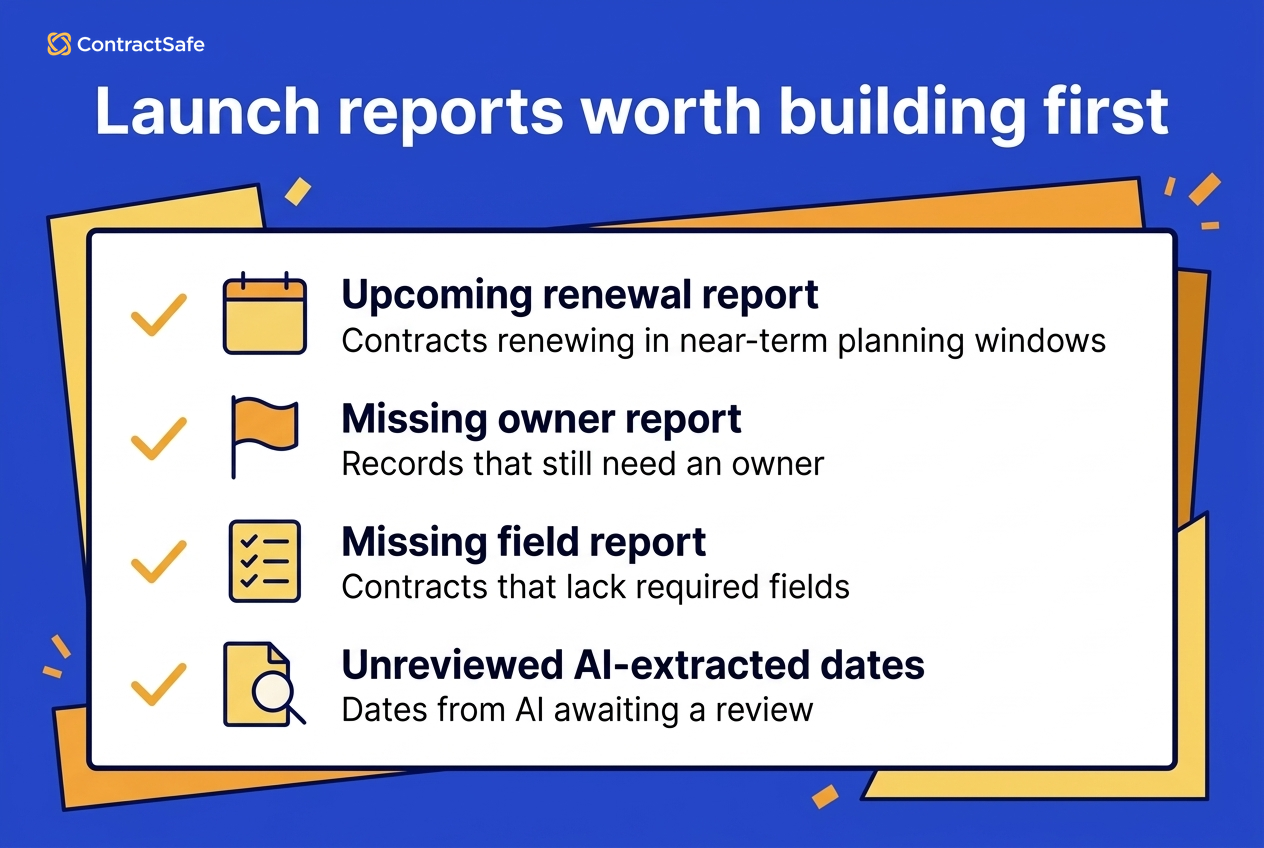
9. Launch With Reports People Will Actually Use
Don't wait until the archive is perfect to build reports. Reports are how you find out whether the repository is useful.
Start with reports that answer current business questions:
- Contracts renewing across near-term planning windows.
- Contracts missing owners.
- Contracts missing required fields.
- High-value agreements by department.
- Sensitive agreements reviewed this month.
- Expired agreements still marked active.
- Contracts with unreviewed AI-extracted dates.
- Contracts with amendments not linked to parent agreements.
These reports serve two purposes. They help the business act, and they show the implementation team where cleanup is still needed.
That second function matters. A repository doesn't get better because everyone agrees data quality is important. It gets better because missing fields, ownerless records, stale statuses, and unlinked amendments are visible every week.
Washington State procurement guidance is a useful reminder that contract reporting isn't decoration. It's how organizations manage and track agreements after signature.
What Success Should Look Like 30 Days After Launch
A repository launch should have a short feedback loop. Don't wait six months to find out whether the system is helping.
Thirty days after launch, review practical signals:
- How many people outside legal logged in?
- Which searches failed or produced confusing results?
- How many active contracts still have no owner?
- How many renewal alerts are missing a recipient or decision status?
- Which required fields are most often blank?
- Which departments are still asking legal to find contracts for them?
The answers tell you what to fix next. Maybe the metadata model needs a field people actually search by. Maybe a department needs a saved view.
Maybe users are afraid to update records because ownership rules are unclear. Maybe the team imported contracts correctly but didn't train people on where related documents live.
This isn't failure. It's the normal second phase of implementation. The repository gets better when the team watches how people actually use it.
Repository Implementation Checklist Before Launch
Before launch, use this contract repository implementation checklist to make sure the repository is ready for real users, not just uploaded files.
- Active contracts have owners.
- Required fields are filled or marked for review.
- Renewal and notice dates have alerts.
- Related documents are linked to the parent agreement.
- Sensitive records have restricted permissions.
- Saved reports answer the first business questions.
- Users know how to find, review, and update a contract record.
If one of these fails, fix it before the broad rollout. That's much cheaper than asking the company to trust a repository that still behaves like a shared drive.
10. Bring Real Messy Contracts Into the Demo
A polished vendor demo won't tell you whether the implementation will work. Your own contracts will.
Before you choose a repository, bring a small but realistic sample:
- A clean signed agreement.
- A scanned PDF.
- A parent agreement with an amendment.
- An agreement with an order form.
- A contract with a renewal notice period.
- A sensitive agreement that needs restricted access.
- A contract with messy naming or poor OCR.
Ask the vendor to show the actual implementation path for that sample. How does the system OCR it? What fields are extracted? How are related documents linked?
Then keep going. Can users find the agreement by counterparty, contract type, date, or clause? Can permissions be applied without a workaround? Can the renewal report show the right deadline?
Don't score the demo by how clean the sample data looks. Score it by what the tool can prove using your messy files.
That's also a good way to compare ContractSafe's full-lifecycle approach with legacy contract management software. If the immediate pain is finding and trusting signed agreements, the repository proof matters more than a long list of workflow features nobody will use in the first quarter.
Red Flags During Implementation
Some implementation problems show up early if you know what to watch for.
- The vendor demo works only with clean sample contracts.
- The team can't agree which contracts are in phase one.
- Every department wants a different field model before anyone has used the repository.
- Renewal alerts are being created without owners.
- AI-extracted fields are being used in reports without review status.
- Permissions are being deferred until after upload.
- Historical cleanup is blocking a clear view of active contracts.
These are not small project-management annoyances. They point to the same deeper issue: the repository is being treated as a storage move instead of an operating system for contract work.
When one appears, slow down and fix the rule. Don't keep importing files and hope the structure catches up later.
11. Keep the Repository Clean After Launch
After launch, repository quality depends on a recurring cleanup routine for new records, missing fields, ownerless contracts, and stale alerts.
That's not a sign the implementation failed. It's a sign the repository is alive.
The fix is a lightweight governance routine. Assign someone to review missing owners, blank required fields, duplicate records, unlinked amendments, expired contracts still marked active, failed OCR, broad permissions, and alerts with no recipient.
A monthly review is usually enough for many teams. High-volume teams may need a weekly cleanup view during the first quarter after launch.
New contracts also need intake rules. If signed agreements arrive by email, e-signature tool, procurement system, or sales folder, define how they enter the repository, who confirms the fields, and who owns the record.
WorldCC contract management research is a good reminder that tools don't rescue unclear ownership.
The repository needs a named owner, a cleanup routine, and a way to see stale records before they create work for legal again. Otherwise, it slowly becomes a museum of old PDFs instead of a working system.
12. Do Not Move the Mess
The point of a contract repository implementation isn't to make a messy archive look professional. It's to make contract work easier.
Use this final test before launch:
- Can a business user find the signed agreement without asking legal?
- Can finance export the fields it needs without rebuilding the report by hand?
- Can legal trace important fields back to source language?
- Can the right owner see the next renewal decision before the notice window closes?
- Can sensitive agreements stay restricted while ordinary agreements are easier to access?
- Can the team see which records still need cleanup?
If the answer is yes, the repository is working.
If the answer is no, keep fixing the operating layer. More uploads won't solve it.
Go back to the boxes, shelves, labels, and keys. Better owners, permissions, alerts, reports, and habits are what make the repository usable.
Related Reading
- Digital contract repository: Use this when you need a cleaner repository model before migration.
- Contract repository requirements: Use this before a vendor demo so you know what the system needs to prove.
- Contract repository management: Use this after launch to keep repository quality from decaying.
- Contract metadata: Use this when you're deciding which fields should be required.
How ContractSafe Helps With Contract Repository Implementation
ContractSafe helps teams implement a contract repository without turning the project into a full enterprise workflow rebuild.
ContractSafe gives signed agreements one searchable home through its contract repository.
Teams can bulk upload contracts, use OCR, apply metadata, control access, connect owners to dates, and build saved reports around the questions they actually need answered.
ContractSafe’s AI contract management features help teams extract and search contract information inside that same repository. The useful implementation pattern is simple: AI helps surface the information, and the team reviews the fields that will drive alerts, reports, and business decisions.
ContractSafe also keeps adoption practical. Unlimited users on every plan means finance, procurement, sales, executives, auditors, and business owners can get the access they need without turning every new viewer into a pricing discussion.
If your main problem is post-signature chaos, start there. Get the repository searchable, permissioned, owned, and tied to renewal action.
Once that works, expand from a cleaner base instead of asking users to trust another messy archive.
The FAQ module below covers the repository implementation questions buyers usually ask next.









.svg)







.svg)




