



Contract repository management is the ongoing work of keeping uploaded agreements searchable, assigned, permissioned, current, and ready for the next contract decision.
Uploading contracts feels like the finish line because the files finally live in one place.
It’s not the finish line.
It’s more like moving into a new kitchen. The boxes are inside. The drawers look organized for about five minutes.
Then somebody puts the measuring cups in the wrong cabinet, the good knife disappears, and everyone starts asking where the bottle opener went.
Contract repositories drift the same way.
Owners leave. Renewal dates get missed. Duplicate agreements appear. AI extracts a field that looks right until someone checks the clause. Finance asks for a report that legal can’t build without cleanup first.
That’s the job of repository management, and it’s what keeps the system useful after the upload is over.
Key Takeaways
- Contract repository management starts after upload, because contract data starts aging the moment people use it.
- The highest-risk fields are owners, renewal dates, notice periods, contract status, permissions, and values used in reports.
- A good operating cadence separates weekly decision work from monthly cleanup work.
- AI extraction is helpful, but fields that drive alerts, reports, remedies, penalties, or renewal decisions still need review.
- ContractSafe helps teams keep repository work practical with search, OCR, metadata, permissions, alerts, reports, audit history, and AI extraction.
Choose Your Next Step
If you’re early in the repository project, start with the contract repository requirements checklist before you worry about cleanup routines.
If the system is already live, jump to the weekly review cadence and the repository health scorecard.
If the team is asking whether the repository is worth keeping, use the reporting section to connect cleanup work to decisions leadership actually cares about.
That order matters because repository management can turn into a chore list if you’re not careful.
The point isn’t tidiness for its own sake. The point is making sure the next contract question has a reliable answer.
What Contract Repository Management Means
Contract repository management means maintaining the contract records, fields, owners, permissions, alerts, reports, and review habits that make a repository useful.
It’s the difference between “we uploaded the contracts” and “we can actually use the contracts.”
That difference shows up in small moments.
Finance asks which vendor agreements renew next quarter. Procurement asks which agreements include price increases. Sales asks whether an order form is still current. Legal asks who owns notice for a key customer agreement.
A managed repository can answer those questions without a scavenger hunt.
An unmanaged repository sends everyone back to Slack, inboxes, and old spreadsheets, which is exactly what the repository was supposed to replace.
That’s why management work has to be built into the system from the beginning. The repository doesn’t stay useful because people mean well. It stays useful because the team reviews the fields that matter.
WorldCC has reported that better contract development and management can save an average of 9% of annual revenue. The lesson for repository management is practical: contract value depends on whether people can find, understand, and act on the agreement after it’s signed.
Contract Repository Management vs. Contract Storage
Contract repository management is the operating layer that keeps stored agreements accurate, searchable, permissioned, and tied to the decisions people need to make after upload.
That may sound like a small distinction until the first missed renewal notice or audit request.
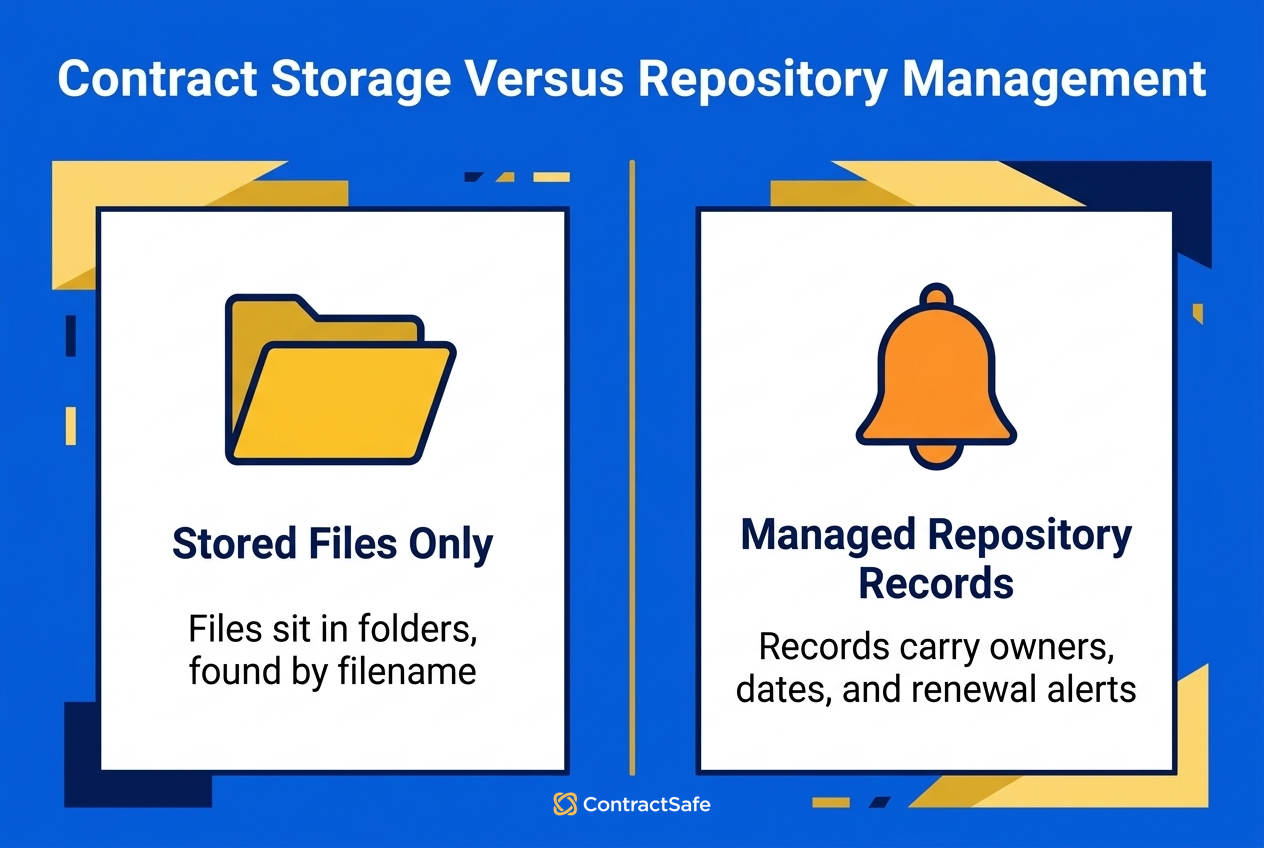
Storage answers one question: where is the file?
Management answers the better questions: which file is current, who owns it, what date matters next, who can see it, what obligation is active, and what needs a decision this week?
| If you only store contracts | If you manage the repository | Why it matters |
|---|---|---|
| Files sit in folders | Records include owners, dates, status, type, and value | Reports stop depending on manual cleanup |
| Everyone searches by filename | People search by party, clause, date, owner, or contract type | Users can answer real contract questions |
| Renewal dates live in someone’s calendar | Notice windows and alerts belong to the record | Deadlines become team knowledge, not personal memory |
| Permissions get copied from old folders | Access is reviewed by contract type and business need | Sensitive agreements stay useful without being overexposed |
That last row is worth slowing down for.
Access rules can’t be a copy-paste exercise from the old shared drive. A repository is supposed to make contracts easier to use, but not easier for the wrong people to browse.
Thomson Reuters guidance frames strong contract systems around control, process, and usable information. Repository management is where those ideas become weekly work.
Quick gut check:
- Can a business user find the signed agreement, latest amendment, owner, and renewal date without asking legal?
- Can finance export the fields it needs without rebuilding the report from scratch?
- Can legal trace a field back to the source contract before anyone acts on it?
Buyer checklist for keeping a repository useful after upload: the real test is not whether the files loaded. It is whether the next contract question has a fast, correct answer. Before you call the project done, walk each uploaded record through the checks below. If a record fails one, you found the exact cleanup task to assign this week, with a name attached.
- Owner and backup: every record names a current owner and a backup, not someone who left months ago. If ownership is blank or stale, the next renewal or notice decision has nobody to make it, and the deadline slips quietly.
- Reviewed fields: the fields that trigger action (owner, effective and renewal dates, notice period, status, and reported value) are confirmed by a person, not just extracted and left alone until a report breaks.
- Renewal alerts: notice windows and renewal dates are set on the record, and the alert fires early enough that someone can still cancel, renegotiate, or renew before the window closes.
- Amendment matching: each amendment is linked to its parent agreement, so the current terms are obvious and nobody acts on a superseded version or a price that already changed.
- Permission cleanup: access is set by contract type and business need, not copied from the old shared drive, and restricted records get reviewed so the wrong people cannot browse sensitive terms.
- Reporting: finance and procurement can export the fields they need without a manual rebuild, because the owners, dates, and values behind the report are clean, current, and traceable to the source.
- Monthly upkeep: someone audits active versus expired status, missing dates, duplicate uploads, and orphaned owners on a set date, so slow drift gets caught before it becomes renewal or audit risk.
Use this as a pass or fail scan, not a wish list. Run it against a sample of new uploads each week and the full set once a month. Every failed check becomes one named task with a due date, so cleanup stays small and continuous instead of piling into a project nobody wants to start. When a record passes all seven, you can trust the answer it gives.
What Goes Wrong When Repository Management Slips
Repository management slips when owners, dates, permissions, and statuses stop matching reality, which turns a clean upload into hidden renewal and access risk.
It shows up as a tiny annoyance first.
Someone can’t find the latest amendment. A renewal report has three missing dates. A vendor agreement still belongs to a person who left six months ago.
Then the annoyance becomes risk.
A missed notice window can trigger an unwanted renewal. An expired agreement can leave a team working without the terms they thought still applied. A forgotten obligation can affect service credits, remedies, penalties, damages, or audit responses.
That’s why repository management belongs in the risk conversation, not just the admin conversation.
A practical example: say marketing has an agency agreement with a notice period that matters before renewal. The agreement is uploaded, but the notice field is blank and the owner is still last year’s agency lead.
The repository technically has the contract.
The business still misses the decision.
The fix isn’t “train everyone harder.” The fix is a repository operating model that catches missing owners, missing notice periods, stale status fields, and sensitive access before those gaps become expensive.
Start With the Fields That Drive Decisions
The fields that drive decisions are the owner, backup owner, effective, termination and renewal dates, notice period, contract status, and values used in reports.
Some fields are nice for reporting. Others decide whether the business acts in time.
Start with the fields that affect renewals, obligations, money, and ownership.
| Field | Why it matters | Review habit |
|---|---|---|
| Contract owner | Someone must make the next decision | Check owner gaps every week |
| Expiration date | Reports need to show what is still active | Review missing dates after upload |
| Notice period | Renewal decisions need lead time | Confirm before alerts go live |
| Contract status | Expired agreements should not look active | Audit active and expired records monthly |
| Access level | Sensitive agreements need limited access | Review restricted records monthly |
This is where teams often overbuild the model.
They create every field anyone might someday want, then nobody trusts the data because half the fields are empty.
A better pattern is to define required fields by decision type.
Renewal decisions need owner, renewal date, notice period, contract status, counterparty, and business contact. Spend reports need value, department, vendor, and contract type. Permission reviews need access level, contract type, department, and sensitivity.
That’s enough to start.
You can add fields later when a real report or workflow needs them.
Run a Weekly Repository Review
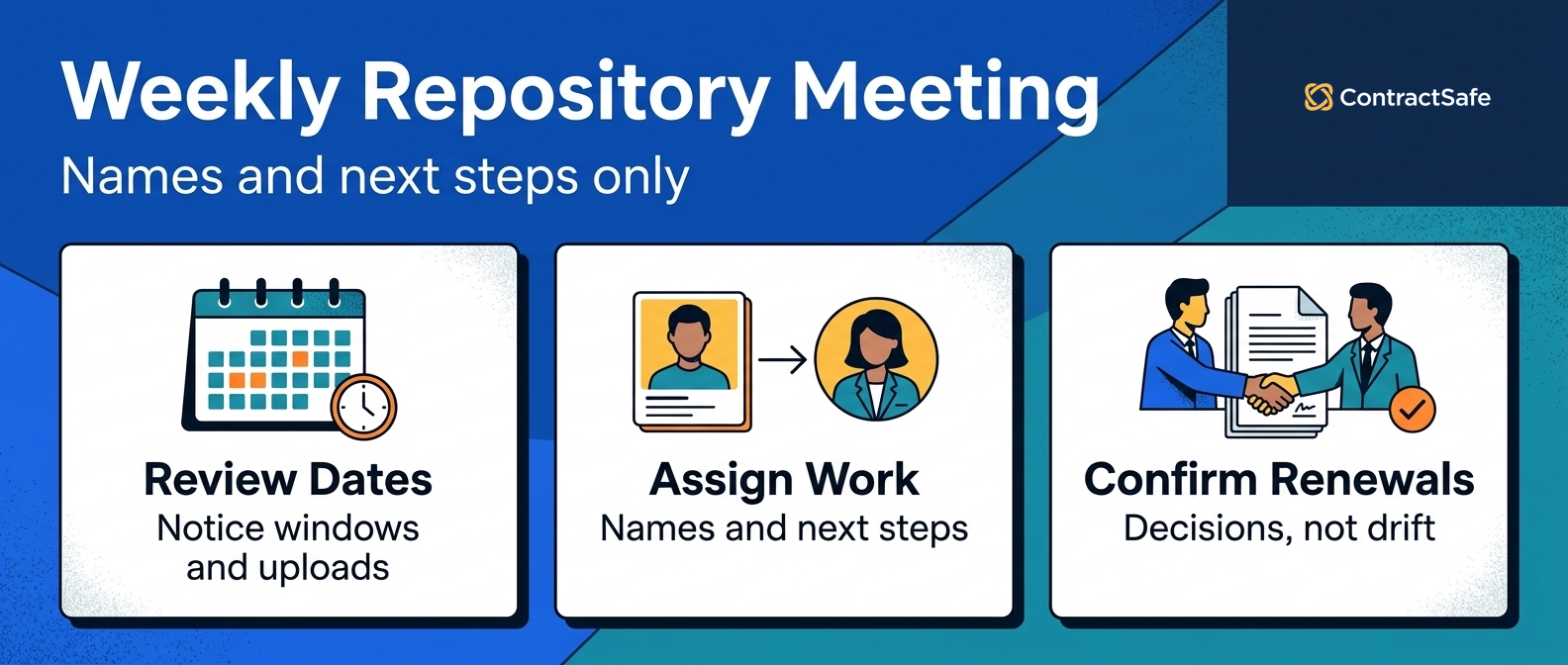
A weekly repository review should identify new uploads, upcoming renewals, missing owners, unreviewed extracted fields, and decisions that need a named person.
That narrow scope is the point.
If the meeting turns into a philosophical debate about taxonomy, it’s doing too much. Weekly repository management is for records that need attention now.
Bring four lists:
- New uploads that need owner, date, and status review.
- Renewals or notice windows coming up soon.
- Records with missing owners, missing dates, or failed extraction.
- Contracts where a business decision is waiting on legal, finance, procurement, or the owner.
Then assign names and next steps.
Not general agreement. Names.
“Finance will confirm the vendor owner by Friday” is useful. “We should clean up vendor agreements” is just a sentence that makes everyone tired.
In ContractSafe, teams can anchor that review around saved searches, alerts, custom fields, and reports instead of rebuilding the same spreadsheet every Monday.
Here’s a practical example.
The report shows several contracts with renewal dates coming up soon. Some have no business owner. Others have AI-extracted notice periods that have not been reviewed. One has an amendment that changes pricing, but the value field still shows the original agreement.
That’s a good weekly agenda.
Review the owner gaps. Confirm the notice periods. Fix the value field. Decide which renewal conversations need to start.
Use Monthly Review for Slower Cleanup
Monthly repository review is for the work that matters, but doesn’t need to hijack the week.
Duplicate records belong here. Permission cleanup belongs here. Stale statuses belong here. Reports nobody uses belong here too.
The monthly meeting should ask five questions:
- Which active agreements still have missing required fields?
- Which expired agreements are still marked active?
- Which duplicate contracts need to be merged, archived, or marked superseded?
- Which restricted records have too much access?
- Which reports did people actually use last month?
That last question keeps the repository honest.
If a report never gets opened, it may not be worth maintaining. If finance rebuilds the same report in a spreadsheet every month, the repository report probably needs work.
The monthly review is also a good place to adjust required fields.
If procurement keeps asking for vendor category, add it. If nobody uses a custom field after three months, retire it or make it optional.
Repository management isn’t a museum. You’re allowed to move the furniture.
Keep Owner Data Current
Keeping owner data current means reviewing owner and backup owner fields when people leave, teams reorganize, accounts move, vendors change hands, or responsibilities change.
It’s also one of the easiest ways to miss a decision.
A contract owner isn’t just a label. The owner is the person accountable for deciding what happens next, or at least finding the person who can decide.
Owner fields need review when people leave, teams reorganize, accounts move, vendors change hands, or contract responsibility shifts from one department to another.
Build owner checks into normal company changes.
When HR records a departure, legal should know which contracts that person owned. When procurement changes vendor ownership, the repository should change too.
When a customer account moves to a new account manager, customer agreements should not keep pointing to the old one.
Useful owner reports include:
- Contracts with no owner.
- Contracts owned by inactive users.
- Renewals grouped by owner.
- Alerts sent with no recorded decision.
- High-value contracts with no backup owner.
That backup owner matters more than people expect.
Vacations, parental leave, team changes, and turnover don’t pause renewal deadlines. The repository should know who gets the alert when the first owner is unavailable.
Manage Permissions Without Hiding the Repository
Repository permissions should protect sensitive contracts while still letting finance, procurement, sales, HR, and business owners answer the contract questions they’re allowed to answer.
They need to protect sensitive agreements. They also need to let the right people answer ordinary questions without asking legal every time.
If permissions are too loose, HR agreements, settlement terms, pricing language, or sensitive customer terms may be overexposed.
If permissions are too tight, the repository turns into another legal inbox.
The practical middle is role-based access by contract type, department, and business need.
Finance may need vendor value, renewal timing, and payment terms. Sales may need customer agreements and order forms.
HR needs employment agreements. Procurement needs vendor obligations. Legal needs broader access and audit history.
Not everyone needs every document, and not everyone needs to edit every field.
A monthly permission review should check restricted contracts, inactive users, broad default groups, users who changed roles, and sensitive agreement types.
If you use AI extraction, permissions should cover the extracted data too. A user who can’t open an HR agreement shouldn’t be able to ask AI for a summary of its sensitive terms.
Use AI Extraction as a Review Queue
AI can make contract repository management faster, especially when the team has hundreds or thousands of old agreements to clean up.
But AI extraction should create a review queue, not a blind trust queue.
Use AI to suggest parties, dates, values, clauses, notice periods, contract types, and obligations. Then review the fields that affect alerts, reports, access, remedies, penalties, damages, spend, or renewal decisions.
The useful workflow is simple:
- AI extracts the likely field value.
- A user reviews high-risk fields against the source agreement.
- The corrected field receives a review status.
- Reports and alerts use reviewed fields first.
That workflow keeps AI useful without pretending it’s magic.
A practical example: AI extracts a renewal date from the signature page, but the contract has an auto-renewal clause with a separate notice period in the termination section.
The extracted date may be technically present and still not enough.
For important contracts, the team needs source traceability. Users should be able to click from the field back to the contract language that supports it.
ContractSafe’s AI contract management features are built around that practical contract work: extracting useful details, improving search, and helping teams act on contract data inside the repository.
Build Reports for Decisions, Not Decoration
Repository reports should show what changed, what needs attention, who owns the next step, and which contract risk needs a decision.
They shouldn’t be spreadsheet wallpaper.
A useful report points to a decision, a risk, or a cleanup action. If the report does none of those things, it’s probably just a file inventory with nicer formatting.
| Report | Question it answers | Action it should trigger |
|---|---|---|
| Upcoming renewal report | Which agreements need a renewal decision soon? | Assign owners and start renewal review |
| Missing owner report | Which contracts have no accountable person? | Assign owner and backup owner |
| Sensitive access report | Which restricted agreements are too broadly visible? | Tighten permission groups |
| Incomplete metadata report | Which records can’t support alerts or reporting? | Review and complete required fields |
| Duplicate candidate report | Which records may confuse users? | Merge, archive, or mark superseded |
Leadership doesn’t need every cleanup detail. It needs the trend and the risk.
For example: “We reduced the missing-owner list this month, but several high-value renewals still need owner confirmation before the next review.”
That’s a report with a point.
It tells people what changed, what still needs work, and where a decision is required.
Build a Repository Management Cadence
A repository cadence tells the team which work happens weekly, monthly, quarterly, and annually.
Without that cadence, repository management becomes something everyone agrees is important and nobody actually does.
| Cadence | Review | Owner |
|---|---|---|
| Weekly | New uploads, upcoming renewals, missing owners, urgent field gaps | Legal operations or contract owner |
| Monthly | Duplicates, permissions, stale status, report usefulness | Legal plus finance or procurement |
| Quarterly | Access groups, required fields, alert rules, owner coverage | Legal, IT, finance, procurement |
| Annually | Taxonomy, retention rules, system adoption, report portfolio | Legal leadership |
The cadence also protects the team from doing everything at once.
Weekly meetings shouldn’t get stuck debating the whole taxonomy. Annual review shouldn’t chase one missing owner field.
Each level has a job.
That’s how the repository stays usable without becoming a cleanup project nobody owns.
Connect Repository Management to the Rest of the Contract Stack
Repository management works best when the repository is treated as the contract record, not as a side folder.
That doesn’t mean every system disappears.
Sales may still work in a CRM. Finance may still work in accounting systems. Procurement may still manage vendors elsewhere. E-signature tools may still handle execution.
The repository’s job is to keep the signed agreement and the key post-signature data dependable.
That matters when contract data moves between systems.
If the CRM says a customer agreement renewed but the repository has an expired agreement with no amendment, someone needs to reconcile the record.
If finance tracks a vendor’s spend but legal doesn’t know the renewal term, the repository needs a cleanup task.
Use integrations and exports carefully.
Exporting repository data and saving datasets in a universal spreadsheet format can help with audits, reporting, and cross-team analysis. It shouldn’t become the only place the cleaned data lives, because that data belongs back in the repository.
Repository Management Checklist
A repository management checklist should prove that the records people rely on are current, assigned, permissioned correctly, and tied to recurring work.
- Every active contract has an owner and backup owner.
- Renewal date, expiration date, and notice period are reviewed for high-value agreements.
- Contracts with AI-extracted dates show review status before alerts depend on them.
- Expired agreements don’t remain marked active without a reason.
- Duplicate records are merged, archived, or marked superseded.
- Restricted agreements are reviewed for access at least monthly.
- Reports identify decisions, risks, or cleanup work, not just file counts.
- Quarterly access review includes inactive users and users who changed roles.
- Reports used by finance, procurement, and leadership are documented.
- The team knows who owns repository cleanup after launch.
If you can check every item, the repository is probably doing its job.
If half the list is a mystery, the problem isn’t the upload. The problem is the operating model after upload.
Related Reading
- Contract repository requirements, for the buying checklist before you choose a system.
- Centralized contract repository, for the migration and cleanup plan.
- Digital contract repository, for how repository data supports audits and reporting.
- Contract obligation management, for turning contract terms into follow-up work.
How ContractSafe Helps With Contract Repository Management
ContractSafe helps teams keep repository management practical after upload by connecting searchable contracts, metadata, permissions, alerts, reports, and AI extraction in one place.
The ContractSafe repository gives teams one searchable place for signed agreements, with OCR, metadata, custom fields, permissions, alerts, reports, and audit history.
That matters because repository management is not only a legal task.
Finance needs renewal and value reports. Procurement needs vendor terms. Business owners need alerts. Legal needs source documents, access control, and defensible records.
ContractSafe keeps that work usable for lean teams because unlimited users are included on every plan. You don’t have to keep the repository locked inside legal just to control seat costs.
ContractSafe also supports contract alerts, AI extraction, reporting, role-based permissions, and guided implementation support.
If your upload is done but the repository already feels like it’s drifting, the next step is not another folder cleanup. It’s a management routine the team can keep using.
Frequently Asked Questions usually come down to cadence, fields, AI review, and the risk points teams need to settle next.








.svg)







.svg)




