


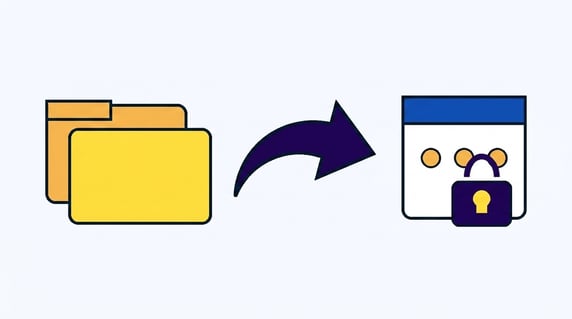
What Legal Teams Should Check Before Moving Contracts Into SharePoint
A SharePoint contract repository is a Microsoft SharePoint document library used to store signed agreements, but SharePoint manages files and folders, not contracts, so renewals, owners, obligations, and clause search all stay manual work.
Think of it like a very tidy junk drawer. Everything's labeled and put away, and you can still open the drawer and find a thing, yet the drawer has no idea which item expires next week. A signed contract is exactly that kind of item: it carries a renewal date, a notice window, a business owner, and promises that outlive the signature, and a folder can't see any of them.
That gap is the whole decision. If your IT team's pushing you to move contracts into SharePoint because the company already pays for the Microsoft tools it owns, this guide gives you the short list to check before you commit, so you find the holes now instead of during an audit. For the broader storage versus management question, our guide to contract management software covers the categories in depth.
Key Takeaways
- SharePoint stores files; it doesn't manage contracts. Renewals, owners, obligations, and clause-level search aren't native, so they fall to people and spreadsheets.
- Six checks decide it. Clause search, renewal alerts, owner fields, version of record, portfolio reporting, and safe permissions are where a folder turns into risk.
- "Free" SharePoint isn't free. The license is bundled, but the build, admin, and upkeep time are real, and reviewers flag that cost.
- ContractSafe is the purpose-built alternative. OCR search, renewal alerts with escalation, owner fields, reports, and role-based permissions, from $450 a month on flat pricing with unlimited users.
Choose your next step
This SharePoint decision goes faster when you start from the work your contracts create, not from the software you already own. Jump to the part that matches where you are right now.
- Being told to "just use SharePoint"? Read why that logic breaks first.
- Want the short list? Go to the six checks before you move anything.
- Already in SharePoint folders? See how contract storage fails and the way out.
- Whatever you do, list your agreements with their renewal dates and assign each an owner. That single list answers the SharePoint question faster than any feature demo.
Why IT recommends SharePoint for contracts, and where that logic breaks
The SharePoint recommendation usually comes from one true fact: the company already pays for its Microsoft license, so storing contracts there looks free. That logic holds for storage and breaks for contract management, because a document library treats a master services agreement and a holiday party flyer as the same kind of file.
Storage answers "where's the document." Contract management answers "which agreements renew next quarter, which lack an owner, and which obligations are still open." Those are different jobs. As the team at IBM describes document management, the discipline's about organizing, storing, and tracking files, which is genuinely useful, but contract teams still need contract-specific follow-up that a library was never built to do.
For example, say you drop 400 vendor agreements into a well-named SharePoint site. The files are safe, searchable by title, and access controlled. Nothing in that setup knows that 38 of them auto-renew in the next 90 days, that 12 lost their owner when a manager left, or that 6 hold a data-processing clause your auditor will ask about, the kind of thing a real contract record surfaces in seconds. The folder did its job. The contract work didn't get done.
What legal teams should check before moving contracts into SharePoint
The fastest way to evaluate a SharePoint contract repository is to run six concrete checks against your real agreements, because each one maps to a place where a folder quietly stops being enough. Walk through them in order, and the answer usually decides itself.
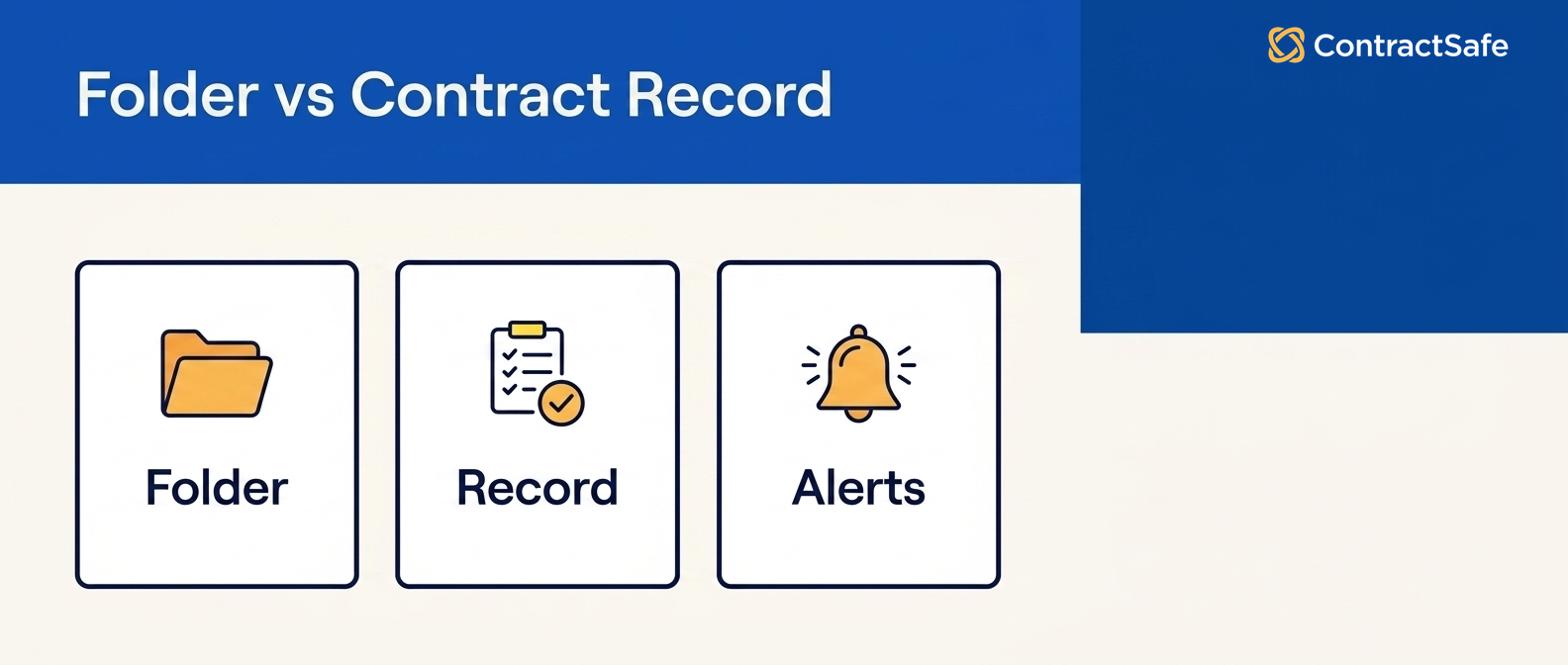
1. Can you search inside a scanned contract?
Most signed agreements arrive as scanned PDFs, and basic SharePoint search reads filenames and typed text, not the words locked inside an image, so a termination clause sitting in a scan returns nothing. For example, say an auditor asks for every active agreement with a data-processing clause: in a folder, filename search comes back empty because the clause lives in scanned text nobody indexed. ContractSafe runs OCR on every upload, so a phrase from inside the scan is findable across the whole library.
2. Will it warn you before a renewal or notice date?
This is the check that costs real money. SharePoint stores the document, and a folder can't watch a 60-day notice window, so the date passes in silence and the contract renews for another year. A drive has no idea a deadline exists. ContractSafe turns each agreement into a record with renewal, expiration, and notice alerts that escalate to a named person before the deadline, which is the single feature most legal teams move for.
3. Does every contract have an owner you can enforce?
A SharePoint folder has a folder owner, not a contract owner, and the two aren't the same. Say a procurement manager leaves: her tidy folder of vendor contracts keeps her name and loses its meaning, with no owner field, there's no reassignment, just archaeology, and a renewal she was quietly tracking goes unwatched.
That's a real accountability risk the day an audit asks who's responsible for a lapsed agreement. ContractSafe puts a required owner field on every record, so accountability survives the org chart: when someone leaves, you reassign their contracts in one step and every obligation keeps a name attached.
4. Can you prove which version legally governs?
Contracts pile up amendments, addenda, and restatements, and SharePoint version history shows edits, not legal effect. For example, you might keep two copies of the same master agreement, one amended and one not, with nothing marking which controls today, and in a dispute that ambiguity is exactly the kind of risk that gets expensive fast.
A folder can tell you who changed a file; it can't tell you which file governs. ContractSafe names the current version of record on each contract and keeps amendments linked to it, so there's no guessing which document is in force when an auditor or a counterparty asks.
5. Can you report across the whole portfolio?
Ask SharePoint for total contract value renewing this quarter, broken out by owner, and you're exporting a list and opening agreements one at a time. A document library doesn't capture contract data, so it can't report on it. ContractSafe stores value, dates, and obligations as fields, so a portfolio report is a click, not a week. The research from World Commerce and Contracting ties lost contract value straight to this kind of blind spot.
6. Can you set confidential permissions safely at scale?
SharePoint permissions are powerful and, per reviewers on Capterra and G2, hard to get right: inheritance across many sites gets described as a nightmare to manage, and a single misconfigured library can expose a confidential settlement to the whole company. For example, say an executive severance agreement lands in a site that inherits broad access, the wrong people can read it long before anyone notices.
That's a security and compliance risk a folder makes easy to create and hard to catch. ContractSafe uses role-based permissions plus an audit log, so sensitive agreements stay scoped to named roles and every view is recorded, which is the kind of control legal teams need before a confidential contract ever goes in.
The four ways SharePoint contract storage fails
SharePoint contract storage fails in four predictable ways, and each one traces back to contract data a document library never captured: a quiet auto-renewal, an orphaned agreement, an audit scramble, and a version mystery. Legal teams describe these same four patterns over and over once a SharePoint folder system has run for a year or two.
The quiet auto-renewal. A vendor agreement renews for another term because its notice window lived inside a PDF in a tidy folder, and nothing was watching the date. The first sign is the invoice.
The orphaned agreements. Someone leaves, and a whole folder of contracts loses its meaning. The files are there; the ownership, context, and next actions walk out the door.
The audit scramble. An auditor asks for every contract with a specific clause, and the team burns days opening documents because the clause text was never searchable. Storage looks fine until someone needs an answer in minutes, and then the folder turns into a liability.
The version mystery. Two copies of the same agreement, one amended, and no record of which governs. The edit log shows who changed what, not which document is legally in force.
What SharePoint contract storage means for security and compliance
A SharePoint contract repository can satisfy IT security on paper and still fail a legal team in practice, because contract risk isn't only about who opens a file, it's about who's accountable for what the file commits you to. The controls that matter for contracts are owner accountability, a clean audit trail, and provable restricted access.
Permissions are the first gap. When inheritance breaks across many sites, a confidential settlement or an executive employment agreement can quietly become visible to a wider group than anyone intended, and per Capterra reviewers that misconfiguration is one of the most common SharePoint complaints. A contract record with role-based access keeps the sensitive agreements scoped to named roles instead of inherited site groups.
The audit trail is the second. For example, say compliance asks you to prove who viewed a regulated vendor agreement over the last year. In a folder, you're reconstructing that from scattered access logs, if they exist at all. ContractSafe records every view and change against the contract itself, so the answer is a report, not an investigation, and renewal obligations tied to that agreement aren't sitting unwatched in a PDF.
SharePoint versus a real contract repository, side by side
The contrast is clearest when you line the jobs up against what each system actually does with a contract after the upload, because storage and management split apart the moment a document creates a promise. Here's the same legal team need answered two ways.
| What a legal team needs | SharePoint folder | ContractSafe record |
|---|---|---|
| Find a clause inside a scan | Filename and basic text only | OCR full-text search across scanned pages |
| Renewal and notice reminders | None; folders stay silent | Renewal, expiration, and notice alerts with escalation |
| A named owner per contract | Folder owner at best | Required owner field on every record |
| Which amended version governs | History shows edits, not effect | Clear contract record of record |
| Portfolio reporting | Manual, one file at a time | Reports on value, dates, and obligations |
| Confidential-contract permissions | Inheritance is error prone at scale | Role-based permissions plus audit logs |
| Time to a working repository | A build and admin project | Live fast, no custom build |
| Starting price | Bundled into your Microsoft license, plus the build | From $450 a month, unlimited users |
If the only need is a place to keep files, SharePoint is a capable library. If the need is to act on contract data before a date passes, that's contract management, and it calls for a purpose-built record, not a folder.
The hidden cost of "free" SharePoint contracts
The SharePoint contract repository looks free because the Microsoft license is already paid, but the real spend is the project it takes to make a library behave like a contract system. Adding custom columns for dates and owners, building approval flows, configuring permissions, and writing the scripts that fake renewal reminders is a build, and builds need a technical admin to keep them alive.
That's why total cost of ownership matters more than license price here. Per Capterra, SharePoint reviewers repeatedly flag complex setup and heavy administration, and per G2 the recurring concerns are complexity and cost across many sites. For example, say it takes a part-time admin two days a month to keep your contract columns, flows, and permissions healthy: that's the price the license doesn't show, and it grows as your contract count grows. ContractSafe is published, flat-rate pricing from $450 a month with unlimited users, and there's no build project to maintain.
Quick gut check: can a folder really do this?
Before you migrate a single contract, run your situation through five fast questions, because the honest answers usually settle the SharePoint contract repository decision in a minute.
- Do any of your agreements auto-renew or have a notice window? If yes, a folder will eventually miss one.
- Are any contracts scanned PDFs you'd need to search by clause? If yes, basic search will fail you.
- Is any agreement confidential enough that the wrong viewer is a problem? If yes, permission risk is real.
- Could you be asked to report on value, dates, or obligations across contracts? If yes, you need fields, not files.
- Will the person who owns a contract today still be here in two years? If not, you need an owner field that outlasts them.
If you said yes to even two of these, SharePoint's being asked to do a job it wasn't built for, and the gap shows up as missed dates or a frantic audit, not a software error.
When SharePoint is genuinely fine for contracts
SharePoint is a reasonable contract store when the volume's tiny, nothing renews, and no agreement is confidential, because in that narrow case storage really is all the job needs. A five-person shop with a handful of evergreen agreements doesn't need a contract repository, and forcing a heavier tool on that team would be its own kind of waste.
The honest line is volume and stakes. For example, the moment you cross into dozens of agreements, real renewal dates, shared access, or an auditor who might call, a folder stops being a convenience and starts being exposure. Most legal teams cross that line earlier than they expect, which is why the best contract management software options exist as a category in the first place.
How to move contracts out of folders
Migrating off a SharePoint contract repository is less work than legal teams fear, because the goal isn't to move every file at once but to turn your real agreements into records. Start with the contracts that carry risk and let the rest follow.
- List the live agreements with renewal dates first. That renewal-dated list, with an owner beside each contract, decides priority faster than any audit of the whole drive.
- Upload and OCR them so the text inside every scan becomes searchable on day one.
- Add the fields that matter: owner, renewal date, notice window, value, and counterparty, so each contract is a record, not just a document.
- Set the alerts with escalation to a named person, so the next renewal's impossible to miss.
- Layer permissions by role so confidential agreements are restricted from the start.
Our guide to contract management software walks through the full evaluation if you want to compare options before you move.
A worked example: moving 50 vendor contracts off SharePoint
The clearest way to see the difference is to walk one realistic migration, because a SharePoint contract repository and a purpose-built record diverge fast once real dates and owners are in play. Say a mid-size legal team has 50 active vendor contracts sitting in a tidy SharePoint site, organized by folder and locked down by IT.
In the folder, the team's monthly reality looks like this. Someone keeps a side spreadsheet of renewal dates because the drive won't warn anyone, and that spreadsheet drifts out of date the first busy week. When finance asks which agreements renew this quarter, an analyst opens contracts one at a time. When an auditor wants every contract with an indemnification clause, the search box returns the three files that mention it in the title and misses the rest. None of that's a SharePoint bug; the drive is doing storage exactly as designed, which is the problem.
Now run the same 50 through a contract record instead. Each one gets OCR'd so the indemnification clause is searchable in seconds, with a renewal date and a named owner as required fields, and an alert that escalates 60 days before each notice window.
The quarterly renewal question becomes a saved report, the audit request becomes a clause search, and the orphaned-owner problem disappears because reassigning an owner is one edit, not a hunt. For example, the first auto-renewal the team would've missed in the folder now lands as a calendar alert with a name attached, 60 days before the deadline. That is the whole point of leaving the folder behind: the contract data does the watching, so a busy week can't quietly cost you a renewal.
Try the folder before you trust it
Short answer: test it before you trust it. Spend one afternoon running your ten messiest real contracts through a few honest checks, and SharePoint will tell you the truth faster than any sales deck can. If it finds your clauses, warns you about dates, and proves who saw what, keep it. If it stays quiet, you have your answer.
The point is to poke at your own SharePoint rather than argue with a feature list. So grab those ten before you migrate a single agreement, the scanned ones, the amended ones, the confidential ones, and put each through a small hands-on check. Start with search.
Pick a phrase you know lives inside a scanned PDF, something like a specific indemnity clause, and search for it. If SharePoint comes back empty, that’s your OCR answer, and it won’t change once you have four hundred files instead of ten. Then pick a contract with a notice window closing in the next sixty days and ask the folder to warn you about it. It won’t, because a folder doesn’t know dates exist. That silence is exactly the silence that shows up later as a surprise invoice.
Keep going down the list. Each test is a small thing you can actually do this week.
- Owner: Pretend the person who saved these files just resigned. Can you tell, per contract, who owns it now? A folder keeps a name; it doesn’t keep accountability.
- Version: Put an amended agreement next to its original and ask which one legally governs today. History shows who edited what, not which copy is in force.
- Permissions: Drop a fake severance letter into the library and check who can open it. If you’re not certain in thirty seconds, neither is your auditor.
- Reporting: Ask for total value renewing this quarter, grouped by owner. Time yourself. If the answer is opening files one at a time, you have your reporting answer.
- Audit evidence: Ask who viewed one specific agreement over the past year. If you can’t produce that cleanly, the folder can’t defend you.
- Migration: Notice how long the ten took to name, tag, and file by hand, then multiply by your real number. That’s the build nobody quoted you.
Now weigh what you saw. If every test passed and your contracts are basically files you rarely touch, SharePoint is a perfectly good place to keep them, and the license you already pay for makes it the sensible call.
But if the searches came back empty, the dates stayed quiet, and the migration math got heavy, you’re not looking at a storage problem anymore. You’re looking at contract work that needs a record instead of a drawer, and that’s the gap ContractSafe was built to close, live in days rather than a quarter-long build, from a flat price you can actually plan around.
Related reading
- Contract management vs document management systems
- Contract management software beyond file storage
- The best contract management software, compared
How ContractSafe Helps Legal Teams Replace a SharePoint Folder
ContractSafe exists for exactly the moment a SharePoint folder stops being enough, because it turns signed agreements into searchable, trackable records instead of files in a drive. Every check that breaks in a document library is a built-in feature here, not a project.
You get OCR full-text search across scanned documents, required fields with named owners, renewal and notice alerts that escalate before deadlines, role-based permissions with an audit log, and contract reports on value, dates, and obligations. It's unlimited users on flat pricing from $450 a month, and there's no build to maintain, so a team can be working in its real contracts fast. For example, say you move those 38 auto-renewing vendor agreements first: within an afternoon they've got owners, alerts, and searchable text, and the quiet renewal that used to surprise you now warns you 60 days out.








.svg)







.svg)




