


Quick answer: Contract management software vs SharePoint is the choice between storing contracts in Microsoft's document libraries and running them in a purpose-built system that tracks dates, renewals, obligations, and clauses. SharePoint stores and organizes contract documents well; contract management also covers intake, approvals, status tracking, renewals, and reporting across teams that don't all live in legal.
A five-person legal group at a growing software company inherited a well-built SharePoint contract site: tidy folders, thoughtful metadata, a Power Automate flow or two, permissions locked down the way IT likes them. For eighteen months it felt like plenty, and honestly it was. Then two auto-renewals slipped through in a single quarter, procurement started asking for contract status daily, and finance wanted an expirations report nobody could assemble without burning a weekend.
Nothing had broken, exactly. The storage was immaculate and the documents were right where they belonged; the work happening around them was what fell through. That gap between storing and running contracts is the whole decision, and the two can work together, since ContractSafe's software integrations connect to the Microsoft tools teams already use. ContractSafe builds contract lifecycle management tools, and we'd still start by giving SharePoint the credit it's earned.
Choose your next step:
Want to know whether SharePoint is still enough for you? Jump to When SharePoint Is Enough for Contract Management and run the five-question gut check.
Comparing your options side by side? The Three Paths Buyers Usually Consider section lays them out plainly.
Not sure your Microsoft 365 build is even set up right? Start with What to Check Before You Add Another System.
Key Takeaways
- SharePoint is genuinely good at document storage, metadata, permissions, and Microsoft collaboration, and for plenty of teams that really is enough.
- Contract management is bigger than storage. Intake, approvals, renewals, obligations, and reporting are where a document library starts running out of room.
- Buyers usually weigh three paths: keep SharePoint, add a workflow or contract layer on top, or move to full-lifecycle contract management software.
- Getting it wrong carries a real price. A missed renewal or a dropped obligation can mean a breach, a penalty, or a contract nobody meant to keep.
- Decide by the work your legal team actually does, not by the tool you happen to already own.
SharePoint Deserves Its Due First
Let’s give SharePoint real credit, because it earns it. Labeled libraries, consistent metadata, tight permissions, nothing lost in a mystery folder called “Final_v3_actualfinal.” That’s a genuine skill, not a consolation prize. Storing contracts cleanly is harder than it looks, and a well-run SharePoint site pulls it off day after day.
But storing a contract and managing it are two different jobs. Storage is about where the document sits. Management is about what the contract does next: the renewal that comes due, the obligation someone promised, the approval that has to happen before signature, the report finance needs on Friday. SharePoint is very good at the first job and mostly quiet about the second. That’s not a knock, it’s just the boundary of what a document platform is built to do.
Say you drop a signed vendor agreement into a spotless SharePoint library, renewal tagged and permissions locked. It sits there for years but never tells you why the notice window matters or that auto-renew just fired. Nice shelf; nobody’s watching the calendar.
Managing Contracts in SharePoint at a Glance
Compare the two options by the work the system has to support: clean records, trusted answers, clear ownership, and next actions the team can actually take.
To test the dedicated-software path in ContractSafe, load one signed agreement and confirm that extraction, source-linked review, alerts, and reporting produce a record another team member can use without rebuilding the context.
| Reader question | Short answer | What to do next |
|---|---|---|
| What is it? | A system that turns stored contracts into a searchable, governed record | Confirm the system stores documents plus metadata, owners, dates, and permissions |
| Who needs it? | Legal, finance, procurement, and operations teams that act on signed agreements | Map which teams need access and which fields they can see |
| What matters most? | Findability, metadata, alerts, reports, permissions, and audit history | Use those capabilities as the core buying checklist |
| Where does AI fit? | AI helps when it extracts and validates contract data inside the governed record | Require source traceability and human review |
| What is the first step? | Inventory contracts and define the minimum metadata model | Start with active and high-risk agreements before historical cleanup |
decision check
Can the team find a signed agreement by party, date, owner, and clause?
Can the system show what needs action this month?
Can non-legal users answer basic contract questions without creating a new access problem?
Evidence Checklist
| Planning claim | Evidence to request |
|---|---|
| Contracts are searchable | Find a scanned agreement by party, clause, date, and business owner |
| Metadata is usable | Show required fields, review status, reporting, and cleanup ownership |
| The rollout is realistic | Show launch-critical work separately from historical cleanup |
When SharePoint Is Enough for Contract Management
SharePoint isn’t a beginner’s tool you’re supposed to grow out of on principle.
You can manage contracts using Microsoft 365 by combining document processing, SharePoint lists, Teams, and Power Automate into a working contract setup. There’s even a ready-made Contracts Management team site template that ships with three built-in lists for contract requests, service agreements, and statements of work, plus document libraries and models.
So when is that genuinely enough? Usually when a few things are true at once:
Your contract volume is modest and fairly predictable month to month.
A small group touches contracts, and they already live inside Microsoft 365 every day.
Storage, search, and permissions are the main job, and workflow is a nice-to-have.
Renewals are few enough to track with a shared calendar and a decent memory.
What you really need is solid contract document management, not lifecycle automation.
If that’s you, a well-built SharePoint contract repository can carry the load for years, and nobody should talk you out of a setup that quietly works. The mistake in this whole category isn’t sticking with SharePoint too long, it’s buying software to solve a problem you don’t actually have yet, then wondering why adoption never took.
The Five-Question Gut Check
Run through these five. Be honest, not aspirational.
[ ] Do you miss a renewal or obligation date more than once or twice a year?
[ ] Does anyone outside legal need contract status without pinging a person first?
[ ] Are approvals happening over email with no reliable record of who signed off?
[ ] Do you rebuild the same report by hand every quarter?
[ ] Would a brand-new hire struggle to find the current version of a contract?
Two yeses or fewer, and SharePoint is probably fine for now. Three or more, keep reading. You’ve likely outgrown a storage tool and started asking it to run an operation, and the questions you’re answering “yes” to aren’t nitpicks. Each one is a place where a promise can quietly lapse and cost you something real.
What Poor Contract Management Actually Costs
Here’s the part that turns a filing problem into a real one. A contract isn’t just a document; it’s a set of promises with dates and consequences attached. When management breaks down, those consequences don’t wait politely for someone to notice.
Start with the everyday version: a missed obligation. If a contract says you’ll deliver something by a date, maintain a certificate of insurance, or give ninety days’ notice before renewal, and nobody is watching, missing it isn’t just an administrative slip. Depending on what the agreement says, it can put you in breach, and the remedies the other side negotiated for are now on the table.
That might be a late fee, a penalty clause, the right to terminate, or a claim for damages. The clause sat right there in your tidy SharePoint library the entire time. Storage held it. Nothing made anyone act on it.
Auto-renewals are the quiet, expensive version of the same problem. A vendor agreement with a ninety-day cancellation window renews for another year because the notice date passed unnoticed. There’s no lawsuit here, no drama, just a contract you’re now bound to for another term, and the “penalty” is every dollar you spend on something you meant to cancel. Multiply that by a stack of vendors and you can see how a storage tool with no alerting turns into a slow leak.
Then there are the obligations where a slip can genuinely hurt. Take a confidentiality agreement. If someone shares protected information because nobody flagged the NDA’s terms, that can be a violation of the agreement, and depending on the contract and the jurisdiction, the other side may be entitled to remedies like injunctive relief or money damages.
Compliance obligations behave the same way: a missed service level can trigger credits you owe a customer, and a lapsed insurance requirement can put you offside with a counterparty who now has grounds to walk. The document that spelled all of this out was sitting safely in a folder the whole time.
None of this is a reason to panic, and none of it is legal advice, the specifics always come down to what your contract actually says and the law that governs it. The point is narrower and more useful: a document library can hold every one of these clauses perfectly and still let every one of them lapse, because holding a promise and tracking a promise are different jobs.
WorldCC’s 2025 research puts the average loss from poor contract management at nearly 9% of a contract’s value each year, and most of that number lives in exactly this gap, the renewal nobody was told about, the obligation nobody tracked, the report that would have caught it if it had existed.
That’s the real stakes behind the SharePoint question. It isn’t “is our storage tidy.” It’s “when a promise comes due, does anything in our setup make sure someone keeps it.”
Three Paths Buyers Usually Consider
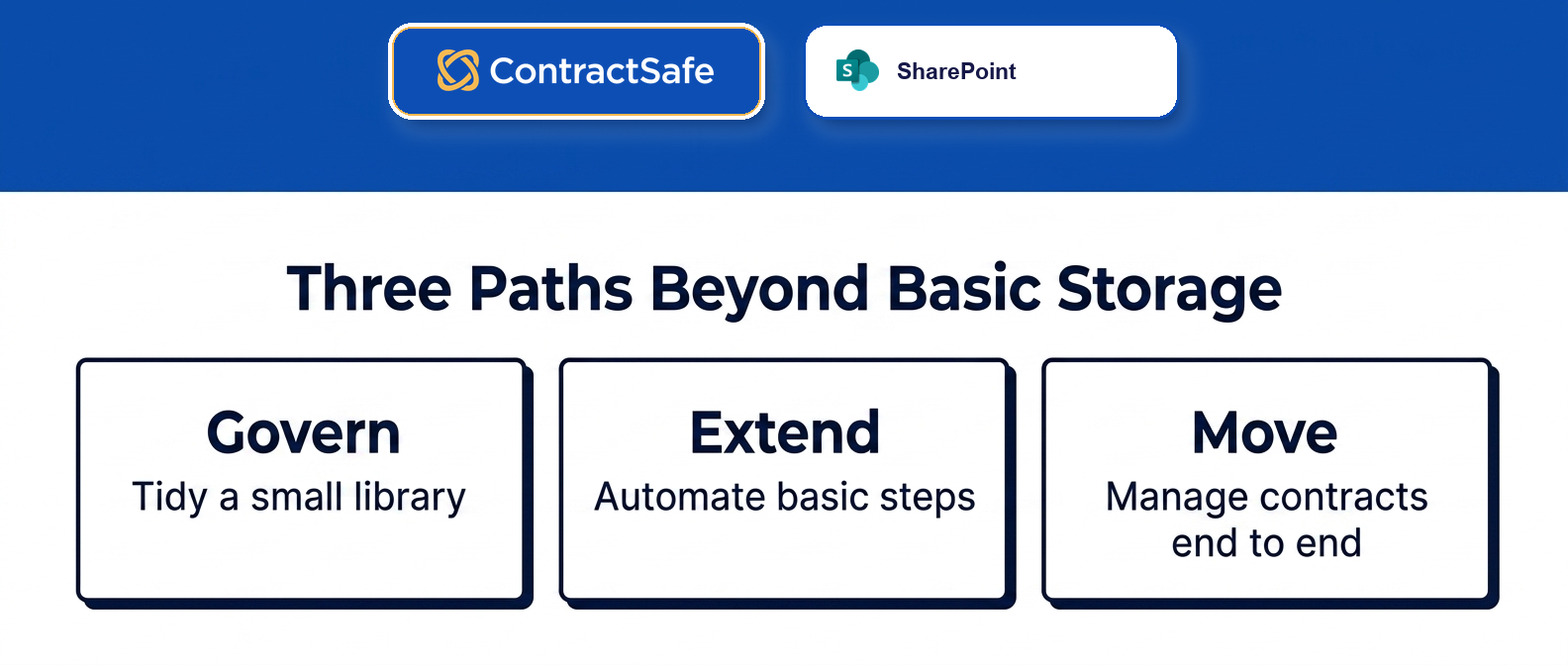
Once a team decides the Microsoft 365 setup is straining, they almost never stare down a hundred options. It’s three. Keep SharePoint and tune it, add a workflow layer on top, or move contract operations into full-lifecycle software. Each is a legitimate answer for a different team, so here they are next to each other.
When ContractSafe is the full-lifecycle option, SharePoint can remain the broad Microsoft 365 workspace while the contract record, owner, alerts, and reporting move into the system built to manage them.
| Path | Best when | What it adds | Watch out for |
|---|---|---|---|
| Keep SharePoint | Storage-first needs, low volume, a handful of contract owners, strong M365 habits | Familiar tools, no new spend, permissions you already trust | Renewals, approvals, and reporting stay manual and easy to drop |
| Add a workflow or contract layer | You like SharePoint but need intake and approval routing | Structured requests, sign-off trails, some automation on top of your library | Two systems to maintain, and the layer only goes as deep as it’s built |
| Move to full-lifecycle software | Contracts drive real money, dates, and cross-team access | Repository, alerts, reporting, AI extraction, and org-wide adoption in one place | Migration effort and a short learning curve for the team |
None of these is the villain. Keeping SharePoint is smart when the work is mostly storage. A workflow layer buys you routing without abandoning what you’ve built. And moving to full-lifecycle software makes sense once contracts stop being documents you file and start being obligations you manage. The trick is matching the path to how much your contracts actually move, not to what you already own.
There’s one trap worth naming out loud, because it’s where the most money quietly disappears: the middle path looks cheaper than it is. The DIY layer is seductive, you already pay for the license, someone on the team likes automation, and the first two flows work beautifully. Then that person changes roles, and you learn the hard way that your renewal logic lived in their head and their head alone.
A homegrown build is only as reliable as the one person who understands it, and contract obligations are a bad place to bet on that.
What to Check Before You Add Another System
Before you sign up for anything new, do the unglamorous work of checking your current build first. Half the “SharePoint can’t do this” complaints are really “our SharePoint was never configured to do this,” and buying software to fix a setup problem just relocates the mess.
For example, say your team swears SharePoint “can’t” warn on renewals. Sometimes true; sometimes nobody set up the metadata columns or switched on an alert, so it never had the dates. One’s a ceiling; the other’s an afternoon of cleanup.
Walk through this short list before you shop:
Metadata discipline. Are contract type, counterparty, effective date, and renewal date captured consistently, or is half of it buried in filenames?
Alerting. Is anything actually watching your renewal and obligation dates, or are you the alert?
Permissions. Can procurement and finance see what they need without you playing gatekeeper every week?
Reporting. Can you pull expirations, values, and owners without hand-assembling a spreadsheet?
Findability. Would a stranger find the executed version in under a minute?
If you fail three or more of those, the problem isn’t that you need one more tool. It’s that the work has outgrown a document workspace. And as the last section made clear, the stakes there aren’t abstract, the same alerting gap that fails this checklist is the one that lets a renewal auto-fire or an obligation lapse into a breach.
A quick reality check helps here. Line your findings up against a contract management requirements checklist, run your library through your usual audit routine, and be clear-eyed about which gaps are configuration and which are the ceiling of the platform itself. If it’s configuration, a better repository setup inside what you already own might be all you need. If it’s the ceiling, you already know which path you’re on.
Where SharePoint Starts to Break Down
SharePoint is a genuinely good place to keep contracts. It stores, it organizes, it holds permissions, and it plays nicely with the rest of Microsoft 365.
If the job were only putting documents somewhere safe and keeping them tidy, you’d be finished. The trouble starts when a contract stops being a static document and starts being something with deadlines, a start date, an owner, a promise someone made, and a renewal that comes due whether or not anyone’s watching the calendar that week.
You can bolt some of this onto Microsoft 365, to be fair. The SharePoint Contracts Management team site template describes a working setup built from four pieces, document processing, SharePoint lists, Teams, and Power Automate, and the ready-made template adds contract requests, service agreements, statements of work, libraries, and models on top. It’s real, and for some teams it’s plenty.
The honest question is whether you’re building a contract operation or maintaining a custom project that only one person in the building fully understands.
A homegrown lifecycle inside SharePoint tends to break down in predictable ways: the automation is invisible until it fails, the person who built it becomes a single point of failure, every new obligation type means another flow someone has to design, and cross-team reporting still ends up as a manual spreadsheet because that part was never worth building by hand.
The pieces work. It’s the maintenance, the coverage, and the “what happens when Dana leaves” questions that wear teams down.
That’s the tell. That is the line between a configuration problem and a system-of-record problem.
How to Decide Which Path Fits Your Team
So you’ve got three honest choices, and none of them is foolish.
Keep managing contracts in SharePoint. Add a workflow or contract layer on top. Or move the operation into full-lifecycle contract management software and let SharePoint go back to doing what it’s great at. The right answer depends less on how many contracts you have and more on how much has to happen around them.
Work through it in order, and let the answers point you to a path:
Inventory your active and high-risk contracts first. Set the dusty historical stuff aside and look only at what’s live, because that’s where the moving parts are.
Count how many carry real deadlines. Renewals, notice periods, and recurring obligations are the work. A stack with almost none behaves very differently from a stack full of them.
Map who outside legal needs access. If finance, procurement, and operations all need in, folder permissions become a second job fast.
Test whether anything currently warns you. Ask honestly: if a contract renewed badly next quarter, would your setup have flagged it in advance, or would you find out on the invoice?
Weigh what a miss would cost. A stack of low-value NDAs is a different risk than a portfolio full of auto-renewals, penalty clauses, and service-level commitments. The heavier the consequences, the less you want them riding on memory.
Match the pattern to a path. Low volume, few deadlines, one or two owners means keep SharePoint. Good storage but missing intake or approvals means add a workflow layer. Missed renewals, obligations living in someone’s head, and monthly reporting fire drills mean move to full-lifecycle software.
The volume question deserves one more word. Plenty of small teams run fine on a well-kept SharePoint contract repository for years, and shoving them toward software would be solving a problem they don’t have. The signal isn’t “we have a lot of contracts.” It’s “our contracts have a lot of moving parts, and the parts are moving without us.” When you can feel the difference between contract document management and contract management, you’ve found your path.
Related Reading
Living in folders today? Start with the SharePoint contract repository breakdown to see how far that approach really stretches.
Comparing options seriously? The best contract management software guide walks through what to weigh before you commit.
Getting your house in order first? The contract audit best practices piece is a good pre-move cleanup.
How ContractSafe Helps When SharePoint Is Your Starting Point
When SharePoint has quietly become the place contracts go to be forgotten, the fix isn’t a bigger storage library. It’s the management layer you never built.
ContractSafe is full-lifecycle contract management software for legal, finance, procurement, and operations teams that have outgrown a shared document library. It handles the whole arc from signature through renewal, so the dates, owners, and obligations stop depending on whether anyone remembers to look.
Here’s why that matters to a buyer: you stop being the human alarm clock, and renewals get caught while there’s time to negotiate. For example, say a new procurement lead wants every auto-renewal next quarter, a report you pull, not a folder crawl.
The searchable repository is the obvious front door, and it does the storage job you’d expect. The difference is what surrounds it. Deadline alerts watch your renewal and obligation dates so an auto-renewal doesn’t fire because a notice window slipped by, the exact miss that turns into a penalty or a locked-in term.
AI extraction pulls the key dates and terms off your contracts, with a trail back to the source language so a person can check it, so you’re not retyping a stack of agreements by hand. Reporting gives you the monthly expirations-and-owners picture without the weekend spreadsheet. That’s the difference between a document that sits quietly and a record that tells you when to act.
Permissioned access means finance, procurement, and operations can be given the exact views they need without you managing a maze of folder rules every week. And because every plan includes unlimited users, letting the whole organization in doesn’t turn into a licensing fight, which is usually the thing that quietly kills adoption of a stricter system.
Setup is fast, which matters more than it sounds when your contracts already live in SharePoint: you’re not rebuilding a workflow by hand and praying the person who understands it never leaves. You’re moving the management, not the documents, into a place built to run it.
Many teams keep SharePoint as their broad Microsoft 365 workspace and let ContractSafe be the system of record for the contract lifecycle, and you can weigh that split against ContractSafe pricing before you decide how the two coexist.
If your SharePoint site stores contracts well but keeps letting deadlines slip through, the next step is simple: see what full-lifecycle management looks like against your own agreements. A ContractSafe demo is the quickest way to feel the difference between storing contracts and actually managing them. Bring a few of your trickiest agreements, watch how fast the dates, owners, and obligations line up, and then decide whether SharePoint stays your storage layer, your system of record, or both.








.svg)







.svg)




