





html
throughline-grey

DocuSign is the most recognized name in e-signatures. But DocuSign CLM is a completely different product from DocuSign eSignature. "DocuSign CLM" is actually SpringCM, a separate platform that DocuSign acquired in 2018.

Reviewers who expected DocuSign CLM to feel like the e-signature tool they already knew have been consistently disappointed to discover the two systems aren’t even connected. You’re expected to manually upload signed contracts from eSignature to CLM. If you’re evaluating DocuSign CLM for contract lifecycle management, here’s how ContractSafe compares once the brand name fades.

contractsafe-vs-docusign-cost-comparison-1

The Real Cost Behind the Brand Name

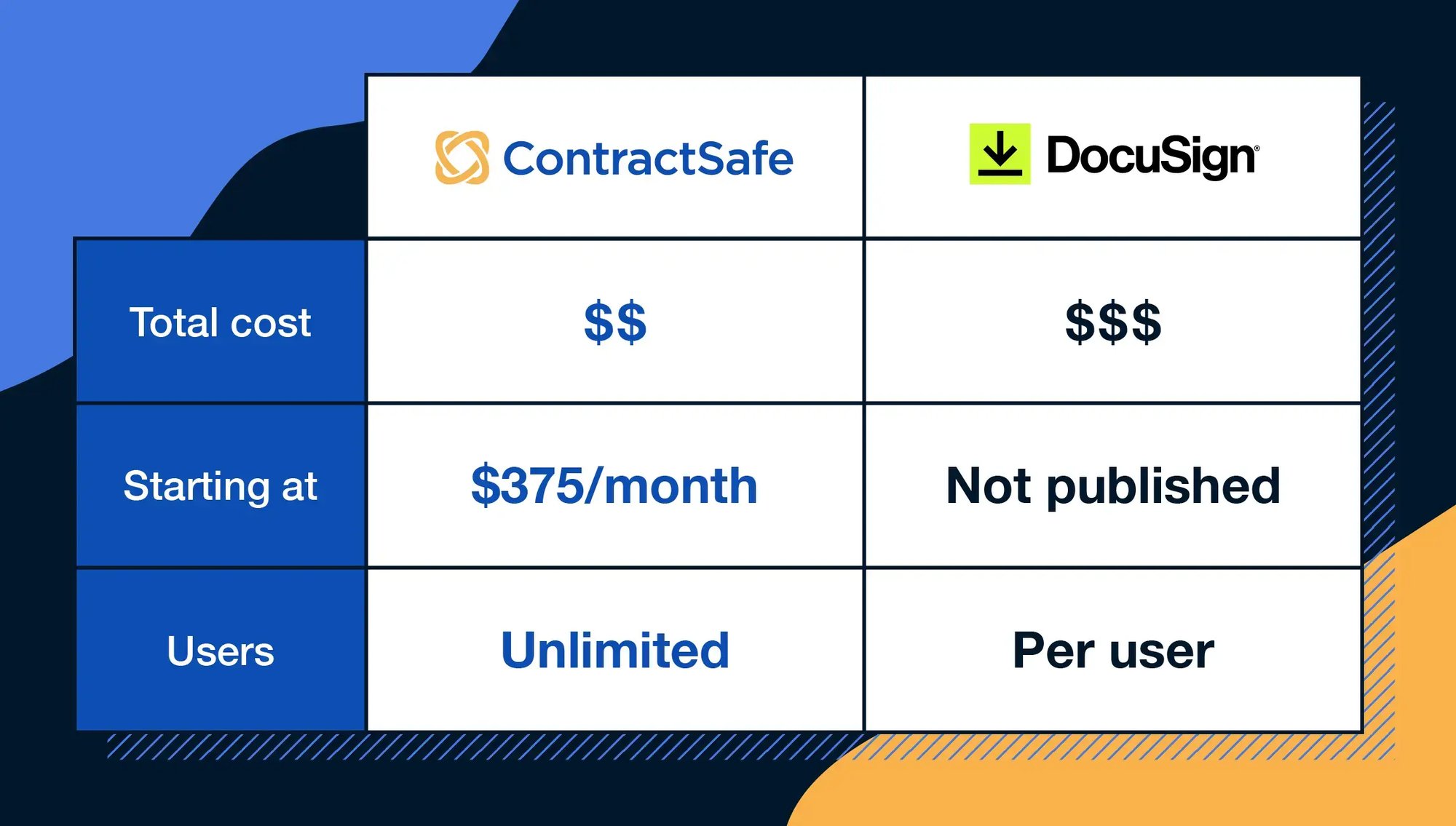
ContractSafe lists every price on its website, starting at $450/month. Pricing scales by contract volume, not headcount. Every plan includes unlimited users, a dedicated Customer Success Manager, and free onboarding. You never talk to sales to see the number.

What ContractSafe users say: “I chose ContractSafe because it offered the best balance of simplicity, functionality, and value. The setup was fast and intuitive, with strong search capabilities and highly customizable organization and permissions.”
Capterra Verified Review

DocuSign doesn’t publish CLM pricing. Industry estimates place it at $50,000 to $100,000+ per year, and Capterra’s editorial team reports that SMB buyers average around $150 per user per month. That’s per user: every person who needs access to the system adds to the bill. The Value for Money gap on Capterra (4.8 vs. 4.3) tells you exactly how reviewers feel about what they’re paying.

What DocuSign CLM users say: “The price for Docusign is premium and the implementation process is demanding.”
G2 Verified Review

E-Signatures, Plus Everything Before Them

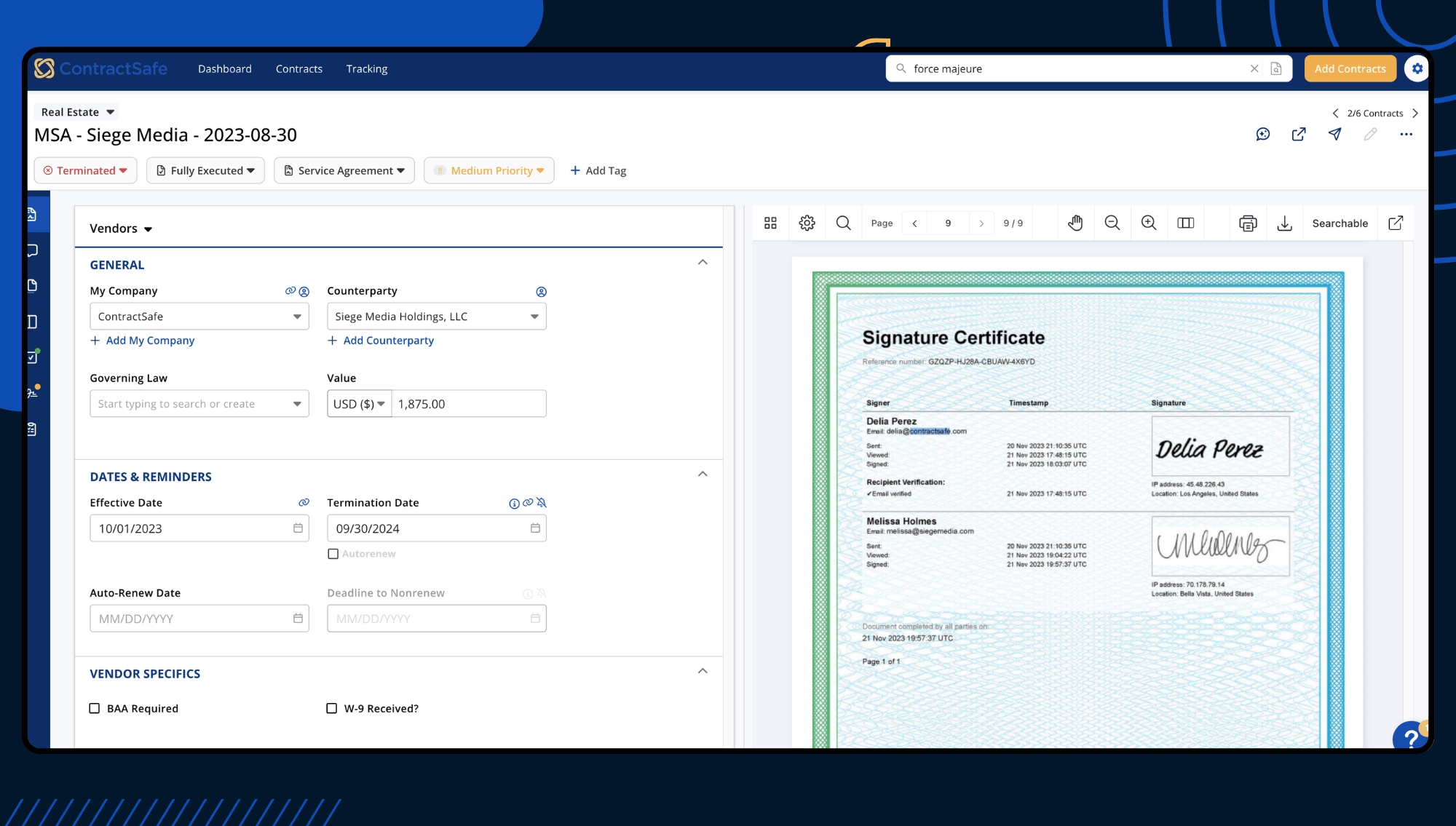
ContractSafe includes unlimited e-signatures on every plan: no envelope caps, no overage fees, no tracking how many you’ve sent. Intake forms capture the request, templates populate the terms, approval workflows route the review, and signatures close the loop. The two-way DocuSign eSignature integration means teams that already use DocuSign for signing can keep that workflow while managing the full contract lifecycle in ContractSafe.

What ContractSafe users say: “ContractSafe has been a wonderful system to use on a daily basis. The platform is intuitive and easy to navigate, making the entire process smooth and stress-free. Uploading, reviewing and signing documents is seamless and every contract is organized and accessible.”
Capterra Verified Review

DocuSign CLM’s pre-signature workflow carries enterprise complexity: configurable workflows, clause libraries, Salesforce integration. That complexity shows up in daily use. And here’s the irony: DocuSign, the company synonymous with e-signatures, puts envelope limits on how many you can send. Even higher tiers have caps unless you negotiate custom terms.

What DocuSign CLM users say: “The UI seems pretty dated. Sometimes certain features are difficult to track down, and the configuration can be a bit confusing.”
Software Advice Verified Review

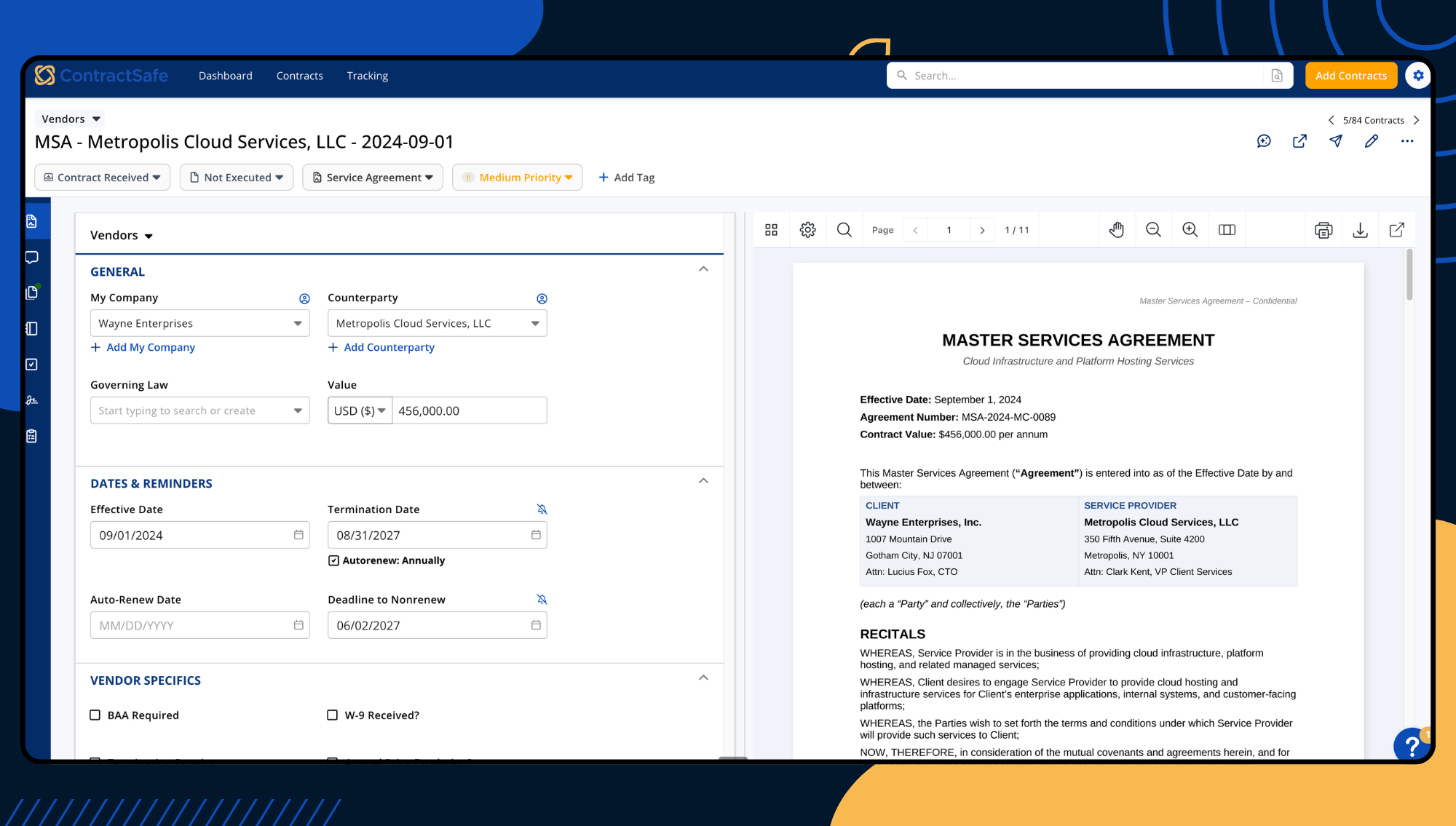
Document View
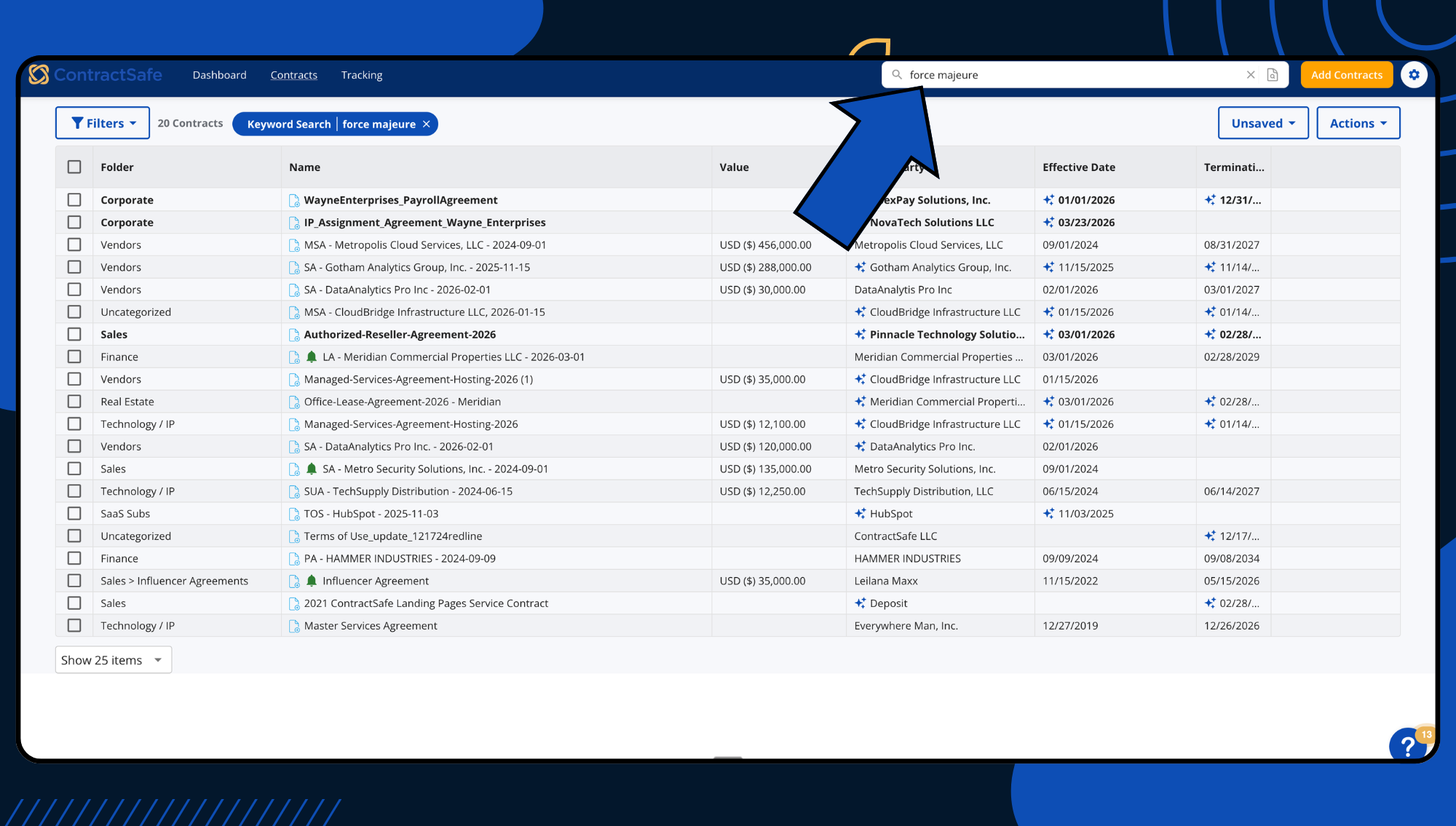
Search results

Search That Works Without Workarounds

ContractSafe’s OCR engine scans every document on upload, including scanned PDFs, handwritten amendments, and faxed originals. Every word becomes searchable instantly. Type a clause, a vendor name, or a dollar amount into the search bar and results surface across your full repository. No tagging prerequisites, no configuration dependencies.

What ContractSafe users say: “The OCR recognition coupled with full text search is a top feature. The AI module continues to learn and becomes more and more accurate over time, which saves time with initial load and setup of documents.”
Capterra Verified Review

DocuSign CLM’s repository has been a persistent pain point. Users report that promised tagging and search features don’t work as expected. And because eSignature and CLM aren’t connected, signed contracts have to be manually uploaded to the CLM before they’re searchable at all. If a contract doesn’t make it into the repository, it doesn’t exist for search purposes.

What DocuSign CLM users say: “We were promised certain features in DocuSign CLM that were ultimately not delivered. For example, the ability to tag contracts and search contracts by those tags. This essentially makes DocuSign CLM useless as we cannot search our document repository in any meaningful way.”
Software Advice Verified Review

Implementation: Hours vs. Months

ContractSafe is built to be self-service from the first login. Import your contracts, organize them into folders, set your custom fields and alerts, and your repository is live. There is no implementation project, no coding requirement, and no dependency on a third-party partner. A dedicated Customer Success Manager is included on every plan to guide you through.

What ContractSafe users say: “Getting up and running happened in days, not weeks or months like some systems.”
G2 Verified Review

DocuSign CLM implementations typically run three to six months, and longer for complex enterprise deployments. The platform requires technical configuration, and G2’s review themes include “Steep Learning Curve” (15 mentions), “Complex Setup” (10 mentions), and “Time-Consuming” (12 mentions).

What DocuSign CLM users say: “Implementation was difficult for us. The system needs to have a technical product expert / coding expert in place to develop. Or reliance upon Docusign’s team based out of Ireland, who are good but not cheap.”
Capterra Verified Review

Signature Certificate
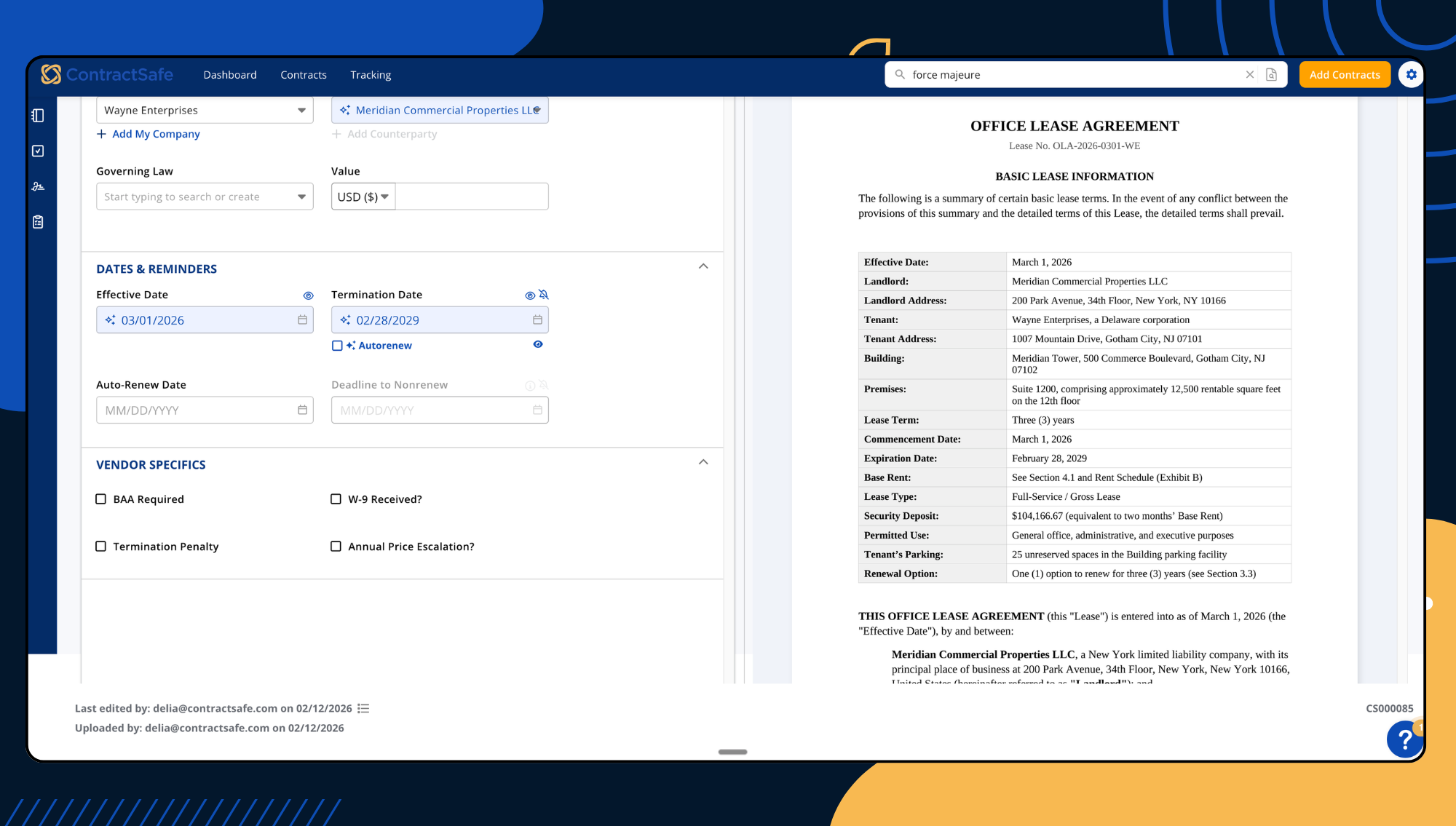
Deadline tracking

Track Deadlines Before They Become Emergencies

ContractSafe delivers renewal and expiration alerts by email, not buried inside a dashboard you have to remember to check. Set alerts for any date field at any interval, route them to any stakeholder, and they recur automatically through renewals without manual updates.

What ContractSafe users say: “The automated email notifications help you stay on track with renewals and escalations.”
Capterra Verified Review

DocuSign CLM offers obligation management and renewal tracking, but the eSignature/CLM disconnect creates a blind spot. Contracts signed in DocuSign eSignature have to be manually uploaded to CLM before they can be tracked for renewals at all. Any contract that falls through the cracks during that handoff never gets a renewal alert. And even for contracts that are in the system, reviewers note that reporting capabilities are limited.

What DocuSign CLM users say: “[Deployment and user onboarding has gone smoothly,] however reporting capabilities are limited.”
Gartner Peer Insights Review

What Happens When You Need a Person, Not a Portal

ContractSafe includes a dedicated Customer Success Manager on every plan at no extra cost. Not a premium tier, not a paid add-on, not a knowledge base article. A named person who knows your account and picks up when you call. Capterra reviewers rate the support experience 4.9 out of 5.

What ContractSafe users say: “ContractSafe developers were highly skilled, responsive, and reliable throughout our startup process.”
Capterra Verified Review

DocuSign CLM operates at enterprise scale, which means enterprise support structures: tiered plans, knowledge bases, implementation partners. For mid-market teams that need a quick answer from someone who knows their account, that model can feel like it’s built for a different customer. And reviewers have discovered that the DocuSign brand doesn’t guarantee the systems work together.

What DocuSign CLM users say: “DocuSign CLM support team was not helpful. And for those of you thinking that DocuSign CLM will be a natural extension of DocuSign eSignature, unfortunately no, the two systems are not connected at all.”
Software Advice Verified Review

Quote Block_3 Quotes on Support

  • gold star gold star gold star gold star gold star
    "I've explored other solutions and found them to be expensive and cumbersome. We were so happy when we found ContractSafe."
    Elizabeth Kruis
    Associate General Counsel, Corporate, California Pizza Kitchen
  • gold star gold star gold star gold star gold star
    "We did demos with several different companies before deciding to go with ContractSafe. For the functionality that is provided, the price is great. Plus, you get unlimited users, while most of the other platforms charge per user...They've been great to work with."
    Trent M., General Counsel

Feature Comparison

Features ContractSafe ContractWorks
Price Affordable for businesses of all sizes with no hidden costs Higher entry price point; key features and additional e-signature licenses come at an extra cost
Ease of Use User-friendly interface that suits everyone, tech-savvy or not Steep learning curve due to its overwhelming features
Implementation Bespoke training sessions; fast and easy implementation Setup can be time-intensive with lots of manual work
Contract Storage Clutter-free, organized contract repository with intuitive search Traditional filing system that requires meticulous tagging for easy access to files
Alerts and Reminders Reliable, AI-driven alert system with attached contract files Satisfactory alert system, but files are not attached to notifications
Integrations Integrates well with existing software like Salesforce, Zapier, DocuSign, and Dropbox Sign Limited integrations; has its own e-signature software, which some users find challenging to use
icon_line_dots person_testimonial

“I couldn't believe we were already up and running in just 30 mins

icon_yellow_quotes
  • sirius-xm-logo
  • Dollar-Shave-Club-logo
  • TED-logo
  • United-Express-logo
  • The-University-of-Arizona-logo
  • j2Global-logo
  • payscale-logo
  • Living-Spaces-logo
  • Jam-City-logo
  • McClatchy-logo
  • SFMOMA-logo
  • Sacred-Heart-logo
  • california-pizza-kitchen-logo
icon-line-dots

Contract relief is waiting.

Gain control of your contracts today. Take the first steps in just a few minutes.

Request a Demo