Features

With our host of contract management software features you’ll never miss a contract date again. You’ll also be able to find contracts 6X faster and share contracts safely and confidentially.


ContractSafe Features (1)

Here are some of the features that ContractSafe offers:

In addition to being user friendly, ContractSafe is ultra-secure and integrates well with popular business solutions, like DocuSign and Salesforce.

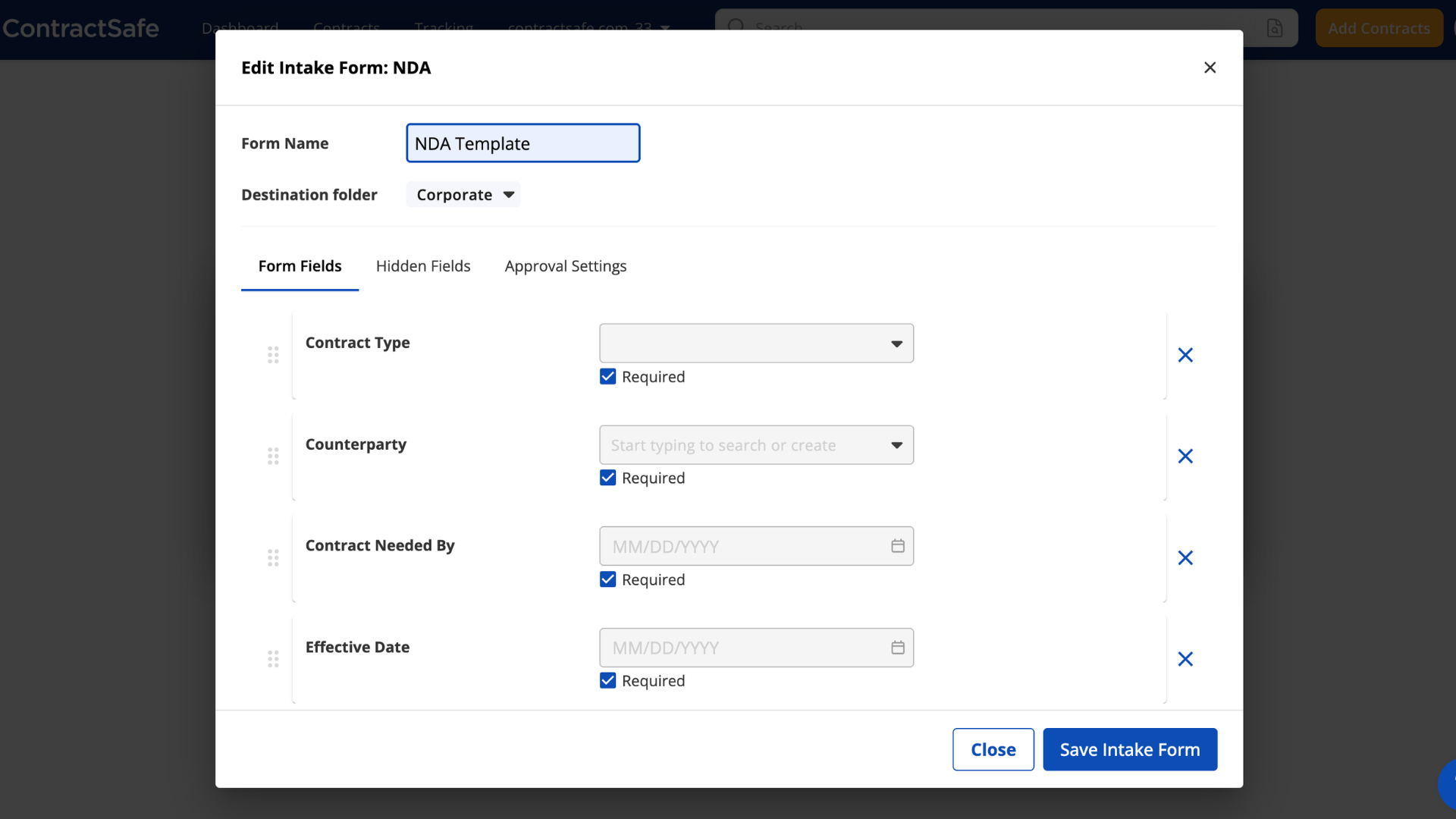
Contract Request & Intake Forms

Every contract starts with someone asking for one, usually in an email that’s missing half the details. Our Intake Forms ask for the details you need up front, so requests arrive ready to act on:

  • A custom form for each agreement type, like NDAs or vendor contracts
  • Vendors and partners can submit by link, without logging in
  • Requests routed to your approvers and filed in the right folder
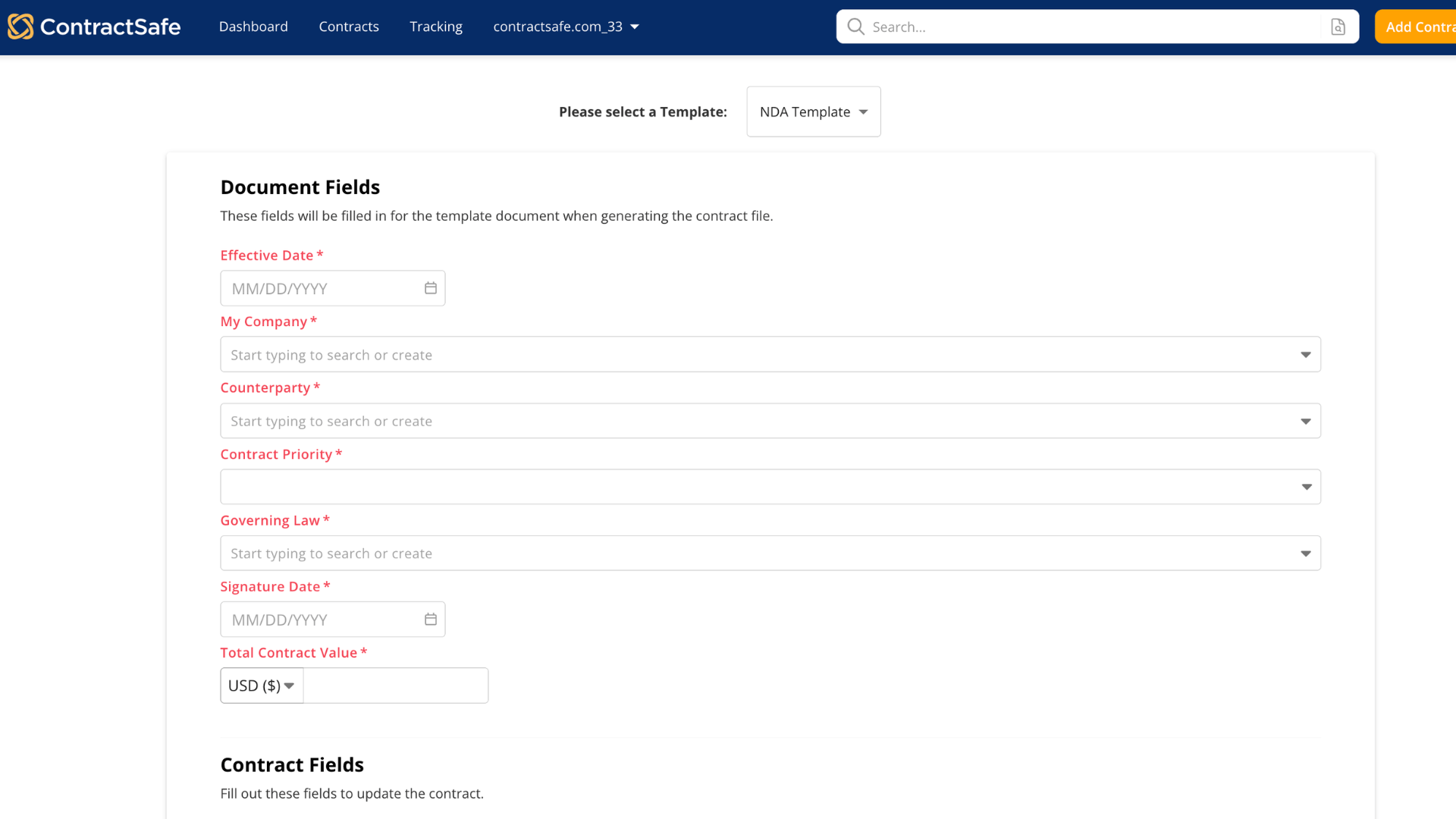
  • Connect a form to a template so answers fill the first draft
  • Included on the Maximize plan
ContractSafe intake form builder for an NDA, with required Contract Type, Counterparty, Contract Needed By and Effective Date fields
ContractSafe creating a document from an NDA template, with required fields like Effective Date, Counterparty and Governing Law

Contract Templates With Approved Language

Instead of copying last quarter’s NDA and editing it by hand, your team answers a few questions and ContractSafe builds the first draft from your approved language:

  • Your team self-serves routine contracts, and legal steps in when it matters
  • Lock the wording you don’t want changed and make key fields required
  • Update a template once, and every new contract uses the latest version
  • Add an approval step, or send low-risk agreements straight to signature
  • Included on the Maximize plan

AI Contract Review & Playbooks

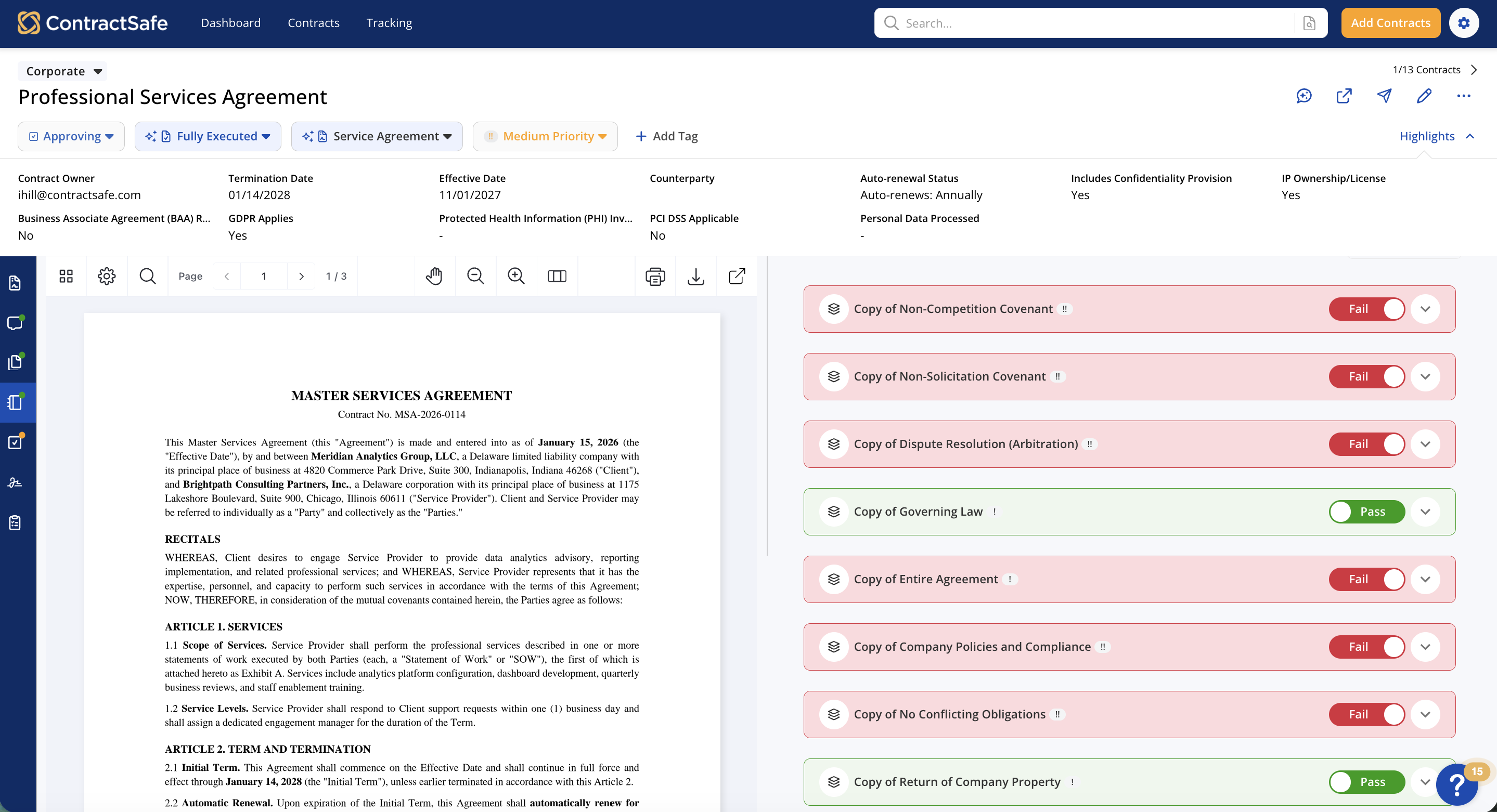
AI Contract Review gives incoming contracts a first read against your team’s own playbook, so you know what needs attention before negotiation starts. Here’s what it does (and doesn’t do):

  • Pass or fail on every rule, with a plain explanation for failures
  • A link to the clause, plus suggested wording when it’s available
  • Build a playbook from a negotiated contract, highlighted language or a sample playbook
  • AI-drafted rules only join a playbook once a person accepts them
  • The AI never edits your contract; your team decides what changes
  • Included on the Maximize plan
ContractSafe AI Contract Review running a playbook on a Professional Services Agreement, with rules marked Pass and Fail
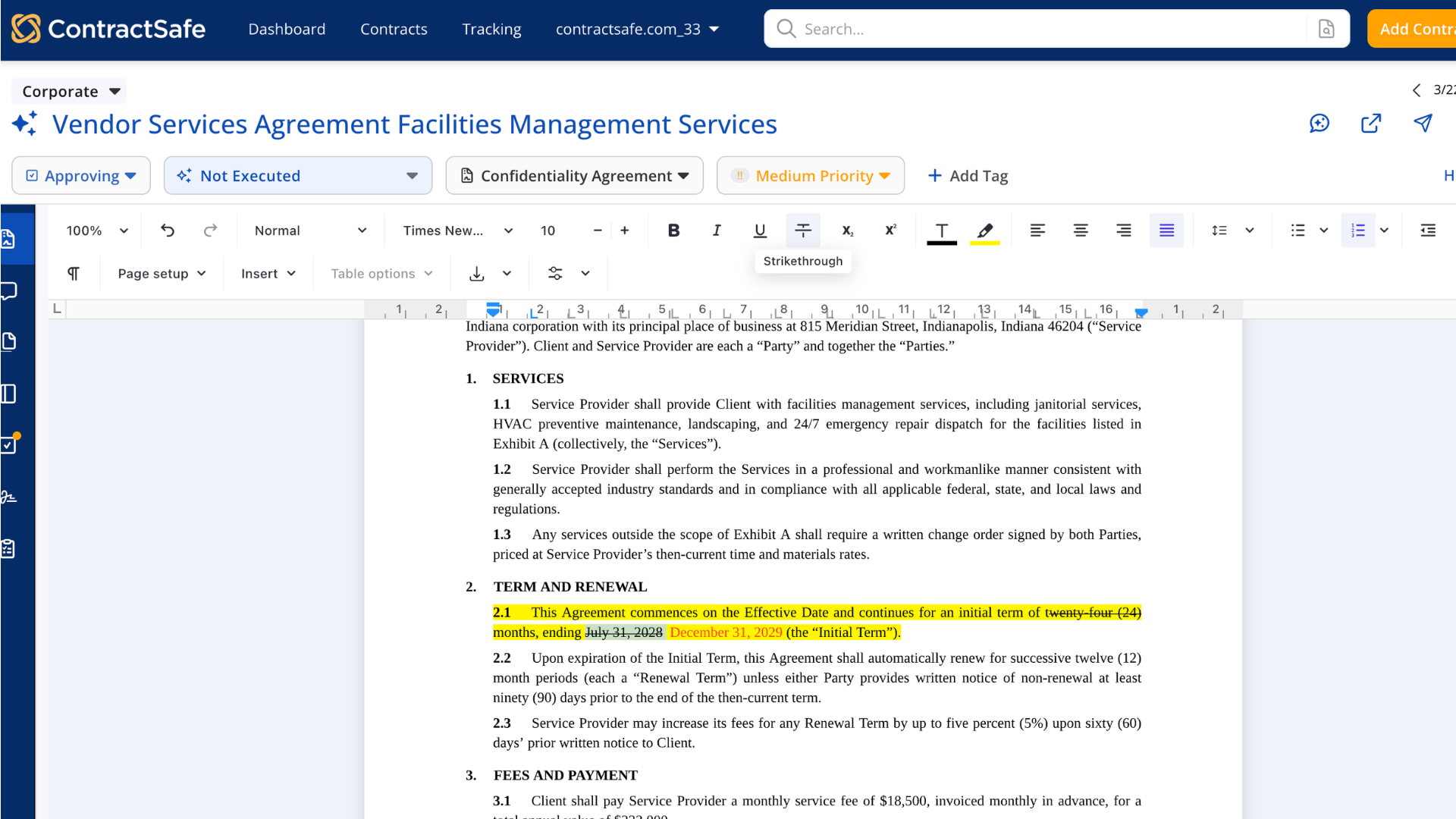
ContractSafe in-app editor updating the initial term and end date in a Vendor Services Agreement

Contract Editing & Redlining

Whether it’s a typo in a date or a full round of redlines, you can make the edit without losing track of which version is which:

  • Quick in-app fixes to dates, names and typos, with every save versioned
  • Tracked changes in Word Online or desktop Word, saved back to ContractSafe
  • One person edits in Word at a time, and everyone sees who has it
  • Redlining that compares two versions and highlights what changed
  • Even scanned PDFs convert into documents you can edit
  • In-app editing on every plan; Word editing and redlining on the Finalize and Maximize plans

Comments & Collaboration

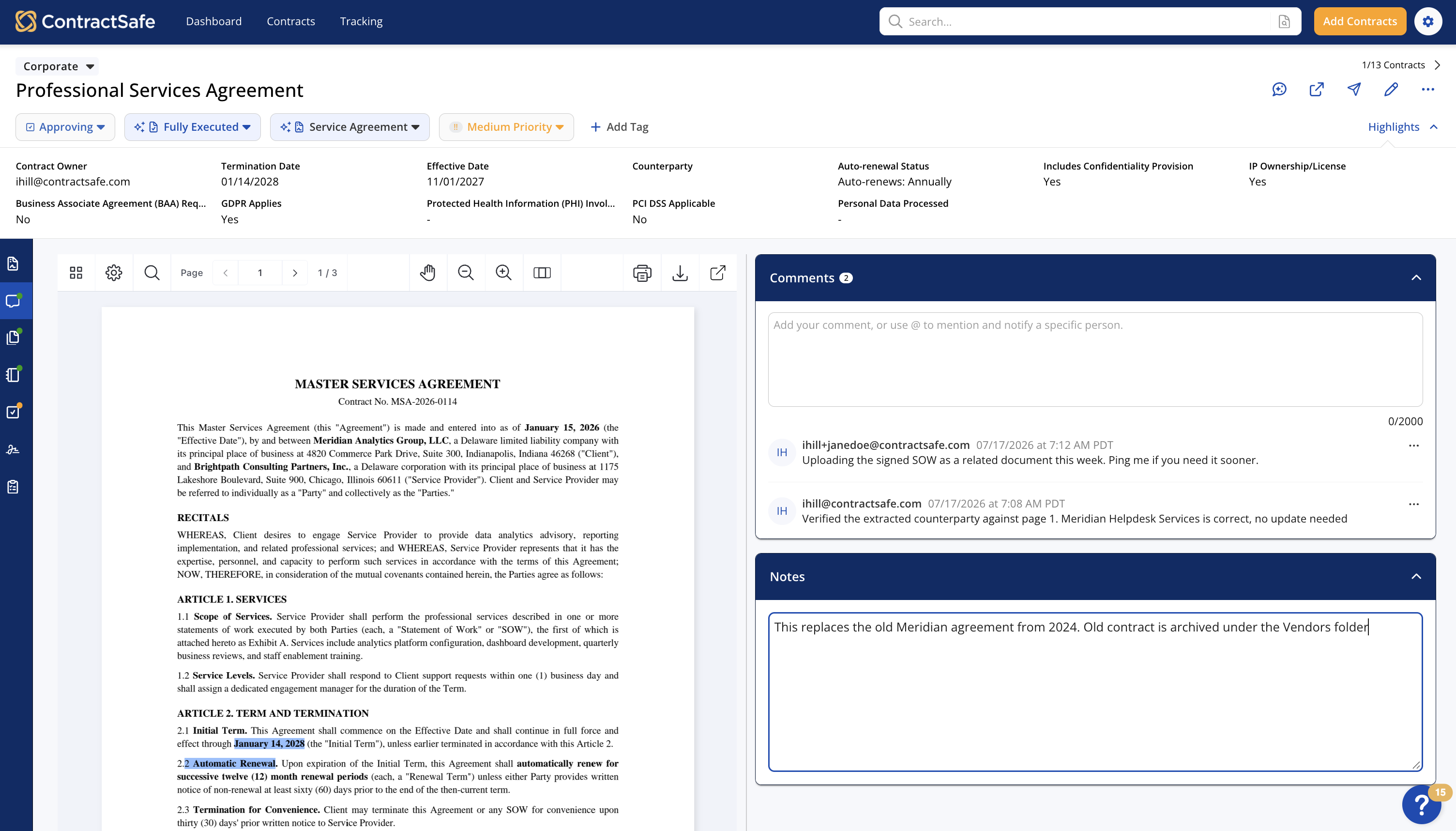
Questions about a contract shouldn’t end up buried in a reply-all chain. Keep the conversation on the contract, where the next person can find it:

  • Ask a question or flag an issue right on the contract
  • Tag teammates with an @mention so they’re notified
  • Highlights and notes linked to key terms in the contract
  • Approval comments and rejection reasons saved with the contract
  • Key-term highlights and notes on every plan; contract comments and @mentions on the Finalize and Maximize plans
ContractSafe contract page with the Comments panel and Notes next to a Master Services Agreement
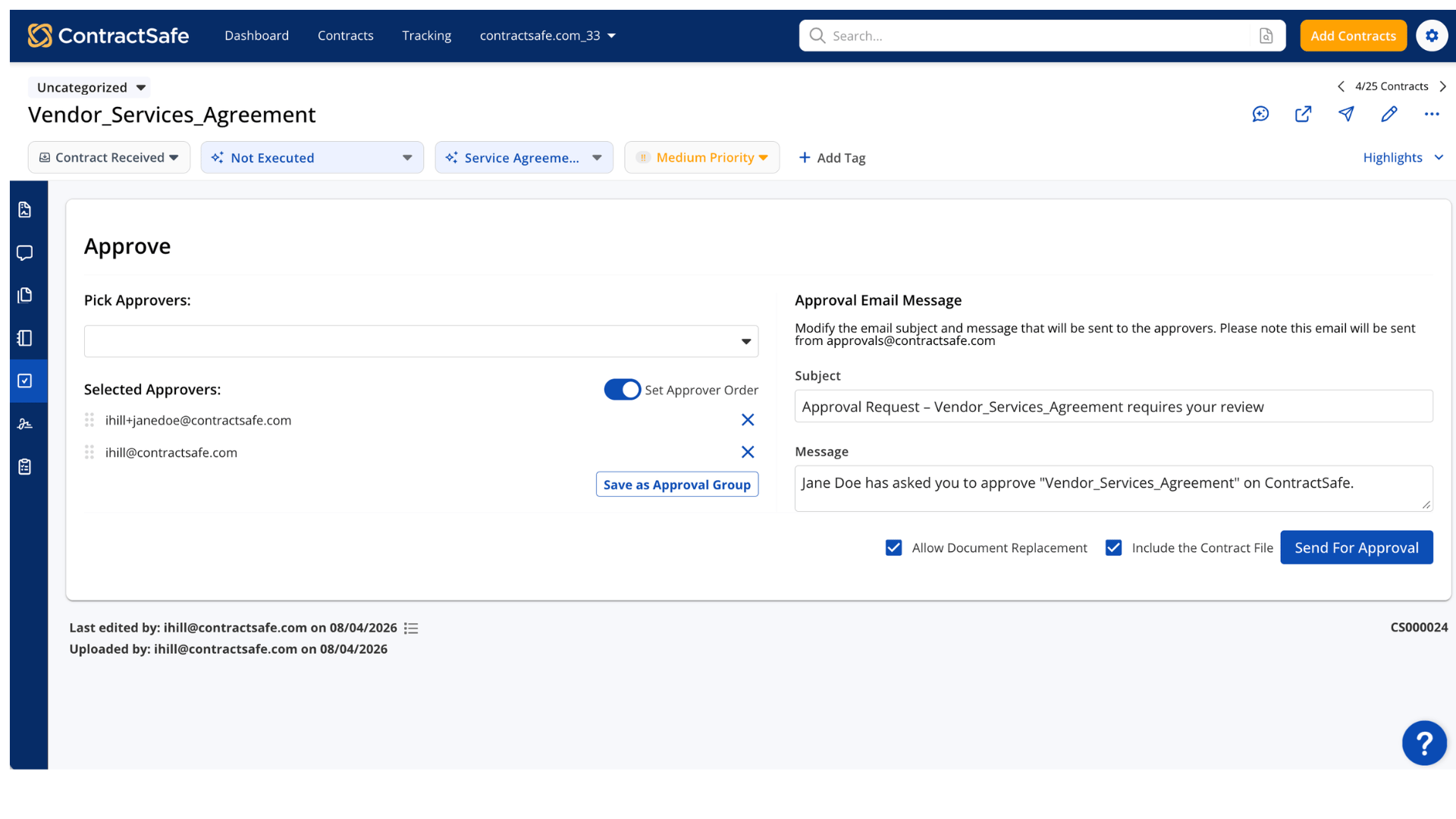
ContractSafe approval request with two selected approvers, a Set Approver Order toggle and the approval email message

Automated Approval Workflows

Send a contract for approval once, and ContractSafe handles the routing, reminds anyone who’s sitting on it and tells you when it’s ready to sign. Here’s how:

  • Choose individual approvers or reuse a saved approval group
  • Set the approver order when the sequence matters
  • Automatic reminders every three days, plus a manual nudge anytime
  • See who’s approved and what’s still waiting, in one place
  • Contracts that need one approver are approved in a median of 17 hours
  • Available on the Finalize and Maximize plans

Unlimited Built-In E-Signatures

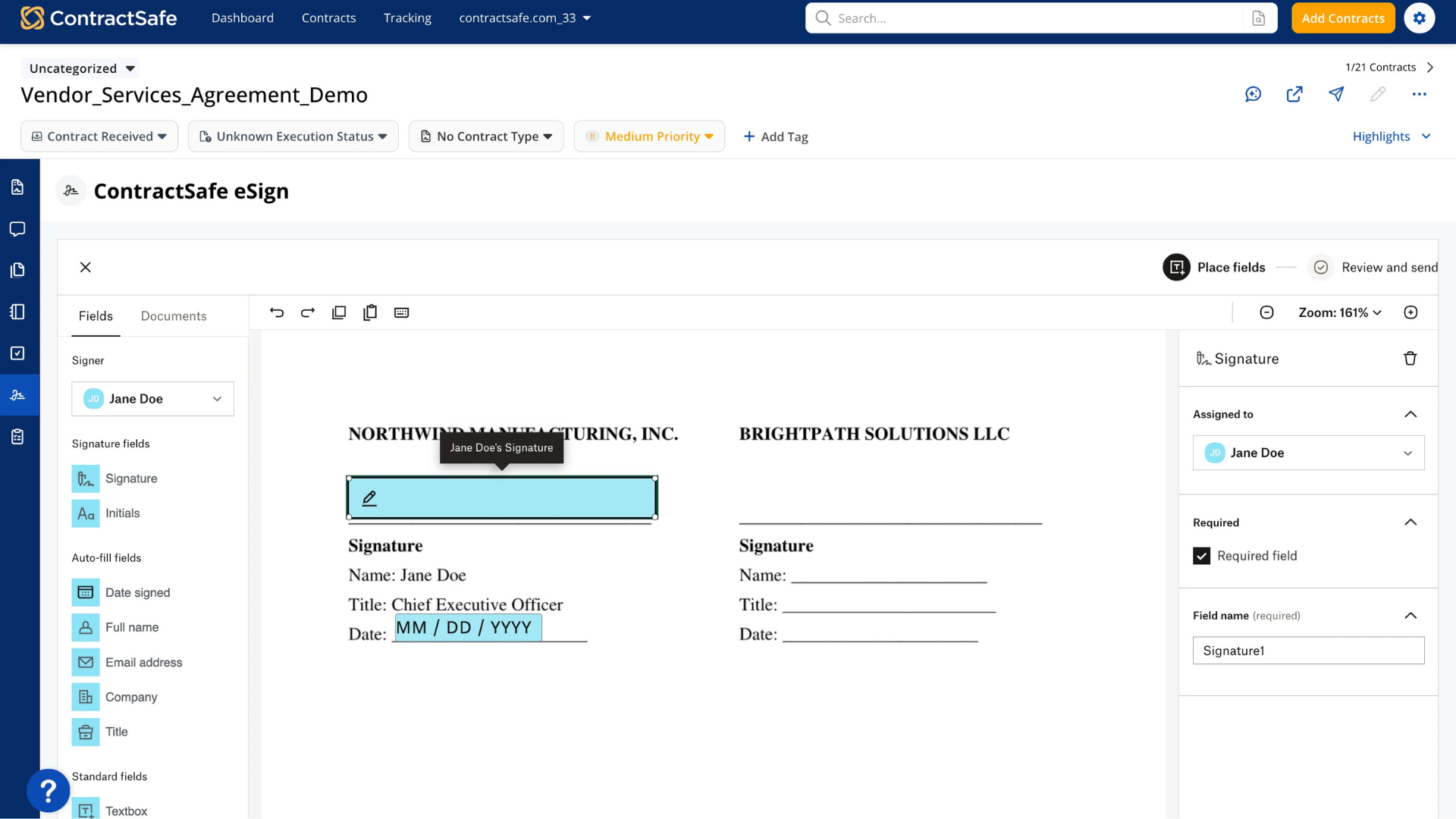
Once a contract’s approved, send it for signature right from ContractSafe, with no envelope limit or per-user fee to keep an eye on:

  • Signers don’t need an account, a download or a plug-in
  • Set the signing order, and let a signer hand it off
  • The signed copy replaces the draft, with the audit trail attached
  • Legally binding signatures that meet the U.S. ESIGN Act and UETA
  • Contracts are fully signed a median of about six hours after they’re sent, and 65% within a day
  • Unlimited e-signatures on the Finalize and Maximize plans
ContractSafe eSign placing a signature field for Jane Doe, with Signature, Initials, Date signed and Full name fields
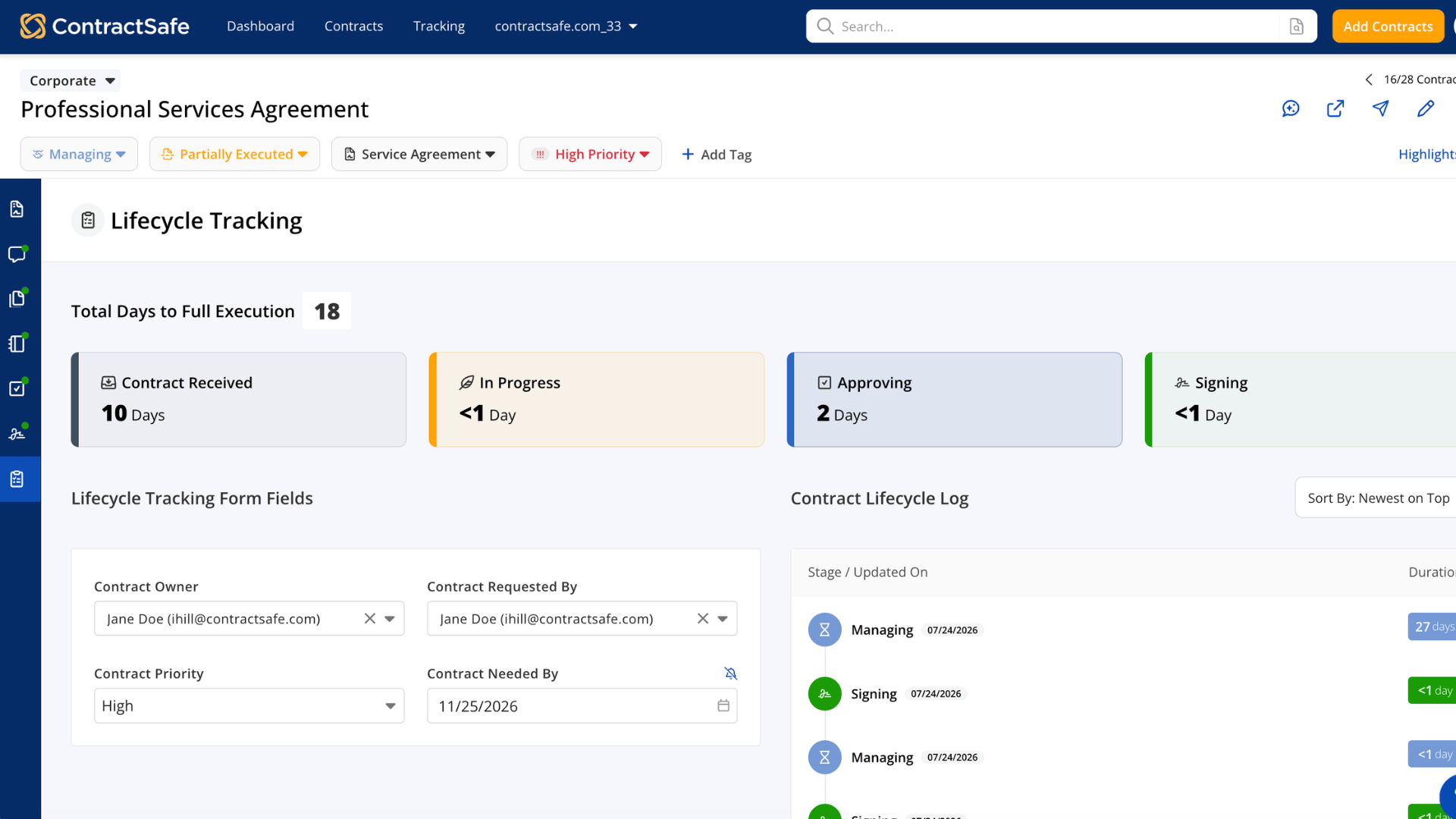
ContractSafe Lifecycle Tracking showing 18 total days to full execution, days in each stage, and the contract’s owner, priority and needed-by date

Contract Lifecycle Tracking

When someone asks where a contract stands, you shouldn’t have to go find out. Lifecycle Tracking goes beyond a status label, showing each contract’s stage from request to signature and how many days it’s spent in each one:

  • Stages update on their own as contracts go to approval and signature
  • Owner, priority and needed-by date for every contract at a glance
  • Spot slow stages and teams that may need more capacity
  • A shared view for requesters, owners and leadership
  • Included on the Maximize plan

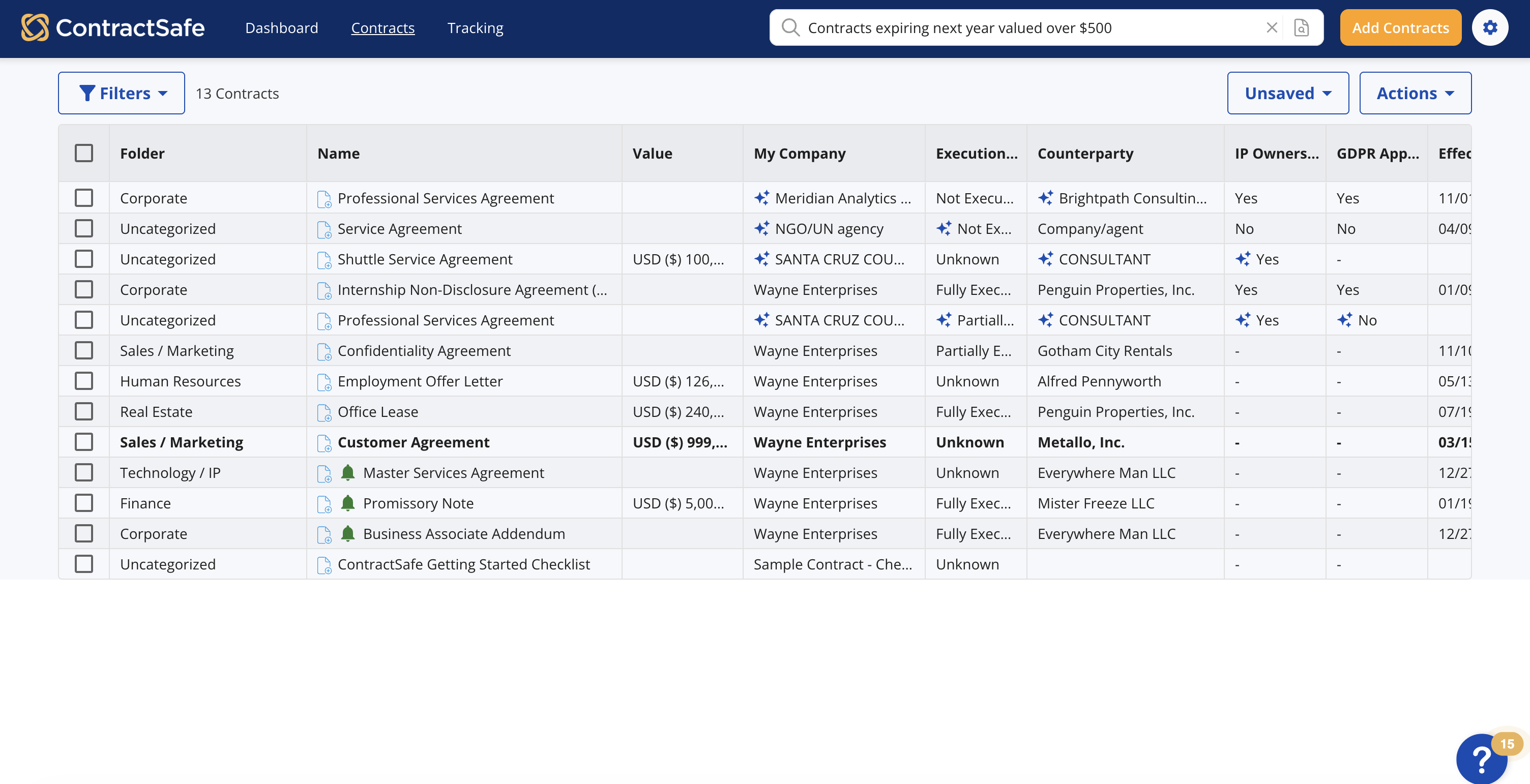
Intuitive Search & Reporting

Our Search & Reporting features allow you to find contracts in seconds with Google-like keyword searching. Other benefits include:

  • Quick and intuitive keyword searching
  • Search for a contract, report, or document by keyword(s), just like you would on Google
  • Ability to find exact match terms; search as broadly or as specifically as you’d like
ContractSafe contract list with a plain-language search for contracts expiring next year valued over $500
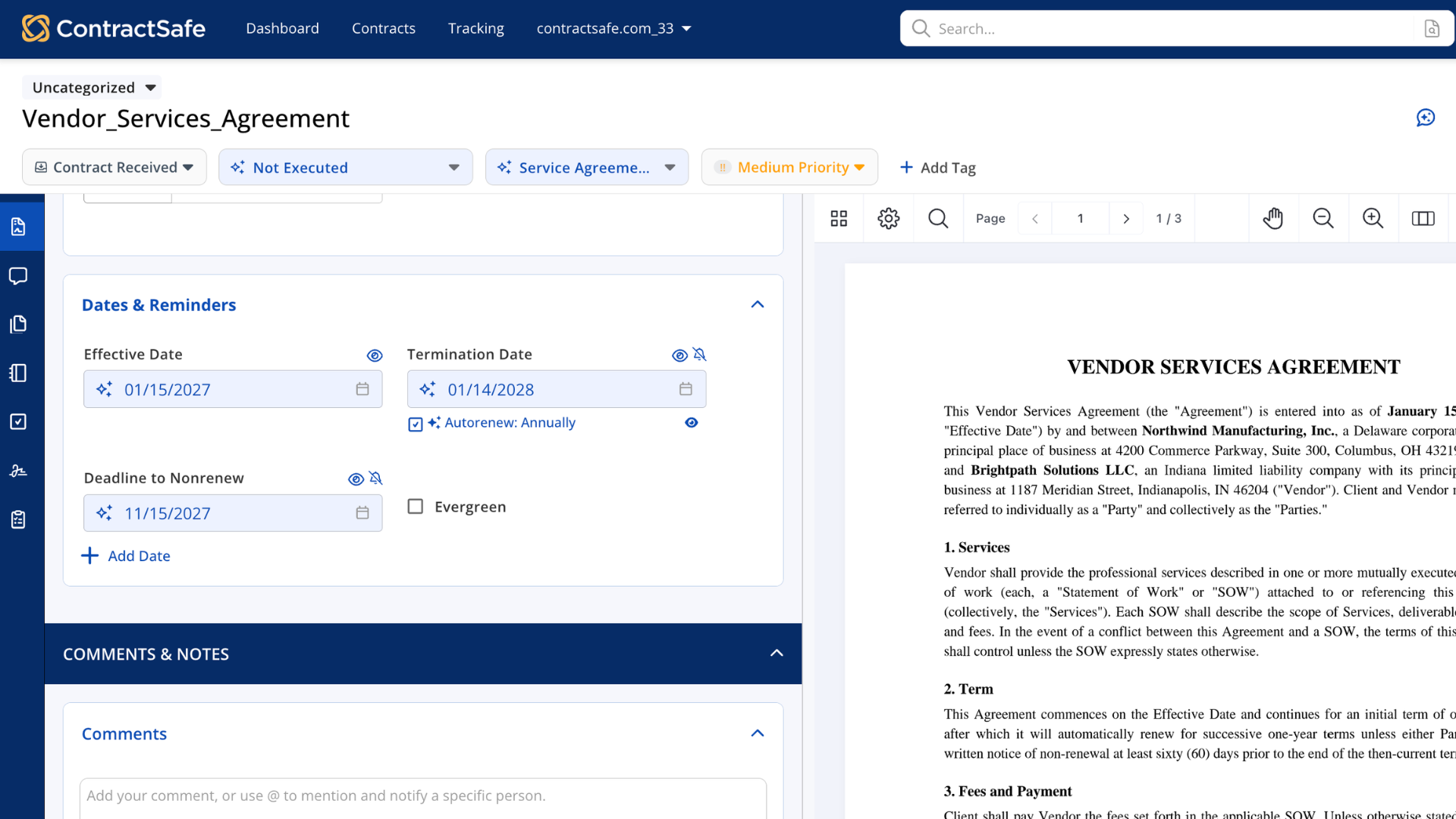
ContractSafe Dates & Reminders panel with effective, termination and nonrenewal dates and an annual auto-renewal

Intelligent Alerts

With our handy Alerts features, you (& the rest of your team) will never miss a key contract date again. Here’s how our Alerts help you stay on top of things:

  • Easily set reminders for any custom dates
  • Automated email reminders to any recipient
  • Filterable calendar of all upcoming dates
  • Track auto renewing contracts

Secure and Scannable Repository

Our Repository feature means you can keep all your documents safe in one place and quickly get your hands on the right document. Here are some of the features you can expect from our contract repository:

  • Google-like search for all your contracts...even scans!
  • Track a contract’s status throughout its lifecycle
  • Store attachments, track amendments & link related documents
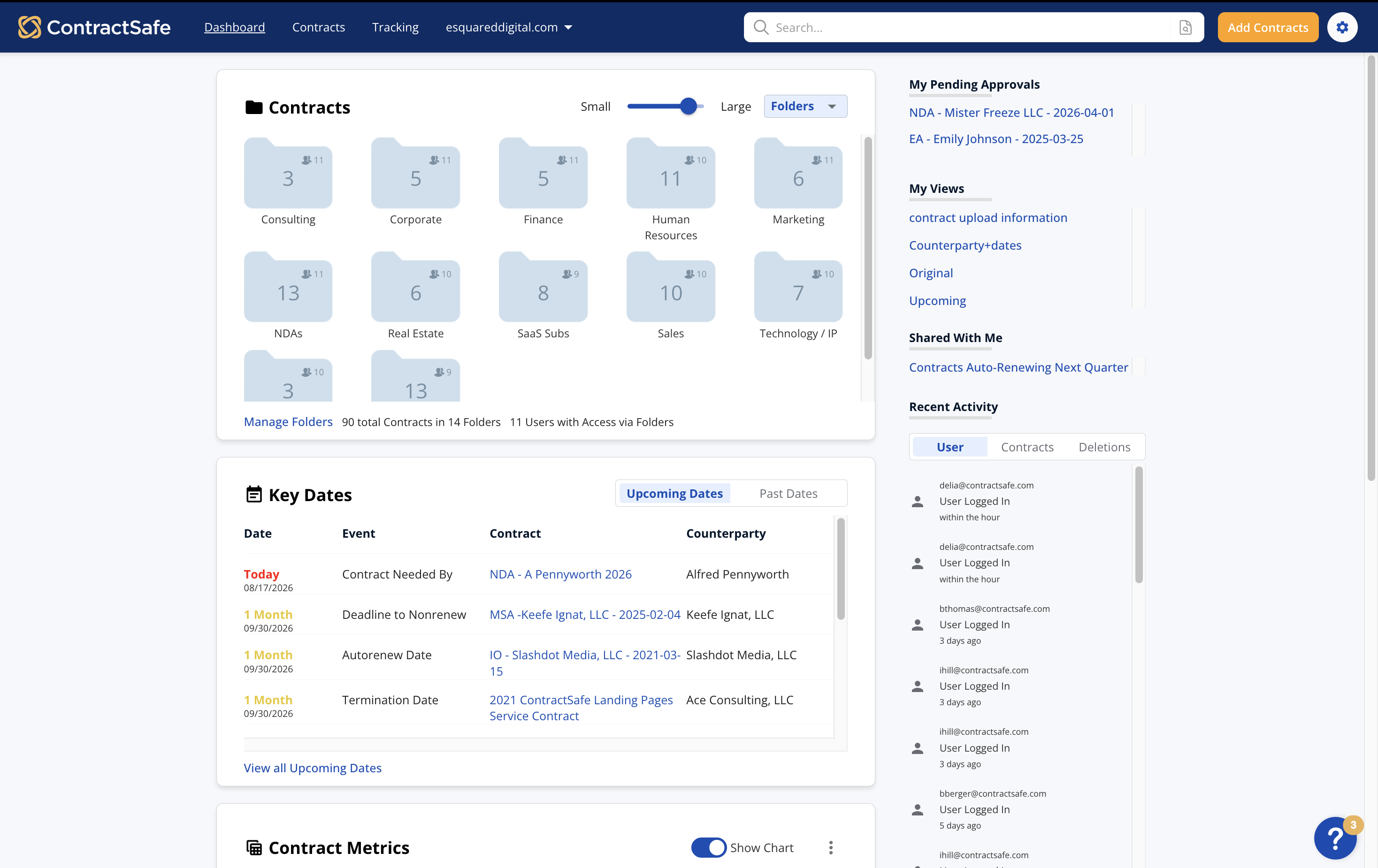
ContractSafe dashboard with contracts organized into folders, key dates and pending approvals
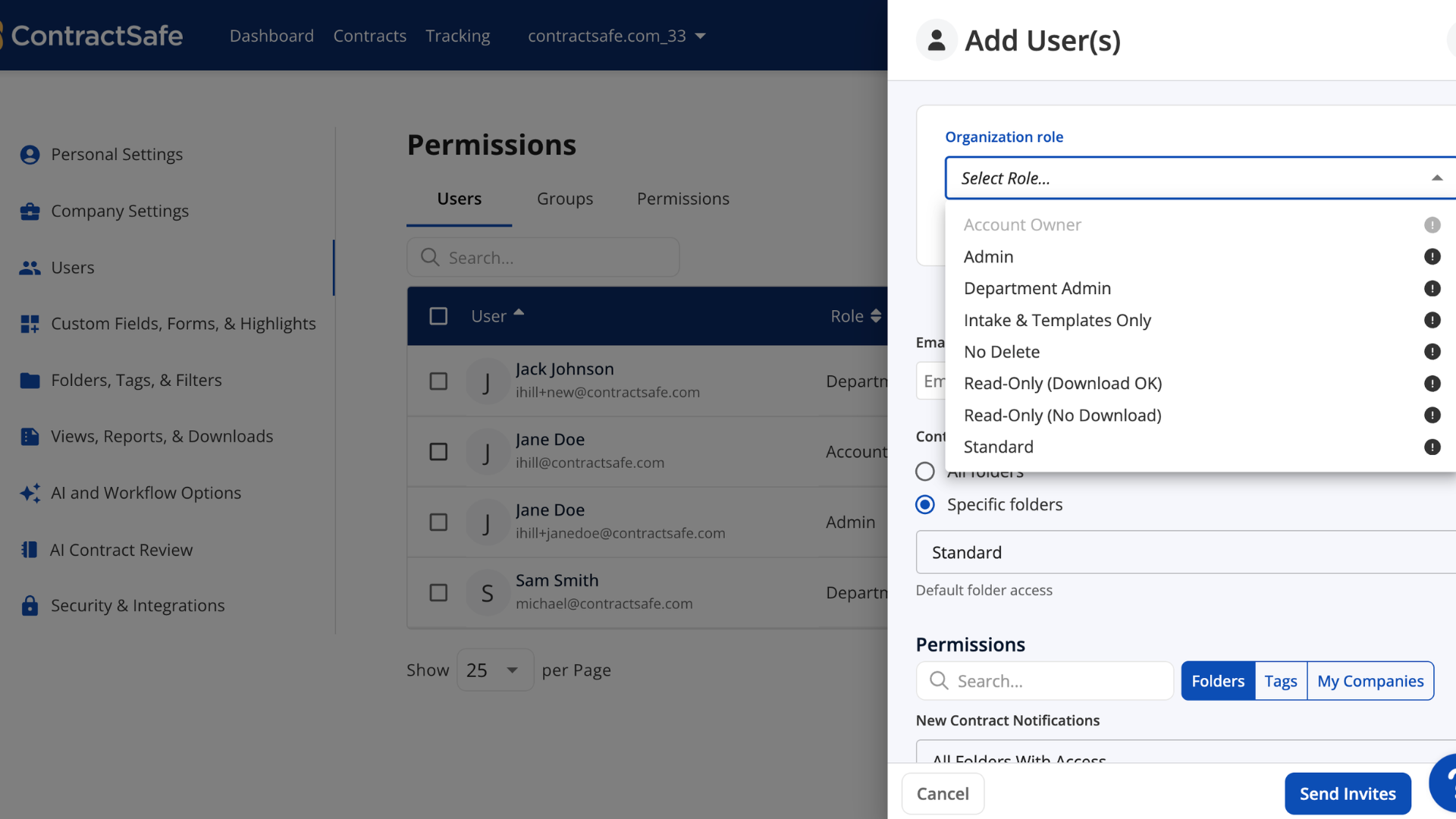
ContractSafe permissions with organization roles from Admin to Read-Only

Full Control Over Sharing & Roles

With our Sharing & Roles features, you never have to worry about the wrong person accessing the wrong files. Here’s how we put the power in your hands:

  • Unlimited users
  • Easy roles & permissions to protect confidentiality
  • Notifications on new uploads
  • Group permissions

Active Security & Data Protection

Using a new product can be scary from a security standpoint, but with ContractSafe you don’t have to worry about data breaches or malware. Here’s why:

  • Each user’s contracts are encrypted and stored separately
  • All data is encrypted at rest and in transit
  • Intrusion, malware & virus detection
  • Vulnerability & penetration testing
Contract security and data protection-1 (1)
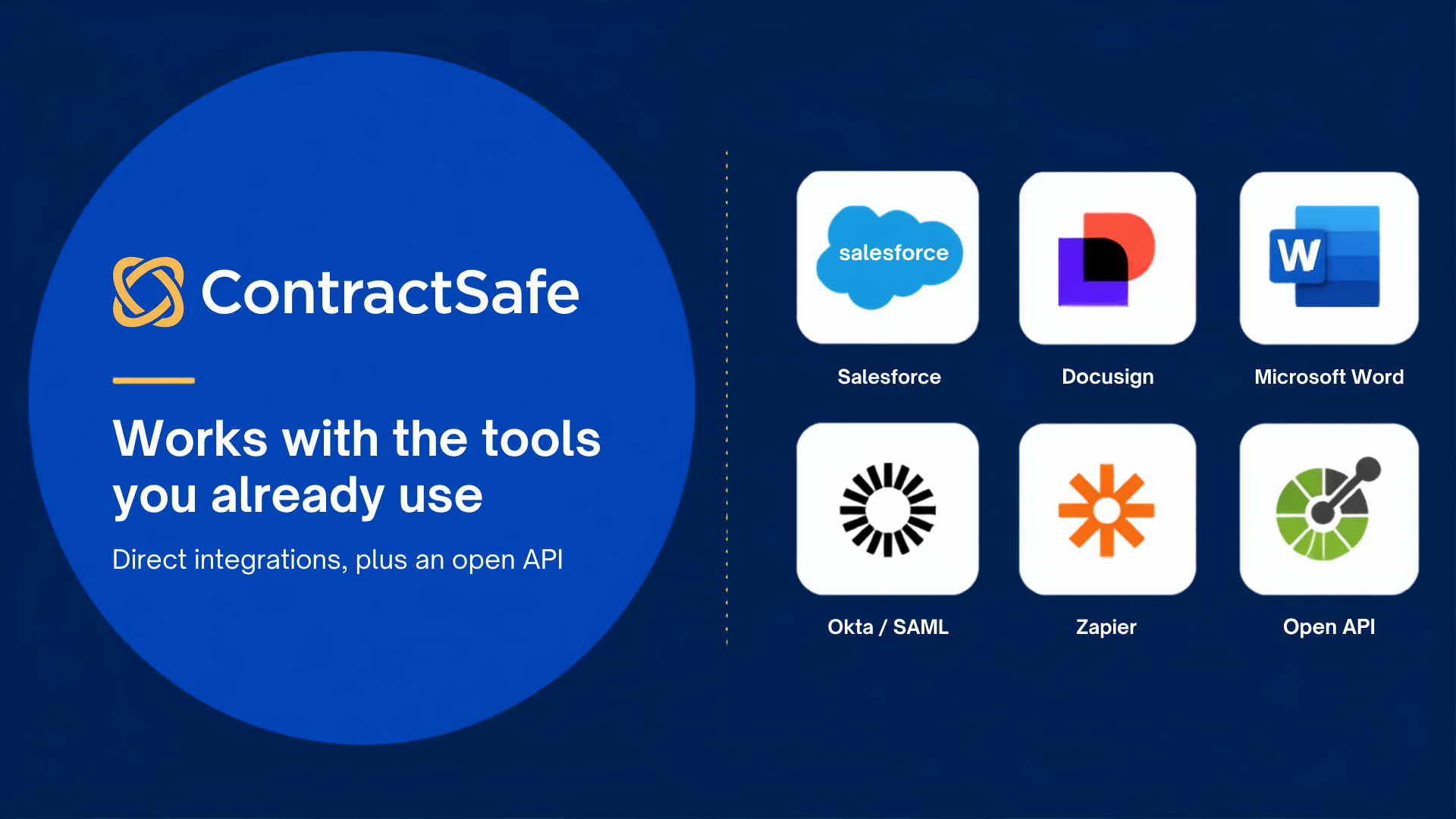
ContractSafe integrations with Salesforce, Docusign, Microsoft Word, Okta/SAML, Zapier and an open API

Integrate With Your Existing Platforms

ContractSafe doesn’t just play nice with contract managers, we play nice with other solutions as well. Here are just a few of the solutions we integrate with:

  • DocuSign
  • Okta/SAML 2.0
  • Active Directory
  • SalesForce

Unlimited Support

We know learning a new system can be tough, which is why we offer unlimited support online, by email & by phone. Here’s a few other ways we offer support:

  • In-product help and guides
  • Free implementation and support
  • Optional service to extract, upload & organize legacy contracts
  • Customized training sessions
  • Free interactive training webinars for every user
Contract Safe Unlimited Support-1 (1)
  • j2global-grey 1
  • Logo_Dollar-Shave-Club_RGB-1-640x118 1
  • TED_three_letter_logo 1
  • Jam_City_Logo 2
  • journeyapps-logo-mono-white 1
  • ua_horiz_rgb_4 1
  • bannersirius
  • 02NI5TtZ2SlHLoJdMkRtvwi-7. 1
  • mcclatchy-logo-horizontal 1
  • Sacred_Heart_University_logo 1

Your stress-free future awaits.

Getting started takes hours – not days or weeks. With a free trial included in every plan, there’s nothing to lose. Connect with us and get ContractSafe today.

Request a Demo