Set up and send approval requests with more confidence in the redesigned Approve workspace. Everything you need is now in one clear, organized view.
Fewer follow-ups, smoother approvals
Here's what the redesigned Approve workspace makes easier for your team:
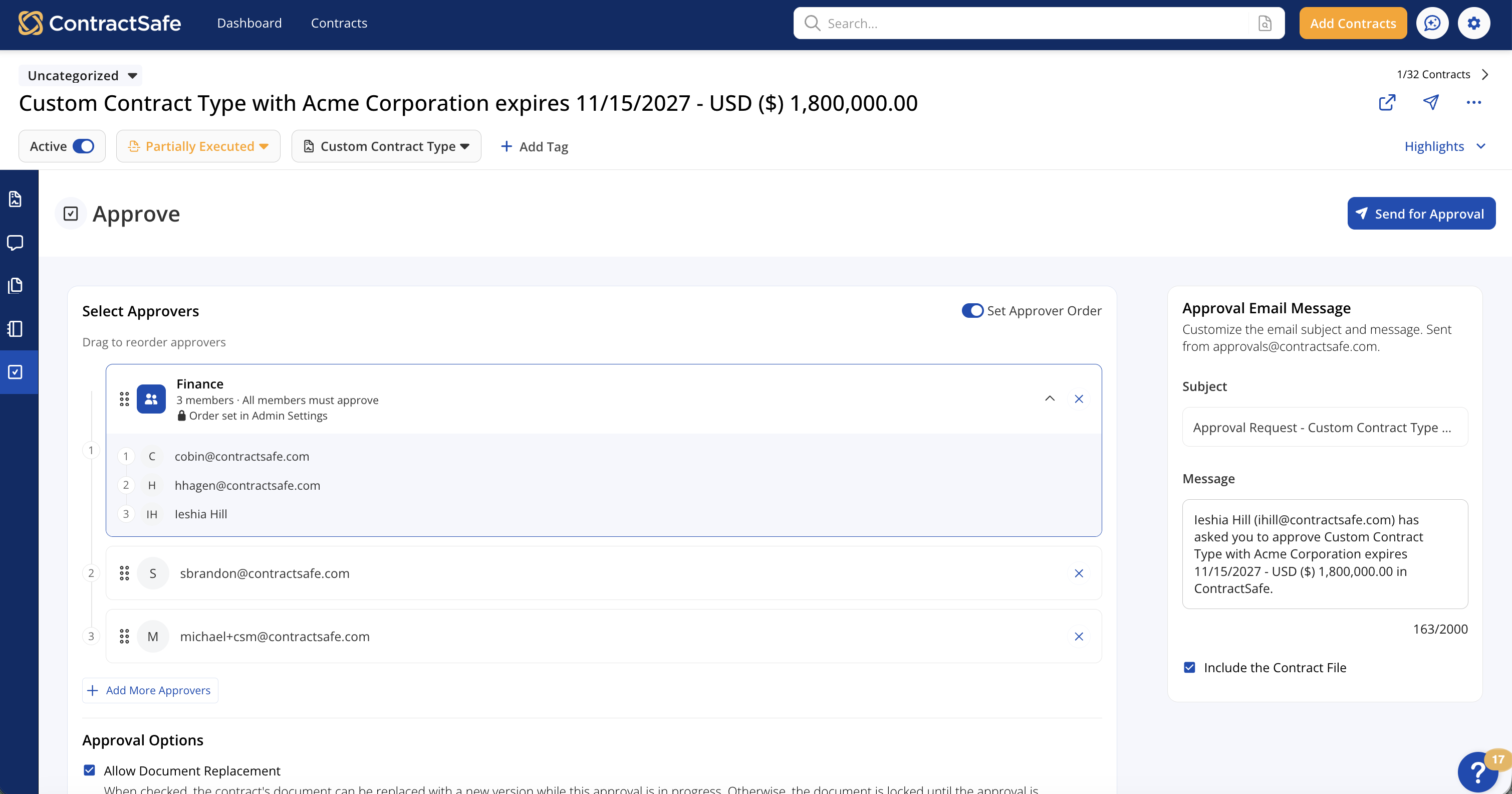
- Clearer approval setup: See approvers, approval options, and email details in one organized workspace before you send.
- Smarter approver selection: Choose from people and groups who can access the contract, so you don't accidentally route requests to someone who can't review it.
- Flexible review order: Send approvals to everyone at once or set a specific sequence when each reviewer needs to approve in order.
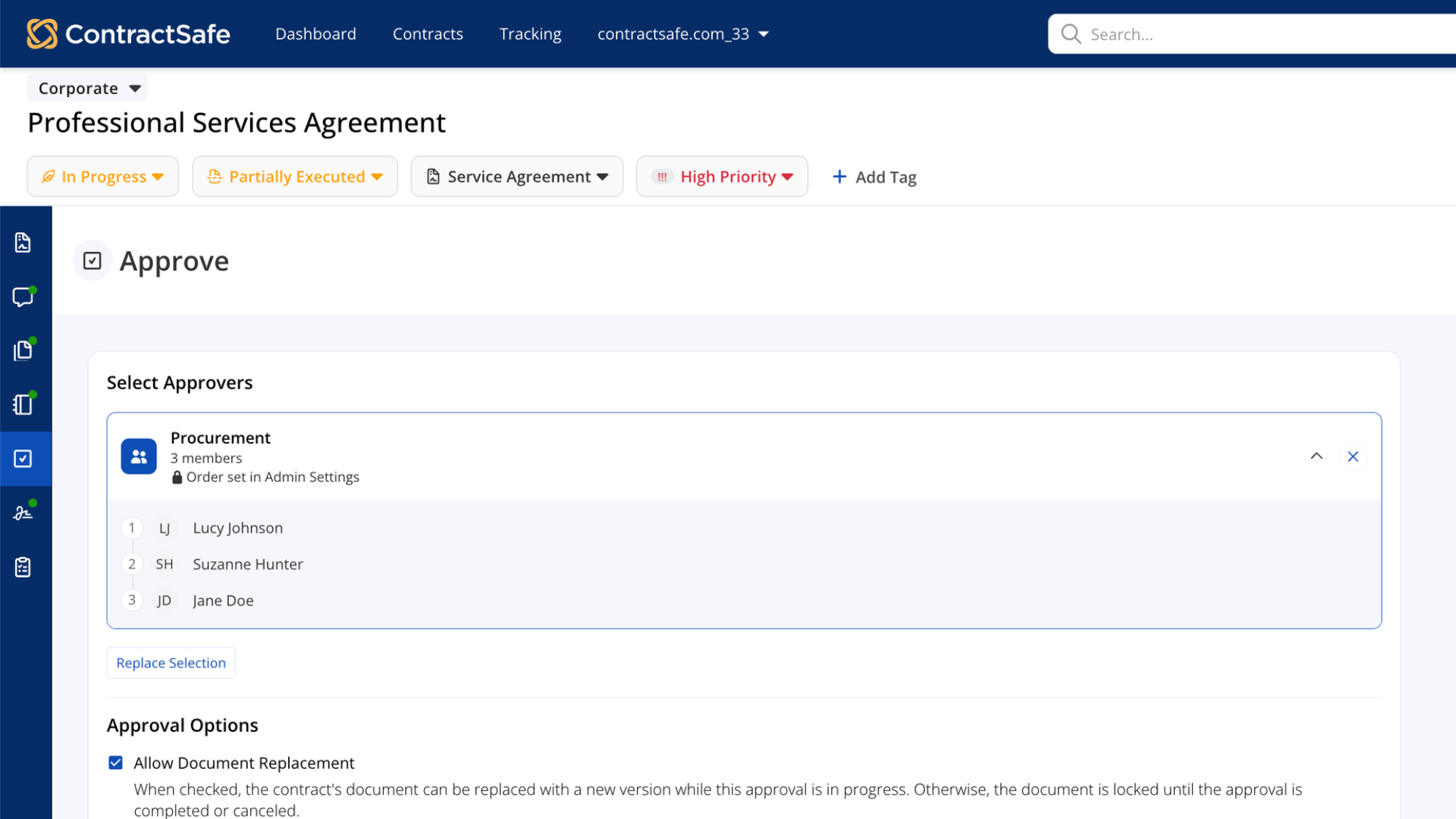
- Better group visibility: Expand Approval Groups to confirm who's included before you send.
Clearer approval setup
The Approve workspace has been upgraded to make requesting and tracking approvals easier. Your approvers, approval options, and email details are all organized in one place, so you can review the whole request at a glance before you send.
Smarter approver selection
Few things stall an approval faster than a reviewer who can't open the contract. The approver list now only shows people and groups who already have access, and an Approval Group appears only when every member does. Every request lands with someone who can review it, so you skip the back-and-forth of fixing permissions after you send.
Flexible review order
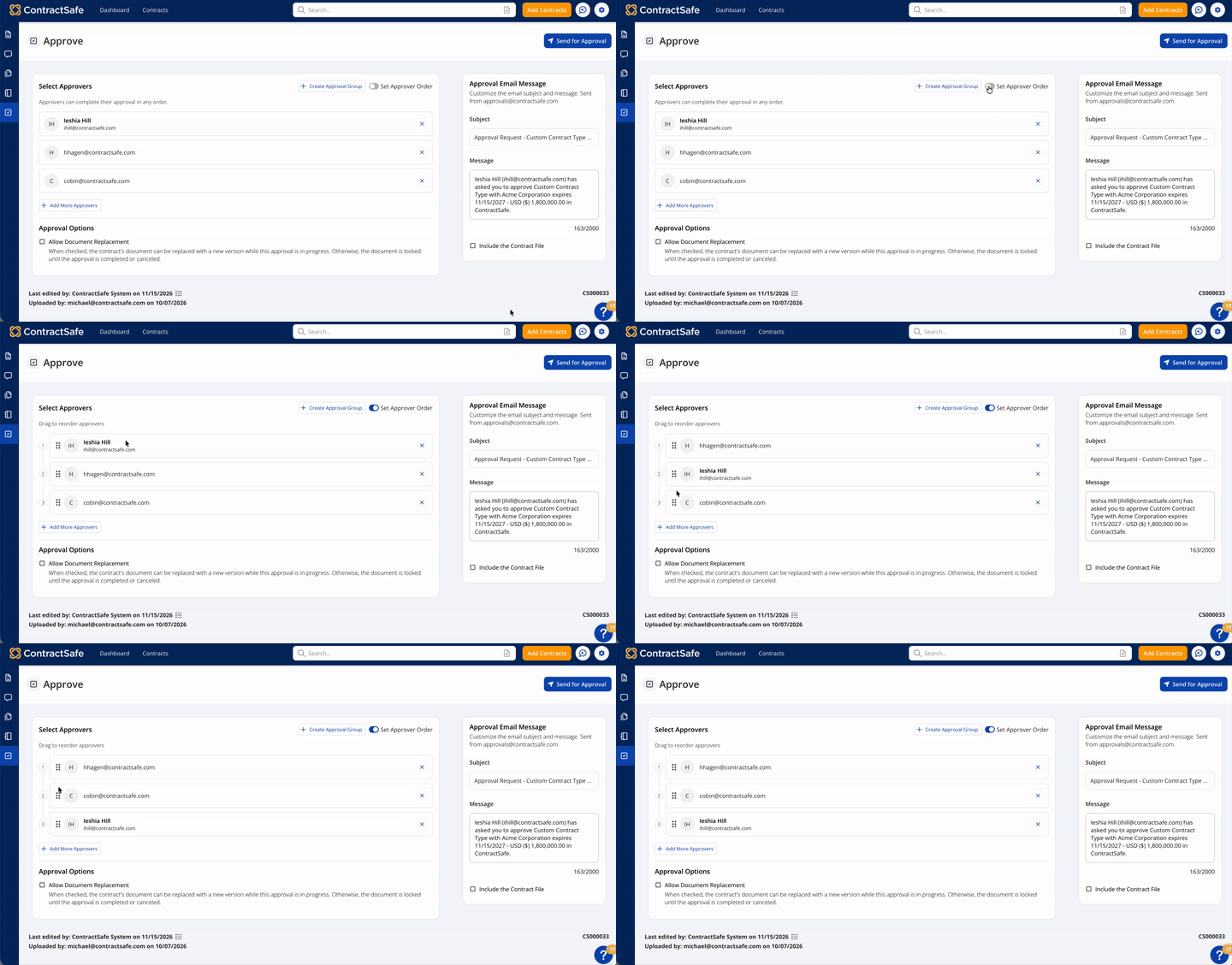
Not every contract follows the same path. Some need everyone's sign-off at the same time, while others need one person to approve before the next one sees it. Send to all approvers at once, or turn on Set Approver Order and drag reviewers into the sequence you need. If an admin already set an order for an Approval Group, you'll see it right in the workspace.
Better group visibility
Approval Groups save time, but it's easy to lose track of who's actually in them. Expand any group in the workspace to see each member before you send. You'll know exactly who will receive the request, with no surprises after it goes out.
Getting started
The updated Approve workspace is available on the Finalize and Maximize plans. Try it next time you send a contract for approval from the Approve workspace.