October 2026
Release Notes - October 2026
Explore ContractSafe’s October 2026 release notes, featuring Customizable Contract Lifecycle Stage Names.
All the latest ContractSafe features, updates, and improvements
Explore ContractSafe’s October 2026 release notes, featuring Customizable Contract Lifecycle Stage Names.
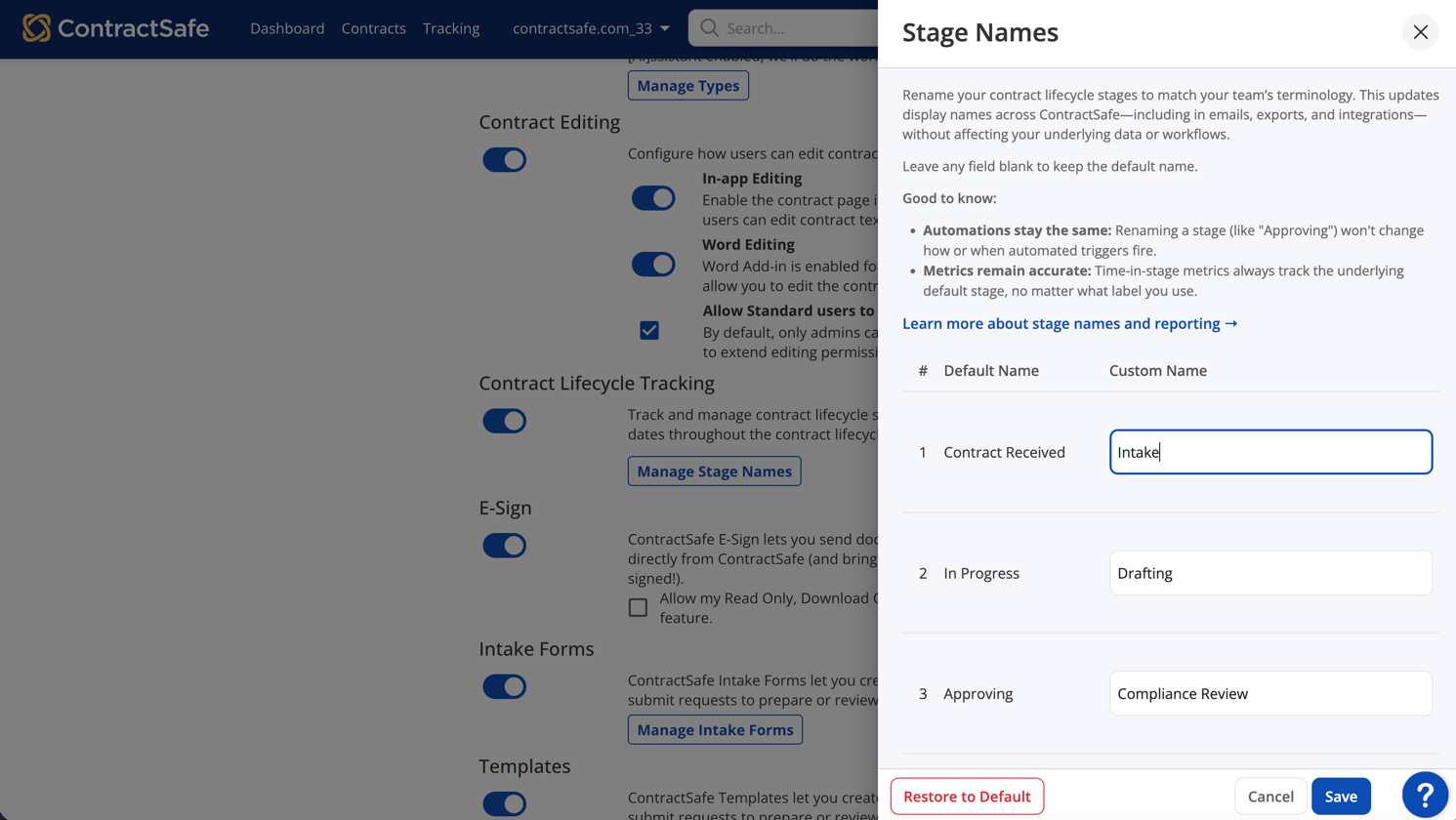
Rename Contract Lifecycle Tracking stages to match your organization’s language, making onboarding, reporting, and communication clearer.
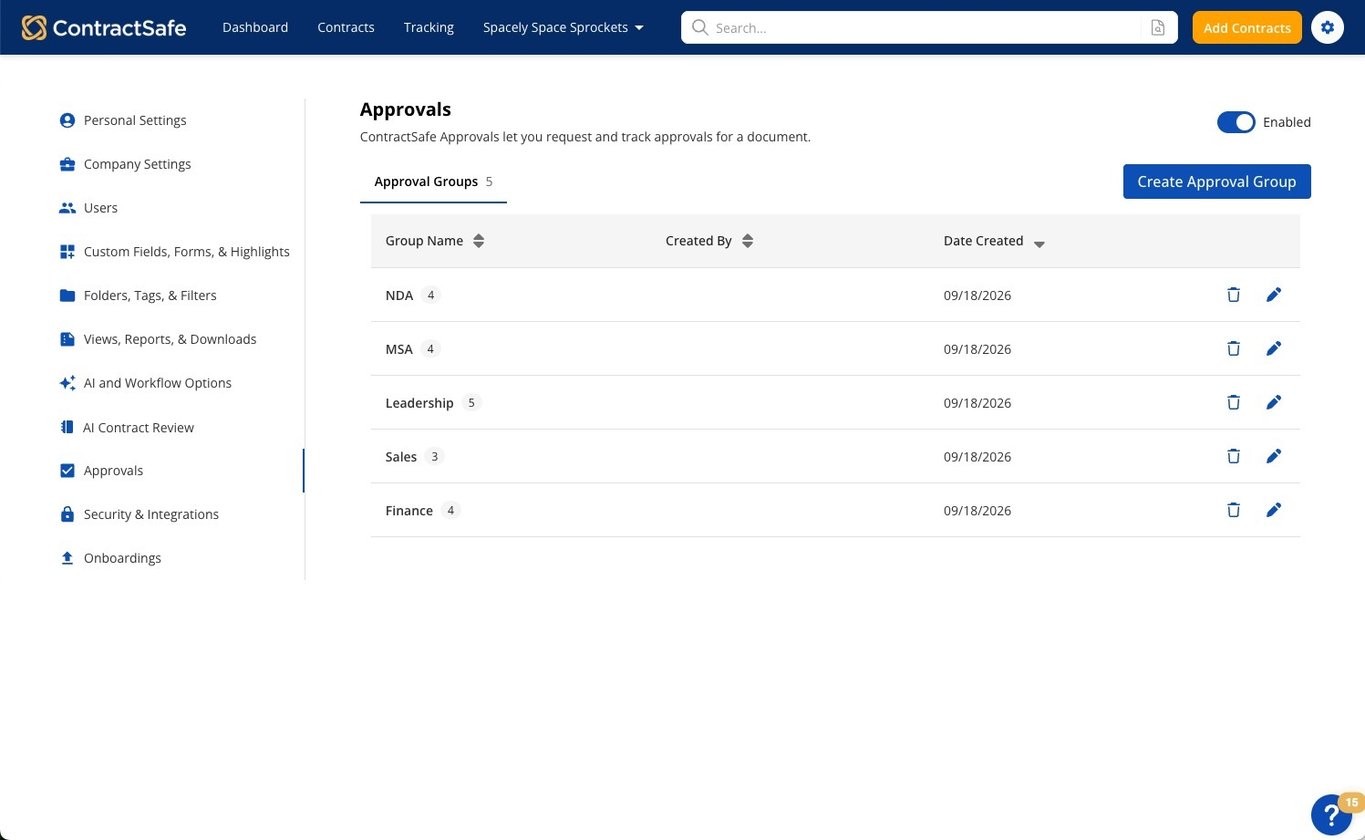
Manage Approval Groups in one place with Approval Settings. Create and edit groups, set an optional approval order, and make changes without losing history.
Join the next What’s New in ContractSafe webinar for a walkthrough of recent releases or catch the latest recording on your own schedule
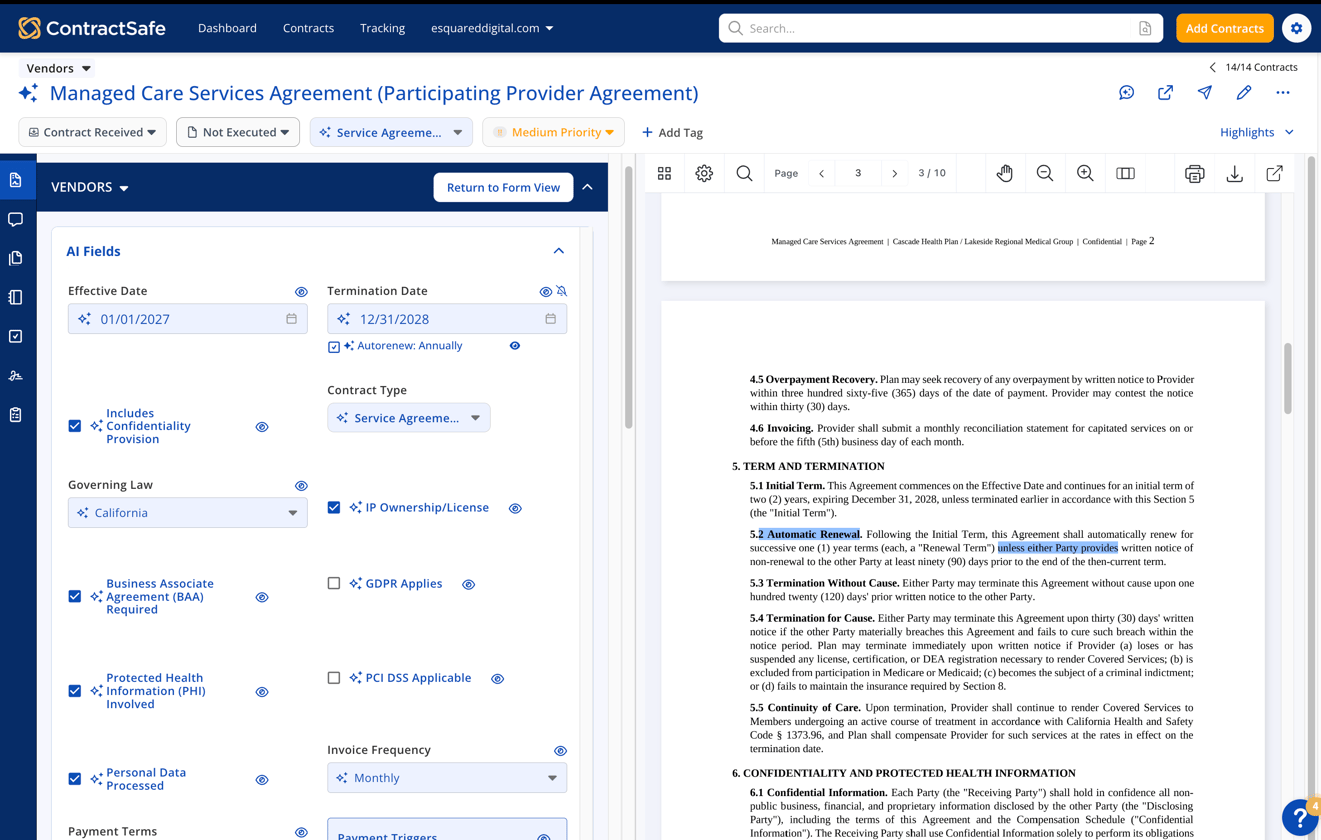
Explore ContractSafe’s August 2026 release notes, featuring 17 new AI fields, automatic contract naming, redesigned Permissions, and Contract Page updates.
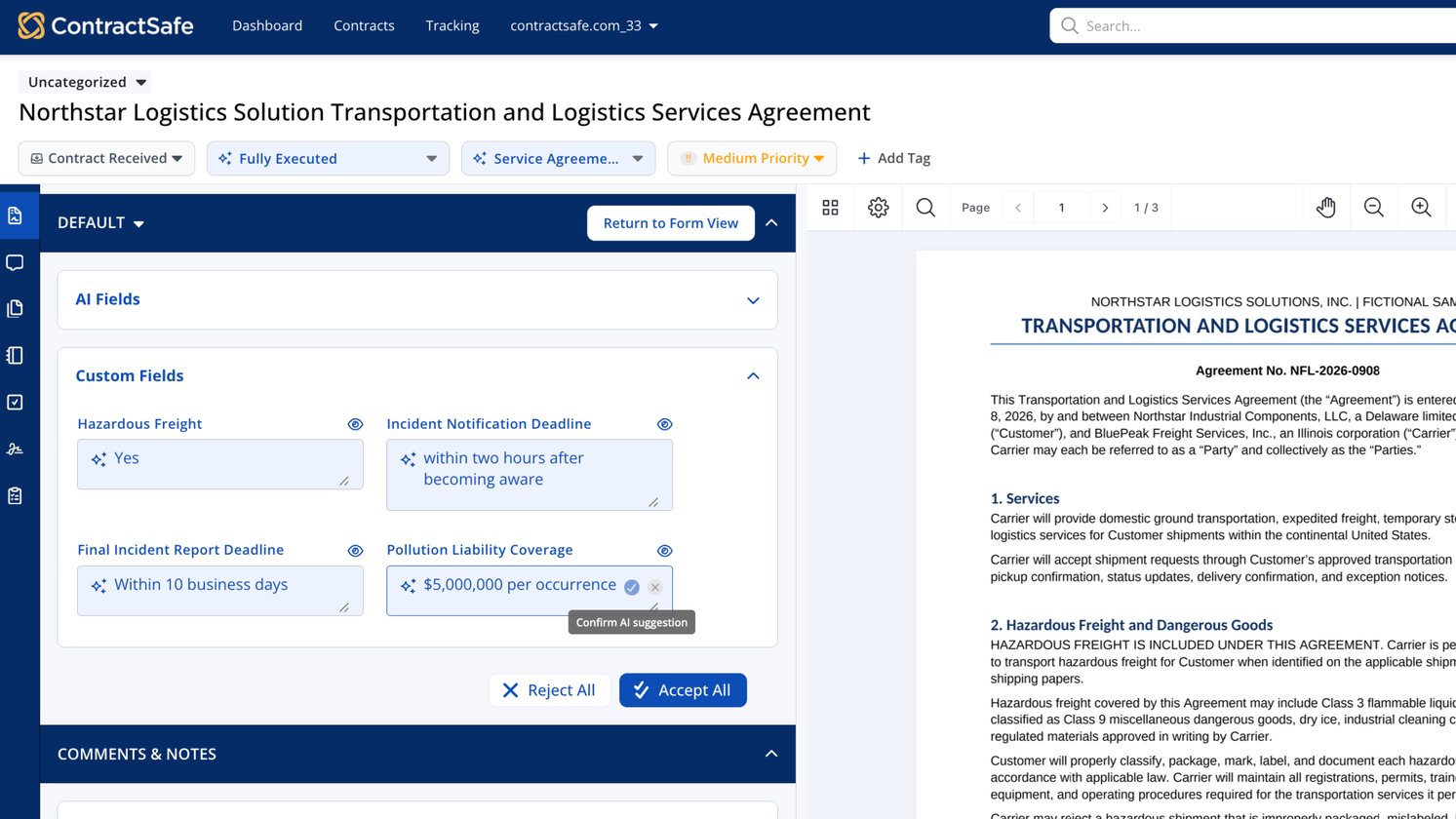
Explore ContractSafe’s September 2026 release notes, featuring Approval Groups, AI Extraction for Custom Fields, workflow improvements, and fixes for Templates and DocuSign.
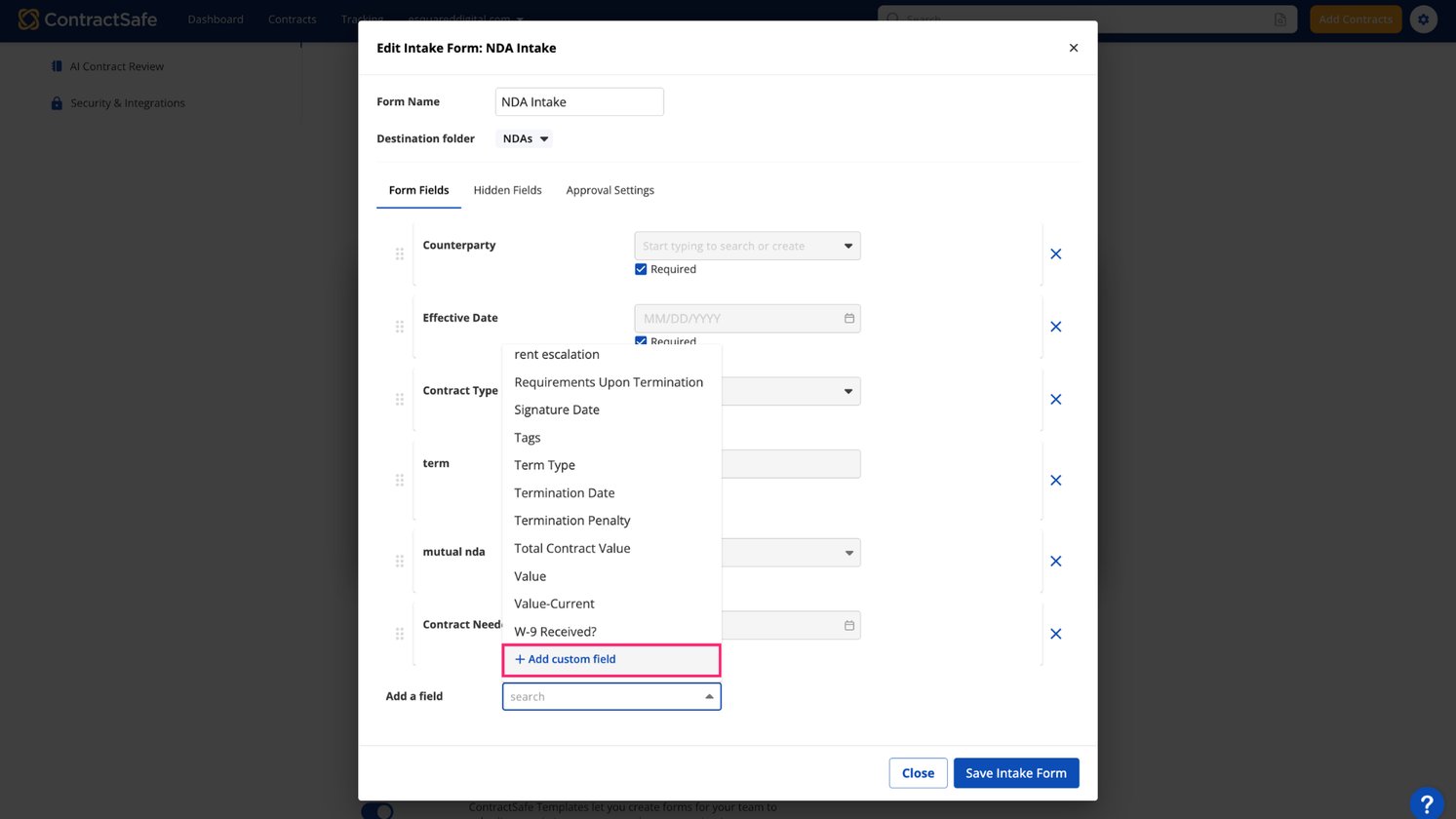
Create custom fields while setting up templates and intake forms. Keep work moving without switching screens, losing progress, or starting over.
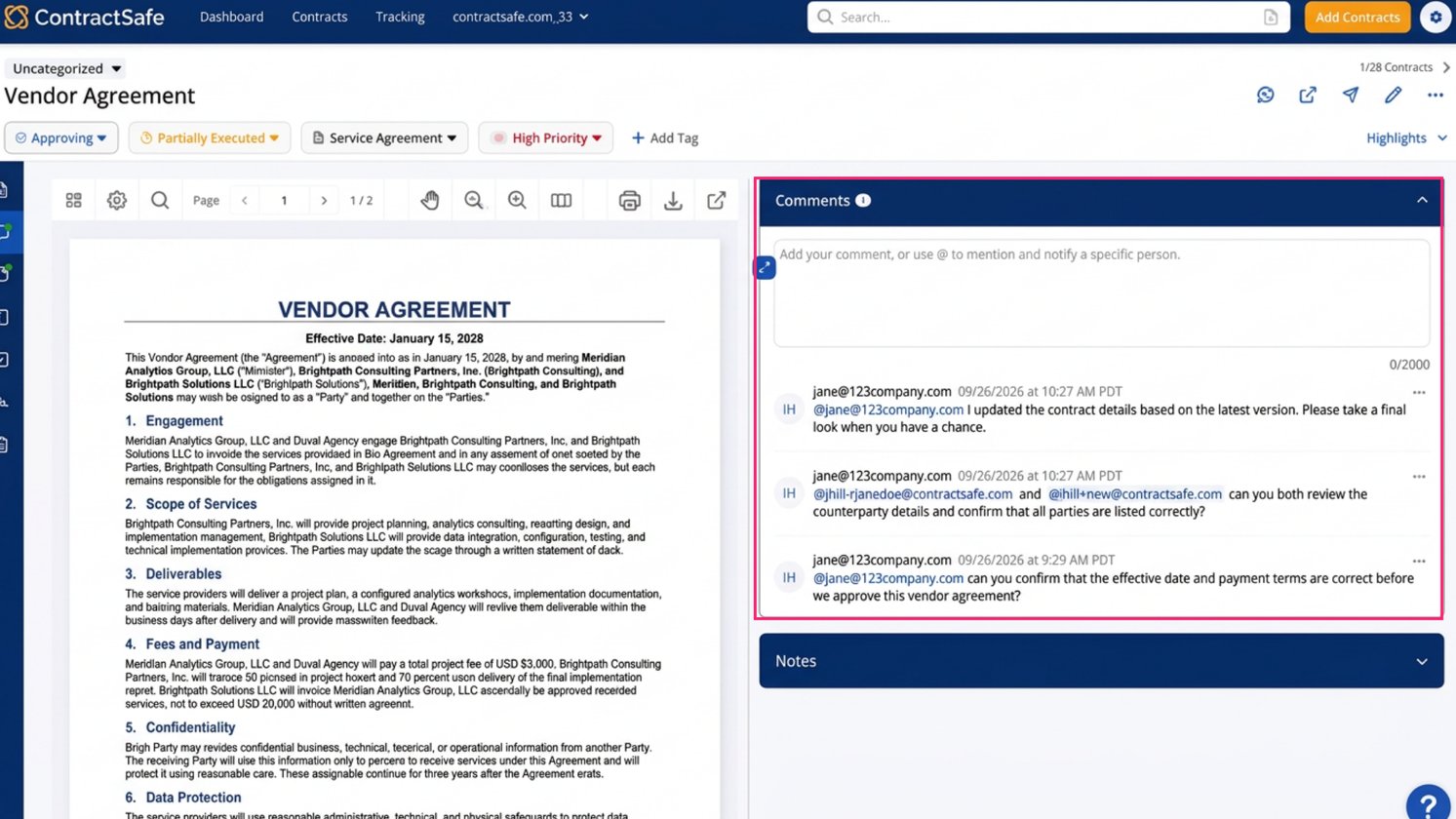
Reduce inbox noise with ContractSafe comments. Reply notifications go only to people mentioned, while the full conversation remains visible on the contract.
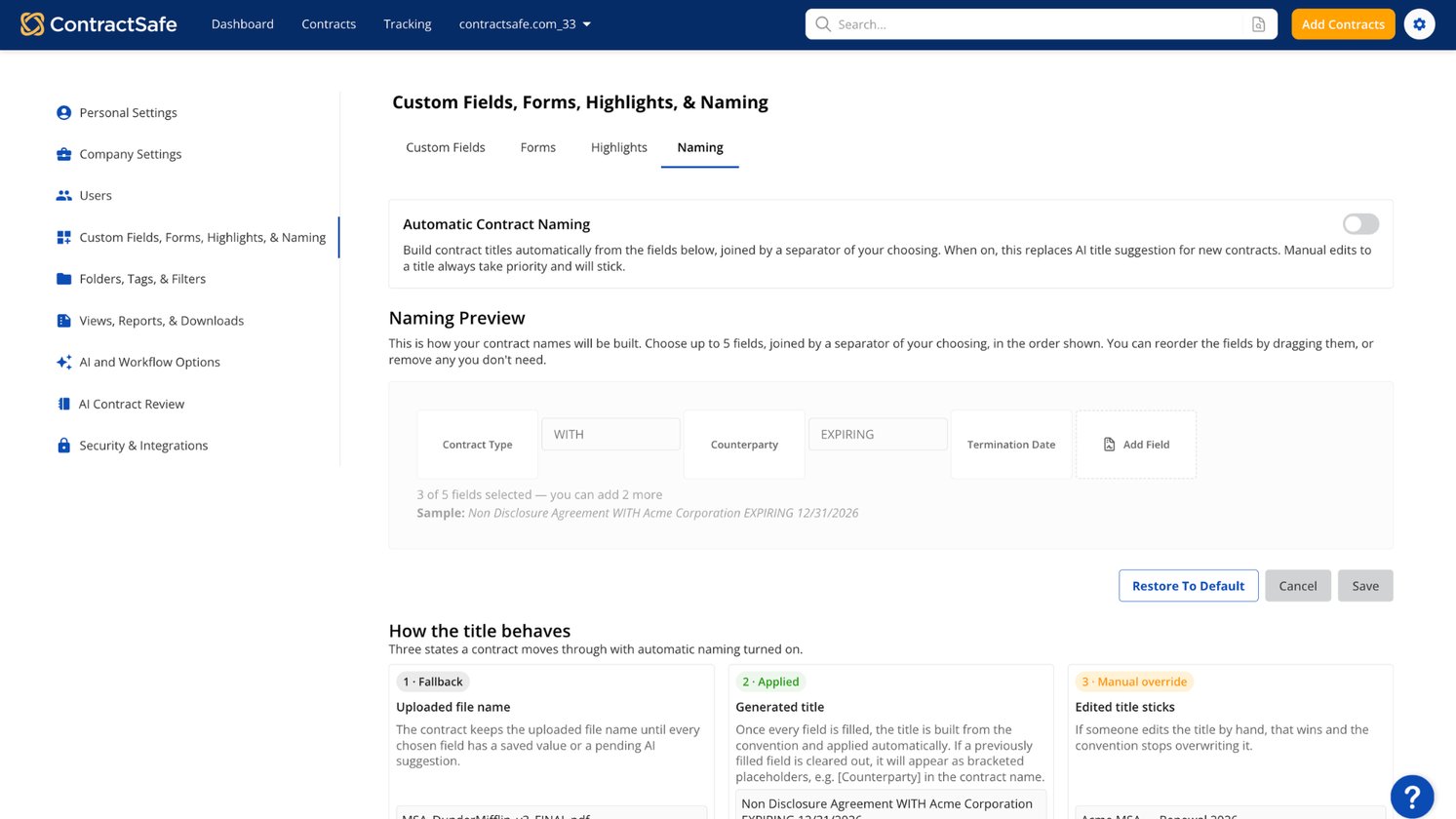
Make every contract easier to recognize with clear, consistent names. Apply one naming format to new and existing agreements without renaming them by hand.
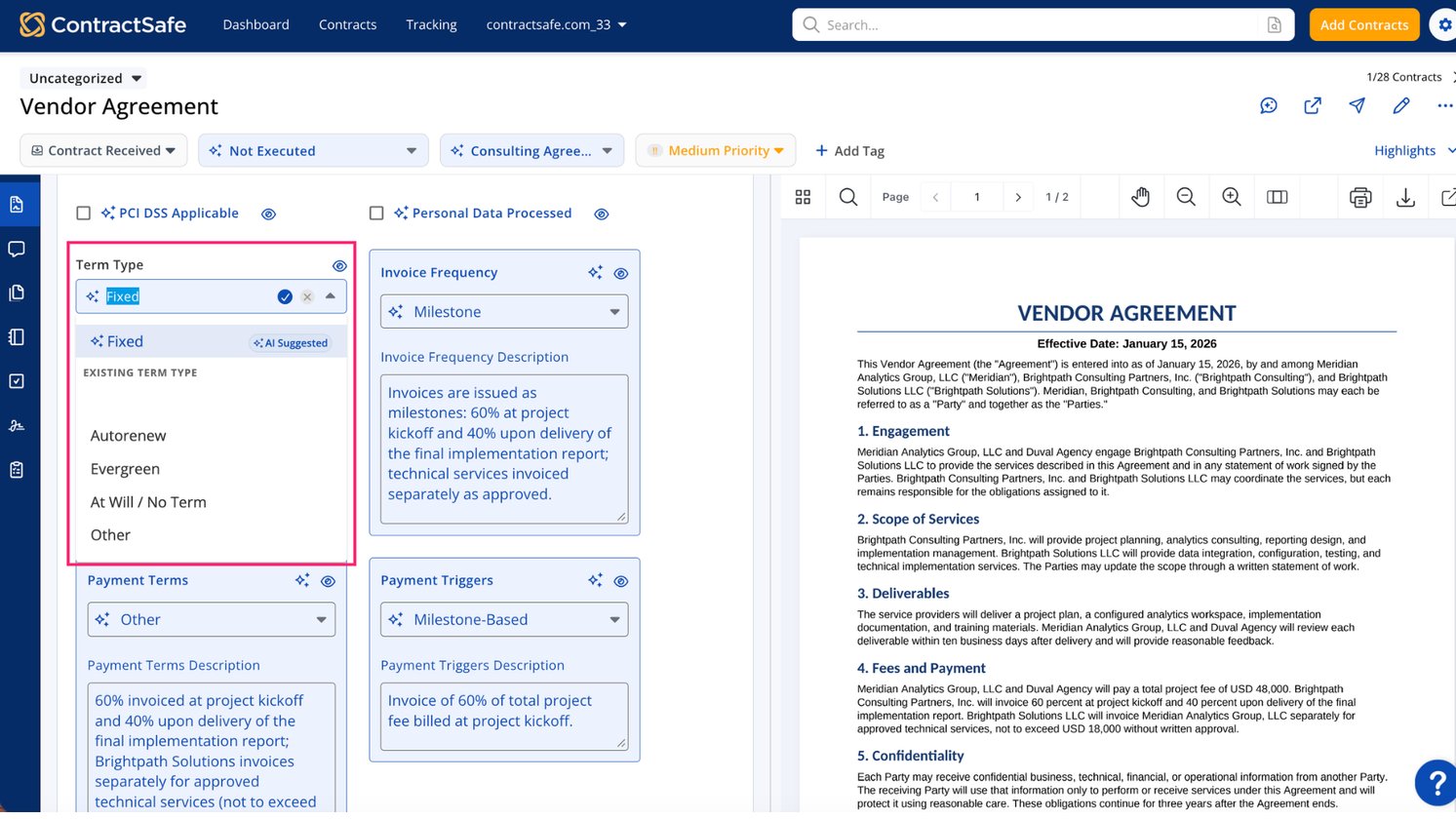
Review AI-suggested contract values without breaking your flow. Confirm or clear suggestions in place, compare options, and keep moving with fewer clicks.
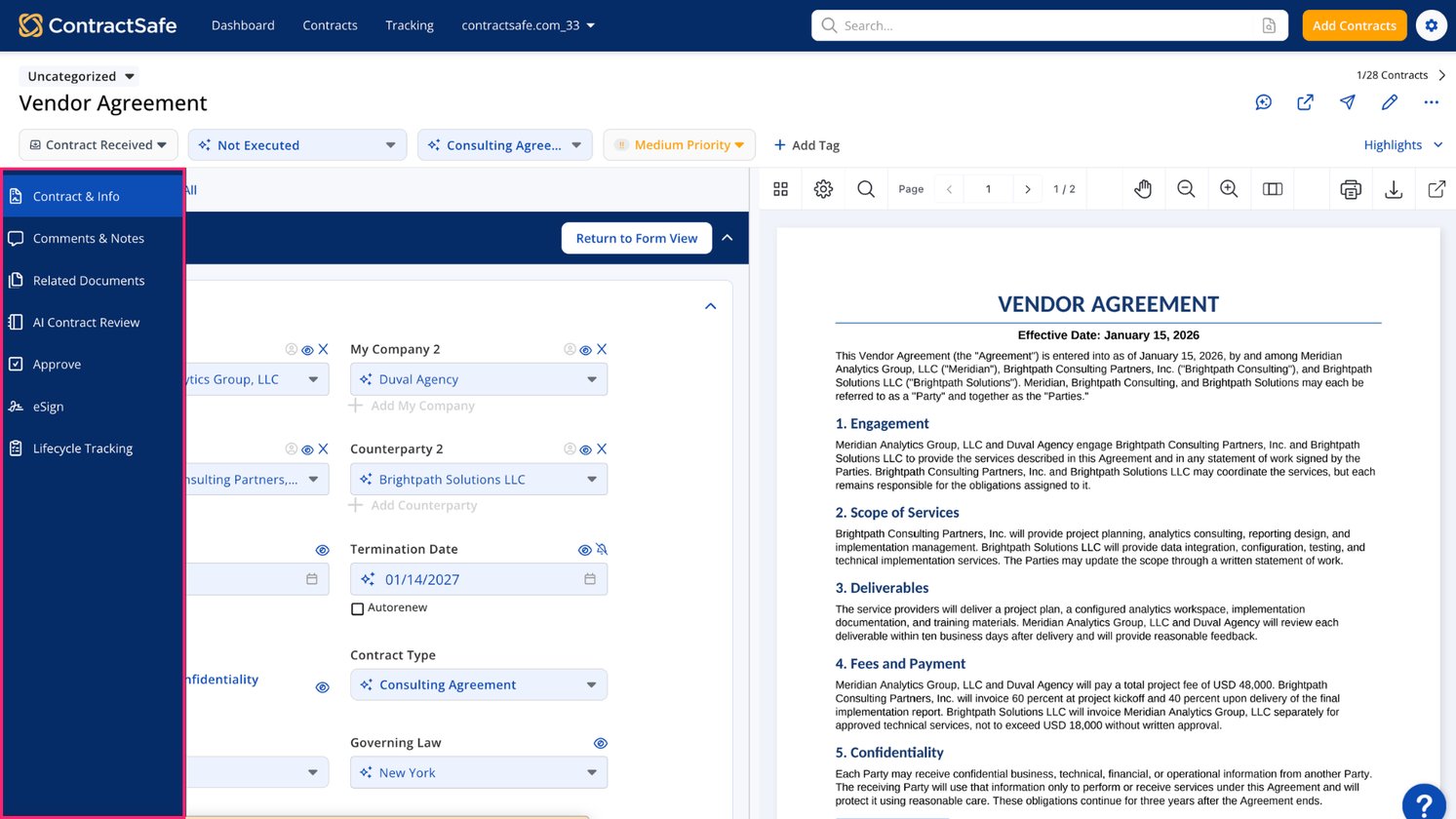
Use Workspaces on the new Contract Page to personalize your view, collaborate, manage e-signatures, and keep related documents and AI suggestions in one place.
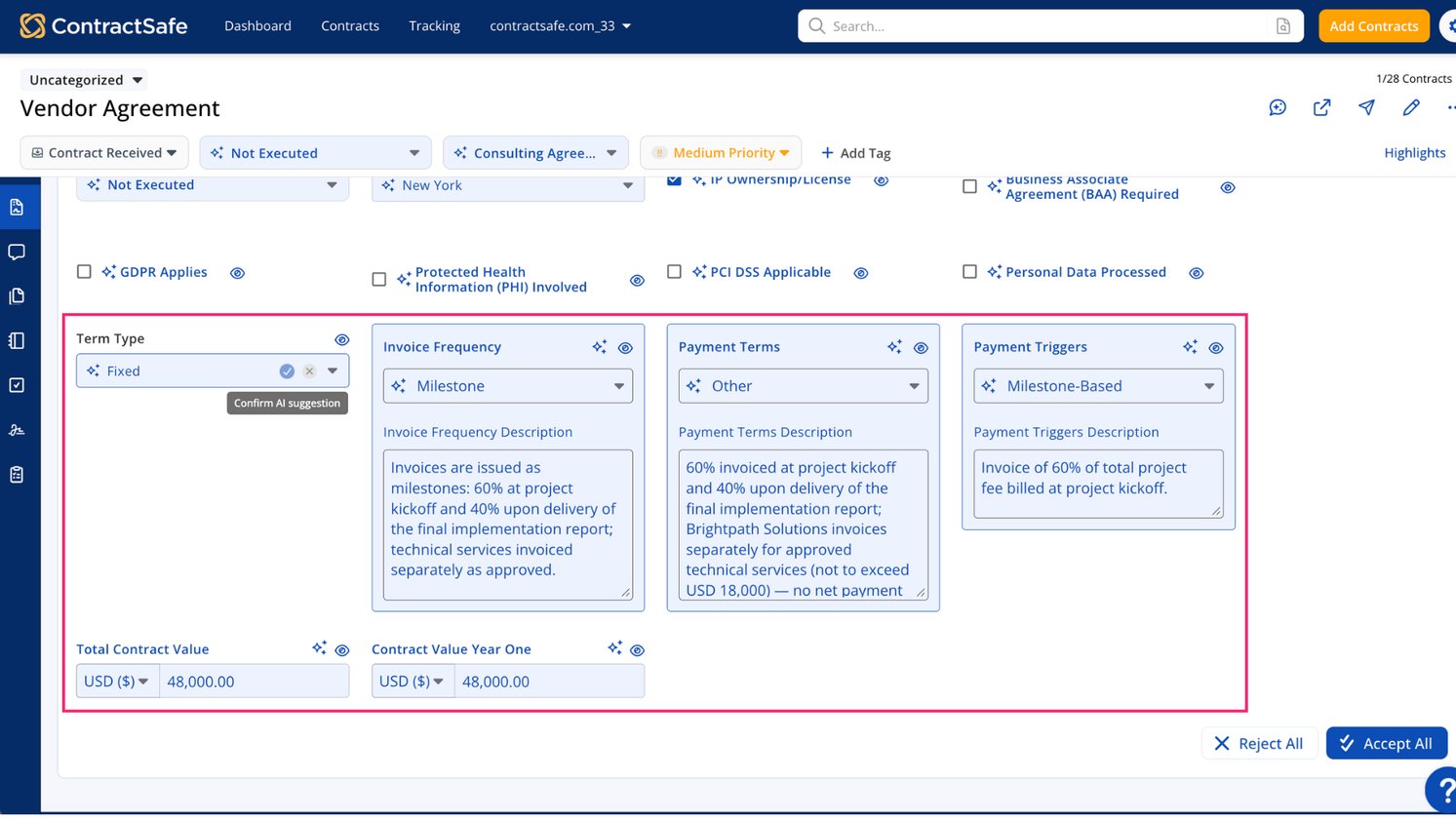
Find payment terms, contract value, compliance details, and more without reading every contract. Use 17 new AI fields to search, filter, and report faster.
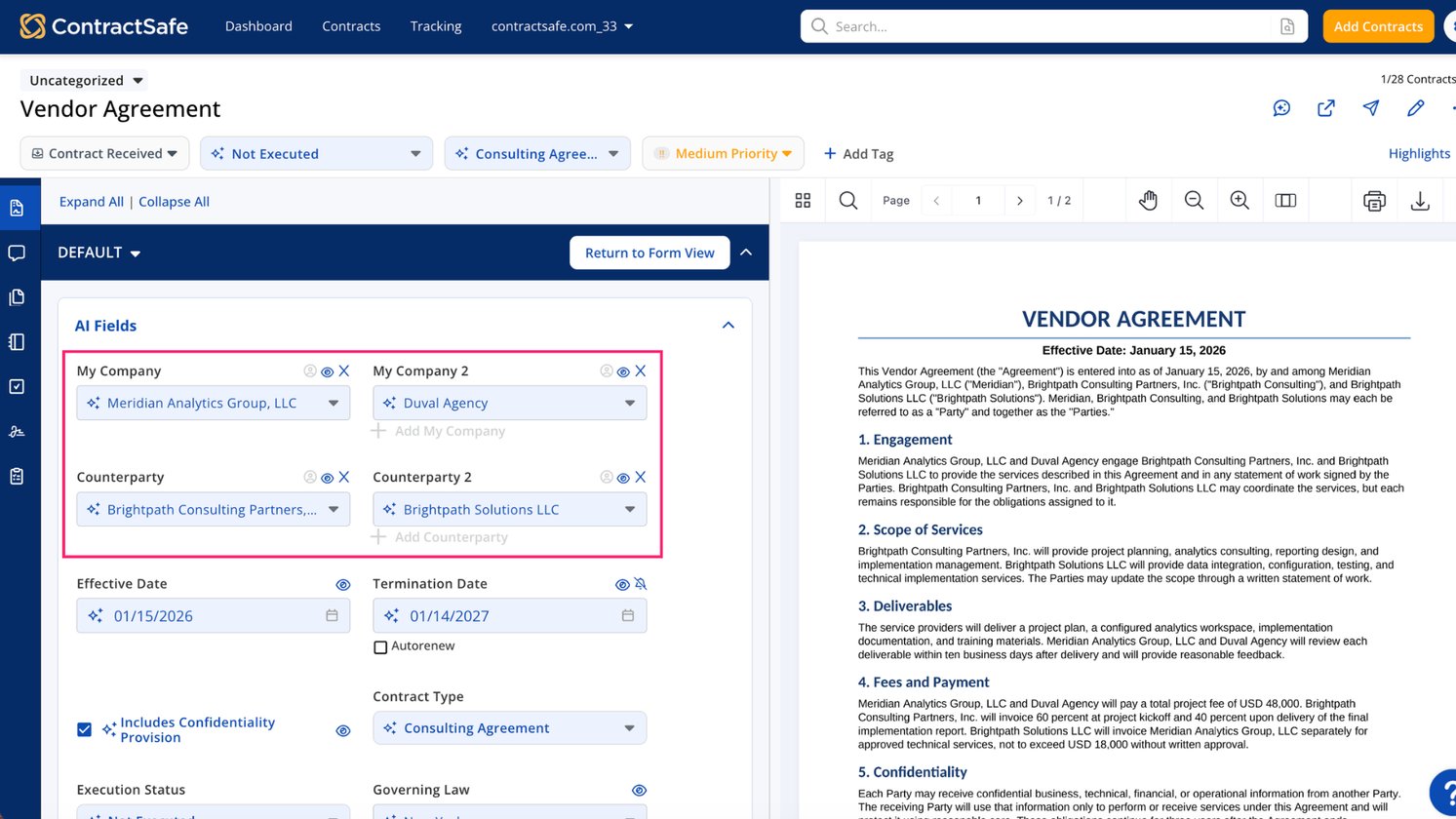
Keep multi-party contracts clear with AI that identifies My Company entities and counterparties, so you spend less time on cleanup and corrections.
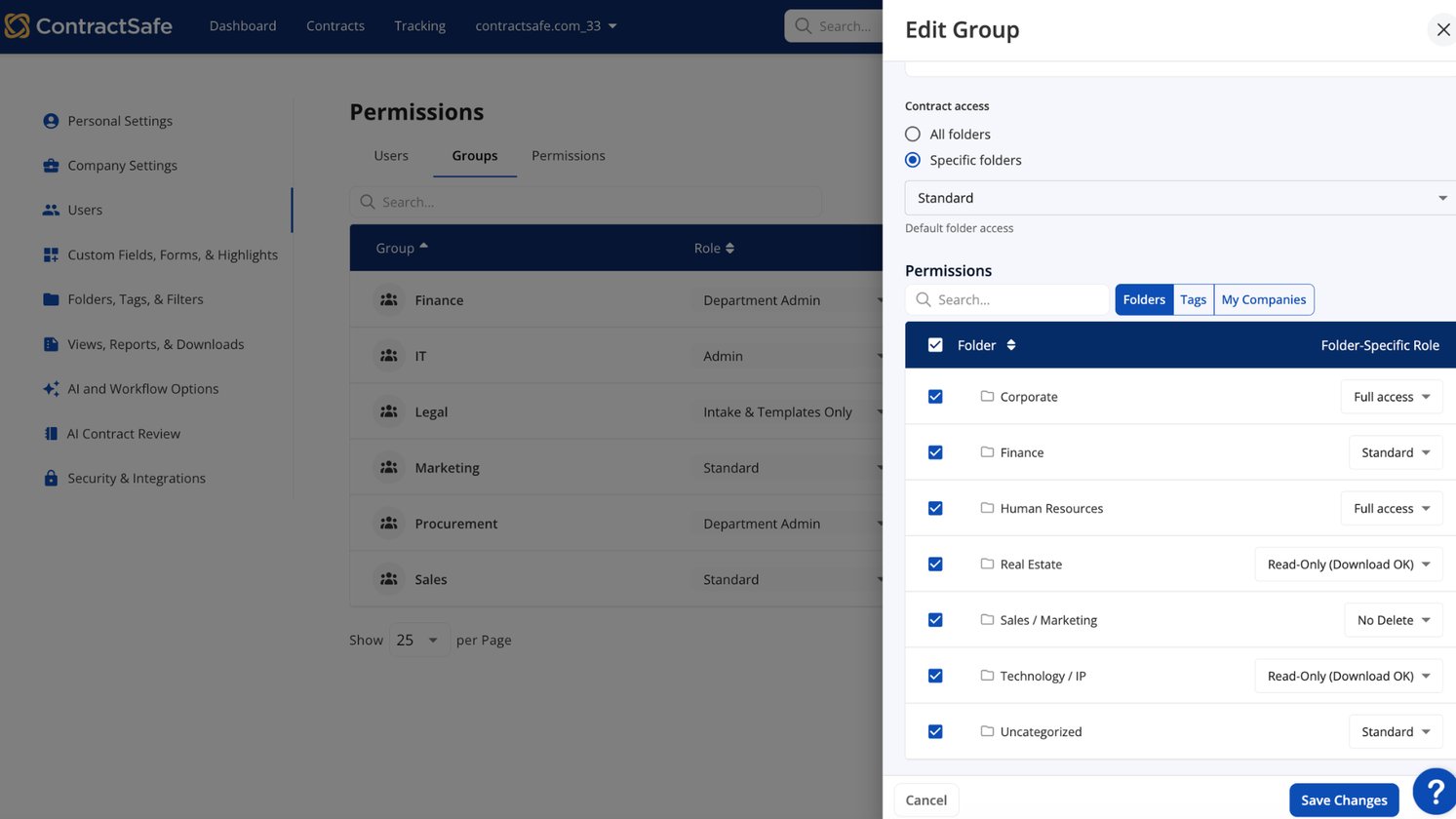
Manage access throughout the contract lifecycle with redesigned Permissions. Review users, groups, and permissions in one place, and see who can access what.
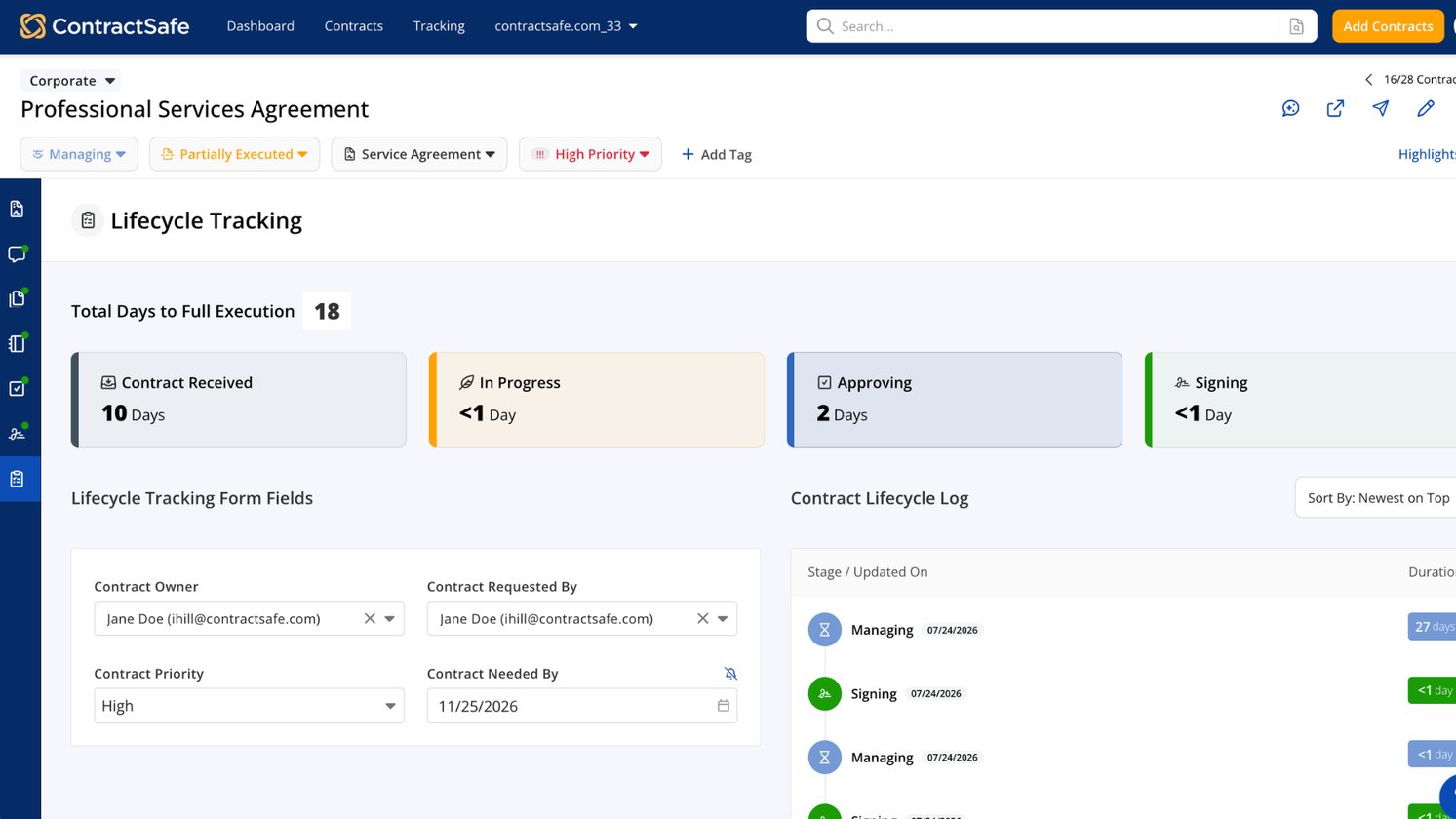
Track contract status, ownership, and due dates across the tools your team already uses, then automate what happens next with API and Zapier.
No updates match that filter yet.