Contracts move through multiple stages and teams, from request and review to approval, signature, and renewal. As more people get involved, it can become harder to see who should have access to what.
The redesigned Permissions settings give admins a clearer way to manage access throughout the contract lifecycle. Review users, groups, and permissions in one place, see where access comes from, and make changes without guessing which setting takes priority.
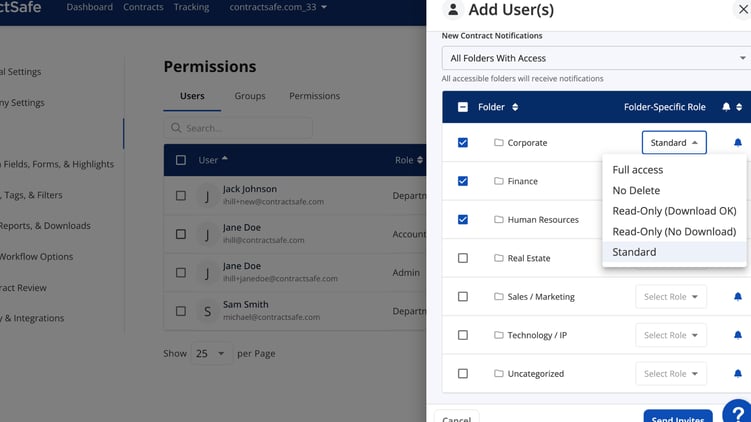 See permissions in one view
The new layout separates access management into three focused areas:
- Users for reviewing each person’s role and access
- Groups for managing access across a team
- Permissions for reviewing access to Folders, Tags, and My Companies
You can review a user’s folder, tag, and company permissions from one view instead of checking each area separately.
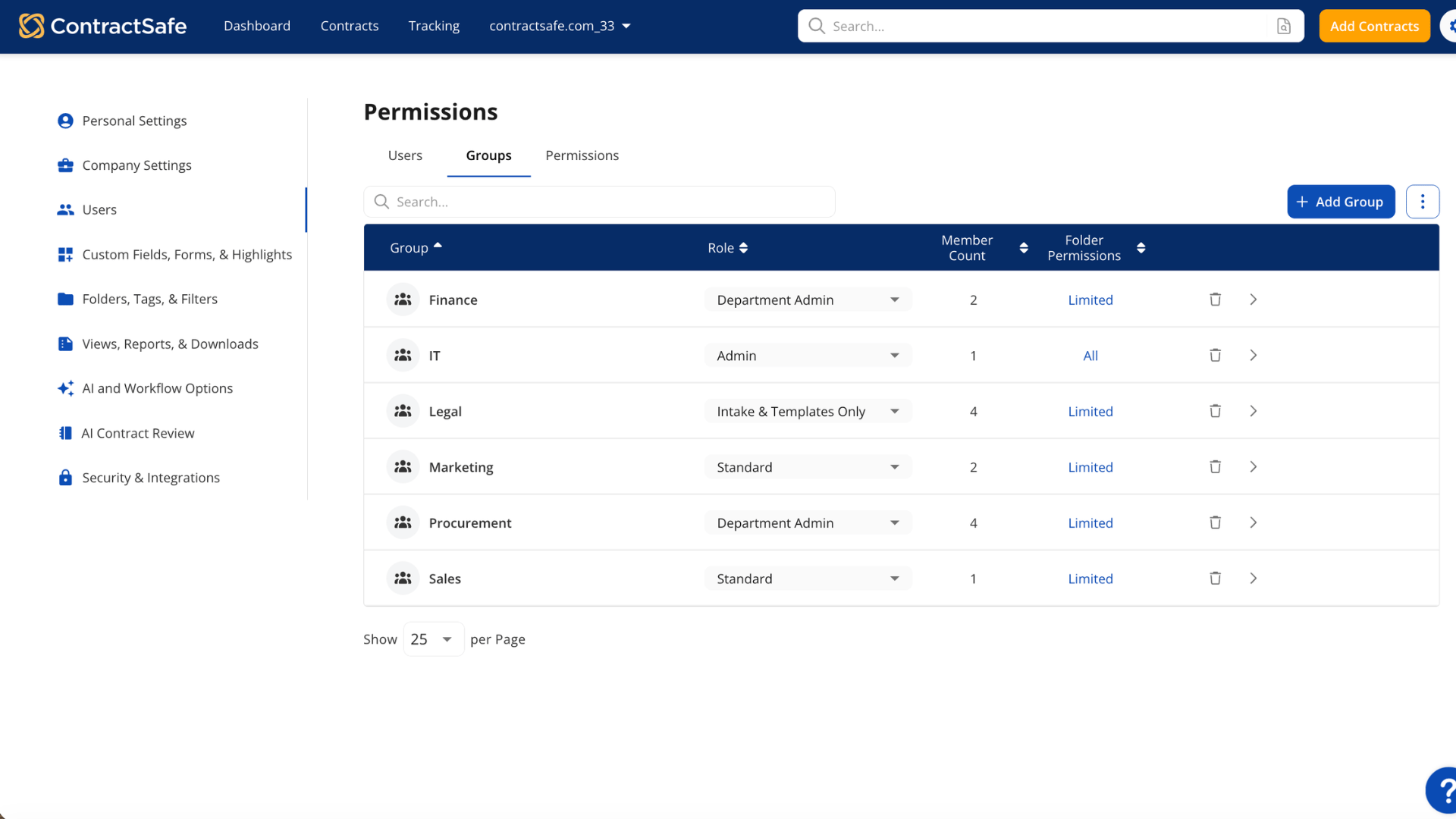 Build groups around the way your team works
Users can now belong to multiple permission groups. That makes it easier to manage people who work across departments or projects.
For example, someone can belong to both the Finance team and a cross-functional audit group. Updates to either group apply to its members, so you can manage shared access without editing every user individually.
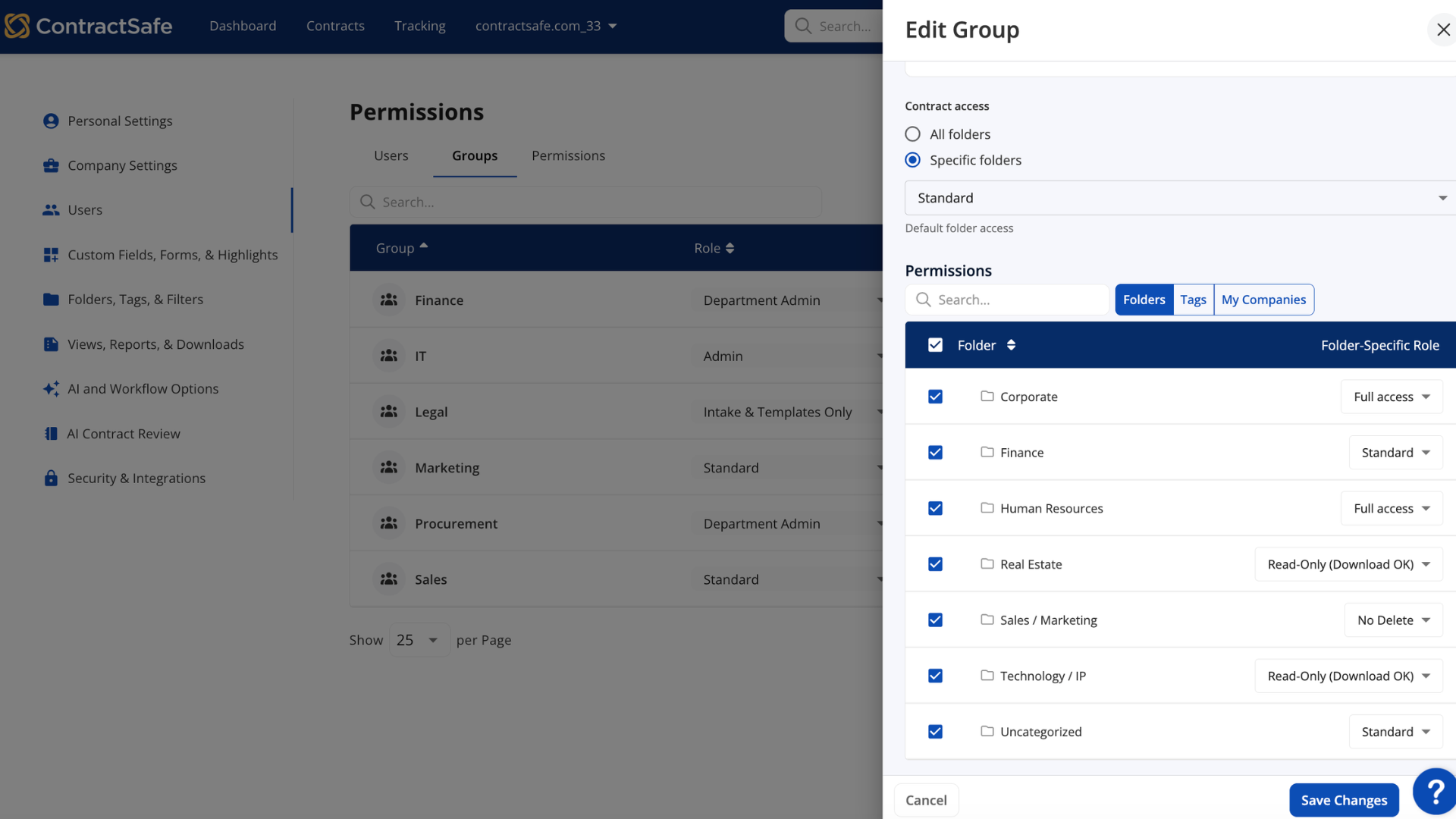
Set folder-level access directly
Folder-level permissions are now available directly in the user and group settings. You no longer need to turn on a separate setting before using them.
Set the access a user or group needs for a specific folder, while keeping their broader role unchanged. This gives admins more flexibility without making the overall permission structure harder to follow.
 Know where access comes from
Permissions now add up clearly from a user’s primary role, individual assignments, and group memberships. There are no hidden overrides competing with those settings.
That makes it easier to understand what someone can access and why, whether you are reviewing one person or managing permissions for an entire team.
Your existing access stays intact
Your existing user roles, groups, permissions, and notification settings move over automatically. No manual migration is required, and historical contract access stays the same.
The redesigned Permissions settings give your team a clearer way to manage access as your organization grows.
Related articles