With Approval Groups, your team can bring the right people into the contract approval process and reuse them across contracts. As your teams and workflows change, managing those groups should be just as simple.
Now, Approval Settings gives admins a clearer way to manage groups, with more visibility into who belongs to each group and more control over how approvals move forward.
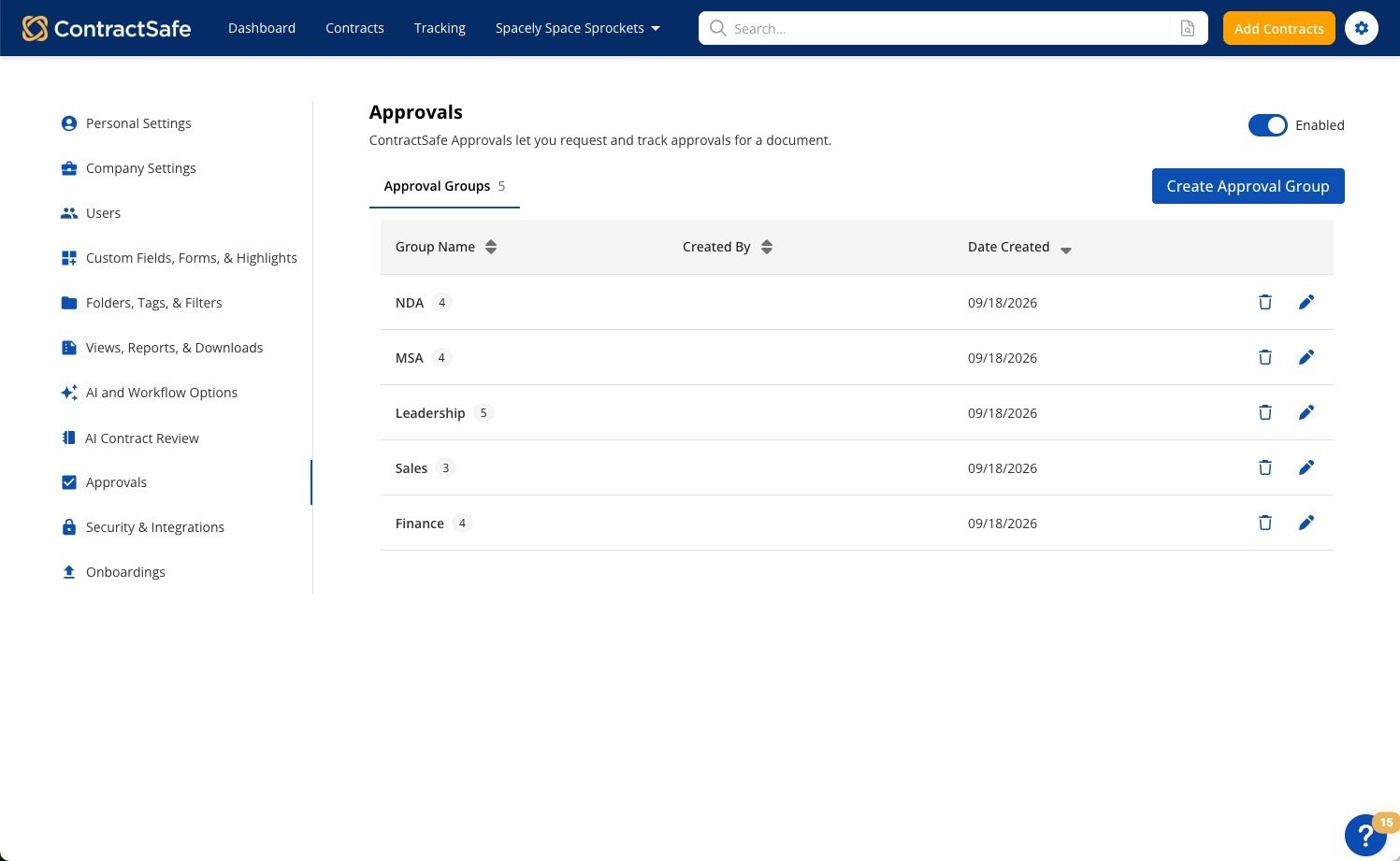
Create and manage groups from one place
Previously, creating a new Approval Group meant opening an individual contract. Now, you can create groups directly from Approval Settings, add members, update details, or remove groups your team no longer needs.
See the details you need
See each group’s members, description, creator, and creation date before making changes.
You can also add a description to explain what a group is used for. Whether a group supports a specific department, contract type, or approval threshold, a little more context makes it easier to choose and maintain the right group.
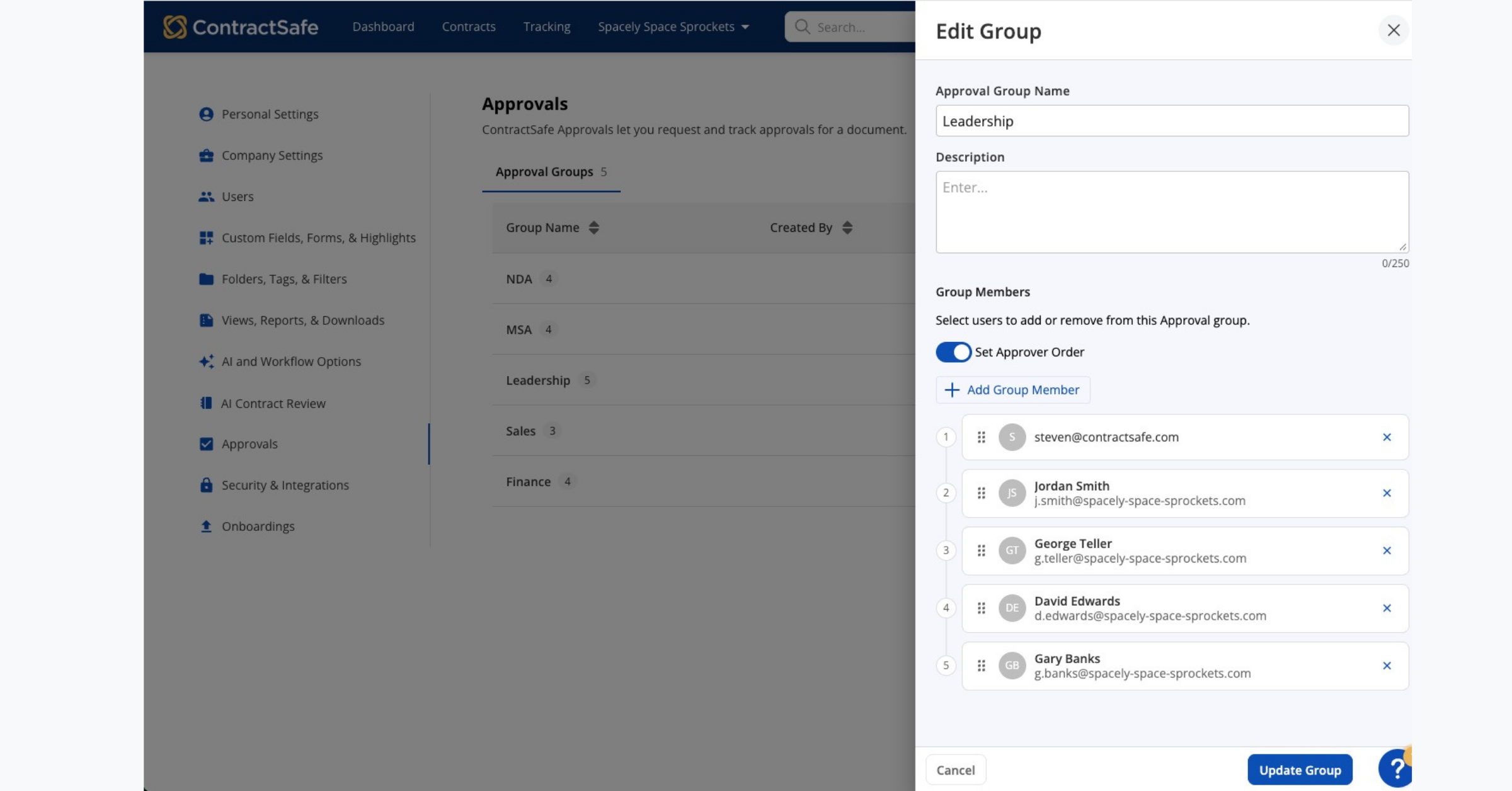 Set the approval order when it matters
Some approval workflows need to happen in a specific sequence. With an optional approval order, admins can arrange group members so each person reviews the contract at the right time.
If the order does not matter, leave it turned off and let group members approve as needed. This gives your team more flexibility without adding extra steps to every approval workflow.
Make changes with more confidence
Before deleting an Approval Group, you’ll see whether it is being used for approvals in progress and which contracts could be affected, so you can decide how to proceed.
Previously approved contracts remain valid and unchanged. If you choose to cancel the affected approvals, only those in-progress requests are canceled.
This helps admins make changes to Approval Groups while keeping important contract history intact.
Getting started
If you're on a Finalize or Maximize plan, Approval Settings is already turned on. Admins with permission to manage approval settings can go to Settings > Approvals to review existing Approval Groups or create a new one.
Related articles