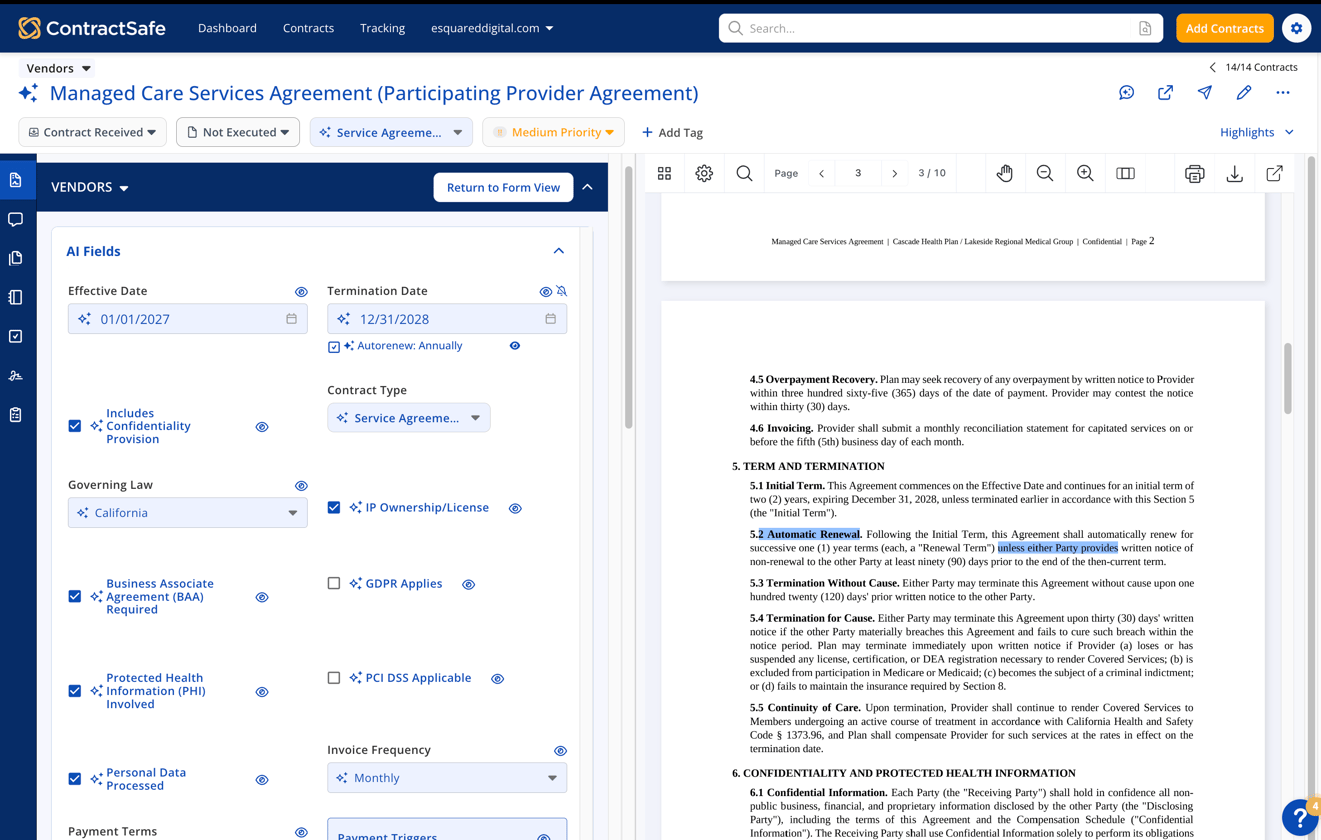
AI can save time, but only when it’s easy to see what it found and decide what to keep.
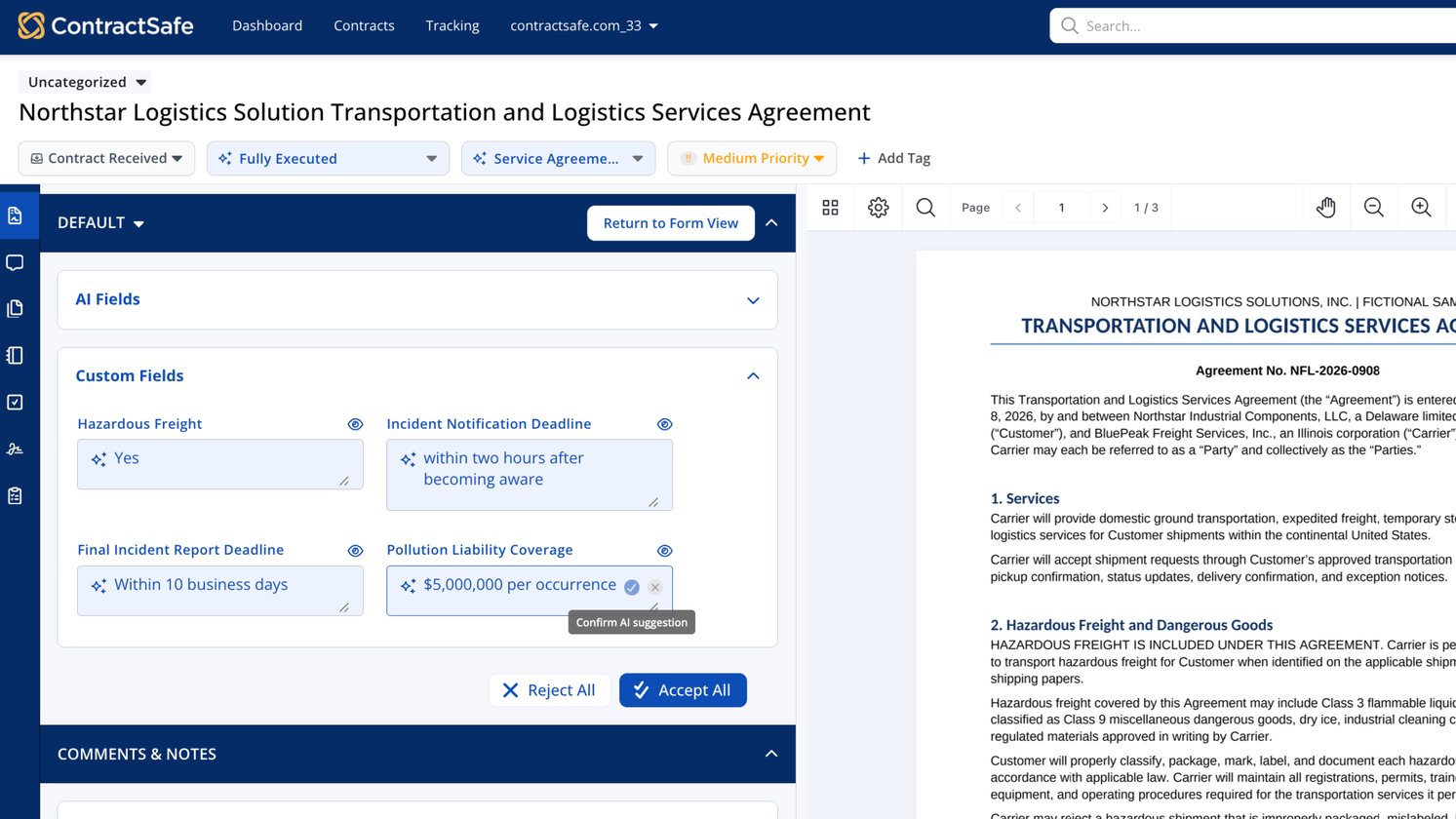
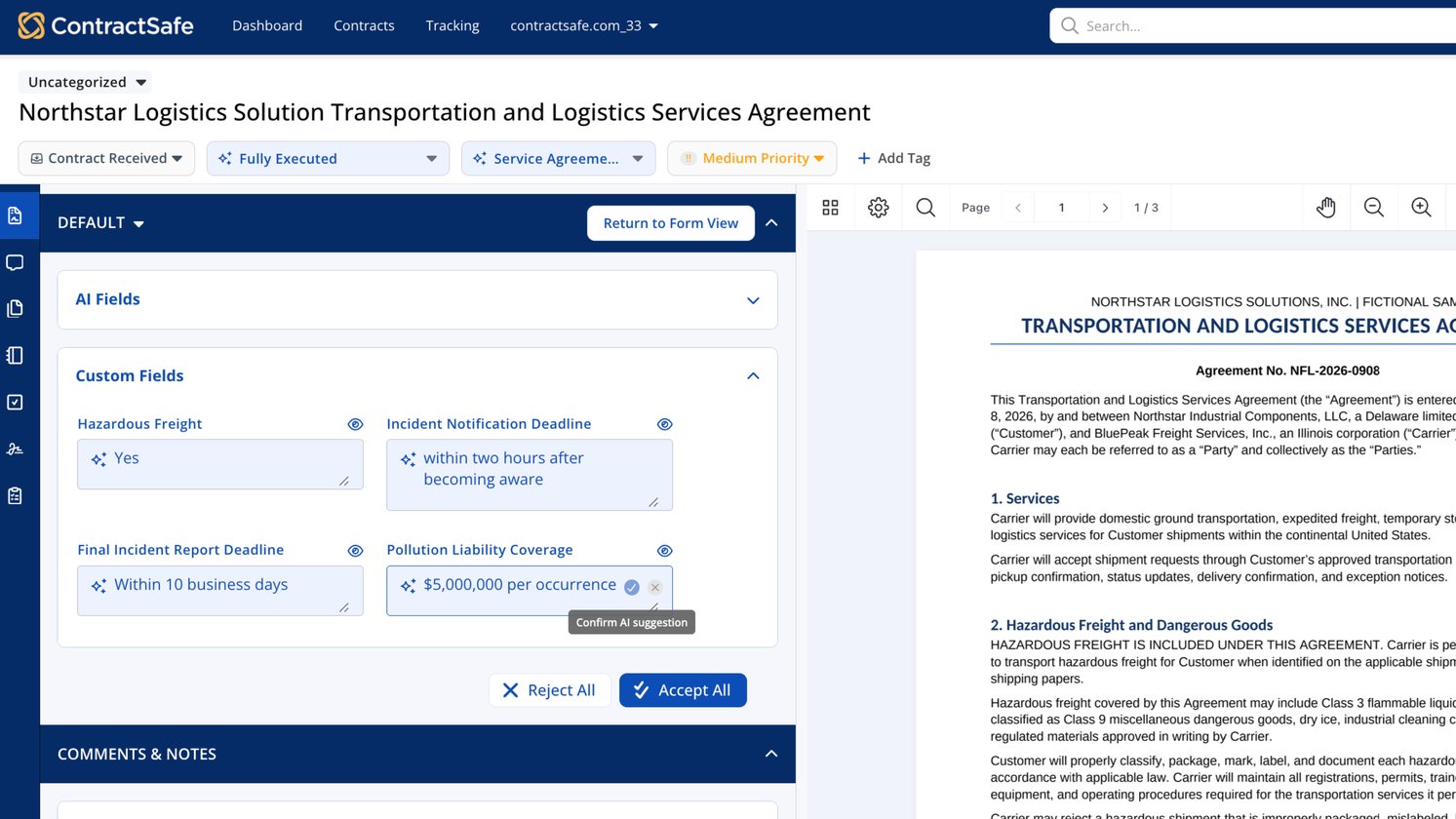
The new AI review experience brings those decisions directly into the fields you’re already working in. Confirm a suggestion or clear it without opening another screen or menu, so you can review contract details without breaking your flow.
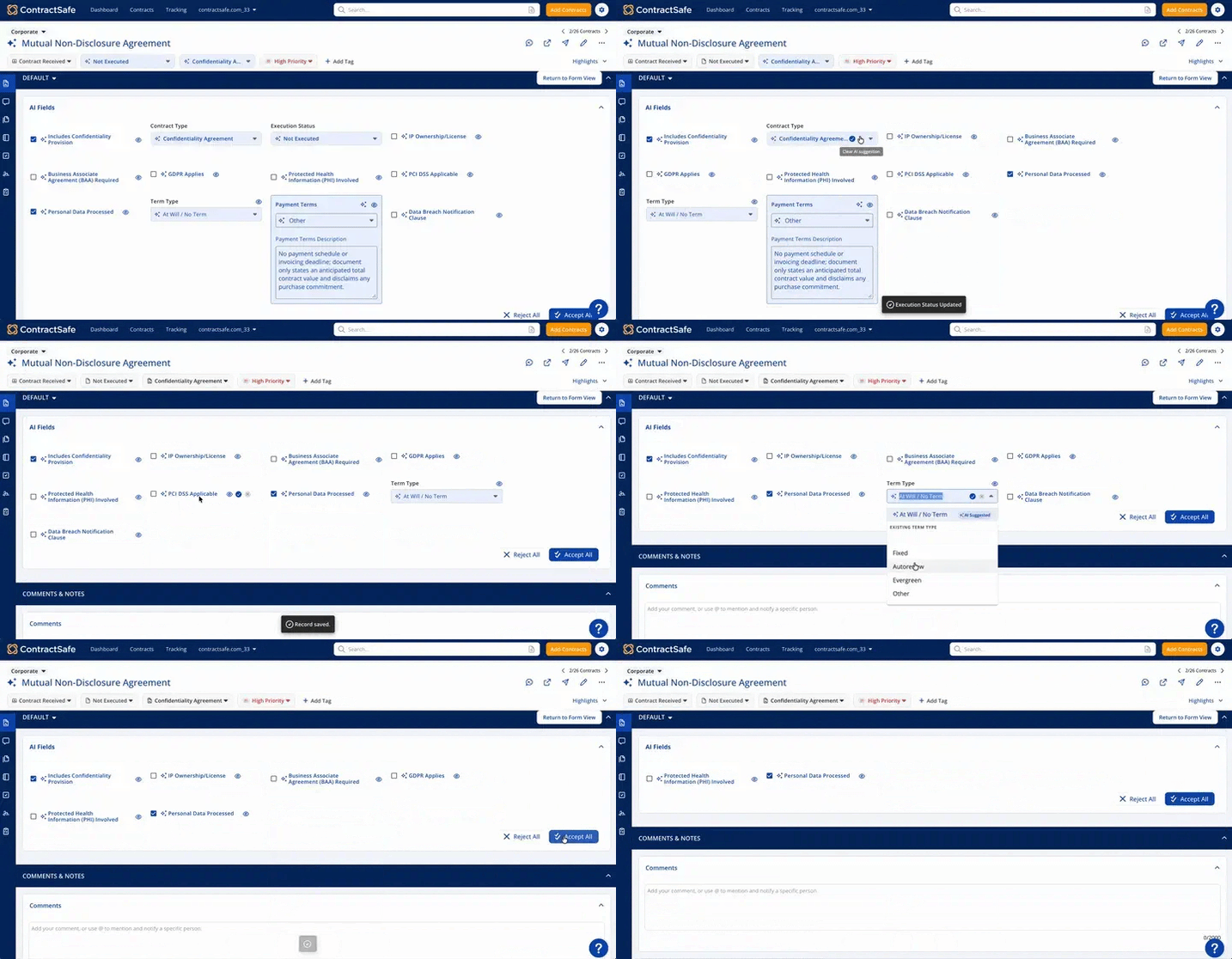 See other options without losing your place
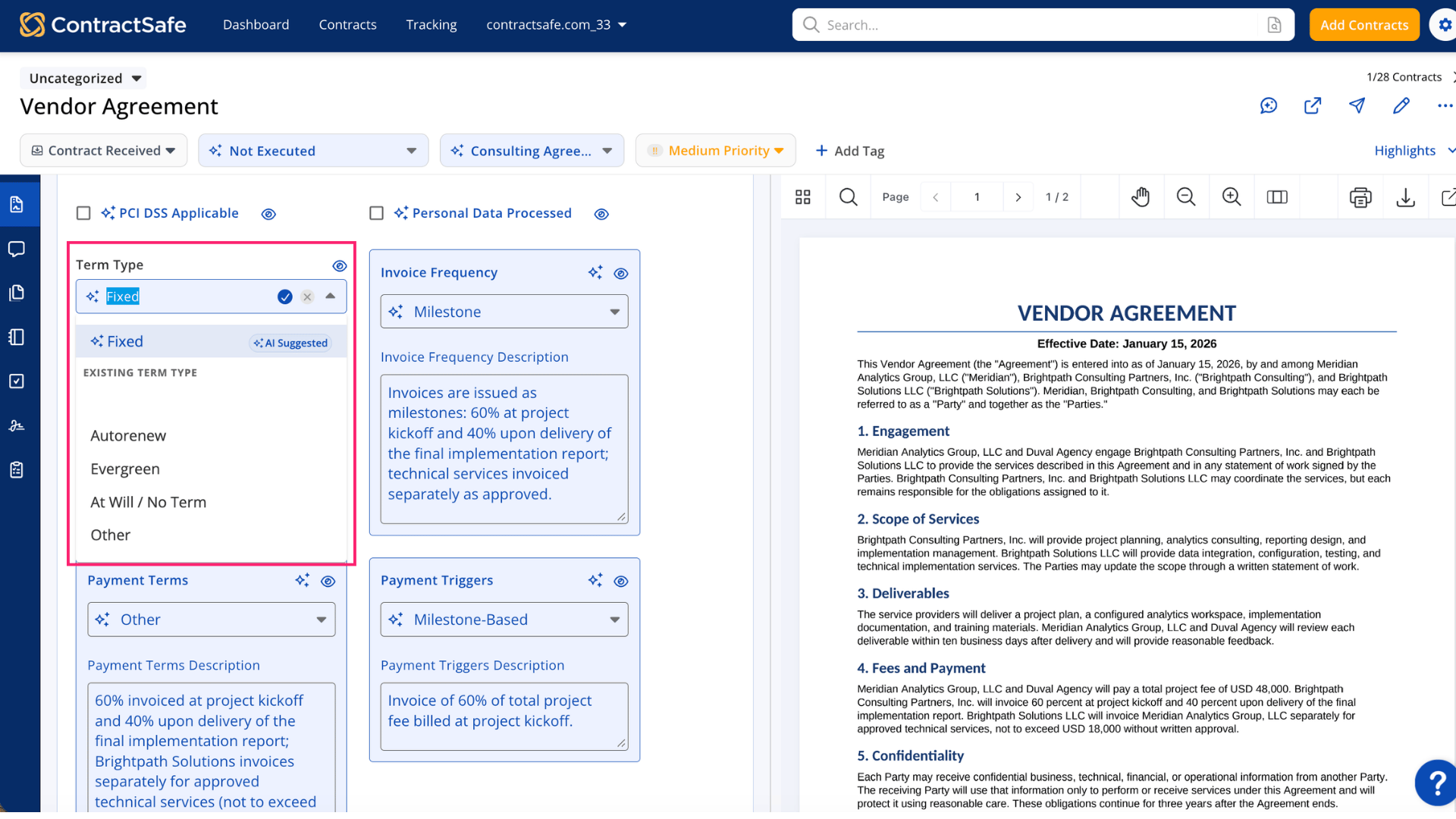
When a field has an AI suggestion, it appears at the top of the dropdown with an AI Suggested label. Existing values remain below, and the list is still searchable.
That makes it easier to compare the suggestion with other options and choose the value that belongs in your contract.
Review new AI suggestions before making a change
When you upload a new version of a contract, AI will review it again. If it finds different information for a field you’ve already confirmed, a sparkle appears next to that field. Your current information stays in place until you choose to update it.
The sparkle will let you compare the current information with the new AI suggestion. You'll choose Accept New Value to update the field, or Keep Current to leave it as is. 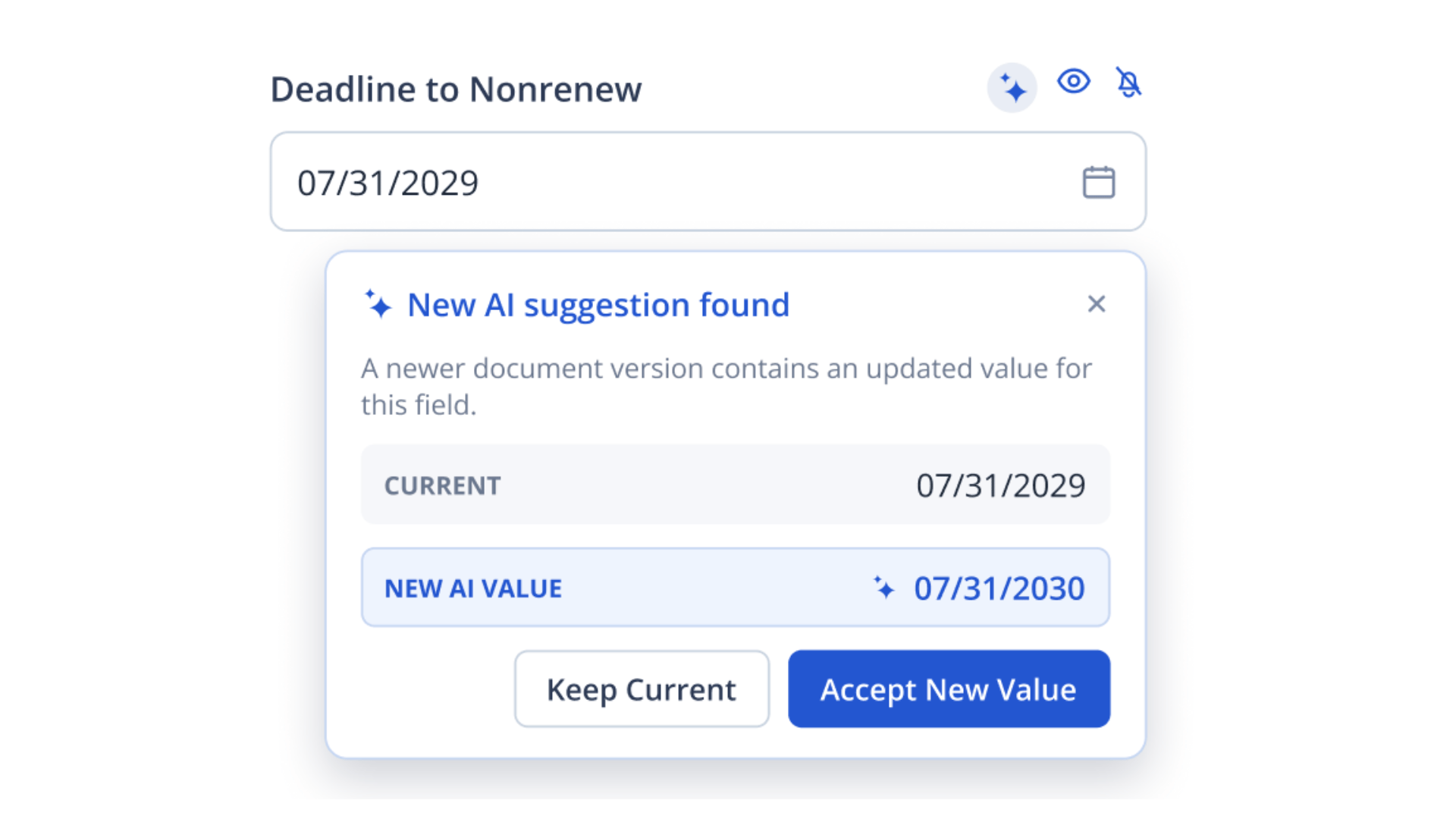 AI suggests. You decide.
Keep moving through the contract one value at a time, confirm what looks right, and clear anything that needs a closer look. AI helps with the first pass, while your team decides what gets saved.
Fewer clicks, clearer choices, and a simpler way to review AI-suggested values.