Another vendor agreement just came in. Time to build the same 90-day renewal reminder. Again.
It only takes a few minutes, but those minutes add up. And the one time a reminder doesn’t get set, a contract you meant to cancel quietly renews for another year.
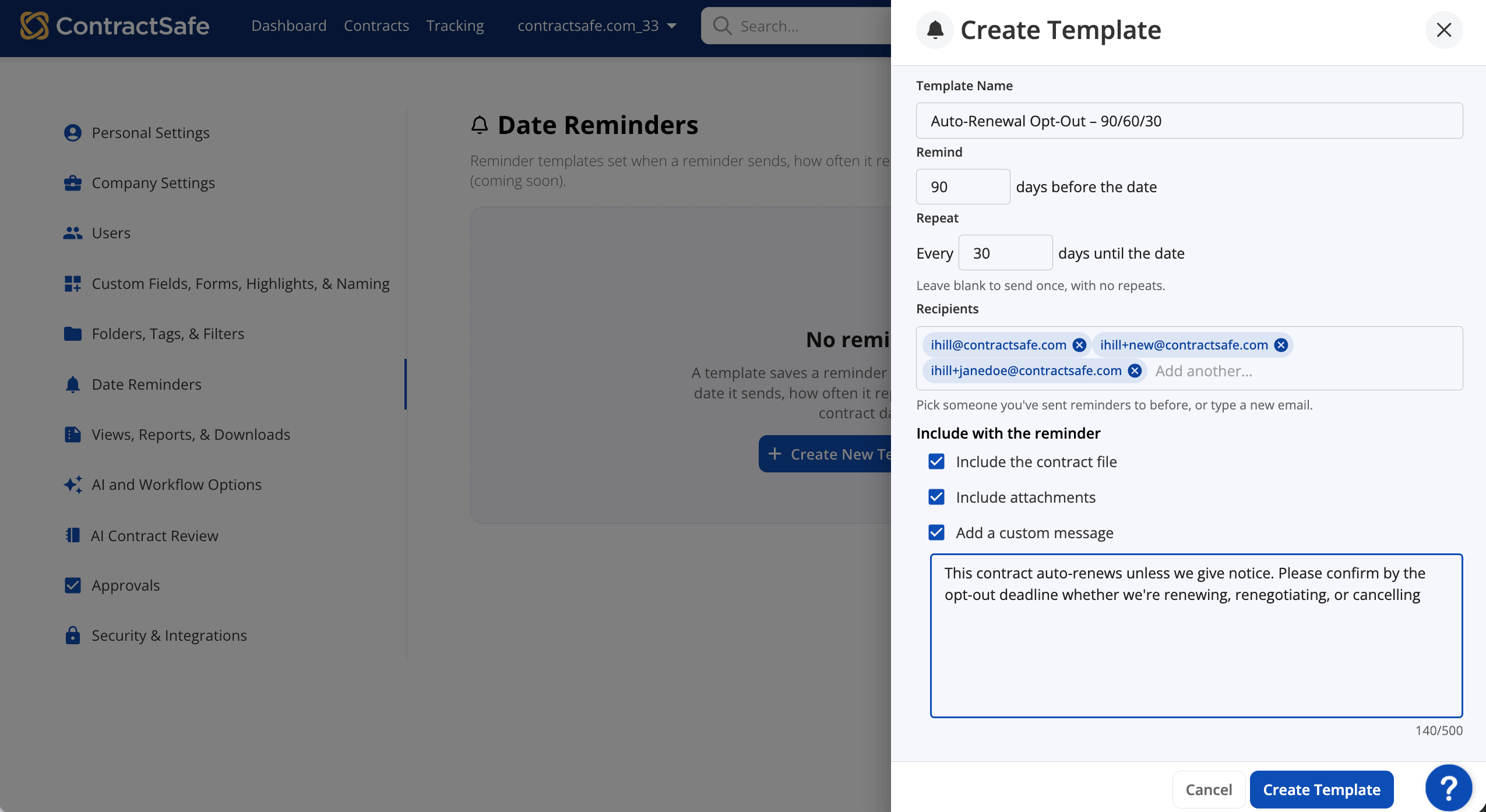
Now you can save that reminder once as a template and use it whenever you need it.
With Reminder Templates, your team gets:
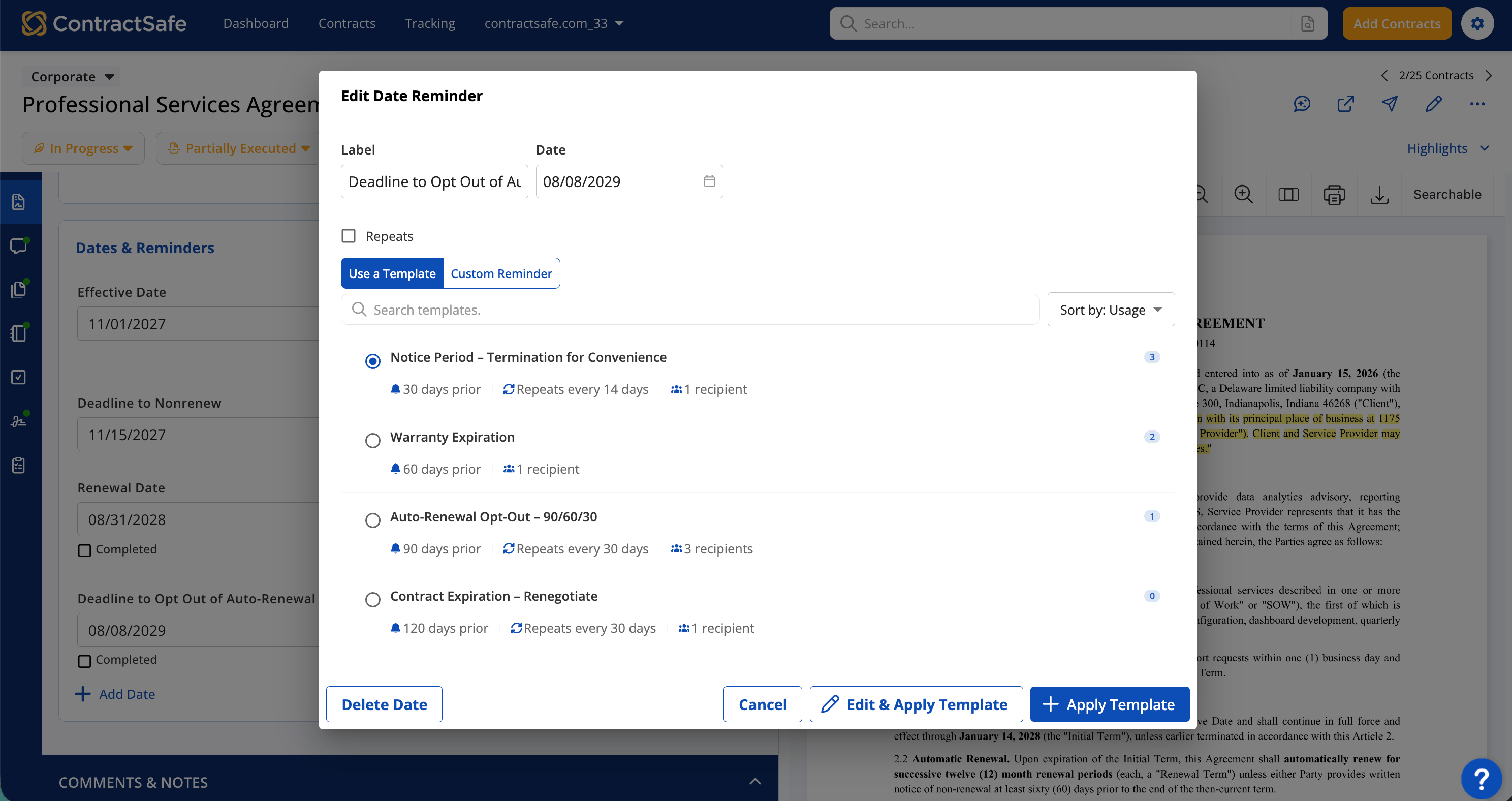
- Faster setup on every new contract. Pick a saved template instead of rebuilding the same reminder from scratch.
- Fewer surprise auto-renewals. When setting the right reminder only takes a few clicks, it’s much less likely to get skipped.
- Reminders that match how you already work. Save the schedules you use for renewals, expirations, and notice periods so anyone on the team can apply them.
- Clear visibility into what’s running. Each template shows who created it, who last changed it, and how many dates use it.
Try this interactive demo to see how it works
Your Go-To Reminders, Ready When You Need Them
Your team probably has a handful of reminders it relies on. A notice deadline that repeats until someone acts. An insurance certificate that expires every year. A date that only matters to your organization.
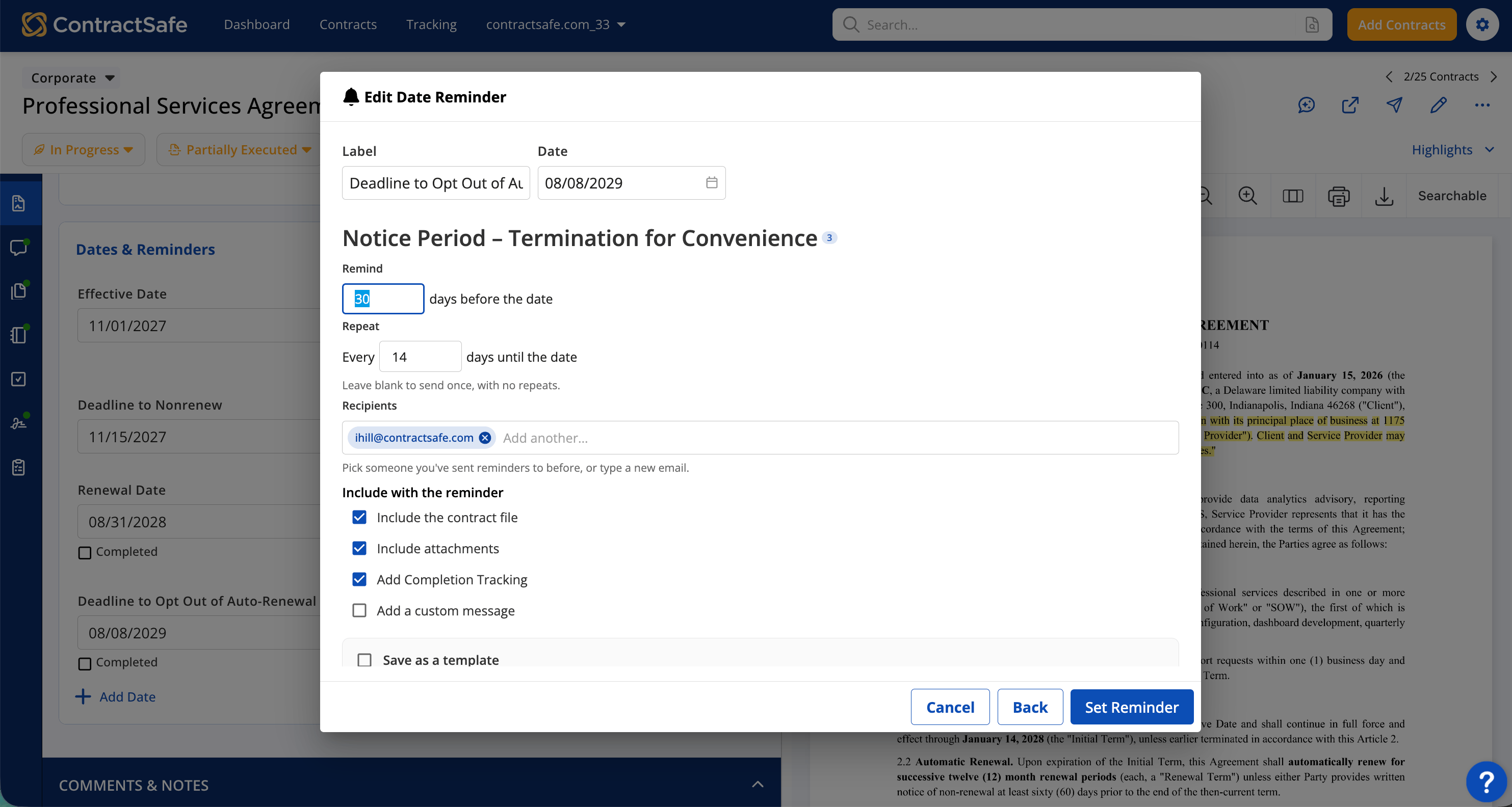
Save any of them as a template, and the timing, recipients, attachments, and message are ready the next time. You start from a reminder you already trust instead of a blank form.
The Same Starting Point, With Room to Adjust
Pick a template on a contract and the details fill in for you. If one contract needs something a little different, change it there. The template stays the same for everyone else. And no more wondering whether someone picked 60 days or 90 last time.
Easy to Update as Your Team Changes
People change roles. Messages need a refresh. Timing that worked last year might not fit today.
When you update a template, you choose whether to change scheduled reminders that haven’t gone out yet or apply the new settings going forward only. Anything already sent stays as it was.
The Next Vendor Agreement Is Already Covered
When the next contract comes in, your reminder is ready in a few clicks. Set up your go-to reminders today, and let that be the last time you build them from scratch.
Related Articles