


AI contract analysis software is software that uses AI to search, extract, summarize, compare, and organize contract language, so legal teams can find the evidence they need faster before making a contract decision.
Think of it like a metal detector on a beach. It can help you find what's buried, but it can't tell you whether the thing you found is valuable, dangerous, or worth keeping. That judgment still belongs to legal and the business.
This distinction matters because AI contract analysis can sound more confident than it should. The software might find a renewal clause, summarize an indemnity section, or compare assignment language across a contract set. But it still needs source links, permissions, human review, and a workflow that turns that evidence into the next right action.
Key Takeaways
- AI contract analysis software is best at finding contract evidence: clauses, fields, dates, obligations, patterns, and missing information. For pre-signature drafts, the same idea shows up as AI-assisted contract review that flags what a lawyer needs to read.
- It shouldn't decide risk tolerance, approve exceptions, choose negotiation strategy, or assign business accountability by itself.
- Every important AI answer needs a source link, permission check, review status, and correction path.
- Legal should test analysis software with known-answer contracts, scanned files, amendments, restricted records, and bad metadata.
- ContractSafe is strongest when AI analysis needs to connect to a controlled repository, reviewed fields, alerts, reports, permissions, and audit history.
Choose Your Next Step
Use this AI contract analysis software guide based on the decision your legal team needs to make next.
If you need the plain-English boundary first, start with what AI can and can't tell you.
If you're testing vendors, jump to the twelve analysis tests.
-
If you need a buying checklist, use the proof checklist.
What AI Contract Analysis Software Can and Cannot Tell You
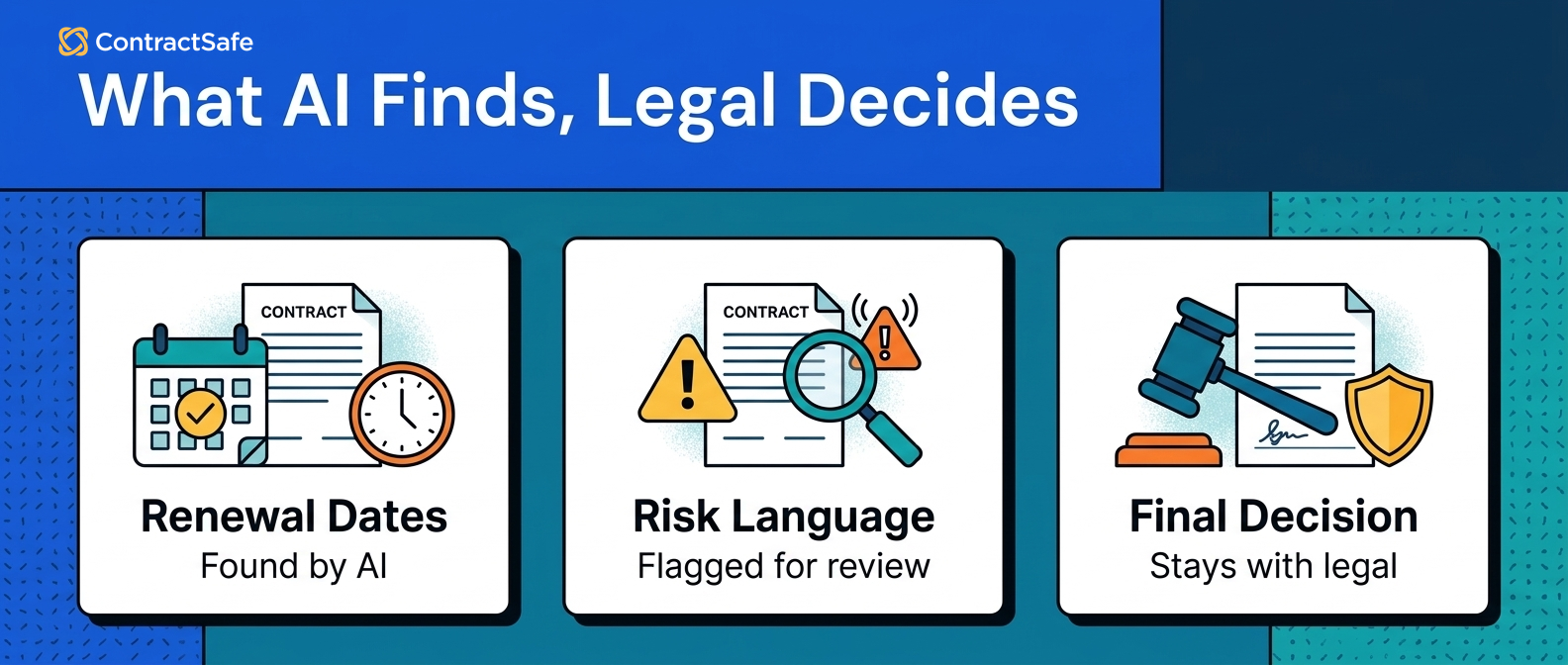
AI contract analysis software can tell legal teams what the contract text appears to say, but it can't decide what the company should do with that information. That's the line to keep clear: AI can point to evidence, and legal and the business decide what the evidence means.
If the system finds a renewal clause, legal still decides whether the business wants to renew, renegotiate, terminate, or escalate. If it summarizes a limitation-of-liability clause, legal still decides whether the risk is acceptable for that customer, vendor, value, market, and relationship. And if it extracts a notice date, someone still needs to review it before that date drives an alert or report.
| AI can help find | Legal still has to decide | Proof to require |
|---|---|---|
| Renewal language | Renew, cancel, negotiate, or escalate | Source clause, notice date, owner, and alert |
| Non-standard language | Accept the risk or request a change | Clause, playbook position, review status |
| Obligations | Who owns the work and when it's due | Source text, owner, due date, and report |
| Portfolio patterns | Which pattern matters this quarter | Report with records behind the summary |
The NIST AI Risk Management Framework is useful background because legal teams need trustworthy AI behavior, not just fluent answers.
Best-Fit Shortlist: When AI Contract Analysis Software Is Enough
The best AI contract analysis software fit is a tool that matches the contract evidence problem without forcing legal into a heavier workflow than it needs.
For some teams, analysis is enough. They need to find clauses, extract dates, search scanned contracts, compare language, and build better reports from signed agreements.
For other teams, analysis is only one layer inside a broader contract management system. They also need intake, drafting, approvals, negotiation, signatures, or complex workflow routing, so don't let the vendor collapse those needs into one vague AI story.
Shortlist AI contract analysis tools by the job they can prove:
-
Search and source proof across signed agreements.
-
Renewal and obligation tracking after extraction.
-
Permission-safe answers for legal and business users.
-
Reports that link back to real contracts.
-
Implementation work your team can actually support.
ContractSafe fits teams that want practical analysis inside the same repository where the signed agreements, key fields, alerts, reports, and permissions already live.
Buyer checklist for legal teams: before you sign, make the tool prove it can show its work on your own contracts, not a clean demo set. Load a few messy agreements you already know cold, then push on six things that decide whether the AI helps legal act or just sounds smart. Each item below is pass or fail. If the vendor talks around it, write that down as a no.
- Source proof: ask for the renewal clause in a real agreement and check the answer links straight to the controlling text and document. If the tool gives a summary with no clickable source, treat it as a guess. Legal cannot act on evidence it cannot open and read.
- Field review: pull an extracted expiration or notice date and look for a review status. A good tool shows whether a person confirmed the field or the AI guessed it. No review flag means every date is a suggestion, not a business record.
- Permissions: log in as a limited business user and ask for a restricted agreement. The tool should return only what that person is allowed to see, with the same limits inside AI answers, search, and reports. If answers leak text permissions should hide, that is a hard stop.
- Reports: ask for every agreement with an unusual liability clause, then check the report lists the real records behind the summary. You should open each contract from the report. A number with no records under it cannot survive a question from finance or audit.
- Renewal impact: confirm an extracted renewal date can turn into an alert and land on a report the owner actually sees. Finding the date is not the win. The win is the date driving a reminder and follow-up before the notice window closes.
- When it cannot answer: feed it a scanned contract with rough text and an amendment that changes the term. A trustworthy tool shows low confidence or asks for review instead of inventing a clean answer. A tool that always sounds certain will burn you on the contract that matters.
Use this as a scorecard, not a vibe. Run all six on the same handful of contracts your team already knows by heart, so you can spot a wrong answer instantly. Any test the tool fails becomes a direct question for the vendor and a note about the human work your team will still own. The tool that passes on your messiest agreements is the one worth trusting with the clean ones.
AI Contract Analysis Software Compared With Review AI and Full CLM
AI contract analysis software is different from review AI and full CLM because it focuses on finding and organizing evidence inside contract records, and that difference shows up fast in vendor demos.
A review AI demo may show draft clauses, redlines, playbook positions, and fallback language. A full CLM demo may show intake, approvals, negotiation, signatures, workflow routing, and handoffs before signature. An analysis demo should show what happens after the contracts already exist: search, source proof, extracted fields, permissions, alerts, reports, and cleanup work.
| Tool type | Best first test | Wrong test |
|---|---|---|
| AI contract analysis software | Find source-linked answers in signed contracts | Expect it to negotiate new language by itself |
| AI contract review software | Compare a draft clause against a playbook | Expect it to fix messy signed records |
| Full CLM platform | Move a request through intake, approval, signature, and storage | Assume every team needs the heaviest workflow first |
If legal needs source-linked answers from signed agreements, renewal alerts, and reporting, and also wants intake, approvals, and signature in the same system, a full-lifecycle CLM like ContractSafe covers all of it without a separate workflow platform.
For a deeper split between review and management use cases, use our guide to AI contract review software.
The point isn't to make one category sound better. The point is to stop buying the wrong tool for the contract problem you actually have.
AI Contract Analysis Software Tests: 12 Things It Can and Can't Tell Legal Teams
AI contract analysis software should be tested through specific contract questions that separate useful evidence from decisions humans still own.
1. It can find renewal language. It can't decide the renewal strategy.
AI can find renewal terms, notice windows, auto-renewal language, and termination rights. Ask the system to find the current renewal language in a vendor agreement with an amendment attached, and a good result shows the controlling clause, the amendment path, the extracted date, and whether the field has been reviewed. Legal still decides whether to renew, cancel, negotiate, or bring the business owner into the decision. ContractSafe makes that useful when the extracted renewal date can become an alert and a report instead of staying stuck in an isolated AI answer.
2. It can extract dates. It can't know whether a date is business-ready.
AI can extract effective dates, expiration dates, notice deadlines, and signature dates. Give the tool a contract where the notice period appears in one section and the term appears in another, and the date may be technically extracted and still not ready for a report. Legal needs to review the source, confirm the controlling language, and decide whether the field should drive alerts. If the tool can't show review status, treat the date as a suggestion, not a business record.
3. It can summarize obligations. It can't assign accountability.
AI can summarize support obligations, reporting duties, insurance requirements, audit rights, confidentiality duties, and termination steps. Ask for every customer agreement that requires a security notice after an incident, and a useful answer shows the source language and the affected agreements. But the tool can't decide who owns the obligation inside the company. Someone still needs to assign the owner, set the due date, and decide how the obligation is tracked. ContractSafe helps when obligations connect back to repository records and reports legal can use for follow-up.
4. It can compare similar clauses. It can't set your risk tolerance.
AI can compare limitation-of-liability, indemnity, assignment, audit, confidentiality, renewal, and termination clauses across similar contracts. Ask it to compare five customer agreements with different liability carveouts, and the comparison may show which clauses are unusual. It can't decide whether the company should accept the unusual clause for that customer, value, product line, or market. That decision needs legal judgment and business context.
5. It can find missing metadata. It can't fix governance by itself.
AI can identify contracts missing owners, departments, values, dates, contract types, or restricted-access flags. Ask for vendor agreements missing an owner and renewal notice review, and the output is useful only if it becomes cleanup work with a clear owner. The tool can't define your governance model for you. Legal still needs rules for who owns each contract type, which fields are required, and who can approve corrections.
6. It can read amendments. It can't infer document hierarchy without help.
AI can find amendment language and compare it to the original agreement. Upload an original agreement, order form, and amendment that change payment terms or renewal language, then ask which document controls the current answer. A strong system links related documents and shows the source path, but if the repository doesn't connect the documents, AI might answer from the wrong record. ContractSafe's repository gives legal a controlled place to keep agreements, amendments, and related records together.
7. It can search scanned contracts. It can't guarantee OCR is right.
AI can help make scanned contracts searchable, especially when OCR turns old PDFs into searchable text. Test a scanned vendor agreement with ordinary scan quality and ask for a specific termination clause. If the tool finds the clause, ask it to show the page and language; if it misses the clause, ask what cleanup is required. Searchable doesn't always mean reliable, so legal still needs a review path for messy files.
8. It can classify contract types. It can't design your process.
AI can classify documents as NDAs, vendor agreements, customer agreements, order forms, statements of work, amendments, or leases. Ask it to classify a packet with mixed agreement types and one mislabeled file. The classification can help sort the repository, but it can't decide your intake process, approval path, retention rules, or escalation rules. Those process choices still belong to legal, finance, procurement, and the business teams that use the contracts.
9. It can flag restricted information. It can't replace permissions.
AI can identify sensitive pricing, employee information, security terms, confidential exhibits, or restricted customer language. Ask the same AI question as a legal admin, a finance user, and a restricted business user, and a safe tool should change what each one can see. If AI answers expose restricted language even when the document is hidden, permissions aren't working. The FTC guidance on protecting personal information is a useful reminder that easier access still needs careful access control.
10. It can show portfolio patterns. It can't explain every commercial why.
AI can show that many contracts have missing owners, unusual renewal terms, older template language, or inconsistent assignment clauses. Ask for contracts with non-standard termination language and no assigned business owner. The pattern might be real, but AI may not know why it exists: an old sales practice, a strategic customer concession, a special vendor relationship, or a prior legal decision. Use the pattern as a starting point, not the final explanation.
11. It can feed reports and alerts. It can't run follow-up alone.
AI can feed renewal reports, missing-owner reports, restricted-record reviews, and key-term dashboards. Ask the tool to turn extracted notice dates into an owner queue for legal review, and a strong result links every report row back to the source contract. The tool still can't make people act on its own. Someone needs to receive the alert, review the record, make the decision, and document the outcome.
12. It can support legal review. It can't approve legal decisions.
AI can make legal review faster by finding the evidence and organizing the work. Ask the system to identify all agreements with assignment restrictions before a corporate transaction, and a useful result gives legal a review queue with source clauses and affected contracts. It doesn't approve the transaction, waive a restriction, or decide the remedy. The answer helps legal get to the decision. It's not the decision.
Proof Checklist for AI Contract Analysis Software
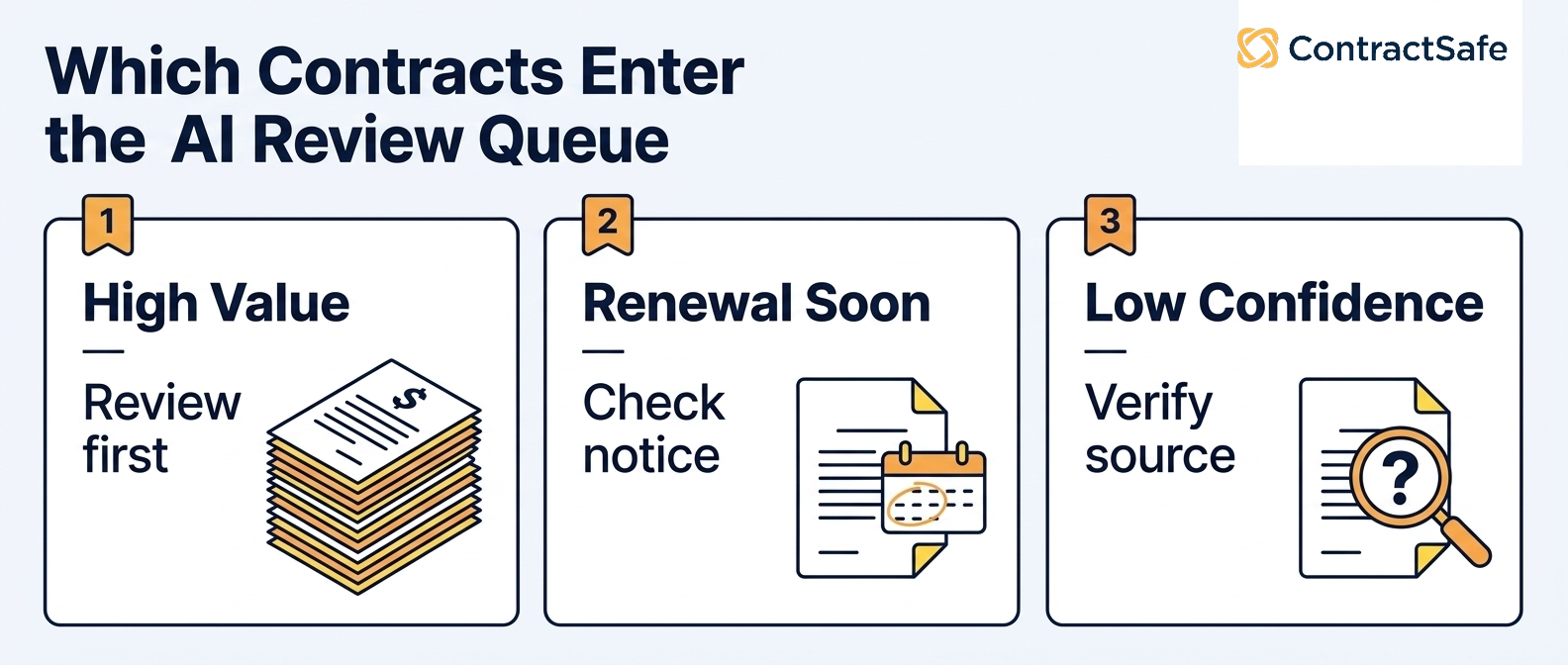
A proof checklist helps legal evaluate AI contract analysis software by forcing each answer to show source evidence, controls, and the next workflow step.
Use this checklist during demos and pilots.
-
Can the user click from the AI answer to the exact source contract?
-
Can the user see the clause, page, field, or amendment behind the answer?
-
Can legal tell whether the field is AI-suggested, human-reviewed, corrected, or final?
-
Can permissions hide the document and the AI answer from restricted users?
-
Can the answer become a reviewed field, alert, report, task, or owner queue?
-
Can the system show who corrected the field and when?
-
Can reports link back to the records they summarize?
-
Can the vendor explain implementation work, pricing, and support before you sign?
If the answer is no, the product might still be useful. It just hasn't earned trust for that workflow yet.
Run the first pilot with a narrow contract set. Pick one group of agreements your team already understands, such as vendor agreements coming up for renewal or customer agreements with known assignment restrictions. That keeps the test small enough to verify, but real enough to expose whether the tool can handle the contracts legal actually manages.
Write down the expected answers before the pilot starts. Then compare the AI output against those answers and sort every miss into a cause: bad scan, missing amendment, weak metadata, permission issue, unclear field rule, or actual model miss. That turns the pilot into a cleanup plan instead of a vague impression, and it tells you what has to be fixed before the software can support a broader rollout.
Architecture to Evaluate Before You Choose a Tool
AI contract analysis software should be evaluated as part of a contract architecture, not as a detached answer layer, because the answer needs somewhere reliable to land.
If AI finds a date, the date needs a reviewed field. If AI finds an obligation, the obligation needs an owner. If AI finds a pattern, the pattern needs a report that links back to contracts.
| Architecture layer | What to check | Why it matters |
|---|---|---|
| Repository | Documents, amendments, search, OCR, and naming | AI needs a controlled source record |
| Metadata | Fields, confidence, review status, correction history | Extracted data becomes business data only after review |
| Permissions | Contract access, summaries, reports, and AI answers | Sensitive information shouldn't leak through AI |
| Workflow | Alerts, reports, owner queues, and review steps | Answers need to trigger useful follow-up |
| Audit trail | Who reviewed, corrected, approved, or acted | Legal needs to explain how the answer became reliable |
ContractSafe's repository, alerts, permissions, reports, and AI features are built around this kind of practical architecture.
Common Mistakes When Buying AI Contract Analysis Software
Common AI contract analysis software mistakes happen when buyers evaluate the answer quality but ignore source proof, controls, workflow, implementation, and cost.
Don't score a summary as a pass unless it links to the source contract.
Don't treat extracted dates as final until legal has a review path.
Don't assume document permissions also protect AI answers and exports.
Don't buy analysis software for a repository that isn't organized enough for analysis.
Don't ignore implementation work: OCR cleanup, metadata rules, owner cleanup, and training still matter.
Don't compare pricing unless AI, OCR, users, support, implementation, and renewal changes are clear.
For broader buying criteria, use our guide to AI contract management software and the demo-focused checklist for ContractSafe demo.
For the difference between pre-signature review and post-signature analysis, read AI contract review software.
Red Flags in AI Contract Analysis Tools
AI contract analysis red flags appear when the software produces answers legal can't verify, restrict, correct, or turn into follow-up work.
Watch for answers without source links, weak permissions, no review status, no correction history, no bulk cleanup path, no amendment handling, and reports that can't link back to records.
Another red flag is a demo that works only on vendor-provided files. Real contract sets include scans, amendments, inconsistent names, missing fields, old templates, and restricted records. Ask what happens when two documents conflict, because amendments, order forms, master agreements, and statements of work often need to be read together, and the software shouldn't pretend one isolated clause tells the whole story.
When a contract program lacks ownership, records, and follow-through, AI analysis only exposes the mess faster. The WorldCC contract management research is a good source to use when you're explaining that operating problem to the team.
AI can shorten the path to evidence. It doesn't remove the need for accountable workflows.
Related Reading
-
AI Contract Management Software: A Practical Evaluation Framework
-
AI contract workflows
How ContractSafe Helps Legal Teams Use AI Contract Analysis
ContractSafe helps legal teams use AI contract analysis by keeping the answer tied to the signed agreement, searchable text, reviewed fields, alerts, reports, permissions, and audit history. That connection matters because analysis is only useful when someone can verify it and act on it.
ContractSafe's AI contract management features help teams extract key terms, improve search, and ask contract questions inside the same system that stores signed agreements.
The repository gives analysis a controlled source record. Alerts help teams act before renewal and notice dates become urgent. Permissions keep AI answers practical without opening every record to every user.
The FAQ below covers the questions legal teams usually ask before they trust AI contract analysis software with real contract work.
If your team wants AI analysis connected to the contracts you already manage, request a ContractSafe demo and test it with your own messy files.






.svg)







.svg)




