


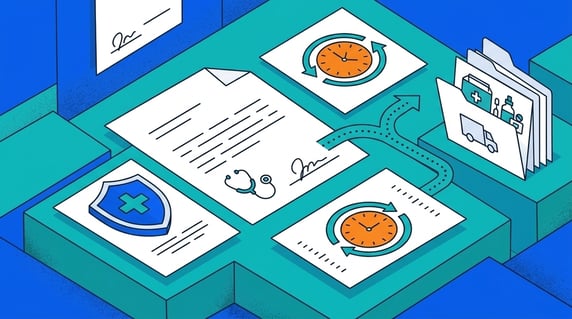
Healthcare contract management software is the system a legal or procurement team uses to store, search, restrict, renew, and report on the agreements a healthcare organization signs: business associate agreements, provider and payer contracts, vendor and supply deals, equipment leases, facility contracts, and service agreements.
The buying decision isn't whether the tool says HIPAA somewhere. It's narrower and more useful: can this software prove, on your own documents, that your team can find a scanned BAA in seconds, restrict a sensitive agreement, catch a renewal before it lapses, and trace a reported number back to a contract someone actually owns?
Picture a hospital as one building where every department signs its own paper on its own schedule. Radiology renews an imaging lease, HR onboards a locum cardiologist, finance reworks several payer contracts, and compliance discovers a billing vendor that handled patient data for a long stretch with no signed BAA. Same building, same morning, no single view across any of it. That gap, not a failed audit, is what good software has to close.
So treat this article as an evaluation checklist. Use it to shortlist tools, then put your finalists through the same proof tests on your own contracts. If you don’t have a shortlist yet, our contract management software comparison is the place to build one. Every test below answers one question a healthcare buyer has to answer during a demo: can the software find it, restrict it, renew it, and report on it, with your paper, not the vendor's slides?
Key Takeaways
- Healthcare's contract problem is variety and findability, not a single compliance checkbox. Many contract types, many schedules, many departments, one building.
- The real evaluation is a proof test on your own documents: can the team find, restrict, renew, and report on the agreements you actually manage?
- Name the real contract types out loud, BAA, provider, payer, vendor, supply, equipment, facility, and service agreements, and bring an example of each to the demo.
- Keep HIPAA, security, and access as questions you ask the vendor, not features you assume are there.
- Judge renewals by whether a reminder lands on an owner's calendar with runway, and judge reporting by whether every number traces to a maintained field.
- AI should help with search and extraction, but a person reviews what it pulls before anyone trusts it on a healthcare contract.
- Match features to budget and to what your team can realistically maintain after purchase.
Choose Your Next Step
Healthcare contract decisions move faster when you start from the thing that brought you here. Pick the situation that fits, then jump straight to the proof test that settles it.
Living the scattered-portfolio problem? Start with Healthcare Contract Types And Where Risk Hides to see what one findable record changes across radiology, HR, finance, compliance, and the OR.
Under compliance pressure? Jump to Test 1: Find a Scanned BAA or Amendment and Test 2: Restrict a Sensitive Agreement. The goal isn't a HIPAA badge. It's producing the signed BAA and the terms behind it on demand.
Drowning in renewals? Go to Test 3: Catch a Renewal Before It Lapses.
Actively evaluating platforms? Go straight to the evaluation scorecard and the ten-minute demo checklist.
Whichever one fits, do one thing today: pull a list of every vendor that touches patient data and confirm each has a signed BAA on a findable record with a named owner. If that list takes longer than a coffee to build, you've already found your requirements document.
What Is Healthcare Contract Management Software, and What Must It Prove
Healthcare contract management software is a tool category for keeping healthcare agreements findable, restricted, renewed on time, and reportable from maintained contract records. A good system proves those jobs on your documents, not on a marketing page.
First, it can find an agreement without anyone knowing the filename, a scanned BAA from years ago, a vendor contract, an amendment, a payer agreement, along with the owner and key dates attached to it. Second, it can restrict the genuinely sensitive agreements without hiding routine contracts from the departments that need them.
Third, it can renew on time: a real person gets a reminder with enough runway to negotiate instead of rubber-stamping an auto-renewal. Fourth, it can report so every value you quote to finance or compliance traces back to a contract field someone maintains.
Notice what's missing: any promise that software makes you HIPAA-compliant, prevents a breach, or replaces the compliance work your team already does. It doesn't, and you should be suspicious of any vendor that implies otherwise. Certifications are worth confirming, but they're the entry ticket, not the reason one tool beats another.
Keep the four-part test in your pocket for the rest of this article: find, restrict, renew, report. If a section can't be tied back to one of those four jobs, it's noise.
Healthcare Contract Types And Where Risk Hides
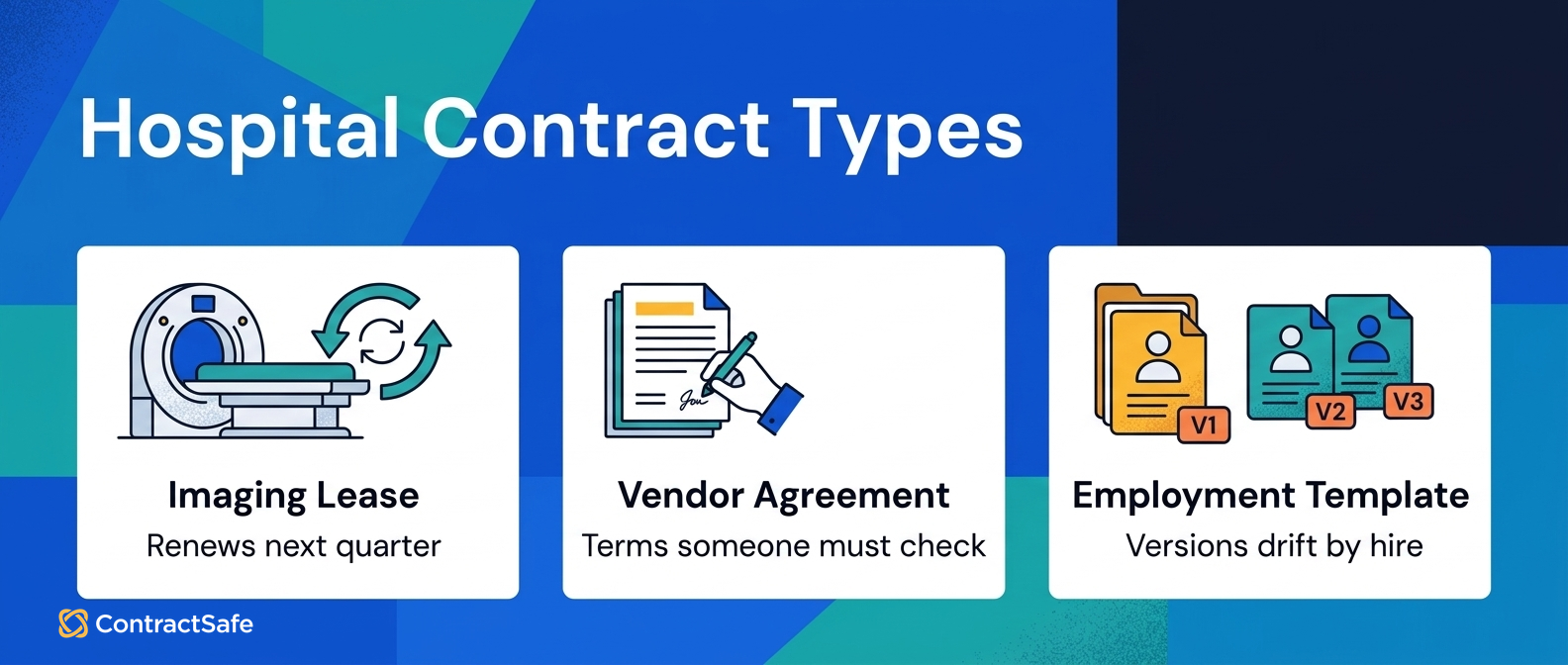
Healthcare risk hides in variety, not in a single checkbox. One building signs BAAs, provider and payer contracts, vendor and supply deals, equipment leases, facility contracts, and service agreements, each with its own dates, owners, and notice windows, and no department sees the others' paper.
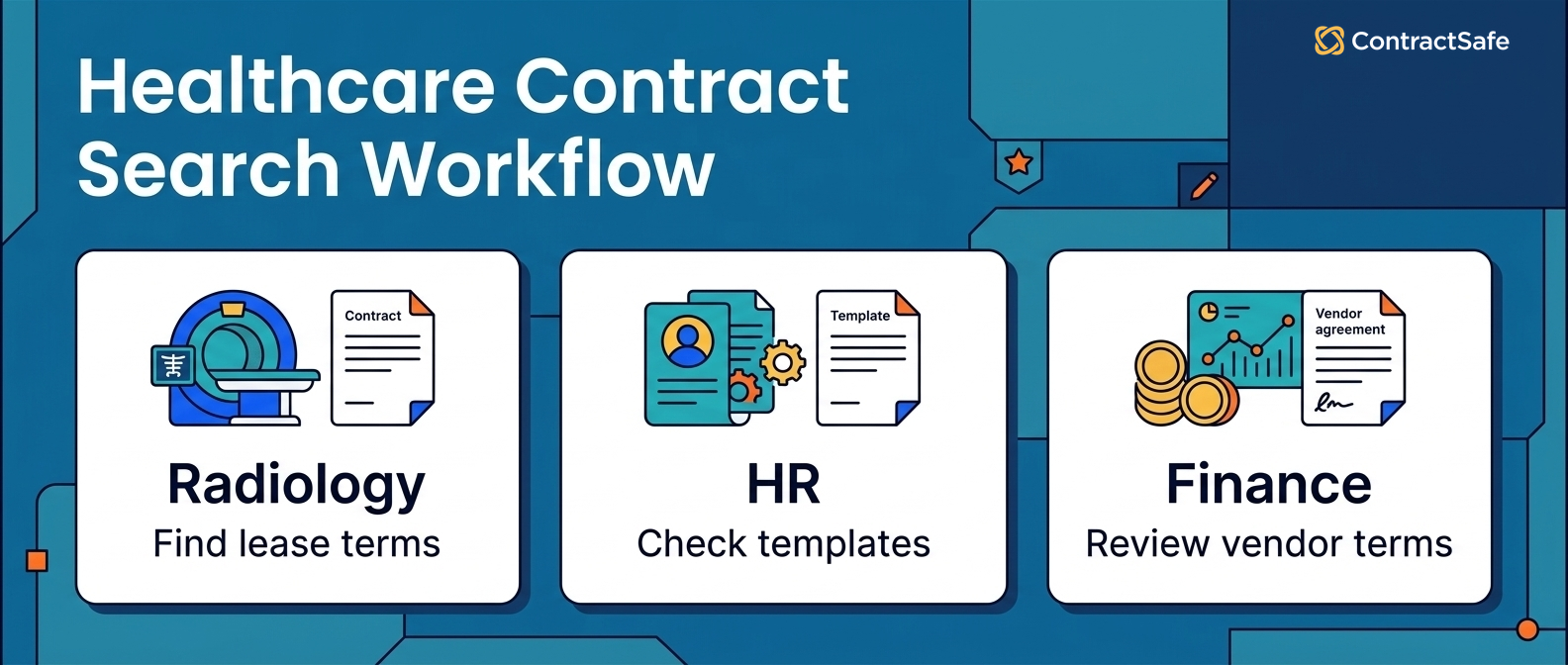
Picture a normal midweek morning across one building. In radiology, the director just learned the imaging-system lease renews next quarter, and the MRI vendor wants a price increase plus a long-term commitment. She needs the current terms, the maintenance history, and the original equipment evaluation before an afternoon meeting. In HR, someone is onboarding a locum tenens cardiologist and wants to reuse the last staffing agreement as a template, except nobody remembers which shared drive holds it.
Finance is renegotiating rates with several payers at once, each with different covered services, timelines, and dispute terms, and the CFO wants a side-by-side that lives in separate folders. Compliance just realized a billing vendor who handled patient data for a long stretch never signed a BAA. The OR director needs an amendment to an equipment-maintenance agreement because the manufacturer got acquired and the service terms changed.
All of it happens in the same building, on the same day, on different schedules, and no one has a single view across it. Each agreement carries its own dates, owners, and risk, and every one needs the same record discipline: agreement, owner, dates, linked files, history.
This is where buyer context matters. Under the HIPAA Privacy Rule, a covered entity must have a written contract with each business associate that creates, receives, maintains, or transmits protected health information on its behalf, per 45 CFR 164.502. The point of good software isn't to satisfy that rule for you. It's to make sure the signed agreement is never the thing you can't find.
| Healthcare agreement | The question your software has to answer |
|---|---|
| BAAs | Can legal find the agreement, its owner, the renewal date, any restricted-access rule, and the related amendment? |
| Provider and payer agreements | Can the team search clauses, notice windows, owners, and key dates without knowing the filename? |
| Vendor, supply, equipment, facility, and service agreements | Can procurement and legal answer routine questions without exposing sensitive files? |
| Maintained reporting fields | Can every reported value trace back to a contract field someone owns? |
Map your own version of that morning. List the contract questions that hit your departments last week and count how many different systems held the answers. That count, more than any feature list, is your requirements document, and it's the number a good demo should shrink to one.
1. Find a Scanned BAA or Amendment
Test whether the software can find a scanned agreement without the filename. Bring a messy old BAA or a handwritten amendment, search by the vendor name or a clause, and watch whether it returns the record, the owner, the dates, and the connected files, or stalls on unreadable text.
The test: Bring a genuinely messy document, an old scanned BAA, a vendor agreement with a handwritten note, an amendment that changed a service term, and search by a keyword you'd actually remember.
Good answer: The record surfaces with its owner, key dates, and connected files, and the scan's text is searchable.
Red flag: Search is a generic feature demo, or it only reads clean digital PDFs and stalls on the scans that fill real healthcare archives.
Run the same test across the busy morning. The radiology director should search the imaging-system lease by vendor name and land on current terms, the maintenance addendum, and the original evaluation on one record, so the afternoon meeting starts from documented performance. The OR director should find the equipment-maintenance agreement, read the assignment notice, and see what the acquisition changed, all from one place.
ContractSafe's repository is built so documents are easy to find in one central place, OCR can make scanned agreements searchable, and you can search across documents for a keyword, a term, or a clause. Watch for connected documents that live apart from the record they belong to: a maintenance addendum stored with the vendor instead of the lease will pass a shallow search and fail a real one.
2. Restrict a Sensitive Agreement
Test whether the software can restrict a genuinely sensitive agreement without walling off routine contracts. Ask the vendor to limit who sees one provider comp agreement or one settlement, then confirm every department still reaches the vendor and supply contracts it needs every day.
The test: Ask the vendor to restrict one sensitive agreement, a specific BAA, a provider comp term, or settlement language, while keeping routine contracts open to the departments that use them daily.
Good answer: Access is a buyer proof question you control, decided by person, department, or contract type, with current documentation available on request.
Red flag: The vendor treats a certification logo as proof the software makes your organization compliant, prevents a breach, or guarantees audit readiness. It doesn't.
Over-restrict and you rebuild the fragmentation you were trying to fix. Under-restrict and sensitive terms sit where they shouldn't. So bring the compliance-vendor scenario to the demo: you want to run "which vendors touching patient data lack a signed BAA" and get an answer routinely, because surfacing that gap is exactly the kind of question a good repository lets a person answer before it becomes a problem.
This is buyer context, not a software promise. A missing business associate agreement carries real exposure: under the breach notification rule, covered entities must notify affected individuals when unsecured protected health information is breached, per 45 CFR 164.404. Keep HIPAA, PHI handling, and security certifications with your own security and compliance people. They're requirements you verify, not outcomes a contract tool delivers. Use the software for one thing here: making sure you can always produce the agreement and the terms behind it.
3. Catch a Renewal Before It Lapses
Test the full renewal chain, not a vague promise. Pick a real service contract, configure one notice-window reminder end to end, set who gets it and how far ahead it fires, and confirm the alert tells that owner exactly what to do before the deadline.
The test: Configure one renewal or notice-window reminder for a real service contract, then repeat for a provider agreement, a vendor deal, and a BAA, because windows and owners differ by type.
Good answer: A key date connects to a named owner, a reminder with runway, and a clear next action.
Red flag: Renewal risk is described abstractly, or "we send reminders" is stretched into a promise to automate your compliance program.
Missed dates are the most expensive quiet failure in healthcare contracting. The imaging lease that auto-renews at the vendor's number because the notice window lived in a spreadsheet nobody opened. The service agreement whose terms changed at acquisition while the calendar stayed on the old dates. Each loss is small enough to absorb and regular enough that nobody escalates the pattern.
ContractSafe's alerts are built for this: reminders can be sent before a contract expires or on a specific date, so a renewal or notice window shows up on someone's calendar with time to act. Tie that back to the radiology lease. A reminder that reaches the director and the CFO a quarter ahead turns the vendor's price increase into a negotiation about documented maintenance history, with the deadline already on the calendar. Insist on one rule: every reminder routes to a named person with a next step.
4. Trace a Report Back to a Field
Test reporting by working backward from a real question. Ask for a report built from maintained fields, then trace sample values to the source contracts. For each number, confirm who owns the field, what question it answers, and what contract language it came from.
The test: Don't ask "can you build a report." Ask for a report built from maintained fields, then trace a handful of sample values back to the source contracts.
Good answer: Every reported value traces to a field someone maintains.
Red flag: A pretty screen full of numbers nobody can trace, sold as dashboards, exports, or custom fields.
Work backward from the questions your team actually has to answer. How many BAAs renew this quarter, and who owns each? Which payer agreements have notice windows in the near term? Which vendors touching patient data lack a signed BAA? What's our exposure on equipment leases that renew this year? Every one of those is a report, and a report is only as good as the field underneath it.
Judge reporting on whether you can maintain the underlying data and trust the trace, not on promises of reporting depth that may or may not fit your tier. A searchable repository with clean, owned fields and reliable dates is what makes trustworthy reporting possible in the first place. One practical rule: pick your five most-asked contract questions and treat them as the acceptance test. If the software answers those five from maintained fields, and you can trace each answer to a contract, that's a real reporting win.
5. Extract Contract Data With Human Review
AI in healthcare contract management should be reviewed assistance, not autonomous judgment. It can help extract parties, dates, renewal terms, and covered services, but a person still checks the source text before any field becomes trusted.
The test: Make review the center of the AI demo. Ask what it extracts, where the source text shows, who approves a field, and whether it changes price or scope.
Good answer: AI is reviewed assistance for extraction and search, with source checking and human approval.
Red flag: AI is presented as autonomous legal or clinical judgment, as something that governs PHI on its own, or as a source of unreviewed contract fields.
AI is genuinely useful for the grunt work: reading a long agreement and pulling out the parties, key dates, renewal terms, and covered services. It's genuinely risky if you let it run unreviewed on documents this sensitive. The right posture is simple: AI assists, a person decides.
ContractSafe's AI can support smarter search and extract data from your agreements, which is what turns a filing backlog into a searchable set of records. Back at the busy morning, that's what lets HR reuse the last staffing agreement quickly and lets finance line up several payer contracts in the same format instead of retyping covered services by hand. In both cases, a human checks the extracted fields against the source before anyone relies on them. On healthcare agreements, "the AI said so" is never a finish line.
6. Run a Healthcare Software Comparison With the Same Documents
A real healthcare software comparison runs the same proof tests on the same documents through every tool you shortlist, then scores them side by side. Test finalists against each other, not against a wish list. A tool that only shines on the vendor's cherry-picked sample tells you nothing about your BAAs, payer contracts, and scanned amendments.
The test: Take the finalists on your shortlist, hand each one the same messy stack, an old scanned BAA, a payer agreement, an equipment lease, a handwritten amendment, and run tests one through five on all of them.
Good answer: Every finalist works the exact same documents, so the differences you see are real, not staged for the demo.
Red flag: A vendor insists on driving with its own sample data and won't touch your files. That's a risk signal. If it can't handle your paperwork in a controlled demo, it won't handle your BAAs and payer contracts in production, and you'll find out after you've signed.
The scorecard later in this article is built for exactly this: one row per proof test, one column per tool, filled in from your own demo. Comparing tools on their marketing pages rewards whoever writes the best copy. Comparing them on your scanned, multi-department paperwork rewards whoever actually does the work. Keep the finalists that reliably find, restrict, renew, and report on your contracts, and drop the ones that only clear their own sample data.
7. Confirm Adoption and Ownership Before You Buy
Healthcare contract software adoption works when a named internal owner keeps the records useful after purchase. Before you buy, confirm who owns cleanup, who uses the tool every week, and who keeps dates and records current.
The test: Before signing, get names on paper: who owns the rollout, who loads and cleans the first contracts, and who each department trusts to keep records current.
Good answer: A named internal owner, willing daily users, and a realistic plan for who maintains the fields the reports read from.
Red flag: Everyone assumes the software maintains itself, and no one owns the cleanup.
Start with who needs access. At a single facility that's often the radiology director, the OR manager, the HR coordinator, the compliance officer, the CFO, and the payer-relations team. Adoption is the half buyers underestimate. Someone owns the cleanup: which contracts load first, verifying extracted dates and owners, and keeping the fields the reports read from trustworthy. A realistic first pass loads the BAAs and patient-data vendors, verifies their owners and dates, runs your first "no signed BAA" query, then expands department by department.
8. Price What You'll Actually Pay and Maintain
Test what you'll actually pay and keep paying, not the headline number. Ask how the vendor prices, per user or by contract volume, which features sit at your tier, and which ones require moving up. Price behaves very differently as you add the people who need access versus the volume of contracts you keep.
The test: Ask how the vendor prices, which features are included at your tier, and which require a higher one, then get it in writing.
Good answer: Feature choices tie to price and tier scope, with no surprise line items later.
Red flag: The vendor implies implementation, migration, customer success, a support SLA, or unlimited users without you confirming any of it in writing at your tier.
ContractSafe's pricing options are available for businesses of different sizes, so check live pricing before you turn healthcare requirements into budget assumptions. Don't take my word for a figure, and don't take a salesperson's either. Confirm what's included at your tier against the requirements you built here, and price the people who need access separately from the volume of contracts you keep.
9. Confirm the Category Fit Before Buying a Heavy CLM Suite
Full contract lifecycle suites are built for teams that draft, redline, and negotiate new agreements all day. Many healthcare teams mainly need to store, find, and track what they've already signed. Buying the wrong category means paying for workflow you'll never turn on.
The test: Count how many contracts you draft from scratch monthly versus how many you just need to organize and monitor.
Good answer: The vendor admits repository-and-tracking is your real job and doesn't push authoring modules you won't use.
Red flag: Every answer routes back to redlining, approval routing, or e-signature workflows you didn't ask about.
A heavy suite looks impressive in a demo and sits idle in production. If your pain is "we lost a renewal" or "we can't find the current BAA," a searchable repository solves it. Match the tool to the job you actually do.
10. Test Department-by-Department Access Without Losing Findability
Healthcare contracts touch legal, compliance, HR, facilities, and clinical leadership, and not everyone should see everyone's files. But locking things down often breaks search, so the person who needs a contract can't tell if it exists. You want both: right access and full findability.
The test: Set up permissions so HR sees HR agreements only, then have a compliance user search for a document they shouldn't open.
Good answer: They can see it exists and who owns it, and request access, without reading restricted terms.
Red flag: Restricted files vanish from search entirely, so nobody knows what's there or who to ask.
Invisible contracts are how renewals get missed and duplicate agreements get signed. Good permission design hides the sensitive content, not the fact that a record exists. Test the boundary in both directions before you commit.
11. Confirm the First Month Operating Routine
A tool only pays off if it changes what your team does every week. Before buying, get the vendor to spell out the first month: who loads contracts, who sets reminders, and what a normal Monday looks like once you're live.
The test: Ask the vendor to walk through the first month as concrete tasks, not milestones.
Good answer: A specific routine (bulk-import the backlog, tag by department, set renewal alerts, assign owners) with realistic hours attached.
Red flag: Vague promises like "onboarding is easy" or a plan that depends on a services package you didn't budget for.
Software that needs a dedicated project to stand up rarely gets stood up. If the first month reads like a clear checklist your existing team can run, adoption sticks. If it reads like a second job, it won't.
12. Decision Check: Your Ten-Minute Healthcare Demo Checklist
Before any healthcare demo, load one real example of each risky contract type and run this ten-minute checklist. It forces the vendor to prove find, restrict, renew, and report on your paper, and it turns a sales pitch into a pass-or-fail test you control.
Load one real example of each risky contract type, then run these in order. Each line is pass or fail, and you decide, not the salesperson.
[ ] Search a scanned BAA by vendor name and reach the record, owner, and dates.
[ ] Open a provider or payer agreement and read its notice window without knowing the filename.
[ ] Restrict one sensitive agreement while a teammate confirms routine contracts stay open.
[ ] Configure one renewal reminder end to end and confirm the next action it sends.
[ ] Ask for a report from maintained fields and trace sample values to source contracts.
[ ] Ask what the AI extracts, where the source shows, and who approves a field.
[ ] Get pricing and tier scope in writing for the users and volume you actually need.
Decision rule: if a vendor can't pass the core find-and-follow-up lines with your own documents in the room, the rest of the pitch doesn't matter. Findability and follow-up are the floor. Reporting, AI, and price are how you separate the tools that clear it.
Benefits: What Changes When the Record Holds
The benefit of one findable record is measured in avoided losses, not features. A lease stops auto-renewing at the vendor's number, a requested BAA appears in seconds, and a payer amendment stops living in a former employee's inbox. The gain is fewer quiet, expensive surprises.
WorldCC’s contract management research pegs the loss from poorly managed agreements at almost 9% of value a year, driven by missed renewals, untracked obligations, and contracts without owners. As of 2026, those are still the fastest leaks in a healthcare portfolio.
Set the two states side by side. This isn't a generic "save time" pitch. It's the specific difference between a scattered healthcare portfolio and one findable record, on the exact failures that cost real money.
| The scattered day | The findable record |
|---|---|
| The imaging lease auto-renews at the vendor's price because the notice window sat in a closed spreadsheet. | A reminder reaches the radiology director and CFO a quarter early, and the renewal becomes a negotiation. |
| A requested BAA can't be produced because the original contact left months ago. | The signed BAA, its owner, and its amendment surface from one search on a bad scan. |
| A payer amendment lives in a former employee's inbox and never reaches finance. | The amendment sits on the payer record with its dates and covered-service terms attached. |
| Several payer contracts live in separate folders, so the CFO gets no side-by-side. | The payer agreements line up in one place, extracted into the same fields for comparison. |
| A "no signed BAA" question takes days of email to answer. | A person answers it from maintained fields in one pass, before it becomes a breach question. |
The benefit isn't that software does the compliance work. It's that the record, the dates, and the owners stop hiding, so the quiet, expensive failures get a name and a deadline before they land.
Healthcare Contract Software Evaluation Scorecard
This scorecard turns each proof test into one demo row. Bring your own documents, run the test, and keep the vendors that pass with your contracts in front of them. The good answer, the red flag, and the demo action sit side by side so nothing rides on a slide.
| Decision area | Demo test | Good answer | Red flag | ContractSafe note |
|---|---|---|---|---|
| Search and OCR | Search a scanned BAA, vendor agreement, amendment, and payer agreement live. | Search and OCR handle messy healthcare scans and connected documents. | Generic search demo, or search paired with a compliance promise. | Central repository plus OCR search can make scanned agreements findable. |
| Access and sensitive contracts | Restrict one sensitive agreement while routine contracts stay open. | Access is a buyer proof question for real scenarios. | The vendor claims HIPAA, SSO, or audit readiness as a delivered outcome. | Demo questions only; no HIPAA, security-certification, or auditability claims. |
| Renewals and notice windows | Configure one reminder with owner, timing, and next action. | Dates connect to owner follow-up across provider, vendor, BAA, and service agreements. | Renewal risk described abstractly or as a guaranteed outcome. | Alerts can send reminders before a contract expires or on a specific date. |
| Reporting questions | Ask for a report from maintained fields and trace values to source. | Reporting rests on maintained fields, field owners, and source language. | Dashboards, exports, or custom fields promised without traceable fields. | Judge reporting on maintained fields you own, not dashboard or export claims. |
| AI with review | Ask what AI extracts, where source shows, who reviews, and price impact. | AI is reviewed assistance with source checking and human approval. | AI presented as autonomous judgment or unreviewed field extraction. | AI can support smarter search and extraction, with a human reviewing output. |
| Pricing and adoption fit | Ask which features are included, which need higher tiers, and who owns cleanup. | Feature choices tie to price, tier scope, and what the team can maintain. | Implementation, migration, customer success, support SLA, or unlimited-user claims. | Check live pricing; confirm what's included and who owns maintenance. |
Related Reading
Once you've run the scorecard, these pages line up with the specific proof questions you're testing. Use the one that matches your next move.
Legal contract management: for the legal team that owns the risk and wants to see whether the tool fits daily legal contract work.
Repository features: when the first question is whether the system can find and organize scanned agreements, BAAs, amendments, owners, and related documents.
Alerts and reminders: when renewals, expirations, and notice windows are the thing keeping you in spreadsheets.
AI contract management: when you want AI help on extraction and search without trusting unreviewed output on healthcare contracts.
Pricing: when you're ready to turn healthcare requirements into a budget and want the real numbers first.
How ContractSafe Helps Healthcare Teams
ContractSafe helps a healthcare team on the find and renew ends of the four-part test: one searchable repository with OCR, alerts and reminders tied to key dates, and AI you review. It doesn't make you HIPAA-compliant or replace your compliance work, and it doesn't claim to.
For finding, ContractSafe's repository keeps documents easy to find in one central place, OCR can make scanned agreements searchable, and you can search across documents for a keyword, a term, or a clause. That's what turns a drawer of scanned BAAs and vendor deals into records you can actually pull up.
For the legal team that owns the risk, the fit is direct. With ContractSafe for legal, legal teams can find any word, clause, or contract in seconds and stay proactive with alerts and reminders for any date.
For staying ahead of deadlines, alerts can send reminders before a contract expires or on a specific date, so renewals and notice windows land on an owner's calendar with runway. And when you want a faster first pass on a long agreement, the AI can support smarter search and extract data, with a person reviewing what it pulls before anyone relies on it.
What ContractSafe doesn't claim is to make you HIPAA-compliant, prevent a breach, or replace the compliance work your team already owns. Those stay your responsibility, and any healthcare contract tool that says otherwise is selling a checkbox. What it does is give a healthcare team one searchable place to keep the record, the dates, and the owners straight across the contract types you sign. On pricing, options are available for businesses of different sizes: check the live page against the requirements you built here.
Bring a few real healthcare contract examples to a demo: a BAA, a vendor agreement, a renewal-heavy service contract, and one restricted agreement. Test the work this article says matters. Schedule a demo →









.svg)







.svg)




