


AI contract management software requirements are the specific capabilities and controls a vendor must prove before you sign. The checklist should show where each AI answer came from, which contract records a person may access, whether a reviewer can correct the output, and what the system costs.
Think of it like a home inspection. The fresh paint can look gorgeous and the listing photos can dazzle you, but you still crawl under the house and check the wiring before you sign anything. Contract AI is no different. The demo is the staging, and the wiring is what you actually have to live with once the movers leave.
For contract software, that wiring is source links, permissions, review status, audit history, reporting, and whether an AI answer can turn into real contract work. Get it wrong and you don’t get a smarter system. You get a faster way to create cleanup work: wrong renewal dates, answers nobody can trace, fields nobody checked.
So this is the list of requirements worth setting before you buy, plus how to make each vendor prove them on your own contracts. Set them before the demo starts, and you’ll see quickly which tools genuinely deliver on AI and which ones just look good on the screen.
Key Takeaways
- Test all AI capabilities separately: extraction, search, chat, and review can fail in different ways, and a vendor strong in one can hand-wave the rest.
- Try the AI on the things that actually trip people up: a scanned contract that’s hard to read, an amendment that changes the original terms, a document you shouldn’t be able to open, a question you already know the answer to, and a field you have to correct by hand.
- Ask every vendor whether a person can accept, edit, or correct AI output before it becomes the record your team acts on.
- ContractSafe wires its AI into the places legal teams already live, including your repository, key terms, permissions, alerts, and reports, so the AI feeds real contract work instead of sitting off to the side.
Choose Your Next Step
So the next time you’re sitting across from a vendor, pull up this list and make them earn every checkmark.
Not sure yet what to actually ask a vendor for? Start with what these AI requirements mean in practice.
-
If you’re building a checklist, jump to the twelve buyer requirements.
Walking into a demo soon? Take the scorecard in with you and make the vendor prove each claim as it comes up.
What Is AI Contract Management Software?
AI contract management software is a contract system that uses machine learning to extract terms, answer questions, compare language, and help teams act on dates and obligations across the contract lifecycle. The useful distinction is that the AI works inside the governed contract record, where source documents, access controls, review status, alerts, and reports already exist.
A standalone chatbot can summarize text that someone pastes into a prompt. Contract management AI should do more. It should read the current agreement and its amendments, point a reviewer to the clause behind each answer, respect the same record-level access rules as the rest of the system, and let a person confirm or correct important output before the business relies on it.
Why AI Contract Management Requirements Matter More in 2026
AI contract management requirements matter more in 2026 because adoption has outrun trust in real contract work. Factor’s gated 2026 GenAI in Legal Benchmarking report, based on 204 legal leaders and participants, reports broader access alongside persistent concerns about trust and rework.
So why is trust still a problem? The gated FTI Technology 2026 General Counsel Report describes legal teams using general-purpose tools such as Copilot and ChatGPT for work that includes summarization and general questions. A chatbot can summarize a contract you paste into it, but it doesn’t automatically see the amendment that changed the renewal date or correct the governed contract record. That’s why buyers should test the system around the model, not rely on a landing-page statistic.
This is the whole reason to walk into a demo with your questions written down. Your questions or requirements convert “the demo looked impressive” into “the product passed twelve specific tests with our contracts.”
Defining Requirements for AI Contract Management Software
Your AI requirements are just the short list of things the AI has to prove before your legal team trusts it with real contract work. They spell out how each answer should behave: where it comes from, who sees it, whether a person can fix it, and what it costs.
Write each requirement so you can watch it work in the demo, not just check a box next to it. Hearing that a tool does AI search, AI chat, extraction, and reporting tells you almost nothing about whether any of it holds up on your own contracts.
All twelve requirements below matter across the board, but each one has its own classic way of falling apart, and that’s exactly what you’ll want to test for.
| Capability | What it does | The demo test that exposes weakness |
|---|---|---|
| AI Extraction | Pulls dates, values, parties, and terms into structured fields | Extract from a scanned contract, then check the extracted data, whether the source is highlighted, and where the output lands |
| AI Search | Finds contracts across your repository using natural-language questions | Search for a concept (“agreements set to auto-renew next quarter with values of $200,000”), then confirm the results and whether they honor permissions |
| AI Chat (Q&A) | Answers plain-English questions about a contract or across the portfolio | Ask something you already know the answer to, then check it cites the clause |
| AI Review | Checks a contract against your standard positions and flags where each clause deviates | Run it on your own paper against your own standards, then check whether each flag points to the specific clause or just names a category of risk |
How to Compare AI Contract Tools Against Your Requirements
Compare vendors against your needs, not against each other’s demos. The tools worth your time are the ones that clear your requirements on your actual contracts. Line up each buyer need, source proof, permissions, corrections, and pricing, then check which vendor can show it live.
If what you want is reliable answers about your contracts, put source links, permissions, and known-answer testing at the top of your list.
If you’re mostly cleaning up messy metadata, focus on AI extraction, review status, correction history, and reporting.
If you want business teams serving themselves, focus on role-based access, restricted records, and safe exports.
When your team has to report on the contract book, look first at who owns each item, which alerts are set, whether the numbers in a report tie back to the agreements, and what has changed since last time.
Give ContractSafe a look if you want AI that actually sits where the work happens, right on your signed contracts and key terms, backed by the permissions, alerts, reports, and review steps that keep everyone honest.
Use this shortlist as a cut line. If a tool can’t show the controls around the use case you care about most, don’t let the feature list pull it forward.
How AI Works Inside Contract Management Software
Good contract AI can walk you back from any answer to the signed document it came from, show you where a person checked the terms it pulled out, and tie it to something someone actually owns, like a renewal, an obligation, or an amendment. Skip one of those steps and you get a confident answer nobody can defend the moment the counterparty pushes back.
That process is the part buyers should test in the demo, so don’t score a feature as ready until the vendor shows how the answer moves through each step.
First it pulls the right document: the current contract, an amendment, an attachment, or a record someone has already reviewed.
Then it gives you an answer, or fills in a suggested field, with a link back to exactly where it found that.
It only shows you what your role already lets you open, whether that’s the document itself, a report built from it, or an export.
Legal or the business owner then signs off on it, corrects it, throws it out, or leaves it flagged as a draft.
Once approved, it becomes something real: an alert, a line in a report, an item in someone’s queue, or a permanent entry in your compliance record.
This is where a polished AI answer turns into contract AI your team can actually put to work.
Buyer Check Before the Demo
Before your next vendor demo, run this Demo Check. In plain terms, AI contract management software reads your signed agreements, pulls out the key terms, and answers questions about them. The good ones let you trace where each answer came from and who may see it. The rest impress you until you ask something hard.
So here’s the proof to ask for, one item at a time. Make the vendor show each one on your contracts, not on their tidy sample set:
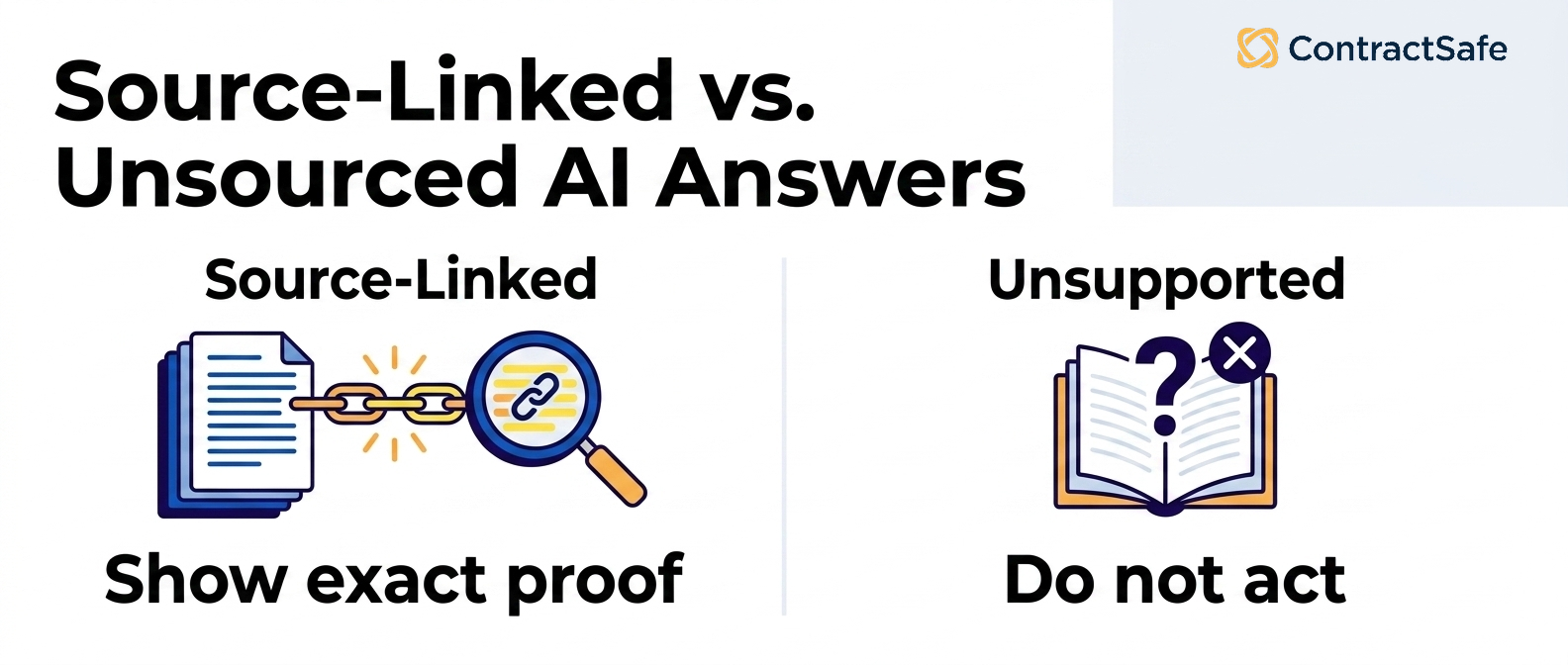
- Show me the source. Ask something with a known answer, like a renewal date buried in an amendment, and watch whether the AI links back to the exact clause and page. No link, no trust.
- Try a restricted file. Sign in as someone who shouldn’t see a sensitive contract, then ask about it. The AI should come up empty, not quietly leak a number from a document that person can’t open.
- Break something on purpose. Feed it a scanned PDF and an off-standard clause. Does OCR read the scan cleanly, and does review flag the odd clause instead of smoothing it over?
- Fix a wrong field. Correct an extracted value and confirm the fix sticks, shows who changed it, and flows into reports and alerts, not just the one screen you’re looking at.
- Follow the money. Ask what the AI features cost on top of the base price, including any extra charges for OCR, added users, or support. A fuzzy answer now tends to show up as a surprise line item later.
Score each one honestly: shown, sort of shown, not shown, or “we’d have to do that by hand.” A vendor that nails four and hand-waves the fifth is telling you exactly where the work will land on your team.
One more question worth asking out loud: what happens when the AI is wrong? You want to hear about a review step and an audit trail, not a promise that it’s always right. Anyone who swears the AI never misses hasn’t watched it read a stack of real contracts.
If you can’t get through this checklist in a single demo, that’s your answer. The tools worth buying make it easy to poke holes, because they’ve already been poked plenty. Take the slow route through your own messy contracts before you sign, and the buying decision mostly makes itself.
AI Trust Requirements: Sources, Accuracy, and Review
Start with the requirements that tell you whether you can trust what the AI says in the first place.
1. Every answer links to its source
When the AI names a renewal date or a notice window, the answer should link straight to the clause it read, in the actual document, so a reviewer can confirm it in seconds.
Test it with contracts where you already know the answer:
- Bring a known agreement. Ask for its renewal date and check that the link lands on the exact clause, not the document title.
- Bring an amendment that changes the answer. Watch whether the AI reads the amended term or the stale original.
- Bring a scanned contract. See if it can still point you back to the exact source text when the scan is blurry or crooked.
The risk is a confident answer with no trail. If the link only opens the file, your team ends up re-reading the whole contract to trust one number, which is the exact work you were trying to avoid.
2. A visible review status for AI-extracted fields
Any field your team is going to act on, like a renewal date or a payment amount, needs a person to sign off before it counts. In the demo, push on two things.
- Review status: Can anyone tell verified fields from unverified ones at a glance?
- Correction: Take one of your contracts with the wrong metadata field, fix it live, and watch what happens.
A good product shows who changed it and when, and carries the correction everywhere the contract field appears.
ContractSafe’s alerts are only useful when the dates behind them are trustworthy.
3. Honest failure behavior
Ask the AI chat a question its document simply can’t answer, like a liability cap that isn’t written anywhere in the agreement, and watch the response.
Good behavior looks like this:
- It says it couldn’t find the term instead of inventing one.
- It points you to what the document does cover so you can keep working.
- It flags low confidence rather than dressing up a guess as fact.
A system that guesses under pressure in a friendly demo will guess in production, where nobody is watching. In contract work, a made-up notice period or dollar figure can drive a real deadline or payment, so honest failure is a feature, not a weakness.
4. AI review checks against your standards
Strong AI contract review reads a contract against the positions your team has already agreed on. It flags the clause that falls short, explains how it deviates, and offers fallback language.
Weak review does the opposite. It hunts for scary-sounding words and hands back a flat list your reviewer has to recheck by hand, which saves no one any time.
In the demo, create one of your own standards in the playbook, say your liability cap or your required data-security language, and run a review. Then check three things:
- Does the flag point to the exact clause, not the general area?
- Does it explain what is non-standard, in your team’s terms?
- Can your reviewer accept, edit, or dismiss it and have that decision stick?
The risk with the weak version is false confidence. A tidy list of generic risks feels thorough, but if your team still rechecks every clause by hand, the AI has not actually reviewed anything.
AI Control Requirements: Permissions, Audit Trails, and Exports
5. User roles and permissions obeyed
Sign in as a user who has no access to executive compensation agreements, then run a natural-language search asking about executive pay. The correct outcome is nothing: no result, no hint, no number.
Then push the boundary. Ask a direct follow-up about a named executive’s salary, and try to export or download that search. For a restricted user, every attempt should return the same empty result.
Confirm the tool refuses restricted contracts in any form:
- No filtered list hinting that matching agreements exist.
- No summary drawn from documents the user cannot open.
- No figure leaked through an answer, a citation, or an export.
The risk is quiet: AI search can honor a folder’s permissions on the file list yet still surface a sensitive number inside a chat answer or a source citation. If restricted content appears anywhere, permissions are not truly enforced. Hold any system you shortlist, ContractSafe included, to one rule: a user should never see, in any form, a contract they could not open on their own. Find that gap during the demo, not after you sign.
6. A complete audit trail
The system should log the actions that touch every contract: who viewed a document, who changed or corrected a field and what it was before, who exported data.
It’s worth skimming the NIST AI Risk Management Framework, if only as a reminder that AI still needs the boring stuff: someone measuring what it actually does, and real controls on how it gets used, not blind faith.
If you’re buying this for a legal team, these controls only count when you can see them working in the contracts you touch every day, not just as a promise from the vendor.
7. LLM training and retention
Confirm whether your contracts train the vendor’s models, how long prompts and outputs are kept, and how you get your data out at the end of the relationship. Then run an export yourself instead of taking the security page’s word for it.
AI Operational Requirements: Alerts, Reports, Pricing, and Rollout
Good contract software should hand your team work they can actually run on. You want renewal and obligation alerts that someone clearly owns, reports you can trust against the agreements behind them, pricing you can explain to finance, and a rollout that still holds up the week after the demo, not just during it.
8. Reviewed dates can drive alerts
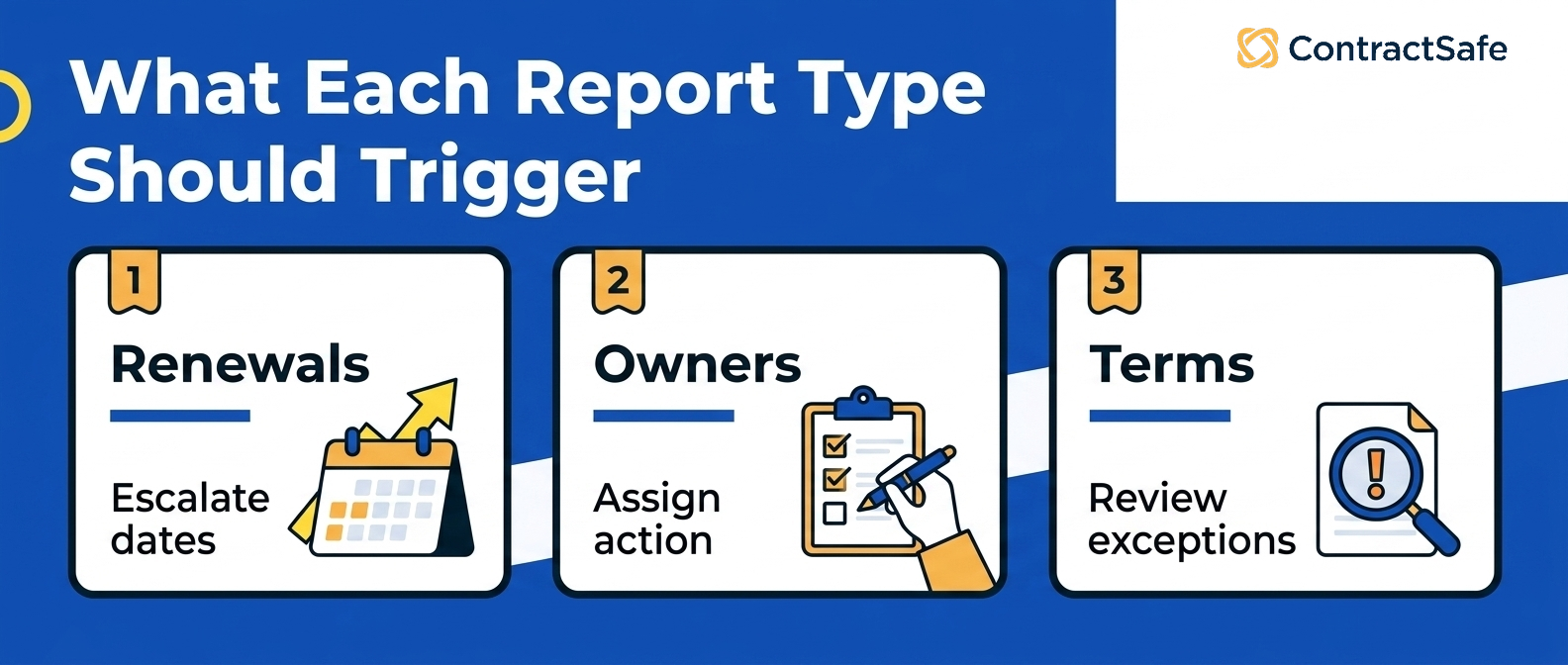
A date the AI pulled is only useful if a person can turn it into a reminder that reaches whoever owns the contract. In the demo, follow one date from extraction through review to an alert you can set up on the spot: confirm you can assign it to an owner and choose when it fires. A date the system found but can’t warn anyone about is trivia.
9. Implementation ownership before launch
When you write down your AI requirements, don’t just list the shiny features. Spell out the grunt work of actually getting it running too: who loads the contracts, who checks the fields, and who owns the thing after go-live.
For example, ask the boring-but-critical stuff: who scrubs your old contract data, which fields you actually need filled in on day one, how they get your existing contracts in, what happens with scanned PDFs, how long standing it all up really takes, and who’s on the hook for checking the AI’s work.
If the vendor says setup is easy, ask them to build the first useful report. That report will reveal what has to be cleaned, reviewed, assigned, and configured.
10. Integration boundaries
The moment AI-pulled data walks out of your contract repository and into other tools, the risk goes up. For example, ask the vendor to extract a renewal value from the sample vendor agreement and show exactly where that value can travel, into CRM, ERP, email, Slack, a ticketing tool, or a reporting warehouse.
Ask which fields can sync, who can trigger the sync, what gets logged, and whether restricted data can move downstream.
ContractSafe’s integrations let your contract data flow into the other tools your team lives in, but legal still needs to draw clear lines around what’s allowed to travel where.
11. Pricing clarity for AI, OCR, users, and support
Before you sign anything, make the vendor spell out the price of the AI features you’ll actually use, not just the ones that look good in the demo. Ask about extra OCR, per-user costs, and what support really includes.
For example, ask flat out whether the quote actually covers AI extraction, OCR, users, storage, reports, implementation, support, and next year’s renewal increase, or whether those quietly show up later as separate line items.
A feature that looks included in the demo can become a separate line item later, so price the real workflow, not the AI label.
12. A stop rule for unsafe output
Decide up front which AI slip-ups are bad enough to hit pause on the whole rollout. For example, a wrong renewal date, a permission leak, an answer with no source, an unreviewed field in a report, or an export nobody logged should stop that workflow until the control is fixed.
That way nobody on the team talks themselves into “but it’s so fast” when what they really mean is “I’m not sure I trust it yet.”
ContractSafe’s AI contract management works best when it’s boxed inside a workflow you actually control, with the source document on hand, a human review step, and alerts and reports backing it up.
A Demo Scorecard for AI in Contract Management Software
Keep a simple scorecard during the demo so you can mark each requirement as shown, sort of shown, not shown, or “we’d have to do that by hand.” By the end you’ll have an honest picture instead of a warm feeling about a smooth presenter.
| Requirement | Pass | Fail |
|---|---|---|
| Source links | Answer links to contract evidence | Answer is unsupported |
| Permissions | Answers change by user role | Restricted terms leak |
| Review status | Fields can be approved or corrected | Raw fields drive reports |
| Workflow | Output becomes an alert, report, or owner queue | Output stays in a chat window |
Use the scorecard during the vendor call, not after. If the vendor can’t show the proof, mark the requirement as not shown, and don’t give partial credit for a confident explanation.
The scorecard only helps if it records what you actually saw: what the vendor showed you, what they had to follow up on, and what quietly turned into a manual workaround.
That record also makes the buying conversation easier after the demo because legal, IT, finance, and the business owner can review the same evidence.
How to Use AI Requirements in Procurement
Treat your AI requirements as something the whole buying team can point to, not a checklist that lives in legal’s inbox. Put them where the whole team can act on them, and write the ones that matter into the contract you sign.
Carry the same requirements all the way through: into the RFP, the questions you ask during the demo, the scorecard you keep while you watch, the security review, and the comparison you make when you finally choose a vendor.
That way one vendor doesn’t win points for a slick pitch while another only gets credit for actually showing the work. Everyone’s judged on the same thing.
For example, say you require source-linked answers. The RFP should ask how sourcing works, the demo should show it in action, the scorecard should record what you saw, and the contract should lock it in as a capability you’re paying for.
Do the same for permissions, review status, audit history, reports, and implementation ownership.
If a vendor cannot prove a requirement in the demo, mark the item as not shown and decide whether it is a blocker, a follow-up, or an implementation risk.
Now procurement has an apples-to-apples comparison, and legal has a paper trail showing why the tool you picked can actually handle your contracts.
Demo Packet Buyers Should Prepare
Requirements only work if every vendor faces the same test. Assemble six documents from your own portfolio before your demo.
-
A standard vendor agreement with a simple renewal clause.
-
A scanned PDF with searchable text issues.
-
An amendment that changes a date, value, or obligation.
-
A restricted agreement only certain roles should see.
-
A contract with a clause that breaks one of your standard positions.
-
A high-value agreement where a missed notice date would matter.
Then write known-answer questions before the call. Each document should break something specific: the scan tests OCR accuracy; the off-standard clause lets you confirm AI review will flag it. Ask the vendor to work from your packet, not their sandbox. And if people outside legal will lean on the tool, bring one of them, finance or procurement, and let them ask their own questions. Watching a non-specialist use it live tells you more than any feature list ever will.
What Buyers Should Do This Week
Turn your AI requirements into a hands-on test you can run at the next vendor demo. Pick a few real contracts, write down the answers you already know, and make each vendor prove the AI clears your list on your documents before you sign anything.
-
Put together a small demo packet of six documents you already know cold: one clean agreement, one scanned PDF, an amendment, a restricted record only some people should see, a contract with an off-standard clause, and a big-money agreement with a notice date you can’t afford to miss.
-
Write known-answer questions for renewal dates, owners, values, obligations, and access limits.
Decide which answers you’ll never accept without a link back to the source and a clear sign that a person has reviewed them.
-
Test the same prompt as legal, finance, procurement, and a restricted user.
-
Ask the vendor to turn one AI answer into a reviewed report row with an owner and next action.
That test shows whether the AI is ready for contract work, not just demo conversation.
If the test fails, the next step should be specific: fix the source record, add review status, tighten permissions, require better audit history, or move the vendor out of the shortlist.
That last part matters. A failed requirement shouldn’t disappear into a notes doc after the call.
For anything that failed, decide what it means for the deal. Maybe it’s a dealbreaker, maybe it’s something you write into the contract, maybe it’s a setup task for later or a question to hand security, or maybe it’s the reason you walk away and look at someone else.
That way your AI requirements stay tied to the deal you’re actually signing, instead of turning into a checklist everyone forgets the second the demo ends.
It also gives your team a record to revisit at renewal. If a promised AI control never becomes usable contract work, you’ve got the evidence to challenge the renewal, renegotiate scope, or move budget elsewhere.
That’s the practical value of writing requirements this way. You’re not trying to predict every future AI feature; you’re forcing each feature to prove the same operating basics: source, permission, review, report, owner, audit trail, and business action.
That evidence is what keeps you honest about which tool to buy. It also stops the demo from turning into a feature tour, where every answer sounds useful but none of it becomes contract work anyone is actually on the hook for.
Use the broader AI contract management evaluation framework to turn these requirements into a weighted vendor scorecard.
Related Reading
How ContractSafe Helps Buyers Set AI Requirements
ContractSafe built its AI to keep you in the driver’s seat. You can ask a question about a contract or track down a key term right where your agreements already live, instead of copying them into a separate tool.
Because every answer comes straight from your repository, the AI works from one trusted set of documents instead of guessing. And once the data’s been checked, alerts and reports turn it into real to-dos with a name attached, so a renewal deadline isn’t just sitting in a database, it’s on someone’s plate.
If your team wants to test AI requirements against real contracts, request a ContractSafe demo and bring the workflow you want to evaluate first.
Still have questions? Here are the ones buyers tend to ask us before they lock in their AI requirements.






.svg)







.svg)




