


AI contract repository software is a searchable home for signed agreements, with AI built in to help teams find contracts, answer contract questions, and turn contract data into work they can actually trust.
That last phrase is doing most of the work.
Anyone can make AI sound impressive in a demo.
Give it one clean agreement, one tidy renewal date, and one friendly prompt, and the answer will glide across the screen like everything in the contract library is perfectly behaved.
Then the real archive walks in.
A scanned PDF from 2019. Two amendments in a vendor folder. A renewal notice period changed by an order form. A contract owner who left last year. Permissions that made sense before three reorganizations.
Now the question isn’t whether AI can summarize a contract.
The question is whether the repository underneath the AI is clean enough for the answer to be useful.
That’s the boring foundation. Unfortunately, it’s also the part that decides whether AI saves your team time or gives everyone a faster way to be wrong.
Key Takeaways
- AI contract repository software only works when the repository has complete document families, reliable metadata, clear owners, permissions, and source links.
- The first buying test isn’t “Can the AI summarize this?” It’s “Can the AI show exactly where the answer came from?”
- Legal teams should test AI with messy active contracts, not vendor samples, because real contracts are where repository quality problems show up.
- The safest rollout starts with high-risk active records, then expands once the team can trust search, fields, permissions, and reports. Full-text contract search across scanned files is the first of those to verify.
- ContractSafe fits teams that want AI built on a controlled, full-lifecycle system: search, alerts, reports, permissions, and signature from day one.
- If you’re defining the category, start with What AI Contract Repository Software Means.
- If you’re comparing tools, go to 9 Tests Before You Trust AI Contract Repository Software.
- If you already have a messy archive, go to How to Clean Up a Repository Before Turning on AI.
What AI Contract Repository Software Means
AI contract repository software combines a governed contract repository with AI search, field extraction, summarization, contract Q&A, and reporting support.
The repository stores the signed agreement, amendments, order forms, exhibits, renewal notices, metadata, owners, alerts, permissions, and audit history.
The AI helps read and use that record.
It can find a contract, pull a renewal date, summarize an obligation, identify a clause, or answer a plain-language question.
But those two pieces can’t be separated.
AI needs a source of truth before it can be helpful. Otherwise it’s just a very confident person standing in front of a filing cabinet with half the labels missing.
If the repository is clean, AI can help legal operations answer questions faster.
If the repository is messy, AI can make weak information sound more finished than it deserves.
That’s why the buying process should start with repository quality, not with the shiniest AI feature in the sales deck.
AI Contract Repository Software vs. AI Contract Review
AI contract review helps before signature. AI contract repository software helps after signature, when teams need source-linked answers from the agreements the business already signed.
It checks drafts, flags risky clauses, compares language against a playbook, and helps a lawyer decide what needs to change before the agreement is signed.
It answers questions about the agreements the business already signed. That sounds calmer. It isn’t.
Post-signature work is where the contract stops being a document and starts being a set of promises people have to live with.
| Category | Best fit | The quality test |
|---|---|---|
| AI contract review | Pre-signature review, clause checks, redlines, playbook comparison | Can it explain why the draft language creates risk? |
| AI contract repository software | Post-signature search, renewal tracking, obligation lookup, field extraction, reporting | Can it point back to the signed source record? |
| AI contract management | The broader system connecting repository, workflows, reminders, reports, and AI assistance | Can the answer turn into action without leaving the system? |
That distinction matters because a beautiful pre-signature review tool won’t save you if the signed agreement disappears into a shared drive afterward.
And a flashy repository assistant won’t help if it’s answering from incomplete records.
You need the AI to respect the actual contract record. Not the sales sample. Not the clean demo file. The record your team has to defend when finance, procurement, or an auditor asks where the answer came from.
Why Repository Quality Controls AI Quality
Repository quality controls AI quality because AI can only answer from the documents, metadata, permissions, and source records the system can actually read.
Here’s a simple contract question: “When does this vendor agreement renew?”
The answer might live in the main agreement.
It might live in an amendment.
It might live in an order form that changed the renewal term two years after the original contract was signed.
If the repository connects those documents, the AI has a real chance.
If it only sees the original agreement, it may give you an answer that’s neat, fast, and wrong.
That’s worse than a manual search because the answer looks finished.
This is where WorldCC’s contract management research lines up with what contract teams already feel. Contract value gets lost when the right details can’t be found in time.
AI doesn’t fix that by itself.
It still needs the contract record, business context, permissions, and human review path to line up.
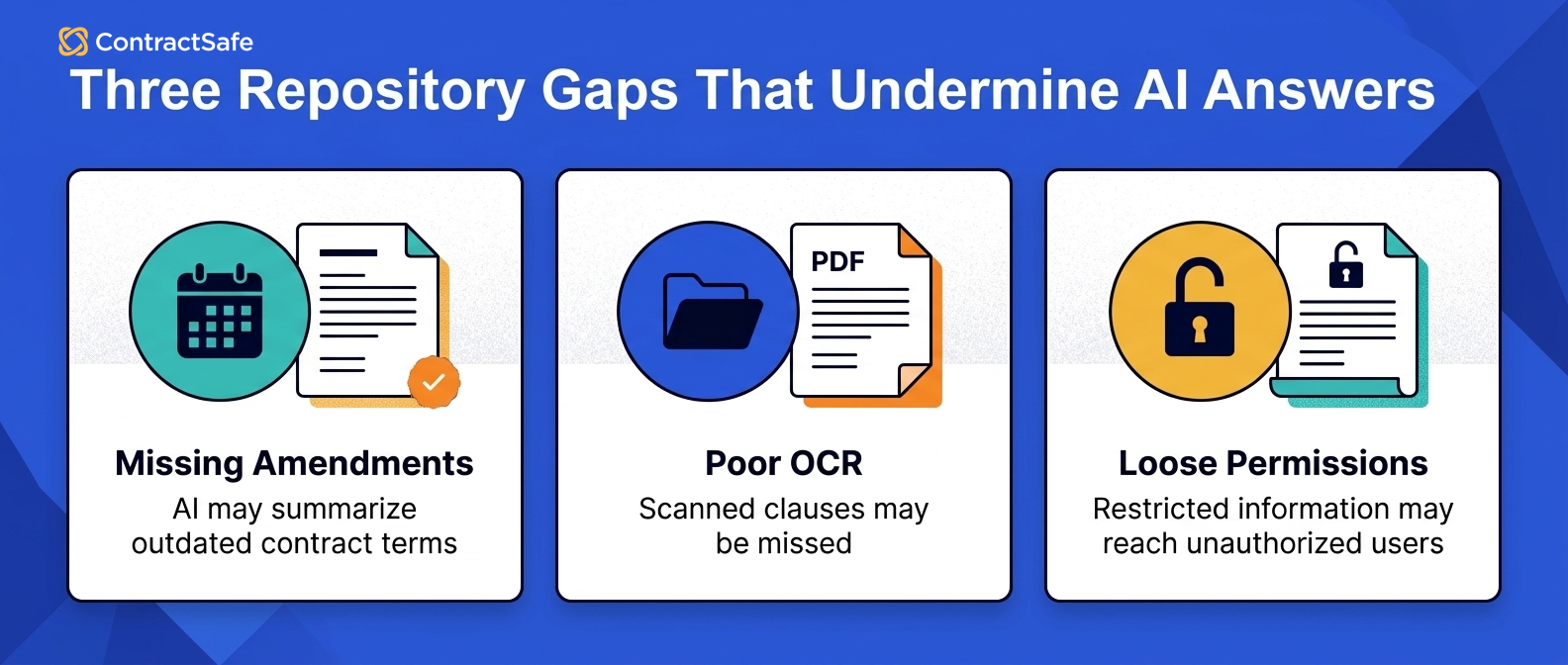
| Repository problem | What the AI may do | What the team risks |
|---|---|---|
| Missing amendments | Summarizes old terms | Teams act on stale obligations |
| Poor OCR | Misses clauses in scanned PDFs | Search feels random |
| Missing owners | Finds a risk but assigns no action | Renewal work stalls |
| Loose permissions | Answers questions for the wrong user | Legal loses trust |
| Unreviewed fields | Mixes verified and guessed data | Reports become hard to use |
Before the vendor shows a clean sample file, ask for five kinds of proof during the demo: source links, role-based permissions, reviewed fields, document-family handling, and a report your team could use the same week.
- Can the answer point back to the signed clause?
- Can the system include amendments and order forms in the same record?
- Can a non-admin user see only what they’re allowed to see?
- Can a corrected AI field update a saved report?
9 Tests Before You Trust AI Contract Repository Software
Use these tests before budget gets approved. They’re not abstract “AI maturity” questions. They’re the ordinary contract questions your team will have to answer after the software is live.
1. Source Links Back to the Contract Language
The first test is source proof.
Ask a question that matters, then click through to the answer.
Not a generic citation. Not a paragraph that says the system “looked at the agreement.” The tool should show the contract, page, clause, field, or record behind the answer.
A legal team can’t take an AI answer to finance or leadership if nobody can show the signed language behind it.
The practical demo question is simple: “Show me where this renewal notice period came from.” If the vendor can’t show the source, the answer isn’t ready for contract work.
For example, say procurement asks whether a vendor price increase is allowed this year.
A useful system should show the pricing clause, the amendment that changed it, and the record field the report is using. If you only get a polished paragraph, legal still has to go hunting.
2. Complete Document Families
A contract record is rarely one file.
The main agreement matters, but so do the amendment, order form, exhibit, renewal letter, SOW, and side letter that quietly changed the business terms.
AI can only answer from what it can see.
If the repository treats the amendment as a random orphan document, the AI may summarize the original terms and miss the change that actually controls the relationship.
The test is to upload a parent agreement with two related files, then ask a question where the answer depends on the child record.
For example, upload a master services agreement, a 2024 order form, and a 2025 renewal letter.
Then ask which notice period controls the next renewal. If the system answers from the MSA alone, it isn’t reading the contract family the way your team has to manage it.
3. Searchable Scanned PDFs
Most teams have at least a few contracts that look like they were scanned by a tired office printer in 2008.
That’s not a moral failure. It’s just the archive.
The problem is that AI search depends on readable text. If OCR misses the clause, the system may act like the clause doesn’t exist.
Bring an ugly scanned agreement to the demo.
Search for a party name, an effective date, a renewal notice phrase, and a clause buried halfway through the file. If search gets shaky, AI answers will get shaky too.
For example, use a scan where the renewal paragraph sits on a page with a signature block, a stamp, or uneven margins.
That's the file your team will actually need during a renewal scramble. If the tool only performs on perfect PDFs, the demo isn't telling you enough.
4. Metadata You Can Report On
Metadata is where contract language turns into operating data.
Counterparty. Contract type. Effective date. Expiration date. Renewal notice. Owner. Department. Value. Status.
Those fields sound dull until the CFO asks how many vendor agreements renew next quarter.
A one-off AI answer won’t help much there.
The repository needs fields that can be filtered, corrected, exported, and reported on. If your team is still cleaning every field by hand in a spreadsheet, the AI layer is arriving too early.
For example, “expiration date” is not enough if the business decision depends on notice date, renewal type, owner, vendor tier, and business unit.
Ask the vendor to build a saved view from those fields. Then correct one field and confirm the report updates from the reviewed record, not from a disconnected AI answer.
5. Permissions That Follow the User
AI should not become a side door into restricted contracts.
If HR agreements, customer contracts, acquisition files, or executive employment documents are restricted, AI answers need to follow the same access rules.
This is easy to miss in a demo because everyone is usually logged in as an admin.
Don’t test as an admin only.
Ask the vendor to show what a finance user can see, what a department manager can see, and what a restricted user cannot see. A safe answer is sometimes no answer.
For example, a finance user may need vendor payment terms but not employment agreements.
The AI should not blur that line because the prompt was phrased politely. Permissions need to travel with the answer, not stop at the document preview.
This is where the repository has to behave like a secure contract repository, not just a chat window attached to files.
Ask for proof that the same role-based access rules control search, summaries, field extraction, reports, and source links.
6. Human Review for Extracted Fields
AI extraction is useful because nobody wants to hand-enter every renewal date forever.
But extracted fields need a review path.
A system should let someone correct a field, mark it reviewed, and preserve the history of what changed.
Otherwise reports start blending verified data with guessed data.
That’s how a dashboard becomes dangerous. It looks precise, but nobody knows which fields have actually been checked.
For example, a report that says “dozens of contracts renew next quarter” sounds useful.
It becomes much more useful if the team can separate reviewed dates, extracted-but-unreviewed dates, and records missing the controlling amendment.
7. Renewal and Obligation Workflows
Finding a renewal date is only half the job.
Someone still needs to get the alert, decide whether to renew, review the terms, and send notice if the team wants out.
That means AI output needs a path into workflow.
A good repository can turn extracted dates and obligations into reminders, reports, owners, and follow-up work.
If the answer stops at a summary, legal still has to rebuild the operating system somewhere else. Usually that means a spreadsheet. The spreadsheet is where good intentions go to become stale.
For example, finding a renewal notice period should lead naturally to an alert, an owner, and a renewal review task.
If the system can’t move from “the contract says this” to “here’s who needs to act,” the team still has a repository problem with an AI layer on top.
8. Cleanup by Business Risk
You don’t need every historical contract cleaned before AI is useful.
If that were the rule, nobody would ever launch.
You do need a rational cleanup sequence.
Start with active vendors, customers, employment agreements, real estate, high-value contracts, and anything near renewal.
Alphabetical cleanup feels tidy. It’s usually the wrong order. Clean where a bad answer would cost money, time, credibility, or negotiating power.
For example, a dormant vendor agreement from 2016 can wait.
The strategic customer agreement renewing soon cannot. Clean the records that will drive decisions this month, then widen the circle as the team builds confidence.
9. Reports That Show Confidence
Leadership doesn't need a magical AI summary of the contract portfolio.
They need a report they can trust.
That means the repository should show which fields are reviewed, which records are missing owners, which agreements are near renewal, and which answers have source proof.
A confident answer isn't the same thing as a trustworthy answer.
The better report makes uncertainty visible. It tells the team where the record is strong, where it’s incomplete, and what needs cleanup next.
For example, a leadership report should separate “renewals confirmed,” “renewals needing legal review,” and “records missing source proof.”
That's less flashy than a single AI-generated summary. It's also the kind of report people can run a meeting from.
What Legal Teams Should Bring to the Vendor Demo
Bring messy active contracts to the vendor demo so the software has to prove source links, permissions, OCR, field review, and reporting with real work.
A scripted demo tells you whether the product team built a nice tour.
Your documents tell you whether the system can survive your actual work.
Bring a scanned vendor agreement. Bring an amendment. Bring a contract with a renewal notice period that changed after signature.
Bring something restricted and ask what a different role can see.
Then ask the vendor to do real jobs, not demo tricks.
| Demo task | What it proves | What to watch for |
|---|---|---|
| Upload a scanned agreement with an amendment | OCR quality and document-family handling | The answer should use the amendment when the amendment controls |
| Ask where a renewal date came from | Source proof | The tool should show the clause, page, field, or record |
| Restrict a contract and ask from another role | Permission safety | The AI should follow the same access rules as the document |
| Correct an extracted field | Human review and history | The correction should update the record without hiding the change |
| Build a renewal report | Whether AI output becomes operating data | The result should produce a usable report, not just a paragraph |
Don’t stop when the AI gives an answer.
Click through. Change roles. Correct a field. Run the report again.
That's where the useful product starts to separate itself from the clean demo script.
How to Clean Up a Repository Before Turning on AI
Clean up the records that create the most business risk first, then expand AI access as source proof, metadata, and permissions become trustworthy.
Active vendors. Customers. Employment agreements. Real estate. High-value contracts. Anything near renewal.
Start where a bad answer would hurt. Then work outward.
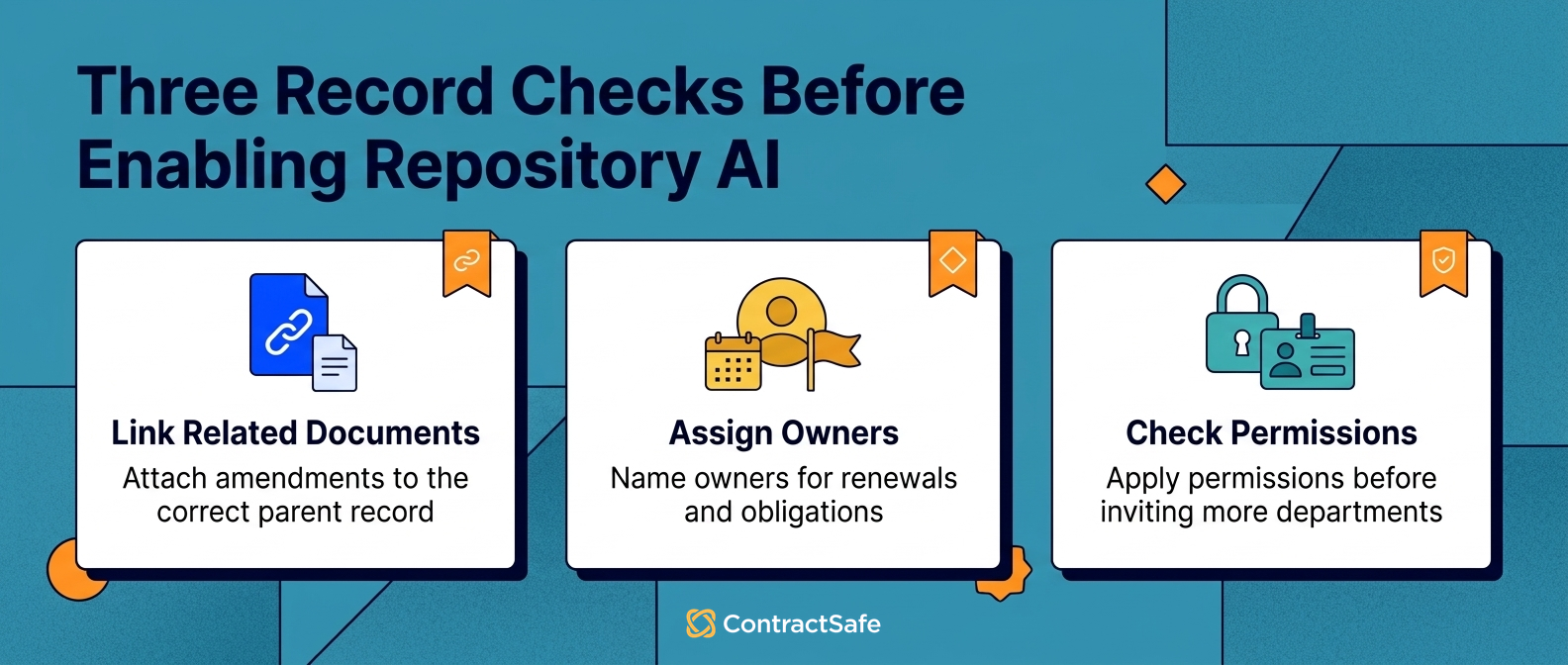
- Pull active vendor, customer, employment, real estate, and high-value agreements into the repository.
- Attach amendments, exhibits, order forms, SOWs, and renewal notices to the right parent record.
- Run OCR and test search against key clauses.
- Extract the minimum fields your team actually reports on.
- Assign owners for renewals, expirations, and obligations.
- Apply permissions before inviting more departments.
- Turn on AI search and extraction for records that meet the quality floor.
- Track records that don't meet the quality floor so nobody mistakes them for trusted AI-ready data.
This sequence lets the team launch without pretending the archive is perfect.
It also gives legal a defensible answer when someone asks why AI is limited to certain records at first.
The answer is simple: those are the records ready for trusted use.
Where AI Helps After the Repository Is Clean
AI helps most when it turns trusted contract records into faster search, cleaner fields, better reporting, and next-step work.
A finance manager can ask which vendor contracts renew next quarter.
A procurement lead can find agreements with price increase language before negotiations start.
A legal operations manager can identify contracts missing owners or renewal notice fields.
An executive can ask for the shape of the contract portfolio without making legal assemble a spreadsheet by hand.
None of those jobs are magic.
They depend on the same foundation: complete documents, fields that mean something, and permissions that match the way the business works.
That’s why teams comparing AI tools should also review their contract metadata model.
If the system has no trusted field for renewal notice date, owner, contract value, or status, the AI answer has nowhere useful to land.
How to Evaluate AI Contract Repository Software
Evaluate AI contract repository software by asking whether it can answer real questions from your team with source links, permission controls, editable data, and a cleanup path.
Use the scorecard below before budget gets approved.
| Category | Strong answer | Weak answer |
|---|---|---|
| Source proof | AI answers link back to the agreement, clause, page, or field | The system gives a summary without showing the source |
| Metadata reliability | Core fields are complete enough for renewal and obligation reports | Fields exist, but nobody knows which ones are reviewed |
| Permission safety | AI answers follow the same access rules as the document | Admin demos look safe, but role testing is unclear |
| Workflow action | Extracted data can trigger alerts, reports, owners, and follow-up | The answer stays as a chat response |
| Cleanup path | The team can launch with active records and improve older files over time | The vendor hand-waves migration and cleanup as a one-time task |
Thomson Reuters’ guidance on contract management systems is useful here because it keeps the buying conversation focused on control, process, and usable contract information.
Then compare that evidence against your broader contract management software evaluation.
The right tool should make contracts easier to find and easier to act on.
If it only makes summaries easier to generate, keep asking questions.
Related Reading
- Contract Repository Requirements to Confirm Before You Buy
- What Legal Teams Should Require from a Secure Contract Repository
- How to Keep Contract Repository Management Useful After Upload
- Contract Management KPIs to Track in 2026
How ContractSafe Helps Teams Use AI Without Losing the Contract Record
ContractSafe fits when a team needs the contract library to be usable before AI gets more ambitious.
Start with the repository: signed agreements, OCR, full-text search, metadata, permissions, alerts, and reporting.
Then add AI contract management where it helps people find answers faster without losing the record underneath.
That order matters for lean teams.
People need to find the signed agreement. Then they need to trust the fields attached to it. Then they need reminders, reports, and AI answers that point back to the same source of truth.
If you’re comparing broader contract management software, the practical question is sequence.
Can your team get the repository right first, then expand from there?
For many legal, finance, procurement, and operations teams, that’s the safer path.









.svg)







.svg)




