


Quick answer: AI contract review is AI that analyzes draft contract language before signature. AI contract management is AI that handles signed agreements afterward, tracking dates, owners, permissions and reports. Both live in your contract software, and they solve different problems.
Say a vendor sends over its paper with an auto-renewal clause buried deep in the terms. Review AI is what catches the risky language before the deal is done. Once both sides sign, management AI takes over, watching the renewal date that clause sets and reminding you before the notice deadline sneaks past.
The two get lumped together, and buying the wrong one means paying for features nobody uses. The split comes down to one moment in a contract's life: the signature.
Key Takeaways
- AI contract review helps legal inspect draft clauses, redlines, playbook positions, fallback language, and approval issues before signature. ContractSafe covers that pre-signature job with its AI contract review feature, which sits alongside the post-signature repository rather than replacing it.
- AI contract management helps legal manage signed agreements, metadata, search, renewal alerts, permissions, obligations, and reports after signature.
- The right first purchase depends on where work breaks: slow review before signature or unreliable contract records after signature.
- Both tools need source links, human review, permission controls, and audit history before legal can trust important outputs.
- ContractSafe focuses on practical AI for the signed contract record: search, extraction, key terms, alerts, permissions, and reports.
Choose Your Next Step
Choose your next step based on the decision in front of you.
-
If you need the simple distinction first, start with the core difference.
-
If you're comparing tools, jump to the seven differences to test.
-
If you're already booking demos, use the quick gut check and the evaluation criteria.
The Core Difference Between AI Contract Review and AI Contract Management
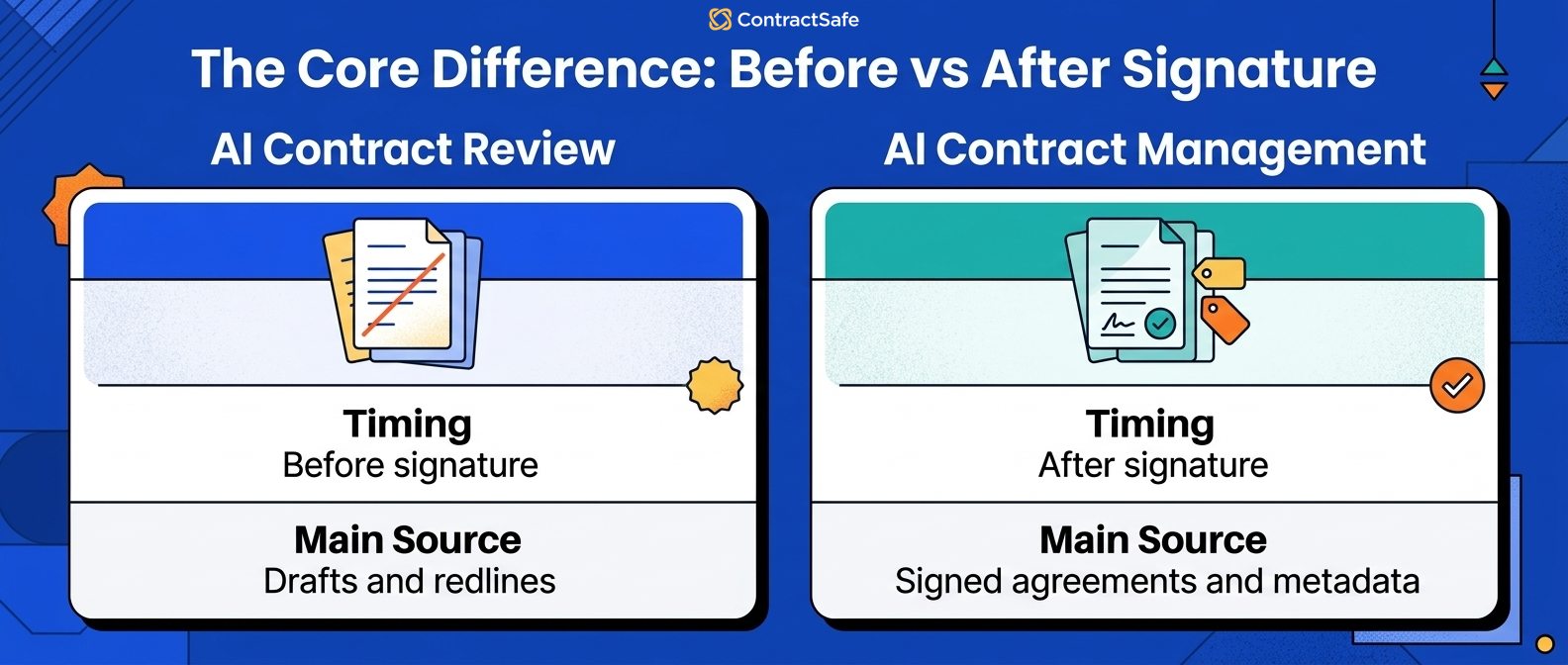
AI contract review helps legal make decisions about contract language before signature. AI contract management helps legal turn signed agreements into trusted records after signature.
That difference sounds small until you look at the work.
AI contract review belongs near drafts, redlines, templates, playbooks, fallback positions, and approvals. AI contract management belongs near the repository, searchable text, metadata, owners, renewal dates, alerts, permissions, and reports.
A review tool can tell you whether a clause looks risky, while a management tool can tell you which signed contracts renew next quarter, which ones are missing owners, and where the source language lives.
If your legal team is buried in negotiation volume, review AI may be the first place to test. If your legal team is buried in questions about signed contracts, management AI may matter more.
| Question | AI contract review | AI contract management |
|---|---|---|
| Best timing | Before signature | After signature and during ongoing management |
| Main source | Drafts, redlines, templates, playbooks | Signed agreements, amendments, metadata, dates |
| Main output | Risk note, fallback language, review recommendation | Search result, extracted field, alert, report, owner queue |
| Main failure | Bad clause guidance moves too fast | Bad contract data drives bad decisions |
For broader buying context, our guide to the best AI contract review software compares the leading AI tools for 2026.
AI Contract Review vs AI Contract Management: 7 Differences to Test
The cleanest way to compare AI contract review and AI contract management is to test the job, source record, output, user, risk, workflow endpoint, and proof requirement.
1. The Job
AI contract review is about deciding what to do with language before signature.
For example, legal may need to decide whether a limitation-of-liability clause matches the playbook, whether an indemnity clause needs escalation, or whether a missing data protection addendum blocks approval.
AI contract management is about deciding what to do with the signed record after signature.
For example, legal may need to find the renewal notice deadline, identify the business owner, answer a finance question about payment terms, or build a report of agreements missing key fields.
2. The Source Record
Review AI works from drafts, redlines, templates, and playbooks.
Management AI works from signed agreements, amendments, exhibits, order forms, metadata, and repository records.
That source difference matters because an answer is only as useful as the record behind it.
If a management AI tool ignores an amendment, the answer about renewal or termination may be wrong. If a review AI tool ignores the playbook, the risk note may be too generic to use.
Ask each vendor to show exactly which record supported the answer.
For example, give review AI a draft with a non-standard indemnity clause and give management AI the signed agreement plus a later amendment.
The review tool should explain the clause position. The management tool should explain which signed document controls the current answer.
Buyer checklist: before you spend on either tool, walk through six questions and count how many point the same direction. If most answers sit before signature, you need review AI. If most sit after signature, you need management AI. Where the answers split, buy for the side that hurts most this quarter, then test the other later. Score each line honestly, because the tool should follow your real bottleneck, not the one you wish you had.
- Pre-signature bottleneck: Are people stuck reading repeat clauses, comparing redlines, and deciding who approves a risk? If drafts pile up waiting on legal, that points to review AI.
- Post-signature control: Do you lose track of what a signed agreement actually says, who owns it, and which version controls? If the record is the mess, that points to management AI.
- Renewals: Are deadlines slipping because nobody watches renewal and notice dates? Alerts and owner queues live on the management side, so responsibility for renewals points to management AI.
- Clause search: Do you need to find a clause in a draft you are negotiating, or find it across hundreds of signed agreements? Draft language points to review AI; searching the repository points to management AI.
- Permissions: Do finance, sales, and procurement need answers without seeing privileged notes or restricted contracts? Controlled access to signed records points to management AI.
- Reporting: Do you get asked for lists of contracts missing owners, key fields, or upcoming renewals? Reports come from the signed record, so this points to management AI.
Use the test by tallying your answers, not by trusting a gut feeling. If review lines win, book demos that stress real drafts and messy paper. If management lines win, book demos that stress scanned PDFs, amendments, permissions, and reports. When both sides sting, buy the heavier one first, prove it with your own contracts, and add the second tool once the first one earns its keep.
3. The Output
Review AI usually produces a note for a reviewer: clause risk, fallback language, missing term, escalation reason, or summary of changes.
Management AI should produce something that helps the contract record: a field, alert, report, search result, source-linked answer, permission-safe summary, or owner queue.
That output shouldn't live only in a chat window. If AI finds a renewal date, the system should help legal turn that date into an alert or review queue, and if AI finds a risky clause in a draft, it should help the reviewer decide what to do next.
4. The Risk
Review AI risk is mostly about bad judgment before the contract is signed.
That can mean accepting language that creates obligations, remedies, penalties, damages, data duties, or termination exposure the business didn't intend to take on.
Management AI risk is mostly about bad records after the contract is signed.
That can mean missing a renewal deadline, assigning the wrong owner, exposing restricted terms, relying on an outdated agreement, or reporting the wrong contract value.
Both risks are real. They just happen at different points in the contract lifecycle.
5. The Users
Review AI is usually for legal reviewers, contract managers, and negotiators.
Management AI often reaches more people because signed contracts answer questions for finance, procurement, sales, operations, executives, and auditors.
That wider audience makes permissions more important. A business user may need the renewal date without seeing privileged notes or restricted agreements, and ContractSafe's permission model matters here because AI answers sit inside the controlled repository instead of floating outside it.
6. The Workflow Endpoint
Review AI should end in a legal decision: accept, reject, revise, escalate, or approve.
Management AI should end in contract operations: field reviewed, alert set, owner assigned, report built, question answered, or record corrected.
That endpoint is one of the best ways to spot a weak demo.
If the vendor shows an impressive answer but can't show what happens next, the tool has not proved the workflow.
7. The Proof
Both tools need proof. For review AI, proof means source clause, playbook position, reviewer control, and review history.
For management AI, proof means source agreement, metadata field, permission rule, owner, alert, report, and correction history.
A confident answer isn't enough. Legal needs to know why the answer is safe to use.
When AI Contract Review Is the Right Tool
AI contract review is the right tool when the bottleneck is draft-language review before signature.
Use review AI when legal is spending too much time reading repeat clauses, comparing redlines, finding missing terms, checking fallback language, or deciding who needs to approve a risk.
A strong review AI test uses real drafts.
Bring customer paper, vendor paper, old templates, missing schedules, unusual limitation language, and a clause that requires escalation. Ask the tool to show the source text, the playbook position, the recommended response, and the review history.
Then ask what happens when the contract is signed.
If the tool helps review but doesn't help the signed agreement become a searchable record, legal may still need a management layer.
Our guide to AI contract review software is useful if pre-signature review is the problem you're trying to solve first.
When AI Contract Management Is the Right Tool
AI contract management is the right tool when the bottleneck is the signed agreement record after signature.
Use management AI when legal spends too much time finding contracts, answering routine business questions, checking renewal dates, cleaning owners, pulling reports, or confirming what the current agreement says.
A strong management AI test uses messy signed contracts.
Bring scanned PDFs, amendments, customer order forms, vendor agreements, restricted contracts, and records with missing owners. Ask the tool to extract fields, show source language, respect permissions, correct bad data, and build a report that legal can use this week.
This is where AI contract workflows need to prove more than search.
The answer needs to connect to the repository, metadata, alerts, permissions, and reports.
Quick Gut Check: Which AI Problem Are You Actually Buying For?
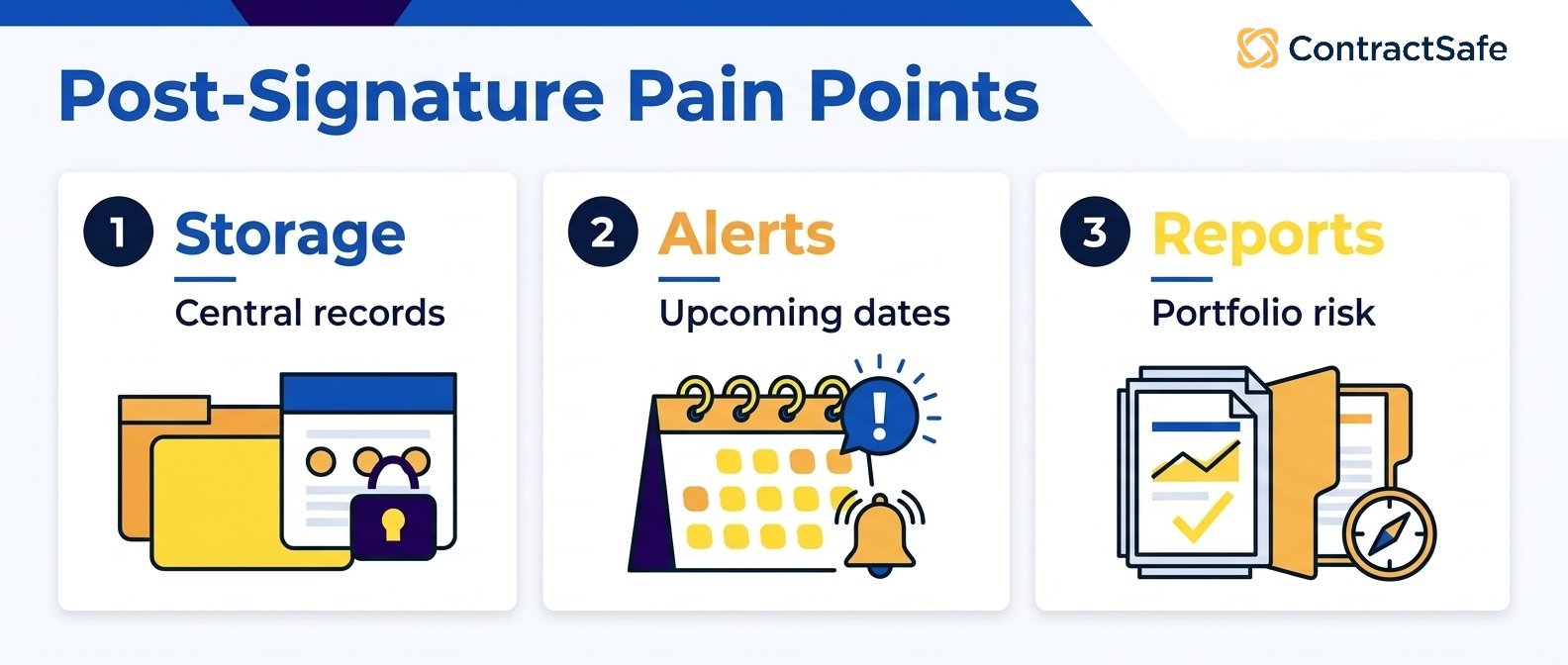
Before you book a single demo, get clear on where the pain actually lands. Is it slow to get a contract reviewed and signed, or is it a headache to manage once it's signed? Name your worst symptom, then find the line below that matches it.
-
If legal review queues are slow, review AI may deserve the first demo.
-
If signed contracts are hard to find, management AI should move up the list.
-
If missed renewals are the urgent issue, review AI won't fix the problem.
-
If clauses are inconsistent across drafts, repository AI won't fix the first review pass by itself.
-
If business users keep asking legal for basic contract answers, management AI and permissions matter.
-
If legal can't show why an AI answer is safe, neither tool is ready for broad rollout.
Don't buy the AI that gives the cleanest demo. Buy the AI that fixes the contract failure you can point to.
Side-by-Side Demo Plan for AI Contract Tools
A side-by-side demo plan should make each AI tool prove the job it claims to solve with the same messy contract story.
Don't run one vendor demo with clean review samples and another with messy signed contracts. That makes the comparison unfair and mostly useless.
Use one contract story that has both pre-signature and post-signature work.
For example, bring a customer agreement that started on customer paper, went through redlines, included a non-standard limitation-of-liability clause, required security review, was signed, then later received an amendment that changed the renewal term.
That single story lets you test both tools without changing the facts.
| Demo moment | Review AI should show | Management AI should show |
|---|---|---|
| Draft arrives | Clause changes against the playbook | Not the main job yet |
| Risk is flagged | Why legal should revise or escalate | Whether that risk will need post-signature tracking |
| Agreement is signed | Review history is preserved | Signed contract becomes a searchable record |
| Amendment changes renewal | Not usually the main job | Current renewal answer uses the controlling document |
| Business asks a question | May not help after signature | Answer respects permissions and links to source text |
Score the demo by handoff, not by how polished the AI answer sounds.
A review tool passes when it helps legal make the right language decision before signature. A management tool passes when it helps legal find, trust, act on, and report from the signed contract after signature.
If a vendor tries to skip the messy parts, slow the demo down.
What Not to Let Vendors Skip
Vendor demos should not skip the exact failure modes that make contract AI risky in real legal work.
Ask review AI vendors to show the clause text, the playbook standard, the fallback position, who reviewed it, and what changed before signature.
Ask management AI vendors to show the signed agreement, the extracted field, the source clause, the amendment path, the permission rule, who corrected the record, and what alert or report changed afterward.
Those details aren't busywork.
They are the difference between AI that helps the legal team and AI that creates one more thing legal has to verify manually.
-
Don't accept a review answer without the clause and playbook position.
-
Don't accept a management answer without the signed source record.
-
Don't accept a renewal answer that ignores amendments.
-
Don't accept a permissions answer tested with only one user.
-
Don't accept extracted data without a correction path.
-
Don't accept a report that can't link back to the contracts behind it.
For lean legal teams, this checklist keeps the conversation practical. You're not asking whether the AI is impressive. You're asking whether it makes the next contract decision safer.
What to Evaluate in AI Contract Tools
Both AI contract review and AI contract management should be evaluated on source proof, human control, permissions, correction history, workflow fit, and what happens after the answer.
| Evaluation criterion | Review AI test | Management AI test |
|---|---|---|
| Source proof | Show the clause and playbook position | Show the signed agreement and source field |
| Human control | Accept, reject, revise, or escalate the suggestion | Approve, correct, or reject extracted fields |
| Permissions | Keep sensitive drafts restricted | Keep contracts, summaries, and reports restricted |
| History | Preserve review decisions and comments | Preserve data changes, corrections, and alert updates |
| Workflow fit | Help the next legal reviewer decide | Feed search, alerts, owners, reports, and questions |
The NIST AI Risk Management Framework is useful background because legal teams need trustworthy AI behavior, not just persuasive AI output.
The FTC guidance on protecting personal information is also a good reminder that access rules still matter when AI makes contract information easier to surface.
Why Source Links and Permissions Matter
Source links and permissions matter because contract AI answers can look authoritative even when the underlying contract record is incomplete or restricted.
If review AI says a clause is risky, legal needs to see the clause, the playbook position, and the reason for the flag.
If management AI says a contract renews automatically, the user needs to see the source agreement, the amendment path, the notice window, and whether they are allowed to see that information.
That's the line between helpful assistance and unsupported advice.
For post-signature work, this is also why the contract metadata layer matters. AI needs fields it can improve, and legal needs fields it can review.
The answer should never be detached from the record.
How to Decide What to Buy First
The first AI contract tool to buy should match the contract failure that creates the most repeated work or risk for legal this quarter.
Start by listing the last ten contract problems that cost legal time.
Don't make the list abstract. Use actual examples: the vendor renewal nobody owned, the customer redline that stalled, the missing amendment, the executive question legal had to answer manually, or the clause issue that required three reviewers.
Then group those examples by where they happened.
If most happened before signature, review AI may be the better first test. If most happened after signature, management AI may be the better first test.
| Recent pain | Likely first test | Proof to ask for |
|---|---|---|
| Legal keeps reviewing the same redlines | Review AI | Clause flag, playbook position, fallback language |
| Nobody knows which contract renews next | Management AI | Source-linked date, owner, alert, review status |
| Business users ask legal routine contract questions | Management AI | Permission-safe answer with source language |
| Approval routing changes by clause risk | Review AI or workflow CLM | Escalation reason and approval history |
A practical first rollout should create evidence within the first week.
For review AI, that evidence might be fewer routine redlines, clearer escalation reasons, and a better record of review decisions.
For management AI, that evidence might be searchable scanned contracts, reviewed renewal dates, missing-owner reports, and business users getting safe answers without emailing legal.
ContractSafe covers both sides in one system, and the AI work starts from the same governed contract record instead of a separate chat layer.
That makes the first rollout easier to judge: can legal find the contract, trust the field, see the owner, and act before a deadline?
Use a small scorecard before you sign.
For review AI, score whether the tool found the right clause issue, explained the playbook conflict, suggested usable fallback language, and preserved the review decision.
For management AI, score whether the tool found the signed agreement, read the correct amendment, extracted the right field, respected permissions, and turned the answer into an alert, report, or owner queue.
A tool can still be promising if it misses one item.
But the miss should change the rollout plan. Weak review proof means legal keeps tighter human review. Weak management proof means legal starts with repository cleanup before broader AI Q&A.
Write that decision down before procurement gets involved.
The point isn't to make every vendor look comparable. The point is to know which tool deserves budget now, which one can wait, and what proof would change your mind later.
That record also helps legal explain the buying decision after the demo glow wears off.
It gives finance and legal the same reason for why this AI category comes first.
Related Reading
-
5 Best AI Contract Review Software: How to Choose the Right One
-
AI Contract Management Software: A Practical Evaluation Framework
-
AI contract workflows
- For clause extraction and limits, read AI contract analysis software.
How ContractSafe Helps Legal Teams with AI Contract Management
ContractSafe helps legal teams with the management side of AI: the signed agreement, the searchable record, the key terms, the renewal dates, the permissions, and the reports.
That matters when the real problem isn't one more clause summary.
The real problem is knowing what the company signed, where the contract lives, who owns it, what deadlines matter, and what happens next.
ContractSafe's AI contract management features help teams extract key terms, improve search, and ask contract questions inside the same system that stores signed agreements.
The repository keeps records organized. Alerts help teams act before deadlines. Permissions keep contract answers practical without opening every record to every user.
The FAQ below covers the AI contract review versus AI contract management questions legal teams usually ask before they choose what to test first.
If your team is comparing AI contract tools, request a ContractSafe demo and test the management side with real signed agreements, real renewal language, and real permission rules.







.svg)







.svg)




