



Quick answer: AI contract lifecycle management means contract software where AI does the real work across a contract's life: pulling key terms and dates out of your agreements, answering plain-English questions, reviewing outside paper against your playbook, and, in some tools, acting on its own. The differences between tools now sit in how the AI is delivered, what it costs, and how much human oversight stays in.
Picture a 50-person team that wants to find a renewal date before the contract quietly renews for another year. Someone types a question, the software reads the whole pile of files, and the answer comes back in seconds instead of after an afternoon lost in folders. That's the promise. The catch is that not every tool delivers it the same way.
Choose your next step:
If you're new to contract management software in general, start with our contract management software guide.
If you're comparing vendors, read the wider best contract management software roundup first.
If you're ready to see extraction run on your own contracts, book a ContractSafe demo.
Key Takeaways
- Most serious CLMs now ship AI search, extraction and chat, so the differences are price, who can use it, and how much human review stays in.
- Agentic features are mostly still in beta or early access, so ask each vendor what runs in production today.
- Most mid-market teams need reliable search, extraction and summaries first, and add playbook review only for contract types where their standards are written down.
- AI is often a paid add-on, metered, or user-capped, so the headline price is rarely the all-in price.
- ContractSafe includes AI extraction and AI chat on every plan with unlimited users, starting at $450/month, and AI Contract Review against your playbook comes with the Maximize plan.
What Is AI Contract Lifecycle Management?
AI contract lifecycle management is contract software that reads, searches, reviews and in some tools acts on your contracts, instead of leaving that work to a person with a folder. It ranges from automatically pulling key dates out of a PDF to agents that flag a risky clause before you ask, and it's more than a chat box on top of your files.
What changed recently is that foundation models, the LLMs behind ChatGPT, Claude and Gemini, got good enough to handle legal language reliably, which opened the door for vendors to ship features that work in production, not only in demos.
AI in CLM shows up in three layers, each more autonomous than the last, and it helps to map them against the stages of the contract lifecycle before deciding where AI belongs:
Extraction and search. AI reads every contract you upload, identifies key fields like parties, dates, values and renewal terms, and makes the whole repository searchable in plain English. This is the most mature layer, and most modern CLMs do it well on common contract types.
Copilots. You ask a question, the system answers: "what's our termination notice on the Acme MSA?" or "summarize the indemnification differences across all vendor contracts signed this year." Copilots dominated 2024 and 2025; every credible vendor has one.
Agentic AI. Software that takes action without you prompting it: drafting a renewal brief before a contract expires, flagging an out-of-policy clause during review, or routing an obligation to the right owner. This is the newest layer and where most of the vendor competition is happening.
In the four risk tiers below, extraction and search sit in Tier 1, copilots span Tiers 1 and 2, and agentic AI covers Tiers 3 and 4.
The Four-Tier AI Risk Framework
The four-tier framework sorts AI features by how much judgment you hand to the software: Tier 1 assists, Tier 2 interprets, Tier 3 decides, Tier 4 orchestrates. The more the AI does on its own, the more of your oversight moves from checking each output to setting limits up front and auditing afterward.
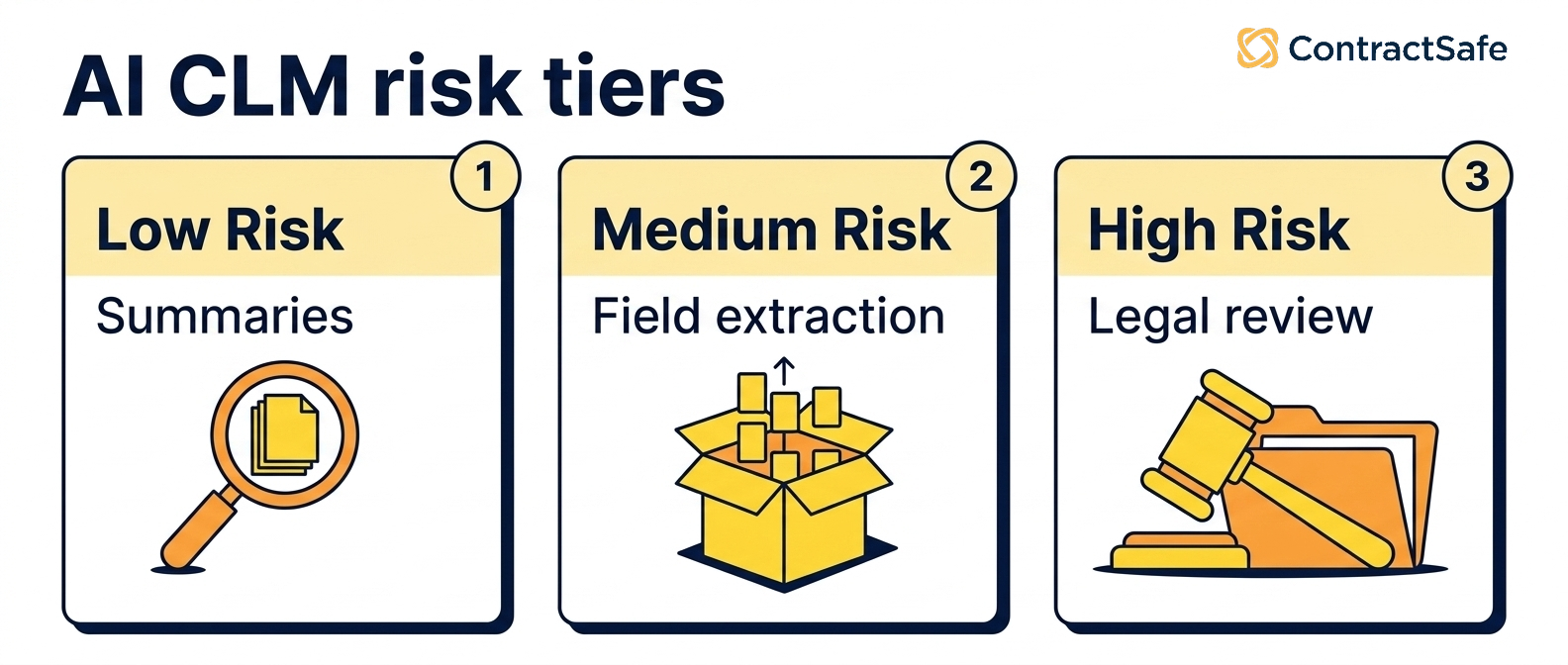
Tier 1: AI Assists, You Decide
AI surfaces information and suggestions and a human makes every decision; the AI is a research assistant, not a co-signer. At this tier the software gives you:
Automatic data extraction: parties, dates, values and renewal terms, which you review and accept.
Natural-language search across your repository, and copilot Q&A on individual contracts where the answer lives in the document.
Auto-categorization and tagging you confirm.
Your role is reviewer on every output. Do mid-market teams need this? Yes. This is the floor, and if your AI CLM doesn't do it well, nothing else matters.
Tier 2: AI Interprets, You Verify
AI does interpretation work, summarizing terms and comparing contracts, and a human spot-checks before the output gets used downstream. This tier adds:
Contract summarization and cross-portfolio analysis ("compare indemnification across our top 20 vendor contracts").
AI-suggested clause generation against your standards, and AI-generated playbooks built from your historical contracts with human review before activation.
Auto-flagging of unusual clauses for legal review.
AI-built templates from your contracts and AI-filled intake forms.
Your role is verifier, especially on first runs, new contract types and edge cases. Most mid-market teams need this if they produce, draft or analyze contracts regularly, not only store them.
Tier 3: AI Decides, You Govern
AI applies your standards on its own and flags exceptions; humans set the rules and review flagged items, not every contract. Here the AI starts applying your rules:
AI contract review against your playbook on incoming third-party paper, with redline suggestions accepted or rejected one at a time.
Automated risk scoring, where some platforms produce a 0-100 score per contract.
Full contract drafting from a prompt, and bulk review of a playbook across hundreds of contracts.
Your role is governor: you set playbooks, define risk, review AI-raised exceptions and audit outcomes. Whether mid-market teams need this depends: if you review 30+ contracts a month and have clear standards, the time savings are significant; if your standards aren't written down anywhere, start with Tier 2.
Tier 4: AI Orchestrates, You Trust and Audit
One natural-language instruction triggers a chain of AI agents (intake, review, redline, route, send), or always-on agents monitor your portfolio and act without being asked; humans set boundaries and audit after the fact. This is where the vendor pitches get loudest:
Multi-step agentic workflows from one prompt, where Ironclad's "Act" mode, still in early access, is the clearest example.
Always-on autonomous agents, such as LinkSquares' agents in beta for renewals, obligations and anomalies.
Custom agent builders that let you describe a task in plain English and have the software carry it out on a schedule; budget time to test them against real contracts before you let them run unattended.
Your role is trust and audit: set boundaries up front and replace real-time review with after-the-fact audit logs and exception handling. Do mid-market teams need this yet? Usually not. Most of these features are still in beta or early access wherever you look, so you'd be buying a promise. Support for MCP (the Model Context Protocol, a standard that lets outside AI tools such as ChatGPT or Claude query your contract data) and email delivery get lumped in with Tier 4, but they're plumbing, not autonomy; MCP is the one piece worth planning for if your company is heading toward connected AI workflows.
Most mid-market teams should land on Tiers 1 and 2, with selective Tier 3 for contract types where you have a clear playbook. Hold the vendors compared below to that.
Agentic AI: What's Live and What's Still Promised
By the vendors' own announcements as of mid-2026, the agentic features you can use today are Ironclad's Jurist redlining agent, Gatekeeper's agent library, DocuSign's review assistant and SpotDraft's Sidebar; the rest is beta, early access, or a roadmap slide. The MCP servers in these lists aren't agents themselves; they're the plumbing that lets outside agents reach your contract data. Agentic AI is the most hyped and most uneven layer of the market, so don't take a demo at face value: ask each vendor which agentic features are generally available versus still in beta.
Generally available today
Ironclad Jurist Redlining Agent (April 30, 2026): upload a playbook, one click, sourced first-pass redlines in seconds, covering NDAs, MSAs and third-party paper. Ironclad bills it as the first GA playbook-driven redlining agent in CLM; our ContractSafe vs Ironclad comparison covers the rest of the platform.
Gatekeeper LuminIQ Agent Library (February and March 2026): 12 GA agents covering clause review, obligation extraction, renewal, amendment, DDQ approval, DORA compliance, SOC 2 and security policy, bundled on every plan.
DocuSign AI Contract Review Assistant (April 9, 2026): conversational chat inside Agreement Desk with in-workflow edit suggestions.
SpotDraft Sidebar (December 2025): a six-capability agentic layer including bulk analysis of 100+ contracts via natural language, legal research, standards-based review, checklist creation, policy updates and agentic DOCX editing.
Concord Horizon MCP Server (December 2025): the first GA MCP server in CLM, letting external AI agents such as Claude and ChatGPT query live Concord contract data.
In early access, beta, or alpha
Ironclad "Act" mode, in early access (April 15, 2026): a single natural-language prompt triggers and orchestrates all Ironclad agents, the highest autonomy level shipped in CLM to date; Jurist in Microsoft Word is in closed early access.
LinkSquares Autonomous Agents, in beta since April 2025: always-on email-native agents for renewals, obligations and alerts, with zero setup; the only CLM claiming fully autonomous no-config operation.
DocuSign MCP Server, in beta (February 2026), and SpotDraft MCP Server, in alpha (April 2026).
Concord Custom Agent Builder, in early access: lets users build their own agents through natural-language configuration.
Still pending
DocuSign AI Contract Agents: promised for Q4 2025, then April 2026, and still listed as coming soon as of mid-2026.
Ironclad Renewal Agent and Cost Savings Agent: announced but not generally available. If renewal automation is a must-have, ask for a firm availability date in writing and score the platform on the renewal tracking and alerts it runs today.
Gatekeeper MCP integration: listed as coming soon on all plan tiers.
AI CLM Options Compared
The AI CLM platforms worth a close look are ContractSafe, Concord, SpotDraft, DocuSign, CobbleStone and LinkSquares. Each one does something well and stops short somewhere else.
| Vendor | Starting price |
|---|---|
| ContractSafe | Starting at $450/month, unlimited users |
| Concord Horizon | From $499/month (5 users) |
| SpotDraft | Quote only |
| DocuSign IAM | Quote only; enterprise pricing |
| CobbleStone | Quote only; VISDOM+ is a paid AI add-on |
| LinkSquares | Quote only; enterprise SaaS |
ContractSafe
ContractSafe is a full-lifecycle CLM built around adoption, not configuration. AI extraction and AI chat come on every plan, and every plan has unlimited users, which removes the per-seat math that keeps finance and ops off the system at most competitors. The trade-off is that ContractSafe doesn't chase enterprise agentic features: there's no autonomous orchestration layer and no MCP server yet. Here's what you get, and which plan it comes on:
AI search and Ask AI chat, on every plan: plain-English search that finds contracts across your whole repository, and plain-English answers to questions about any contract.
Auto-extraction, on every plan: parties, dates, values and renewal terms pulled automatically, which you spot-check against a sample before you trust them; extraction into your own custom fields comes with Maximize.
AI Contract Review with playbooks, on the Maximize plan: apply your standards to incoming third-party paper, with human accept or reject on each suggestion. Separately, the Word integration (Finalize and Maximize) lets your lawyers edit in Word with tracked changes and save the new version back to ContractSafe.
Onboarding, data migration and a customer success manager on every plan, so you're running real searches the same week.
ContractSafe fits teams that want the lower risk tiers (reliable search, extraction and clause analysis you can check) rather than autonomous always-on agents or a custom agent builder. For a lot of mid-market teams that's the right trade, because the flashier autonomous features are still in beta at many competitors and priced for enterprise budgets.
Concord (Horizon and AI Copilot)
Concord rebuilt its platform around AI in late 2025. Horizon is the result, and Concord markets it as AI-native. Pricing starts at $499/month for 5 users, with tiered upgrades and additional users at $49-89/month. Concord's AI layer gives you:
MCP server (GA December 2025): query live Concord data from ChatGPT or Claude with permissions and audit logging.
AI Copilot: conversational chat over your Concord contracts.
Custom Agent Builder in early access, and natural-language search with clause-level citations.
Concord has the only generally available MCP server among the vendors here. If MCP support is on your near-term roadmap and you don't need enterprise workflow orchestration, this is the strongest option with published mid-market pricing; the catch is paying per seat beyond the first 5 users, and AI extraction is still in beta. The ContractSafe vs Concord comparison sets the two side by side.
SpotDraft (Sidebar and VerifAI)
SpotDraft has built one of the most versatile mid-market AI layers in CLM. Sidebar bundles six agentic capabilities into a single product, and the MCP server entered alpha in April 2026. Pricing is quote-based with no public list. SpotDraft's AI covers:
Sidebar: bulk-analyze 100+ contracts at once via natural-language tables, run legal research, and perform standards-based review.
DraftMate AI turns Word docs into templates with auto-generated variables and intake questionnaires in minutes, and Smart Fields auto-populate intake forms on upload.
VerifAI redlining: playbook-driven redline suggestions inside Sidebar; a multi-model architecture picks a foundation model per task rather than locking to one provider.
SpotDraft is the strongest Word-native option in mid-market. If your legal team lives in Word and wants deeply embedded AI without leaving the editor, SpotDraft is the best fit; the catch is opaque pricing, and SpotDraft doesn't publish whether its AI is bundled, so ask. The ContractSafe vs SpotDraft comparison has the full head-to-head.
DocuSign Intelligent Agreement Management (IAM)
DocuSign's bet is breadth of integrations, not features. IAM bundles AI-powered agreement management with the widest set of agent integrations in the category: MCP Server in beta, Claude Cowork in beta, Salesforce Agentforce generally available, ChatGPT and Slack integrations announced, and an Iris AI engine trained on 20+ years of DocuSign's agreement data, plus FedRAMP-Moderate authorization. The catch is that the headline AI Contract Agents have been delayed twice and are still pending. Pricing is quote-based at enterprise levels.
DocuSign is the right pick if you're already standardized on DocuSign eSign and want to add its AI contract tools across a large company. It's the wrong pick if you need to get live fast, because the AI features are split across several products and implementations run long. The ContractSafe vs DocuSign comparison goes through the differences.
CobbleStone (VISDOM and VISDOM+)
CobbleStone targets regulated industries (government, healthcare, pharma, financial services) with an inference-only AI architecture that ensures client data never trains public models. VISDOM+ is a multi-agent generative AI system covering extraction, risk, drafting, sentiment and compliance, with Word and Outlook add-ins and support for seven or more languages, inside a wider suite that also covers procurement, sourcing and vendor management. The trade-off is that VISDOM+ is a paid add-on on top of the base CLM subscription, and pricing is quote-based.
CobbleStone is the right pick if data isolation is a hard requirement or you need procurement and contracting in one platform. It's not the right pick if you want bundled AI pricing or a modern UX, and you should expect a steep learning curve and heavy administration. The ContractSafe vs CobbleStone comparison goes deeper.
LinkSquares LinkAI Platform
LinkSquares launched the LinkAI Platform in May 2026, rebuilt around autonomous, email-delivered AI. Business User Intake lets business users drop a contract into chat (or speak the request), and LinkAI fills the intake form, summarizes, assesses risk and routes to legal in one click. A Risk Scoring Agent generates a 0-100 score per contract with custom criteria, a saved Prompt Library gives any attorney reusable prompts, and multi-step agentic redlining runs analyze, edit and comment with a preview step before changes are saved. Pricing is quote-based, enterprise SaaS.
LinkSquares has gone furthest on always-on agents that watch renewals and obligations and report by email, but those agents are still in beta. If that's the job you're buying for, ask to see them run on your own live contracts; the constraints are enterprise pricing and no MCP server announced. The ContractSafe vs LinkSquares comparison lays out the trade-offs.
How to Choose AI CLM
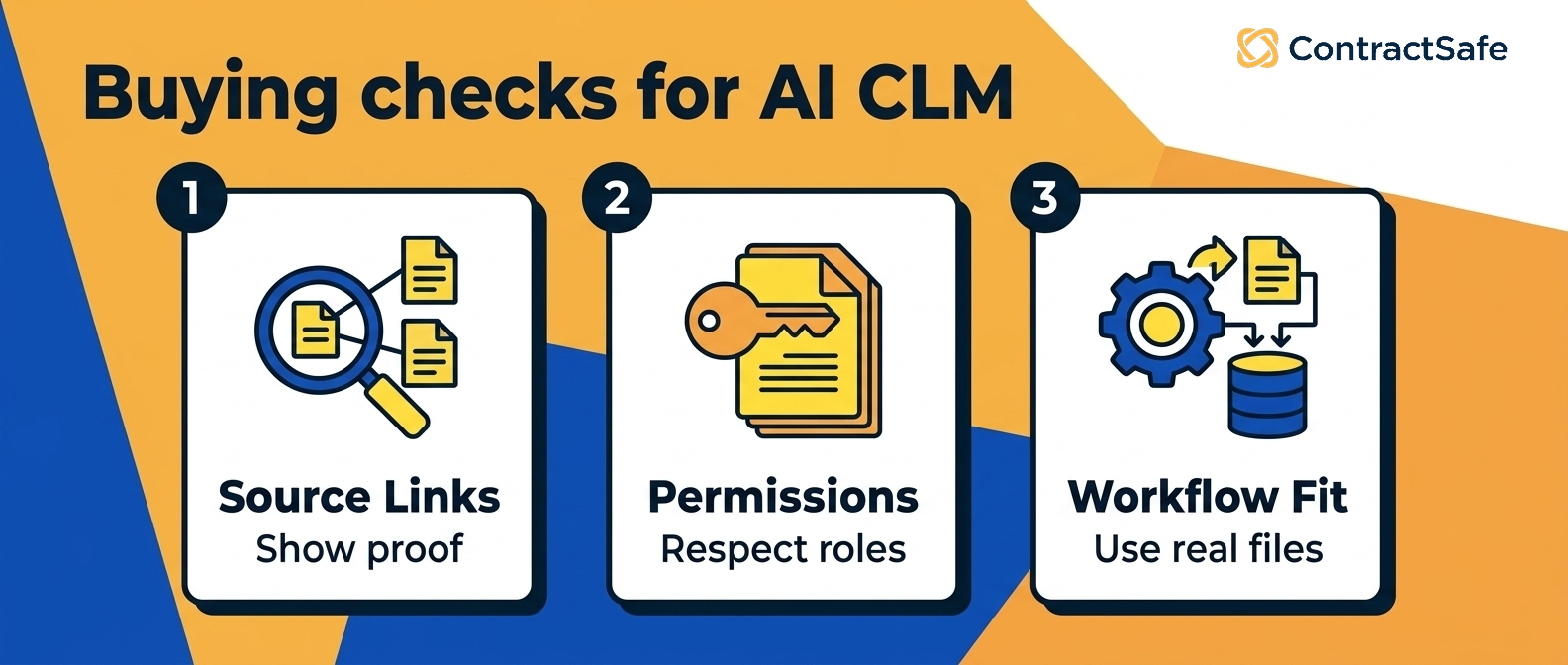
Choose AI CLM by deciding which risk tier you need, pinning down how AI is priced, getting the data-handling story in writing, matching the platform to your main job, and weighing adoption over feature count. Most buying guides assume you need every feature the vendor offers; you probably don't. Mid-market legal, finance and ops teams get the most value from a few well-built AI capabilities, not a buffet of half-used features they paid extra for.
1. Decide which AI risk tier you need
A natural-language search bar and an autonomous agent that drafts and routes contracts on its own are completely different commitments with completely different risk. Sort what you're shown into the four tiers above, then match the tier to the job. If you manage a lot of leases, you mostly need strong Tier 1 and Tier 2 to surface renewal dates and pull rent, term and option details, not a Tier 4 agent that renews on its own. The risk climbs with the tier: higher tiers do more, but they can also act on a mistake before anyone catches it, so be honest about whether you'll use anything above Tier 2 before you pay for it.
2. Pin down how AI is priced
Ask whether AI comes on every plan, costs extra as an add-on, is capped by users, or is quote-only; the pricing section below shows which vendor does which. Get three answers in writing before the demo ends:
Is every AI feature in the plan you're quoted, or is any of it a separate module?
Does the price change when finance and ops users log in, or when extraction volume climbs?
What does the renewal escalator look like once the AI is in daily use?
3. Verify the data-handling story in writing
Get these three commitments in the contract, not the sales deck:
Inference-only architecture: your contract data is never used to train public models.
Tenant isolation, and SOC 2 Type II at minimum, with HIPAA, FedRAMP or GDPR depending on your industry.
Audit trails, and AI answers that show the source contract they came from.
4. Match the platform to your dominant use case
Start from the job you need done most, then pick the vendor that's strongest at it:
A full-lifecycle CLM with AI the whole company will use: ContractSafe, with extraction and natural-language search on every plan and playbook review on Maximize.
Drafting and intake automation: SpotDraft DraftMate and LinkSquares Business User Intake are the strongest entries.
External AI integration via MCP: Concord generally available, DocuSign in beta, SpotDraft in alpha.
Regulated industries: CobbleStone (inference-only) and DocuSign (FedRAMP) lead.
Autonomous agents: LinkSquares' always-on agents (beta) and Ironclad's Act mode (early access); before you trust either, ask to see the audit log and the exact list of tasks it can run on its own.
5. Weigh adoption risk over feature breadth
Most AI CLM projects that stall don't fail on features. They fail because people stop using the tool. A platform your whole team opens and works in will beat a more powerful one that only legal ever logs into, so treat adoption as the real risk and test how a first-time user experiences the tool, not how the demo looks in expert hands:
Ask for a cold start: have one of your non-legal users open the tool and try a real task without a specialist driving. If it needs hand-holding, your sales and finance teams won't touch it either.
Ask who rolls it out company-wide, and whether their customers deploy it across the business or keep it legal-only.
Ask to talk to a reference customer about what onboarding looked like and where users pushed back.
Ask what happens after go-live: who keeps people using it once the launch excitement fades, and how much of that falls on your team.
AI CLM Pricing
Four pricing patterns dominate AI CLM: core AI on every plan, AI as a paid add-on, per-user or tier-capped AI, and quote-only enterprise AI. Metering shows up as a hidden cost under any of them, which is why the invoice so often surprises people. Before you compare quotes, ask each vendor which pattern they use and what happens when you hit a limit.
Core AI on every plan
Used by ContractSafe: AI extraction and AI chat are on every plan, including the Organize plan that starts at $450/month, with no add-on fee and no per-user charge, and AI Contract Review comes with Maximize. Price follows plan and contract volume, not how many people use the AI, so finance and ops aren't priced out and more of the company uses it.
AI as a paid add-on
Used by CobbleStone (VISDOM+); SpotDraft doesn't say, so ask. The base CLM subscription is one cost; the AI capabilities are a separate paid module. Be especially careful here, because the headline price often excludes the feature you're buying for.
Per-user or tier-capped AI
Used by Concord Horizon. Every plan includes 5 users, and each additional seat costs $49-89/month. Per-seat pricing creates a hard ceiling on adoption: teams limit who gets a license, and the AI never reaches the finance and ops users who'd make it pay for itself.
Quote-only enterprise AI
Used by DocuSign IAM, LinkSquares and Ironclad. Negotiated per customer, typically with multi-year commitments, and AI features may be split across multiple SKUs, especially at DocuSign. Total cost is hard to compare.
Hidden costs to budget for
Implementation services: big enterprise rollouts usually carry a separate services bill for data migration, integrations and configuration. Ask for that services quote in writing before you sign anything.
Premium integrations (LinkSquares with Ramp, DocuSign with Salesforce), priced separately.
Extraction or query metering at the high end.
Renewal escalation: quote-only vendors usually build in an annual increase, so get the cap in writing.
Implementation and Rollout
Implementing AI CLM means loading your contracts, checking what the AI extracted, setting playbooks, fields and permissions, and deciding where a person signs off. You won't be training your own model: modern AI CLMs use foundation models that already understand legal language, so your job is to set up the system so the AI knows what your organization cares about. Here's the work involved:
Import your contracts, with OCR for scanned PDFs. Usually the longest part of the project if you have years of paper or scattered drives.
Validate extracted fields by spot-checking a sample. This is where teams catch quality issues early.
Set up playbooks: manual, AI-built from your signed contracts, or hybrid (AI generates, a lawyer tunes). Most teams should use the hybrid path.
Configure custom fields beyond the standard data: renewal owner, discount tier, vendor risk category.
Set permissions by team, role or contract type. This matters more with AI because chat and search only return results a user has permission to see.
Plan your human-in-the-loop process. A practical default: humans review AI suggestions on contracts above a dollar threshold and audit in monthly batches below it.
Train your team, not the AI: a short session for casual users and a slightly longer one for power users.
Timelines depend on the vendor and on how much paper you're bringing in. ContractSafe and Concord have you up and running in hours to a few days, with a couple of weeks to feel fully settled once your contracts are loaded and your fields are set. SpotDraft and LinkSquares take weeks to a few months depending on Word and intake configuration depth. Enterprise platforms (DocuSign IAM, Ironclad, CobbleStone's full suite) mean a lengthy rollout with a dedicated admin during and after launch. Our contract management best practices guide covers the habits that keep the system useful after go-live.
Common Misconceptions About AI in CLM
Most myths about AI in contract management come down to two mistakes: expecting the software to think like a lawyer, or assuming it's a chat box wrapped around your files.
"AI replaces lawyers"
It doesn't. It removes the repetitive parts (finding contracts, pulling terms, flagging deviations) so lawyers spend their time on judgment calls. Every credible vendor will tell you a human still needs to approve anything material.
"Agentic AI means we can take humans out of the loop entirely"
No, and any vendor pitching this is selling you risk. The right framing is human-in-the-loop versus human-on-the-loop. Lower-risk tasks need a human validating outputs as they happen; higher-risk autonomous tasks need a human setting boundaries up front and auditing afterward. Either way, humans don't disappear; they shift where they spend attention.
"AI CLM is ChatGPT with a contracts wrapper"
Some are, and that's the line the definition above draws between AI CLM and a chat box. The ones worth paying for aren't: they have purpose-built extraction models, legal-trained classifiers, and in some cases proprietary AI engines trained on millions of agreements (DocuSign's Iris). Ask the vendor to explain their architecture, and get the data-handling commitments in writing: Agiloft's Astra Clean Data Promise and CobbleStone's inference-only architecture make "no training on customer data" explicit, and if a vendor can't show that, treat it as a warning sign. If Agiloft is on your shortlist, the ContractSafe vs Agiloft comparison sets the two side by side.
Where AI CLM Is Heading
AI CLM is heading toward agents that act without being asked, MCP as the standard way outside AI tools reach contract data, redlining inside Word, custom agent builders at mid-market prices, and contract AI that reaches finance, HR and procurement. Here's where each one stands:
1. Agents that act on their own
Several vendors are shifting from copilots you have to ask toward agents that run quietly in the background: Ironclad's "Act" mode, LinkSquares' always-on email agents, and DocuSign's coming AI Contract Agents all point the same direction. None of them is generally available yet, so ask each vendor for the audit trail and keep the AI on tasks a person reviews before anything leaves the building.
2. MCP becomes the universal contract API
MCP is moving from novelty to expectation. It lets outside AI assistants and copilots query live contract data instead of working off stale exports, and over the next year or so expect it to show up as a standard question in enterprise buying.
3. Redlining moves into Microsoft Word
Icertis, SpotDraft and Juro now ship redlining inside Word, Ironclad's Jurist for Word is in closed early access, and ContractSafe's redlining and Word integration come with the Finalize and Maximize plans. Legal teams live in Word, so expect more mid-market tools to follow within a year. Our ContractSafe vs Icertis comparison and ContractSafe vs Juro comparison show where each stands today.
4. Custom agent builders go mid-market
Today only enterprise tools (Sirion, Icertis, Harvey) offer them; Concord's Custom Agent Builder, in early access, is the first sign they're moving down-market. A mid-market team that needs custom agents beyond a packaged vendor's roadmap can have them built, but should ask who maintains them and budget for the integration and governance work.
5. Contract AI expands beyond legal
Workday Contract Intelligence (formerly Evisort) feeds contract data into HR, finance and procurement natively, Icertis chains across SAP and Microsoft Copilot, and Ironclad's Cost Savings Agent targets finance. No mid-market vendor pipes contract data into HR, finance or procurement systems natively yet; in the mid-market, contract AI reaches those teams by giving them their own logins to the contract system.
Related Reading
How ContractSafe Helps With AI Contract Lifecycle Management
ContractSafe is built for teams that want AI to do the boring parts and then get out of the way. The core AI contract management features come on every plan: Ask AI and AI search return the answer along with the source contract in seconds.
Automatic extraction pulls parties, dates, values and renewal terms out of every upload for you to review and accept, and on Maximize it fills your own custom fields too.
On the Maximize plan, AI Contract Review checks third-party paper against your own playbook, and from Finalize up the Word integration keeps lawyers in the editor they already use. ContractSafe doesn't use customer data to train AI models.
Around the AI sit the rest of ContractSafe's features: one organized repository with full-text search so nothing hides in someone's inbox, renewal and deadline alerts so no contract quietly renews because nobody was watching the date, permission controls so sensitive agreements stay with the people who should have them, and reporting on obligations, value and what's coming due. Approval workflows, redlining and e-signature come with Finalize and Maximize, and intake forms and templates with Maximize.
ContractSafe pricing starts at $450/month billed annually ($540 month-to-month), with unlimited users on every plan.









.svg)







.svg)




